
Deploy Drizzle Gateway
Browser database client for viewing and editing your tables

Just deployed
/var/lib/postgresql/data
drizzle-gateway
Just deployed
/app
Deploy and Host Drizzle Gateway on Railway
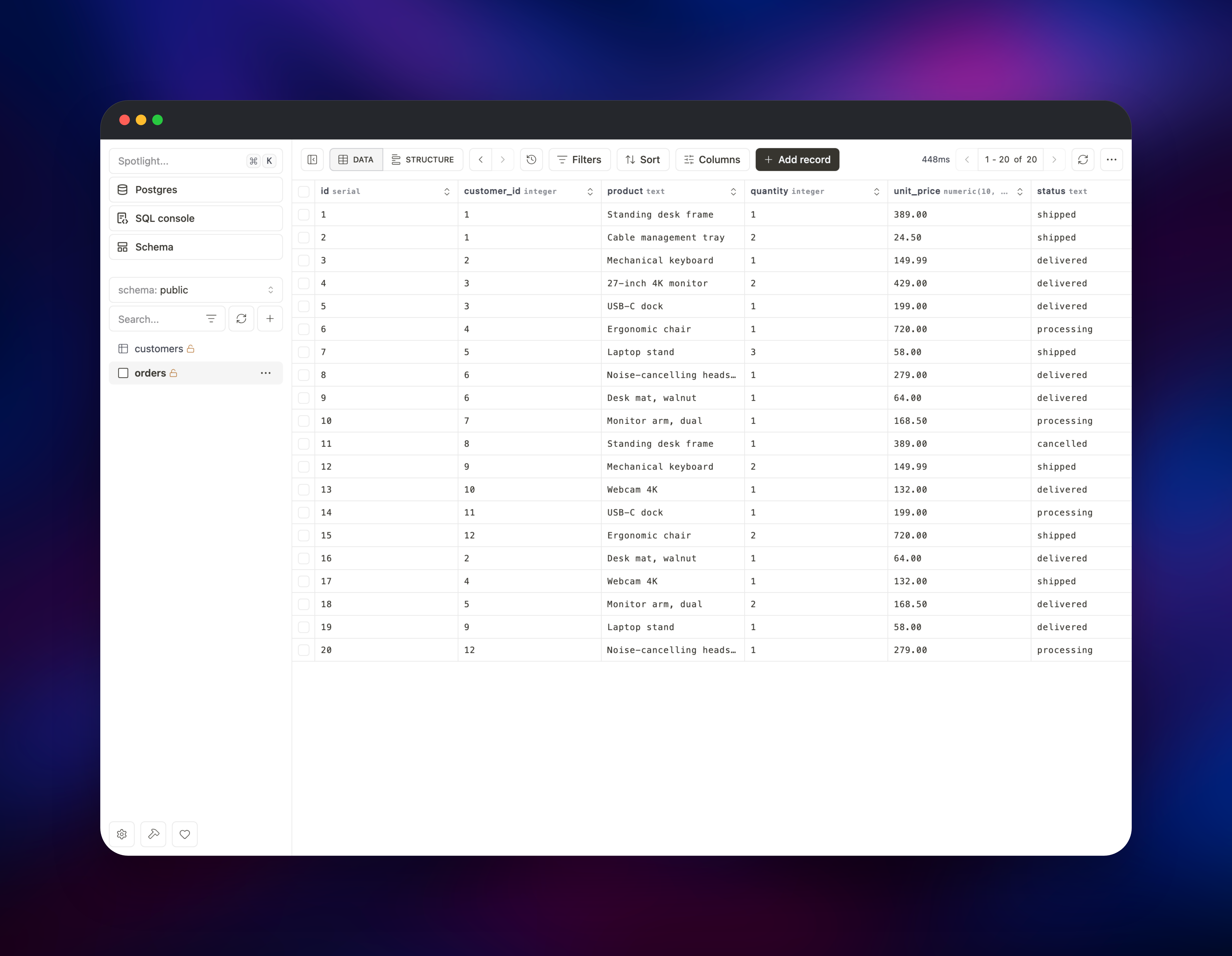
Drizzle Gateway is the self-hosted edition of Drizzle Studio, the browser-based database client from the team behind Drizzle ORM. It gives you a spreadsheet-style data grid, a SQL console with syntax highlighting and query timings, and a visual schema editor covering columns, constraints, indexes and row-level security — in one container, reachable from any browser rather than a laptop-bound desktop app. It speaks PostgreSQL, MySQL, MariaDB, SQLite, Cloudflare D1 and Turso, and one instance can hold as many connections as you like.
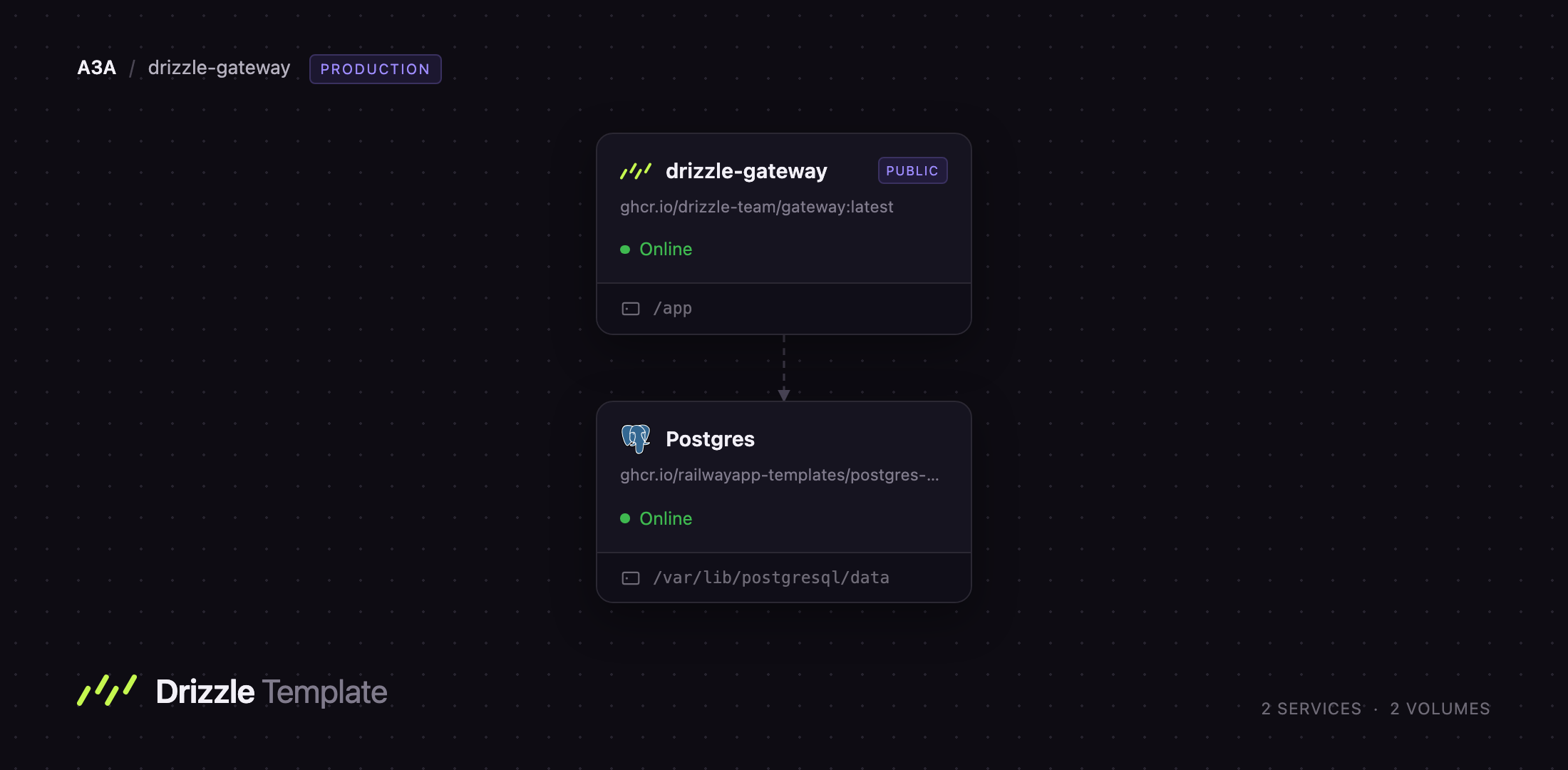
Deploy Drizzle Gateway on Railway and you get the studio container plus a PostgreSQL database, already wired together. The gateway keeps its connection list, saved SQL scratches and preferences on a persistent volume at /app, so nothing is lost when the container restarts. The included database is registered as a connection on first boot over Railway's private network, so it never needs a public address. Self-host Drizzle Studio this way and the only thing facing the internet is the gateway's own password-protected UI.
Getting Started with Drizzle Gateway on Railway
Set MASTERPASS when you deploy — it is the admin password, and the only thing between the internet and a database console. Open the public URL and you are asked for a passcode; there is no username field and no registration, so enter the MASTERPASS value. You land on the connection list with one entry already there, Postgres, pointing at the database that shipped with the template.
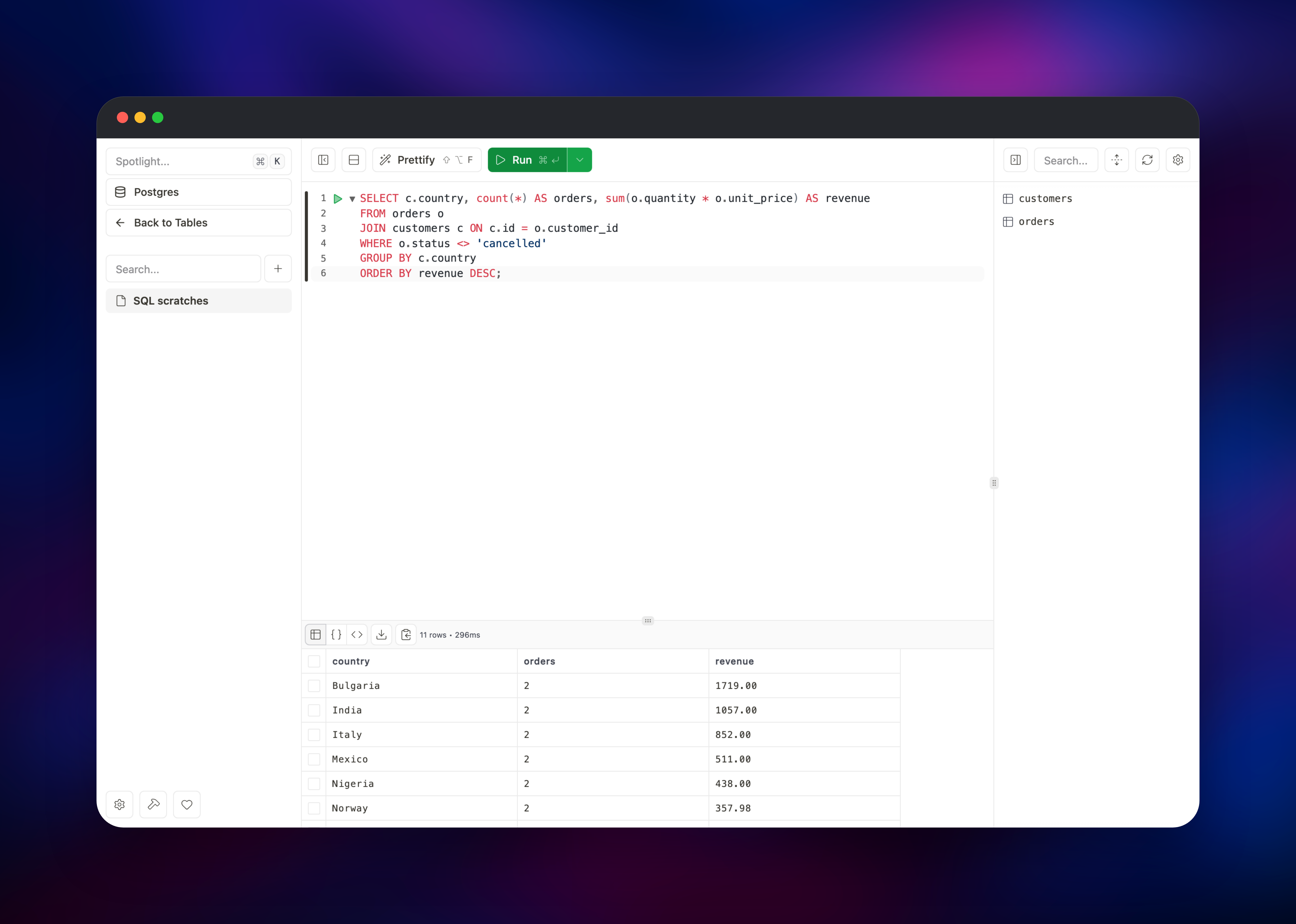
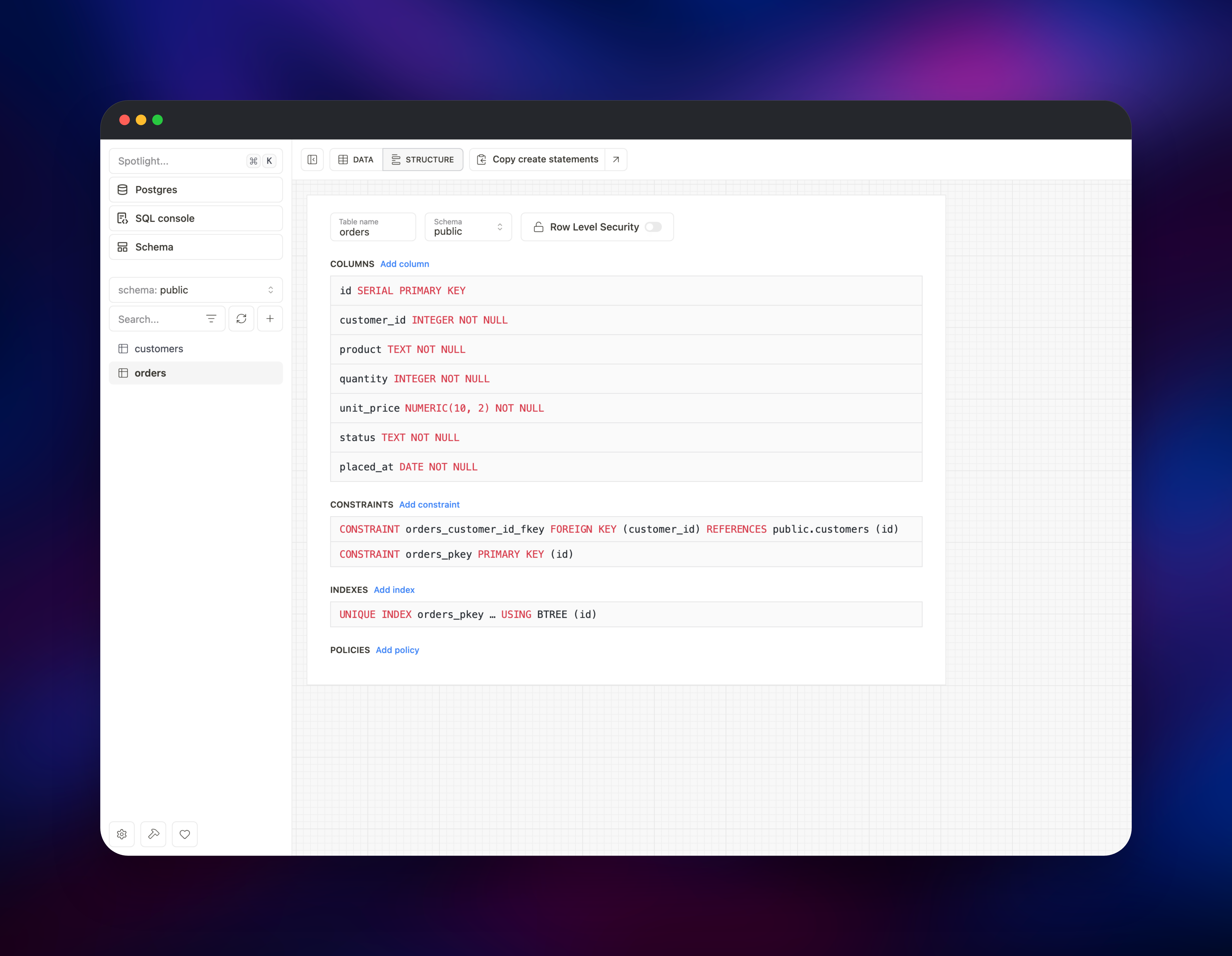
Click it to open the studio. The left rail lists tables in the public schema, and the toolbar switches between DATA (the editable grid) and STRUCTURE (columns, constraints, indexes, policies). A new database has no tables yet, so the quickest end-to-end check is to open SQL console and run SELECT version(); — a Postgres version string with a timing beside it confirms the private connection works. From there, create a table, insert rows, and browse them in the grid.
Two things are worth knowing early. Once signed in you can set a separate passcode, giving a teammate access without letting them change it — convenience access, not a strict permission boundary. And every redeploy signs everyone out: the admin password is re-hashed at each start, so existing sessions stop matching. Log in again with the same MASTERPASS; nothing on the volume is affected.
About Hosting Drizzle Gateway
Drizzle Studio began as npx drizzle-kit studio, a local command serving a database UI for the length of a terminal session. That suits a laptop, not a database in the cloud, where the usual answers are exposing the port, running an SSH tunnel, or paying for a hosted console. Drizzle Gateway is the long-running server version, sitting in your own infrastructure and serving the same UI behind a password. Because it runs next to your data, the link between studio and database stays on the private network — a managed database with no public endpoint is still fully browsable, and no credentials cross the internet.
Key features:
- Editable data grid with filtering, multi-column sorting, column reordering and CSV export
- SQL console with syntax highlighting,
EXPLAIN/ANALYZE, query telemetry and saved scratches - Visual schema editor for columns, constraints, foreign keys, indexes and row-level security
- CSV and SQL import, plus copy-as-
INSERTfor moving rows between environments - Multiple connections and multiple engines in one instance
The template runs two services. drizzle-gateway is the studio, the only one with a public domain, on port 4983 with a volume at /app for its connection list. Postgres is Railway managed PostgreSQL with its own volume, no public domain, reached only at postgres.railway.internal.
Why Deploy Drizzle Gateway on Railway
Railway removes the infrastructure work of running a database console:
- Managed PostgreSQL provisioned and connected on first boot
- Private networking keeps the database off the public internet
- Persistent volume for connections and saved queries
- HTTPS and a public domain issued automatically
- Vertical scaling without touching the container
Common Use Cases
- Inspecting and correcting production data without exposing the database port
- Giving a support or ops teammate browser access to specific data through a shared passcode
- Running ad-hoc analytical SQL against a staging database and exporting results as CSV
- Managing several databases — Postgres, MySQL, SQLite, Turso — from one browser tab
Dependencies for Drizzle Gateway Hosting
- Drizzle Gateway —
ghcr.io/drizzle-team/gateway:latest, the studio server and UI - PostgreSQL — Railway managed Postgres, the database the template registers for you
Environment Variables Reference
| Variable | Purpose |
|---|---|
MASTERPASS | Admin password. Leave it unset and the UI has no authentication at all |
PORT | Port the gateway listens on. Defaults to 4983 |
STORE_PATH | Where the connection store is written. Must match the volume mount |
DATABASE_URL_ | Registers a connection called `` on first boot |
DATABASE_URL_ is a family: add DATABASE_URL_Staging and a connection named "Staging" appears. The scheme picks the engine — starting postgres or mysql, or ending .db, .sqlite, .sqlite3. They are read only while the store is empty, so set them at deploy time and add later databases through the UI.
Deployment Dependencies
- Drizzle Gateway documentation
- Drizzle ORM on GitHub
- Drizzle ORM documentation
- Container image on GHCR
Hardware Requirements for Self-Hosting Drizzle Gateway
The gateway is a small Bun process; the memory it uses depends mostly on how many rows a query returns.
| Resource | Minimum | Recommended |
|---|---|---|
| CPU | 0.5 vCPU | 1 vCPU |
| RAM | 512 MB | 1 GB |
| Storage | 1 GB volume | 5 GB volume |
| Runtime | Linux container, amd64 or arm64 | — |
Run one replica. The connection store is a single file on a volume, and volumes attach to exactly one service, so a second replica would keep its own list.
Self-Hosting Drizzle Gateway with Docker
Outside Railway, the gateway is one container and one volume. The following is the equivalent Docker command:
docker volume create drizzle-gateway

docker run -d \
  --name drizzle-gateway \
  --restart always \
  -p 4983:4983 \
  -e PORT=4983 \
  -e STORE_PATH=/app \
  -e MASTERPASS=change-me \
  -v drizzle-gateway:/app \
  ghcr.io/drizzle-team/gateway:latest
Pass STORE_PATH as an absolute path. It defaults to /app; a relative value resolves against the image's working directory rather than the mount, putting the store outside the volume and losing every connection on restart.
To register connections up front, add one variable per database before the first start:
docker run -d \
  -e MASTERPASS=change-me \
  -e DATABASE_URL_Production="postgresql://user:pass@db.internal:5432/app" \
  -e DATABASE_URL_Analytics="mysql://user:pass@warehouse.internal:3306/metrics" \
  -v drizzle-gateway:/app \
  ghcr.io/drizzle-team/gateway:latest
Is Drizzle Gateway Free?
Yes. Drizzle Gateway is published free as a prebuilt container image, so self-hosting costs nothing in licence fees — though unlike Drizzle ORM itself, which is Apache-2.0 on GitHub, the gateway ships as an image rather than as source. On Railway you pay only for the compute, memory and volume storage the two services use, which is modest for a console idle most of the day.
FAQ
What is Drizzle Gateway?
It is the self-hosted, always-on version of Drizzle Studio: a web database client with a data grid, SQL console and schema editor, running as a container you control rather than as a local drizzle-kit command.
What does this Railway template deploy?
Two services — the Drizzle Gateway container with a persistent volume and a public HTTPS URL, and a Railway managed PostgreSQL database on the private network, already registered in the gateway as a connection.
Why does this template include a PostgreSQL database?
So the studio has something to open the moment it deploys rather than an empty connection list. It is a starting point, not a requirement — point the gateway at databases elsewhere and ignore it, or delete the service.
How do I add another database to self-hosted Drizzle Gateway?
Sign in and use "Add database connection" in the UI — the normal path for a running instance. On a new deployment you can instead set one DATABASE_URL_ variable per database and they are registered on first boot.
Is it safe to put a database console on a public URL?
Only with MASTERPASS set — authentication is optional in the image, and without it every action, including arbitrary SQL, is open to anyone who finds the URL. Set a long random value, and treat the secondary passcode as convenience access, not a restricted role.
Template Content
drizzle-gateway
ghcr.io/drizzle-team/gateway:latest

