
Deploy Easy!Appointments
Appointment scheduler with a public booking page for your business

MySQL
Just deployed
/var/lib/mysql
easyappointments
Just deployed
easyappointments-cron
Just deployed
/var/www/html/storage

Redis
Just deployed
/data

mailpit
Just deployed
/data
Deploy and Host Easy!Appointments on Railway
Easy!Appointments is an open-source appointment scheduler for businesses that book people into time slots: clinics, salons, tutors, garages and council offices. Customers open a public booking page, pick a service, a provider and a free slot, and get a confirmation email; staff work from an admin back office with a calendar, customer records, per-provider working plans and booking rules. Maintained since 2013 under GPL-3.0, it ships 30-plus languages and syncs two ways with Google Calendar and CalDAV.
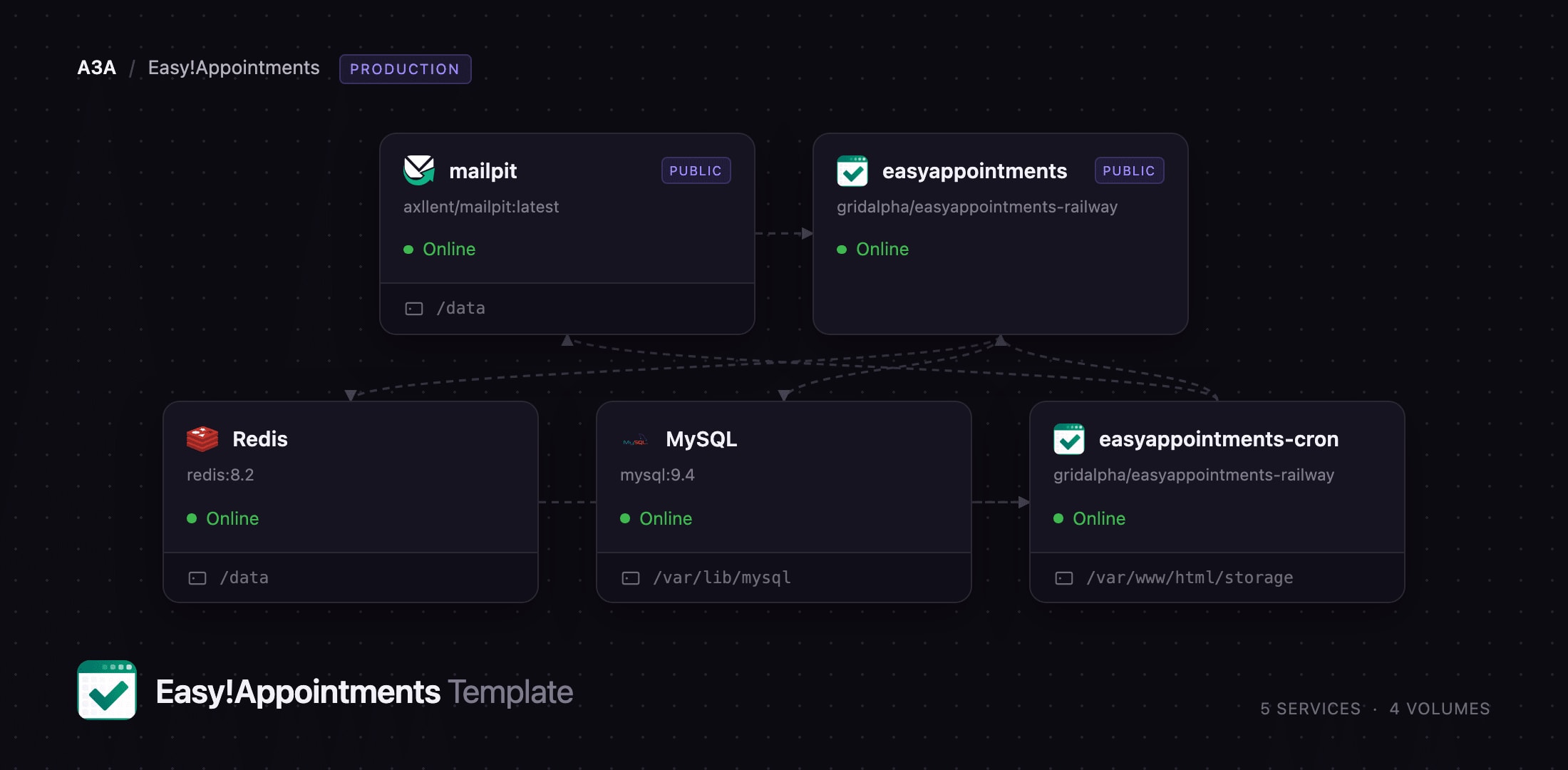
Self-host Easy!Appointments on Railway and this template wires up the production shape rather than a single container. easyappointments serves the booking page and the back office through Apache and mod_php. MySQL holds every appointment, customer and setting. Redis stores sessions, so the web tier keeps no state and a redeploy signs nobody out. easyappointments-cron runs the commands upstream documents as cron jobs: calendar sync, retention cleanup and a daily backup onto its own volume. mailpit provides an SMTP host with a password-protected inbox. The first administrator is created from your own variables while the container boots, before the public port opens, so no setup wizard is left open for a stranger to finish.
Getting Started with Easy!Appointments on Railway
Set EA_ADMIN_PASSWORD before deploying — the only value you must supply, read once while the database is still empty. EA_ADMIN_USERNAME (default administrator), EA_ADMIN_EMAIL and EA_COMPANY_NAME are worth setting too; the last is the business name on the booking page.
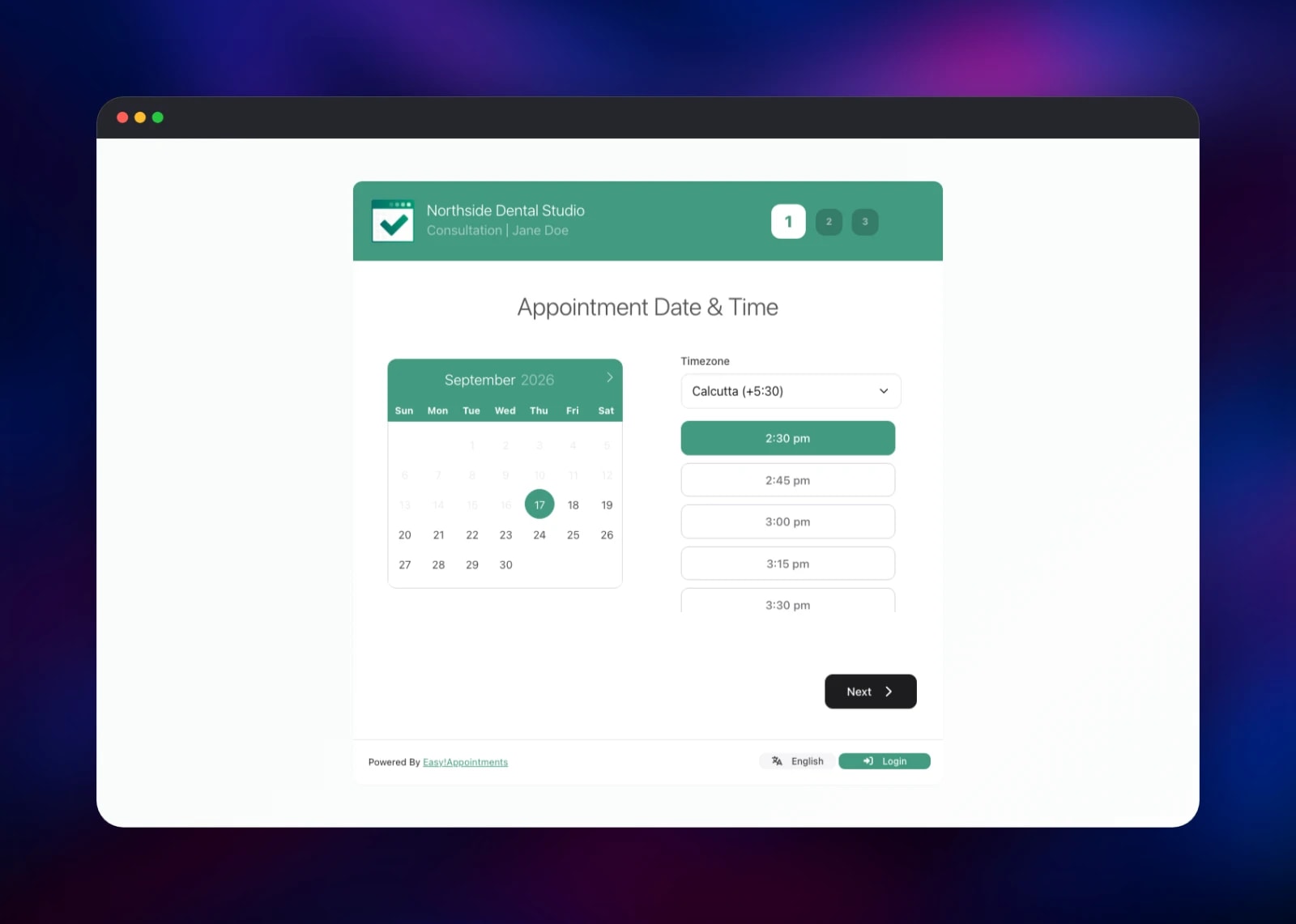
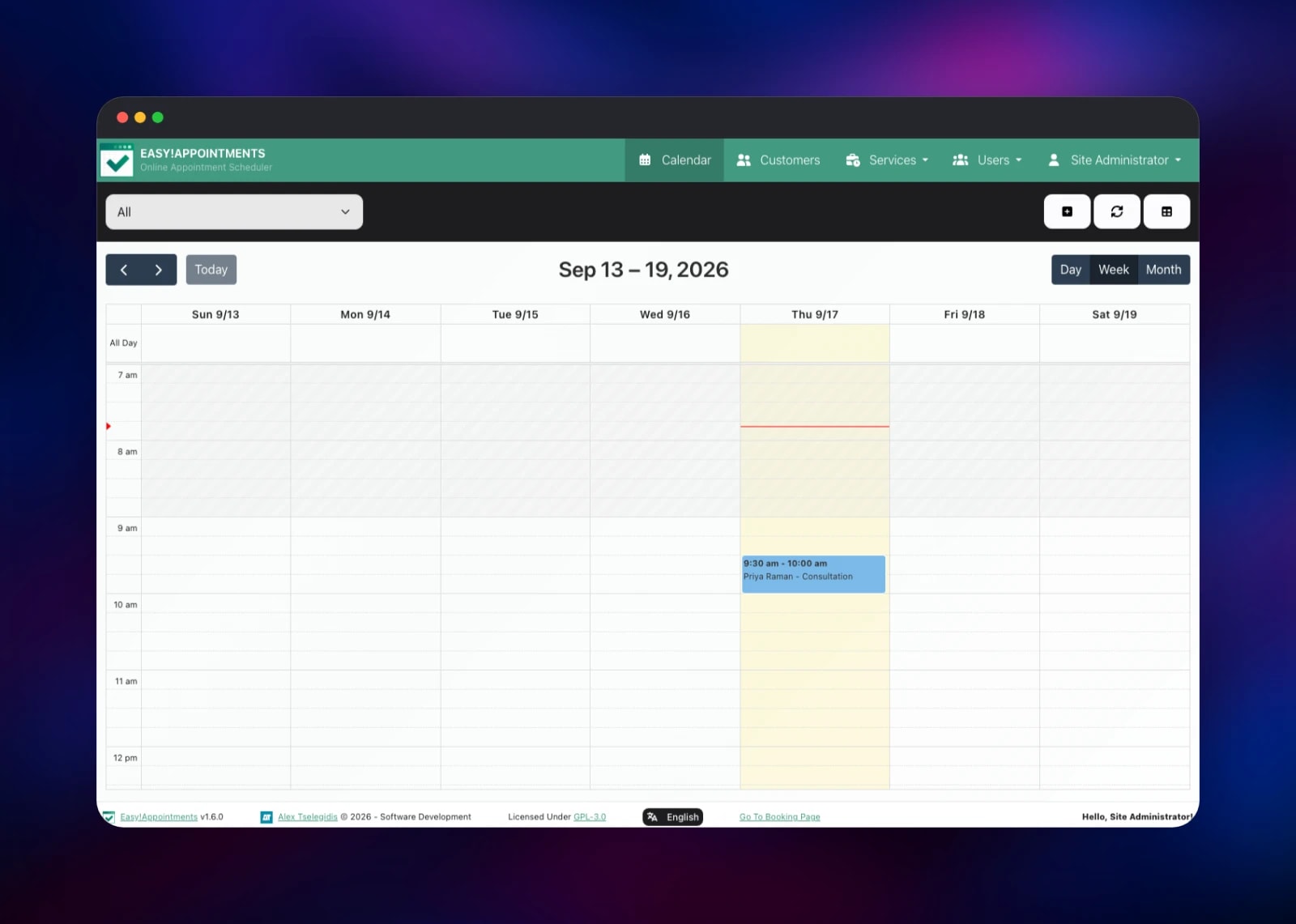
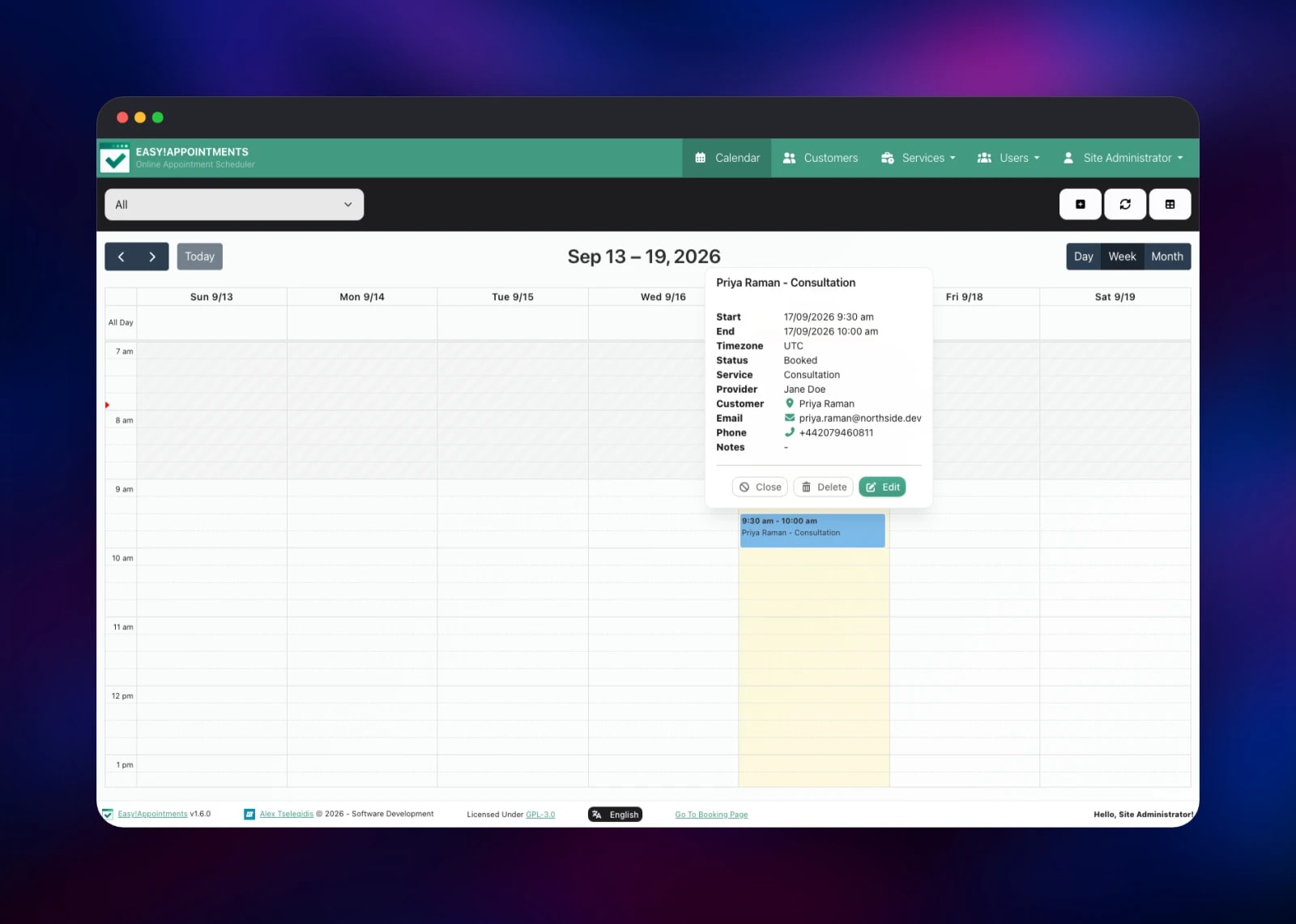
When the deploy finishes, open the easyappointments service's public URL. You land on the booking page, already populated with one starter service and provider, so the flow works immediately. Sign in at /index.php/login and the back office opens on the calendar.
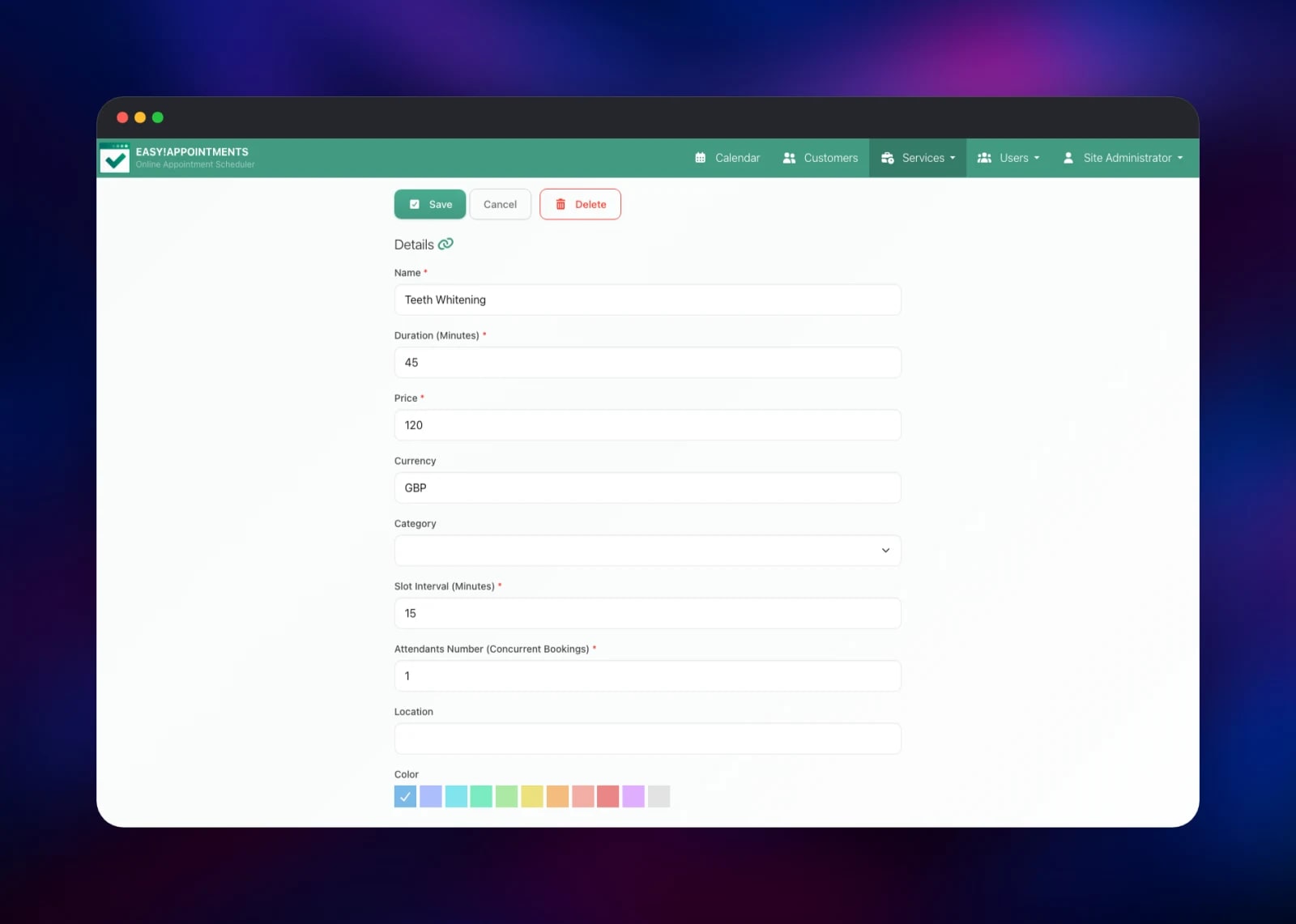
Then do four things. Under Settings → Business Logic, set your working days and hours; that becomes the default plan for every provider added later. Under Services, rename the starter service and add the rest with durations and prices. Under Users → Providers, replace the seeded Jane Doe with real staff and tick the services each offers; that account has a random password, so set one. Finally book a test appointment from Go To Booking Page: it should reach the calendar within seconds, and three emails — customer, provider, administrator — should be waiting in the mailpit inbox, which captures mail rather than delivering it.
About Hosting Easy!Appointments
Booking data is sensitive: names, phone numbers, and a record of when someone visited a clinic. Self-hosting keeps it in a database you control, under your own retention policy, with no per-seat price.
- An embeddable booking page with per-service durations, slot intervals, booking limits and prices
- Administrator, provider and secretary roles, each with a working plan and exceptions
- Two-way Google Calendar and CalDAV sync, plus Jitsi and Google Meet links
- Email notifications on booking, rescheduling and cancellation, with signed cancel and confirm links
- A REST API, webhooks, LDAP login, an ALTCHA captcha and a data-retention period
The Railway split follows what upstream recommends for production: the web service is stateless and scalable once your hours are set, MySQL is the only durable store the app writes to, and Redis holds the sessions a file store would lose on each deploy.
Why Deploy Easy!Appointments on Railway
Railway removes the parts of PHP hosting that cost an afternoon:
- MySQL and Redis provisioned, privately networked and managed
- HTTPS, the domain and the certificate handled automatically
- The first administrator created at boot from your variables
- Scheduled maintenance as a real service with its own health check
- Vertical scaling and logs one click away
Common Use Cases for Self-Hosted Easy!Appointments
- A clinic or physiotherapy practice taking its own bookings rather than paying per practitioner for a seat
- A driving school or tutoring service where each instructor has different hours and a different service list
- A council office issuing timed slots to the public, keeping the record in-house
Dependencies for Easy!Appointments
- easyappointments and easyappointments-cron — built from gridalpha/easyappointments-railway, a thin layer over upstream's published image
alextselegidis/easyappointments - MySQL (
mysql:9.4) — appointments, customers, services, providers and settings - Redis (
redis:8.2) — the session store that makes the web tier stateless - mailpit (
axllent/mailpit:latest) — SMTP host and inbox, so notification mail works immediately
Environment Variables Reference
| Variable | Purpose |
|---|---|
EA_ADMIN_PASSWORD | First administrator's password. Required; read only while the database is empty |
EA_ADMIN_USERNAME | Login name for that account, default administrator |
EA_ADMIN_EMAIL | Where password resets and admin notifications go |
EA_COMPANY_NAME | Business name shown on the public booking page |
EA_TIMEZONE | Default timezone, e.g. Europe/London |
LANGUAGE | Interface language, e.g. english |
MAIL_SMTP_HOST | SMTP host, pointing at Mailpit by default |
GOOGLE_CLIENT_ID | Google OAuth client for calendar sync |
Deployment Dependencies
- Source:
- Docs:
- Runtime: PHP 8.2 on Apache, with
mysqli,gd,intl,ldap,redis
Hardware Requirements for Self-Hosting Easy!Appointments
| Resource | Minimum | Recommended |
|---|---|---|
| CPU | 1 vCPU | 2 vCPU |
| RAM | 512 MB | 1–2 GB |
| Storage | 1 GB | 5 GB with backups |
| Runtime | PHP 8.2, MySQL 5.7+ | PHP 8.2, MySQL 8 or 9, Redis |
A classic LAMP application, comfortable on very small instances; storage grows with the backups, not the bookings.
Self-Hosting Easy!Appointments with Docker
Upstream publishes a production image configured through environment variables. This runs it against a MySQL container:
docker network create ea

docker run -d --name ea-db --network ea \
  -e MYSQL_ROOT_PASSWORD=change-me -e MYSQL_DATABASE=ea mysql:9.4

docker run -d --name ea-app --network ea -p 8080:80 \
  -e BASE_URL=http://localhost:8080 -e DB_HOST=ea-db -e DB_NAME=ea \
  -e DB_USERNAME=root -e DB_PASSWORD=change-me \
  alextselegidis/easyappointments:latest
Open http://localhost:8080 and a setup wizard asks for an administrator account. The three jobs upstream recommends putting on cron are:
docker exec ea-app php index.php console sync
docker exec ea-app php index.php console cleanup
docker exec ea-app php index.php console backup
sync pushes and pulls provider calendars, cleanup deletes expired sessions and customer data past your retention window, and backup writes a gzipped dump into storage/backups. The maintenance service runs all three here.
How Much Does Easy!Appointments Cost to Self-Host?
Easy!Appointments is free and open source under GPL-3.0, with no paid tier, seat limit or feature gating — what you deploy is the whole product, and there is no licence key. The only cost is infrastructure: two small application services plus managed MySQL, Redis and Mailpit, together in the low single digits of dollars a month for a small practice.
FAQ
What is Easy!Appointments?
An open-source, self-hosted appointment scheduler written in PHP. It gives a business a public booking page plus an admin back office for services, providers, customers and a calendar. GPL-3.0, maintained since 2013.
Why does the template include Redis and a separate maintenance service?
Sessions are stored in files inside the container by default, so they vanish on every deploy; Redis moves them out, which keeps people signed in and lets the web tier be scaled. The maintenance service exists because calendar sync, retention cleanup and backups are scheduled command-line jobs, which a template cannot express as a cron entry.
How do I set up Google Calendar sync in self-hosted Easy!Appointments?
Create an OAuth client in Google Cloud with the Calendar API enabled, add your deployment's URL as an authorised redirect target, then set GOOGLE_SYNC_FEATURE, GOOGLE_CLIENT_ID and GOOGLE_CLIENT_SECRET — or enter them under Settings → Integrations. Providers then switch sync on per calendar.
How do I send real email instead of capturing it?
Replace MAIL_SMTP_HOST, MAIL_SMTP_PORT, MAIL_SMTP_USER, MAIL_SMTP_PASS and MAIL_SMTP_AUTH on both application services with your provider's values, set MAIL_SMTP_CRYPTO to tls, and point MAIL_FROM_ADDRESS at an address it may send from.
Template Content
MySQL
mysql:9.4easyappointments
gridalpha/easyappointments-railwayeasyappointments-cron
gridalpha/easyappointments-railwayRedis
redis:8.2mailpit
axllent/mailpit:latest

