
Deploy erxes
Open-source workspace for support inbox, CRM, sales and projects

Just deployed

Redis
Just deployed
/data
Just deployed
operation-api
Just deployed
frontline-api
Just deployed
automations
Just deployed
core-ui
Just deployed
Just deployed
sales-api
Just deployed
core-api
Just deployed

MongoDB
Just deployed
/data/db
erxes-uploads
Bucket
Just deployed
Deploy and Host erxes on Railway
erxes is an open-source Experience Operating System — one workspace carrying a shared customer inbox, a CRM, sales pipelines and project management instead of three SaaS subscriptions. Teams reach for it when HubSpot, Zendesk and Linear have become a four-figure bill for tools that never share a contact record. Every module reads the same MongoDB collections, so a support conversation, its deal and the task it created are one customer, not three copies.
Deploy erxes on Railway and this template brings up the XOS split the way upstream runs it: proxy holds the only public domain, core-ui serves the React host app, gateway composes an Apollo Federation supergraph, and core-api, frontline-api, sales-api and operation-api sit behind it as GraphQL subgraphs. automations runs the trigger engine, logs records the audit journal behind the in-app undo, and MongoDB and Redis back all of them. Traffic reaches proxy, which serves the UI at / and forwards /gateway/* to the gateway on the same origin — so the session cookie stays first-party and no second domain is needed.

Getting Started with erxes on Railway
Set ERXES_OWNER_EMAIL and ERXES_OWNER_PASSWORD on core-api before deploying; the password needs eight or more characters with an uppercase letter, a lowercase letter and a digit. erxes has no first-admin variable of its own — usersCreateOwner is open to anyone while the user collection is empty — so core-api seeds that account inside the container before it answers any request from the internet. The public URL then shows a login form, not an open sign-up page.
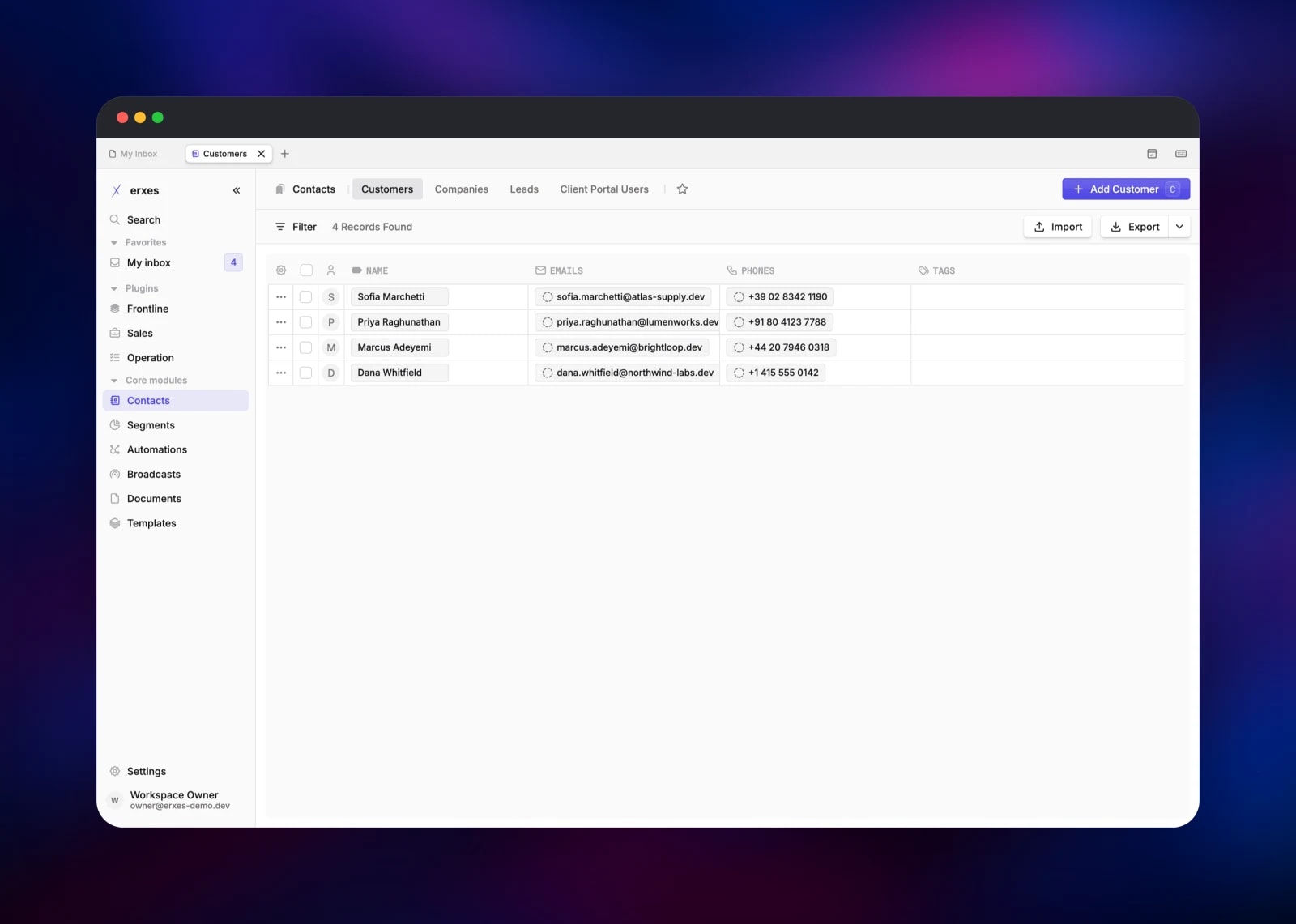
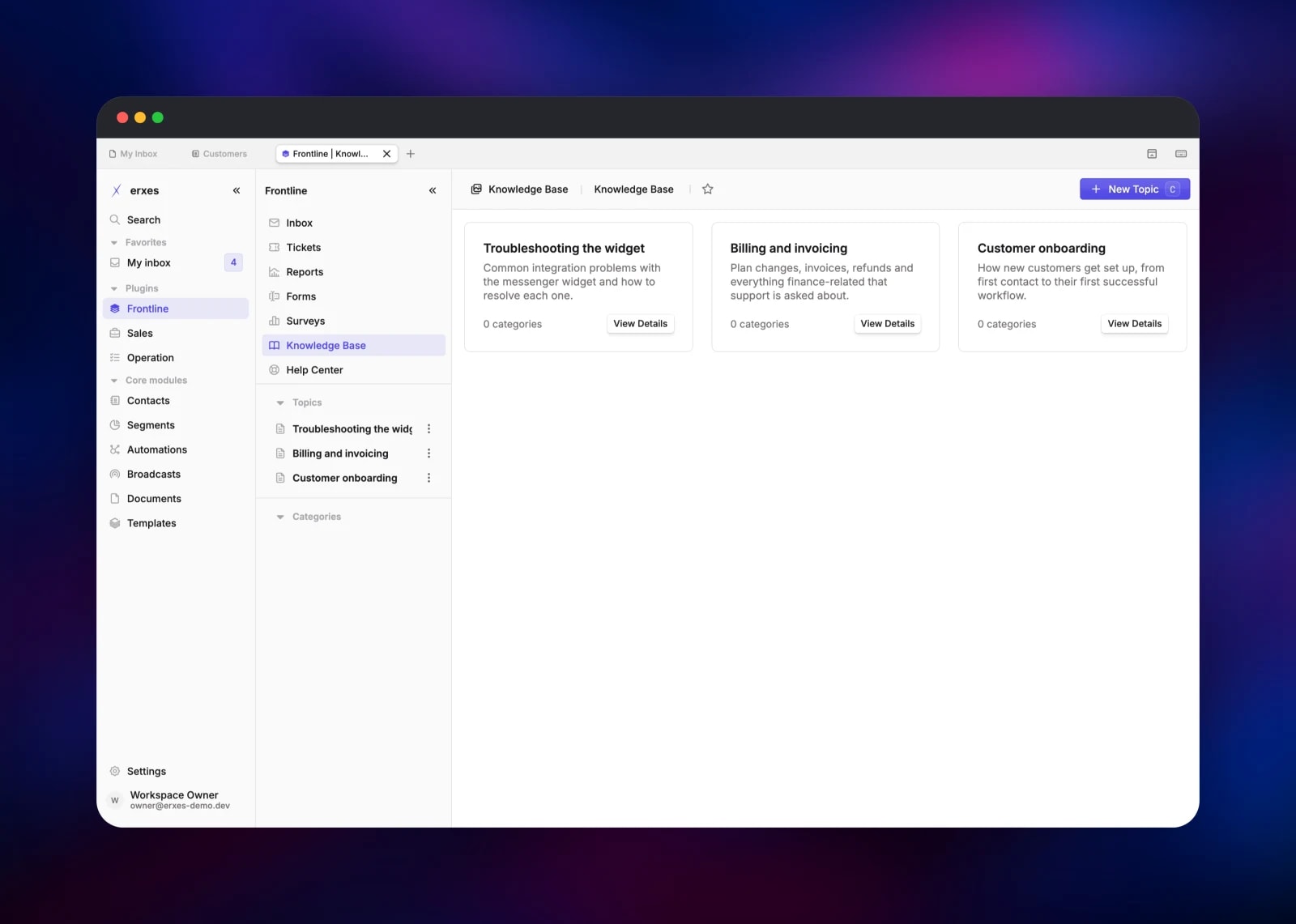
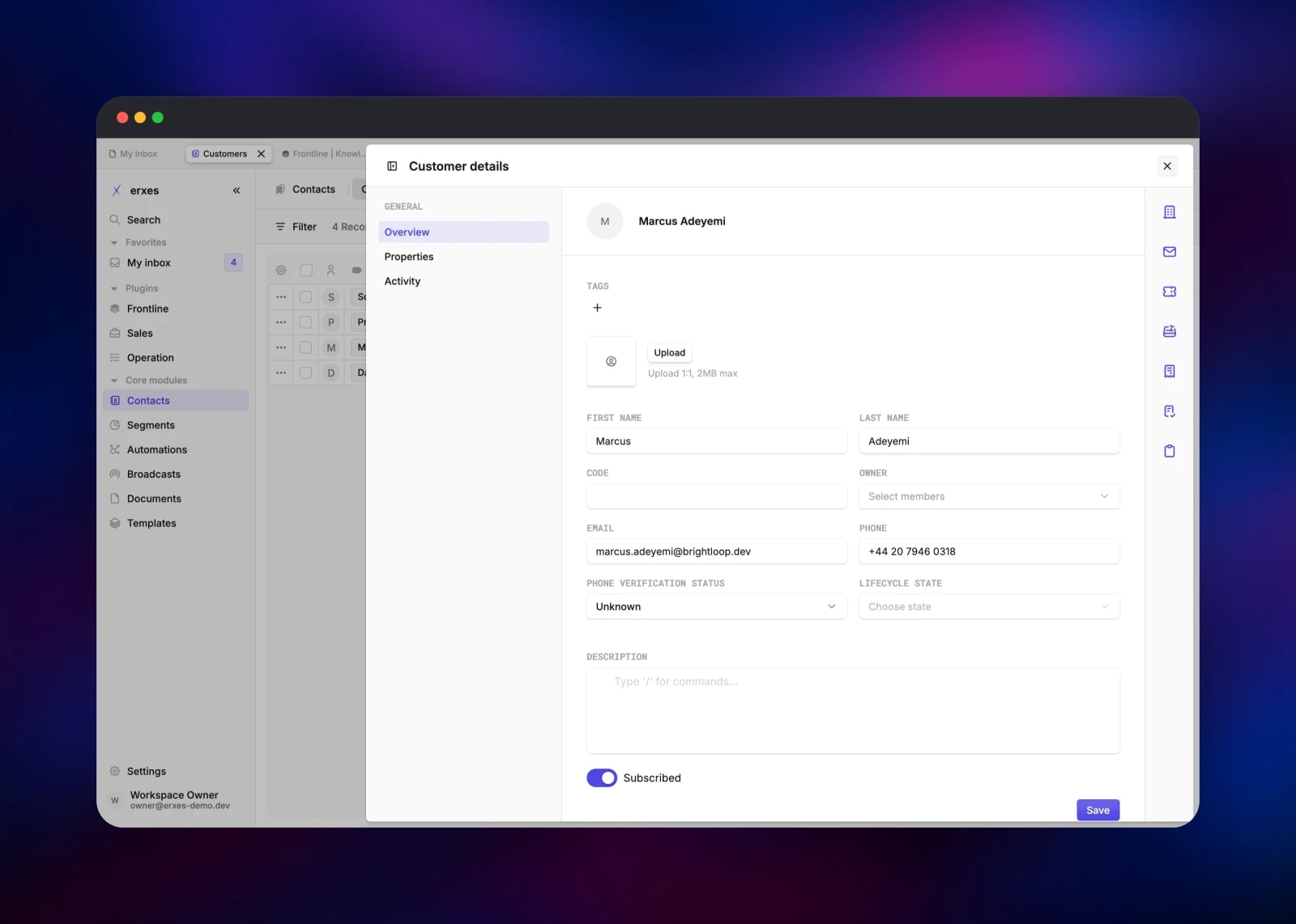
Sign in, then walk the six-step first-run wizard in one pass — username, theme, your name, an optional team invite, finish. Reloading restarts it at step one. You land in My Inbox, with Frontline, Sales and Operation in the left rail above Contacts, Segments and Automations. The quickest confirmation that everything is wired is Contacts → Customers → Add Customer: a record that appears in the list has travelled through the gateway, the federated core subgraph and MongoDB. Frontline → Knowledge Base → Create Topic then proves the plugin tier loads.
About Hosting erxes
erxes is a core of shared primitives — contacts, companies, segments, documents, automations — with plugins on top that read the same data. Self-host it when support transcripts and deal history should not sit in a vendor's multi-tenant database.
- Frontline — omnichannel inbox, tickets, forms, surveys, knowledge base, help centre
- Sales — deal pipelines and boards, plus point of sale
- Operation — projects, task boards, cycles, team workloads
- Core — contacts, segments, automations, broadcasts, documents, templates
- Extensible — plugin APIs are independent services; their UIs are federated remotes
gateway runs Apollo Router and composes a supergraph from the plugin APIs ENABLED_PLUGINS names; each registers its private address in Redis at boot and the gateway recomposes when one joins. core-api owns contacts, users, uploads and settings, and takes every non-GraphQL route. Redis also carries the BullMQ queues, caching and subscriptions.
Why Deploy erxes on Railway
Railway gives this nine-service split what it would otherwise need a cluster for.
- Private networking between every API service, nothing else exposed
- Managed MongoDB and Redis, wired by the template
- An S3-compatible bucket for uploads, created with the project
- One public domain in front of the stack, TLS handled
- Per-service scaling, so a busy inbox does not resize everything
Common Use Cases
- Replacing a SaaS stack — inbox, CRM and project board in one workspace, one contact record
- Data-sensitive teams — conversations and contacts in a private network and a database you own
- Teams building on top — a backend plugin and paired micro-frontend against the erxes core
Dependencies for erxes
erxes/erxes-next-gateway:latest— supergraph, subscriptions, request proxyerxes/erxes-next-ui:latest— React host application, served by nginxerxes/erxes-next-frontline_api:latest— inbox, tickets, forms, knowledge baseerxes/erxes-next-sales_api:latest,erxes/erxes-next-operation_api:latest— pipelines, projectserxes/erxes-next-automations:latest,erxes/erxes-next-logs:latest— triggers, audit journalgridalpha/erxes-railway—core-apifromerxes/erxes-next-core-api:latestplus an owner-seeding entrypoint, and the Caddy proxymongo:8.0andredis:8.2— Railway managed
erxes 3.x images publish as latest from the project's main branch; the older erxes/erxes and erxes/plugin-* repositories are the 2.x generation and not interchangeable.
Environment Variables Reference
| Variable | Service | Purpose |
|---|---|---|
ERXES_OWNER_EMAIL | core-api | Login for the owner seeded at first boot |
ERXES_OWNER_PASSWORD | core-api | 8+ chars, one upper, one lower, one digit |
ENABLED_PLUGINS | all APIs | Plugin subgraphs the gateway composes |
JWT_TOKEN_SECRET | all APIs | Shared session signing key; must match everywhere |
DOMAIN | all APIs | Public origin, used for CORS and emailed links |
LOAD_BALANCER_ADDRESS | each API | That service's own private URL, for discovery |
MAX_PLUGIN_RETRY | gateway | Plugin lookups before the gateway exits and restarts |
Deployment Dependencies
Source: github.com/erxes/erxes (AGPL-3.0) · Images: hub.docker.com/u/erxes · Docs: erxes.io/docs/introduction
Hardware Requirements for Self-Hosting erxes
Sized for the nine-service split.
| Resource | Minimum | Recommended |
|---|---|---|
| CPU | 4 vCPU total | 8 vCPU total |
| RAM | 6 GB total | 12 GB total |
| Storage | 5 GB for MongoDB | 20 GB plus object storage |
| Runtime | Node 22, MongoDB 8, Redis 8 | same |
Each API service is a Node process with a 2 GB heap ceiling, and the gateway also runs Apollo Router.
Self-Hosting erxes
The published images expect MongoDB and Redis to exist, and every service must be told its own private address so the gateway can reach it:
docker run -d --name erxes-core \
  -e NODE_ENV=production -e VERSION=os -e PORT=3300 \
  -e MONGO_URL="mongodb://mongo:27017/erxes" \
  -e REDIS_HOST=redis -e REDIS_PORT=6379 \
  -e JWT_TOKEN_SECRET=change-me \
  -e ENABLED_PLUGINS=frontline,sales,operation \
  -e LOAD_BALANCER_ADDRESS=http://erxes-core:3300 \
  erxes/erxes-next-core-api:latest
The gateway blocks until every service in ENABLED_PLUGINS has registered, so start the plugin APIs first or set MAX_PLUGIN_RETRY so it exits and retries. To build from source instead:
git clone https://github.com/erxes/erxes.git && cd erxes
pnpm install
cp .env.sample .env   # set MONGO_URL, REDIS_HOST, ENABLED_PLUGINS
pnpm dev:apis         # backend services in ENABLED_PLUGINS
pnpm dev:uis          # host app and plugin micro-frontends
Is erxes Free to Self-Host?
erxes is licensed under AGPL-3.0, and the core, Frontline, Sales and Operation modules cost nothing to run. Content, Accounting, Tourism, Property, Team and Finance are enterprise-licence-only on the project's own plugin list and are not in this template. There is no per-seat charge — on Railway you pay for compute, MongoDB, Redis and object storage.
FAQ
What is erxes? An open-source Experience Operating System: shared customer inbox, CRM, sales pipelines and project management in one self-hosted workspace, built as a plugin platform over a common core.
What does this Railway template deploy? Nine erxes services — a public Caddy proxy, the React host app, the GraphQL gateway, the core API, three plugin APIs, the automations engine and the logs service — plus managed MongoDB, Redis and an object storage bucket.
Why do MongoDB and Redis both need to be there? MongoDB stores everything: contacts, conversations, deals, tasks, settings. Redis is not optional caching — it is how each plugin API advertises its private address so the gateway can compose one GraphQL schema, and it carries the BullMQ queues and live subscriptions.
How do I add more erxes plugins after deploying?
Add a service from the matching erxes/erxes-next-_api:latest image, give it the shared variables plus its own PORT and LOAD_BALANCER_ADDRESS, append the name to ENABLED_PLUGINS everywhere, and redeploy the gateway last.
Where do uploaded files go in self-hosted erxes?
Into the S3-compatible bucket the template provisions, with UPLOAD_SERVICE_TYPE=AWS. Nothing there is publicly readable; the app streams files back through /read-file.
Why is the API served under /gateway instead of its own domain?
That is what the erxes frontend expects — its compiled default API base is the current origin plus /gateway, and the backend builds emailed links the same way. One origin also keeps the session cookie first-party, which a second domain would not.
Template Content
Redis
redis:8.2operation-api
erxes/erxes-next-operation_api:latestfrontline-api
erxes/erxes-next-frontline_api:latestautomations
erxes/erxes-next-automations:latestcore-ui
erxes/erxes-next-ui:latestsales-api
erxes/erxes-next-sales_api:latestcore-api
gridalpha/erxes-railwayMongoDB
mongo:8.0erxes-uploads
Bucket


