
Deploy EspoCRM
Salesforce alternative. Full stack: web app, background jobs, WebSockets

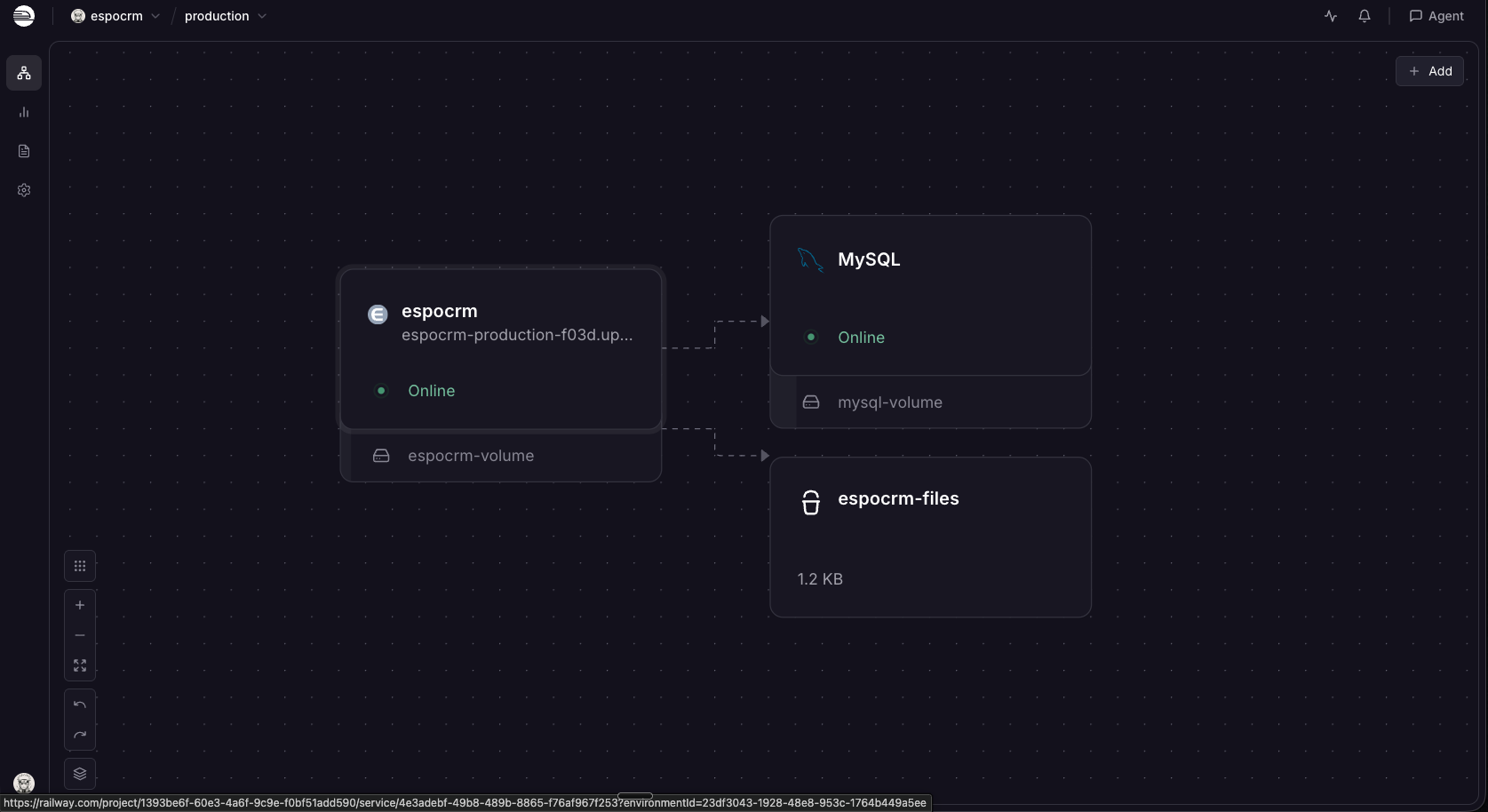
MySQL
Just deployed
/var/lib/mysql
espocrm
Just deployed
/data
espocrm-files
Bucket
Just deployed

Deploy and Host EspoCRM on Railway
EspoCRM is an open source CRM that keeps accounts, contacts, leads, opportunities, cases and email in one place, behind a fast single-page interface and an entity manager that adds your own fields and layouts without code. Sales teams, agencies and support desks run it as a self-hosted alternative to Salesforce or HubSpot, with the data in a database they own and no per-seat licence.
Deploy EspoCRM on Railway with the database, background job daemon, real-time WebSocket server and attachment storage already wired together. The template builds from gridalpha/espocrm-railway on the official espocrm/espocrm image: managed MySQL holds the CRM data, a Railway bucket holds uploaded files, and a volume keeps your customisations. To self-host EspoCRM elsewhere, the Docker instructions below do the same by hand.
Getting Started with EspoCRM on Railway
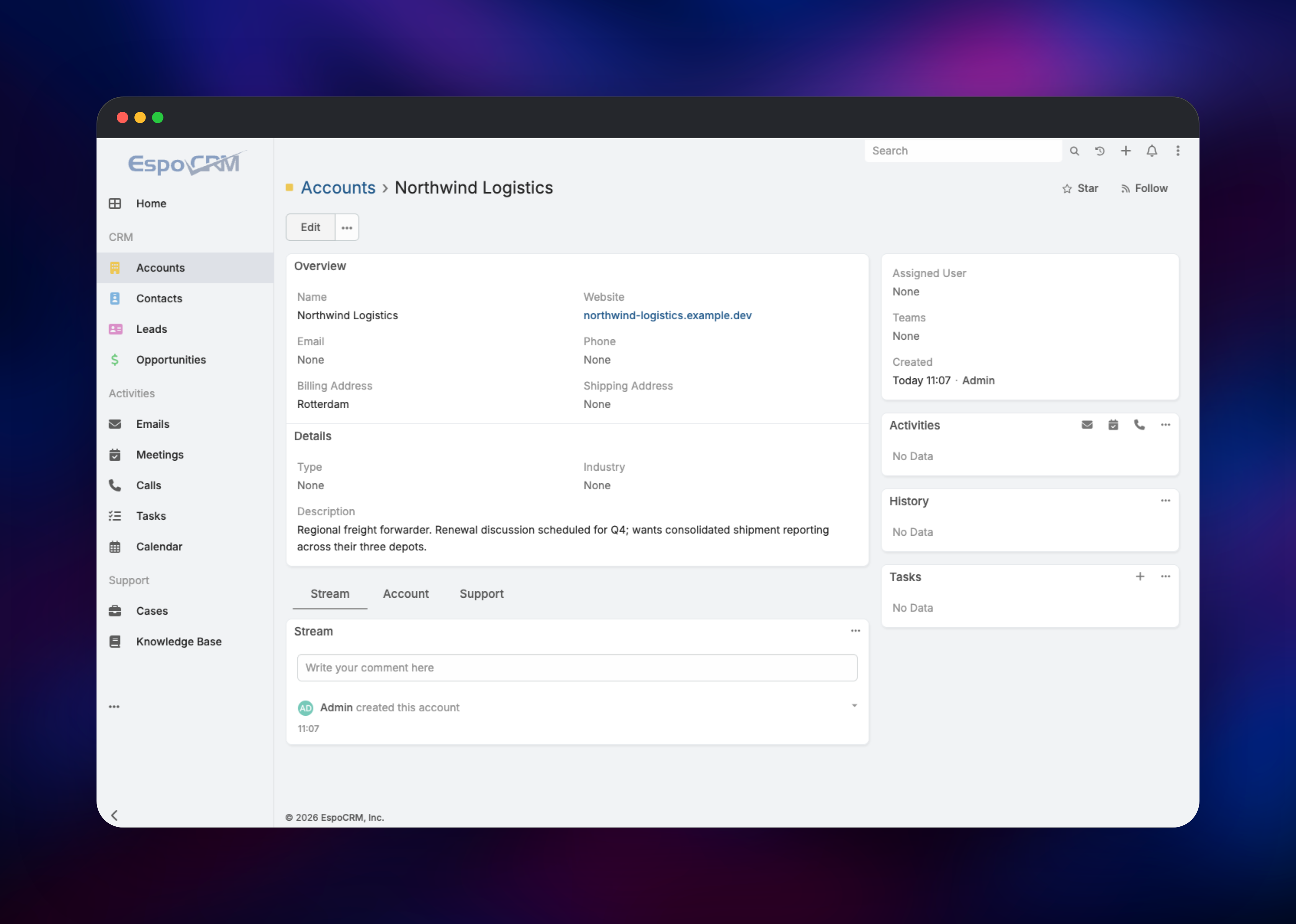
Set ESPOCRM_ADMIN_USERNAME and ESPOCRM_ADMIN_PASSWORD before you deploy — there are no default credentials, and that account is created once on first boot. The first deployment installs the schema and registers the scheduled jobs, which takes a couple of minutes; once the service is healthy, open the public URL and sign in. Create an Account, then a Contact and an Opportunity against it, to confirm records save and relate.
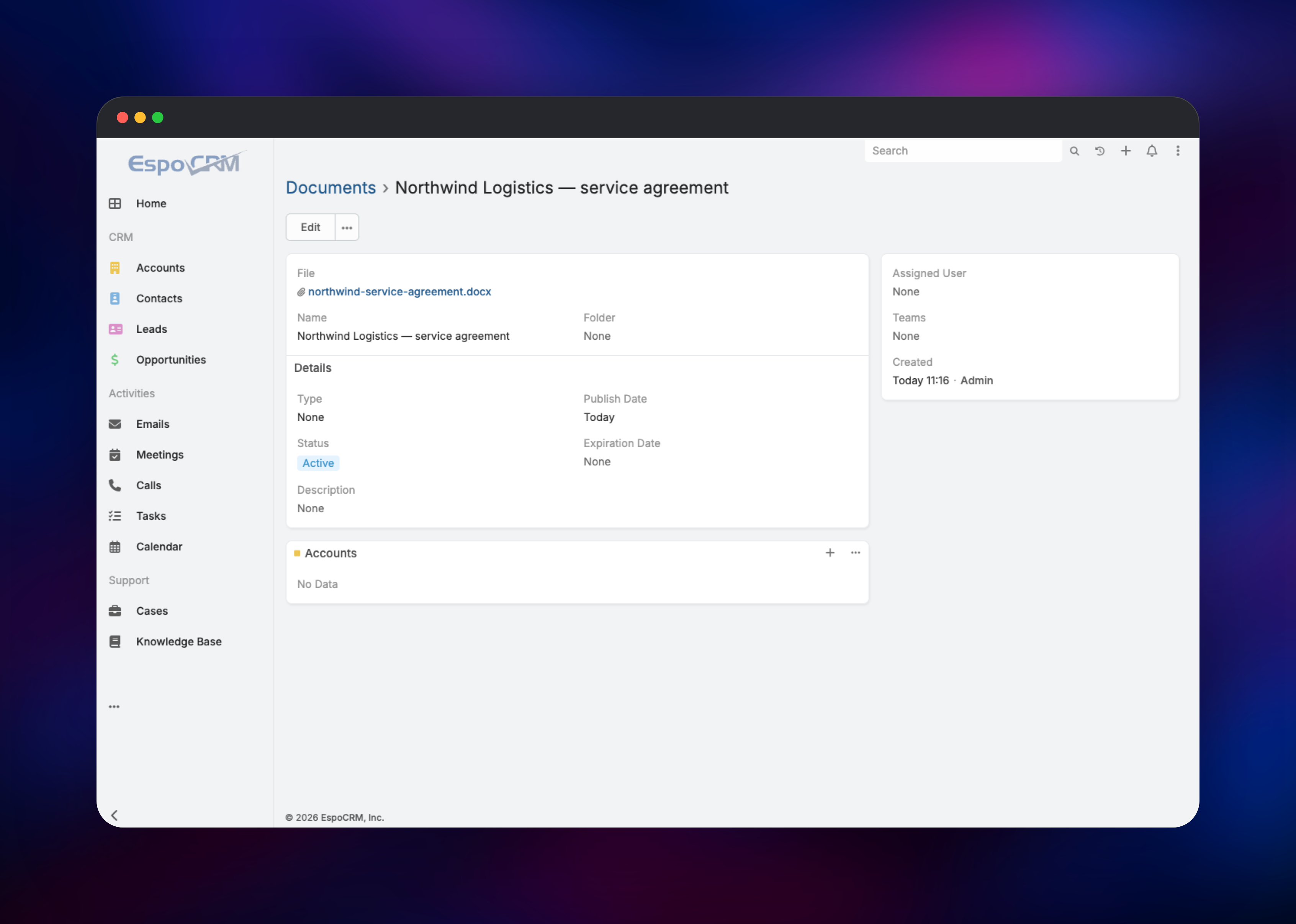
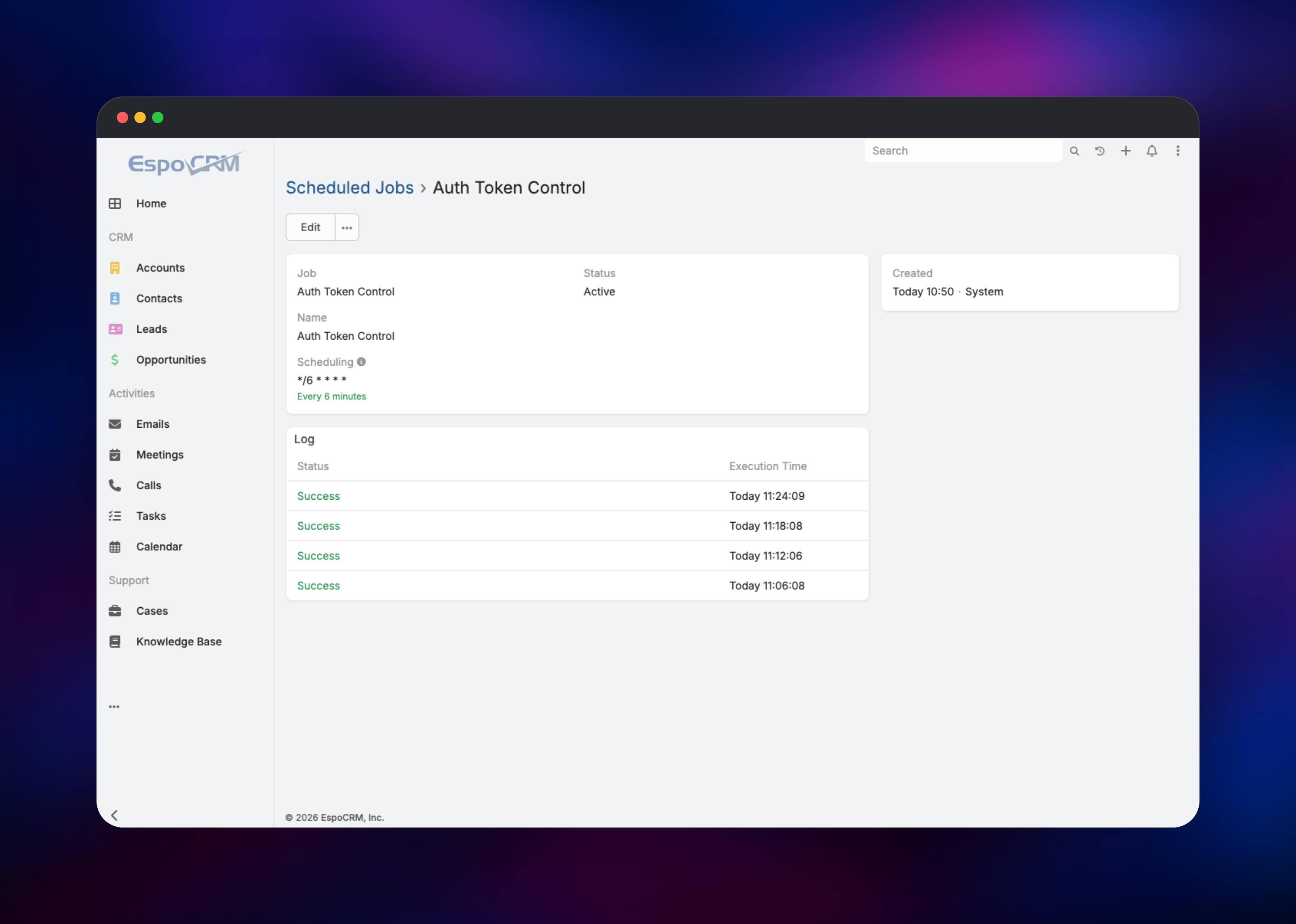
To check the whole stack, upload a file to a Document record and download it again — that exercises object storage — then open Administration → Scheduled Jobs, click any job and watch its Log fill with Success rows. That log proves the daemon is running; without it, email fetching, reminders and mass emails never fire. Invite your team from Administration → Users: EspoCRM has no public signup.
About Hosting EspoCRM
EspoCRM is a PHP application running behind Apache with a MySQL or MariaDB database. Self-host it when customer records should not sit in a vendor's cloud, when you want unlimited users without per-seat pricing, or when you need custom entities a SaaS CRM charges extra for.
- Accounts, contacts, leads, opportunities and a drag-and-drop pipeline
- Cases, a knowledge base and a customer portal for support
- Two-way email: IMAP/SMTP inboxes, templates, mass email and campaigns
- Entity Manager for custom entities, fields, relationships and layouts
- Reports, dashlets, calendar, target lists and workflow automation
- REST API, webhooks, LDAP auth and two-factor authentication
Three roles run here: the web application serving the UI and REST API, a job daemon running scheduled work such as email fetching and reminders, and a WebSocket server pushing live notifications to open tabs. The daemon and WebSocket server read the same customisations you make in Entity Manager, so they run alongside the web process, as on a single server.
Why Deploy EspoCRM on Railway
One deploy gives you a running CRM instead of a server to administer.
- Managed MySQL, object storage and a volume provisioned with the app
- No Apache, PHP or cron configuration to maintain
- Private networking between app and database by default
- Managed TLS, custom domains and HSTS on the public URL
- Redeploys from Git, with schema migrations applied on boot
Common Use Cases
- A sales team tracking pipeline and forecasts without Salesforce seat costs
- An agency running client accounts and support cases in one system
- A support desk handling cases from a shared inbox with a knowledge base
- A back office syncing CRM records into internal tools over the REST API
Dependencies for EspoCRM
- EspoCRM — built from gridalpha/espocrm-railway on
espocrm/espocrm:latest(Apache + PHP 8.4) - MySQL — Railway managed MySQL 8.0+, private only, holding every CRM record
- Object storage bucket — attachments and email files
- Volume —
/data, holding configuration, logs and UI-created customisations
The app creates its own database and a least-privilege user on first boot, so nothing is provisioned by hand.
Environment Variables Reference
| Variable | Description | Required |
|---|---|---|
ESPOCRM_ADMIN_USERNAME / _PASSWORD | First administrator, created on first boot | Yes |
ESPOCRM_SITE_URL | Public URL of the instance | Yes |
ESPOCRM_DATABASE_NAME / _USER / _PASSWORD | The app's own database credentials | Yes |
ESPOCRM_DATABASE_ADMIN_URL | Provisions that database and user at boot | No |
ESPOCRM_CONFIG_USE_WEB_SOCKET | Enables real-time notifications | No |
ESPOCRM_S3_BUCKET / _REGION / _ENDPOINT | Attachment storage; unset keeps files on the volume | No |
ESPOCRM_TIME_ZONE | Default timezone, seeded at install | No |
ESPOCRM_DAEMON_ENABLED | Runs the job daemon, default true | No |
Any other setting uses the image's ESPOCRM_CONFIG_ convention, such as ESPOCRM_CONFIG_LANGUAGE.
Deployment Dependencies
- espocrm/espocrm · github.com/espocrm/espocrm (AGPLv3) · docs.espocrm.com
- Runtime: PHP 8.3–8.5, MySQL 8.0+ or MariaDB 10.3+
Server Requirements to Self-Host EspoCRM
| Resource | Minimum | Recommended |
|---|---|---|
| CPU | 1 vCPU | 2 vCPU |
| RAM | 1 GB | 2–4 GB |
| Storage | 5 GB | 20 GB plus object storage |
| Runtime | PHP 8.3, MySQL 8.0 | PHP 8.4, MySQL 8.4+ |
EspoCRM is one of the lighter open source CRMs. Raise memory past a few dozen users or before large imports, and keep attachments in object storage so the volume is never the limit.
How to Self-Host EspoCRM Outside Railway
The official image needs a database and three persistent directories:
services:
  espocrm-db:
    image: mariadb:latest
    environment:
      MARIADB_ROOT_PASSWORD: change-me
      MARIADB_DATABASE: espocrm
      MARIADB_USER: espocrm
      MARIADB_PASSWORD: change-me-too
    volumes: [espocrm-db:/var/lib/mysql]

  espocrm:
    image: espocrm/espocrm
    environment:
      ESPOCRM_DATABASE_HOST: espocrm-db
      ESPOCRM_DATABASE_USER: espocrm
      ESPOCRM_DATABASE_PASSWORD: change-me-too
      ESPOCRM_ADMIN_USERNAME: admin
      ESPOCRM_ADMIN_PASSWORD: change-me-three
      ESPOCRM_SITE_URL: "http://localhost:8080"
    volumes: &espo
      - espocrm-data:/var/www/html/data
      - espocrm-custom:/var/www/html/custom
      - espocrm-cc:/var/www/html/client/custom
    ports: ["8080:80"]

  espocrm-daemon: # runs scheduled jobs; not optional
    image: espocrm/espocrm
    entrypoint: docker-daemon.sh
    volumes: *espo

volumes: {espocrm-db: , espocrm-data: , espocrm-custom: , espocrm-cc: }
Bring it up and watch the first boot install the schema:
docker compose up -d && docker compose logs -f espocrm
Is EspoCRM Free?
The self-hosted edition is free and open source under AGPLv3 with no user limit — on Railway you pay only for the infrastructure it consumes. Official extensions including the Advanced Pack, Sales Pack and the Google, Outlook and VoIP integrations are free too. EspoCRM's own cloud runs $15–$69 per user per month with seat minimums.
EspoCRM vs SuiteCRM vs Odoo CRM
| EspoCRM | SuiteCRM | Odoo CRM | |
|---|---|---|---|
| Licence | AGPLv3 | AGPLv3 | LGPLv3 (community) |
| Footprint | Light — 1–2 GB RAM | Heavier | Heaviest, full ERP |
| Interface | Modern single-page app | Dated, SugarCRM lineage | ERP-shaped |
| Best for | A focused, fast CRM | Deep customisation | Shops already on Odoo |
Pick EspoCRM when you want a CRM rather than a platform: quicker to learn, cheaper to run, and Entity Manager still covers most custom-field needs without code.
FAQ
What is EspoCRM? An AGPLv3-licensed open source CRM written in PHP, covering accounts, contacts, leads, opportunities, cases and email, self-hostable with no licence fee or seat limit.
What does this Railway template deploy? The EspoCRM web app, its job daemon and its WebSocket server, plus managed MySQL, an object storage bucket and a volume for configuration and customisations.
Why does the template include a MySQL database? EspoCRM keeps every record — accounts, emails, custom entities, audit history — in a relational database, and supports MySQL 8.0+ or MariaDB. Its PostgreSQL support stops at version 15, so MySQL is the right choice.
Are there default login credentials for self-hosted EspoCRM?
No. The administrator is created on first boot from ESPOCRM_ADMIN_USERNAME and ESPOCRM_ADMIN_PASSWORD, so set both before deploying.
How do I know the background jobs are actually running? Open Administration → Scheduled Jobs, click any job and check its Log panel. Successful runs appear on schedule, and EspoCRM raises an admin notification when cron has not run.
Can I add custom fields and entities to self-hosted EspoCRM without code? Yes — Administration → Entity Manager creates entities, fields, relationships and layouts through the UI, and each one is exposed over the REST API with webhooks. Those definitions live on the volume, so keep it attached when you redeploy.
Template Content


