Deploy Etherpad
Google Docs Alternative. Real-time collaborative text editor.

Just deployed
/var/lib/postgresql/data
etherpad
Just deployed
/data
Deploy and Host Etherpad on Railway
Etherpad is an open-source real-time collaborative editor that has done one job well since 2009: letting many people type in the same document at once, with every keystroke attributed to its author and every revision kept. Wikimedia, universities and governments run it for meeting notes, shared drafting and workshops. A pad is just a URL — send the link, people start typing, author colours show who wrote what, and a timeslider scrubs the history character by character.
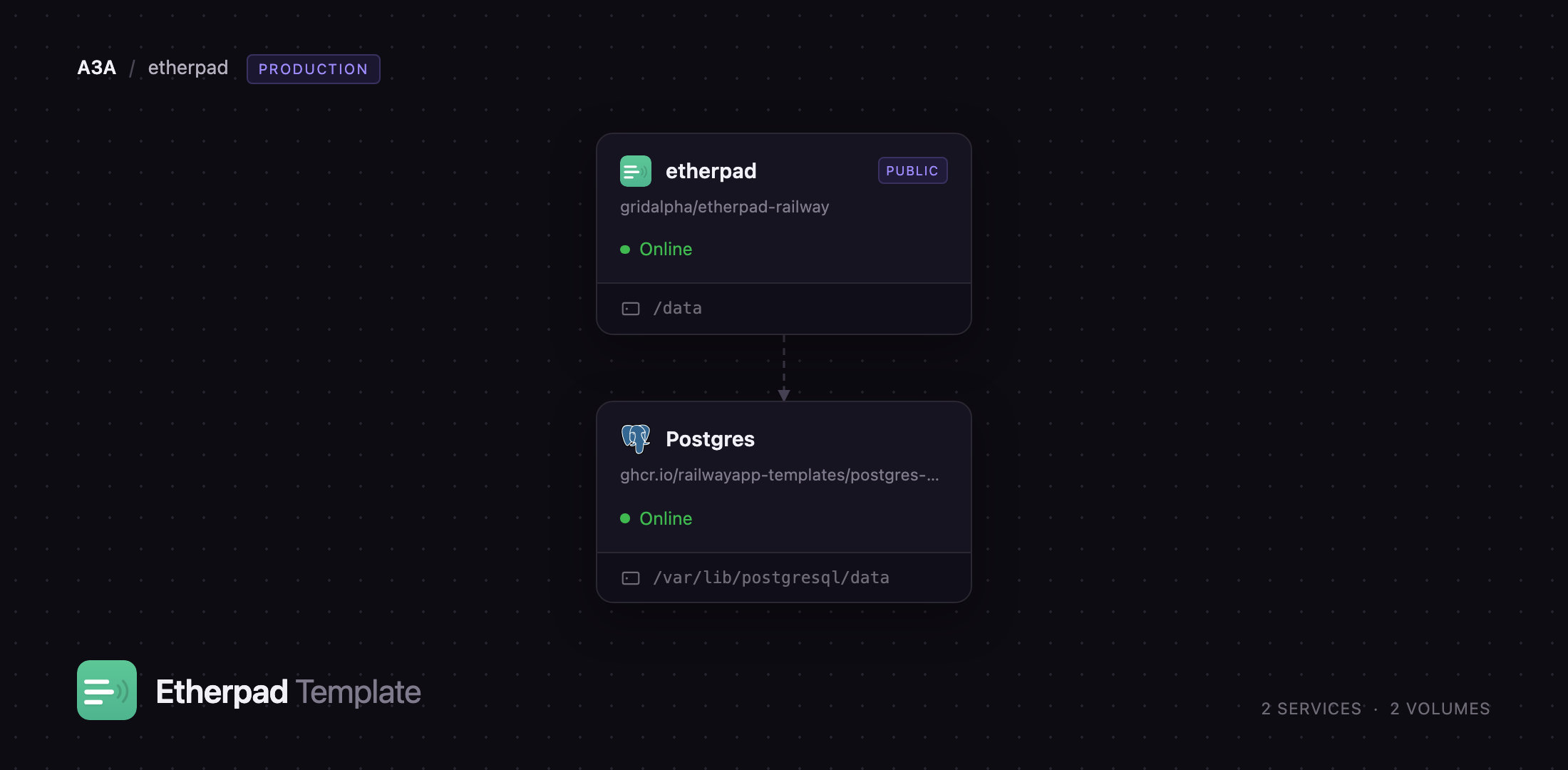
Deploy Etherpad on Railway and this template gives you the shape the project's own production compose file describes: an Etherpad web service on a public HTTPS domain, and a Railway managed Postgres database holding every pad, revision, author and chat message. Etherpad reaches Postgres over the private network, so the database is never exposed to the internet. A persistent volume keeps the plugin packages you install through the admin panel, plus the manifest Etherpad reads at startup to reinstall them, so a redeploy never quietly reverts your setup.
Getting Started with Etherpad on Railway
Deploying asks nothing beyond confirming the generated passwords, so start by copying ADMIN_PASSWORD and USER_PASSWORD from the Etherpad service's Variables tab — the two accounts the instance ships with. Open the public URL and the browser will prompt for credentials, because this template ships closed: sign in as admin for full access including the admin panel, or user for ordinary editing. Any path under /p/ creates a pad on first visit, so /p/team-standup is a valid way to start one.
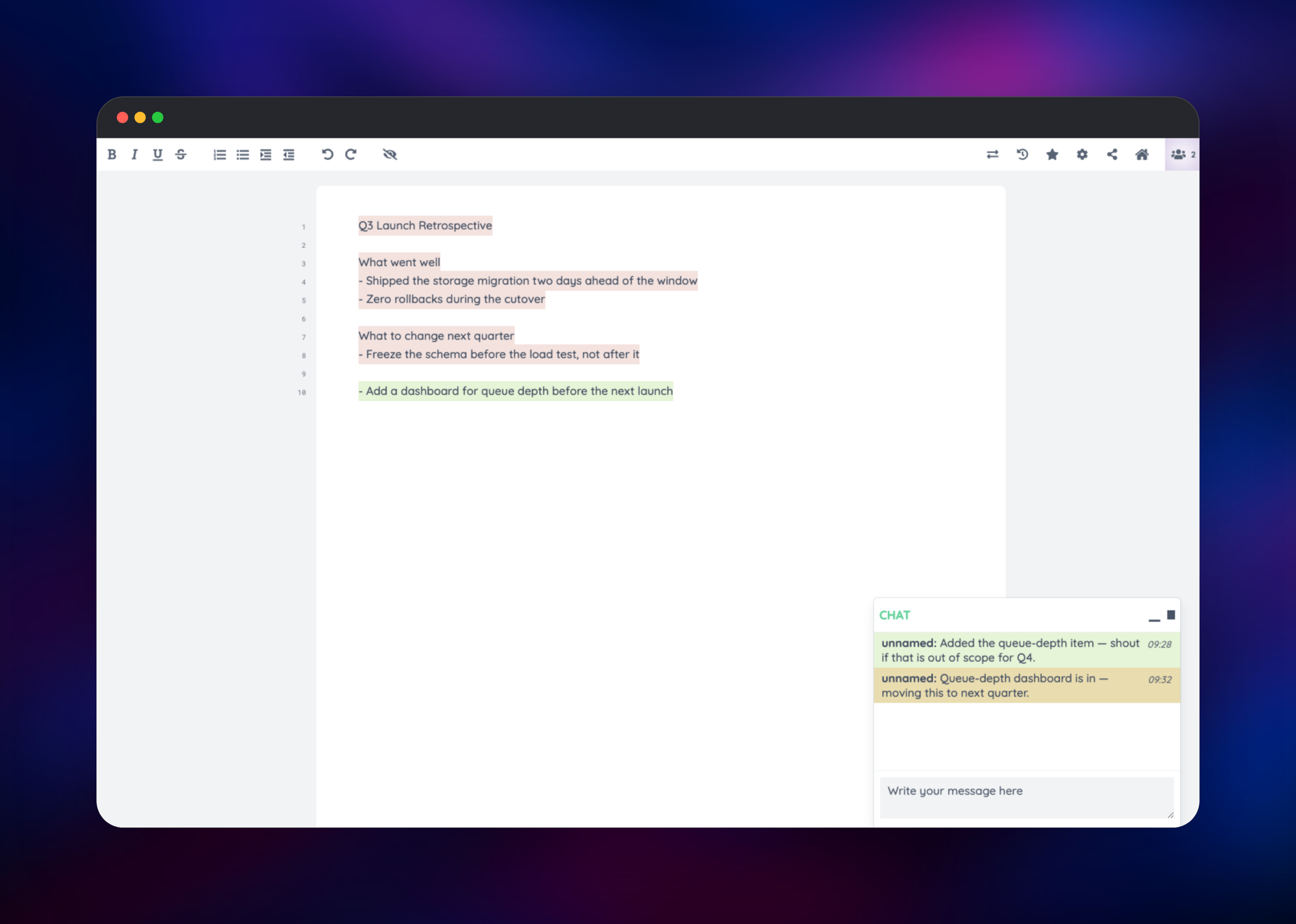
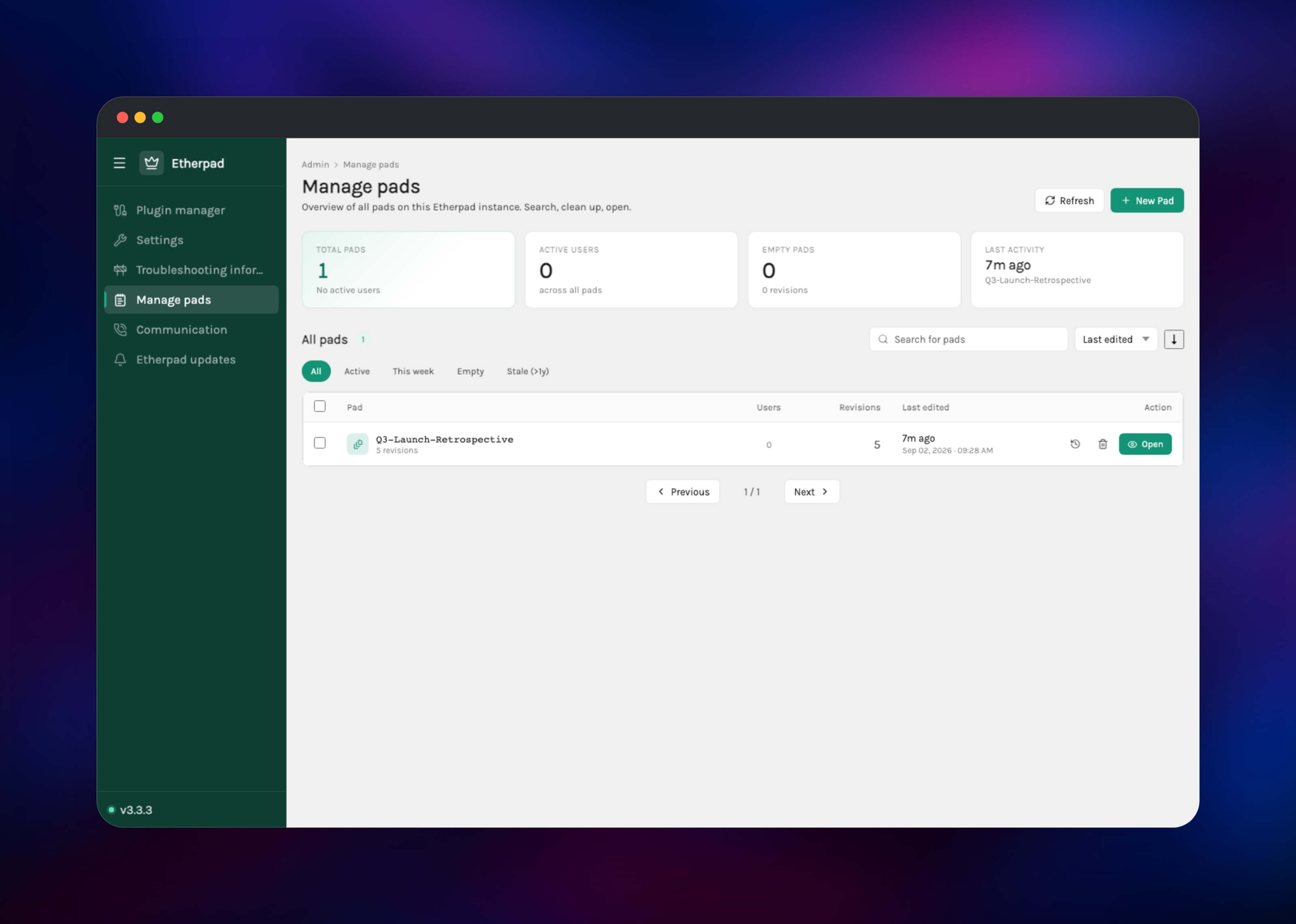
Type a few lines, then open the same pad in a second browser profile signed in as user — the text should appear immediately with the two authors in different colours, the quickest confirmation the deployment is healthy end to end. Try the chat panel and the clock icon in the toolbar, which opens the timeslider. Visit /admin for the plugin manager, pad overview and settings. To run an open pad server instead, set REQUIRE_AUTHENTICATION to false and redeploy.
About Hosting Etherpad
Etherpad is a Node.js server that keeps each open pad in memory, streams changes over WebSockets, and writes every revision to a database. Teams self-host it when document contents should not leave their own infrastructure, when a guest should not have to sign up for anything, or to embed a live editor in their own product.
Key features:
- Real-time editing with per-author colours and a revision timeslider
- Pads addressable by URL, with read-only share links
- Built-in chat alongside the document
- Import and export as plain text, HTML, Markdown, PDF and Word
.docx - An HTTP API for creating pads, setting text and managing authors
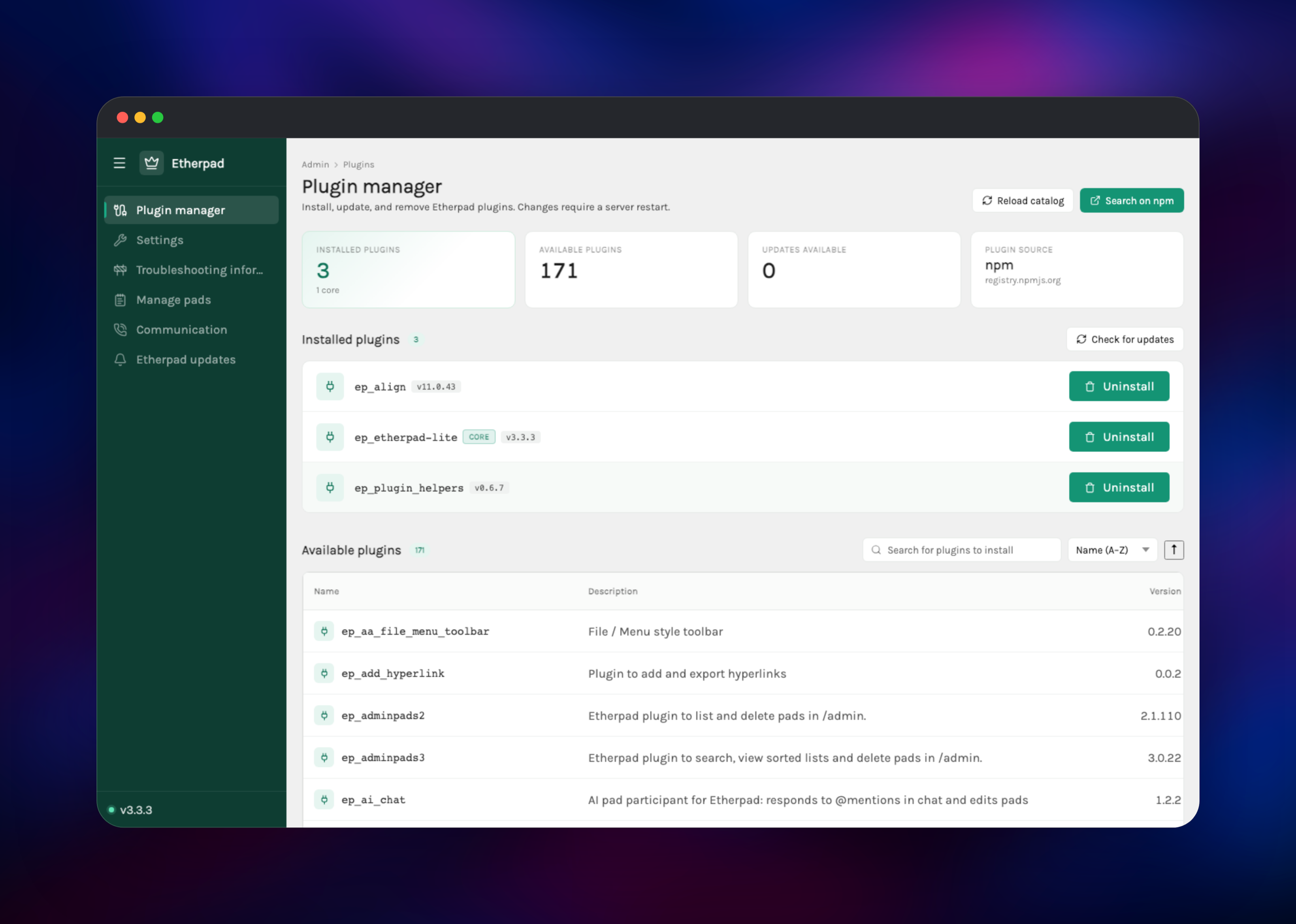
- Around 170 community plugins installable from the admin panel, in 100+ languages
The Railway architecture has two parts. The Etherpad service is the whole application — web UI, WebSocket server, API and admin panel — and the only public one. Postgres is the durable store: pads, revisions, authors, chat and sessions all live there, which is why content survives redeploys. The volume holds only plugin packages and their manifest.
Why Deploy Etherpad on Railway
Railway removes the setup work self-hosting Etherpad normally involves:
- Postgres is provisioned, wired and kept private automatically
- HTTPS and a public domain are issued on deploy, with no reverse proxy to configure
- The plugin volume is attached and writable from the first boot
- Passwords and the built-in sign-on client secrets are generated for you
- Health checks and restarts are handled by the platform
Common Use Cases for Self-Hosted Etherpad
- Live meeting and lecture notes — one link, no signup for guests, and a history showing who added what
- Private collaborative drafting — policy documents, incident write-ups and postmortems that stay on your own infrastructure
- Embedded editing in your own product — drop a pad into an iframe and drive it from the HTTP API
- Workshops and classrooms — many simultaneous editors on one document, author colours making participation visible
Dependencies for Etherpad
- Etherpad — built from the gridalpha/etherpad-railway source repository on top of the official
etherpad/etherpadimage, which places Etherpad's two on-disk state directories onto one Railway volume and hands it to the application user at startup. - Postgres — Railway managed PostgreSQL. Etherpad creates and manages its own schema on first boot; no migration step is needed.
Environment Variables Reference
| Variable | Purpose |
|---|---|
ADMIN_PASSWORD | Password for admin, which unlocks /admin |
USER_PASSWORD | Password for the ordinary user account |
REQUIRE_AUTHENTICATION | true closes the instance; false opens it to anyone |
TRUST_PROXY | Keep true so client IPs and HTTPS detection are correct |
SSO_ISSUER, ADMIN_REDIRECT, USER_REDIRECT, PUBLIC_URL | Public origin for the built-in sign-on |
ADMIN_SECRET, USER_SECRET | Built-in OAuth client secrets |
DB_* | Postgres connection settings |
TITLE, SKIN_NAME, DEFAULT_PAD_TEXT | Name, theme and starting text for new pads |
SOFFICE | LibreOffice path, only for .odt, .doc and .rtf |
Deployment Dependencies
- Runtime: Node.js 24 on Alpine, supplied by the official image
- Source:
- Image:
- Docs:
Hardware Requirements for Self-Hosting Etherpad
| Resource | Minimum | Recommended |
|---|---|---|
| CPU | 0.5 vCPU | 1–2 vCPU |
| RAM | 512 MB | 1–2 GB |
| Storage | 1 GB volume | 5 GB plus database growth |
| Runtime | Node.js 24 | Node.js 24 |
Etherpad is light at rest. Memory scales with how many pads are open at once rather than how many are stored, since each active pad is held in memory while people edit it. Database growth follows revision history, and the admin panel has a cleanup tool for long histories.
Self-Hosting Etherpad
The quickest way to run Etherpad outside Railway is the official image. The following Docker command uses the built-in file database, which is fine for a trial but not for production:
docker run -d --name etherpad -p 9001:9001 \
  -e ADMIN_PASSWORD=change-me \
  etherpad/etherpad:latest
For a real deployment, point Etherpad at PostgreSQL and give it a persistent home for plugins. The following is the equivalent Docker Compose service:
services:
  etherpad:
    image: etherpad/etherpad:latest
    ports: ["9001:9001"]
    environment:
      DB_TYPE: postgres
      DB_HOST: postgres
      DB_NAME: etherpad
      DB_USER: etherpad
      DB_PASS: change-me
      ADMIN_PASSWORD: change-me
      TRUST_PROXY: "true"
    volumes:
      - plugins:/opt/etherpad-lite/src/plugin_packages
      - var:/opt/etherpad-lite/var
volumes: { plugins: {}, var: {} }
How Much Does Etherpad Cost to Self-Host?
Etherpad is free and open source under the Apache 2.0 licence, with no paid tier, seat limits or enterprise edition, and every plugin in the catalogue is free as well. The only cost of running this template is Railway infrastructure — compute, the managed Postgres database and the volume — so a small team's instance sits in the low single-digit dollars per month.
FAQ
What is Etherpad? Etherpad is an open-source, real-time collaborative text editor you run on your own server. Multiple people edit one document at once, each author's text is colour-coded, and the full editing history is replayable.
What does this Railway template deploy? Two services: the Etherpad application on a public HTTPS domain with a volume for plugins, and a Railway managed Postgres database on the private network holding all pad content, revisions and chat.
Why does the template include a Postgres database? Etherpad's default storage is a file-based database meant for local testing, unsuitable when the container can be replaced at any time. Postgres keeps pads, revisions and authors durable across restarts and upgrades.
Do people need an account to edit a pad in self-hosted Etherpad?
That is your choice. This template ships closed, so visitors sign in with the admin or user credentials generated at deploy. Set REQUIRE_AUTHENTICATION to false for an open pad server anyone with the link can edit.
How do I install plugins in self-hosted Etherpad on Railway?
Sign in as admin, open /admin/plugins, search the catalogue and click Install. Etherpad restarts itself to load the plugin, and because the plugin directory sits on the volume, installed plugins survive later redeploys.
Can I export pads as PDF or Word documents from Etherpad?
Yes, both render in-process alongside plain text, HTML and Markdown; only the older .odt, .doc and .rtf need a LibreOffice binary the official image omits. Etherpad also exposes an HTTP API for creating pads, setting text and generating read-only links.
Template Content


