
Deploy EverShop
Node.js online store with a catalog, cart, checkout and admin panel

Just deployed
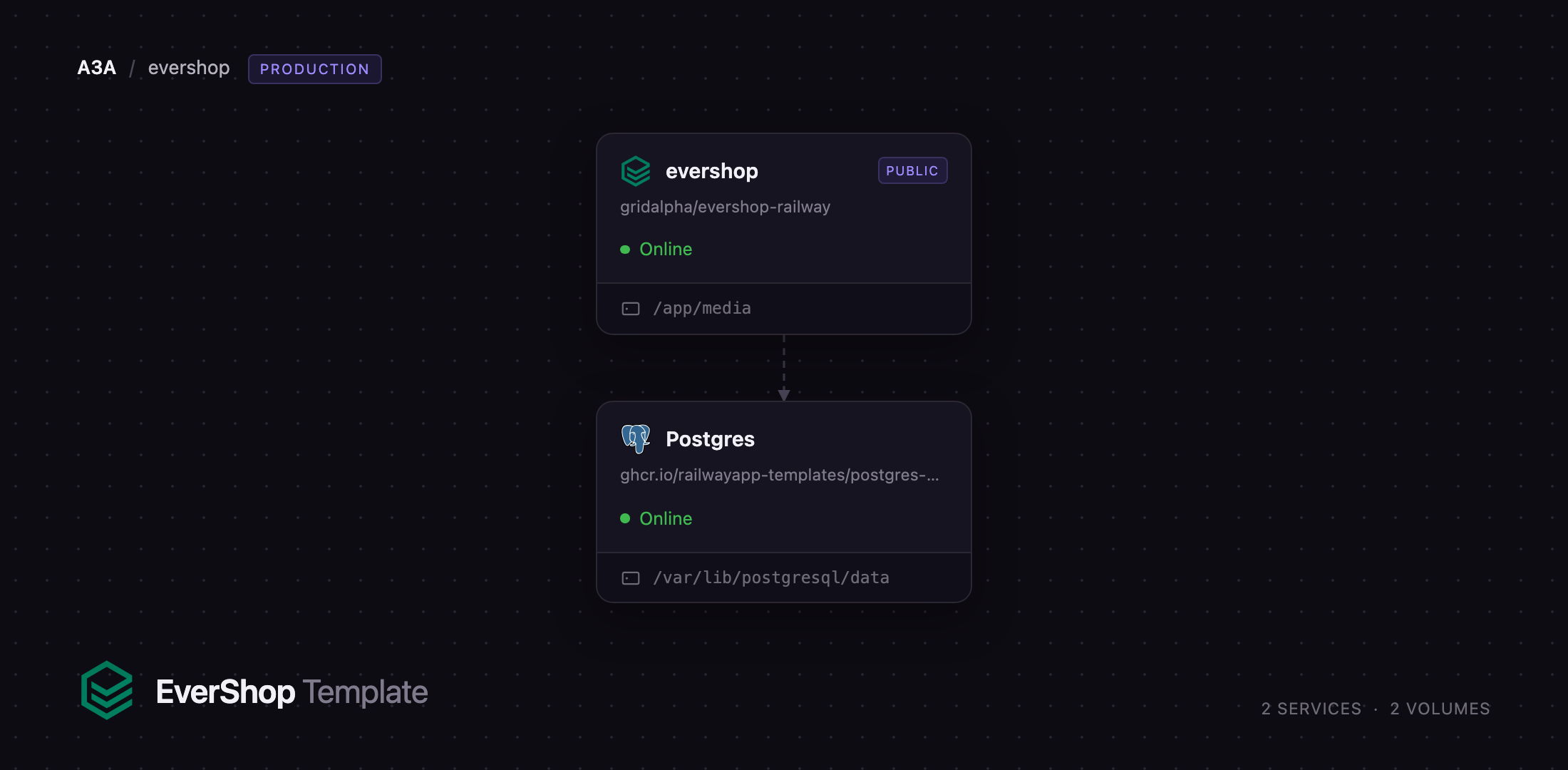
/var/lib/postgresql/data
evershop
Just deployed
/app/media
Deploy and Host EverShop on Railway
EverShop is an open-source e-commerce platform written in TypeScript and React, with a GraphQL API and a modular architecture, built for developers who want to own their storefront rather than rent it. It ships what a real shop needs — a catalog with variants and attributes, categories and collections, a page builder, cart, checkout, coupons, tax and shipping rules, accounts and order management — in a codebase you extend with your own modules and themes. Teams self-host EverShop when a hosted platform's per-order fees or closed data model get in the way, and when they would rather write a Node.js extension than a marketplace plugin.
Deploy EverShop on Railway and the whole stack is wired together on the first click. The template provisions two services: evershop, the Node.js application serving the storefront and the /admin panel from one public domain, and Postgres, Railway's managed PostgreSQL, holding the catalog, orders, customers and login sessions. A volume at /app/media keeps uploaded product images, served back under /assets. Session keys, the admin and customer JWT secrets, the public URL and the first administrator are generated at deploy time, so there is no config file to edit and no installer wizard — the app migrates its own schema on first boot and serves.
Getting Started with EverShop on Railway
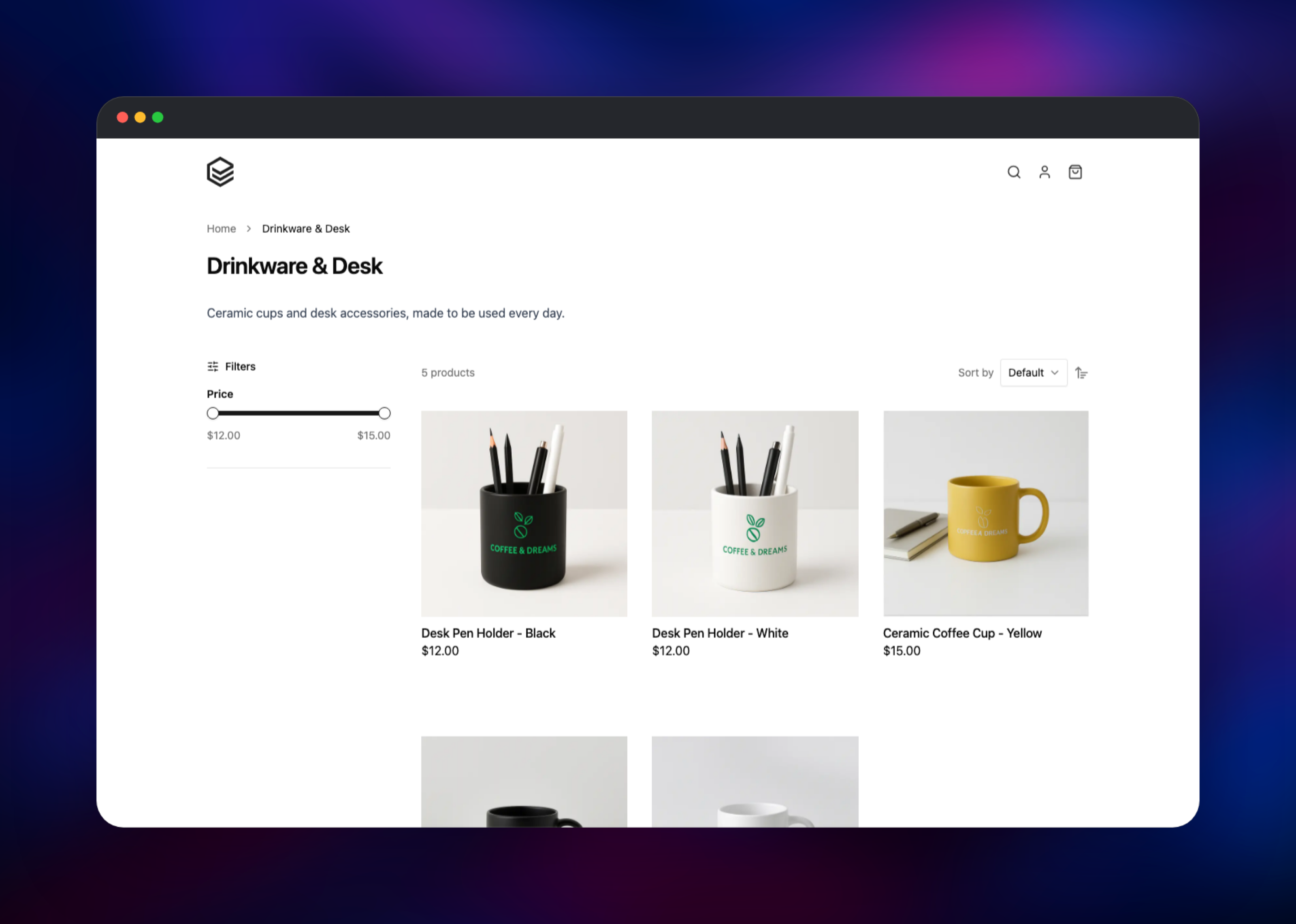
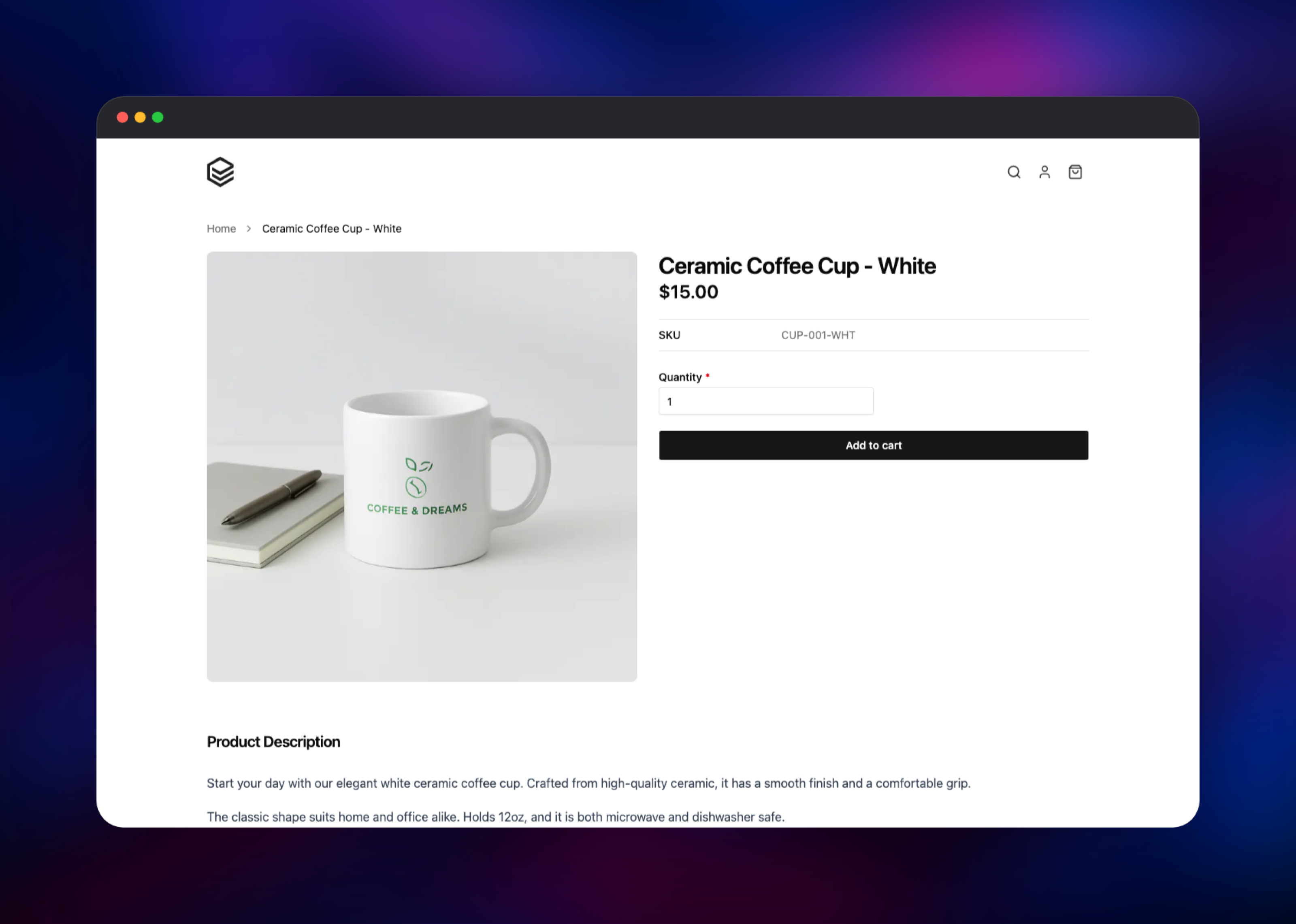
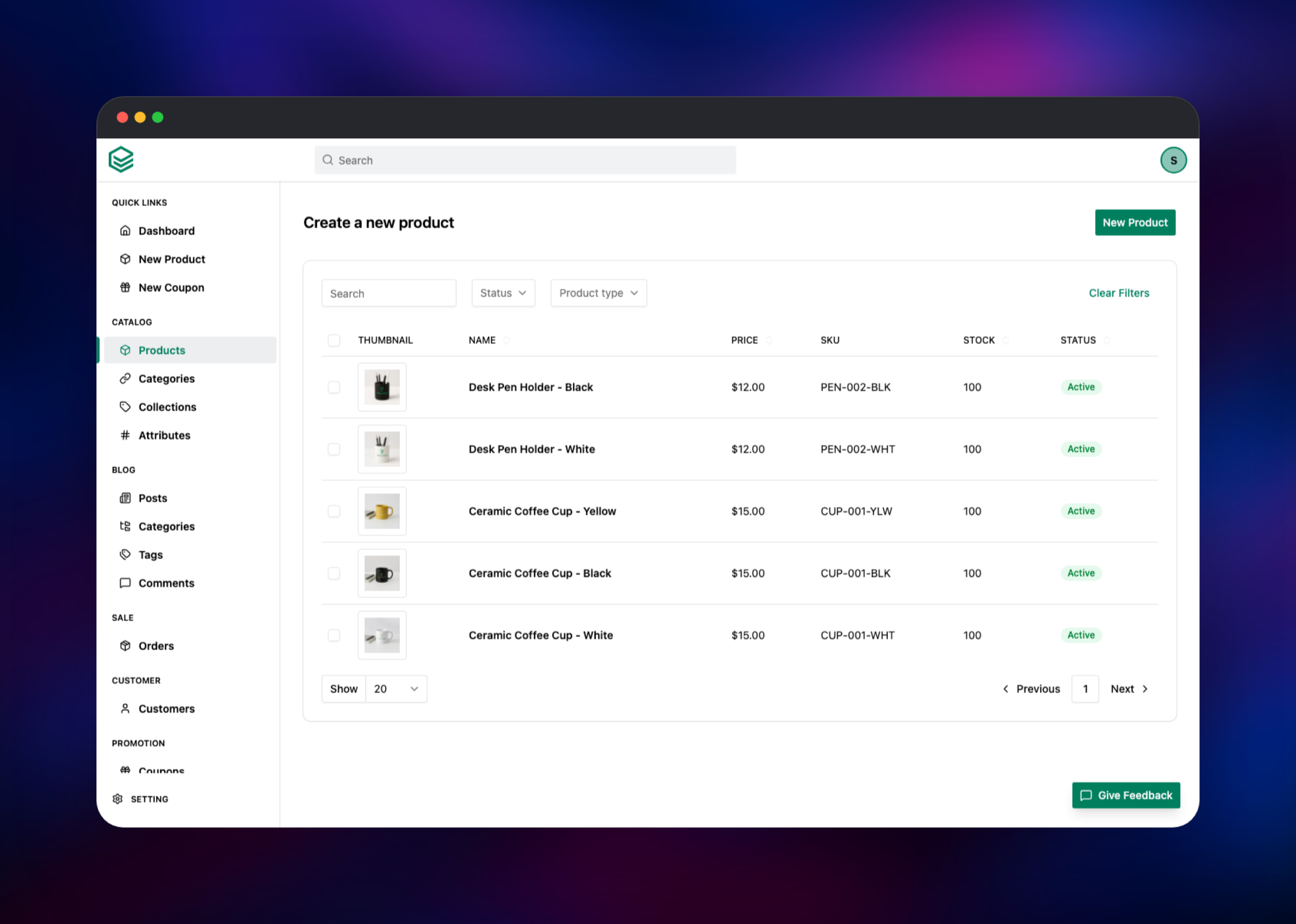
Set ADMIN_EMAIL and ADMIN_PASSWORD before deploying — those become your first administrator, and the password must be at least eight characters. When the deployment goes green, open the public URL. You land on the storefront, close to empty because EverShop's home page is composed in the admin Page Builder rather than shipped with demo content. Sign in at /admin. From the dashboard open Catalog → Products → New Product, give it a name, SKU, price and shipping package, upload an image, set the status to Active and save. Create a category under Catalog → Categories and attach the product to it; the category page then renders with a working price filter and sort. Click through to the product, press Add to cart and open /cart — a line item with a subtotal confirms the database, the session store and the media volume all work. Set your store name, currency, tax classes, shipping methods and a payment method under Setting before taking orders.
About Hosting EverShop
EverShop is a single Node.js process serving server-rendered React for the storefront, the admin single-page app, a REST admin API and a GraphQL endpoint. It spawns two children: a scheduler for cron work such as sitemap regeneration, and an event subscriber reacting to order and catalog changes. There is no worker service and no message broker — the app and its database are the whole deployment.
Key features:
- Simple and variant products, attributes, attribute groups, categories and collections
- Cart, checkout, coupons, tax classes, shipping zones and packages, order management
- Customer accounts, address book, order history and signed order-tracking links
- Page Builder and CMS pages for the home page, landing pages and a blog
- GraphQL API plus a REST admin API, so a headless front end is supported
- Module and theme system for extending the app in TypeScript without forking
On Railway, Postgres holds every persistent record — products, orders, customers and the session table — so signing in survives a redeploy. The evershop service keeps only uploaded media on its volume; everything else is disposable.
Why Deploy EverShop on Railway
Railway removes the setup work between a Node.js store and a live shop.
- Managed PostgreSQL with backups on the private network
- Persistent volume for product images
- HTTPS domain on deploy, custom domains in a few clicks
- Secrets, JWT keys and the first admin generated at deploy
- Deploys from GitHub, so extensions ship by pushing a commit
Common Use Cases for Self-Hosted EverShop
- A direct-to-consumer brand store, where per-order platform fees add up at volume
- A headless storefront: a Next.js or mobile front end on EverShop's GraphQL API
- A B2B or wholesale catalog with custom pricing written as an EverShop module
- A staging store for trying themes, extensions and imports
Dependencies for EverShop
- evershop — gridalpha/evershop-railway, one layer on the official
evershop/evershopimage. Port 3000, storefront and admin, volume at/app/media. - Postgres — Railway's managed PostgreSQL. Migrations run at app startup; there is no manual schema step.
Environment Variables Reference
| Variable | Purpose |
|---|---|
EVERSHOP_HOME_URL | Absolute store URL for links and mail; validated at boot |
DB_HOST, DB_PORT, DB_USER, DB_PASSWORD, DB_NAME | PostgreSQL connection |
ADMIN_EMAIL, ADMIN_PASSWORD, ADMIN_FULLNAME | First administrator; changing the pair resets it |
JWT_ADMIN_SECRET, JWT_ADMIN_REFRESH_SECRET | Admin session signing keys |
JWT_CUSTOMER_SECRET, JWT_CUSTOMER_REFRESH_SECRET | Customer session signing keys |
ORDER_TRACKING_TOKEN_SECRET | Signs anonymous order-tracking links |
COOKIE_SECRET | Session cookie key; derived automatically if left blank |
TRUST_PROXY_HOPS | Proxy hops in front of the app; 2 behind Railway |
LOGGER_LEVEL | Log verbosity; info shows migrations and startup |
IMAGE_ALLOWED_HOSTS | Hosts the /images optimizer may fetch |
Deployment Dependencies
- Source:
- Image:
- Docs:
- Runtime: Node.js 20 on Alpine, PostgreSQL 16 or newer
Hardware Requirements for Self-Hosting EverShop
| Resource | Minimum | Recommended |
|---|---|---|
| CPU | 1 vCPU | 2 vCPU |
| RAM | 1 GB | 2 GB |
| Storage | 5 GB volume for media | 10 GB+ as the catalog grows |
| Database | PostgreSQL 14+ | PostgreSQL 16+ |
Run a single replica: scheduled jobs live inside the web process with no leader election, so a second replica duplicates every cron run.
Self-Hosting EverShop
Locally, the fastest route is the official image beside a PostgreSQL container. A minimal Docker Compose file:
services:
  app:
    image: evershop/evershop:latest
    environment:
      DB_HOST: database
      DB_PORT: 5432
      DB_USER: postgres
      DB_PASSWORD: postgres
      DB_NAME: postgres
    ports: ["3000:3000"]
    depends_on: [database]
  database:
    image: postgres:16
    environment:
      POSTGRES_PASSWORD: postgres
To build from source, clone the repository and run the installer, which creates the schema and prompts for the first administrator. On a migrated database, user:create adds or resets one without the installer:
git clone https://github.com/evershopcommerce/evershop.git
cd evershop && npm install && npm run build && npm run setup && npm run start
npm run user:create -- --name Owner --email you@example.com --password a-long-password
How Much Does EverShop Cost to Self-Host?
EverShop is free and open source under the GPL-3.0 licence, with no paid tier, seat limits or transaction fees. Self-hosting costs only infrastructure: on Railway that is the app service, the managed PostgreSQL database and the volume, billed by usage. A small store runs in the low single-digit dollars per month, and scales with traffic rather than sales.
FAQ
What is EverShop?
EverShop is an open-source e-commerce platform built with Node.js, TypeScript, React and GraphQL, providing a storefront, an admin panel and a modular extension system for custom online stores.
What does this Railway template deploy?
The EverShop application on a public HTTPS domain and a managed PostgreSQL database on the private network. A volume holds uploaded media, and the first administrator is created from the email and password you supply.
Why does the template include a PostgreSQL database?
EverShop stores everything durable in PostgreSQL — products, categories, orders, customers, settings and login sessions. It has no SQLite or file-backed mode, so the database is a hard requirement, not an option.
How do I log in to the EverShop admin panel after deploying?
Open /admin and sign in with the ADMIN_EMAIL and ADMIN_PASSWORD you set before deploying. To rotate it, change ADMIN_PASSWORD and redeploy; a password changed inside the admin UI is never overwritten.
Where are uploaded product images stored in self-hosted EverShop?
On the volume at /app/media, served back under /assets. EverShop can also write to S3-compatible storage, but its S3 mode builds public object URLs, so that bucket must allow anonymous reads.
Can I use EverShop headlessly with my own front end?
Yes. EverShop exposes a GraphQL endpoint at /graphql plus REST admin routes under /api, so you can keep the admin panel here and build a separate storefront against it. Note the core ships email templates but no SMTP transport, so add a mail extension before relying on transactional mail.
Template Content


