
Deploy Excalidraw
Miro Alternative. Open-source whiteboard with real-time collaboration
Just deployed
excalidraw
Just deployed
Just deployed

Just deployed
/var/lib/postgresql/data
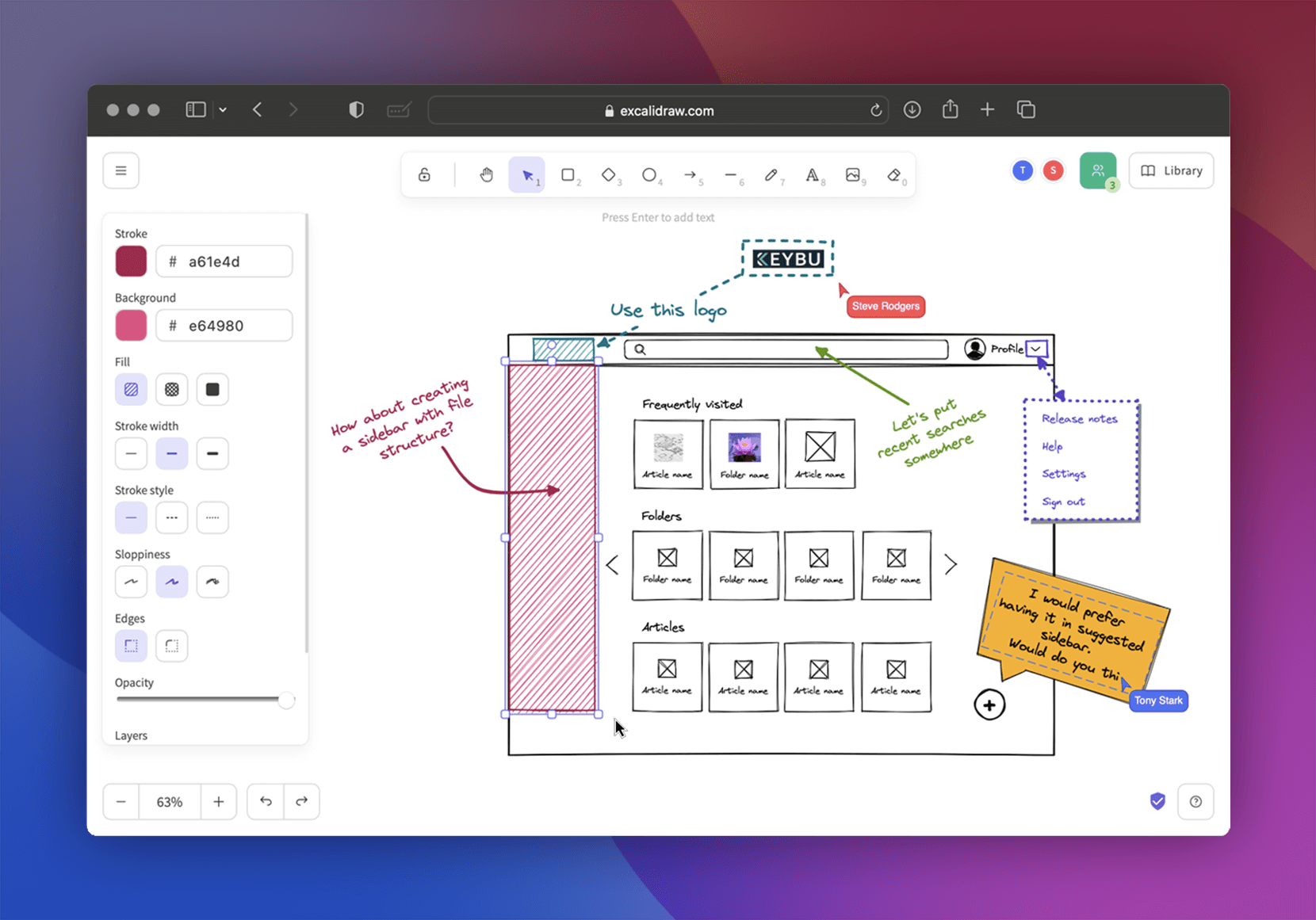
Deploy and Host Excalidraw on Railway
Excalidraw is an open-source virtual whiteboard for sketching diagrams that look hand-drawn. Engineers use it for architecture sketches, product teams for user flows, teachers for live explanations — anything faster to draw than to describe. The style keeps a diagram looking like a draft, so people keep editing it. The hosted excalidraw.com is free but stores your scenes on infrastructure you do not control, which is why teams self-host Excalidraw on their own domain.
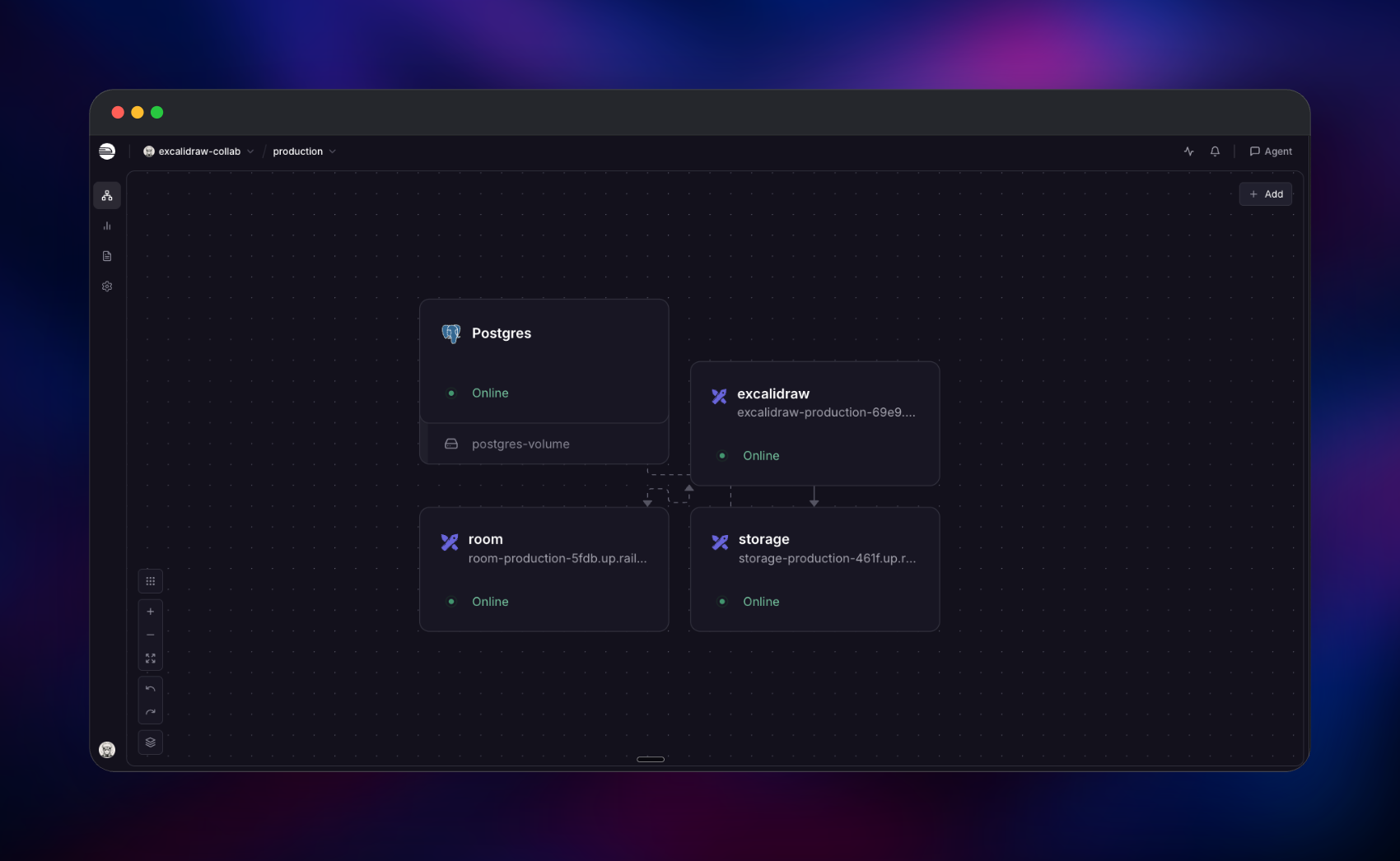
Deploy Excalidraw on Railway and you get the whole product, not just the drawing canvas. This template runs four services: the Excalidraw frontend, a storage backend holding shared scenes, rooms and uploaded images, a Socket.IO collaboration server relaying live edits, and a PostgreSQL database behind the storage backend. Everything sent to storage is encrypted in the browser first, and the key lives only in the URL fragment after #, which browsers never transmit — so your server holds ciphertext it cannot read. Nothing reaches Excalidraw's cloud, Firebase or third-party analytics.
Getting Started with Excalidraw on Railway
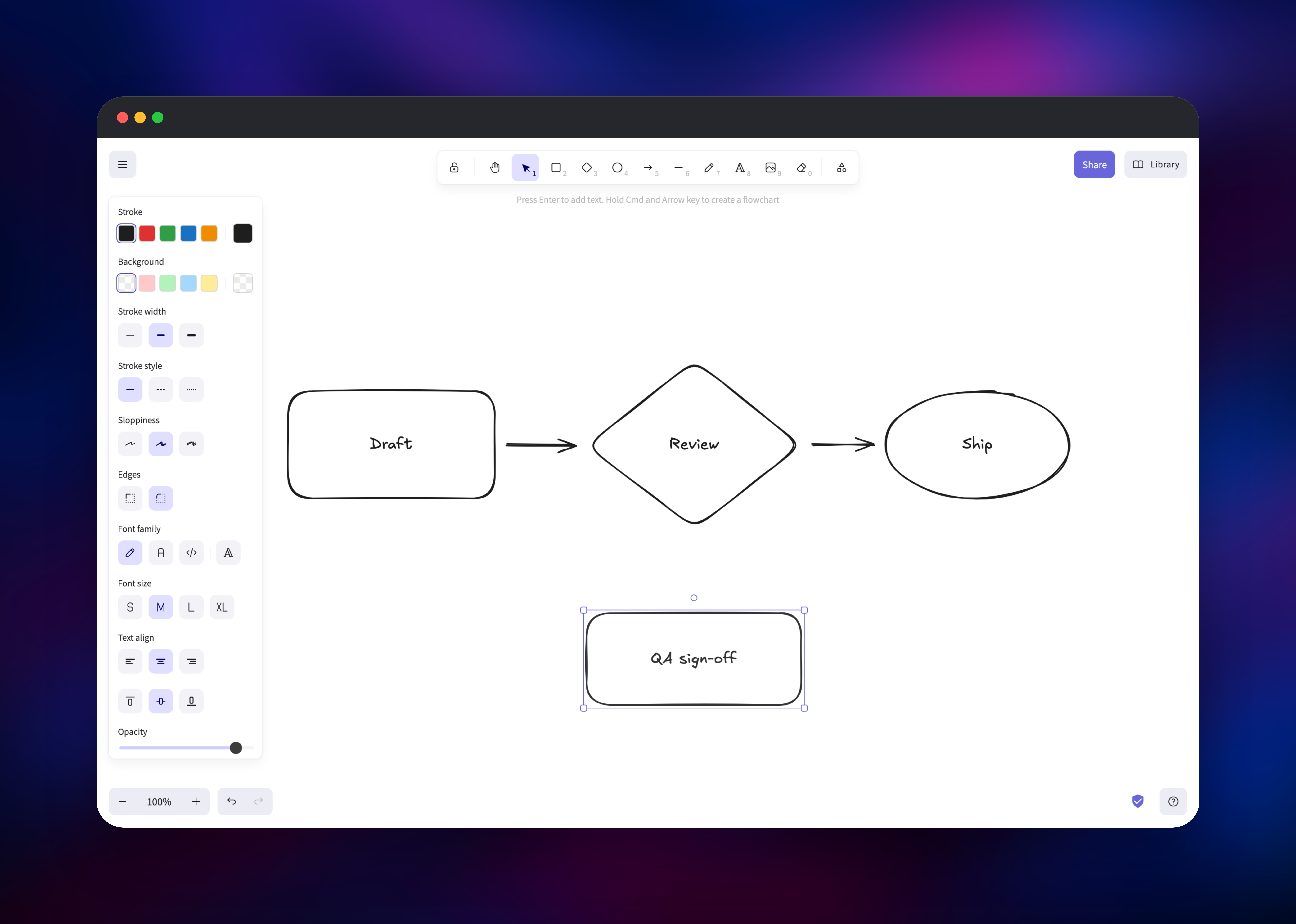
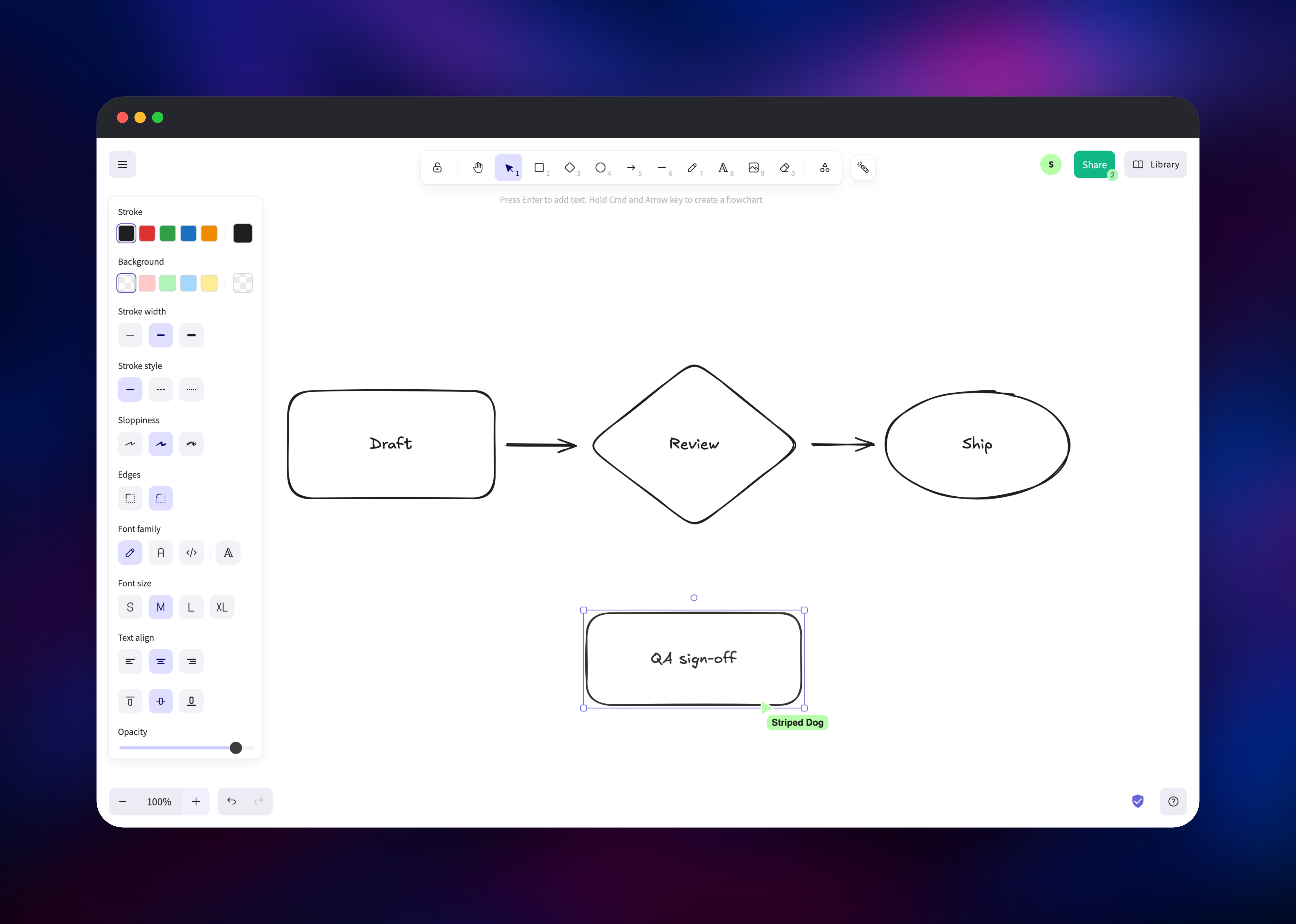
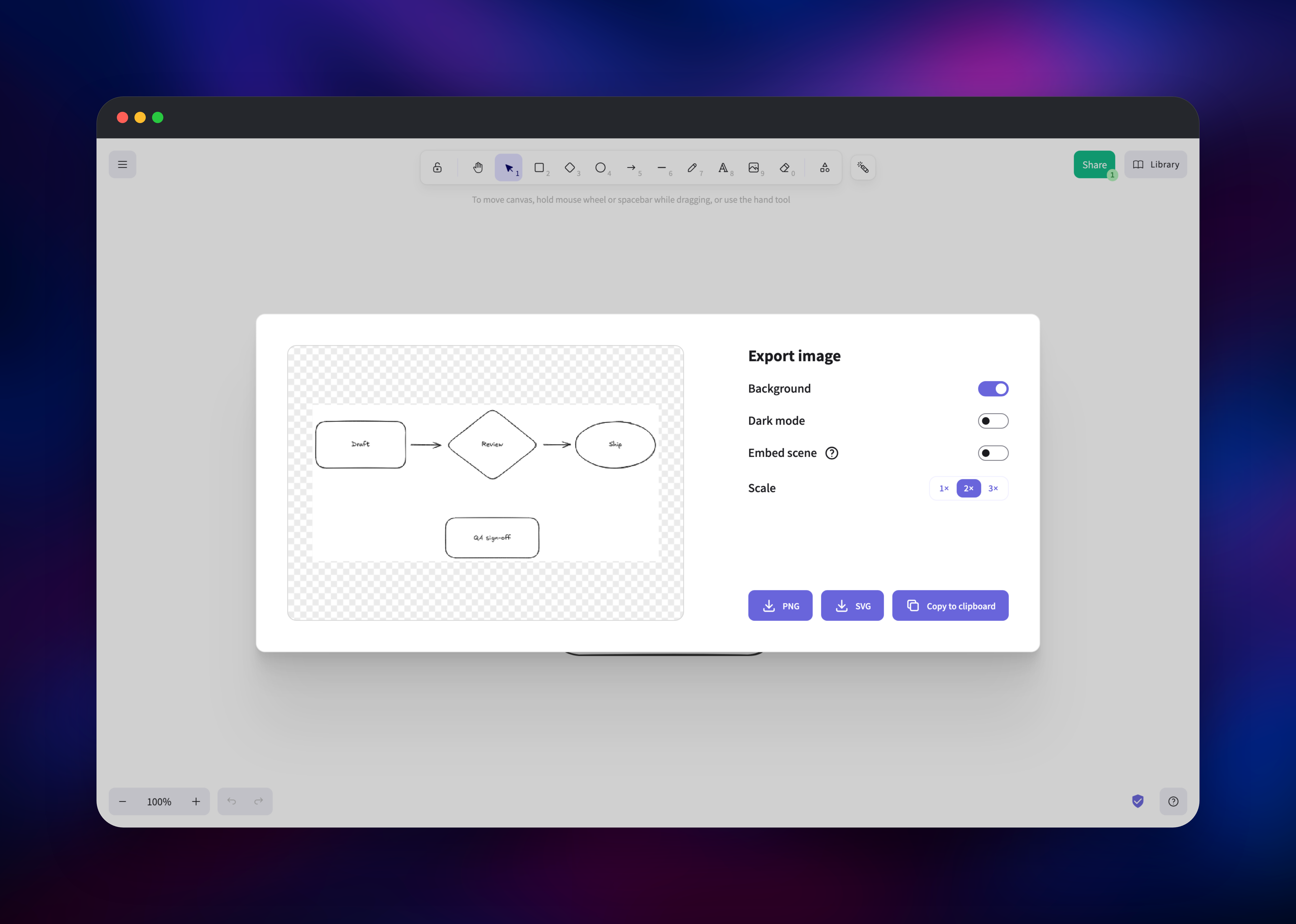
Open the frontend service's public URL and the canvas is ready — no sign-up, no admin account and no first-run wizard, because Excalidraw has no user accounts. Pick a shape or press r, d or o, drag on the canvas, then double-click a shape to type a label inside it. Work is saved in your browser as you draw, so a reload brings it back. To check the server side, click Share and choose Export to Link: that uploads the encrypted scene to storage and returns a #json=… link you can open in another browser. Then click Share → Start session and open the room link in a second tab or another device — the other cursor should move in real time, with a participant count on the green Share button. Rooms are saved to storage too, so everyone can leave and the scene is still there when someone rejoins the link. Use Menu → Export image for a PNG or SVG to drop into a document.
About Hosting Excalidraw
Excalidraw's frontend is a static single-page app, which is why many self-hosted installs stop at "the canvas works but sharing doesn't". Anything leaving your browser — a share link, a room, an image pasted into a shared scene — needs somewhere to go, and the public build points at Excalidraw's hosted services. This template replaces all of them with services in your own project.
Key features:
- Hand-drawn shapes, arrows, freedraw, text, images and embedded links
- Real-time collaboration with live cursors and a participant list
- End-to-end encryption for scenes and rooms; the key stays in the URL fragment
- Export to PNG, SVG or a
.excalidrawfile, plus a shareable read-only link
How they fit together: the frontend is configured at container start, so storage and collaboration URLs are environment variables rather than values baked into a build. The storage backend exposes an HTTP API under /api/v2 for scenes, rooms and files, writing each encrypted blob to PostgreSQL. The collaboration server speaks Socket.IO and relays drawing operations between clients in a room; it holds no state and never sees a key.
Why Deploy Excalidraw on Railway
Railway removes the parts of this stack that are annoying to run yourself:
- All four services deploy together, already wired to each other
- HTTPS is provisioned automatically, which Excalidraw's browser crypto requires
- Managed PostgreSQL instead of a database container you babysit
- Private networking between the storage backend and its database
- Health checks, restarts and logs per service
- Custom domains for a permanent whiteboard URL
Common Use Cases
- Private architecture reviews, with diagrams on infrastructure you control
- Remote pairing and interviews — send a room link and sketch together
- Classroom teaching, where students join by link with nothing to install
- Diagrams for docs and pull requests, exported as SVG or PNG from the canvas
Dependencies for Excalidraw
alswl/excalidraw:latest— the frontend, from the self-hosting fork at github.com/alswl/excalidraw, whose image resolves configuration at container startghcr.io/kitsteam/excalidraw-storage-backend:latest— scene, room and file storage over PostgreSQL (source)ghcr.io/kitsteam/excalidraw-room:latest— the Socket.IO collaboration server (source)- Railway PostgreSQL — durable storage for every encrypted blob
Environment Variables Reference
| Variable | Service | What it does |
|---|---|---|
VITE_APP_STORAGE_BACKEND | frontend | Set to http so scenes go to your storage service, not Firebase |
VITE_APP_WS_SERVER_URL | frontend | Public URL of the collaboration server |
VITE_APP_FIREBASE_CONFIG | frontend | Left as {} so no Firebase connection is attempted |
STORAGE_URI | storage | PostgreSQL connection string |
STORAGE_TTL | storage | How long a scene, room or file is kept, in milliseconds |
CORS_ORIGIN | room | Origin allowed to open collaboration sockets |
Deployment Dependencies
- Upstream project: github.com/excalidraw/excalidraw
- Self-hosting stack this template follows: github.com/alswl/excalidraw-collaboration
- Runtime: nginx, Node.js 24 for storage and collaboration, PostgreSQL 18
Hardware Requirements for Self-Hosting Excalidraw
| Resource | Minimum | Recommended |
|---|---|---|
| CPU | 0.5 vCPU total | 1–2 vCPU across the services |
| RAM | 512 MB total | 1–2 GB across the services |
| Storage | 1 GB PostgreSQL | 5 GB+ if scenes carry images |
| Runtime | nginx, Node.js 24, PostgreSQL 18 | Same |
Self-Hosting Excalidraw with Docker
The plain upstream image gives the canvas with sharing still pointed at Excalidraw's hosted services:
docker run -d --name excalidraw -p 3000:80 excalidraw/excalidraw:latest
A self-contained stack needs the runtime-configurable frontend plus the two backing services. The following is a minimal Docker Compose file:
services:
  frontend:
    image: alswl/excalidraw:latest
    ports: ["3000:80"]
    environment:
      VITE_APP_STORAGE_BACKEND: http
      VITE_APP_HTTP_STORAGE_BACKEND_URL: http://localhost:8080/api/v2
      VITE_APP_BACKEND_V2_GET_URL: http://localhost:8080/api/v2/scenes/
      VITE_APP_BACKEND_V2_POST_URL: http://localhost:8080/api/v2/scenes/
      VITE_APP_WS_SERVER_URL: http://localhost:8090
  storage:
    image: ghcr.io/kitsteam/excalidraw-storage-backend:latest
    ports: ["8080:8080"]
    environment:
      STORAGE_URI: postgresql://postgres:postgres@db:5432/postgres
  room:
    image: ghcr.io/kitsteam/excalidraw-room:latest
    ports: ["8090:8090"]
  db:
    image: postgres:18
    environment:
      POSTGRES_PASSWORD: postgres
Live collaboration needs crypto.subtle, exposed only over HTTPS or on localhost — a plain HTTP address on your LAN loads the canvas but cannot start a session.
How Much Does Excalidraw Cost to Self-Host?
Excalidraw is MIT-licensed and free, including the collaboration server and editor package. Excalidraw+ is the paid hosted product with accounts and team permissions; none of it is required here. Self-hosting costs only infrastructure, and this stack is small — three light containers plus a managed database.
FAQ
What is Excalidraw?
An open-source whiteboard for hand-drawn-style diagrams. It runs in the browser, supports real-time collaboration, and exports to PNG, SVG or its own .excalidraw format.
What does this Railway template deploy? Four services: the Excalidraw frontend, a storage backend for scenes, rooms and images, a Socket.IO collaboration server, and PostgreSQL — pre-wired, so share links and live collaboration work as soon as the deployment is up.
Why does self-hosted Excalidraw need a database and a separate storage service? The public build sends share links to Excalidraw's servers and keeps rooms in their Firebase project. The storage service replaces both, and PostgreSQL is where those encrypted blobs live so a room survives everyone closing their tab.
How do I add password protection to a self-hosted Excalidraw? It has no accounts or login — access is by link, and scenes are encrypted with a key that travels only in the URL fragment. To close the instance itself, put an authenticating proxy in front of the three web services.
How long are shared scenes kept?
The storage service expires entries after STORAGE_TTL milliseconds. This template sets roughly ten years, so nothing disappears on its own; lower it if you want links to age out.
Can I scale the collaboration server to more than one replica? Keep it at one. It relays room traffic in memory with no shared adapter, so two replicas would split a room and people on different instances would stop seeing each other's edits. The frontend and storage scale normally.
Template Content


