
Deploy ezBookkeeping
Personal finance app for tracking accounts, spending and budgets

mailpit
Just deployed
/data
ezbookkeeping
Just deployed

Just deployed
/var/lib/postgresql/data
ezbookkeeping-storage
Bucket
Just deployed
Deploy and Host ezBookkeeping on Railway
ezBookkeeping is a lightweight, open-source personal finance app that records daily transactions, imports bank statements, and shows where the money actually goes. It keeps two-level accounts and categories, attaches receipt photos, runs scheduled transactions, and ships a statistics module with pie, bar and trend charts. It is a single Go binary with a Vue front end serving tailored desktop and mobile layouts from one URL.
Deploy ezBookkeeping on Railway and you get the production shape in one click, not one container with a SQLite file. The ezbookkeeping service serves the UI and JSON API on port 8080 behind a generated HTTPS domain. Postgres holds every account, transaction, category and tag. A Railway object-storage bucket holds receipt images and avatars, keeping the app stateless so uploads survive redeploys without a volume. mailpit is a private SMTP server with a password-protected inbox on a second domain, so "Forgot password" works from the first minute instead of failing silently. The first account is created at startup from credentials you supply at deploy time, and self-registration is off, so the instance is never briefly open to whoever finds the URL first.
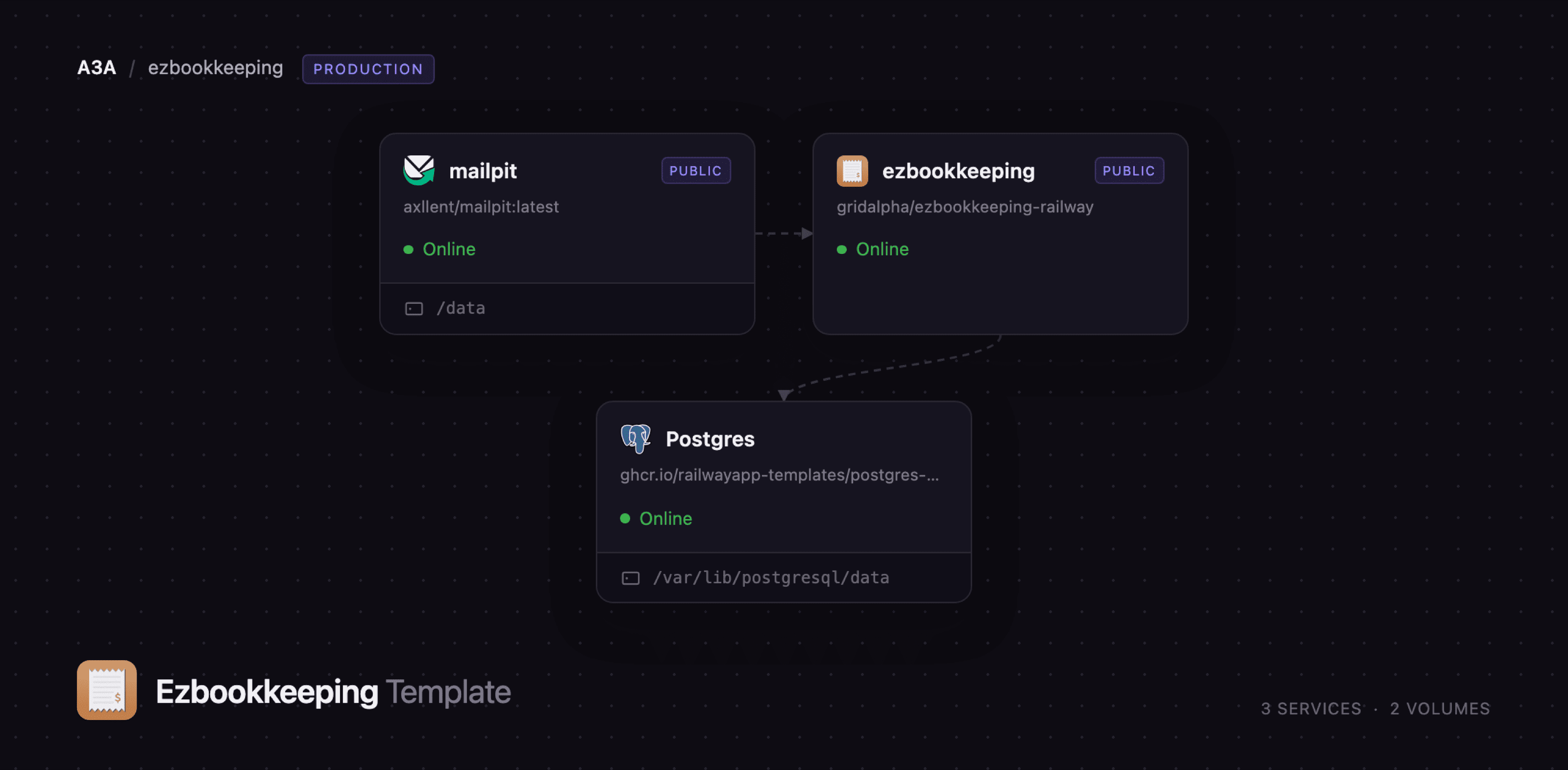
Getting Started with ezBookkeeping on Railway
Set EZBK_ADMIN_USERNAME and EZBK_ADMIN_PASSWORD when you deploy — they become your login, and the container creates that account before it accepts traffic. Open the public URL and sign in; there is no setup wizard. Start in Accounts and add what you actually track — a current account, a card, a cash wallet — each with its opening balance and the date that balance was true. Then open Transaction Categories and create your income and expense categories; they nest two levels deep, so "Food & Drink → Groceries" works. Add a transaction from Transaction Details → Add, pick a category and account, and attach a receipt photo — if it shows up in the Transaction Gallery, object storage is wired up correctly. After a handful of entries Overview fills in with monthly totals and an asset summary, and Statistics & Analysis draws category breakdowns and trends. To check the mail tier, use "Forgot password" and read the message in the mailpit inbox with the MP_UI_AUTH credentials.
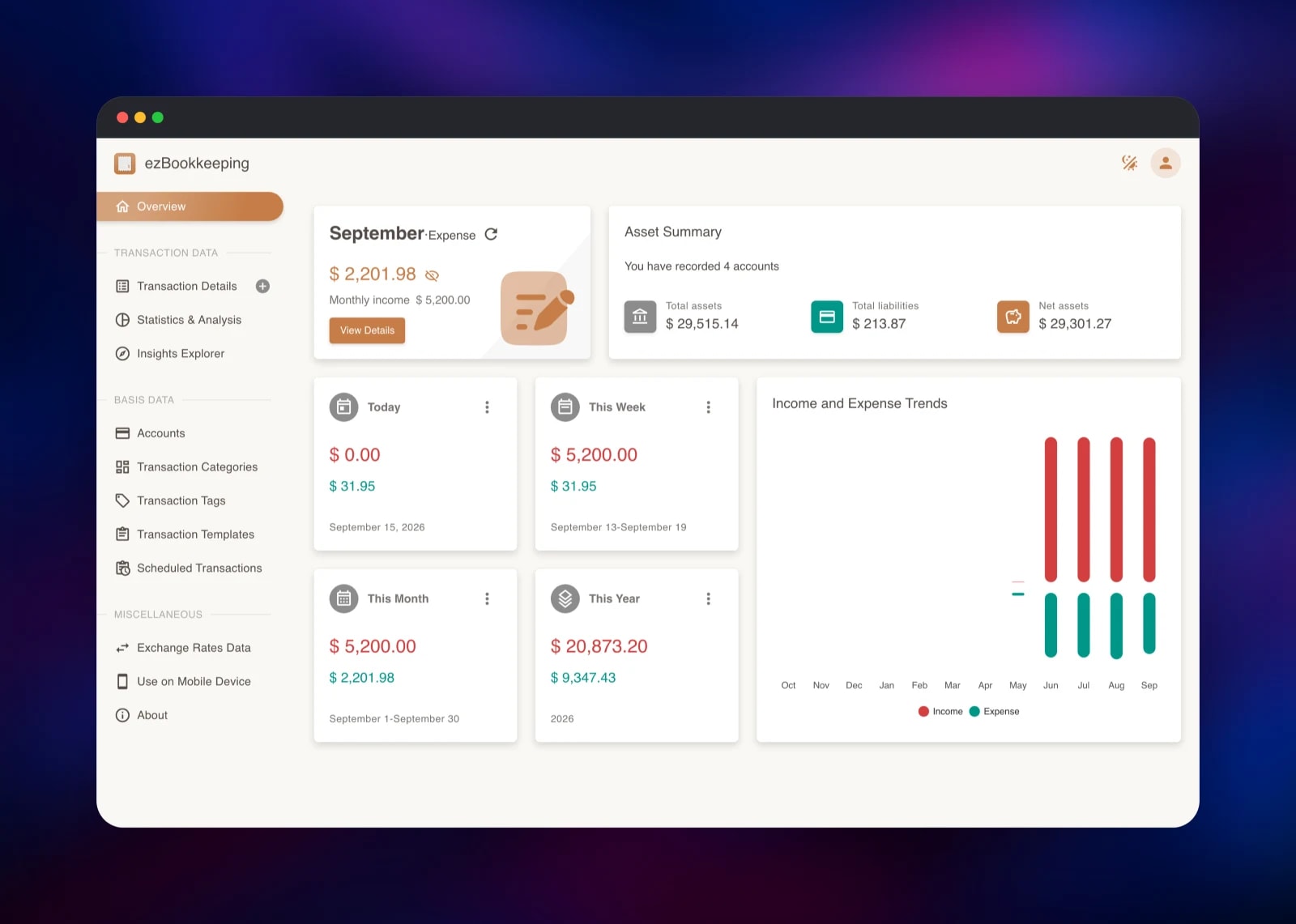
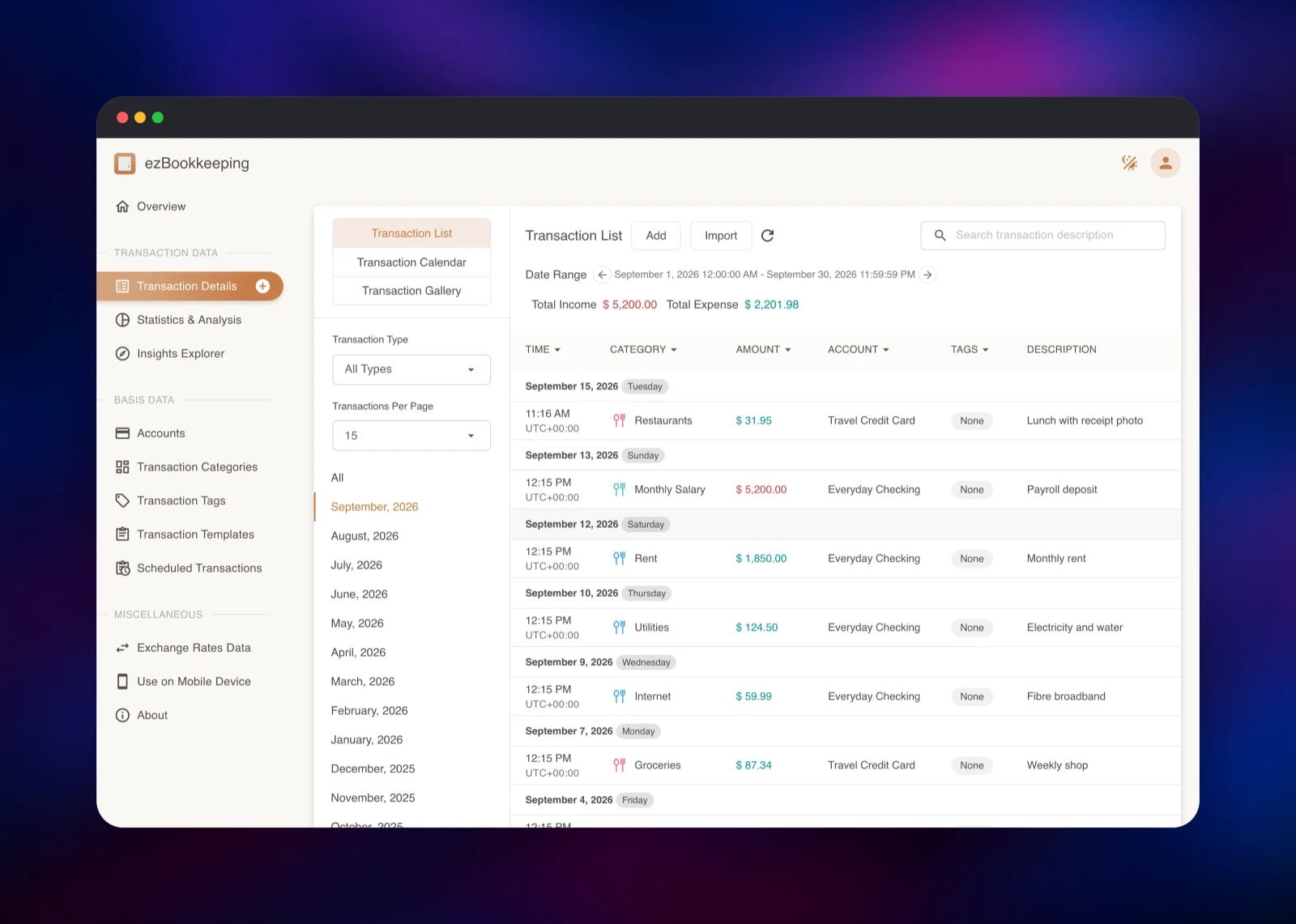
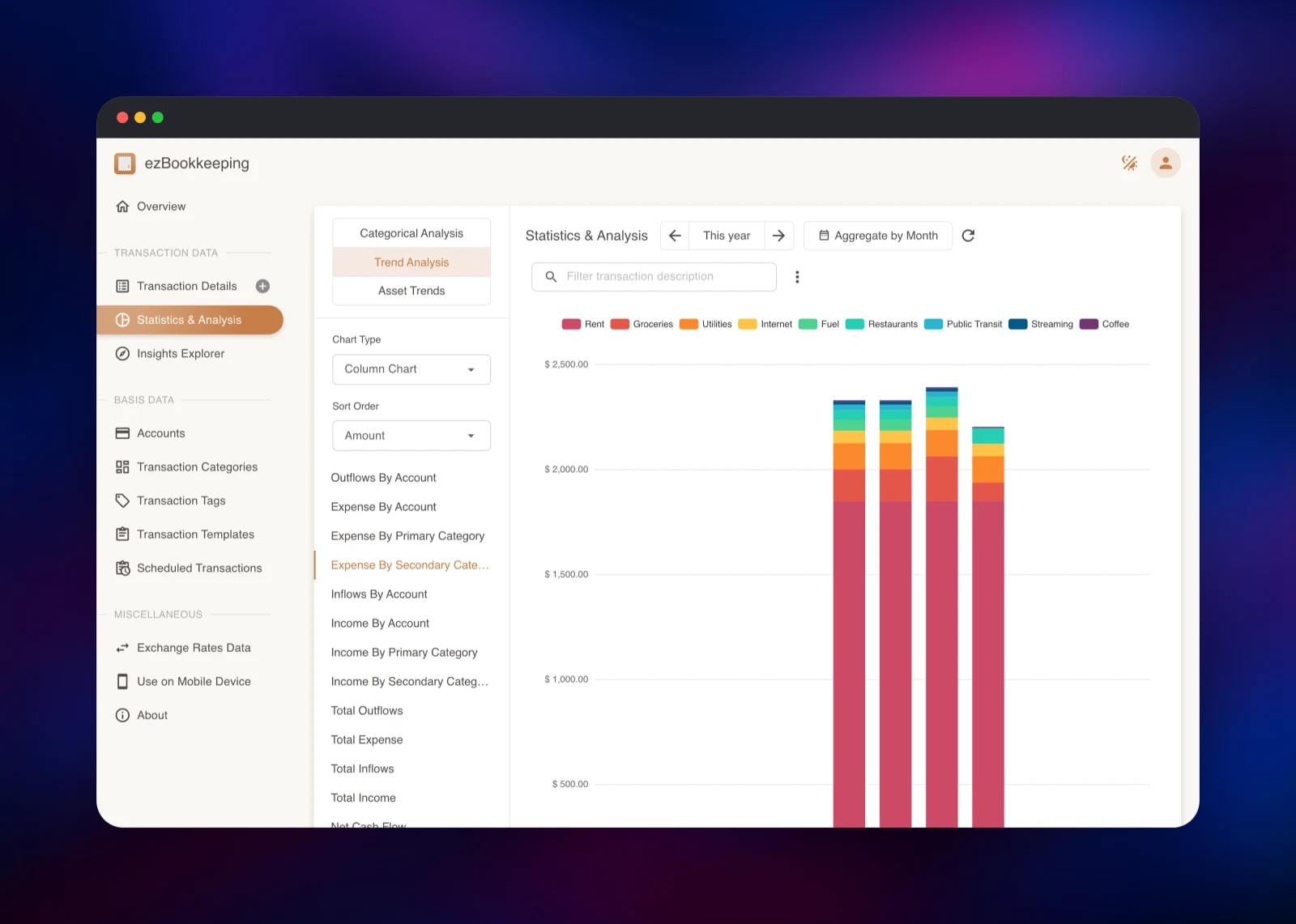
About Hosting ezBookkeeping
ezBookkeeping solves the problem every budgeting app runs into: you want years of searchable history in one place, not in someone else's analytics warehouse. It suits households tracking several currencies, freelancers separating business from personal spending, and anyone who has outgrown a spreadsheet.
Key features:
- Two-level accounts and categories, multi-currency with automatic exchange-rate updates
- Receipt image attachments and a monthly gallery view
- Scheduled transactions from a built-in job runner
- Pie, bar, column and trend charts, plus a custom Insights Explorer
- Import/export: CSV, OFX, QFX, QIF, IIF, Camt, MT940, GnuCash, Firefly III, Beancount
- 2FA, OIDC login, login rate limiting, PIN/WebAuthn app lock
- Optional receipt recognition and MCP access for AI assistants
Postgres is the only database the app needs. The bucket keeps image uploads off the container filesystem, and mailpit is capture-only: it accepts mail on the private network and shows it in a browser.
Why Deploy ezBookkeeping on Railway
Railway removes the parts of self-hosting that cost an evening:
- Postgres, object storage and a mail inbox provisioned and wired together for you
- HTTPS and a public domain issued automatically
- The first account seeded at startup, so nothing is left open to the internet
- Scaling from the dashboard, no config file to edit
- Usage-based billing, so a personal ledger costs personal-ledger money
Common Use Cases for Self-Hosted ezBookkeeping
- A household ledger across current accounts, cards and cash in several currencies
- A freelancer separating business receipts from personal spending, with exports for an accountant
- Replacing a spreadsheet with searchable history, recurring entries and quarterly charts
- Feeding a private financial dataset to an AI assistant over MCP, not a third-party service
Dependencies for ezBookkeeping on Railway
- ezbookkeeping — gridalpha/ezbookkeeping-railway, built on the official
mayswind/ezbookkeeping:latestimage; UI and API on port 8080. - Postgres —
ghcr.io/railwayapp-templates/postgres-ssl:lateston a volume; every record lives here. - Object storage bucket — transaction pictures and avatars, read back through the app's authenticated route, so nothing is publicly readable.
- mailpit —
axllent/mailpit:lateston a volume; SMTP on 1025, inbox on 8025 behind basic auth.
Environment Variables Reference
| Variable | Service | What it does |
|---|---|---|
EZBK_ADMIN_USERNAME | ezbookkeeping | Login for the account created at startup |
EZBK_ADMIN_PASSWORD | ezbookkeeping | Its password — change it after the first sign-in |
EZBK_ADMIN_DEFAULT_CURRENCY | ezbookkeeping | ISO 4217 code for that account |
EBK_USER_ENABLE_REGISTER | ezbookkeeping | false by default; true opens self-registration |
EBK_SECURITY_SECRET_KEY | ezbookkeeping | Signs sessions, encrypts 2FA secrets — never rotate on a live instance |
EBK_MAIL_ENABLE_SMTP | ezbookkeeping | Outbound mail switch; point the host at a real relay to send externally |
MP_UI_AUTH | mailpit | user:password guarding the inbox |
Deployment Dependencies
- Source:
- Image:
- Docs:
- Demo:
Hardware Requirements for Self-Hosting ezBookkeeping
| Resource | Minimum | Recommended |
|---|---|---|
| CPU | 1 shared vCPU | 2 vCPU |
| RAM | 256 MB app, 256 MB Postgres | 512 MB each |
| Storage | 1 GB Postgres volume | 5 GB plus bucket space for receipts |
| Runtime | Go binary, Linux amd64/arm64 | — |
Self-Hosting ezBookkeeping with Docker
The quickest local run uses SQLite in one container:
docker run -d --name ezbookkeeping -p 8080:8080 \
  -v ezbookkeeping-data:/ezbookkeeping/data \
  -v ezbookkeeping-storage:/ezbookkeeping/storage \
  mayswind/ezbookkeeping:latest
Every setting in conf/ezbookkeeping.ini has an EBK_<section>_ environment variable, which is how this template configures Postgres and object storage with no config file:
docker run -d --name ezbookkeeping -p 8080:8080 \
  -e EBK_DATABASE_TYPE=postgres \
  -e EBK_DATABASE_HOST=db:5432 \
  -e EBK_DATABASE_NAME=ezbookkeeping \
  -e EBK_DATABASE_USER=ezbookkeeping \
  -e EBK_SECURITY_SECRET_KEY=replace-with-a-long-random-string \
  mayswind/ezbookkeeping:latest
To create the first user without a registration form, run ezbookkeeping userdata user-add in the container with --username, --email, --nickname, --password and --default-currency.
How Much Does ezBookkeeping Cost to Self-Host?
ezBookkeeping is free and MIT licensed — no paid edition, no per-seat pricing, no licence key, no vendor account. On Railway you pay only for the compute, the Postgres volume and the object storage the deployment uses, a small footprint for a personal ledger. The optional receipt-recognition feature calls an external AI provider, and stays off unless you configure a model.
FAQ
What is ezBookkeeping? An open-source, self-hosted personal finance app written in Go. It records transactions across multiple accounts and currencies, attaches receipt images, and charts your spending.
What does this Railway template deploy? Four pieces: the ezbookkeeping app on a public HTTPS domain, Postgres on a volume, an object-storage bucket for receipt images and avatars, and a mailpit inbox that captures outgoing mail behind its own password.
Why does the template include Postgres instead of SQLite? SQLite would put the whole ledger in one file on the container's disk. Postgres gives you real backups, room to grow and a clean separation between app and data, which makes redeploys safe.
Why is an object-storage bucket included? Receipt photos and avatars are uploaded by users, not baked into the image. A bucket keeps the app stateless, so last year's upload survives the next redeploy.
How do I log in for the first time, and can other people sign up?
Use the username and password you set as EZBK_ADMIN_USERNAME and EZBK_ADMIN_PASSWORD. Self-registration is disabled by default; set EBK_USER_ENABLE_REGISTER=true to let someone else create an account.
How do I send real email instead of capturing it?
Point EBK_MAIL_SMTP_HOST, EBK_MAIL_SMTP_USER and EBK_MAIL_SMTP_PASSWD at your own provider, or set mailpit's relay settings to forward what it receives.
Can I import data from another budgeting app? Yes. Import reads CSV, OFX, QFX, QIF, IIF, Camt.052/053, MT940, GnuCash, Firefly III and Beancount files, and a matching export takes it elsewhere.
Template Content
mailpit
axllent/mailpit:latestezbookkeeping
gridalpha/ezbookkeeping-railwayezbookkeeping-storage
Bucket


