Deploy FalkorDB
Graph database for storing and querying connected data
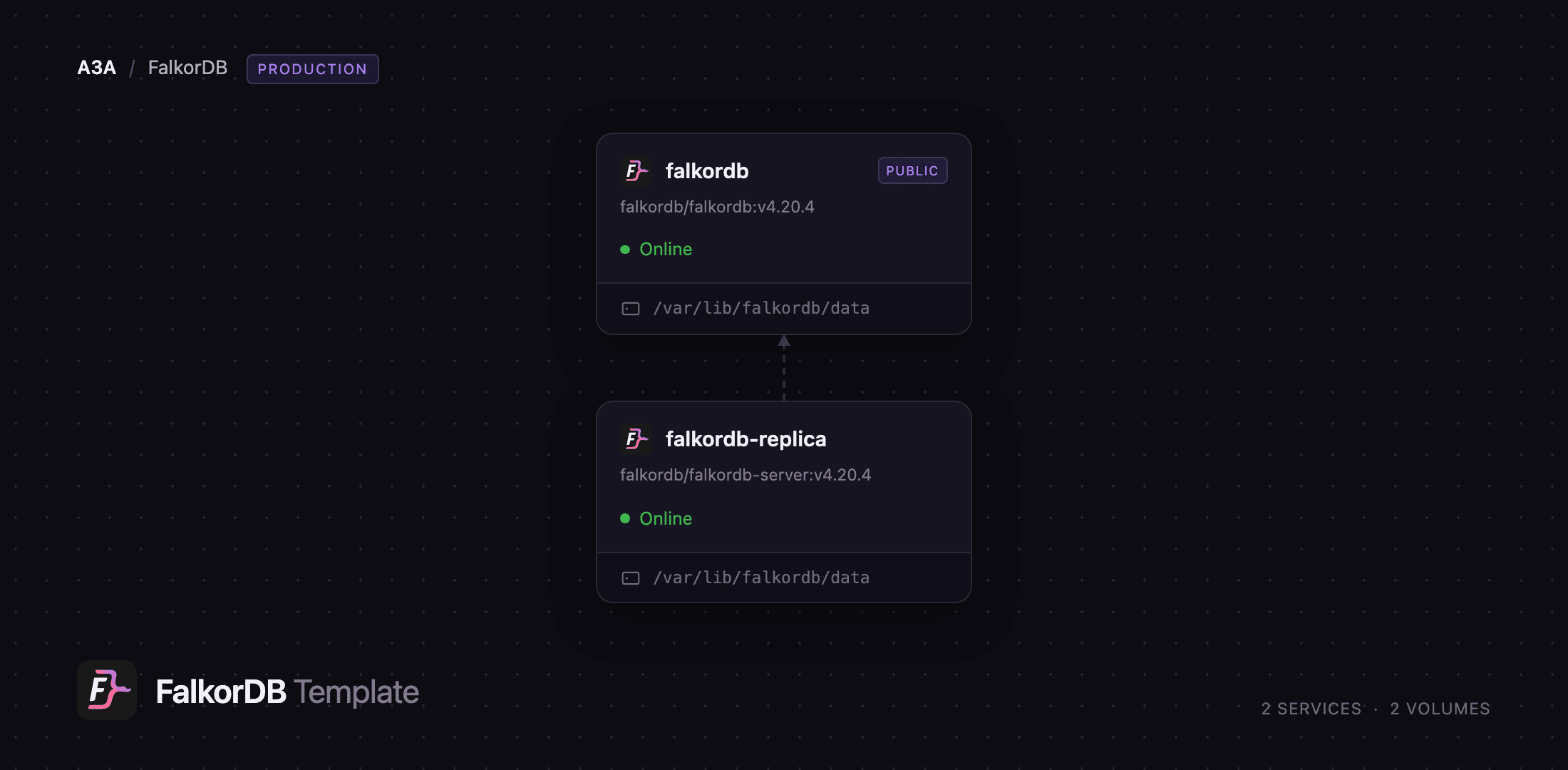
falkordb
Just deployed
/var/lib/falkordb/data
falkordb-replica
Just deployed
/var/lib/falkordb/data
Deploy and Host FalkorDB on Railway
FalkorDB is an ultra-fast property-graph database that stores data as sparse adjacency matrices and queries it with OpenCypher over the Redis wire protocol. It is the successor to RedisGraph, built by the same team, and serves as the knowledge-graph layer behind GraphRAG pipelines, AI agent memory, fraud detection and recommendations — anywhere queries are about relationships rather than rows. Official drivers exist for Python, JavaScript, Java, Go, Rust, PHP and C#.
Deploy FalkorDB on Railway and you get two services. falkordb runs the database with the bundled FalkorDB Browser, a visual Cypher workbench served over HTTPS on the generated Railway domain, and exposes the database on a TCP proxy for external clients. falkordb-replica runs the same engine as a read-only replica streaming changes from the primary over the private network — a hot standby, and somewhere to send heavy reads. Each keeps data on its own volume with AOF persistence on, and the whole stack is password-protected from first boot — no default credentials exist.
Getting Started with FalkorDB on Railway
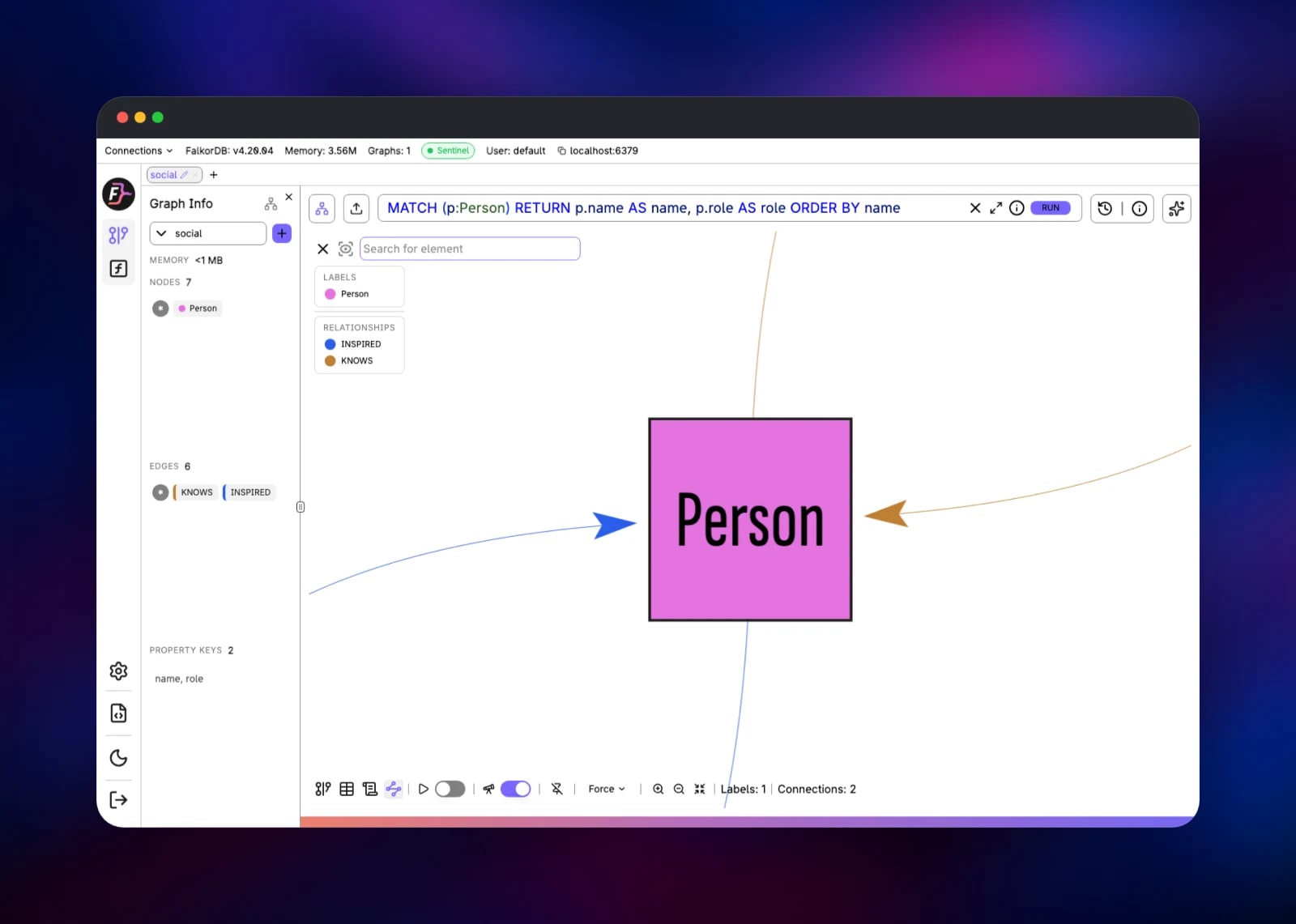
The public URL of the falkordb service opens the FalkorDB Browser login screen. The Browser has no user database of its own — it authenticates by connecting to FalkorDB with the credentials you type — so log in with host localhost, port 6379, username default, and the FALKORDB_PASSWORD value from the Variables tab. Skip the first-run tour and click Select Graph; a graph exists the moment you write to it, so CREATE (:Person {name:"Ada"}) is enough.
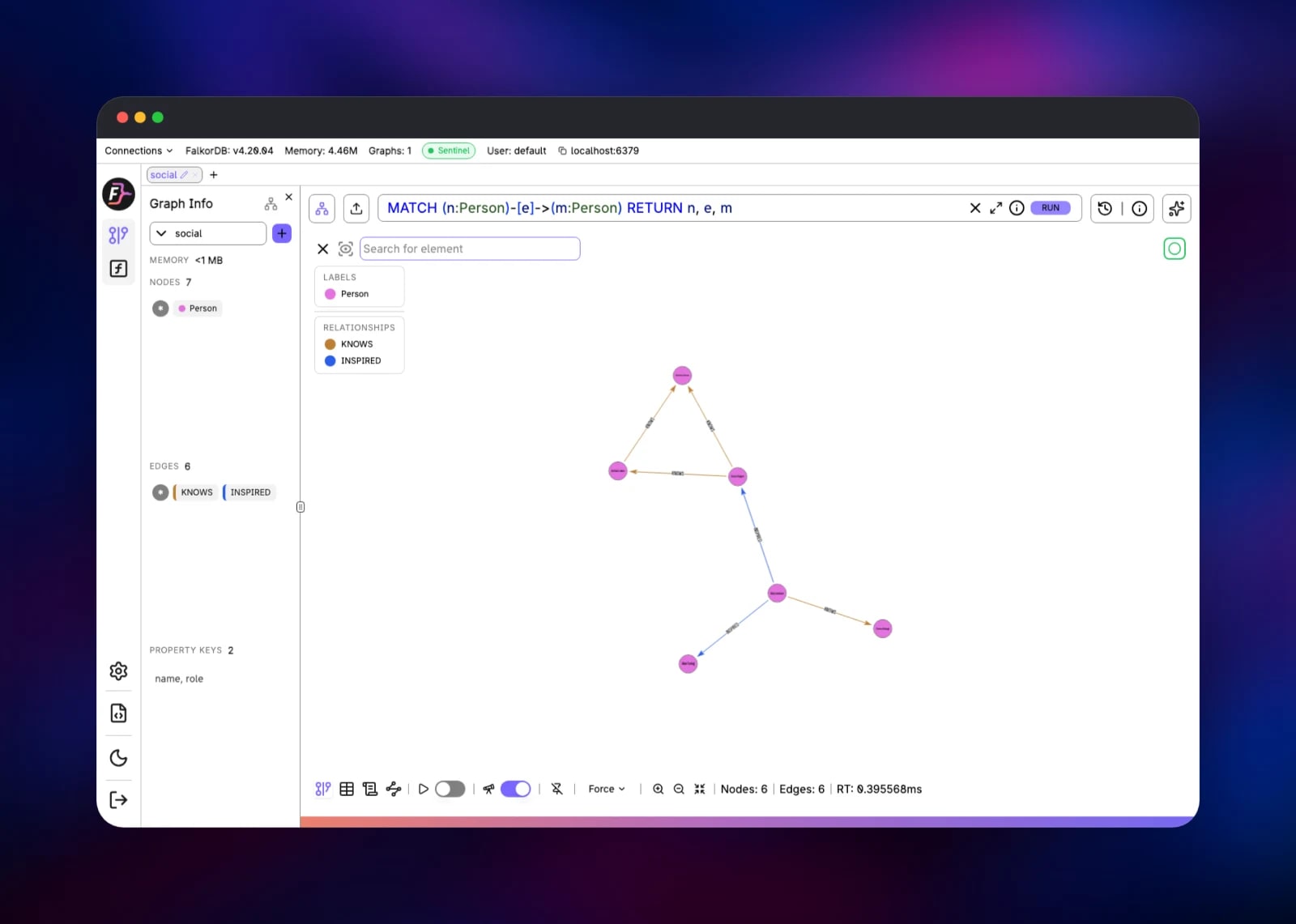
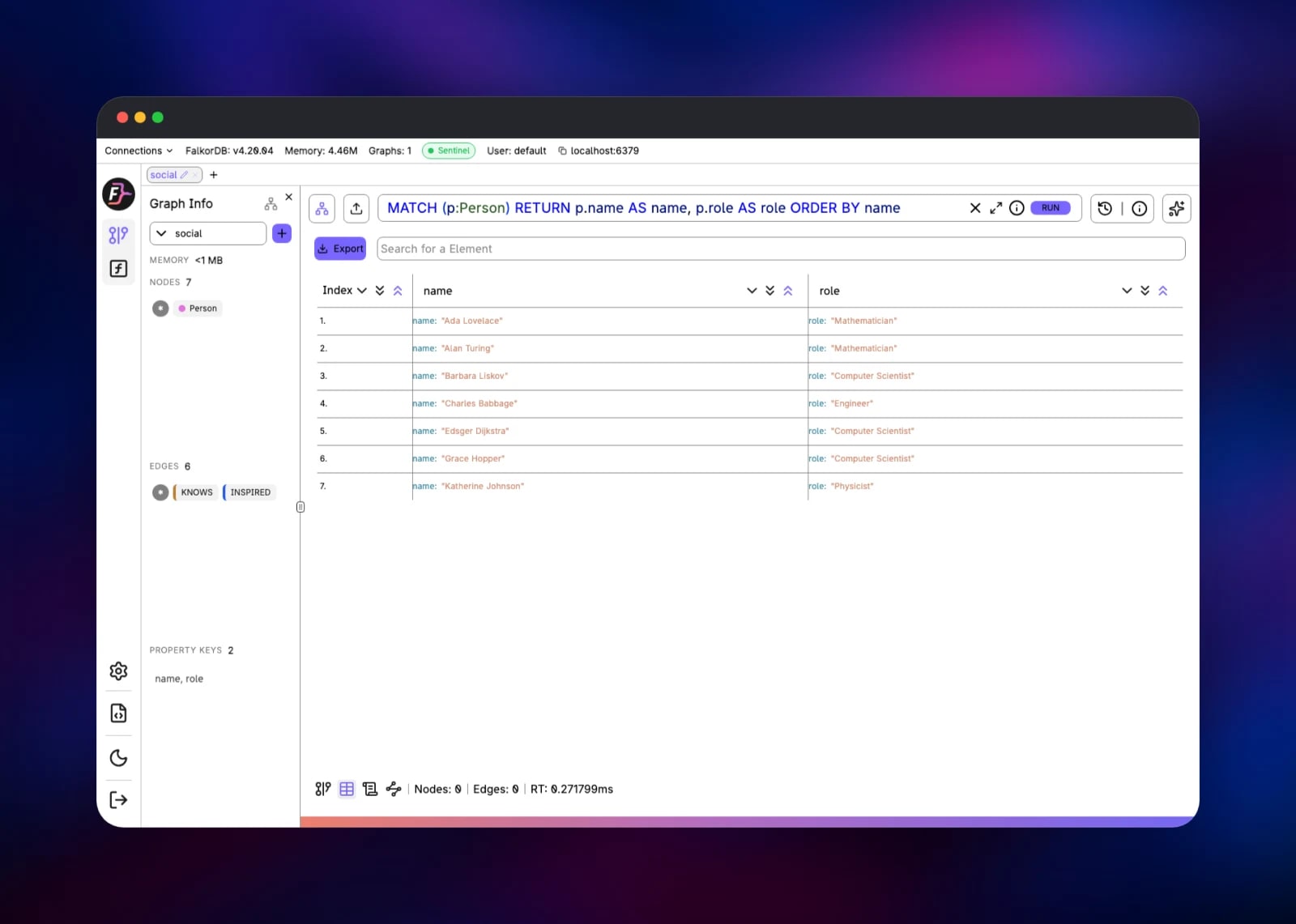
Type Cypher into the editor and press RUN. The Graph, Table, Metadata and Schema tabs switch between the force-directed view, a result table, query statistics and the inferred schema. To check the deployment, create two connected nodes, run MATCH (n)-[e]->(m) RETURN n, e, m and confirm they render. Then connect from outside with FALKORDB_PUBLIC_URL:
redis-cli -u "$FALKORDB_PUBLIC_URL" GRAPH.QUERY mygraph "MATCH (n) RETURN count(n)"
Apps in the project should use FALKORDB_PRIVATE_URL, which never leaves the private network. Read-only workloads can point at FALKORDB_REPLICA_PRIVATE_URL and use GRAPH.RO_QUERY.
About Hosting FalkorDB
A graph database stores entities as nodes and their connections as first-class edges, so "which suppliers are three hops away" is a traversal, not a pile of joins. FalkorDB is unusual in how it does that: graphs are held as sparse matrices and traversals evaluated as linear algebra over GraphBLAS, keeping multi-hop queries fast enough for a request handler or an LLM retrieval step. Teams self-host it to keep customer data out of a vendor cloud, or because a managed graph service costs more than the workload justifies.
- OpenCypher with FalkorDB's own extensions
- Full-text, vector and range indexes in one engine, so GraphRAG needs no second store
- Multi-tenant: thousands of separate graphs in one instance
- Built-in graph algorithms, user-defined functions and bulk loading
- RDB snapshots plus AOF logging, and Redis replication
The Railway architecture is deliberately small. falkordb is the single writer: it owns every graph, serves the Browser on port 3000 and the database protocol on port 6379, and persists to /var/lib/falkordb/data. falkordb-replica runs the browser-less falkordb-server image and connects as a Redis replica, holding a continuously updated copy on its own volume. Replication is asynchronous and single-primary.
Why Deploy FalkorDB on Railway
Railway removes the infrastructure work around a graph database:
- Volumes for the primary and the replica, attached and mounted for you
- Private networking, so replication never touches the internet
- A TCP proxy that reaches the database from your laptop
- HTTPS and a domain for the Browser UI, issued automatically
- One-click redeploys when a variable changes
Common Use Cases
- GraphRAG and agent memory — store an entity graph from your documents, then combine vector similarity with traversal so an LLM retrieves connected context, not isolated chunks
- Fraud and risk detection — model accounts, devices and transactions, and find rings by traversing shared attributes
- Recommendations and identity resolution — "customers who bought this also bought", and entity deduplication
- Dependency and asset mapping — supply chains, cloud resources and network topologies, queried by blast radius
Dependencies for FalkorDB
falkordb/falkordb:v4.20.4— the database plus the bundled FalkorDB Browserfalkordb/falkordb-server:v4.20.4— the same engine without the Browser, for the replica- A volume per service, mounted at
/var/lib/falkordb/data
No external database, cache or object storage is needed.
Environment Variables Reference
| Variable | Service | Purpose |
|---|---|---|
FALKORDB_PASSWORD | both | Database password, and the FalkorDB Browser login password |
FALKORDB_PRIVATE_URL | falkordb | Connection URL for apps in the project |
FALKORDB_PUBLIC_URL | falkordb | Connection URL via the TCP proxy |
FALKORDB_REPLICA_PRIVATE_URL | falkordb-replica | Read-only URL for the replica |
AUTH_SECRET | falkordb | Signs the Browser's session cookies |
ENCRYPTION_KEY | falkordb | Encrypts credentials the Browser stores |
REDIS_ARGS | both | Overrides the generated server flags |
FALKORDB_ARGS | both | Overrides the module flags, such as THREAD_COUNT |
Deployment Dependencies
- Source: FalkorDB and falkordb-browser
- Images: hub.docker.com/r/falkordb/falkordb
- Documentation: docs.falkordb.com
Hardware Requirements for Self-Hosting FalkorDB
FalkorDB is in-memory and persists to disk, so RAM bounds graph size.
| Resource | Minimum | Recommended |
|---|---|---|
| CPU | 1 vCPU | 4+ vCPU per node |
| RAM | 1 GB | 8 GB+, above the working graph |
| Storage | 1 GB volume | 10 GB+, several times memory size |
| Runtime | Docker | Docker, one volume per node |
The template sizes the query thread pool and memory ceiling from the container's real limits, so scaling a service up retunes it on the next deploy.
Self-Hosting FalkorDB with Docker
Outside Railway the published image carries the engine and the Browser together. Mount a volume and set a password:
docker run -d --name falkordb -p 6379:6379 -p 3000:3000 \
  -v falkordb_data:/var/lib/falkordb/data \
  -e REDIS_ARGS="--requirepass yourpassword --appendonly yes" \
  falkordb/falkordb:v4.20.4
Add a replica with --replicaof, the same flag the Railway template uses:
docker run -d --name falkordb-replica --network host \
  -e REDIS_ARGS="--requirepass pw --masterauth pw --replicaof falkordb 6379" \
  falkordb/falkordb-server:v4.20.4
Is FalkorDB Free to Self-Host?
FalkorDB is open source under the Server Side Public License and the images are free on Docker Hub, so there is no licence cost to run it yourself. FalkorDB also sells a managed cloud and an enterprise Kubernetes edition with clustering and support. On Railway you pay only for the compute, memory and volume storage the two services use.
FAQ
What is FalkorDB? An open-source property-graph database running OpenCypher over the Redis protocol, using sparse matrices and linear algebra to make multi-hop traversals fast. It is the maintained successor to RedisGraph, which reached end of life in January 2025.
What does this Railway template deploy?
Two services: falkordb, the primary with the Browser UI on a public HTTPS domain and a TCP proxy for clients, and falkordb-replica, a read-only replica on the private network. Each has a volume and a generated password.
Why does the template include a replica?
Single-primary replication is the high-availability shape FalkorDB documents for self-hosting: a synced copy on separate storage that absorbs GRAPH.RO_QUERY reads and stands by if the primary is lost. Failover is manual — there is no automatic promotion without Sentinel or a cluster.
How do I connect my app to self-hosted FalkorDB?
Reference ${{falkordb.FALKORDB_PRIVATE_URL}} from your own service and hand it to any FalkorDB client — in Python, FalkorDB.from_url(os.environ["FALKORDB_PRIVATE_URL"]). Outside Railway, use FALKORDB_PUBLIC_URL.
Can I use FalkorDB as a vector database for GraphRAG? Yes. Vector indexes sit alongside full-text and range indexes, so similarity search and traversal run in one query and one store instead of pairing a vector database with a separate graph.
Does my data survive a redeploy?
Yes. Both services mount a volume at /var/lib/falkordb/data, with AOF logging at per-second fsync on top of RDB snapshots. Railway volume backups are still worth configuring for production.
How do I turn off public database access?
Delete the TCP proxy on the falkordb service. Apps inside the project keep working over FALKORDB_PRIVATE_URL, and the Browser stays on its HTTPS domain.
Template Content
falkordb
falkordb/falkordb:v4.20.4falkordb-replica
falkordb/falkordb-server:v4.20.4

