
Deploy Feedback
Fast feedback form and admin panel to approve dynamic reviews

Just deployed
/var/lib/postgresql/data
feedback-hub
Just deployed
Deploy and Host Feedback Hub on Railway
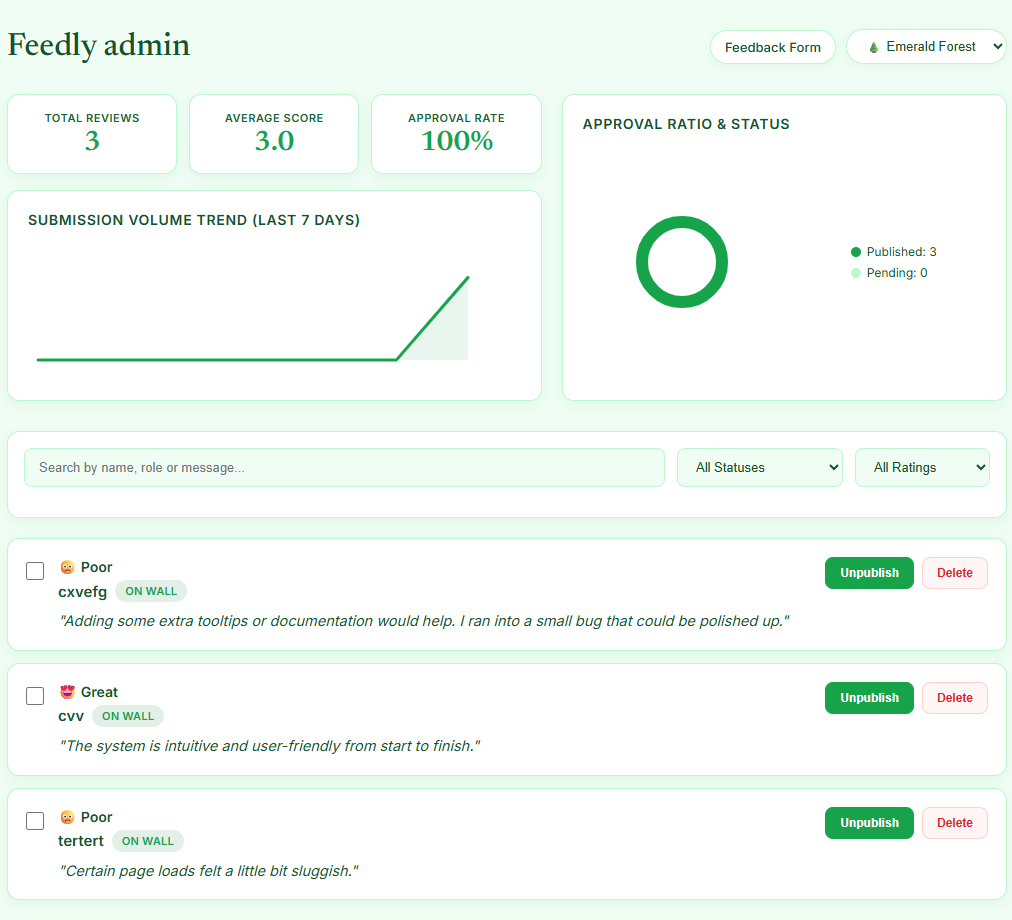
Feedback Hub is a lightweight web application for collecting, managing, and reviewing user feedback in a centralized interface. It enables teams to gather suggestions, track feature requests, and organize feedback efficiently. The application is well suited for startups, product teams, and developers looking to improve products through structured user input.
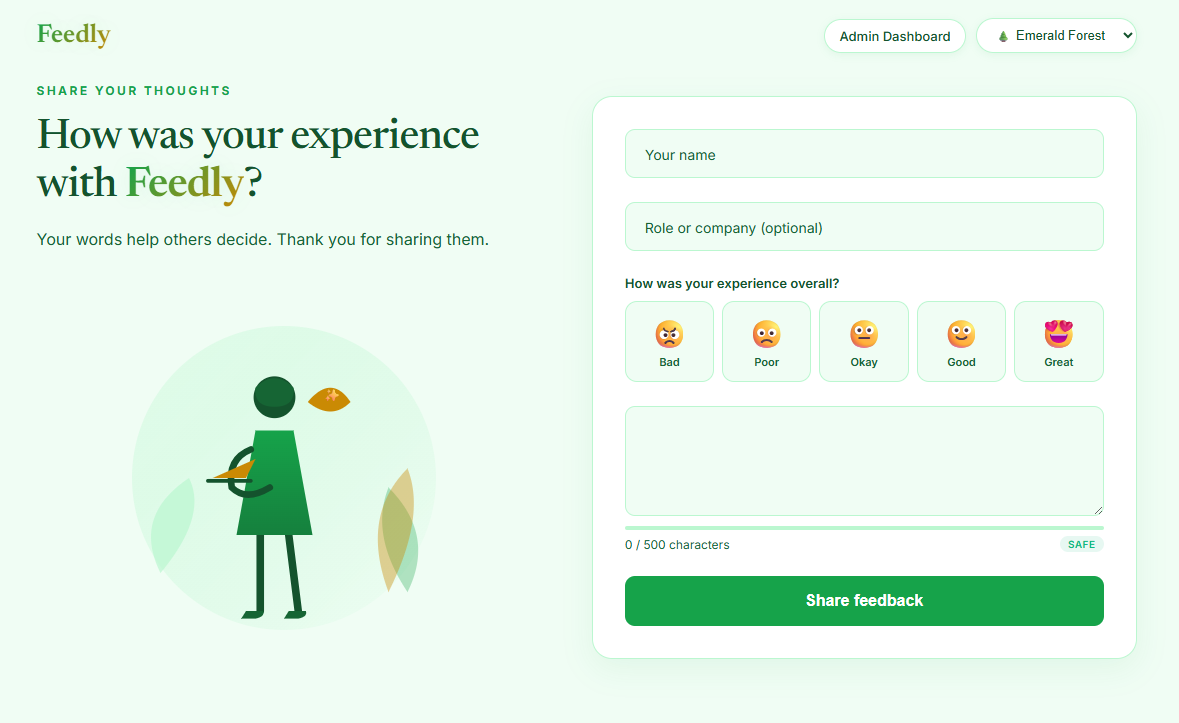
About Hosting Feedback Hub
Hosting Feedback Hub on Railway provides a fully managed environment for running both the application and its database without manual infrastructure management. Railway automatically builds the application from the repository, provisions networking, and generates HTTPS-secured public endpoints. The application uses a PostgreSQL database for persistent data storage, while environment variables are managed securely through Railway's Variables panel. Railway also supports vertical and horizontal scaling as your workload grows, making it suitable for projects ranging from personal applications to production deployments. With integrated monitoring, managed infrastructure, and automatic deployments from GitHub, Railway simplifies operating Feedback Hub in production.
Common Use Cases
- Collect product feedback and feature requests from customers.
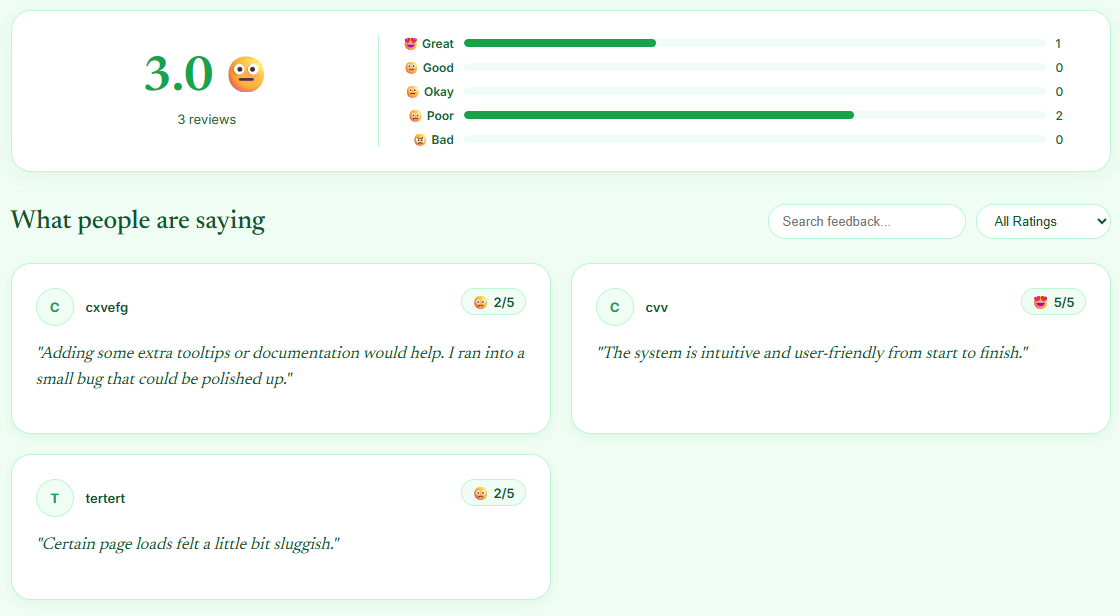
- Manage internal employee suggestions and improvement ideas.
- Build a centralized feedback portal for SaaS products or community projects.
Dependencies for Feedback Hub Hosting
| Dependency | Purpose |
|---|---|
| PostgreSQL | Stores application data and user feedback. |
| Railway Variables | Stores application configuration and secrets securely. |
Deployment Dependencies
| Resource | Link |
|---|---|
| GitHub Repository | https://github.com/iqbalexperience/feedback-hub |
| PostgreSQL Documentation | https://www.postgresql.org/docs/ |
Implementation Details
Public Networking
| Setting | Value |
|---|---|
| Proxy Type | HTTP Proxy |
| Target Port | 8080 |
Environment Variables
| Variable | Required | Description |
|---|---|---|
DATABASE_URL | Yes | PostgreSQL connection string. Use the Railway PostgreSQL service reference variable. |
ADMIN_PASSWORD | Yes | Password for the administrator account. Change the default value before deploying to production. |
PROJECT_NAME | Yes | Display name of the application. |
Example using the Railway Raw Editor:
DATABASE_URL=${{Postgres.DATABASE_URL}}
ADMIN_PASSWORD=change-this-password
PROJECT_NAME=Feedback Hub
Persistent Storage
A Railway Volume is not required, as application data is stored in PostgreSQL.
Database
- Add a PostgreSQL service to your Railway project.
- Reference its generated
DATABASE_URLin the application service variables. - Railway automatically provides the connection string, so no manual database configuration is typically required.
Build & Start
No custom build or start commands are required.
Accessing the Application
- Deploy the project to Railway.
- Open Settings → Networking and generate a Railway domain.
- Access the application using the generated HTTPS URL.
- Sign in using the configured administrator password if administrative access is required.
Why Deploy Feedback Hub on Railway?
Railway is a singular platform to deploy your infrastructure stack. Railway will host your infrastructure so you don't have to deal with configuration, while allowing you to vertically and horizontally scale it.
By deploying Feedback Hub on Railway, you are one step closer to supporting a complete full-stack application with minimal burden. Host your servers, databases, AI agents, and more on Railway.
Template Content
feedback-hub
iqbalexperience/feedback-hubPROJECT_NAME
ADMIN_PASSWORD

