
Deploy Firefly iii
Open-source personal finance manager with double-entry accounting
importer
Just deployed

Just deployed
/var/lib/postgresql/data

Redis
Just deployed
/data
firefly
Just deployed
/var/www/html/storage/upload
cron
Just deployed
Deploy and Host Firefly III on Railway
Firefly III is a self-hosted personal finance manager built on real double-entry bookkeeping. Every amount you record moves between two accounts, so checking, credit cards, loans and cash always reconcile instead of drifting. You get budgets, recurring bills, savings goals ("piggy banks"), rules that categorise transactions automatically, multi-currency support and reports that add up. People move to it when a commercial budgeting app shuts down, raises its price, or asks them to hand a bank login to a third party.
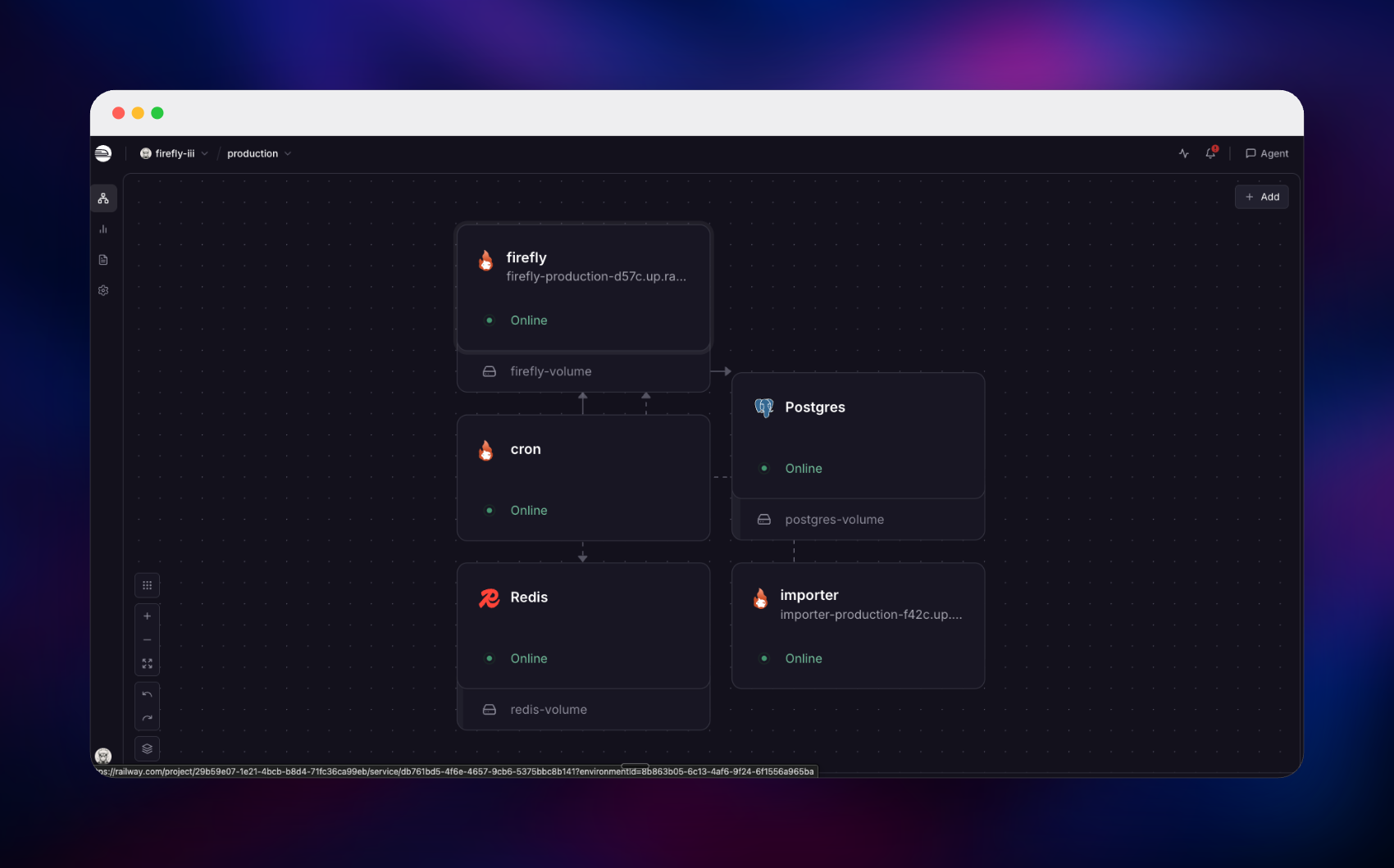
Self-host Firefly III on Railway with everything already wired together: the fireflyiii/core application behind a public HTTPS URL, managed PostgreSQL holding the ledger, managed Redis backing login sessions, a persistent volume for attachments, the official Data Importer on its own URL for CSV files and bank data, and a scheduler that calls the cron endpoint daily so recurring transactions and bill reminders fire on time.
Getting Started with Firefly III on Railway
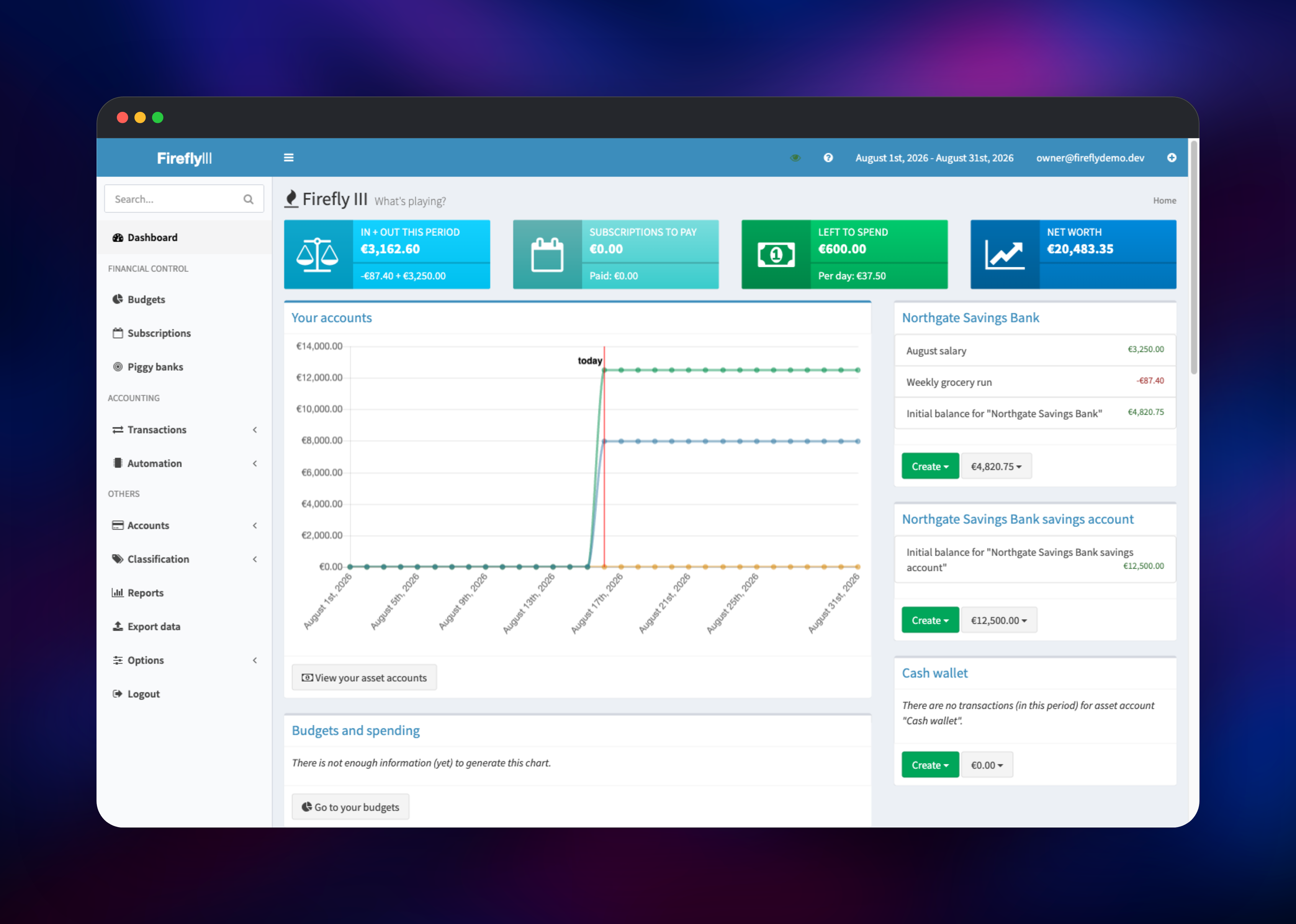
Open the Firefly III URL once the deploy finishes. There are no default credentials: the first visitor is sent to /register, and that account becomes the owner. Firefly III runs in single-user mode, so registration closes automatically once it exists — register immediately after deploying. You then land on a setup screen asking for your bank's name and opening balances, and the matching asset accounts are created for you.
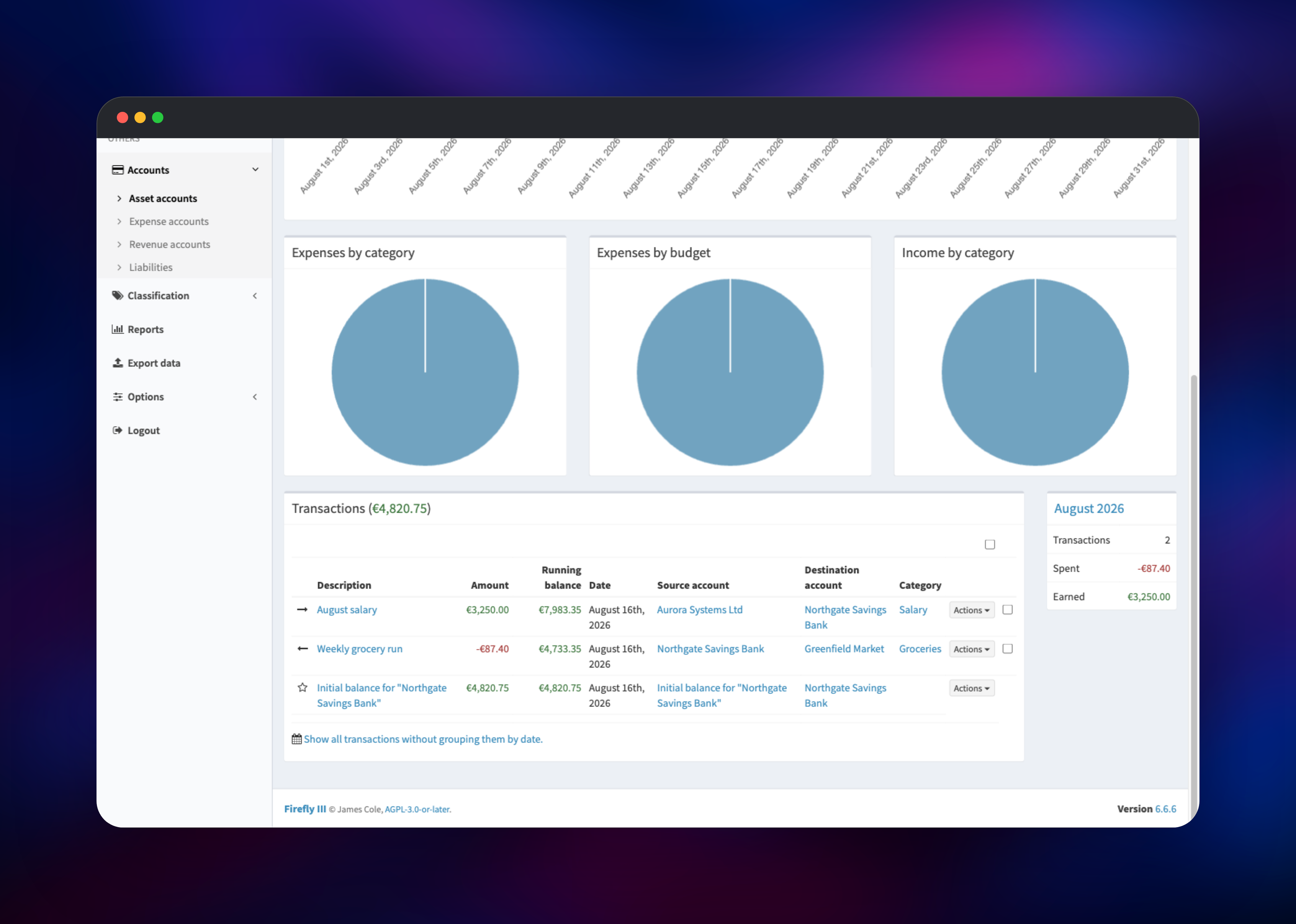
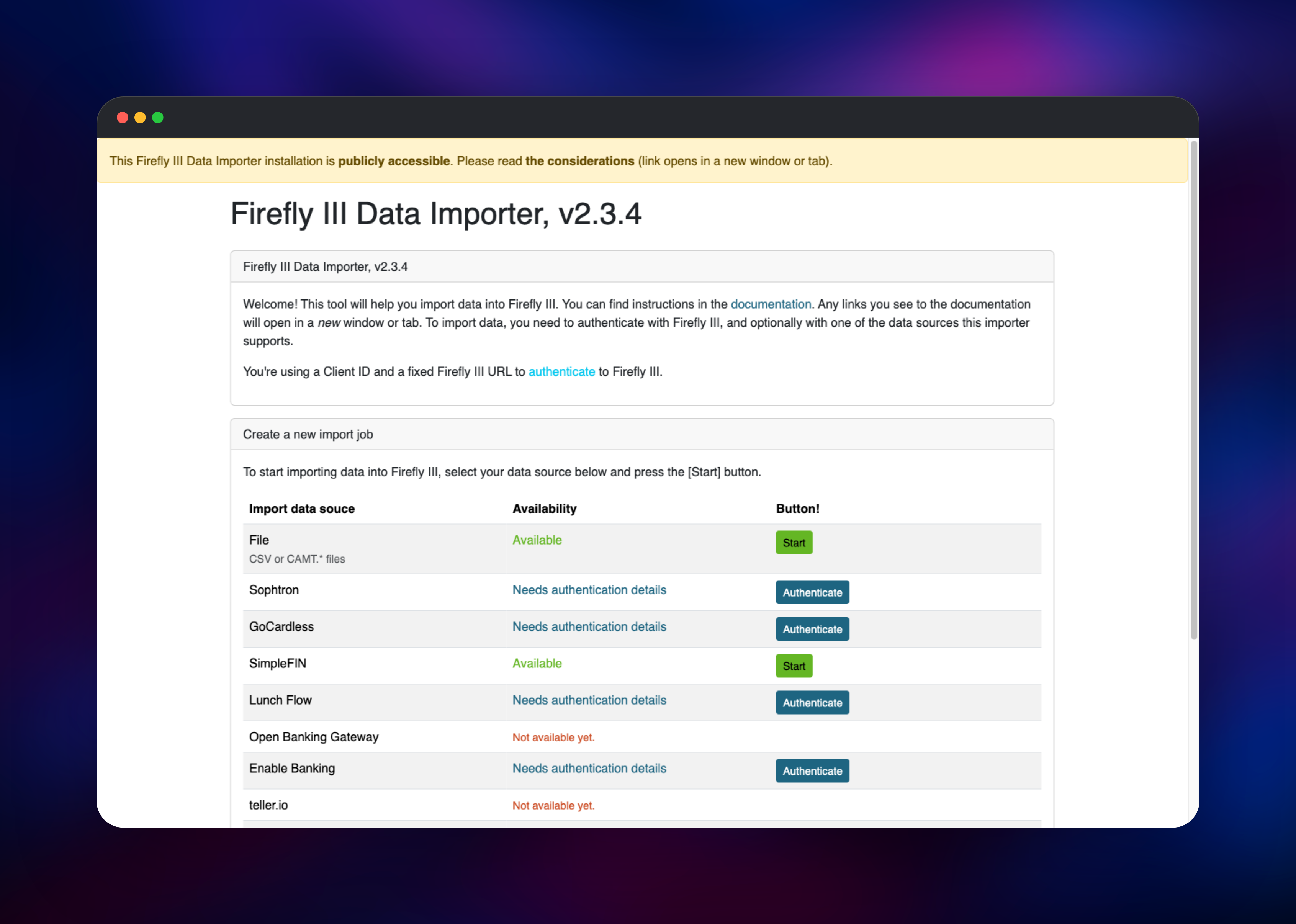
From the dashboard, use New withdrawal to record a first expense — enter an amount, pick your checking account as the source, and type any shop name as the destination, which creates that expense account on the fly. The running balance should drop by exactly that amount, the quickest confirmation the database is wired up. Then create a budget with an auto-budget amount so the "left to spend" tile starts tracking, and open the Data Importer URL to load existing data.
About Hosting Firefly III
Firefly III is a PHP/Laravel application storing a complete double-entry ledger in a relational database. Self-host it when your finances are nobody else's business, or when you need currencies and account types mainstream apps refuse to model.
Key features:
- Double-entry accounting across asset, expense, revenue and liability accounts
- Budgets with auto-budget periods, plus categories, tags and bill tracking
- Rules that categorise, rename and split transactions automatically
- Piggy banks, recurring transactions and multi-currency accounts
- A full REST API with OAuth2 and personal access tokens
Firefly III serves the web interface and API. PostgreSQL is the system of record — accounts, transactions, budgets, rules and the encrypted OAuth signing keys live there, which is why API tokens survive restarts. Redis keeps login sessions outside the container. The Data Importer reaches Firefly III over the private network and handles CSV/CAMT files plus bank connections through GoCardless, SimpleFIN, Spectre and Enable Banking. The scheduler only calls /api/v1/cron/ daily, because Firefly III has no in-process scheduler.
Why Deploy Firefly III on Railway
Railway removes the server work from self-hosted budgeting:
- Managed PostgreSQL and Redis, provisioned and connected for you
- HTTPS and a public domain issued automatically, no reverse proxy to configure
- A persistent volume already mounted for transaction attachments
- Data Importer and daily scheduler deployed alongside, on the private network
- Scaling and redeploys without touching a VPS or a compose file
Common Use Cases
- Replacing a discontinued or subscription-priced budgeting app with a ledger you own
- Tracking household finances across several banks, cards and currencies in one view
- Importing bank statements via the Data Importer and letting rules categorise them
Dependencies for Firefly III
fireflyiii/core:latest— the web application and API (nginx + PHP-FPM on port 8080)fireflyiii/data-importer:latest— import companion for CSV, CAMT and bank connections- Railway managed PostgreSQL — the ledger and encrypted OAuth keys
- Railway managed Redis — login sessions surviving redeploys
alpine:latest— BusyBoxcrond, calling the cron endpoint daily
Environment Variables Reference
| Variable | Service | Purpose |
|---|---|---|
APP_KEY | Firefly III | Encryption key, exactly 32 characters. Also protects the stored OAuth keys — changing it invalidates every API token. |
APP_URL | Firefly III | Public base URL for links and the OAuth authorize page |
STATIC_CRON_TOKEN | Firefly III | Exactly 32 characters; authenticates the daily cron call |
CACHE_DRIVER | Firefly III | Left as file on purpose — see the FAQ |
MAIL_MAILER | Firefly III | log by default; point at SMTP for bill and security mail |
FIREFLY_III_URL / VANITY_URL | Data Importer | Private API address, and the public address used for consent |
Deployment Dependencies
- Source: ,
- Docs:
- Runtime: PHP 8.5, nginx and PHP-FPM, PostgreSQL 13+ or MySQL
Hardware Requirements for Self-Hosting Firefly III
| Resource | Minimum | Recommended |
|---|---|---|
| CPU | 1 vCPU | 2 vCPU |
| RAM | 512 MB | 1–2 GB (PHP memory limit set to 512M) |
| Storage | 1 GB | 5 GB plus database growth |
| Runtime | PHP 8.4+, PostgreSQL or MySQL | PHP 8.5, managed PostgreSQL, Redis |
Firefly III is light — a household ledger with tens of thousands of transactions runs in well under a gigabyte. Large CSV imports briefly want more memory.
Self-Hosting Firefly III with Docker
The smallest working setup is one container plus a database. The following is a docker run invocation pointed at Postgres:
docker run -d --name firefly_iii -p 8080:8080 \
  -e APP_KEY=SomeRandomStringOf32CharsExactly \
  -e DB_CONNECTION=pgsql -e DB_HOST=db -e DB_PORT=5432 \
  -e DB_DATABASE=firefly -e DB_USERNAME=firefly -e DB_PASSWORD=secret \
  -e APP_URL=http://localhost:8080 -e SITE_OWNER=mail@example.com \
  -v firefly_iii_upload:/var/www/html/storage/upload \
  fireflyiii/core:latest
Firefly III has no built-in scheduler, so recurring transactions and bill reminders only fire if something calls its cron endpoint. This crontab line does that daily; the token must match STATIC_CRON_TOKEN:
0 3 * * * wget -qO- http://firefly:8080/api/v1/cron/YOUR_32_CHARACTER_CRON_TOKEN
Upstream also publishes compose files at .
How Much Does Firefly III Cost to Self-Host?
Firefly III is free and open source under AGPL-3.0-or-later, with no paid tier, seat limits or feature gating — the Data Importer and REST API are included. There is no official hosted edition, so self-hosting is the way to run it. On Railway you pay only for the compute, database and storage used.
Firefly III vs YNAB and Actual Budget
| Firefly III | YNAB | Actual Budget | |
|---|---|---|---|
| License / cost | AGPL-3.0, infra only | SaaS subscription | MIT, infra only |
| Accounting model | Double-entry | Envelope | Envelope |
| Multi-currency | Per account | Limited | Partial |
| API | REST with OAuth2 | Read-oriented | Local sync |
Choose Firefly III for a rigorous ledger with reporting and an API; choose an envelope tool if zero-based budgeting is all you need.
FAQ
What is Firefly III? A free, open-source personal finance manager that records money using double-entry bookkeeping, with budgets, bills, rules, savings goals, multi-currency accounts and reports. You host it, so the data stays in your own database.
What does this Railway template deploy? Five services: the Firefly III web application on a public URL, managed PostgreSQL, managed Redis, the Data Importer on its own public URL, and a scheduler that calls the cron endpoint daily.
What are the default login credentials for Firefly III? There are none, by design. The first person to open the deployed URL registers the owner account, and registration then closes automatically because Firefly III runs in single-user mode. Register immediately after deploying.
Why does this template include Redis and PostgreSQL?
PostgreSQL is the ledger. Redis holds login sessions so a redeploy does not sign you out. Firefly III points its Redis cache and sessions at one database, so caching there too means a cache clear destroys every session — CACHE_DRIVER=file avoids that.
How do I connect the Data Importer to my Firefly III instance? Go to Options → Remote access and tokens → Create New Client, uncheck "Keep a secret?", and set the redirect URL to the callback the importer displays. Paste the Client ID into the importer and approve the consent screen.
Can I use the Firefly III REST API and mobile apps with this deployment?
Yes. Create a personal access token or OAuth client under Options → Remote access and tokens. The signing keys are stored encrypted in the database, not on disk, so tokens survive restarts as long as APP_KEY is unchanged.
Template Content


