
Deploy Flowise
AI agent builder. Visual LLM app & AI agent builder [with Worker]
flowise-worker
Just deployed

Redis
Just deployed
/data

Just deployed
/var/lib/postgresql/data
flowise
Just deployed
flowise-storage
Bucket
Just deployed
Deploy and Host Flowise on Railway
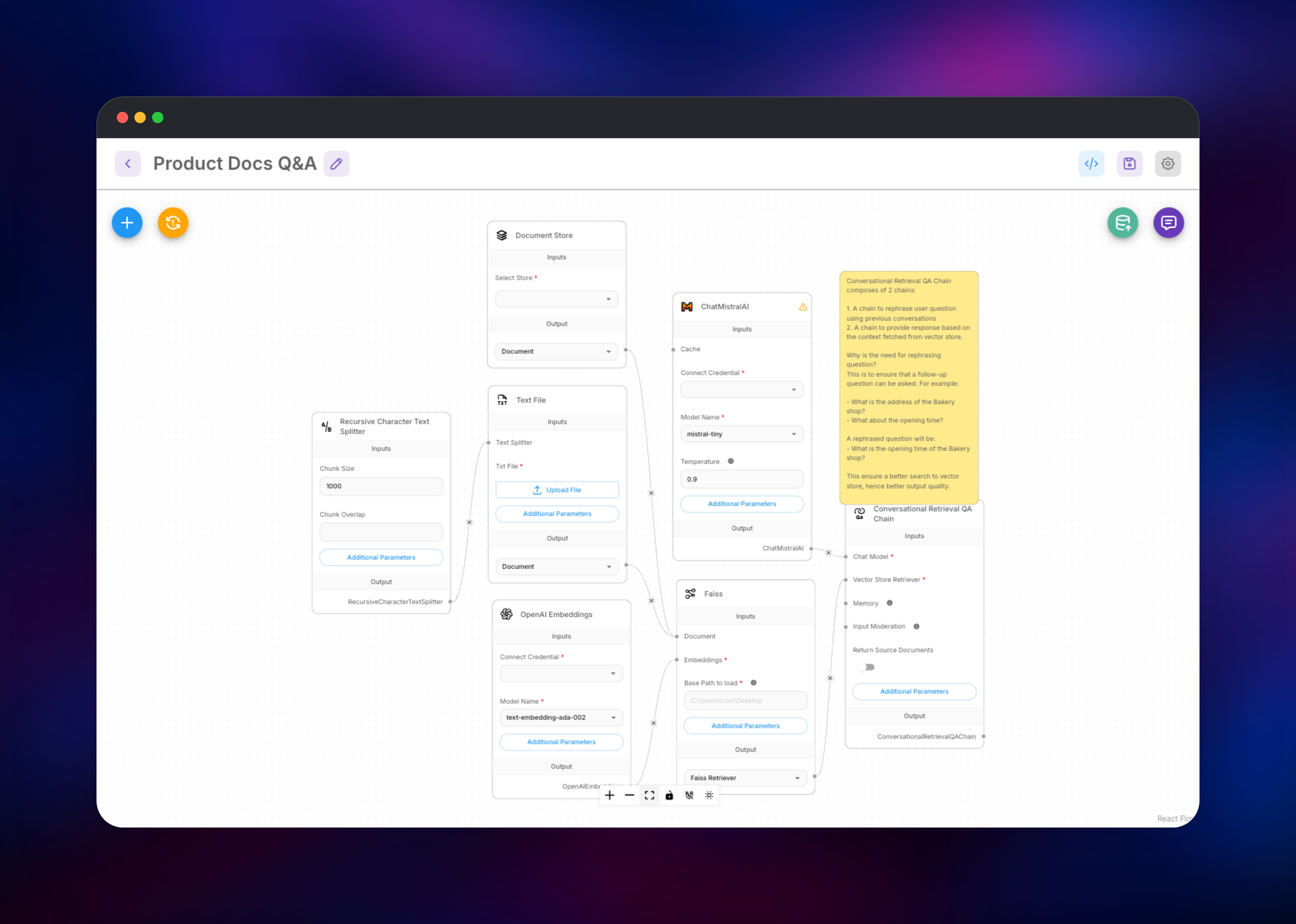
Flowise is an open-source visual builder for LLM applications and AI agents. Instead of wiring LangChain calls together in code, you drag nodes onto a canvas — a chat model, a retriever, a vector store, a memory buffer, a tool — connect them, and Flowise turns the result into a working chatbot, a RAG pipeline or a multi-step agent. Every flow is immediately available as an embeddable widget and a REST endpoint with its own API key.
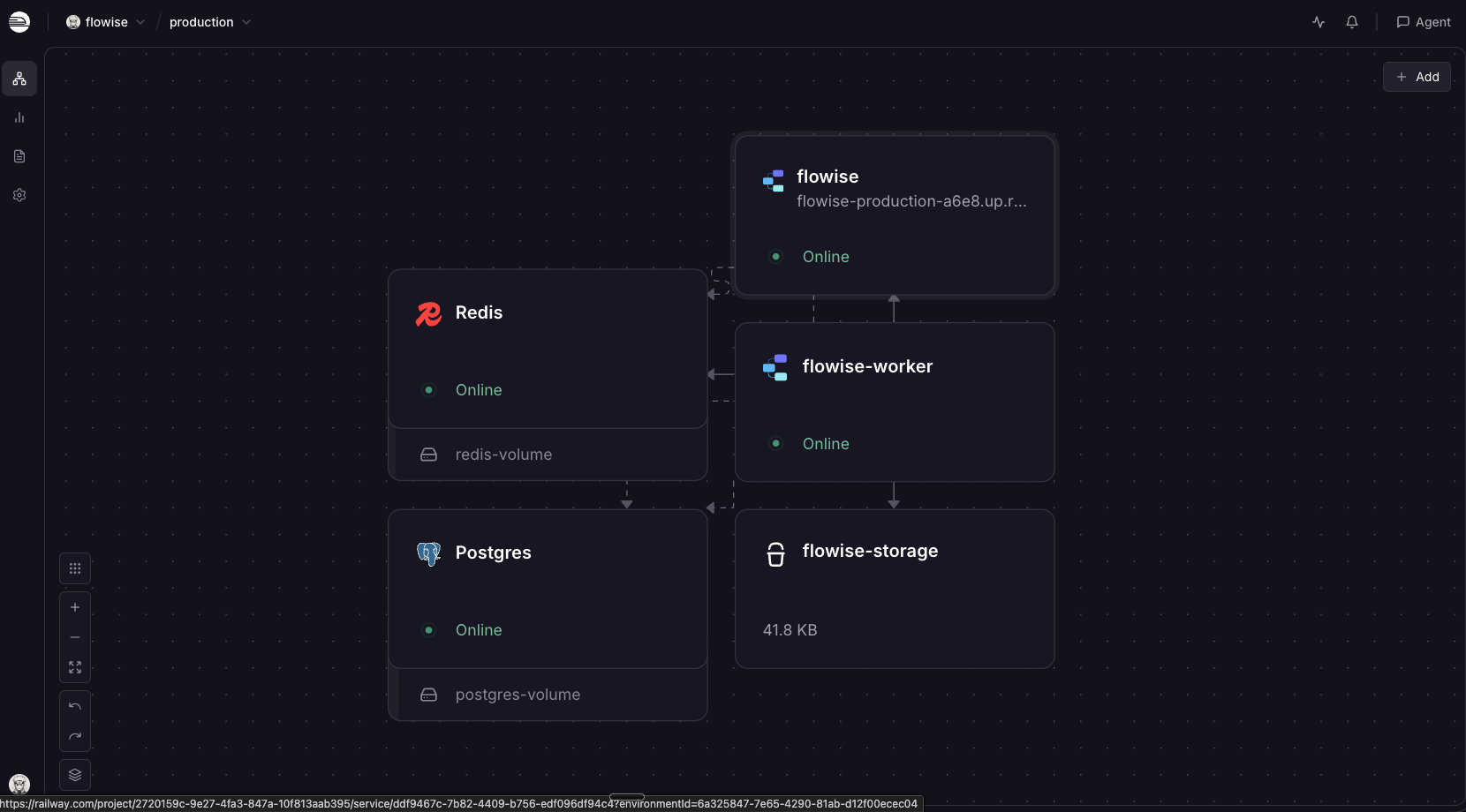
This template runs Flowise in queue mode, the configuration its maintainers document for production rather than the single-container quick start. Five pieces come wired together: the Flowise app serving the canvas and public API, a dedicated Flowise Worker executing predictions, PostgreSQL for flows and chat history, Redis carrying the job queue and streaming event bus, and a Railway object storage bucket for uploads. A chat request is enqueued in Redis and streamed back while the worker runs the flow, so ingestion never blocks the interface.
Getting Started with Flowise on Railway
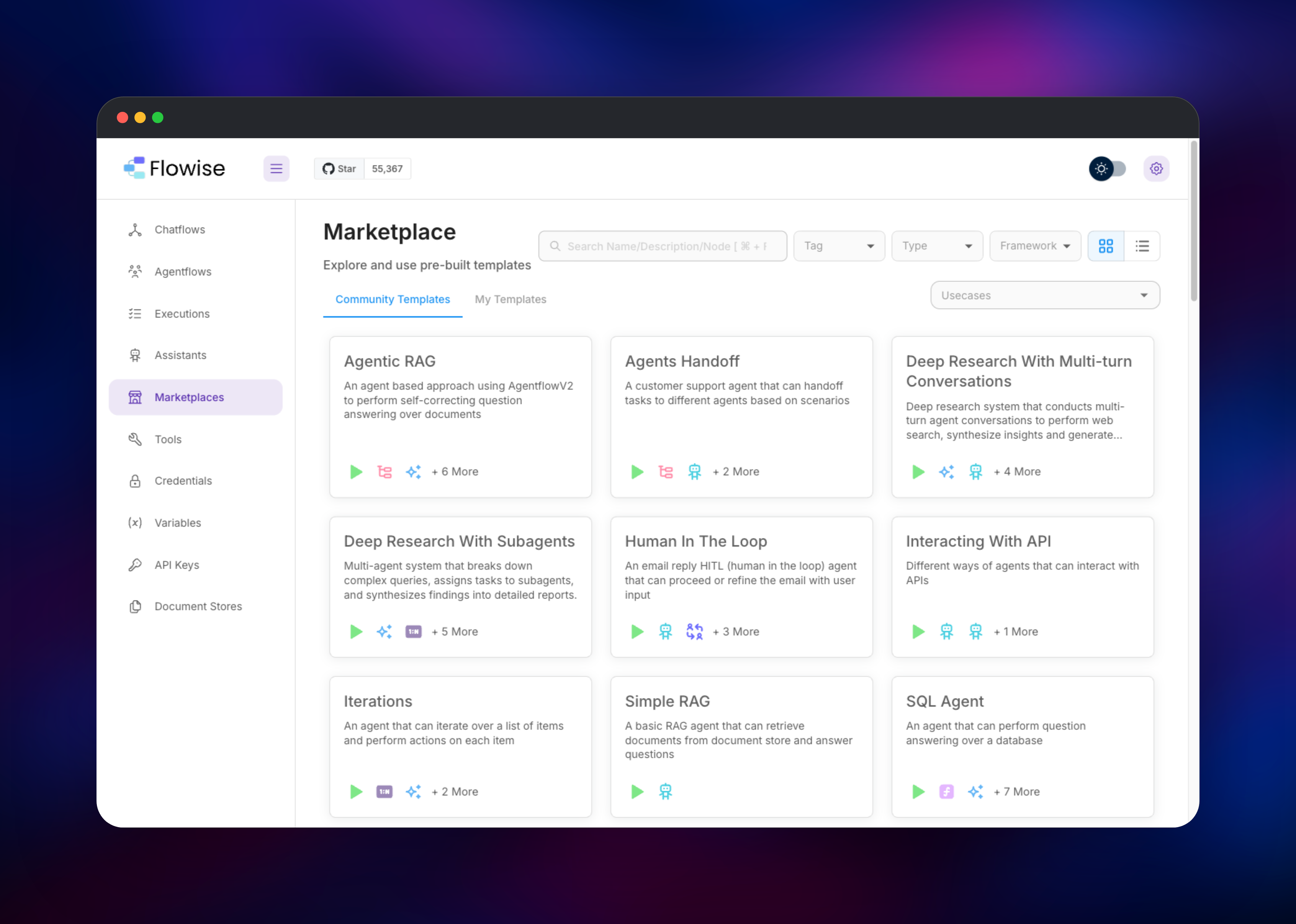
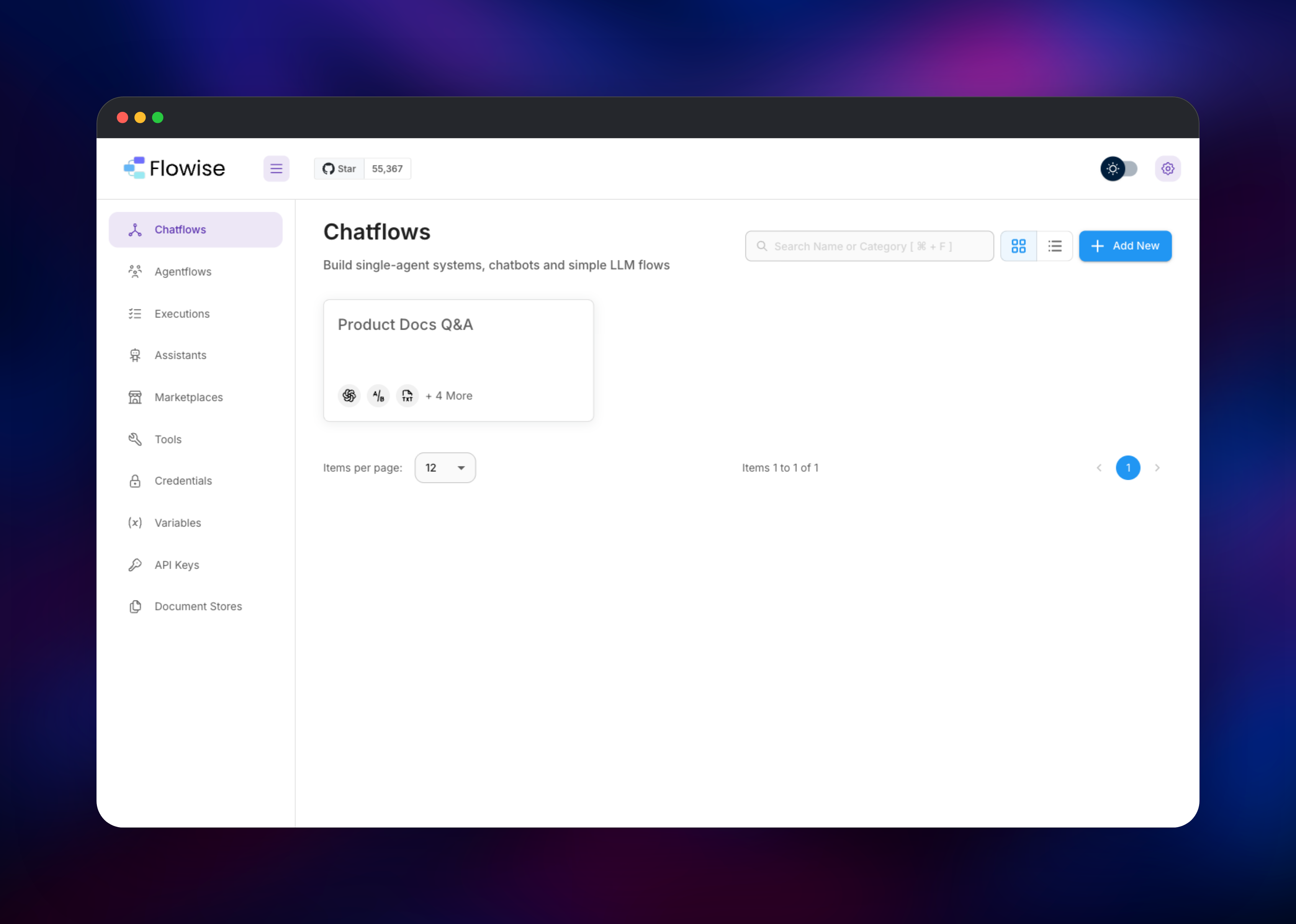
There are no default credentials and nothing to disable afterwards. Open the deployed URL and Flowise redirects you to a Setup Account screen; the name, email and password you enter become the owner. That first registration is also the last — once an organisation exists, self-hosted Flowise refuses further sign-ups. You then land on Chatflows, which starts empty. The quickest check is to open Marketplaces, pick a template such as Simple RAG, choose Use Template and save it under your own name; a flow appearing in the Chatflows list has been written to PostgreSQL. Before it can answer anything you need a model provider: under Credentials, add one for OpenAI, Anthropic, Mistral or a local Ollama endpoint, then select it in the chat model node. Send a message from the chat bubble — a reply proves the whole path, since the app queued that job in Redis and the worker executed it. API Keys then issues a token for calling the flow from your own code, and Document Stores is where you upload files for retrieval.
About Hosting Flowise
Flowise sits between raw framework code and a closed SaaS agent builder, shipping 100+ nodes on a canvas non-specialists can read. Self-hosting matters more here than for most tools: the data crossing an instance is your prompts, your documents and your provider API keys.
Key capabilities:
- Visual canvas for chatflows, agentflows and multi-agent systems
- OpenAI, Anthropic, Mistral, Groq, Ollama, Pinecone, Qdrant, Faiss and more
- Every flow exposed as a REST API, embeddable widget or MCP endpoint
- Document Stores with chunking, embedding and retrieval built in
- Workspaces, roles and per-flow API keys
One thing to weigh first: FlowiseAI wound the project down in 2026. Version 3.1.4 is the final core-team release and the repository is archived, so no further official patches are expected. The code stays Apache-2.0 and fully functional, and this template deploys that final release — itself the security-hardening one — but for multi-year use, track a community fork.
The app serves the canvas and public API and never executes a flow itself here; the worker runs three BullMQ consumers (prediction, upsertion, schedule) and is what calls the providers.
Why Deploy Flowise on Railway
Railway removes the infrastructure work queue mode normally requires:
- PostgreSQL, Redis and object storage provisioned and connected
- App and worker deploy as separate services, already version-matched
- HTTPS and a public domain issued automatically
- Private networking keeps database, queue and worker off the internet
- Scale worker capacity independently as flows get heavier
- Usage-based billing, so an idle builder costs very little
Common Use Cases
- Internal documentation assistants — upload handbooks to a Document Store and expose a chatbot answering staff questions with citations.
- Customer support agents — answer from a knowledge base and hand off to a human when confidence drops, embedded in your site.
- Prompt and RAG experimentation — compare chunk sizes, embedding models and retrievers, then promote the winner to an endpoint.
- Automation with tool calling — agents that query a database or call an internal API while answering.
Dependencies for Flowise
- Flowise —
flowiseai/flowise:3.1.4, canvas, admin UI and API on port 3000 - Flowise Worker —
flowiseai/flowise-worker:3.1.4, runs queued predictions - PostgreSQL — flows, encrypted credentials, chat history, document metadata
- Redis — BullMQ job queue plus the channel streaming tokens to the browser
- Object storage bucket — uploaded documents, shared by app and worker
Keep the app and worker on the same image tag: they share a database schema and job format, so a mismatch causes failures that are hard to diagnose.
Environment Variables Reference
| Variable | Purpose |
|---|---|
MODE | queue enables the app + worker split |
APP_URL | Public URL, used for links and cookie security |
DATABASE_* | PostgreSQL host, port, name, user, password |
REDIS_* | Redis host, port, username, password |
STORAGE_TYPE | s3 to store uploads in the bucket, not on disk |
FLOWISE_SECRETKEY_OVERWRITE | Encrypts stored provider credentials |
JWT_AUTH_TOKEN_SECRET | Signs authentication tokens |
WORKER_CONCURRENCY | Jobs a single worker runs at once |
The encryption key and signing secrets must be identical on app and worker and must never change after first boot. This template sets them once and shares them by reference.
Deployment Dependencies
- GitHub: https://github.com/FlowiseAI/Flowise
- Docker Hub: https://hub.docker.com/r/flowiseai/flowise
- Docs: https://docs.flowiseai.com
- Runtime: Node.js 24, PostgreSQL, Redis
Hardware Requirements for Self-Hosting Flowise
| Resource | Minimum | Recommended |
|---|---|---|
| CPU | 1 vCPU per service | 2 vCPU app, 2+ vCPU worker |
| RAM | 1 GB app, 1 GB worker | 2 GB app, 4 GB worker |
| Storage | Database only | 10 GB Postgres + bucket |
| Runtime | Node.js 24, PostgreSQL 14+, Redis 6+ | Managed database |
The worker is the hungry half — embedding a large document set loads the batch in memory — so give it more RAM than the app.
Self-Hosting Flowise
To try Flowise locally with npm before deploying, run the following commands:
npm install -g flowise
npx flowise start
That gives you a single process backed by SQLite on http://localhost:3000. Closer to this template, the following Docker Compose fragment runs the app and worker in queue mode against Redis:
services:
  redis:
    image: redis:alpine
  flowise:
    image: flowiseai/flowise:3.1.4
    ports: ["3000:3000"]
    environment: [MODE=queue, REDIS_HOST=redis, DATABASE_TYPE=postgres]
  flowise-worker:
    image: flowiseai/flowise-worker:3.1.4
    environment: [MODE=queue, REDIS_HOST=redis, DATABASE_TYPE=postgres]
Both containers also need matching database settings and identical encryption and signing secrets. Upstream's full compose files live in the repository's docker/ folder.
How Much Does Flowise Cost to Self-Host?
Flowise is open source under Apache 2.0, so the software is free with no seat limits or feature gates on the self-hosted build. On Railway you pay only for the resources the five components consume — a few dollars a month for a small team's builder. The real cost is your model provider bill; pointing flows at a local Ollama model removes it entirely.
FAQ
What is Flowise?
An open-source, low-code tool for building LLM applications and AI agents visually. You assemble chat models, retrievers, vector stores, memory and tools on a drag-and-drop canvas, and each flow becomes a chatbot, an embeddable widget and a REST API endpoint.
What does this Railway template deploy?
Five pieces — the Flowise app, a dedicated worker, PostgreSQL, Redis and an object storage bucket — running in queue mode, the configuration the maintainers document for production.
Why does self-hosted Flowise need PostgreSQL and object storage?
PostgreSQL holds flows, encrypted credentials and chat history, which the default SQLite file cannot share between app and worker. The bucket does the same for uploaded documents.
Do I need an OpenAI API key to use self-hosted Flowise?
No. You need credentials for whichever provider your flow uses — OpenAI, Anthropic, Mistral, Groq and many more — or you can point the model nodes at a self-hosted Ollama instance and use no commercial provider at all.
Is Flowise still maintained?
The core team wound the project down in 2026 and archived the repository, making 3.1.4 the final official release. The Apache-2.0 code and published images still work, but plan on a community fork if you need ongoing security updates.
How do I call a Flowise flow from my own application?
Create a key under API Keys, then POST to /api/v1/prediction/ with an Authorization: Bearer header and a JSON body holding your question.
Template Content
flowise-worker
flowiseai/flowise-worker:3.1.4Redis
redis:8.2flowise
flowiseai/flowise:3.1.4flowise-storage
Bucket


