
Deploy Frappe HR
Open source HR and payroll software for small and mid-size teams

Websocket
Just deployed

Redis-Cache
Just deployed
/data
Frappe-HR
Just deployed
/home/frappe/frappe-bench/sites
Redis-Queue
Just deployed
/data

MariaDB
Just deployed
/var/lib/mysql
Deploy and Host Frappe HR on Railway
Frappe HR is an open-source HRIS and payroll system covering the whole employee lifecycle: onboarding, employee records, leave policies and approvals, shifts and attendance, expense claims, appraisals and salary processing. Built by Frappe Technologies on the Frappe framework — the same foundation as ERPNext — it suits teams that want BambooHR-style HR software without per-employee SaaS fees. Deploy Frappe HR on Railway and you get the whole module set, an employee self-service PWA, and a REST API over every record.
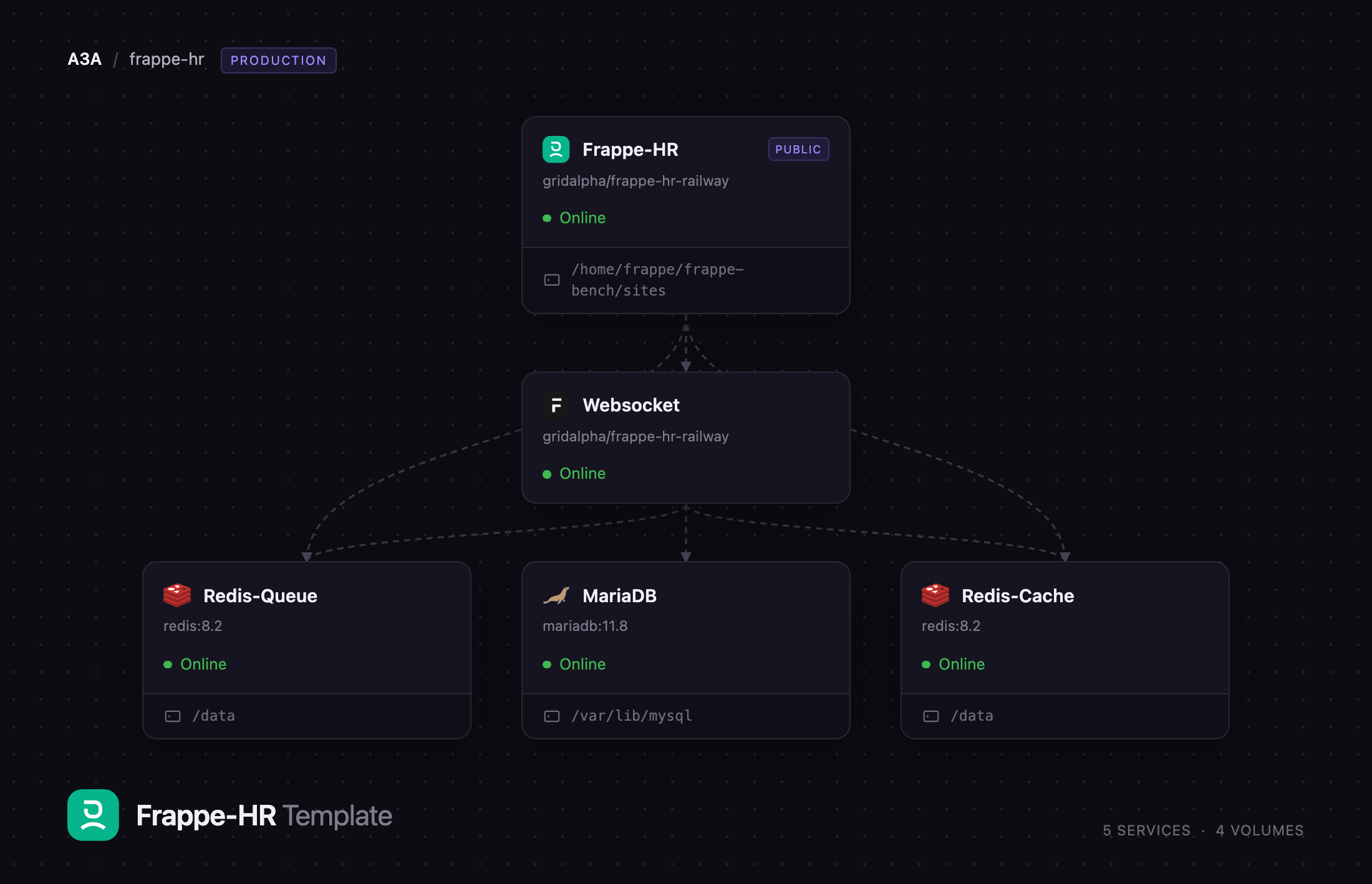
This template runs the production shape, not the single-container demo. Frappe-HR is the public service: nginx fronts gunicorn, with two queue workers and the scheduler beside it so leave notifications, payroll runs and scheduled reports actually execute. Websocket is the Frappe realtime server. MariaDB holds every record. Redis-Cache and Redis-Queue are separate instances, as Frappe's deployment guide specifies. A volume on the app service keeps uploads, payslip PDFs and backups. Self-hosting Frappe HR elsewhere means wiring these five pieces up by hand; here they arrive connected.
Getting Started with Frappe HR on Railway
The first deployment creates the site and installs the schema, so the URL takes a few minutes to answer; the health check has a long window for it. Open the public URL and sign in as Administrator — the password is the ADMIN_PASSWORD variable on the Frappe-HR service, readable in Railway's variables panel. You land on the setup wizard, which asks for language, country, time zone, currency and company name; that creates the Company record every payroll and expense document is scoped to, so use your real legal entity name. Then open Frappe HR from the app switcher.
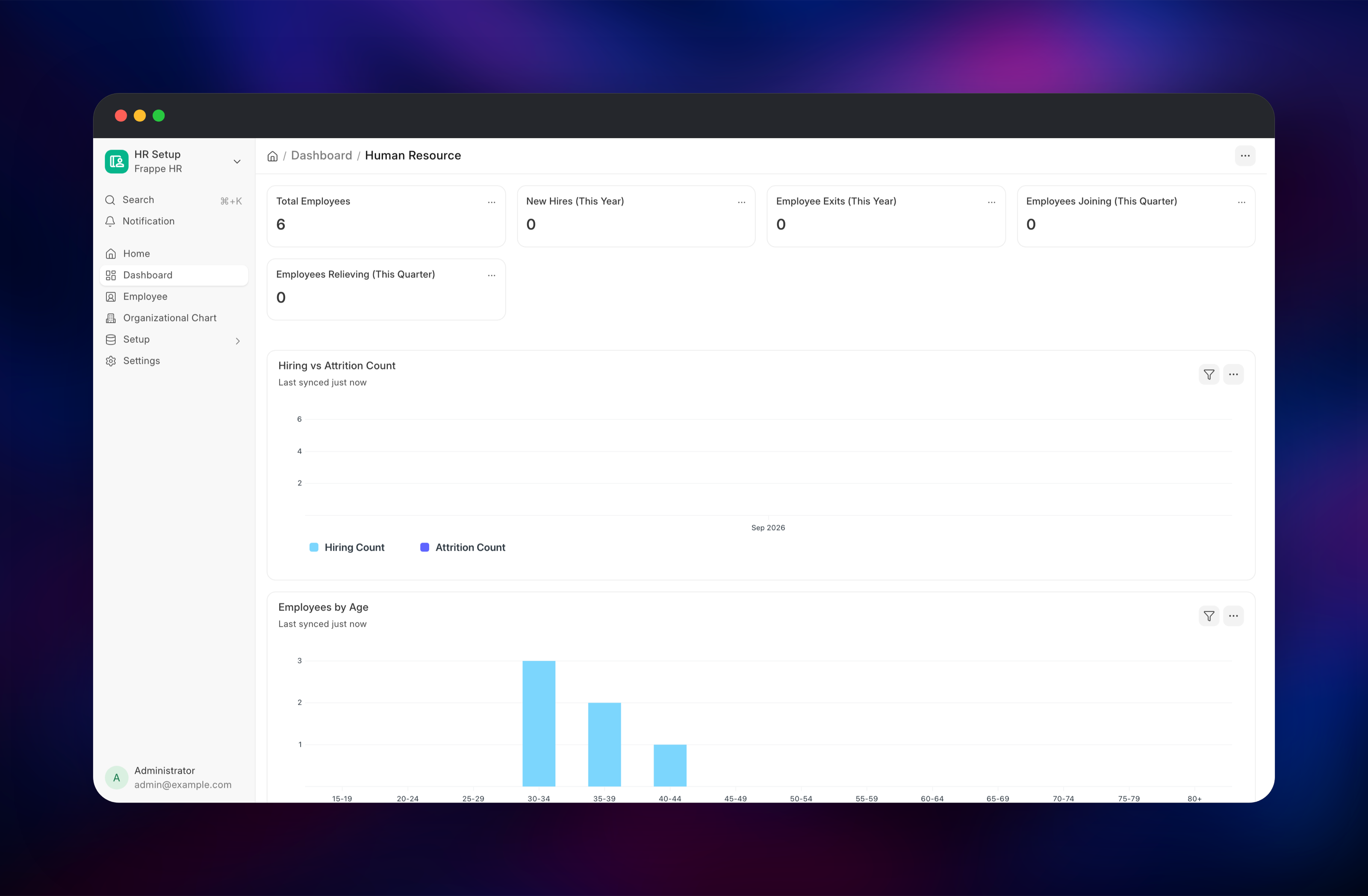
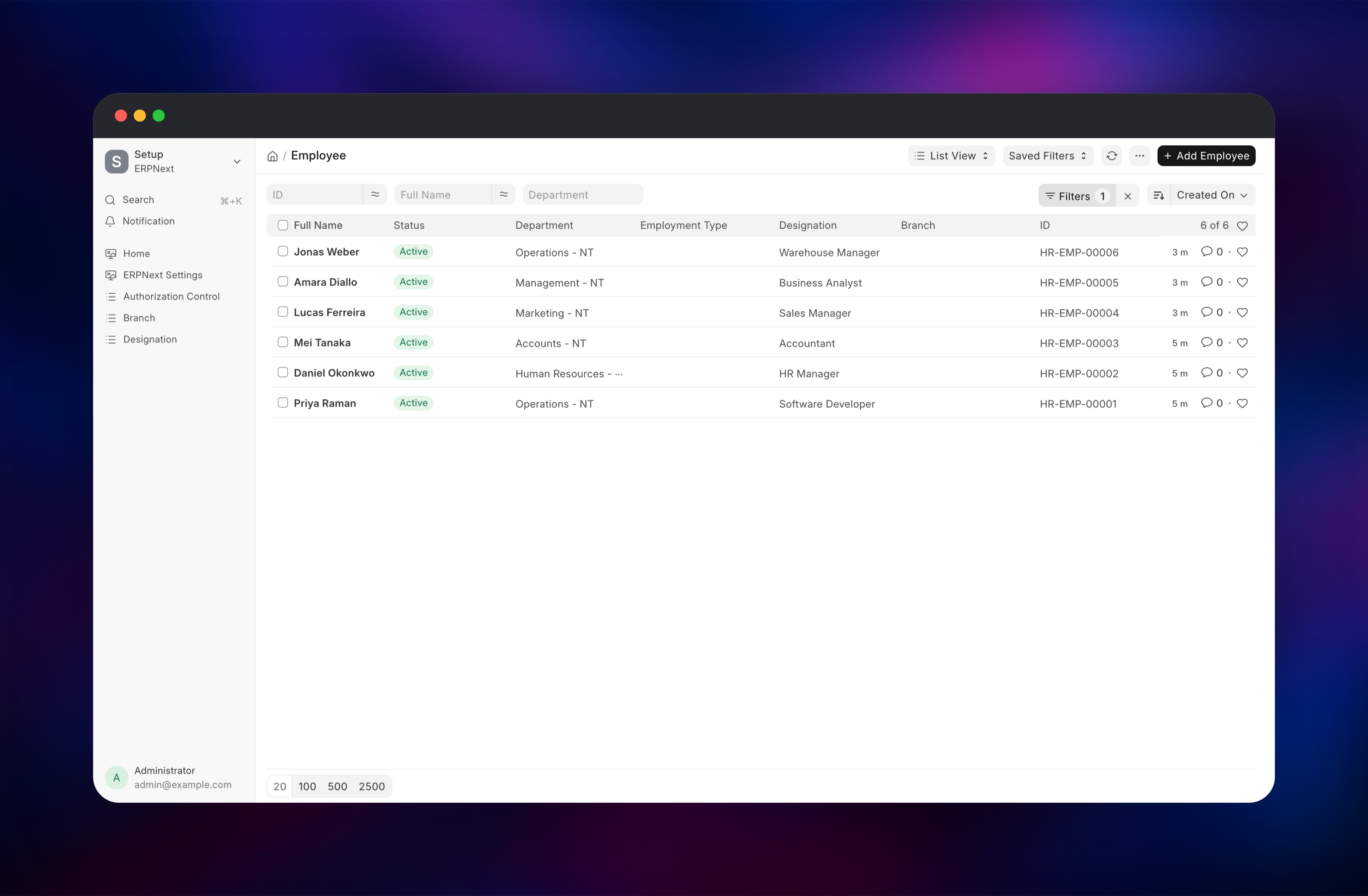
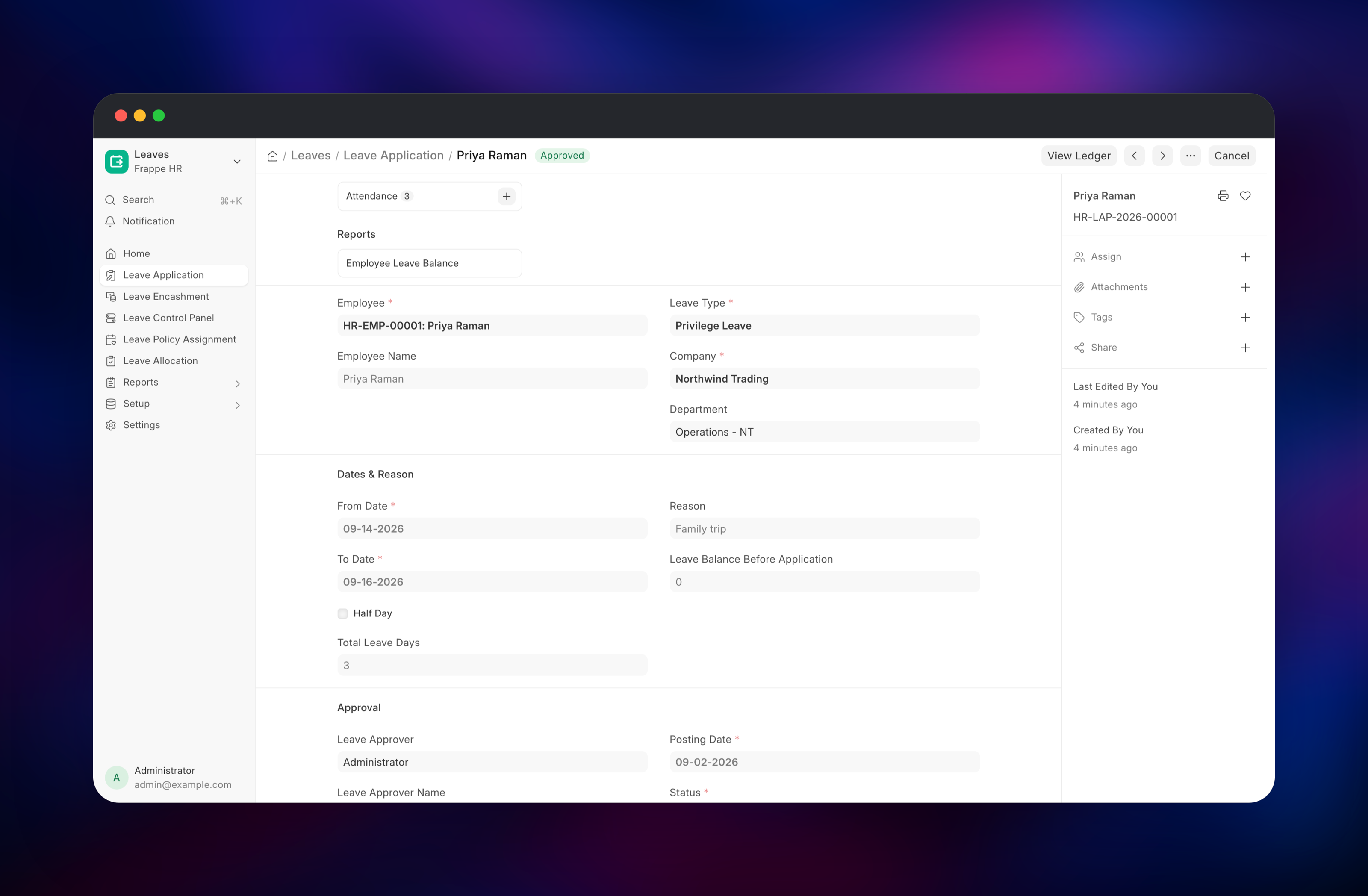
The first useful action is creating an employee: Employee → Add Employee, fill in name, date of joining, department and designation, save. Then add a Holiday List for the year, assign it to your company through Holiday List Assignment, and allocate leave with Leave Allocation — Frappe HR refuses a leave application until a holiday list applies to the employee, which is the commonest first-run stumble. Submit a Leave Application against that allocation and check the Human Resource dashboard: the counters and charts update immediately, confirming the database, workers and realtime server all work. Public sign-up is closed by default, so add colleagues under Users.
About Hosting Frappe HR
Frappe HR replaces spreadsheet-and-email HR administration with one system of record. It is the hrms app on the Frappe framework, and because it declares ERPNext as a required app, the deployment also carries ERPNext's accounting doctypes — which is what lets payroll post real journal entries.
Key features:
- Employee lifecycle: onboarding, promotions, transfers, separation
- Leave: types, policies, allocations, approval workflows, encashment
- Shifts and attendance: shift types, rosters, check-in, attendance requests
- Payroll: salary components and structures, tax slabs, payroll entries, salary slips
- Expense claims, employee advances and travel requests
- Performance: goals, KRAs, appraisal cycles and feedback
- Recruitment: job openings, applicants, interviews and offers
- An employee self-service PWA at
/hrmsand a roster view
The split follows Frappe's own recommendation. The app service holds the web tier and the workers together because they share the uploaded-files directory; the realtime server runs separately because it needs only Redis.
Why Deploy Frappe HR on Railway
Frappe HR needs five coordinated pieces, and Railway wires them for you.
- MariaDB, both Redis instances and the realtime server arrive connected
- A persistent volume keeps uploads, payslip PDFs and backups across deploys
- HTTPS and a public domain are issued automatically
- Workers and the scheduler share the web container, so no shared storage is needed
- Vertical scaling and metrics without touching a server
Common Use Cases
- A 20–300 person company running leave, attendance and payroll in one place instead of three SaaS tools
- An agency tracking billable shifts, expense claims and travel requests
- An ERPNext user who wants the HR modules on a separate, independently scaled deployment
- An employer that needs payroll data resident in a jurisdiction of its choosing
Dependencies for Frappe HR
- Frappe HR application — built from
frappe/erpnext:v16with thehrmsapp at branchversion-16added; source at github.com/frappe/hrms - MariaDB
mariadb:11.8— system of record for every HR document. Frappe requiresutf8mb4with--skip-character-set-client-handshake, which the template sets - Redis (cache) — document and translation caching for the web tier
- Redis (queue) — the RQ job queue and realtime pub/sub. Leave notifications, payroll runs and scheduled reports all pass through it
- Realtime server — the Frappe socket.io process; without it the desk works but live updates stop
Environment Variables Reference
| Variable | Purpose |
|---|---|
ADMIN_PASSWORD | Password for the first Administrator login |
FRAPPE_SECRET | Root secret the database password and encryption key derive from |
SITE_NAME | Internal Frappe site name; independent of your public domain |
DISABLE_SIGNUP | 1 closes public self-registration on first boot |
GUNICORN_WORKERS / GUNICORN_THREADS | Web concurrency; raise with CPU allocation |
CLIENT_MAX_BODY_SIZE | Maximum upload size for documents and attachments |
Deployment Dependencies
Hardware Requirements for Self-Hosting Frappe HR
| Resource | Minimum | Recommended |
|---|---|---|
| CPU | 2 vCPU | 4 vCPU |
| RAM | 2 GB | 4 GB or more |
| Storage | 5 GB volume | 20 GB, grows with attachments and backups |
| Runtime | Python 3.11+, Node 20+, MariaDB 10.6+, Redis 6+ | Python 3.14, Node 24, MariaDB 11.8, Redis 8 |
Self-Hosting Frappe HR
Frappe publishes no standalone hrms image: Frappe HR is an app installed into a bench alongside ERPNext. This template's image adds it as one layer over the official ERPNext production image — the Dockerfile in full:
FROM frappe/erpnext:v16
USER frappe
WORKDIR /home/frappe/frappe-bench
RUN ln -s /home/frappe/frappe-bench/assets sites/assets \
 && bench get-app --branch=version-16 hrms https://github.com/frappe/hrms \
 && rm -f sites/assets
With the image built, create the site against a reachable MariaDB and Redis:
bench new-site hr.local \
  --db-root-username root --db-root-password "$DB_ROOT_PASSWORD" \
  --admin-password "$ADMIN_PASSWORD" --install-app erpnext --set-default
bench --site hr.local install-app hrms
bench --site hr.local enable-scheduler
How Much Does Frappe HR Cost to Self-Host?
Frappe HR is free and open source under the GNU GPL v3 — no per-employee licence, no seat cap, no paid edition holding features back; payroll, appraisals and recruitment are all in the public repository. Frappe Technologies sells a managed version on Frappe Cloud; self-hosting is the alternative to that subscription, and on Railway you pay only for the compute, memory and volume the five services use.
FAQ
What is Frappe HR?
Open-source HR and payroll software covering employee records, leave, attendance, expense claims, appraisals, recruitment and salary processing. It is the hrms app on the Frappe framework, from the makers of ERPNext.
What does this Railway template deploy?
Five services: the Frappe HR application (nginx, gunicorn, two queue workers, the scheduler), a realtime server, MariaDB, and two Redis instances. The app service has a persistent volume for uploads and backups.
Why does the template include ERPNext as well as Frappe HR?
Frappe HR declares ERPNext as a required app. Payroll posts to accounts and expense claims settle against them, so ERPNext's accounting doctypes have to be there.
Why are there two Redis services instead of one?
Frappe uses one Redis for caching and one for the job queue and realtime pub/sub. A shared instance lets cache eviction drop queued jobs, so Frappe keeps them separate.
How do I give employees their own logins in self-hosted Frappe HR?
Create a User for each person under Users, then set user_id on their Employee record. They can then sign in to the desk or the PWA at /hrms, where they see only their own leave balance, attendance and salary slips.
Can I attach my own domain to Frappe HR on Railway?
Yes. Add it to the Frappe-HR service in Railway. The deployment addresses its site by a fixed internal name rather than by the request host, so a new domain serves immediately with no reconfiguration.
Template Content
Websocket
gridalpha/frappe-hr-railwayRedis-Cache
redis:8.2Frappe-HR
gridalpha/frappe-hr-railwayRedis-Queue
redis:8.2MariaDB
mariadb:11.8

