
Deploy Gel
Deploy Gel, the open-source graph-relational database, on Railway

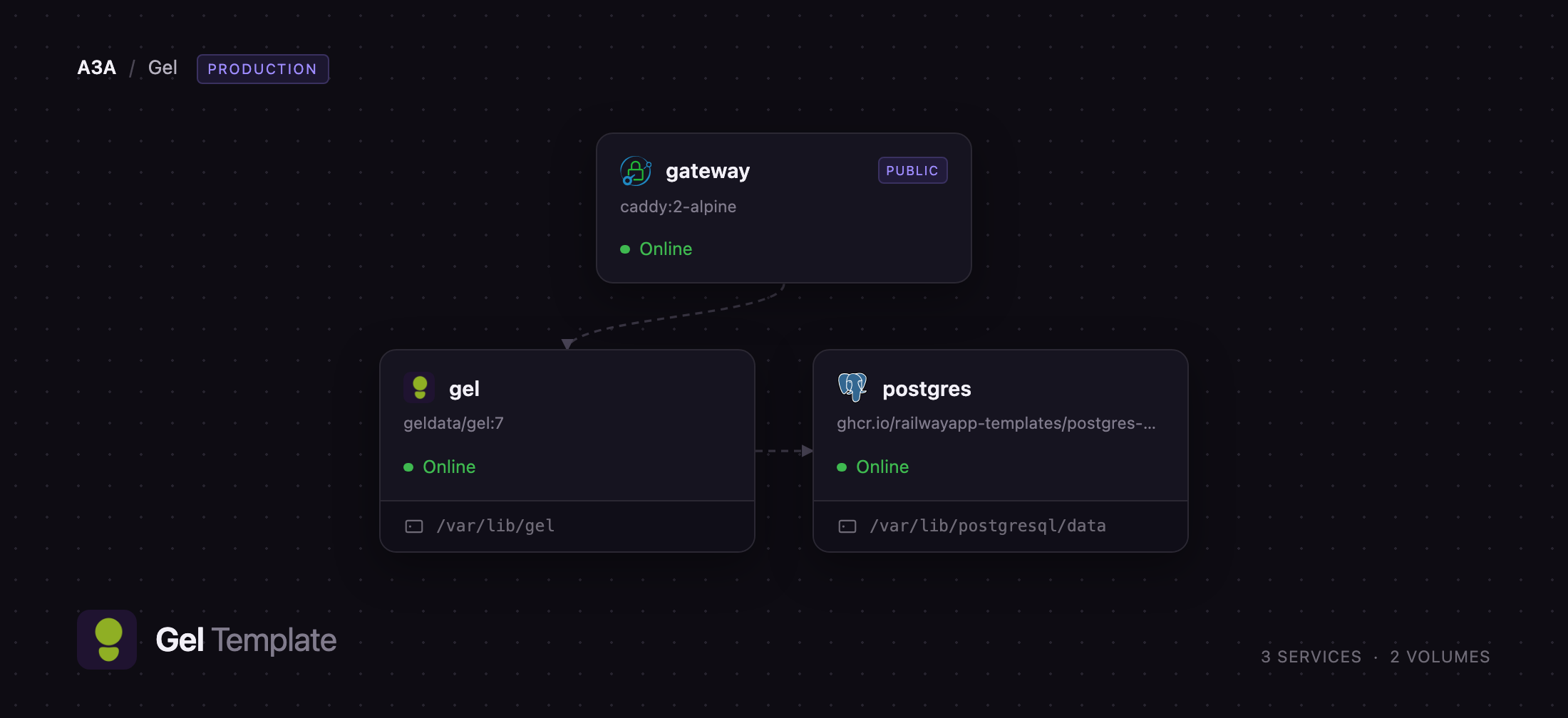
gateway
Just deployed

Just deployed
/var/lib/postgresql/data
Just deployed
/var/lib/gel
Deploy and Host Gel on Railway
Gel is an open-source graph-relational database that sits on top of PostgreSQL and replaces tables, foreign keys and join syntax with object types and typed links. You describe your data as a schema of types and the links between them, then query it with EdgeQL, which returns nested JSON-shaped results in one round trip instead of the join-and-reassemble dance an ORM performs. It ships schema migrations, a web admin UI, GraphQL and HTTP endpoints, and client libraries for TypeScript, Python, Go, Rust, .NET and Java. Teams reach for it when their data is genuinely a graph — permissions, catalogues, document trees — and they still want strict typing and constraints.
Deploy Gel on Railway and this template gives you the shape upstream documents for production: a gel server running against a dedicated postgres service rather than the database bundled into the image, so storage can be resized and inspected on its own. A gateway service running Caddy holds the public domain, forwards browser and HTTP API traffic to Gel over the private network, and blocks the server's unauthenticated Prometheus endpoint. Client libraries and the gel CLI speak Gel's binary protocol, which needs raw TCP, so the gel service also carries a Railway TCP proxy.
Getting Started with Gel on Railway
Once the deploy is green, open the public URL with /ui appended — the Gel admin UI. Sign in as admin with the value of GEL_SERVER_PASSWORD on the gel service, generated at deploy time and shown in that service's Variables tab. There is no registration step and no default password: the superuser is created during first boot, before the server accepts a connection.
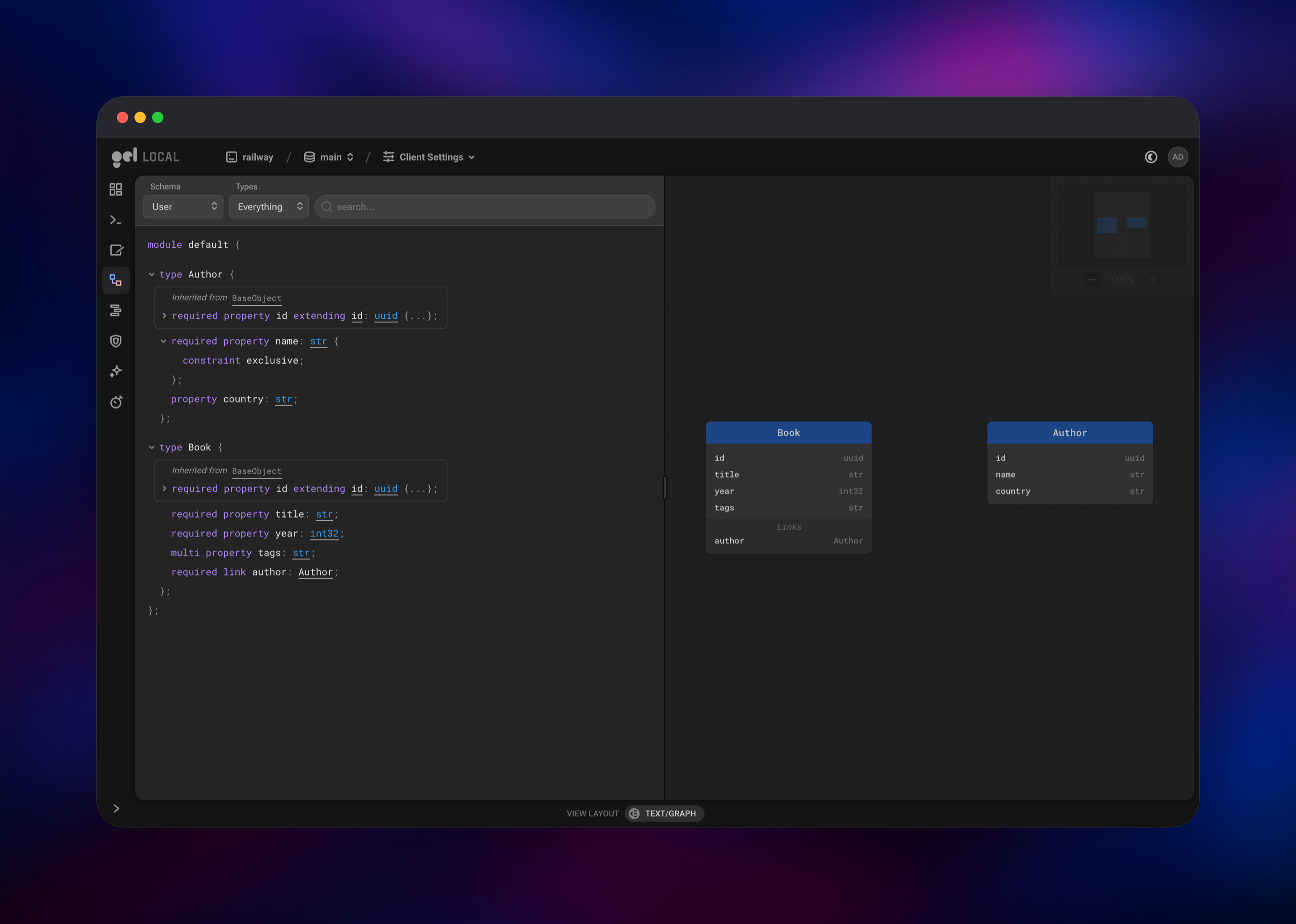
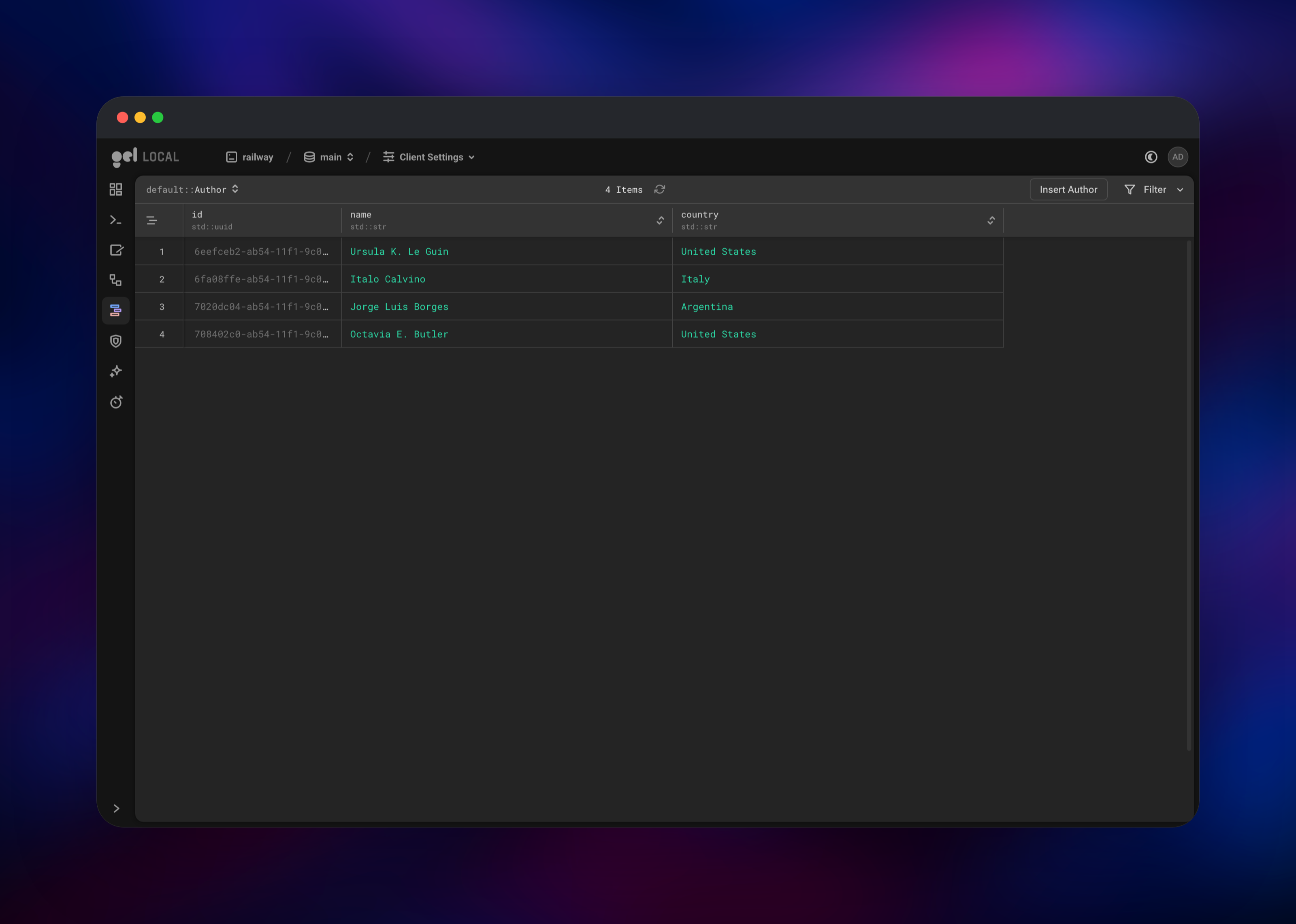
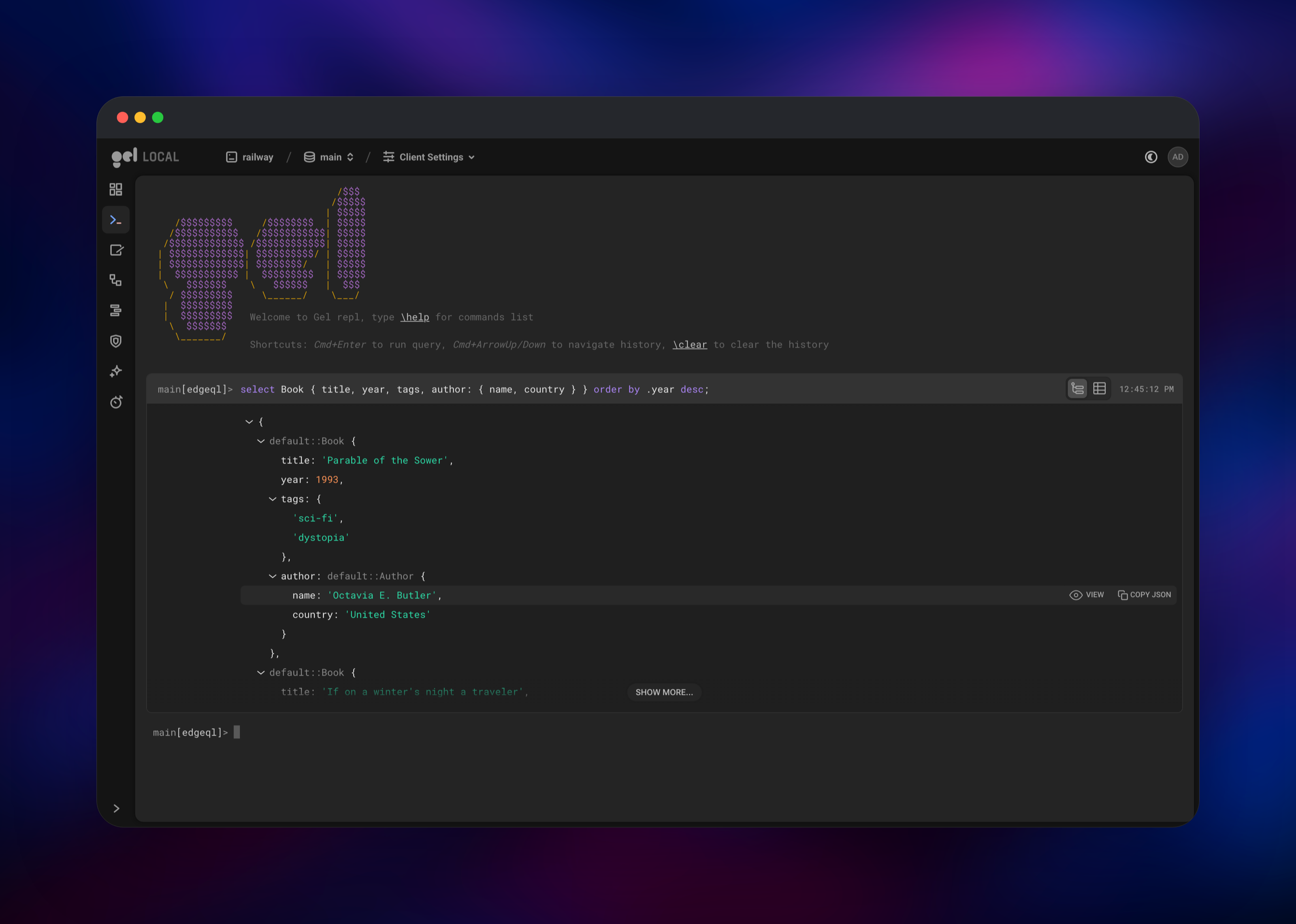
You land on the instance dashboard showing one branch, main. Click into it for six tools down the left rail: a REPL, a query editor, the schema viewer, the data explorer, an auth admin panel and performance stats. The quickest proof the deployment works is the REPL — type select sys::get_version_as_str(); and press Cmd+Enter (Ctrl+Enter elsewhere). To create a schema, run a create type statement in the query editor, then add rows with the data explorer's Insert button. Applications connect over the TCP proxy on the gel service's Networking tab, with a DSN like gel://admin:@:/main.
About Hosting Gel
Gel is a database server, not a hosted service or an ORM you import. It owns a PostgreSQL cluster, compiles EdgeQL into SQL, and serves clients over three surfaces on one port: a binary protocol, an HTTP API for EdgeQL and GraphQL, and the admin UI. Self-hosting is the only way to run it today — managed Gel Cloud stopped taking new instances in December 2025 and shut down at the end of January 2026.
Key features:
- EdgeQL — a composable query language where nested shapes replace joins, and results are typed
- Native SQL — Gel 6 and later answer plain SQL over the PostgreSQL wire protocol, so BI tools, Drizzle, Prisma and SQLAlchemy work
- Schema migrations — declarative schema files with a reviewable history
- Branches — copy a whole database, schema and data, to develop against
- Built-in extensions — authentication, GraphQL, full-text search,
pgvectorand AI - Access policies — row-level security expressed in the schema, not in application code
Three Railway services make this work. gel is the database server, with a small volume for its TLS certificate and signing keys. postgres is the storage engine every branch, type and row lives in, on its own volume. gateway runs caddy:2-alpine, terminates the public domain and proxies everything except /metrics to Gel.
Why Deploy Gel on Railway
Railway handles the parts of running a database server that have nothing to do with your schema.
- Private networking between Gel and PostgreSQL, with no exposed database port
- Persistent volumes for the storage engine and the server's TLS identity
- A TCP proxy for the binary protocol the HTTP edge cannot carry
- Generated credentials, one-click redeploys, per-service metrics
Common Use Cases
- Deeply linked data — permissions, org charts, threaded content and catalogues, where every read would otherwise be a multi-table join
- Replacing an ORM — typed queries and generated client code, without giving up PostgreSQL
- TypeScript or Python backends — type safety from schema to response
- AI and search — bundled
pgvectorkeeps embeddings beside the relational data
Dependencies for Gel
geldata/gel:7— the Gel server, from Docker Hub and github.com/geldata/gelghcr.io/railwayapp-templates/postgres-ssl:17— the PostgreSQL 17 backendcaddy:2-alpine— the public HTTP gateway
Environment Variables Reference
| Variable | Service | Purpose |
|---|---|---|
GEL_SERVER_PASSWORD | gel | Password for the admin superuser, applied at first boot |
GEL_SERVER_BACKEND_DSN | gel | Connection string for the PostgreSQL backend |
GEL_SERVER_ADMIN_UI | gel | enabled serves the admin UI at /ui |
GEL_SERVER_HTTP_ENDPOINT_SECURITY | gel | optional, so the server answers plain HTTP behind Railway's TLS edge |
GEL_SERVER_COMPILER_POOL_SIZE | gel | Optional cap on EdgeQL compiler workers |
POSTGRES_PASSWORD | postgres | Superuser password for the backend |
Deployment Dependencies
- Documentation: docs.geldata.com
- Client libraries and the
gelCLI: docs.geldata.com/reference/using
Hardware Requirements for Self-Hosting Gel
Gel compiles EdgeQL in worker processes, so RAM tracks concurrent compilations more than dataset size.
| Resource | Minimum | Recommended |
|---|---|---|
| CPU | 2 vCPU across all three services | 4+ vCPU |
| RAM | 2 GB | 4–8 GB |
| Storage | 5 GB on the PostgreSQL volume | Sized to your dataset |
| Runtime | Docker | Docker |
The gel volume stays tiny. Grow the postgres volume as your data does.
Self-Hosting Gel
The local equivalent is one container per service on a shared Docker network. Start PostgreSQL first:
docker run -d --name gel-pg --network gel \
  -e POSTGRES_PASSWORD=changeme -e POSTGRES_DB=gel postgres:17
Then point Gel at it. Gel 7 requires PostgreSQL 14 or later and bundles 17, so match that major version:
docker run -d --name gel --network gel -p 5656:5656 \
  -e GEL_SERVER_BACKEND_DSN=postgresql://postgres:changeme@gel-pg:5432/gel \
  -e GEL_SERVER_PASSWORD=changeme \
  -e GEL_SERVER_TLS_CERT_MODE=generate_self_signed \
  -e GEL_SERVER_ADMIN_UI=enabled \
  geldata/gel:7
The server generates a self-signed certificate on first boot and prints it in the log. It carries no hostname, so clients connect with tls_security=no_host_verification and the certificate as their CA, or tls_security=insecure for a quick test. Running gel instance link --trust-tls-cert stores the certificate and credentials under a named instance.
Is Gel Free to Self-Host?
Gel is open source under the Apache 2.0 licence, with no paid edition, seat limits or feature gates, and since Gel Cloud closed there is nothing to buy at all. On Railway you pay only for the compute, memory and volume storage the three services use, so the bill grows with your data and query load rather than with a per-database licence.
FAQ
What is Gel?
Gel is an open-source graph-relational database, formerly EdgeDB, built on PostgreSQL. It models data as object types linked to one another and queries it with EdgeQL, returning nested results without joins. It also speaks plain SQL.
What does this Railway template deploy?
gel running the Gel 7 server, postgres running PostgreSQL 17 as its storage backend, and gateway running Caddy as the public entry point. Each database service gets a volume, and gel gets a TCP proxy for client libraries.
Why does the template include a separate PostgreSQL service?
Gel stores everything in PostgreSQL. The image can run a bundled cluster, but upstream's production guidance is an external one, and a separate service gives storage its own volume and limits.
How do I connect an application to self-hosted Gel on Railway?
Use the TCP proxy on the gel service with a DSN like gel://admin:@:/main. The certificate is self-signed with no hostname, so pass tls_security=no_host_verification with it, or tls_security=insecure when testing.
How do I log into the Gel admin UI?
Open /ui on the public URL and sign in as admin with the value of GEL_SERVER_PASSWORD from the gel service's Variables tab. The superuser exists from first boot, so the instance is never unauthenticated.
Can I run more than one Gel server against the same database?
Not as it stands. Gel servers are stateless with respect to the backend, but each generates its own TLS certificate and signing keys on its own volume, so replicas would present different certificates to clients. Supply a shared certificate and key to each.
Template Content


