
Deploy Ghost
Substack alternative. Publishing, email newsletters and Stripe memberships


Deploy and Host Ghost on Railway
Ghost is an open source publishing platform combining a writing-first CMS, a native email newsletter and paid memberships in one application. Writers, journalists and companies running an engineering blog use it as a self-hosted alternative to Substack, Medium and a plugin-laden WordPress install: you keep the content, the subscriber list and the payment relationship, with no revenue share on paid subscriptions.
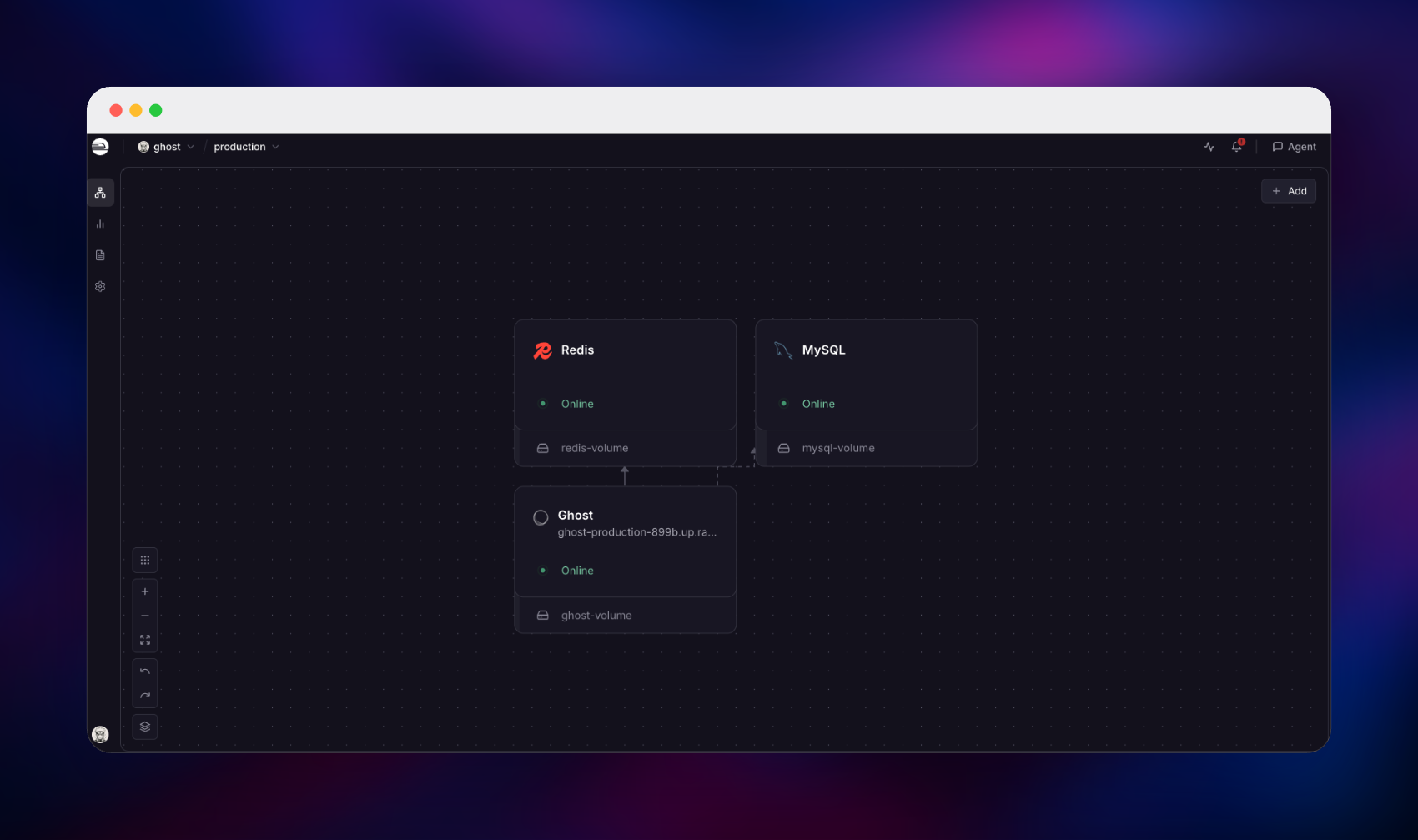
Deploy Ghost on Railway and this template wires up the three pieces a production install needs. The Ghost container serves both the public site and the admin app on port 2368 behind Railway's TLS edge. A MySQL 8.4 service holds every post, member and setting, reached over the private network so the database has no public address. A volume at /var/lib/ghost/content stores uploaded images, media and themes, so files survive every redeploy, and Redis backs Ghost's asynchronous caches. Schema migrations run automatically on first boot, so the site is ready as soon as the deploy goes green.
Getting Started with Ghost on Railway
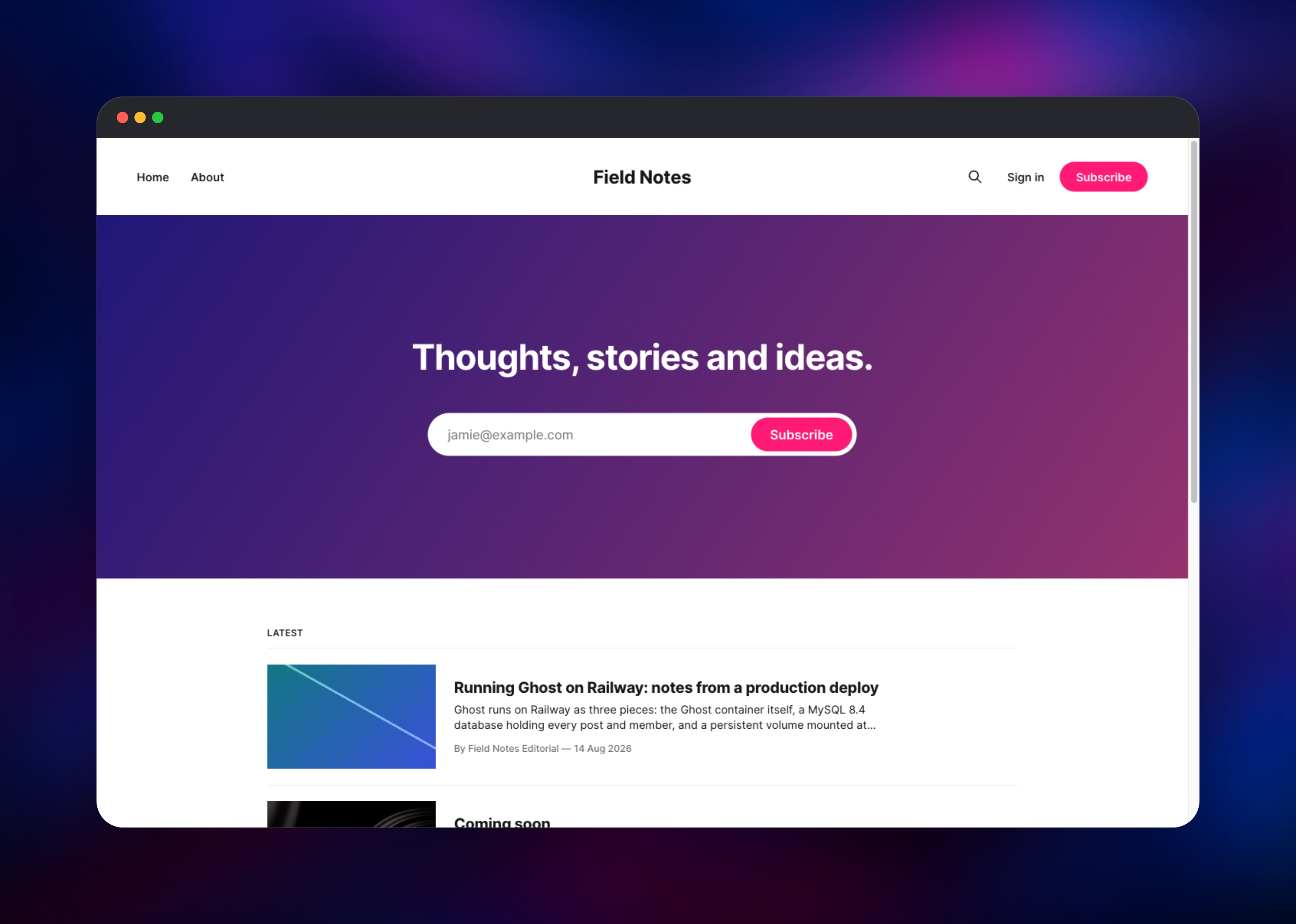
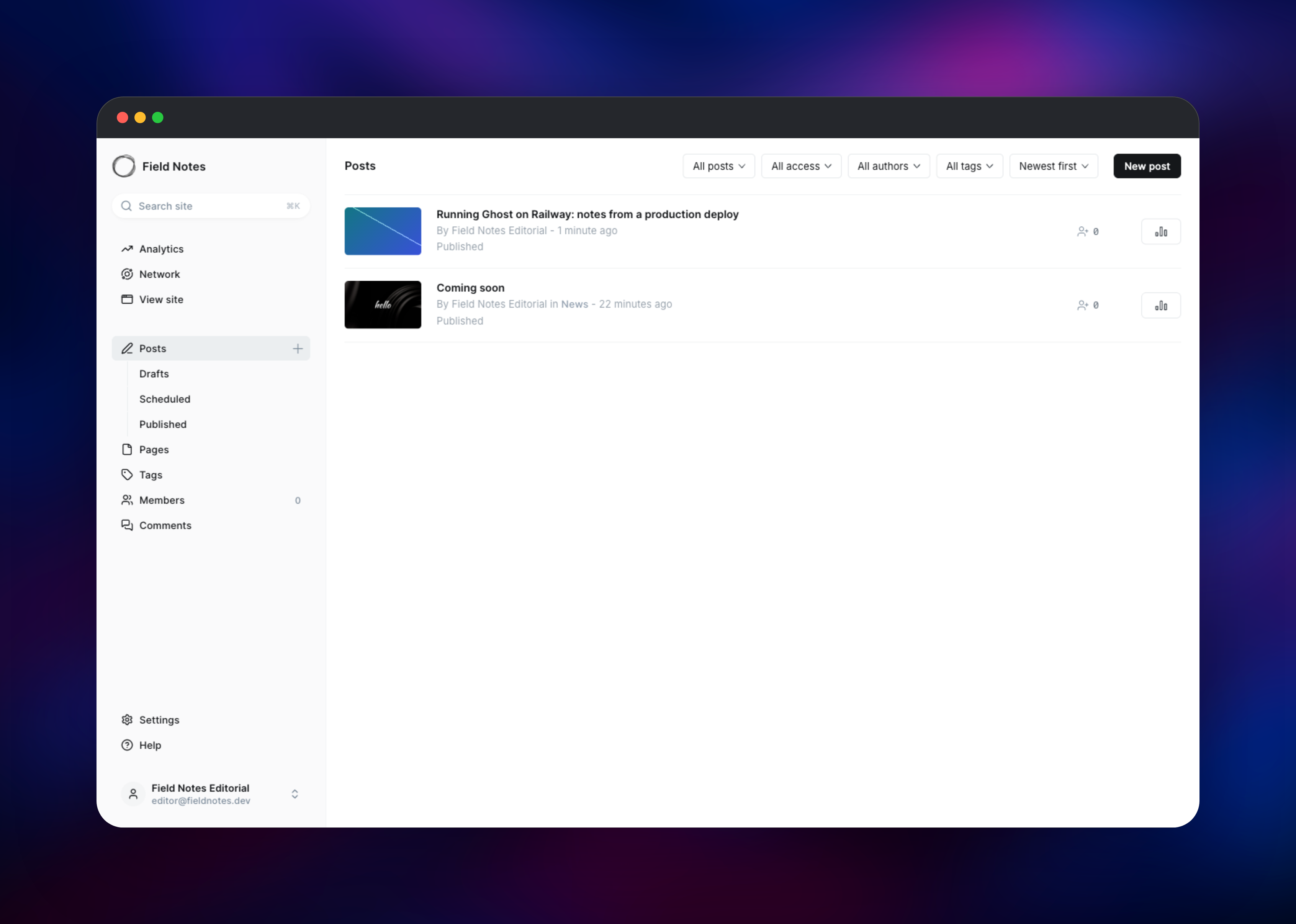
Open the generated Railway URL and you land on the default Ghost front end with a "Coming soon" placeholder post. There are no default credentials: go to /ghost/ and Ghost redirects you to a one-time setup screen asking for a site title, your name, an email address and a password of at least 10 characters. Submitting it creates the site owner, signs you in and opens the Analytics dashboard.
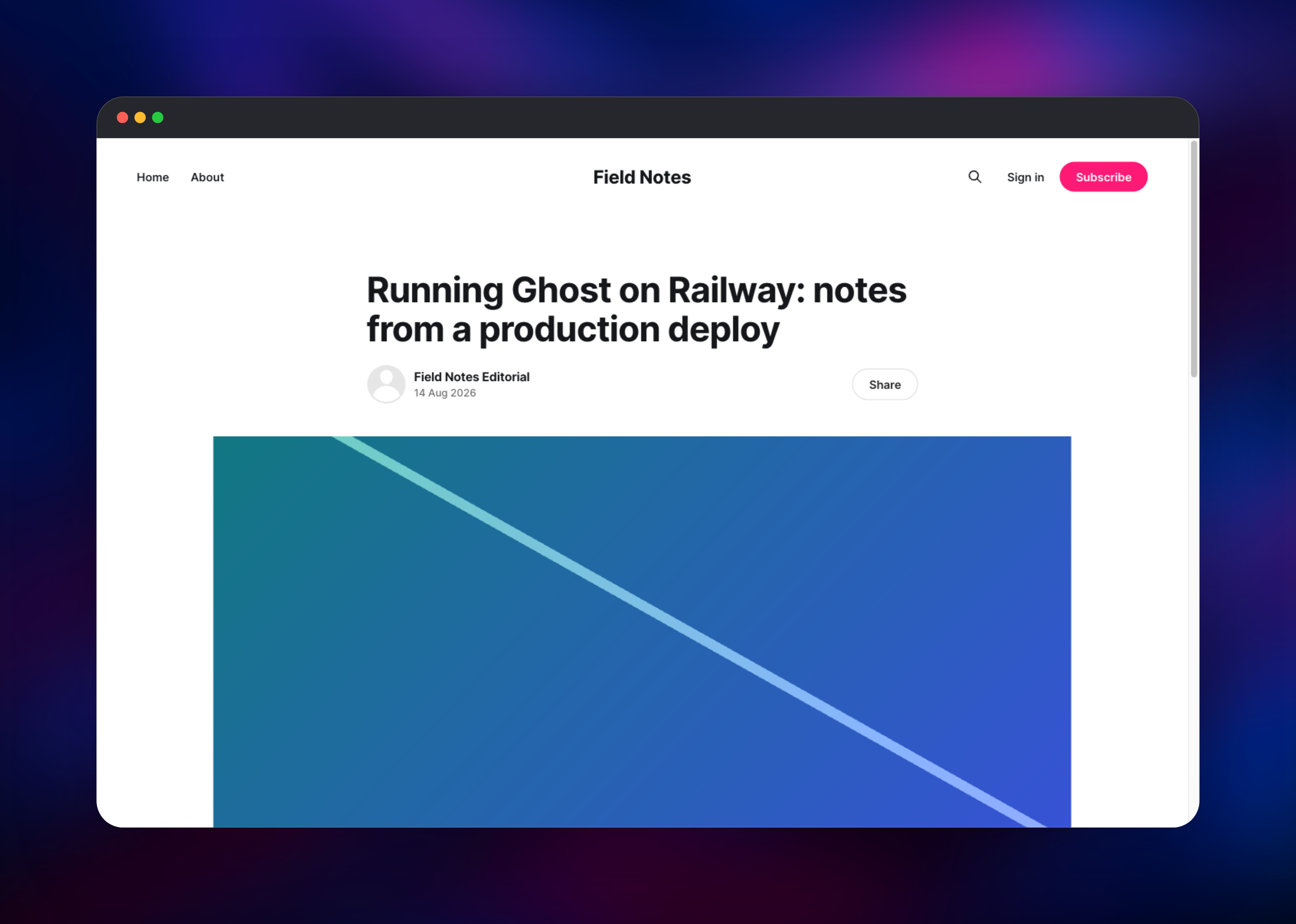
Publish a real post next. Click Posts → New post, add a title and a paragraph, then use Add feature image to upload a picture — the best single check that the deployment is healthy, because it exercises the volume, the image resizer and the database at once. Publish, then open your site root: the post should appear in the latest-posts list, at its own slug, in /rss/ and in /sitemap-posts.xml. If the image renders publicly, the volume is mounted correctly.
Then configure email before inviting anyone. Ghost's default transport delivers mail straight to recipient servers, which does not work from Railway, and Ghost 6 emails staff a confirmation code when they sign in from a new device. Your first session lasts 180 days, so the site keeps working — but set the SMTP variables below, using Mailgun, Postmark or SES, before it expires, or you cannot sign in from a second browser.
About Hosting Ghost
Ghost is a Node.js application that owns both a database schema and a content directory. Self-host it when you want the subscriber list and payment relationship in your own infrastructure, when you need themes or routes a hosted plan restricts, or when you want to drive the site headlessly.
- Writing-first editor with cards for images, galleries, embeds and code
- Native newsletters to segmented member lists, with open/click analytics
- Paid memberships through a direct Stripe connection, with no platform fee
- Handlebars themes, custom routing via
routes.yaml, theme upload from the admin - Content API and Admin API with key-based auth, plus webhooks
The Ghost service is the whole application — public site, admin, API and background jobs in one process. MySQL is the system of record for posts, members and settings. The volume holds everything that is a file rather than a row. Redis caches values Ghost reads asynchronously, such as remote image dimensions.
Why Deploy Ghost on Railway
Railway removes the server administration self-hosting Ghost normally implies:
- TLS, HTTP/2 and a custom domain, with no nginx to configure
- Private networking to MySQL, so the database stays unexposed
- A volume that survives every redeploy
- Vertical scaling by slider as your audience grows
- Logs, metrics and one-click rollback
Common Use Cases
- A company engineering blog or changelog, with invite-only staff accounts
- A paid newsletter where Stripe subscriptions go straight to your account
- A headless backend feeding a Next.js, Astro or Hugo front end via the Content API
- A docs or community site needing custom URLs via
routes.yaml
Dependencies for Ghost
- Ghost —
docker.io/library/ghost:6, the official Docker Library image. Serves site and admin on port 2368 and migrates the schema at boot. - MySQL —
docker.io/library/mysql:8, resolving to the MySQL 8.4 LTS line. Ghost supports only MySQL 8 in production, so the major is pinned deliberately. - Redis — Railway's managed Redis, for the asynchronous cache adapters.
Environment Variables Reference
| Variable | Purpose |
|---|---|
url | Public base URL; canonical links and feed URLs derive from it |
database__client | Set to mysql; Ghost maps this to the mysql2 driver |
database__connection__* | Host, port, user, password and database name |
logging__transports | Must be ["stdout"] or logs go to a file in-container |
PORT | Port Railway routes public traffic to (2368) |
mail__transport / mail__options__* | SMTP for newsletters, invites and sign-in codes |
adapters__cache__settings__adapter | Must stay MemoryCache; settings are read synchronously |
NODE_OPTIONS | Caps the Node heap to the container, not the host |
Ghost reads every configuration key from the environment, using a double underscore per level of nesting: database.connection.host becomes database__connection__host. Values parse as JSON where possible, which is why ["stdout"] arrives as a real array.
Deployment Dependencies
- Runtime: Node.js 22, bundled in the official image
- Source: github.com/TryGhost/Ghost
- Images: ghost, mysql
- Docs: docs.ghost.org
Hardware Requirements for Self-Hosting Ghost
| Resource | Minimum | Recommended |
|---|---|---|
| CPU | 1 vCPU | 2 vCPU |
| RAM | 1 GB Ghost, 1 GB MySQL | 2 GB Ghost, 2 GB+ MySQL |
| Storage | 1 GB volume | 5–20 GB by media volume |
| Runtime | Node.js 22, MySQL 8 | Node.js 22, MySQL 8.4 LTS |
Self-Hosting Ghost with Docker
The quickest local run uses SQLite — fine for evaluation, unsupported for production:
docker run -d --name ghost -p 2368:2368 \
  -e url=http://localhost:2368 \
  -v ghost-content:/var/lib/ghost/content \
  ghost:6
For production, run Ghost against MySQL 8 and keep the content directory on a named volume. The following is a Docker Compose file:
services:
  ghost:
    image: ghost:6
    ports: ["2368:2368"]
    volumes: ["ghost-content:/var/lib/ghost/content"]
    environment:
      url: https://example.com
      database__client: mysql
      database__connection__host: db
      database__connection__user: ghost
      database__connection__password: change-me
      database__connection__database: ghost
      logging__transports: '["stdout"]'
  db:
    image: mysql:8
    volumes: ["mysql-data:/var/lib/mysql"]
    environment:
      MYSQL_ROOT_PASSWORD: change-me-too
      MYSQL_DATABASE: ghost
      MYSQL_USER: ghost
      MYSQL_PASSWORD: change-me
volumes: { ghost-content: {}, mysql-data: {} }
Railway replaces the Compose file, reverse proxy and certificate renewal with this template.
How Much Does It Cost to Self-Host Ghost?
The Ghost software is free and MIT licensed: no licence fee, and no cap on posts, members or newsletter sends. Ghost(Pro), the managed service run by the Ghost Foundation, starts at $18/month billed yearly and rises with member count. Self-hosting on Railway costs infrastructure only, a fraction of a members-based plan for a typical blog. Paid memberships need Stripe and newsletters need an SMTP provider; both bill separately.
FAQ
What is Ghost? An open source, MIT-licensed publishing platform built on Node.js. It bundles a CMS, an email newsletter system and paid memberships, and works as a website or headlessly via its Content API.
What does this Railway template deploy?
Three services: Ghost from the official ghost:6 image with a volume for uploads and themes, a MySQL 8.4 database on its own volume, and Redis. Ghost is the only service with a public URL.
Why is Redis included, and can I remove it?
Redis backs the caches Ghost reads asynchronously — remote image dimensions and theme validation. The settings cache is read synchronously and must stay in memory, which is why adapters__cache__settings__adapter is MemoryCache. For a single-instance blog Redis is optional: unset adapters__cache__active and remove the service.
How do I set up email newsletters in self-hosted Ghost?
Set mail__transport=SMTP, mail__options__host, mail__options__port, mail__options__auth__user, mail__options__auth__pass and a mail__from address on a domain you control. Ghost also supports Mailgun's API for bulk sending, configured in Settings → Email newsletter.
How do I add a custom domain to Ghost on Railway?
Add the domain to the Ghost service and point DNS as instructed, then update url to https://yourdomain.com. Ghost derives canonical links, feed URLs and redirects from that variable, so it must match the domain you serve.
Template Content