
Deploy Ghostfolio
Portfolio tracker for your stocks, ETFs and cryptocurrencies
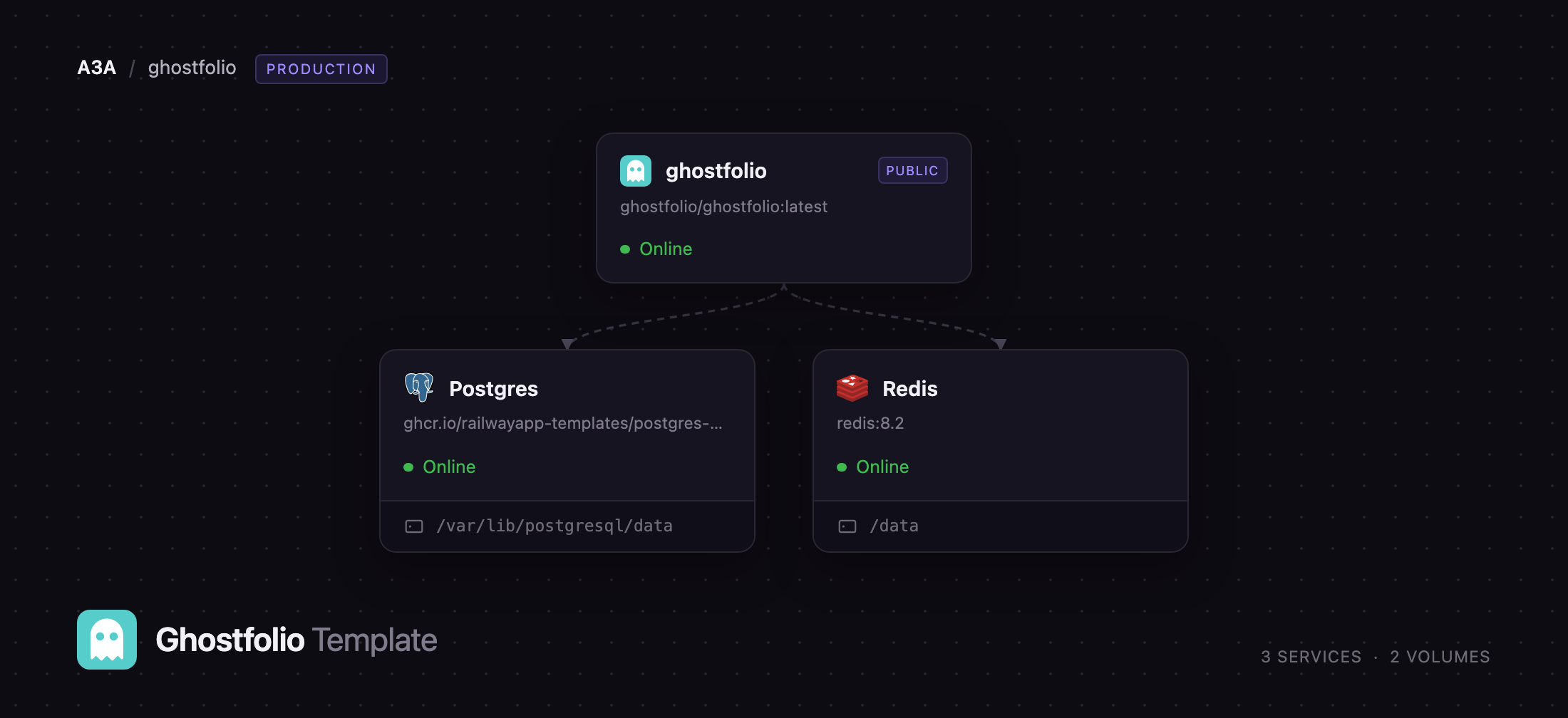
ghostfolio
Just deployed

Just deployed
/var/lib/postgresql/data

Redis
Just deployed
/data
Deploy and Host Ghostfolio on Railway
Ghostfolio is open source wealth management software for people holding stocks, ETFs and cryptocurrencies across more than one broker or exchange. You record what you bought, when and at what price; Ghostfolio fetches quotes and history, converts everything into one base currency, and shows a net-worth figure, a performance curve and a breakdown of where your money sits. It suits buy-and-hold investors who have outgrown a spreadsheet but will not give a commercial aggregator access to their brokerage accounts. Self-host Ghostfolio and your holdings never leave infrastructure you control.
This template runs the shape the project documents for production. Deploy Ghostfolio on Railway and you get three services: ghostfolio, the Angular front end and NestJS API in one container on port 3333; Postgres, holding every account, activity, symbol profile and cached price, and the only durable state; and Redis, backing the response cache, the BullMQ queues that gather market data and recompute snapshots, and the sign-in rate limiter. Only ghostfolio gets a public domain. Migrations run in the entrypoint, so the first deployment arrives with a complete schema.
Getting Started with Ghostfolio on Railway
Open the public URL once the deployment is healthy. Ghostfolio has no username-and-password login: click Get Started, accept the notice, and the app hands you a 128-character security token shown exactly once — copy it somewhere safe, because losing it loses the account. The first account on a fresh instance gets the ADMIN role, so claim it before sharing the URL. Then open Admin Control and switch User Signup off; it is on by default.
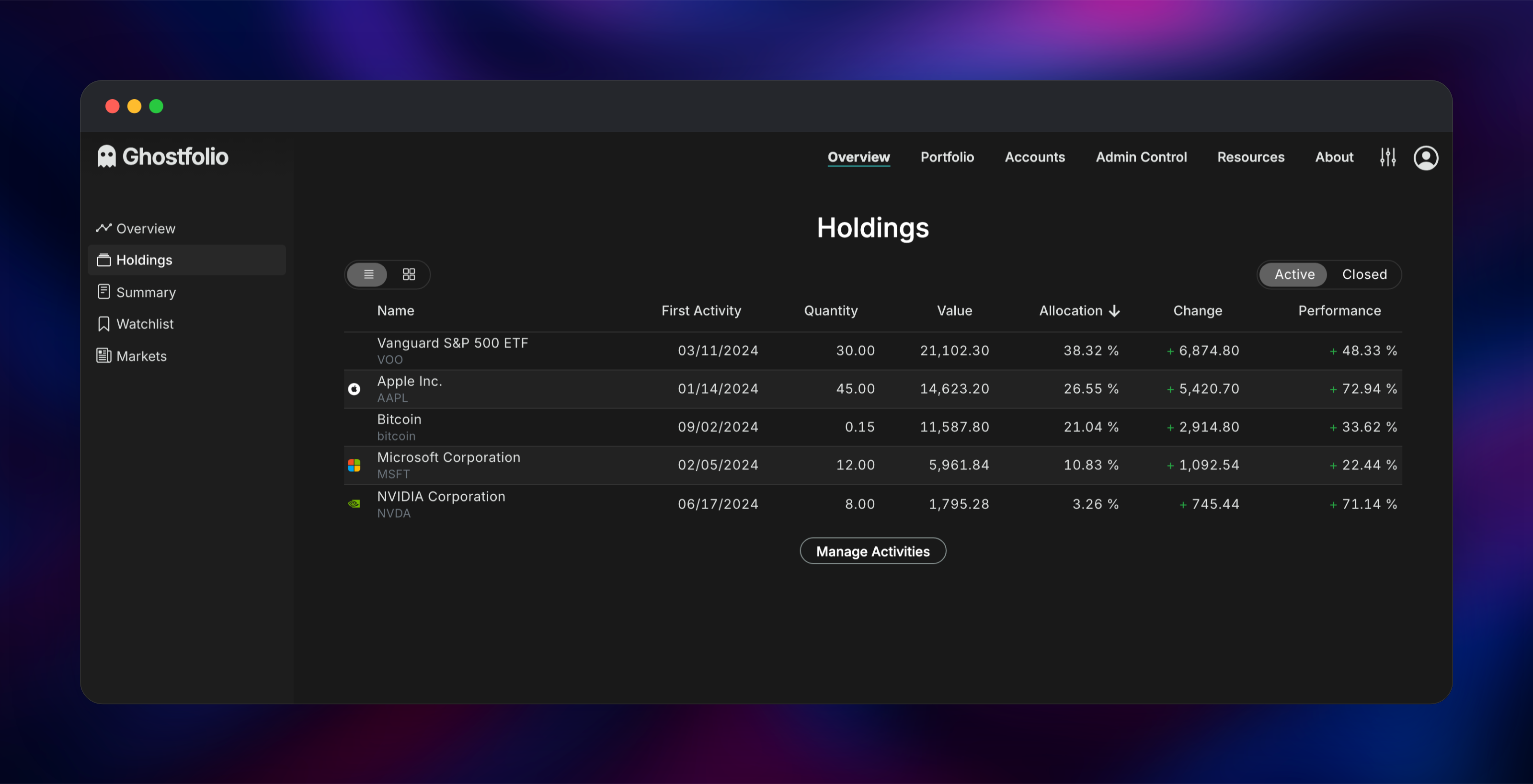
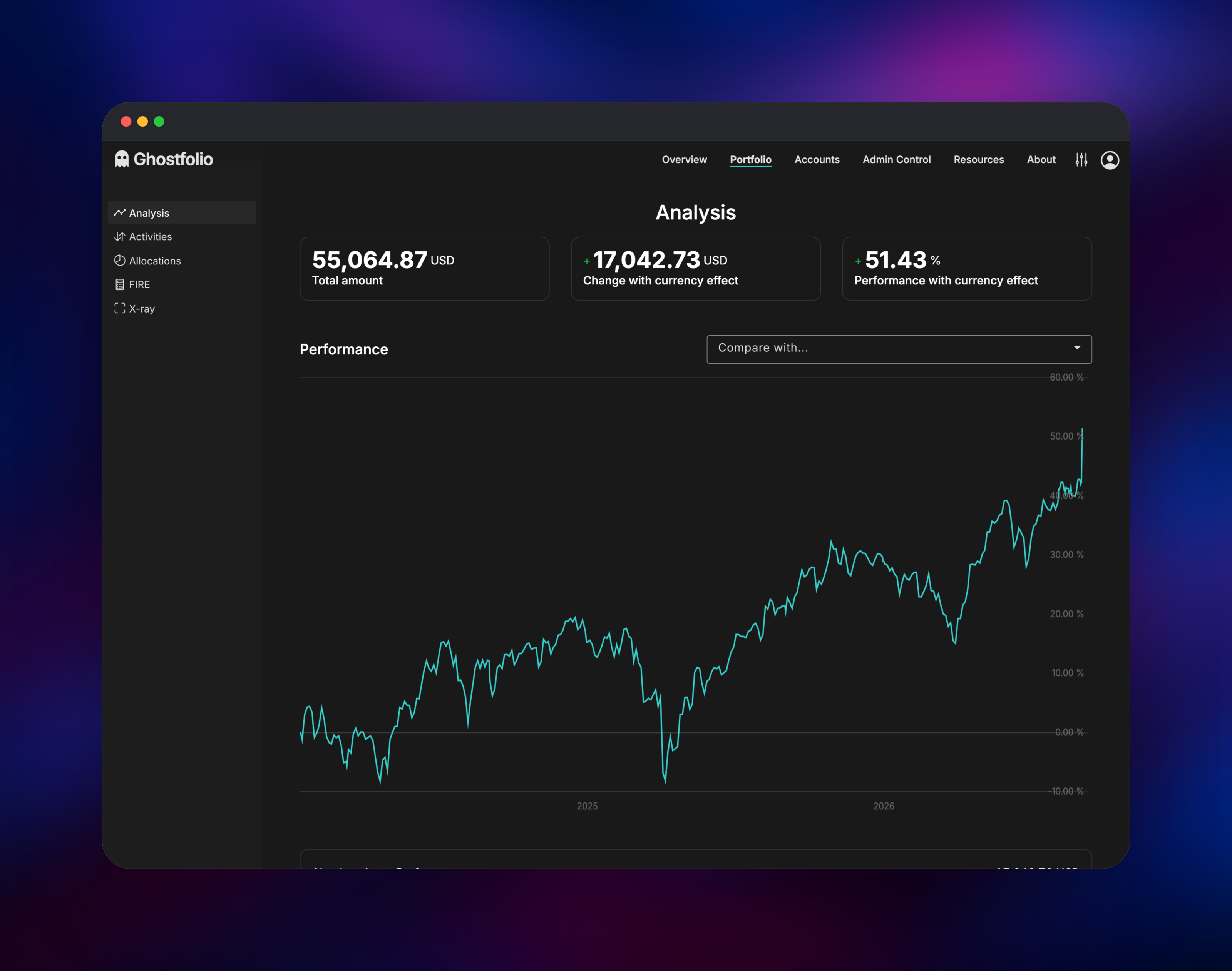
Next, add a real position. Open Portfolio → Activities, press +, and type a ticker such as AAPL or bitcoin — the autocomplete queries Yahoo Finance and CoinGecko live, the quickest confirmation that the deployment reaches its data providers. Fill in date, quantity and unit price, then save. Within a minute Holdings and Analysis show the position at its market price with change and performance, proving the queues and Redis work too. Import Activities accepts a CSV or JSON export if you track things elsewhere. Add brokers under Accounts so the charts can split net worth by platform.
About Hosting Ghostfolio
Self-hosting Ghostfolio makes sense when holdings sit across several brokers and you want one honest view of them without handing over broker credentials. Everything is manual by design — you enter or import transactions and Ghostfolio only fetches public market data — so the deployment holds your portfolio and nothing that moves money.
Key features:
- Multi-account, multi-currency tracking for stocks, ETFs, funds and cryptocurrencies
- Return on Average Investment across Today, WTD, MTD, YTD, 1Y, 5Y and Max
- Allocation charts by platform, currency, asset class and holding
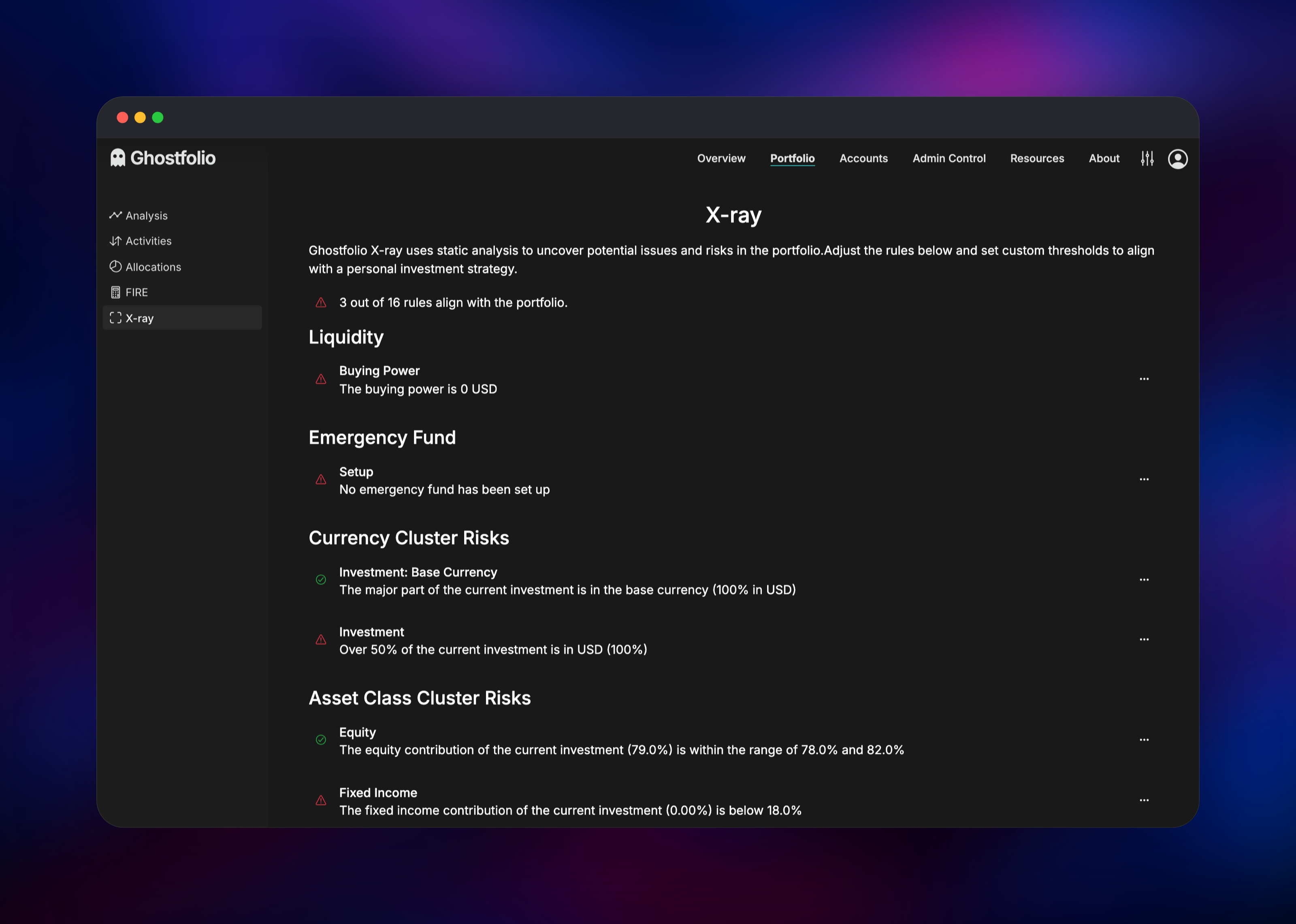
- X-ray analysis flagging concentration, liquidity and currency cluster risks
- CSV and JSON import and export, plus a full REST API
- Dark mode, Zen mode and an installable progressive web app
One container serves the compiled Angular client and the NestJS API, so there is no separate front end to sync. Postgres holds accounts, activities, symbol profiles and the price history Ghostfolio builds over time. Redis is not optional: the health endpoint checks it, and the asset-profile, market-data and snapshot jobs run through BullMQ queues stored there.
Why Deploy Ghostfolio on Railway
Railway removes the server work around what is otherwise three containers and a compose file.
- Postgres and Redis are provisioned, backed up and on private networking
- HTTPS and a public domain are issued automatically for the app
- Migrations run in the entrypoint, so the first deploy is ready to use
- Vertical scaling and metrics without touching a host
- One click reproduces the stack, wired together
Common Use Cases
- Consolidating positions from several brokers and a crypto exchange into one figure
- Tracking a buy-and-hold or FIRE strategy with the built-in savings-rate projections
- Reviewing concentration and currency risk before rebalancing, with X-ray
- Sharing a read-only portfolio view with a partner or accountant via an access link
Dependencies for Ghostfolio
- ghostfolio —
ghostfolio/ghostfolio:lateston Docker Hub; Angular client and NestJS API, port 3333 - Postgres — managed PostgreSQL 18; accounts, activities, symbol profiles, market data
- Redis — managed Redis 8.2; response cache, BullMQ queues, throttler store
Environment Variables Reference
| Variable | Purpose |
|---|---|
ACCESS_TOKEN_SALT | Salt for hashing security tokens. Changing it invalidates every account |
JWT_SECRET_KEY | Signing key for session tokens |
DATABASE_URL | Postgres connection string |
REDIS_HOST, REDIS_PORT, REDIS_PASSWORD | Redis connection |
ROOT_URL | Absolute public URL for external links and the sitemap |
TRUST_PROXY | true, so rate limits key on the real client IP behind the edge |
ENABLE_FEATURE_RATE_LIMITING | Throttles the sign-in and signup routes |
API_KEY_COINGECKO_DEMO | Optional; lifts CoinGecko's 365-day crypto history limit |
Deployment Dependencies
- Source: github.com/ghostfolio/ghostfolio (AGPL-3.0)
- Image: hub.docker.com/r/ghostfolio/ghostfolio
- Self-hosting FAQ: ghostfol.io/en/faq/self-hosting
- Runtime: Node.js 22, PostgreSQL 15+, Redis 6+
Hardware Requirements for Self-Hosting Ghostfolio
| Resource | Minimum | Recommended |
|---|---|---|
| CPU | 1 vCPU | 2 vCPU |
| RAM | 1 GB for the app | 2 GB app, 1 GB Postgres |
| Storage | 1 GB for Postgres | 5 GB, grows with price history |
| Runtime | Node.js 22 | Node.js 22 |
A single-user portfolio of a few dozen positions runs comfortably at the minimum. Memory pressure comes from gathering historical market data rather than serving pages, so raise RAM before CPU if snapshots feel slow.
Self-Hosting Ghostfolio with Docker
The project publishes images for linux/amd64, linux/arm64 and linux/arm/v7. This minimal Docker Compose file runs the same three components:
services:
  ghostfolio:
    image: ghostfolio/ghostfolio:latest
    ports: [3333:3333]
    environment:
      ACCESS_TOKEN_SALT: change-me
      JWT_SECRET_KEY: change-me-too
      DATABASE_URL: postgresql://user:pass@postgres:5432/ghostfolio-db
      REDIS_HOST: redis
      REDIS_PASSWORD: change-me-as-well
  postgres: { image: postgres:15-alpine }
  redis: { image: redis:alpine }
To build from source, clone the repository and use the bundled compose files:
git clone https://github.com/ghostfolio/ghostfolio.git
cd ghostfolio
cp .env.example .env
docker compose --file docker/docker-compose.build.yml up --build
How Much Does Ghostfolio Cost to Self-Host?
Ghostfolio is free and open source under AGPL-3.0, and the self-hosted build has no feature gate or seat limit. The maintainers sell a hosted plan, Ghostfolio Premium, funding development and professional market data, but you never need it for your own instance. On Railway you pay only for the compute and storage the three services use, which is modest for a personal portfolio.
FAQ
What is Ghostfolio? Ghostfolio is open source wealth management software that tracks stocks, ETFs and cryptocurrencies across multiple accounts and reports portfolio performance, allocation and risk. It is TypeScript throughout: Angular front end, NestJS API.
What does this Railway template deploy? Three services: the Ghostfolio application container, a managed PostgreSQL database and a managed Redis instance. Only the application is public; the database and cache stay on the private network.
Why does Ghostfolio need both Postgres and Redis? Postgres is the system of record for accounts, transactions and downloaded market data. Redis is required rather than optional: it caches API responses, holds the BullMQ queues that fetch quotes and recompute snapshots, and stores rate-limit counters. The health check fails if either is down.
How do I log in to a self-hosted Ghostfolio instance? There is no password. Registration issues a one-time security token you paste into Sign in with Security Token. The first account created on a new instance becomes the administrator, so claim it before sharing the link.
How do I stop strangers creating accounts on my instance? Sign in as the administrator, open Admin Control and turn User Signup off. The setting lives in the database, so it is changed in the app, not through a variable.
Do I need an API key for market data?
No. Yahoo Finance and CoinGecko work without one and cover most stocks, ETFs and coins. CoinGecko's free API returns only 365 days of crypto history, so set API_KEY_COINGECKO_DEMO for charts reaching further back. Existing transactions import from CSV or JSON under Import Activities.
Template Content
ghostfolio
ghostfolio/ghostfolio:latestRedis
redis:8.2

