
Deploy Gitea | Open Source GitHub, BitBucket Alternative
Self-host Gitea - Git, Pull Requests, Gitea Actions CI/CD and more.
Gitea
Just deployed
/data

Just deployed
/var/lib/postgresql/data

Deploy and Host Gitea on Railway
This Railway template deploys a fully self-hosted Gitea instance — a lightweight, open-source Git service — backed by a managed PostgreSQL database. You get Git hosting, code review, issue tracking, package registry, and built-in CI/CD (Gitea Actions) running on your own infrastructure in minutes. The Gitea container (gitea/gitea) connects to Postgres over Railway's private network, with all repositories and config persisted to a mounted volume at /data.
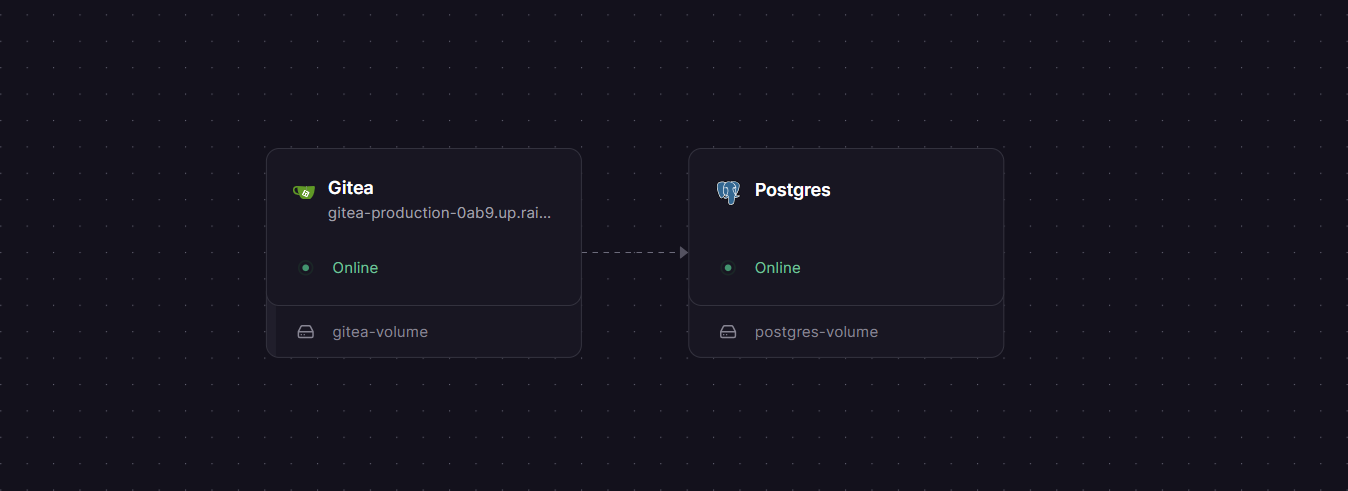
Getting Started with Gitea on Railway
After deploying the template, Railway will provision both services and generate a public domain for Gitea automatically. Visit your Railway domain — you'll land on the initial setup wizard. Most fields (database host, user, password) are already pre-filled from your environment variables. Scroll to the Administrator Account section at the bottom, create your admin user, and click Install Gitea. Once redirected to the dashboard, you can immediately create organizations, repositories, and invite users. To clone a repo, use the HTTPS URL shown on the repository page — SSH cloning is unavailable on Railway (see FAQ below).
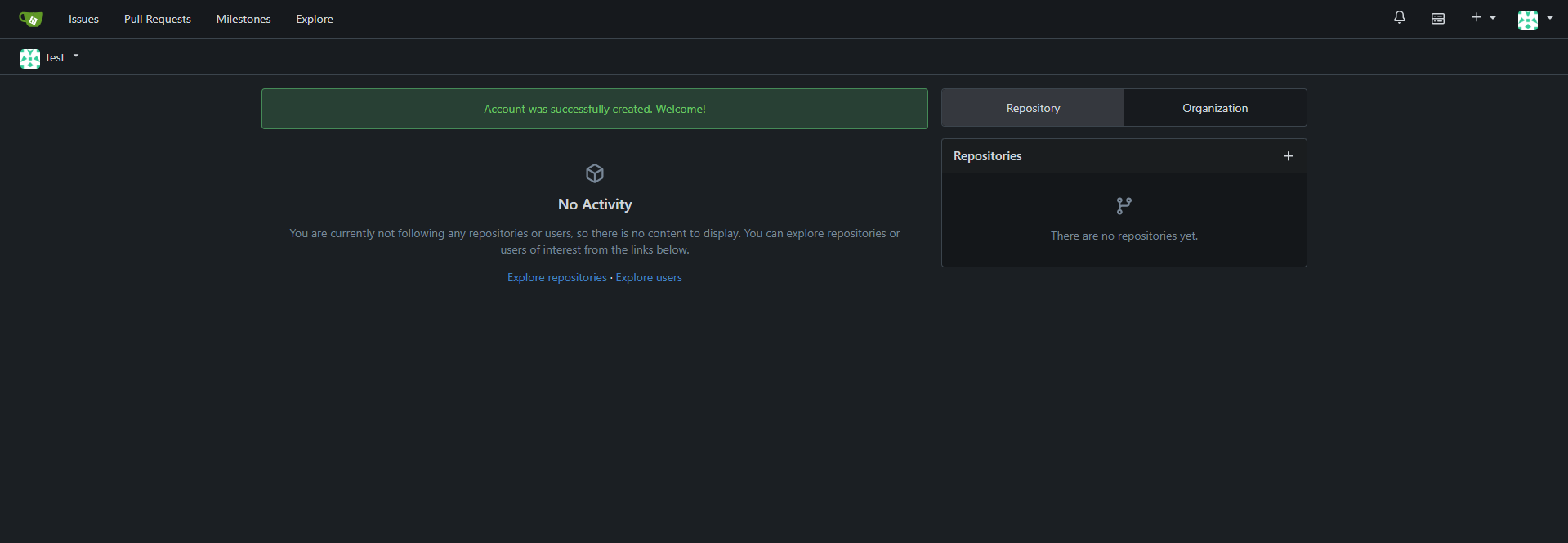
About Hosting Gitea
Gitea is a painless, self-hosted all-in-one software development service written in Go. It's positioned as the lightweight alternative to GitLab — offering the features most teams actually need, without the multi-gigabyte resource footprint. Originally forked from Gogs in 2016, it has grown into a mature platform under the MIT license.
Key features:
- Git repository hosting with pull requests, code review, and branch protection
- Built-in issue tracker with milestones, labels, and kanban boards
- Gitea Actions — GitHub Actions-compatible CI/CD using the same YAML syntax
- Package registry supporting 20+ formats: npm, PyPI, Docker, Maven, Cargo, NuGet, and more
- LDAP, OAuth2, and SAML (Enterprise) authentication
- Wikis, project boards, and release management
Why Deploy Gitea on Railway
Running Gitea on a VPS means managing OS updates, SSL certs, reverse proxy config, volume backups, and database maintenance yourself. Railway eliminates all of that. Private networking between Gitea and Postgres is automatic — no firewall rules, no exposed DB ports. The Railway dashboard gives you a UI for env vars, one-click volume attachment, and instant domain generation with HTTPS. Redeploys take seconds, not minutes of SSH sessions.
Common Use Cases
- Private code hosting for teams — keep proprietary source code off GitHub/GitLab without paying per-seat pricing
- Self-hosted monorepo or internal tooling repos — control access, enforce branch policies, and run internal CI without cloud vendor lock-in
- Open-source project mirror — mirror GitHub repos locally and reduce external dependency for your build pipelines
- Student or hobbyist Git server — run a full Git forge on Railway's free or hobby tier for personal or small-group projects
Gitea vs GitLab vs Gogs
| Feature | Gitea | GitLab CE | Gogs |
|---|---|---|---|
| License | MIT (open source) | MIT (open source) | MIT (open source) |
| Language | Go | Ruby / Go | Go |
| RAM (minimum) | ~256 MB | ~4–8 GB | ~128 MB |
| Built-in CI/CD | ✅ Gitea Actions | ✅ GitLab CI | ❌ |
| Package registry | ✅ 20+ formats | ✅ | ❌ |
| Active development | ✅ High velocity | ✅ | Slower |
| Self-hostable | ✅ | ✅ | ✅ |
| GitHub Actions compatible | ✅ | Partial | ❌ |
Gitea is the sweet spot between Gogs (minimal, no CI/CD) and GitLab (full DevOps platform, very resource-heavy). It's the practical choice for teams that want a real Git forge without provisioning a 4-core server.
Minimum Hardware Requirements for Gitea
| Resource | Minimum | Recommended |
|---|---|---|
| CPU | 1 core | 2 cores |
| RAM | 256 MB | 1 GB |
| Storage | 1 GB (+ repo data) | 10 GB+ (volume) |
| Go runtime | N/A (binary in Docker) | N/A |
A Raspberry Pi 3 is sufficient for small team use. The Railway Hobby plan or Starter plan covers the minimum spec comfortably for most individual or small-team workloads.
Dependencies for Gitea
- Gitea —
gitea/gitea:latest(Docker Hub) — the main application, port 3000 - PostgreSQL — Railway managed Postgres — stores all metadata: users, repos, issues, PRs, tokens
Environment Variables Reference
| Variable | Description | Required |
|---|---|---|
GITEA__database__HOST | Postgres host + port (references Railway Postgres service) | ✅ |
GITEA__database__NAME | Postgres database name | ✅ |
GITEA__database__USER | Postgres username | ✅ |
GITEA__database__PASSWD | Postgres password | ✅ |
GITEA__server__DOMAIN | Public domain Gitea is served at | ✅ |
GITEA__server__ROOT_URL | Full HTTPS root URL (e.g. https://your-domain.up.railway.app/) | ✅ |
GITEA__security__SECRET_KEY | Encryption key for sessions — change before first boot | ✅ |
GITEA__security__INTERNAL_TOKEN | Internal API token — change before first boot | ✅ |
GITEA__service__DISABLE_REGISTRATION | Set to true to block public signups | Optional |
GITEA__DEFAULT__APP_NAME | Display name shown in the browser tab and header | Optional |
GITEA__server__DISABLE_SSH | Set to true — SSH is not available on Railway | ✅ |
Deployment Dependencies
- Docker image:
gitea/gitea:latest— Docker Hub - GitHub source: go-gitea/gitea
- Official docs: docs.gitea.com
- Volume required: mount at
/datain the Gitea service
Self-Hosting Gitea
To run Gitea on your own VPS with Docker:
# docker-compose.yml
version: "3"
services:
  gitea:
    image: gitea/gitea:latest
    environment:
      - USER_UID=1000
      - USER_GID=1000
      - GITEA__database__DB_TYPE=postgres
      - GITEA__database__HOST=db:5432
      - GITEA__database__NAME=gitea
      - GITEA__database__USER=gitea
      - GITEA__database__PASSWD=yourpassword
    volumes:
      - ./gitea-data:/data
    ports:
      - "3000:3000"
      - "22:22"
    depends_on:
      - db

  db:
    image: postgres:16
    environment:
      - POSTGRES_USER=gitea
      - POSTGRES_PASSWORD=yourpassword
      - POSTGRES_DB=gitea
    volumes:
      - ./postgres-data:/var/lib/postgresql/data
docker compose up -d
# Visit http://localhost:3000 to complete setup
For a bare-metal install, download the binary from dl.gitea.com and follow the installation from binary guide.
Is Gitea Free?
Yes — the Community Edition (gitea/gitea) is fully open-source under the MIT license and free to use forever, including for commercial projects. There are no user limits, no repo limits, and no paywalled core features. On Railway, your only cost is the infrastructure itself (compute + Postgres + volume storage).
Gitea also offers Gitea Cloud (managed hosting starting free with limited repos at gitea.com) and Gitea Enterprise (enhanced edition with SAML, IP allowlists, audit logs, and dedicated support at ~$9.50–$19/user/month with annual commitment). This Railway template uses the free Community Edition.
FAQ
What is Gitea? Gitea is a self-hosted, open-source Git service written in Go. It provides repository hosting, pull requests, issue tracking, CI/CD via Gitea Actions, and a package registry — similar in feel to GitHub, but running entirely on infrastructure you control.
What does this Railway template deploy?
It deploys two Railway services: the gitea/gitea Docker container (the Gitea web app, port 3000) and a managed PostgreSQL database. Gitea connects to Postgres over Railway's private network and stores all repository data on a persistent volume at /data.
Why is PostgreSQL included? Gitea supports SQLite, MySQL, and PostgreSQL. PostgreSQL is included in this template because it's significantly more reliable under concurrent load and is the recommended database for anything beyond single-user local use. Railway's managed Postgres handles backups, SSL, and connection pooling automatically.
Can I use SSH to clone repositories?
No — Railway only exposes a single HTTP port per service, so Gitea's SSH server cannot be reached from outside. All git operations (clone, push, pull) must use HTTPS. The template sets GITEA__server__DISABLE_SSH=true to suppress SSH clone URLs in the UI, so you won't see confusing git@ addresses.
Can I enable public registration?
Yes — by default GITEA__service__DISABLE_REGISTRATION is set to false, meaning anyone can create an account. If this is a private instance, change it to true in your Gitea service variables after the first admin account is created.
Is Gitea compatible with GitHub Actions workflows?
Yes — Gitea Actions is designed to be compatible with GitHub Actions. You can reuse existing .github/workflows/ YAML files with minimal changes, and Gitea can pull Actions plugins directly from GitHub or any other Git host.
Can I migrate from GitHub or GitLab to Gitea? Yes — Gitea has a built-in migration tool accessible from the New Migration button. It supports importing repositories, issues, milestones, and releases from GitHub, GitLab, Bitbucket, and other Gitea instances. Repository git history is always preserved fully during migration.
Template Content