
Deploy GitIngest
Turn any Git repository into a prompt-friendly text ingest for LLMs.
Gitingest
Just deployed
Deploy and Host Gitingest on Railway
Gitingest is a developer tool that turns any Git repository into a prompt-friendly text digest for Large Language Models (LLMs). It analyzes project structures, calculates token counts, and formats codebases for easy ingestion by AI systems, serving developers, prompt engineers, and AI application builders.
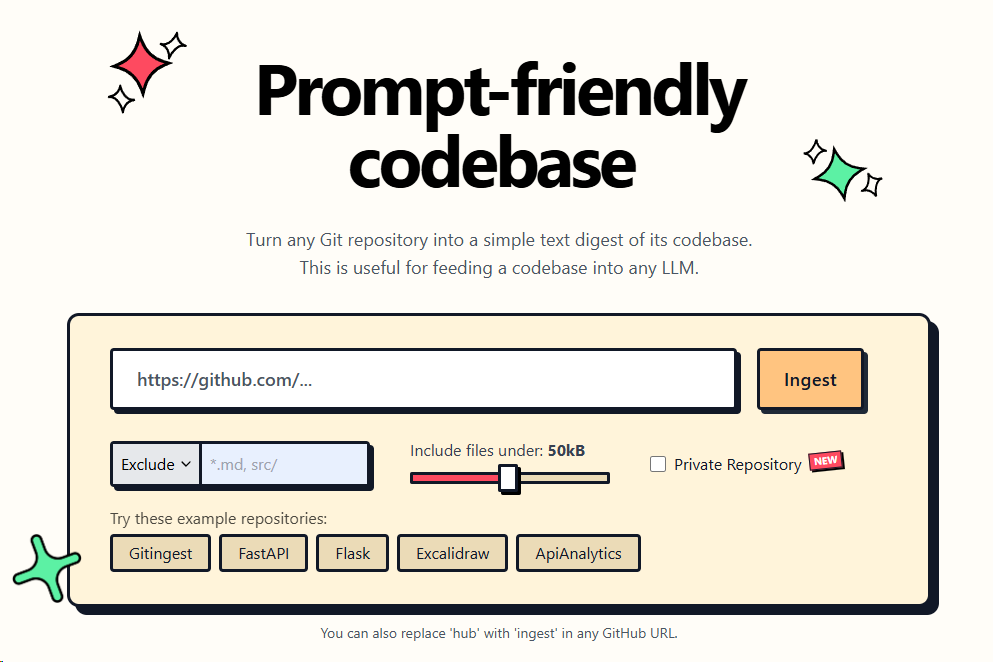
About Hosting Gitingest
Deploying Gitingest on Railway involves hosting a web application container running Python and FastAPI. Railway builds the runtime environment using the project's Dockerfile or pulls the official container image to manage application execution seamlessly.
Railway simplifies hosting by automatically handling HTTPS certificates, managing public domain routing, and exposing internal service networking. The application requires HTTP proxy routing to direct incoming web traffic to the application's internal listening port.
Because Gitingest processes repositories on demand, it runs as a stateless container that scales vertically or horizontally without mandatory database or persistent volume attachments.
Common Use Cases
- Generating clean, structured codebase contexts for LLM prompts and context windows.
- Analyzing repository file structures, file sizes, and token counts prior to AI processing.
- Integrating Git repository digests into custom automated AI workflows and pipelines.
Dependencies for Gitingest Hosting
- GitHub Personal Access Token (PAT) for accessing private repositories and higher API rate limits.
- Public web proxy for routing HTTP traffic to the FastAPI web server.
Deployment Dependencies
Implementation Details
Docker
Deploy using the published GitHub Container Registry image:
ghcr.io/coderamp-labs/gitingest:main
Railway can also automatically build the application from the repository using the included Dockerfile.
Public Networking
| Option | Setting |
|---|---|
| Proxy Type | HTTP Proxy |
| Target Port | 8080 |
Environment Variables
| Variable | Required | Description |
|---|---|---|
ALLOWED_HOSTS | Yes | Comma-separated list of hostnames allowed to access the app. Set to standard Railway reference variable. |
GITHUB_TOKEN | Optional | GitHub Personal Access Token for rate limit increases and fetching private repositories. |
Raw Editor format:
ALLOWED_HOSTS="${{RAILWAY_PUBLIC_DOMAIN}}"
GITHUB_TOKEN=
Obtain a GitHub Personal Access Token from your GitHub account under Settings → Developer Settings → Personal Access Tokens.
Database
Gitingest operates as a stateless service and does not require a database connection for standard operations.
Build & Start
Railway automatically uses the standard startup command defined in the Docker environment. No custom build or start commands are required.
Accessing the Application
- Go to the Railway Service settings and select Networking.
- Click Generate Domain to provision a public URL.
- Access the URL in your web browser to start converting repositories. No default admin login is required.
Why Deploy Gitingest on Railway?
Railway is a singular platform to deploy your infrastructure stack. Railway will host your infrastructure so you don't have to deal with configuration, while allowing you to vertically and horizontally scale it.
By deploying Gitingest on Railway, you are one step closer to supporting a complete full-stack application with minimal burden. Host your servers, databases, AI agents, and more on Railway.
Template Content
Gitingest
ghcr.io/coderamp-labs/gitingest:mainGITHUB_TOKEN
Get token here https://github.com/settings/personal-access-tokens


