
Deploy GLPI
IT asset inventory and service desk in one application

MySQL
Just deployed
/var/lib/mysql
Just deployed
/var/glpi

Redis
Just deployed
/data
Deploy and Host GLPI on Railway
GLPI is a free, open-source IT asset management and service desk platform, maintained for over twenty years by Teclib' and a large community. It inventories the hardware, software, licences and contracts an organisation owns, and puts an ITIL-shaped helpdesk on top, so a ticket points at the exact laptop, printer or switch it is about. IT departments, managed service providers and schools use it as the one place where "what do we own" and "what is broken" live together.
Deploy GLPI on Railway and this template wires up three services. The glpi service runs the official image behind Apache, with its scheduled-task worker alongside it, on a public domain. MySQL stores every asset, ticket and setting; Redis backs the application cache. A volume at /var/glpi holds documents, plugins and logs. Self-host GLPI this way and the database and cache stay on the private network, with only the web interface reachable from the internet.
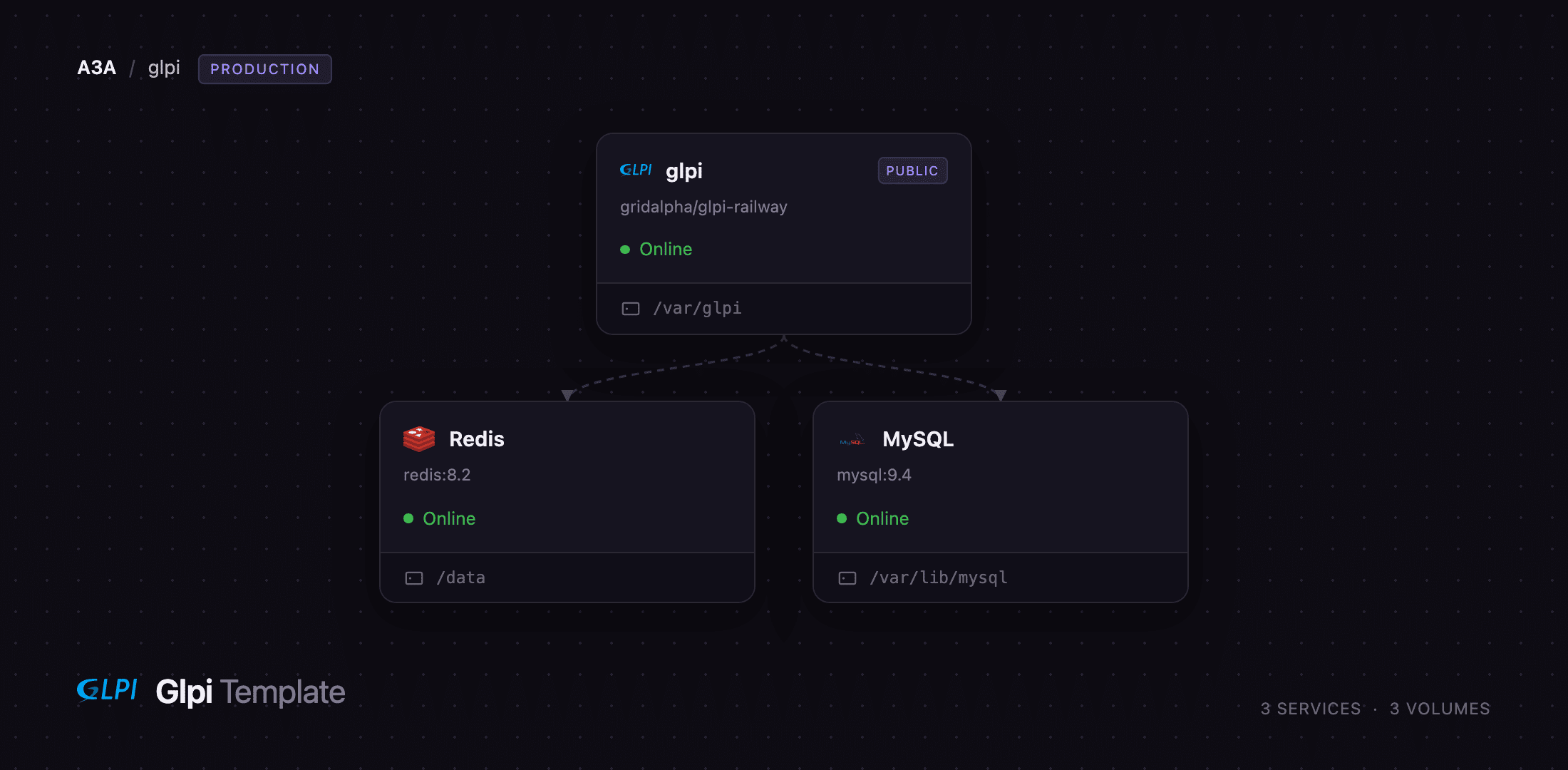
Getting Started with GLPI on Railway
The schema is installed on the first boot, so there is no setup wizard. Open the public URL and sign in as glpi with the password in GLPI_ADMIN_PASSWORD, which Railway generates and shows in the Variables tab. GLPI ships three further demonstration accounts — tech, normal and post-only — and this template disables them before the web server accepts a request, so the published default logins do not work. Change the super-admin password under the avatar menu, then add your first real user under Administration → Users.
A good first action is to register an asset and raise a ticket against it: Assets → Computers → Add, give it a name and serial, then Assistance → Create ticket. The Home dashboard counts change immediately, confirming the application, database and cache all work. Setup → Notifications is where you add an SMTP server, and Setup → Inventory turns on agent-based discovery.
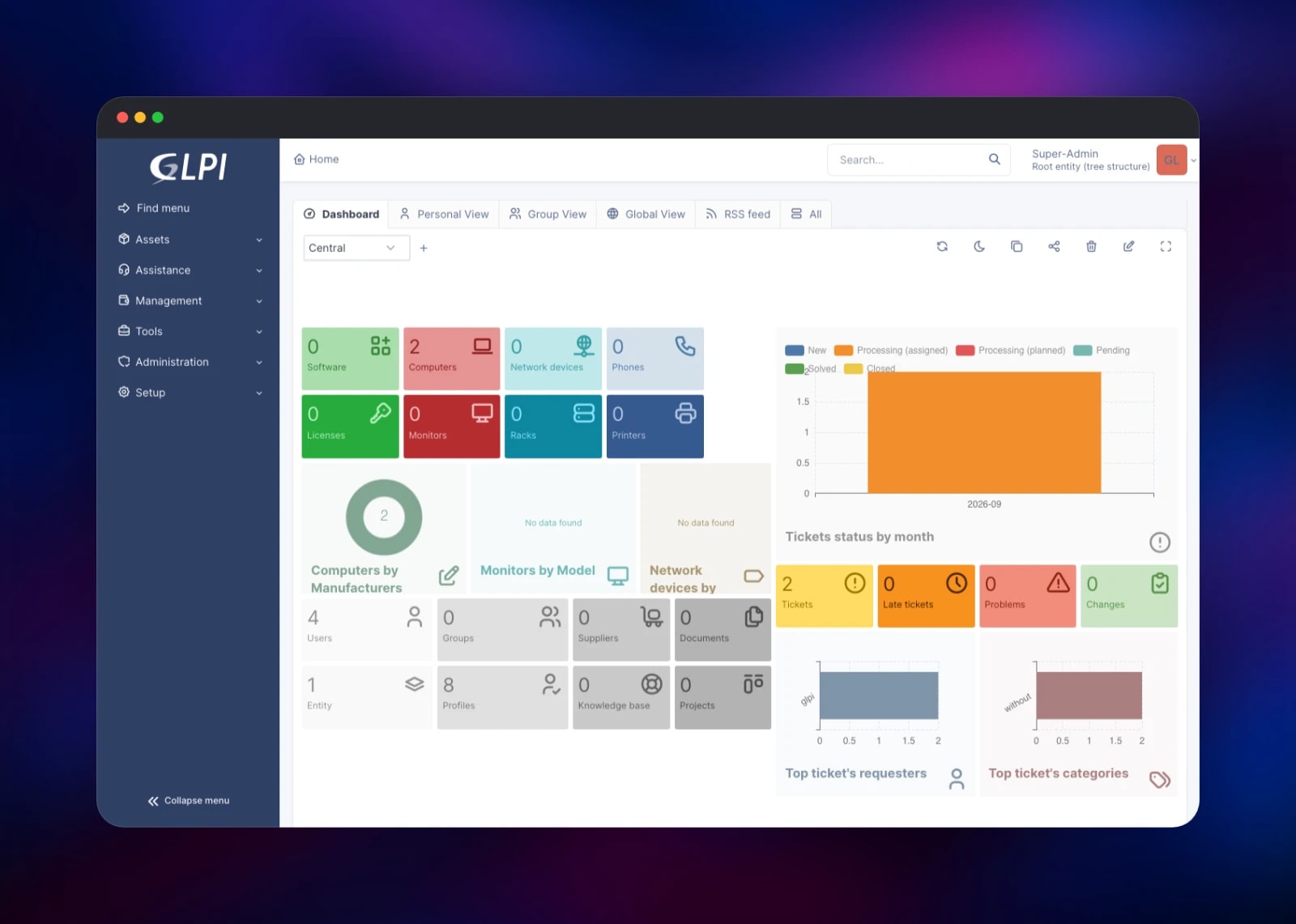
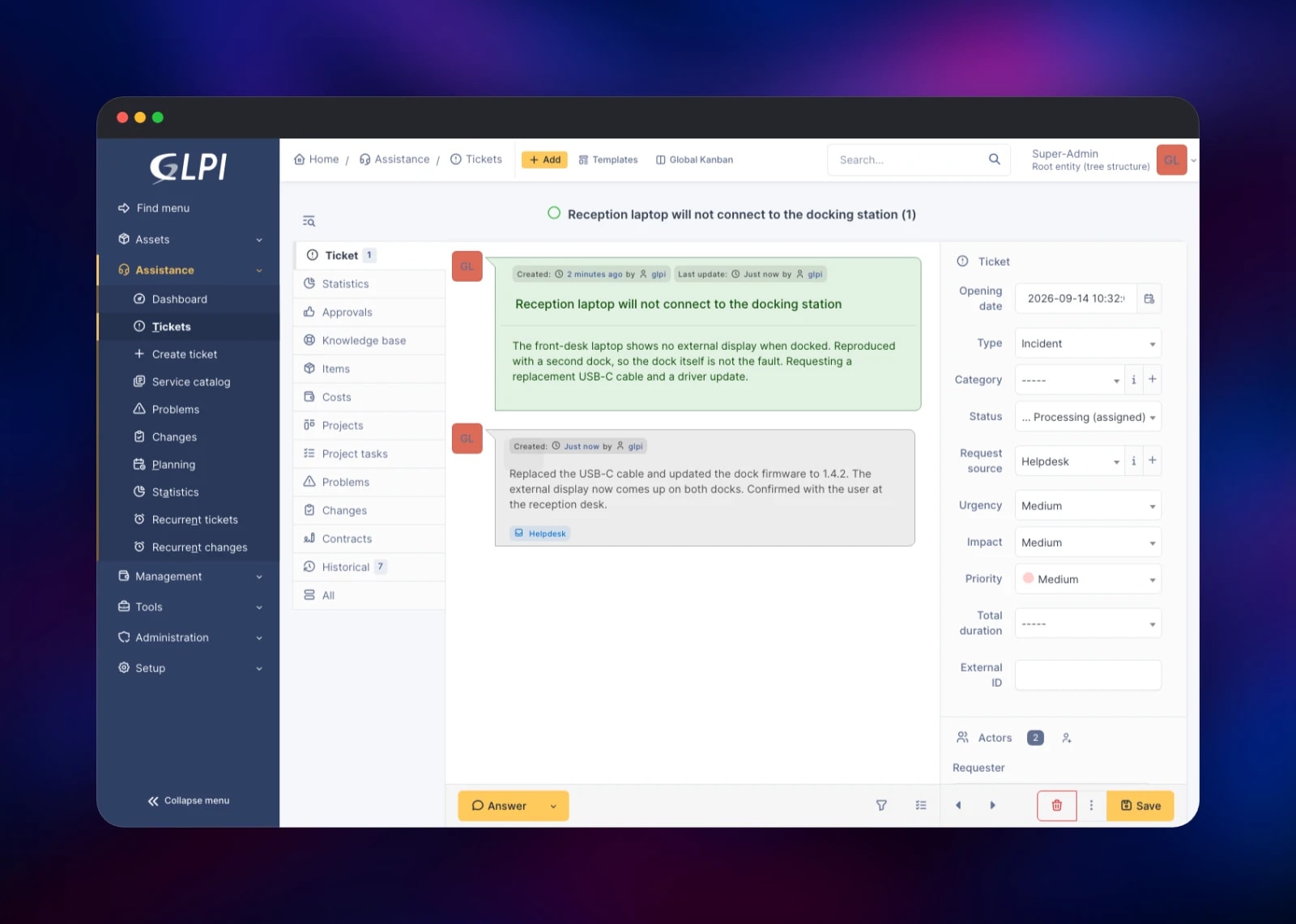
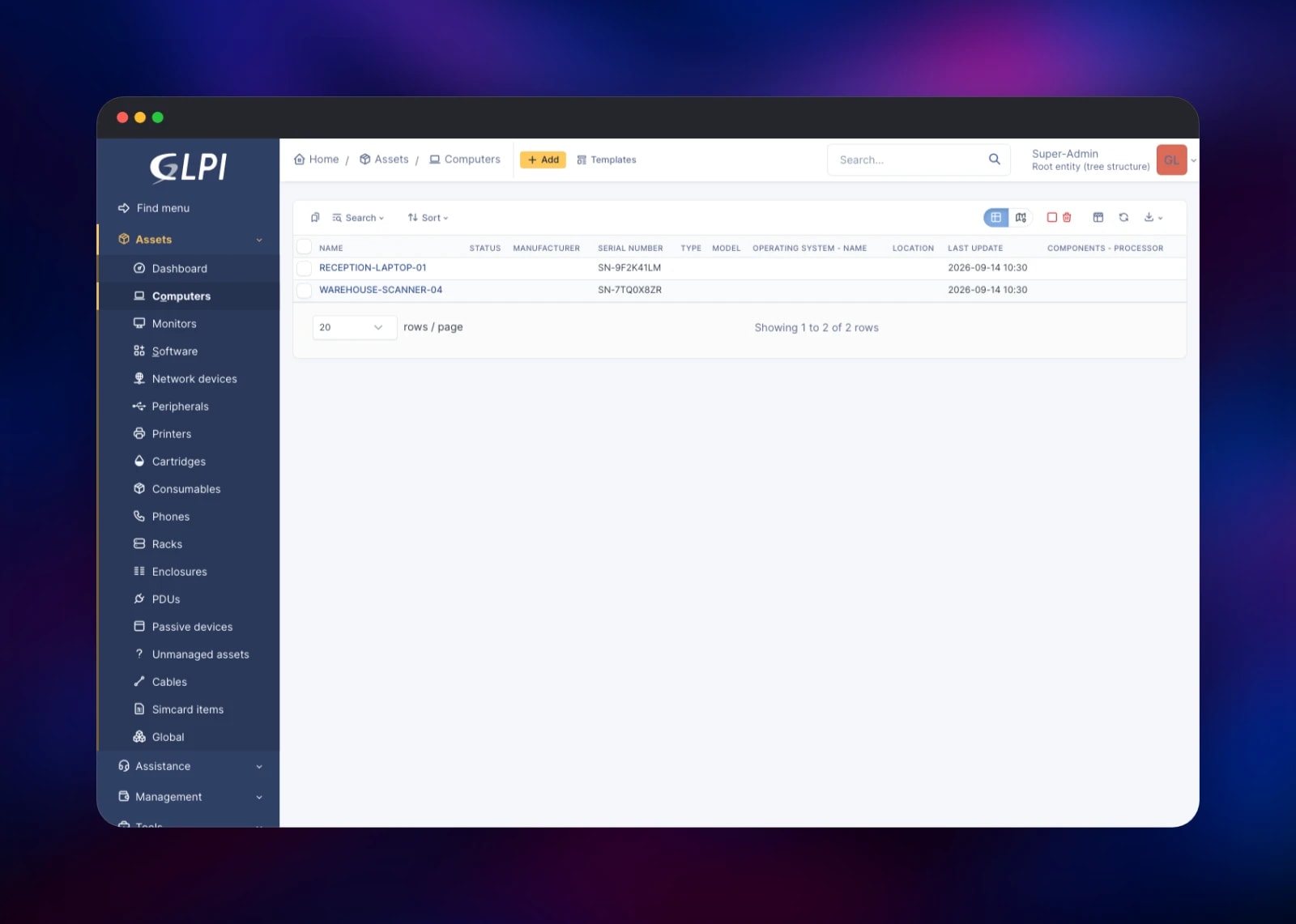
About Hosting GLPI
GLPI solves a problem most IT teams meet past a few dozen machines: the asset list and the support queue drift apart. Here both live in one database, so a ticket attaches to a configuration item carrying its warranty, contract, licences and history. Teams self-host it when the inventory is sensitive, when a regulator wants the data on infrastructure they control, or because the software is free.
- Inventory of computers, monitors, printers, network devices, phones and racks
- ITIL service desk with incidents, requests, problems and changes
- SLAs, escalation rules, business hours and reminders
- Software licence and contract tracking, with financial and warranty data
- Knowledge base, service catalogue and a self-service portal
- LDAP and Active Directory authentication, plus OAuth and CAS single sign-on
- A REST API and a plugin marketplace with several hundred extensions
The glpi service is the whole application: Apache with mod_php serving the interface, plus a worker running GLPI's scheduled tasks each minute. MySQL is the system of record; Redis holds the cache GLPI would otherwise write to disk.
Why Deploy GLPI on Railway
Railway removes the server administration GLPI would otherwise need.
- MySQL and Redis are provisioned and connected for you
- The application gets a scoped database account, not the superuser
- A persistent volume keeps uploads and plugins across deploys
- TLS, a public domain and a private network come as standard
- Scheduled tasks run with no system crontab to configure
- Upstream security rebuilds flow through on redeploy
Common Use Cases
- An IT department tracking laptops, licences and warranties, and running the helpdesk that supports them
- A managed service provider giving each client its own entity, with separate tickets, assets and SLAs
- A school keeping an auditable inventory of lab machines and network hardware across sites
- A team needing an asset register with full change history on infrastructure it controls
GLPI vs Snipe-IT vs iTop
| GLPI | Snipe-IT | iTop | |
|---|---|---|---|
| Focus | ITSM plus asset management | Asset tracking | CMDB with ITSM on top |
| Built-in ticketing | Yes | No | Yes |
| Discovery agent | Native | No | Add-on |
| Setup effort | Moderate | Low | High |
Snipe-IT is easier if you only need an asset list; iTop models dependencies more deeply but takes longer to set up. GLPI is the middle path, and the only one of the three with a full service desk in the same install.
Dependencies for GLPI
- GLPI —
glpi/glpi:11.0, the official image from glpi-project/docker-images - MySQL 9 — the store for every asset, ticket, rule and setting
- Redis 8 — the application cache; GLPI falls back to the filesystem if it is unavailable
- Volume at
/var/glpi— documents, plugins, configuration and logs
Environment Variables Reference
| Variable | Purpose |
|---|---|
GLPI_ADMIN_PASSWORD | Initial password for the glpi super-admin |
GLPI_DB_ADMIN_URL | Used once to create the schema and a scoped role |
GLPI_DB_PASSWORD | Password for the scoped database account |
GLPI_URL_BASE | Public base URL for notification links and the API |
GLPI_CACHE_DSN | Redis connection for the application cache |
GLPI_CRONTAB_ENABLED | Set to 0 to stop the scheduled-task worker |
GLPI_DEMO_DASHBOARDS | Set to 1 to restore GLPI's sample dashboard figures |
TZ | Server timezone, also applied to PHP |
Deployment Dependencies
- Source: glpi-project/glpi
- Image: glpi/glpi on Docker Hub
- Docs: glpi-project.org/documentation
- Agent: glpi-project/glpi-agent
Hardware Requirements for Self-Hosting GLPI
| Minimum | Recommended | |
|---|---|---|
| CPU | 1 vCPU | 2 vCPU |
| RAM | 1 GB | 2–4 GB |
| Storage | 5 GB volume | 10 GB+ with document uploads |
| Runtime | PHP 8.2+, MySQL 8.0+ or MariaDB 10.6+ | PHP 8.5, MySQL 9 |
Memory use follows concurrent web requests rather than inventory size, so a few thousand assets fit comfortably in 2 GB.
Self-Hosting GLPI with Docker
The project publishes a ready-to-run image. A minimal Docker Compose file:
services:
  glpi:
    image: glpi/glpi:11.0
    ports: ["80:80"]
    environment:
      GLPI_DB_HOST: db
      GLPI_DB_PORT: 3306
      GLPI_DB_NAME: glpi
      GLPI_DB_USER: glpi
      GLPI_DB_PASSWORD: change-me
    volumes: ["glpi_data:/var/glpi"]
  db:
    image: mysql:9
    environment:
      MYSQL_RANDOM_ROOT_PASSWORD: "yes"
      MYSQL_DATABASE: glpi
      MYSQL_USER: glpi
      MYSQL_PASSWORD: change-me
volumes: { glpi_data: {} }
Run it, then check the container is serving:
docker compose up -d
curl -I http://localhost/
All five database variables must be present, or GLPI skips the automatic install and shows its browser-based setup wizard instead.
How Much Does GLPI Cost to Self-Host?
GLPI is licensed under the GPLv3 and costs nothing to run. Teclib' sells a GLPI Network subscription for support, certified plugins and managed updates — from around €100 per month self-hosted — but none of it is required; the free build is the complete product, not a trial. On Railway you pay only for the compute, memory and storage the three services use.
FAQ
What is GLPI? An open-source IT asset management and service desk platform. It tracks hardware, software, licences and contracts, and includes an ITIL helpdesk that links tickets to the assets they concern.
What does this Railway template deploy? Three services: GLPI on a public domain with a persistent volume, a MySQL database, and a Redis cache. The schema is installed and the administrator account configured on the first boot.
Why does the template include MySQL and Redis? MySQL is GLPI's only supported database and holds all of its data. Redis is optional but recommended: it holds the cache GLPI reads on every page, and keeping it out of the filesystem makes page loads faster.
What are the default GLPI login credentials?
GLPI normally installs glpi, tech, normal and post-only, all with published passwords. This template disables the three demonstration accounts before the site is reachable and sets the glpi password from GLPI_ADMIN_PASSWORD, so use that value to sign in.
How do I automatically inventory machines in self-hosted GLPI?
Install the GLPI Agent on each machine and point it at https://your-domain/front/inventory.php, after enabling the feature under Setup → Inventory. Agents then report hardware, software and network details on a schedule.
Can I install GLPI plugins on Railway?
Yes. Marketplace plugins land on the volume at /var/glpi/marketplace and survive redeploys. The exception is a plugin needing an extra PHP extension, since those come from the image.
How do I send ticket notifications by e-mail? Under Setup → Notifications, enable e-mail follow-ups and add your SMTP server. No mail server is bundled, so notifications stay off until you configure one.
Template Content


