
Deploy Halo
Open-source CMS for blogs, documentation and company websites
Just deployed
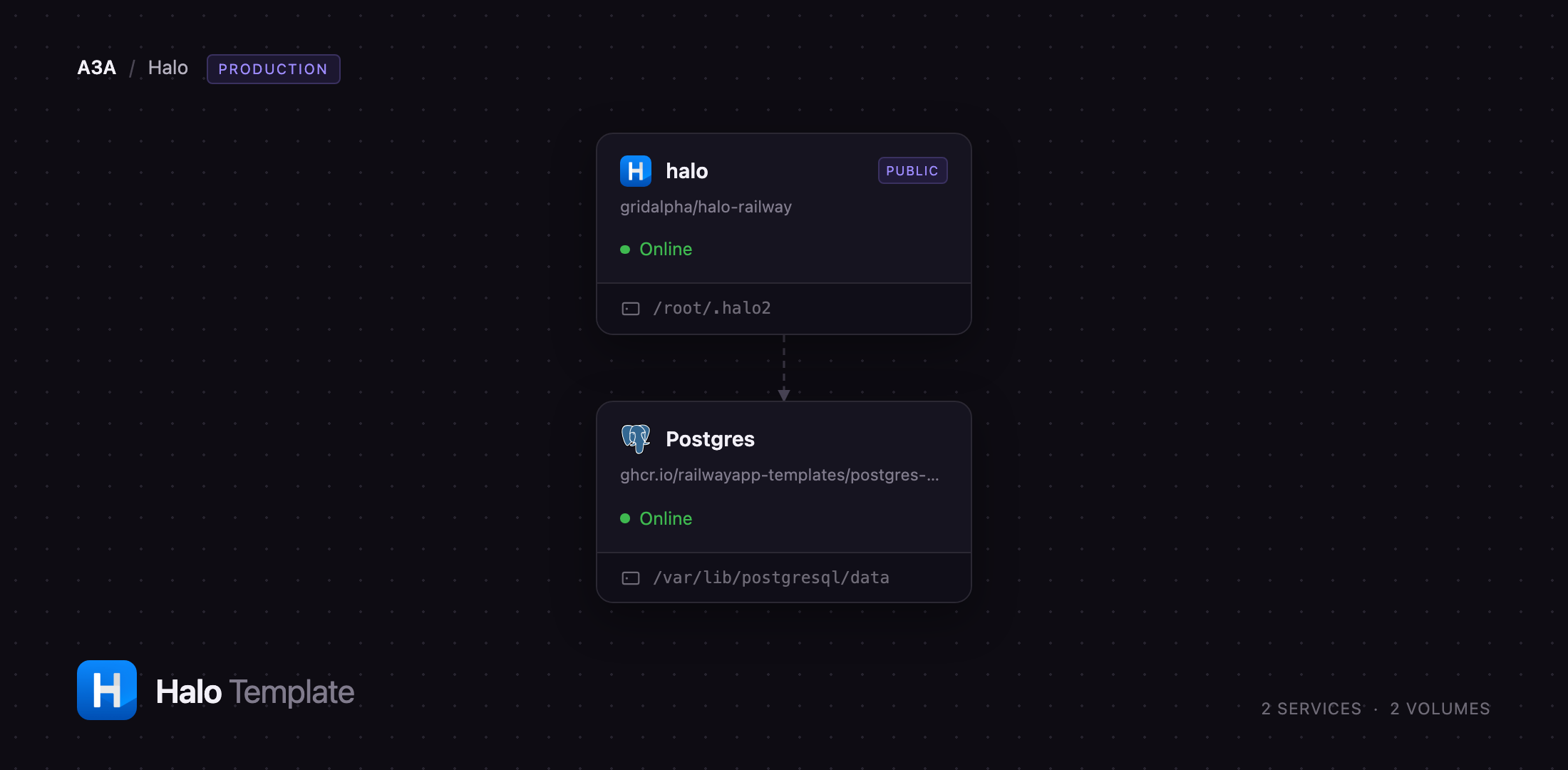
/root/.halo2

Just deployed
/var/lib/postgresql/data
Deploy and Host Halo on Railway
Halo is an open-source publishing platform written in Java that runs blogs, knowledge bases, documentation and company sites from one installation. It ships a visual editor, a theme system with live preview, a plugin marketplace, role-based multi-user accounts, comments, RSS and a search index. Writers, developer-relations teams and independent publishers reach for it where WordPress feels heavy and Ghost too narrow: one self-contained server with a modern admin console and no PHP stack.
Deploy Halo on Railway and you get the shape upstream runs in production. The halo service builds from the halohub/halo:2 image, holds a volume at /root/.halo2 for themes, plugin JARs, attachments and the search index, and is the only public service. The Postgres service is Railway's managed PostgreSQL, reachable only over the private network. On first boot the app provisions a scoped halo database role for itself rather than running as the cluster superuser, then creates your super-admin account over a loopback listener before the public port ever opens — so nobody reaches the setup screen ahead of you. Every later deploy recreates the container while the volume and database carry your content forward.
Getting Started with Halo on Railway
Set HALO_SUPERADMIN_USERNAME and HALO_SUPERADMIN_PASSWORD before you click Deploy — those become your administrator account, and there are no default credentials to change afterwards. The username is 4–63 lowercase letters, digits, hyphens or dots; the password is 5–257 characters from A–Z a–z 0–9 ! @ # $ % ^ & * . ?. The first deployment takes a couple of minutes: the app boots once on loopback to finish setup and install the preset theme and plugins, then restarts on the public port.
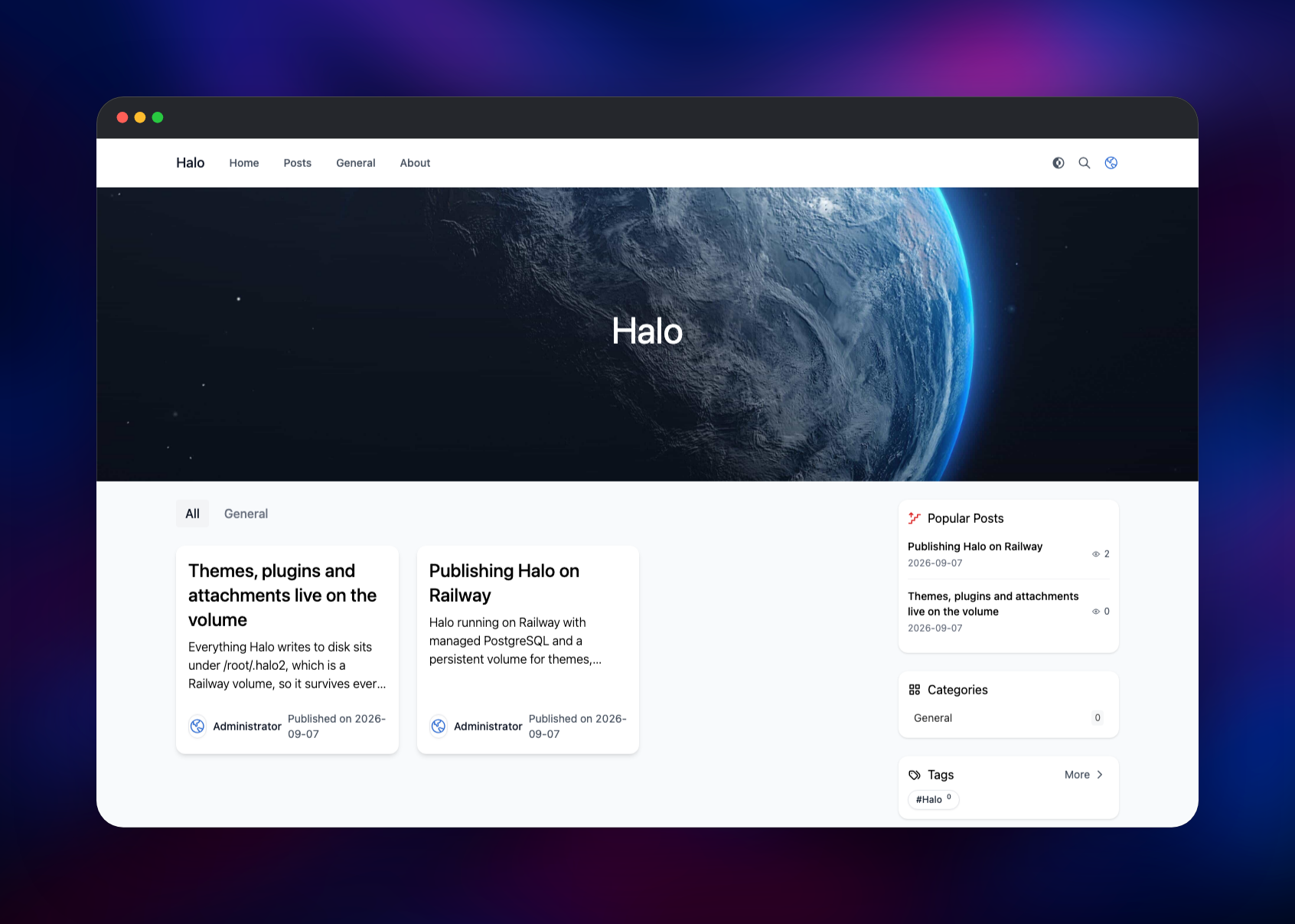
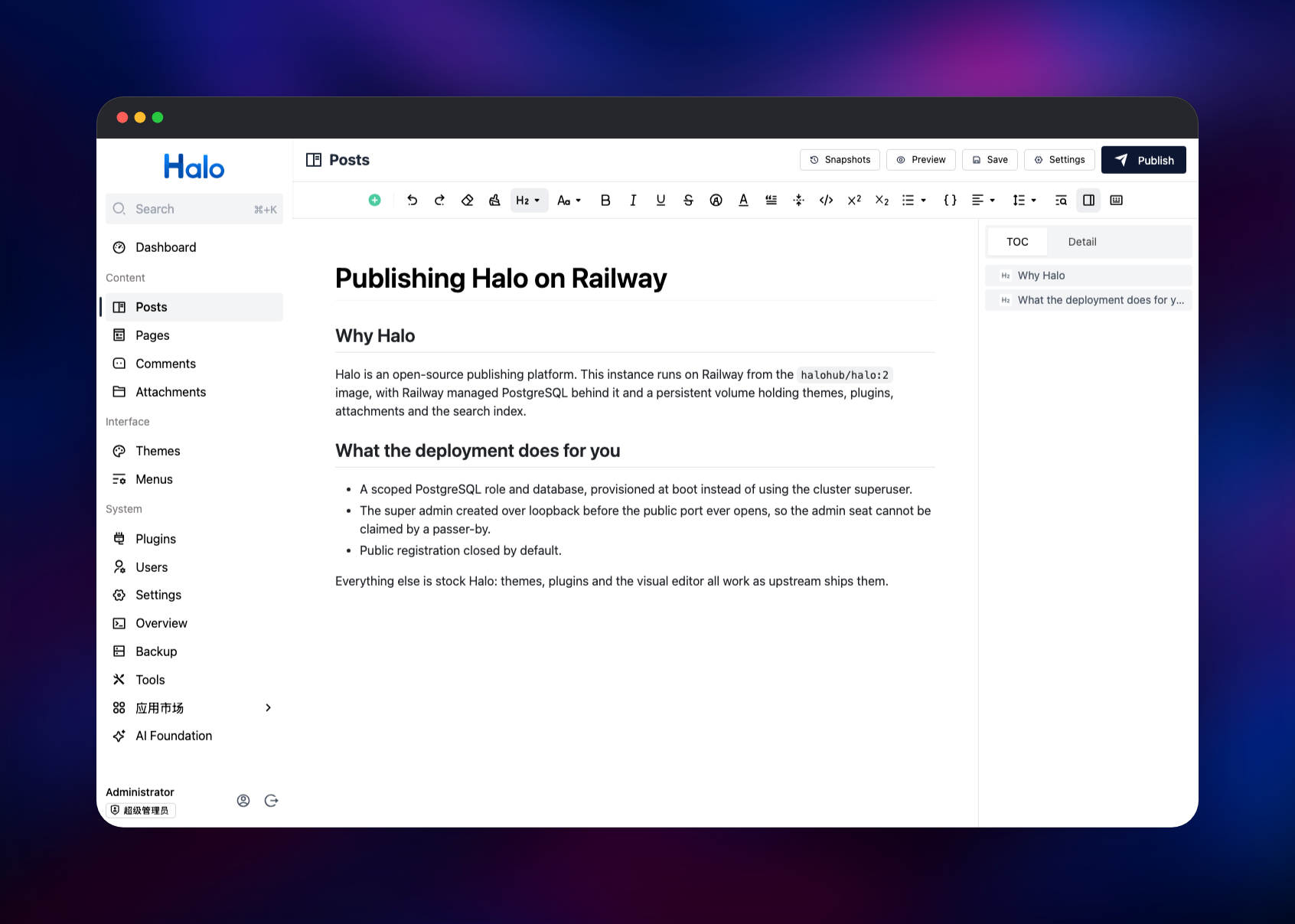
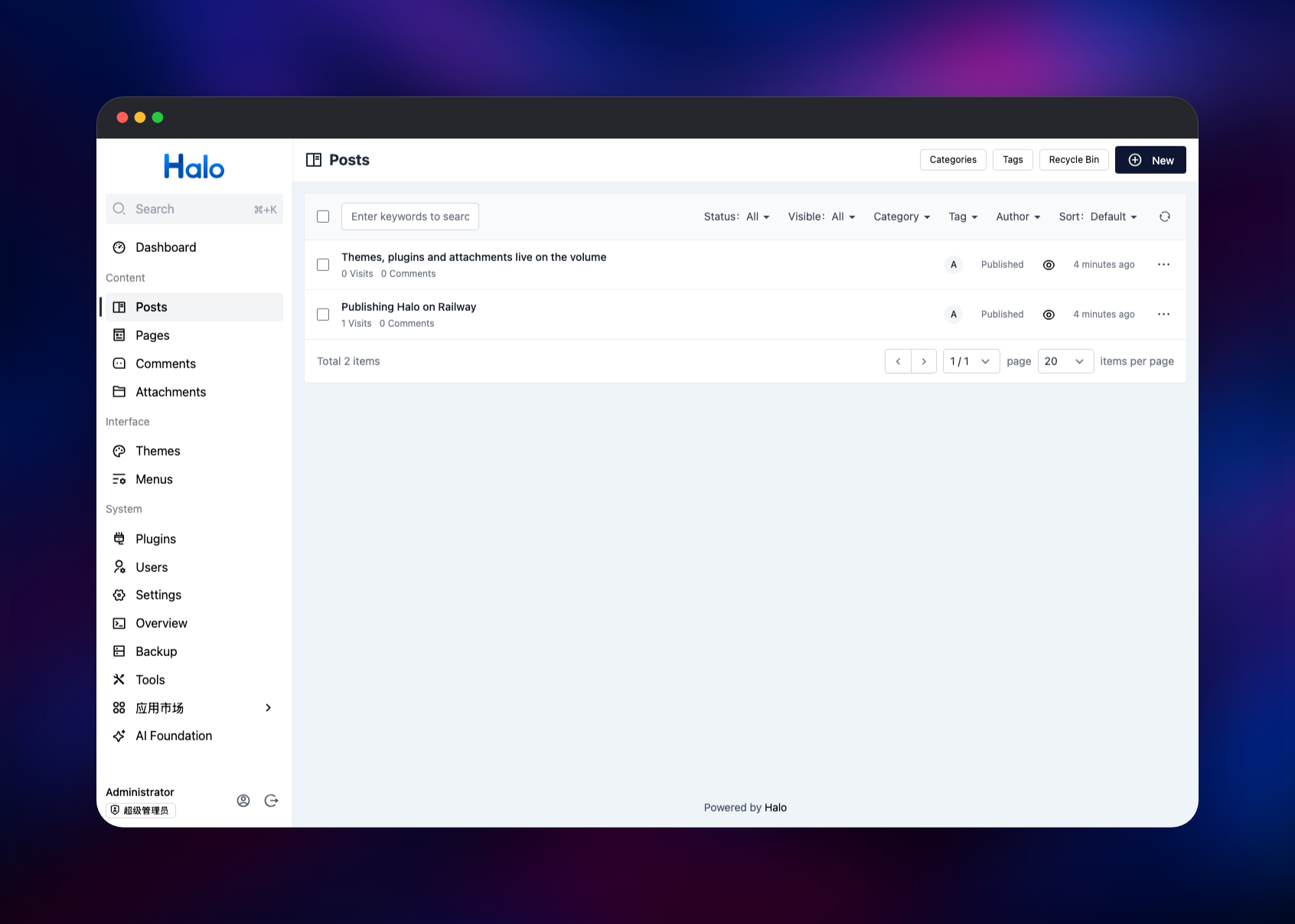
Go to /console and sign in. Halo seeds a demo category, a "Hello Halo" post, an About page and a navigation menu in Chinese whatever language you pick — delete the sample post under Posts, rename the entries under Menus and Categories, and the site is yours. Then click New in Posts, write something and press Publish; it appears on the home page at once, confirming the database, volume and domain are wired up. Themes and Plugins install from Halo's app store, and Settings → Site holds the title, description and comments. Public registration is off by default; enable it under Settings → Users only if you want readers to sign up.
About Hosting Halo
Halo lets you own your publishing stack without owning a fleet of moving parts. It is one Spring Boot application: content, users, permissions, themes and plugins all sit behind a single process backed by a relational database — no separate front end, no queue, no cache tier. Teams self-host it to keep content, URLs and reader data on their own infrastructure.
Key features:
- Visual editor with Markdown input rules, code blocks, tables and a table of contents
- Themes with a settings schema, so non-developers restyle a site in the console
- A plugin system with a public app store and a documented Java API for your own
- Multi-user accounts, role-based permissions, two-factor auth and access tokens
- Posts, pages, categories, tags, comments, RSS and a built-in search index
The Railway architecture is deliberately small. halo serves the public site and the /console admin UI on port 8090; Postgres stores every post, page, comment, user and setting. The volume holds what Halo writes to disk rather than to the database, which is why it runs at a single replica.
Why Deploy Halo on Railway
Railway removes the parts of self-hosting that have nothing to do with publishing:
- Managed PostgreSQL with backups, provisioned and wired up for you
- A volume so themes, plugins and uploads survive every redeploy
- HTTPS and a public domain on deploy, custom domains a click away
- Private networking between the app and its database
- Logs, metrics and one-click rollback on the same dashboard
Common Use Cases
- A company blog or changelog on your own domain, with authors, drafts and scheduling
- An internal knowledge base or documentation site behind a small set of accounts
- A headless backend, with posts fetched through Halo's REST API into a front end
Dependencies for Halo
- halo —
halohub/halo:2, built from the gridalpha/halo-railway source repository, which adds boot-time database provisioning and first-admin setup. Upstream: halo-dev/halo. - Postgres — Railway's managed PostgreSQL. Halo reaches it over R2DBC and keeps all content, users and settings there.
Environment Variables Reference
| Variable | Default | What it does |
|---|---|---|
HALO_SUPERADMIN_USERNAME | admin | Administrator login, created on first boot |
HALO_SUPERADMIN_PASSWORD | generated | Administrator password; set your own |
HALO_EXTERNAL_URL | your Railway domain | Public base URL for permalinks and feeds |
HALO_SITE_TITLE | Halo | Site title set at setup, editable later |
HALO_LANGUAGE | en | Console language: en, es, zh-CN or zh-TW |
JVM_OPTS | -XX:MaxRAMPercentage=70 | JVM heap ceiling, as a share of the container limit |
Deployment Dependencies
- Runtime: Java 21 (Eclipse Temurin), in the image
- Image: halohub/halo on Docker Hub
- Database: PostgreSQL 12+; MySQL, MariaDB and H2 also work upstream
- Docs: docs.halo.run
halohub/halo does not maintain a latest tag — it exists but has not moved since 2022. Track the major line with halohub/halo:2, as this template does.
Hardware Requirements for Self-Hosting Halo
| Resource | Minimum | Recommended |
|---|---|---|
| CPU | 1 vCPU | 2 vCPU |
| RAM | 512 MB | 1–2 GB |
| Storage | 1 GB volume | 5 GB volume |
| Runtime | Java 21 | Java 21 |
Halo is a JVM application, so memory matters more than cores, and storage grows with attachments rather than post count.
Self-Hosting Halo with Docker
Halo runs from one container plus a database. A minimal docker run against an existing PostgreSQL server:
docker run -d --name halo \
  -p 8090:8090 \
  -v halo-data:/root/.halo2 \
  -e SPRING_R2DBC_URL=r2dbc:pool:postgresql://db:5432/halo \
  -e SPRING_R2DBC_USERNAME=halo \
  -e SPRING_R2DBC_PASSWORD=change-me \
  -e SPRING_SQL_INIT_PLATFORM=postgresql \
  halohub/halo:2 --halo.external-url=https://example.com
The following is the same thing as Docker Compose, database included:
services:
  halo:
    image: halohub/halo:2
    depends_on: [halodb]
    ports: ["8090:8090"]
    volumes: ["./halo2:/root/.halo2"]
    environment:
      SPRING_R2DBC_URL: r2dbc:pool:postgresql://halodb/halo
      SPRING_R2DBC_USERNAME: halo
      SPRING_R2DBC_PASSWORD: change-me
      SPRING_SQL_INIT_PLATFORM: postgresql
  halodb:
    image: postgres:16
    volumes: ["./db:/var/lib/postgresql/data"]
    environment: { POSTGRES_USER: halo, POSTGRES_PASSWORD: change-me, POSTGRES_DB: halo }
Open http://localhost:8090/system/setup on the first run to create the administrator account. On Railway that step is already done.
How Much Does Halo Cost to Self-Host?
Halo is free and open source under GPL-3.0, with no paid tier, seat limit or feature gate in the community edition. Its publisher sells a commercial halo-pro build adding Redis-backed sessions and support, but nothing here needs it. On Railway you pay only for the compute, memory and volume the two services use — a few dollars a month for a small site.
FAQ
What is Halo?
Halo is an open-source content management and publishing platform. It runs blogs, documentation, knowledge bases and company sites from one Java application with a visual editor, themes and plugins.
What does this Railway template deploy?
Two services: halo, the application, on a public URL with a volume at /root/.halo2; and Postgres, Railway's managed PostgreSQL, private to the project. Your administrator account is created on the first boot from the username and password you set.
Why does the template include a PostgreSQL database?
Halo defaults to an embedded H2 database, which upstream does not recommend for a live site. PostgreSQL keeps your content in a managed, backed-up store independent of the application container. The volume beside it is separate and also required: Halo writes themes, plugin JARs, attachments and its search index to /root/.halo2 on local disk.
Can I run Halo headlessly and fetch posts through an API?
Yes. Halo exposes a REST API under /apis/, including public content endpoints at /apis/api.content.halo.run/v1alpha1/; personal access tokens for authenticated calls come from the user centre.
Can I scale Halo to more than one replica on Railway?
No. Plugin JARs and the search index live on a single volume, and Railway volumes attach to one service, so Halo stays at one replica. Scale vertically by raising the memory limit, and add a custom domain by attaching it to the halo service and pointing HALO_EXTERNAL_URL at it.
Template Content

