
Deploy Hanko
Passkey-first authentication server for your own applications
elements
Just deployed
Just deployed

Just deployed
/var/lib/postgresql/data

mailpit
Just deployed
/data
quickstart
Just deployed

Redis
Just deployed
/data

gateway
Just deployed
Deploy and Host Hanko on Railway
Hanko is an open-source authentication server built around passkeys. It gives an application sign-up, sign-in, email verification, password fallback, TOTP and security-key MFA, sessions and a self-service account screen, behind a JSON API and two drop-in web components. Teams reach for it when they want the developer experience of Auth0, Clerk or Stytch without handing user identities to a third party — everything it stores lives in a PostgreSQL database you control.
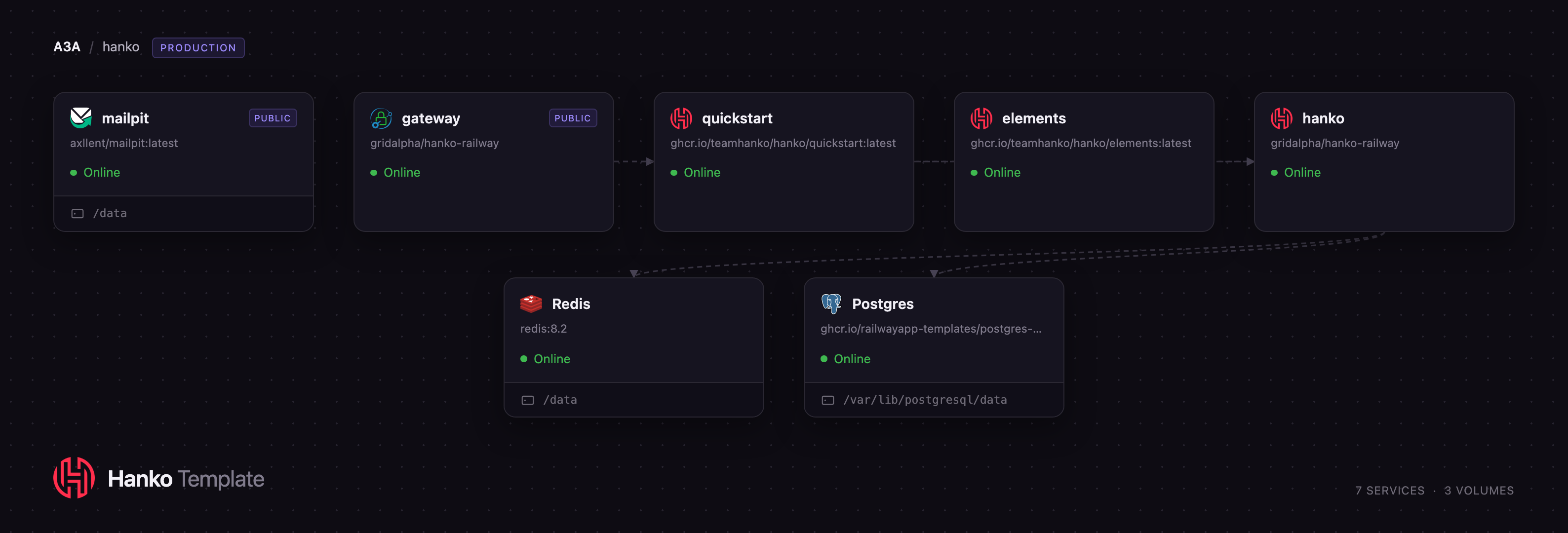
Deploy Hanko on Railway and this template wires the production shape for you. A gateway service
running Caddy is the single public origin; behind it, hanko serves the flow API and a private
admin API, elements serves the elements.js web components and the frontend SDK, and
quickstart is upstream's example app with a working sign-in page and profile screen. Postgres
holds all persistent state, Redis holds flow locks and rate-limit counters, and mailpit
captures the passcodes Hanko emails during registration, so you can self-host Hanko end to end
before you have an SMTP relay. One origin matters: a passkey is bound to the hostname that created
it, so the gateway keeps credential, cookie and API in agreement.
Getting Started with Hanko on Railway
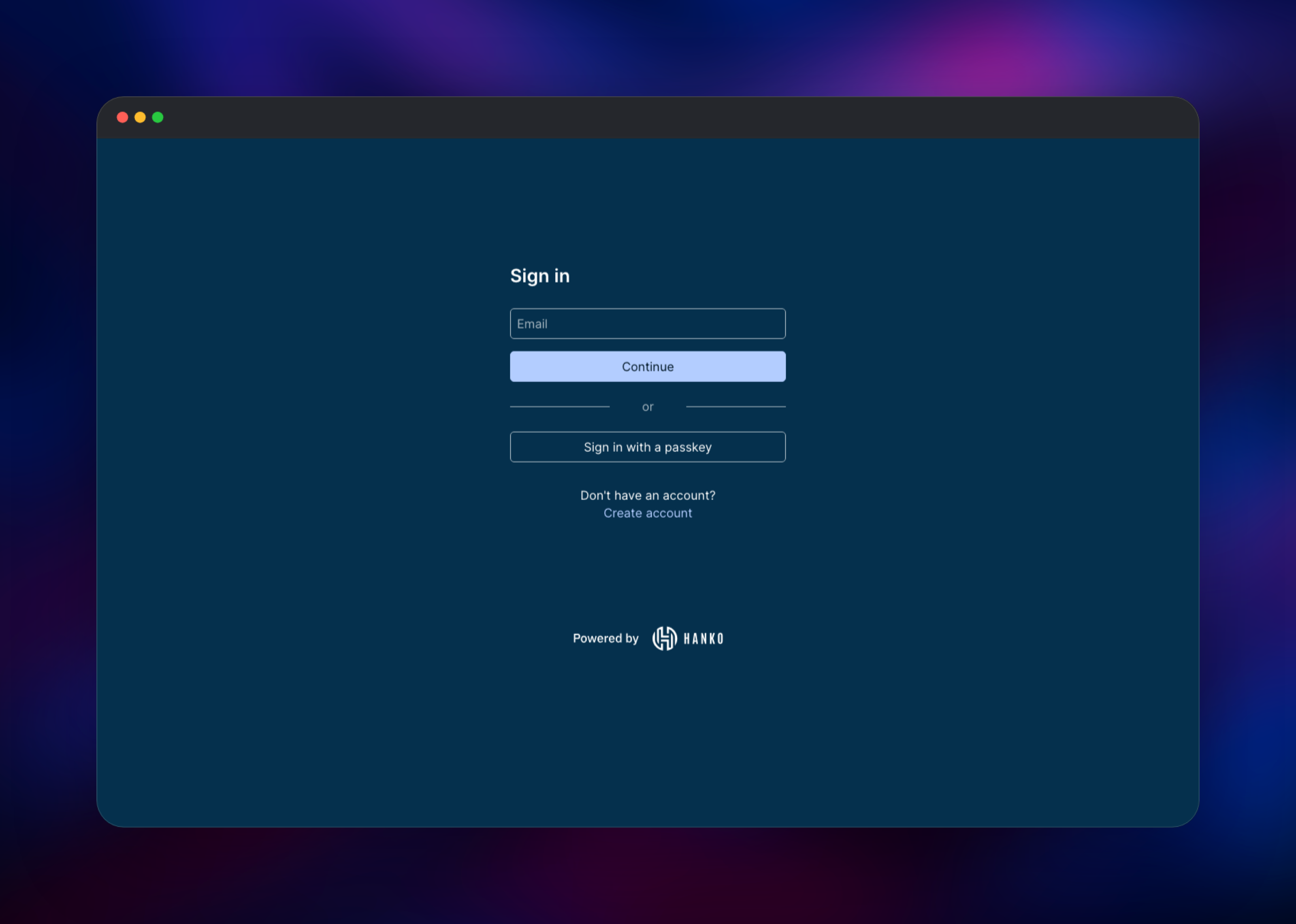
Open the gateway service's public URL once the deploy finishes. There are no default credentials
and no admin account to claim — you create the first account from the sign-in screen. Choose
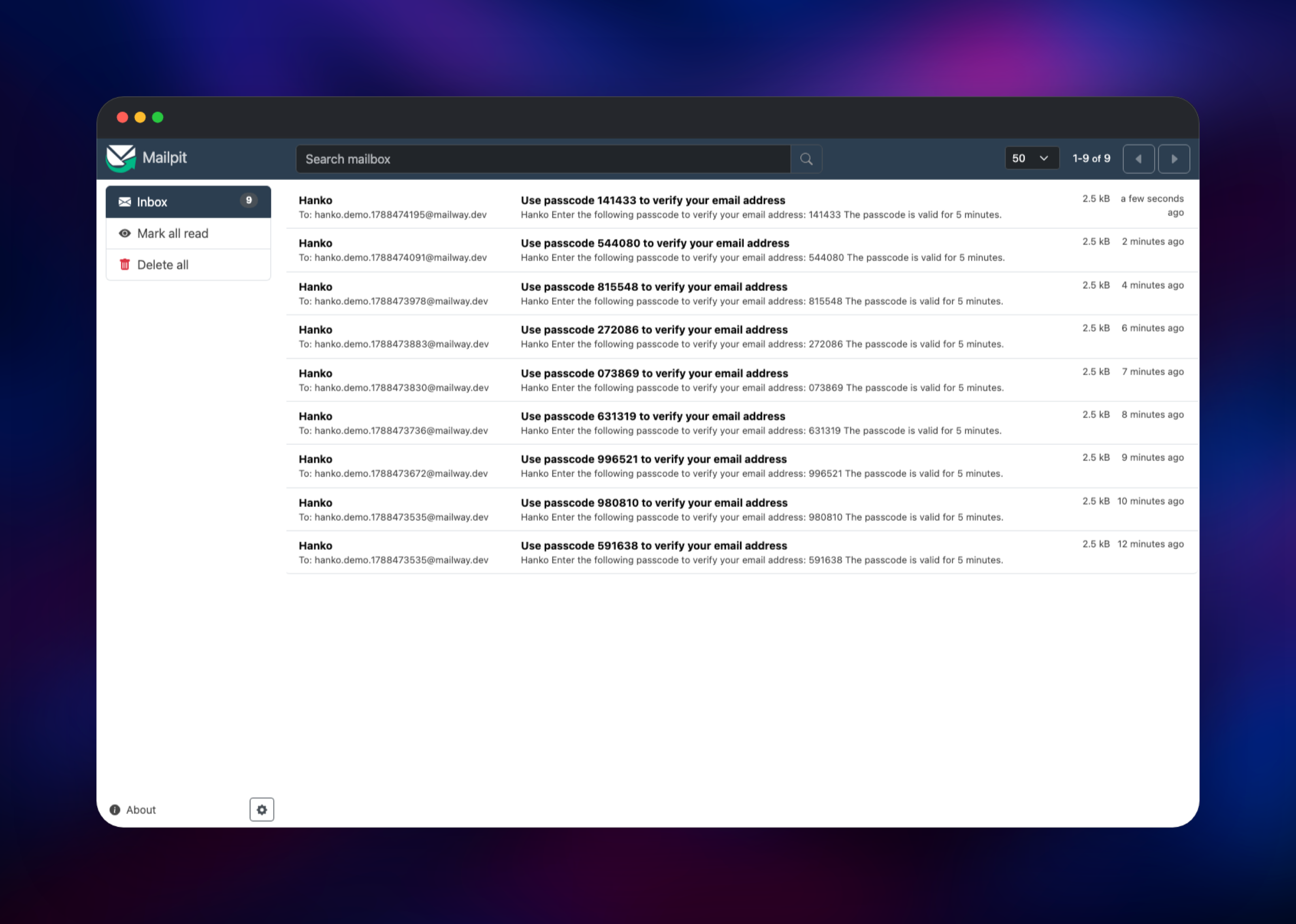
Create account, enter an email address, and Hanko sends a six-digit passcode. The template ships a capture-only inbox, so that mail lands in the mailpit service:
open Mailpit's public URL, sign in with the MP_UI_AUTH username and password from its variables,
and copy the code from the newest message. Back in the app, enter the passcode, set a password,
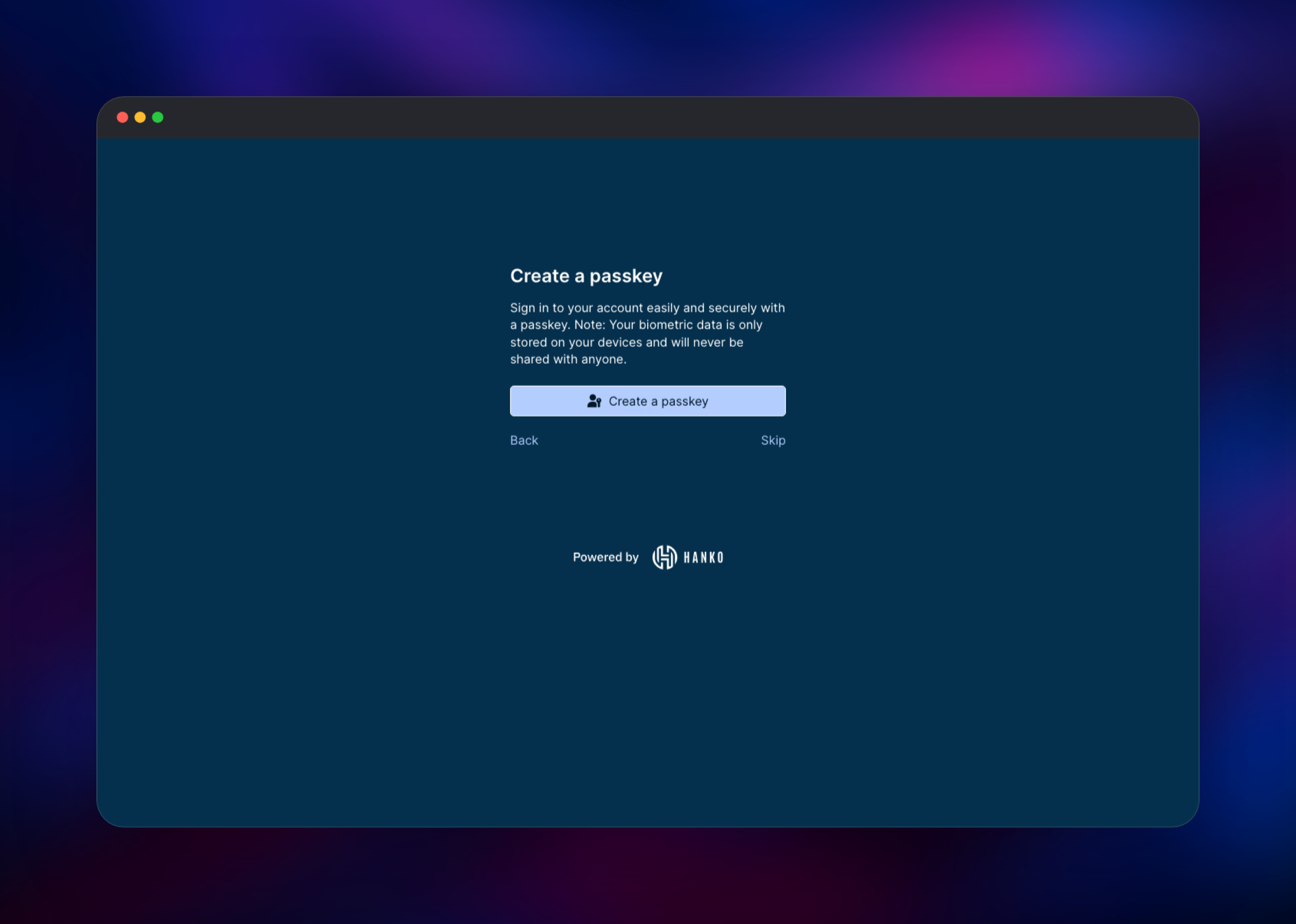
skip or configure MFA, and accept the Create a passkey prompt — your browser will ask for
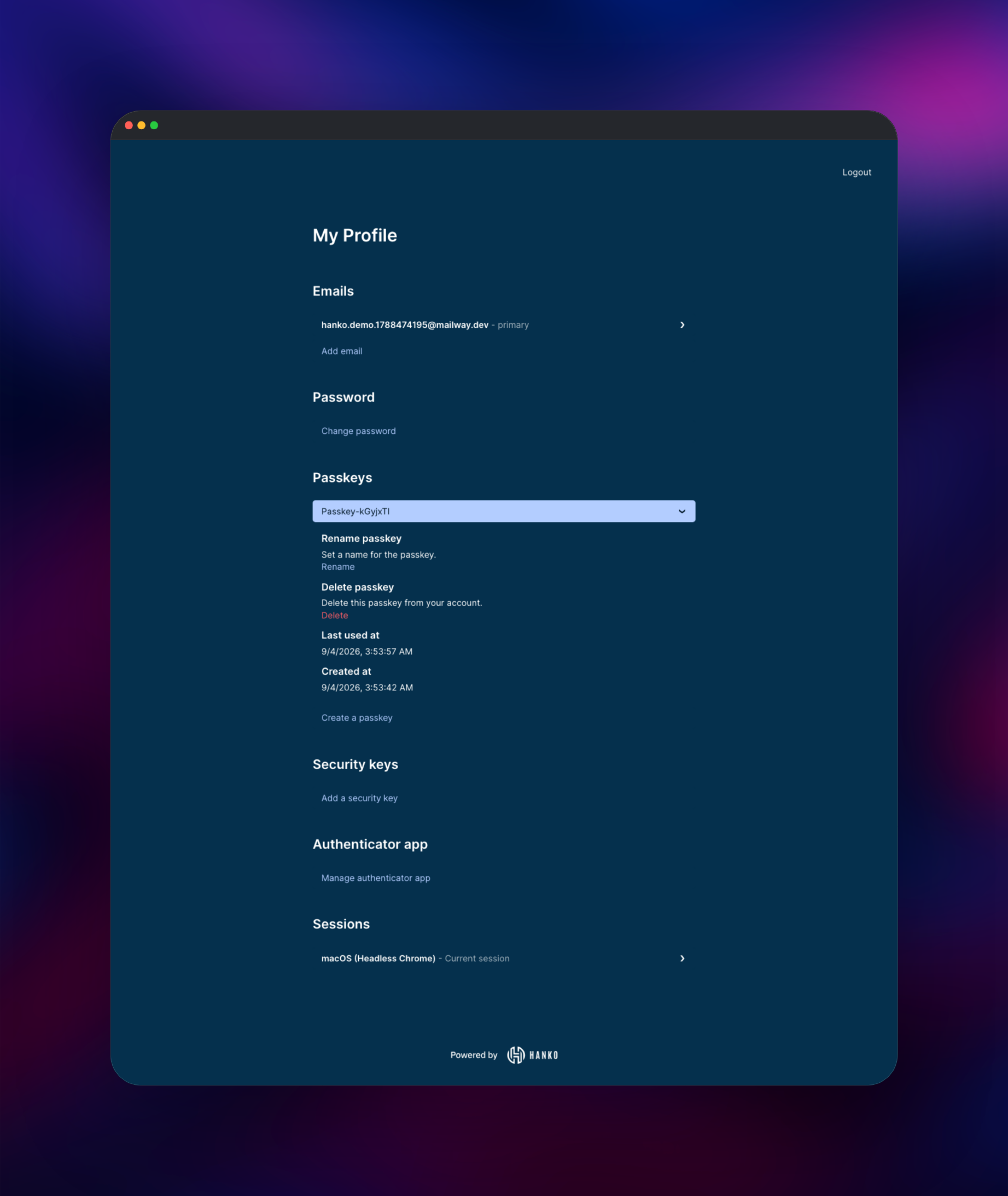
Touch ID, Windows Hello or a security key. You land on the profile screen at /secured, where you
can rename passkeys, add emails, enroll TOTP and revoke sessions. To confirm it all works, sign
out and choose Sign in with a passkey: no email, no password. For real mail, point
EMAIL_DELIVERY_SMTP_* at an SMTP provider; APP_UPSTREAM swaps the demo for your own app.
About Hosting Hanko
Hanko replaces the login half of an application. Your app never stores a password hash or runs a
WebAuthn ceremony; it renders Hanko's components, then validates the JWT Hanko issues against the
keys at /.well-known/jwks.json. Self-hosting fits when identities are regulated data, when
per-monthly-active-user pricing has grown large, or when the login screen must live on your
own domain.
- Passkey-first registration and login, with password and email passcode fallbacks
- MFA: TOTP apps, cross-platform security keys, per-device trust
- OAuth/OIDC social login, plus SAML for enterprise single sign-on
- Server-side sessions with revocation, limits and a custom JWT claim template
- Webhooks on user and email events, plus an admin API
andcomponents for React, Vue, Svelte or plain HTML
The Railway topology maps onto that directly. hanko runs the API and applies its migrations at
startup, Postgres is the system of record, and Redis gives every container one shared view of
rate limits plus a lock per authentication flow. elements is a static asset server, quickstart
is a replaceable reference app, and gateway routes all of them under one hostname.
Why Deploy Hanko on Railway
Railway removes the setup work around a multi-service auth stack:
- Managed PostgreSQL and Redis, provisioned and connected automatically
- One public HTTPS hostname, certificates handled for you
- Private networking, so the admin API and datastores stay off the internet
- Volumes and health checks configured per service
- One click to deploy, then git pushes to update
Common Use Cases
- Adding passkey login to a SaaS product without a per-user identity provider
- Replacing a home-grown password table with auth you still control
- Giving an internal tool real MFA and session revocation
- Meeting data-residency rules by keeping user records in your own database
Dependencies for Hanko
ghcr.io/teamhanko/hanko— the authentication server (teamhanko/hanko)ghcr.io/teamhanko/hanko/elements— nginx servingelements.jsand the SDKghcr.io/teamhanko/hanko/quickstart— upstream's example applicationcaddy:2-alpine— the gateway joining those three under one originaxllent/mailpit— capture-only SMTP inbox for verification mail- PostgreSQL 18 and Redis 8, both managed by Railway
PostgreSQL is not optional: Hanko keeps users, WebAuthn credentials, sessions and the encrypted JSON Web Keys it signs tokens with there. Redis keeps rate limits and flow locks shared across containers.
Environment Variables Reference
| Variable | Service | Purpose |
|---|---|---|
DATABASE_URL | hanko | PostgreSQL connection string |
SECRET_KEYS | hanko | Encrypts the signing keys stored in the database — never change it |
WEBAUTHN_RELYING_PARTY_ID / _ORIGINS | hanko | Hostname and origins passkeys are bound to |
CORS_ALLOW_ORIGINS | hanko | Browser origins allowed to call the flow API |
EMAIL_DELIVERY_SMTP_HOST / _PORT | hanko | Where verification mail is sent |
RATE_LIMITER_STORE / FLOWLOCKER_STORE | hanko | redis for shared limits and flow locks |
APP_UPSTREAM | gateway | Point this at your own application |
MP_UI_AUTH | mailpit | Username and password for the inbox |
Deployment Dependencies
- Source: · Docs:
- Images:
Hardware Requirements for Self-Hosting Hanko
| Resource | Minimum | Recommended |
|---|---|---|
| CPU | 1 vCPU total | 2 vCPU |
| RAM | 1 GB across all services | 2 GB |
| Storage | 1 GB (PostgreSQL) | 5 GB |
| Runtime | Docker / OCI containers | Docker, PostgreSQL 13+, Redis 6+ |
Hanko is a single Go binary that idles in tens of megabytes; PostgreSQL sets the floor.
Self-Hosting Hanko
Hanko reads configuration from a YAML file or environment variables, and migrations are a separate command that must run before the API starts. A minimal Docker Compose file:
services:
  hanko:
    image: ghcr.io/teamhanko/hanko:latest
    command: serve all
    environment:
      DATABASE_URL: postgres://hanko:hanko@postgres:5432/hanko
      SECRET_KEYS: change-me-at-least-16-characters
      WEBAUTHN_RELYING_PARTY_ID: auth.example.com
      WEBAUTHN_RELYING_PARTY_ORIGINS: https://auth.example.com
      EMAIL_DELIVERY_SMTP_HOST: smtp.example.com
    ports: ["8000:8000"]
  postgres:
    image: postgres:18
    environment:
      POSTGRES_USER: hanko
      POSTGRES_PASSWORD: hanko
      POSTGRES_DB: hanko
Apply the schema before the first start, then start the server:
docker compose run --rm hanko migrate up
docker compose up -d
curl -s https://auth.example.com/.well-known/jwks.json
That last command returns the public keys your application uses to verify Hanko's session JWTs. A key set back means the deployment is healthy.
How Much Does Hanko Cost to Self-Host?
Hanko's backend is open source under AGPL-3.0 and free to run with no user limits, no monthly active user tiers and no feature gates — SAML, MFA and webhooks are in the same build. Hanko Cloud is the paid managed offering; self-hosting costs only infrastructure. On Railway that is a few small containers plus managed PostgreSQL and Redis, usually a few dollars a month, billed on usage.
FAQ
What is Hanko? An open-source authentication server that handles registration, login, MFA and account management for your application, with passkeys as the primary login method and email passcodes or passwords as fallbacks.
What does this Railway template deploy? Seven services: the Hanko API, the hanko-elements asset server, upstream's example application, a Caddy gateway serving all three from one hostname, managed PostgreSQL and Redis, and a Mailpit inbox for verification mail.
Why does this template include PostgreSQL and Redis? PostgreSQL stores every user, credential, session and signing key, so Hanko cannot run without it. Redis holds rate-limit counters and per-flow locks so they survive redeploys and stay consistent.
How do I connect my own application to self-hosted Hanko?
Point the gateway's APP_UPSTREAM at your service's private address, embed the ``
component, and verify Hanko's JWT against /.well-known/jwks.json.
Do passkeys still work after I add a custom domain?
A passkey is bound to the hostname that created it, so update WEBAUTHN_RELYING_PARTY_ID and
_ORIGINS to the new domain. Existing passkeys stay tied to the old hostname; users enroll a new
one from the profile screen.
Is the Hanko admin API exposed publicly? No. It is unauthenticated by design and is not routed through the gateway; reach it over Railway's private network on port 8001.
Template Content

