
Deploy Hedgedoc
HackMD Alternative. Collaborative markdown notes: live preview, slides
hedgedoc
Just deployed
/hedgedoc/public/uploads

Just deployed
/var/lib/postgresql/data
Deploy and Host HedgeDoc on Railway
HedgeDoc is an open-source, real-time collaborative markdown editor — the self-hosted answer to HackMD. Several people open the same note URL and type at once, each cursor visible to the others, with a live preview that renders GitHub-flavored markdown plus tables, task lists, MathJax formulas, Mermaid and PlantUML diagrams, and a reveal.js slide mode. Engineering teams use it for incident notes, universities for lecture notes, conferences for session pads. It began as CodiMD, a fork of HackMD's open-source core, and is maintained by the HedgeDoc community under AGPL-3.0.
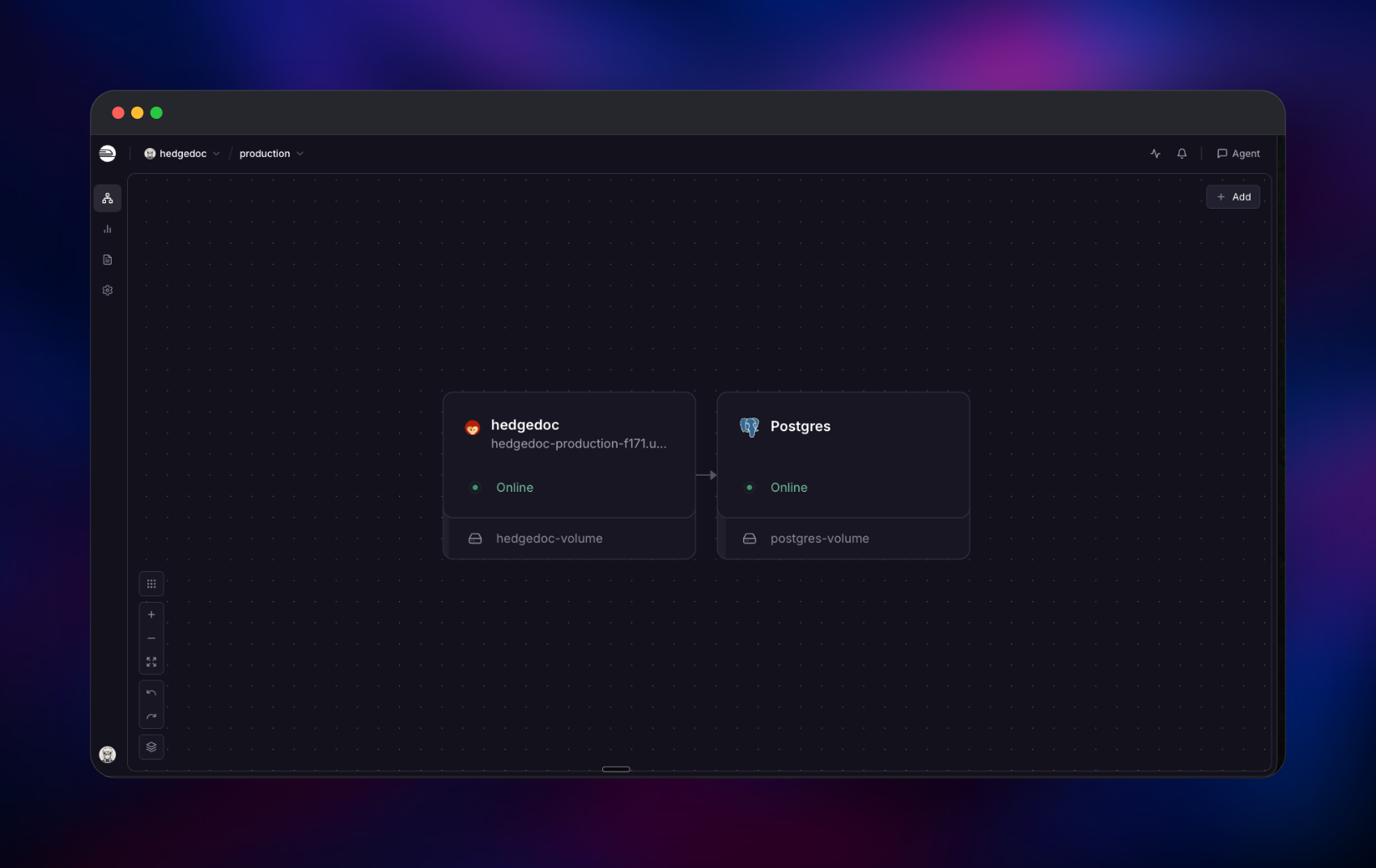
Deploy HedgeDoc on Railway and the template wires up both pieces it needs: the web and collaboration server, and a PostgreSQL database holding notes, revisions, accounts and sessions. The app mounts a volume for uploaded images, gets a public HTTPS domain, and reaches Postgres over the private network, so the database is never exposed to the internet. Public sign-up is off and your first account is created at boot from the email and password you supply, so the instance is never briefly open to whoever finds the URL.
Getting Started with HedgeDoc on Railway
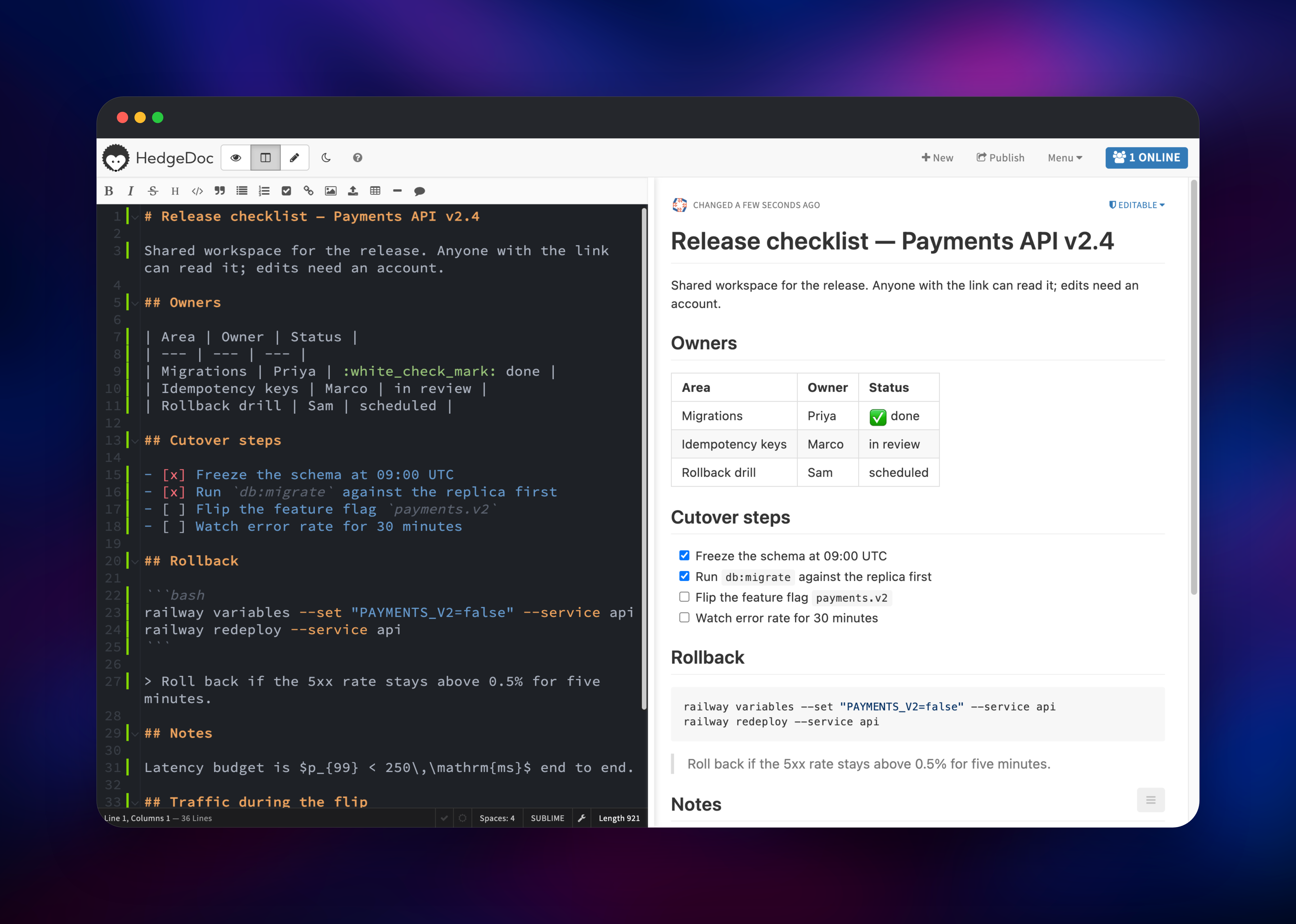
Set HEDGEDOC_ADMIN_EMAIL to the address you want to log in with; the password is generated for you and stays visible under the app's Variables tab as HEDGEDOC_ADMIN_PASSWORD. When the deployment goes green, open the public URL and click Sign In — e-mail is the only method offered, since registration is disabled. Click New note for a blank document: the left pane is markdown, the right renders as you type, and the toolbar covers headings, tables, checklists, code and image uploads. Typing a heading and a task list and watching the preview update proves the collaboration server and its WebSocket connection are healthy.
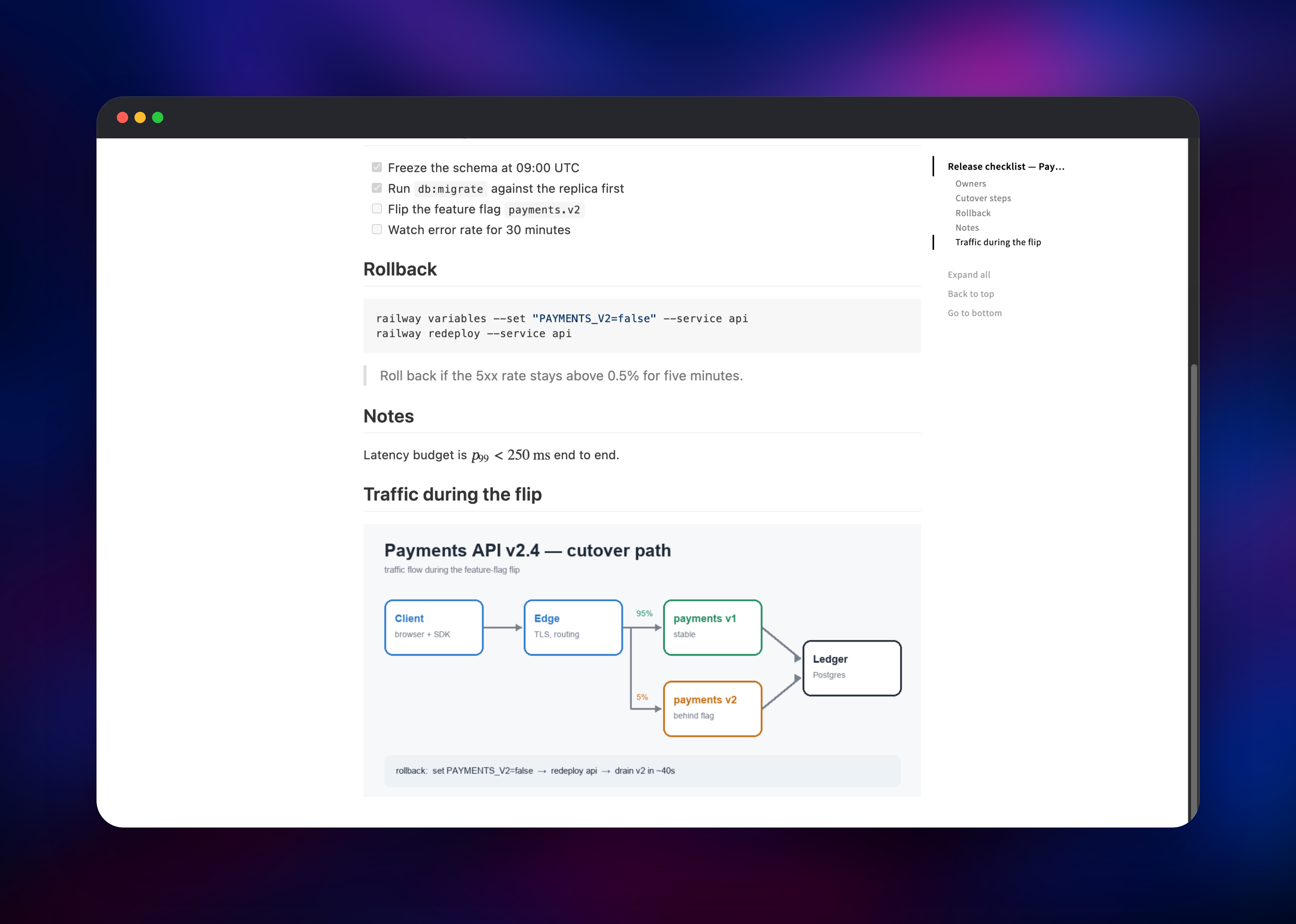
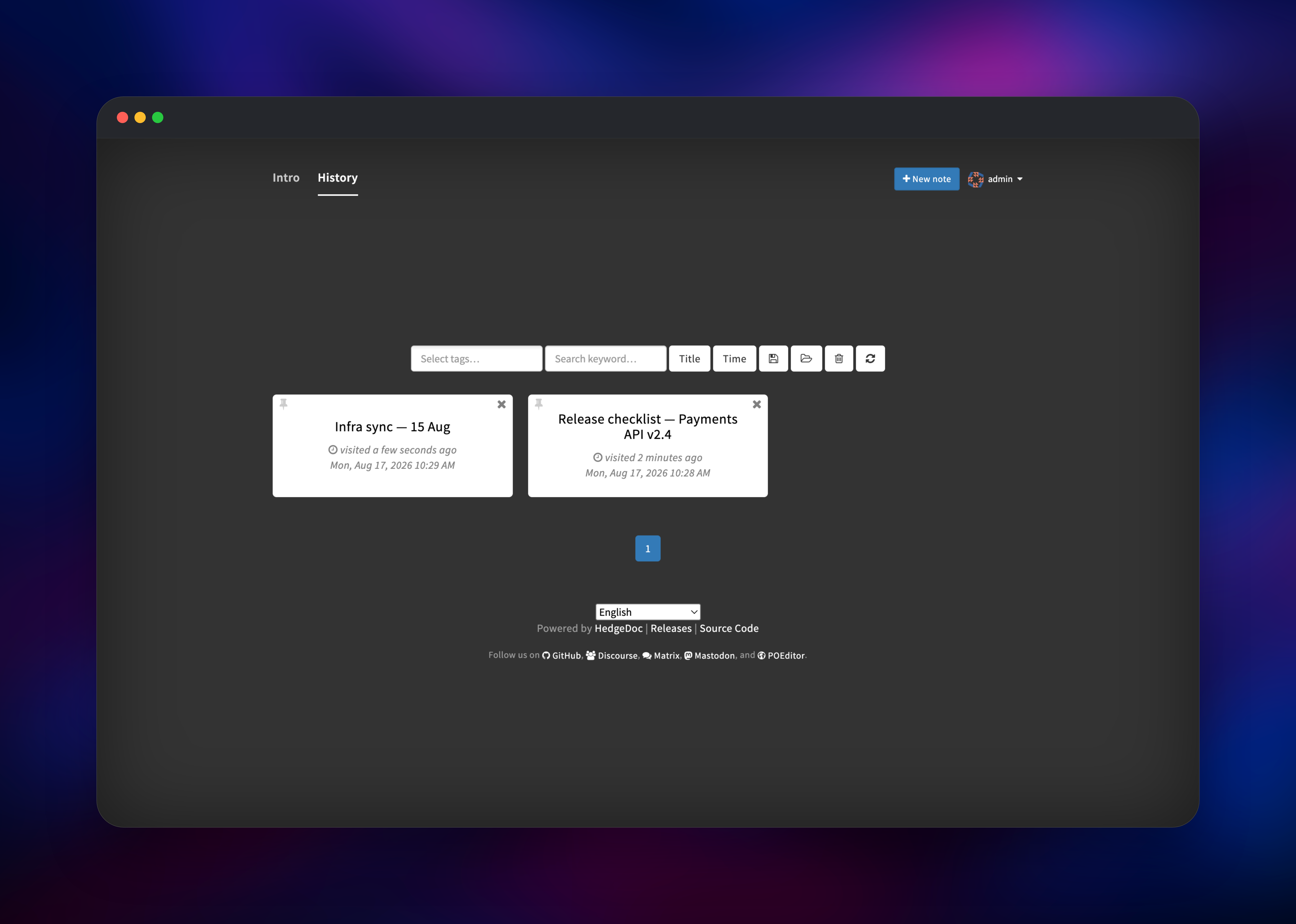
The permission dropdown on a note (it reads Editable by default) decides who can do what: anyone holding the link can read it, while editing requires an account. Publish gives you a read-only page to share, and Menu → Slide mode turns the same markdown into a presentation. Drag an image into the editor to store it on the volume and serve it from your own domain. Everything you have opened is listed on the History tab.
About Hosting HedgeDoc
HedgeDoc is a Node.js app that keeps each open note's editing state in memory, synchronises keystrokes between browsers over WebSockets, and persists documents and revisions to PostgreSQL. Self-host it when notes hold material you would rather not put on someone else's SaaS.
- Real-time multi-user editing with visible cursors, authorship colours, online-user list
- GitHub-flavored markdown plus MathJax, Mermaid, PlantUML, footnotes and highlighted code
- Per-note permissions, from freely editable through read-only to owner-private
- Publish and slide-mode views of one document; export to markdown, HTML and PDF
- Optional OAuth2, GitHub, GitLab, Google, LDAP and SAML sign-in
Two services make up the deployment. HedgeDoc serves the editor, rendered pages and the WebSocket channel on port 3000, with a volume at /hedgedoc/public/uploads. PostgreSQL stores notes, revisions, users and sessions.
Why Deploy HedgeDoc on Railway
Railway removes the server admin work that comes with self-hosting a collaborative editor.
- Managed PostgreSQL provisioned, connected and backed up — no connection strings to write
- Free HTTPS domain with automatic certificates, which HedgeDoc needs for secure cookies
- A persistent volume for uploads that survives every redeploy
- Private networking keeps the database unreachable from the internet
- Usage-based pricing, so a small team's instance costs a few dollars monthly
Common Use Cases for Self-Hosted HedgeDoc
- Live incident and postmortem notes several responders edit at once, on your own infrastructure
- Meeting minutes, sprint agendas and decision logs that become a shareable link as written
- Lecture notes and workshop handouts where student data cannot go to a US SaaS
- Conference pads where attendees read a published note without an account
Dependencies for HedgeDoc
- HedgeDoc —
quay.io/hedgedoc/hedgedoc:latest, the 1.x stable line built from hedgedoc/hedgedoc, with an entrypoint that runs migrations and creates the first account before the app starts - PostgreSQL 18 — Railway's managed database, holding notes, revisions, users, sessions
Environment Variables Reference
| Variable | Purpose |
|---|---|
CMD_DB_URL | PostgreSQL connection string |
CMD_DOMAIN | Public hostname for note and image URLs |
CMD_SESSION_SECRET | Signs login cookies; changing it signs everyone out |
CMD_IMAGE_UPLOAD_TYPE | filesystem keeps uploads on the volume |
CMD_ALLOW_EMAIL_REGISTER | false closes sign-up; true lets anyone register |
CMD_ALLOW_ANONYMOUS | false stops visitors creating notes; shared ones stay readable |
CMD_ENABLE_STATS_API | false keeps /status and /metrics closed |
HEDGEDOC_ADMIN_EMAIL | Login address of the first account |
HEDGEDOC_ADMIN_PASSWORD | Its password, generated at deploy time |
HEDGEDOC_ADMIN_RESET_PASSWORD | true for one deploy resets that password |
Deployment Dependencies
- Source: github.com/hedgedoc/hedgedoc
- Image: quay.io/hedgedoc/hedgedoc
- Docs: docs.hedgedoc.org — full configuration reference
- Runtime: Node.js 24 and PostgreSQL 18 (MySQL, MariaDB and SQLite also supported)
Hardware Requirements for Self-Hosting HedgeDoc
| Resource | Minimum | Recommended |
|---|---|---|
| CPU | 1 vCPU | 2 vCPU |
| RAM | 512 MB | 1–2 GB |
| Storage | 1 GB volume | 5 GB+ for heavy image use |
| Runtime | Node.js 24, PostgreSQL | Node.js 24, PostgreSQL 18 |
Memory use scales with how many notes are open at once, not how many are stored. Keep the app at one replica: version 1.x holds editing state in the process, so a second instance would split collaborators across two copies of a note.
Self-Hosting HedgeDoc with Docker
Outside Railway, the shortest route is Docker Compose with PostgreSQL beside the app:
services:
  database:
    image: postgres:18-alpine
    environment: {POSTGRES_USER: hedgedoc, POSTGRES_PASSWORD: pw, POSTGRES_DB: hedgedoc}
    volumes: [db:/var/lib/postgresql/data]
  app:
    image: quay.io/hedgedoc/hedgedoc:latest
    ports: ["3000:3000"]
    environment:
      CMD_DB_URL: postgres://hedgedoc:pw@database:5432/hedgedoc
      CMD_DOMAIN: notes.example.com
      CMD_PROTOCOL_USESSL: "true"
      CMD_IMAGE_UPLOAD_TYPE: filesystem
    volumes: [uploads:/hedgedoc/public/uploads]
volumes: {db: {}, uploads: {}}
With registration disabled, accounts are managed inside the container:
docker compose exec app bin/manage_users --add you@example.com
docker compose exec app bin/manage_users --reset you@example.com
You still need TLS termination, backups for the database and uploads, and a routine for HedgeDoc's security releases — all handled for you on Railway.
How Much Does HedgeDoc Cost to Self-Host?
HedgeDoc is free and open source under AGPL-3.0, with no paid tier, seat limits or feature gates. The only cost is infrastructure: on Railway, usage-based billing for the app container, the PostgreSQL database and the uploads volume, which for a small team lands around a few dollars a month. Cost stops scaling with team size.
FAQ
What is HedgeDoc? An open-source, self-hosted collaborative markdown editor, formerly called CodiMD. Several people edit one note at once, with live preview, per-note permissions and publishable read-only pages.
What does this Railway template deploy? The HedgeDoc server with a volume for uploaded images, plus a managed PostgreSQL database on the private network. Your first account is created during the initial boot, so there is no setup wizard and no default password.
Why does HedgeDoc need a PostgreSQL database? Notes, revisions, accounts and sessions are stored relationally. Keeping sessions in PostgreSQL rather than in memory lets a redeploy happen without signing everybody out.
Can people read my notes without an account? Yes, and that is what makes HedgeDoc useful for sharing: anyone with the link can read a note, while editing requires signing in. Switch a note to Limited, Protected or Private to require an account for reading.
How do I add more users to my self-hosted HedgeDoc?
Turn registration on with CMD_ALLOW_EMAIL_REGISTER=true, or connect an identity provider — OAuth2, GitHub, GitLab, Google, LDAP and SAML all work through CMD_* variables.
Can I scale HedgeDoc to multiple replicas on Railway? No. HedgeDoc 1.x keeps each open note's editing state inside one process, so it runs at a single replica. Give the service more CPU and memory instead.
What happens to my uploaded images?
They go to the volume at /hedgedoc/public/uploads, are served from your own domain, and survive redeploys. S3, MinIO, Azure Blob, Imgur and Lutim are supported too.
Template Content


