
Deploy Hermes Agent
Self-host Hermes Agent, the open-source AI agent from Nous Research
Hermes Agent
Just deployed
/opt/data
Deploy and Host Hermes Agent on Railway
Hermes Agent is an open-source AI agent from Nous Research that grows with the person using it. It pairs a chat interface with a real toolchain — shell access, file editing, web search, browser automation and Model Context Protocol servers — and a learning loop that turns past work into reusable skills. Developers and small teams run it as a personal alternative to ChatGPT or Claude, with one difference: it is yours, the history sits on your own disk, and you point it at whichever model provider you want using your own API keys.
Self-host Hermes Agent on Railway and one container runs the whole product: the web dashboard on port 9119, the agent runtime, the cron scheduler, and the messaging gateway that can connect Telegram, Discord or Slack. All state — configuration, API keys, sessions, memories and the skill library — lives on a persistent volume at /opt/data, so restarts keep your history. A mandatory sign-in gate means nothing is exposed without a password.
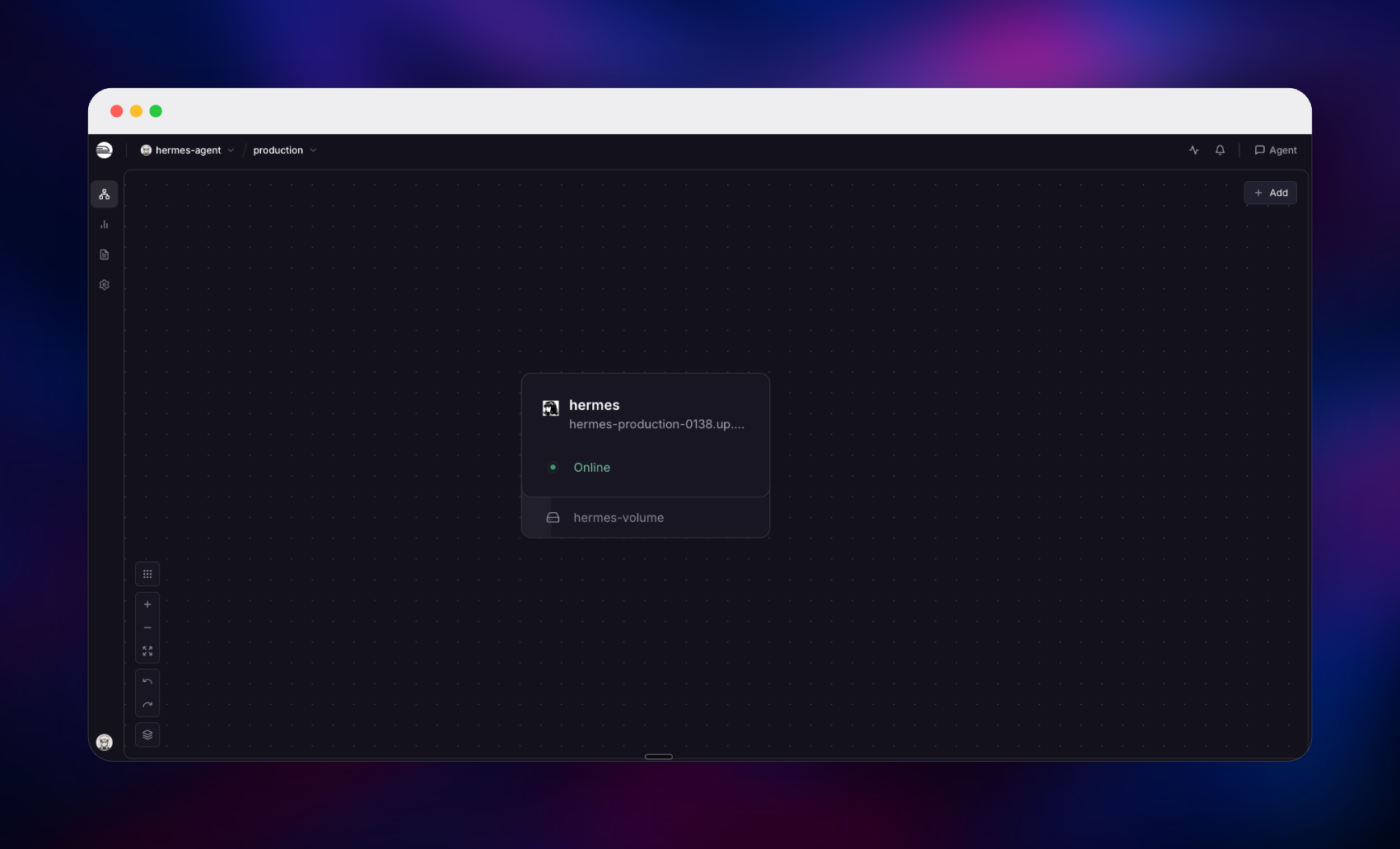
Getting Started with Hermes Agent on Railway
Deploy the template, set a username and password, and wait for the service to go green. The generated Railway URL lands on a sign-in page rather than an open dashboard. If you left the credentials at their defaults, both are readable in the service's Variables tab under HERMES_DASHBOARD_BASIC_AUTH_USERNAME and HERMES_DASHBOARD_BASIC_AUTH_PASSWORD, and either can be changed there.
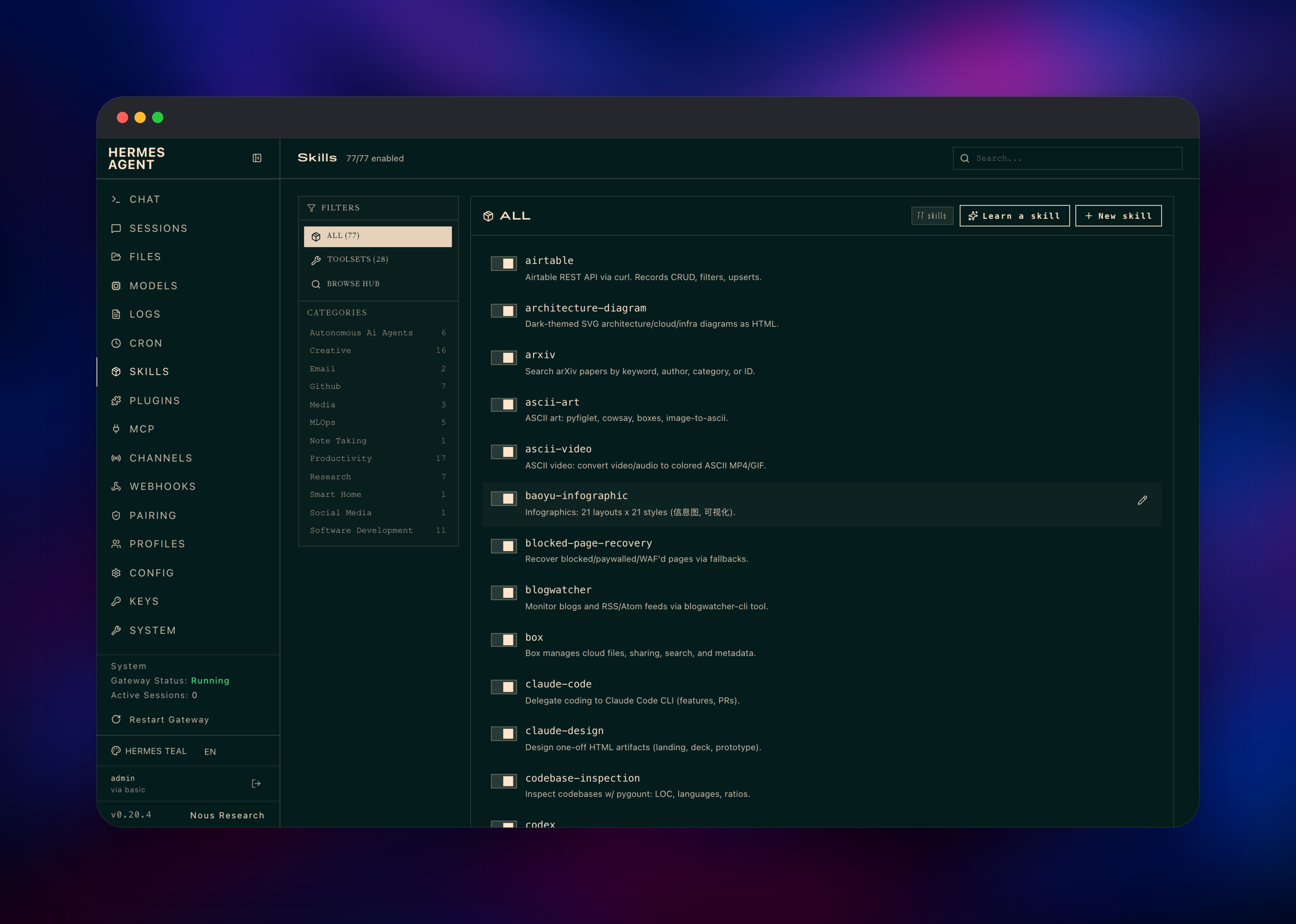
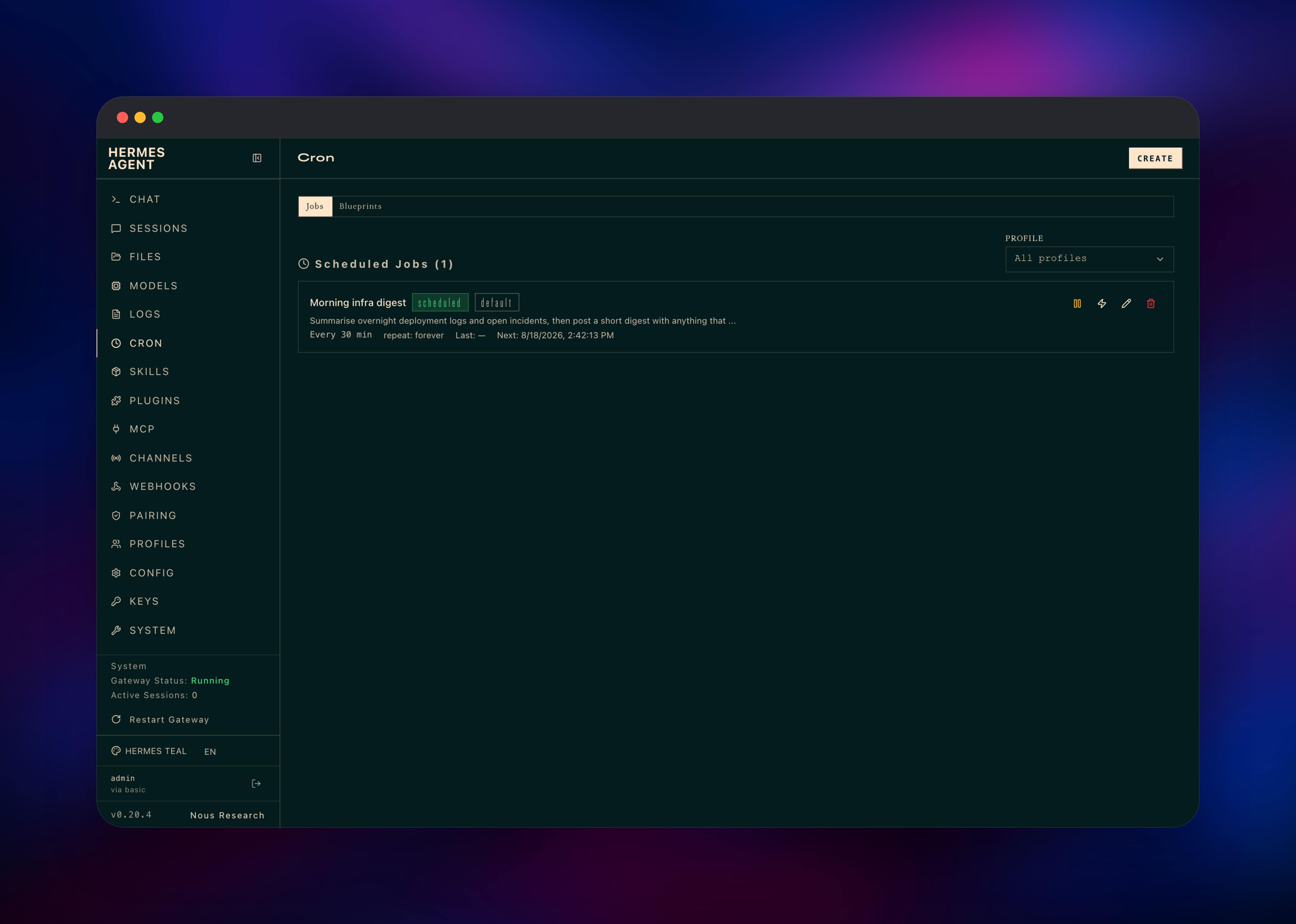
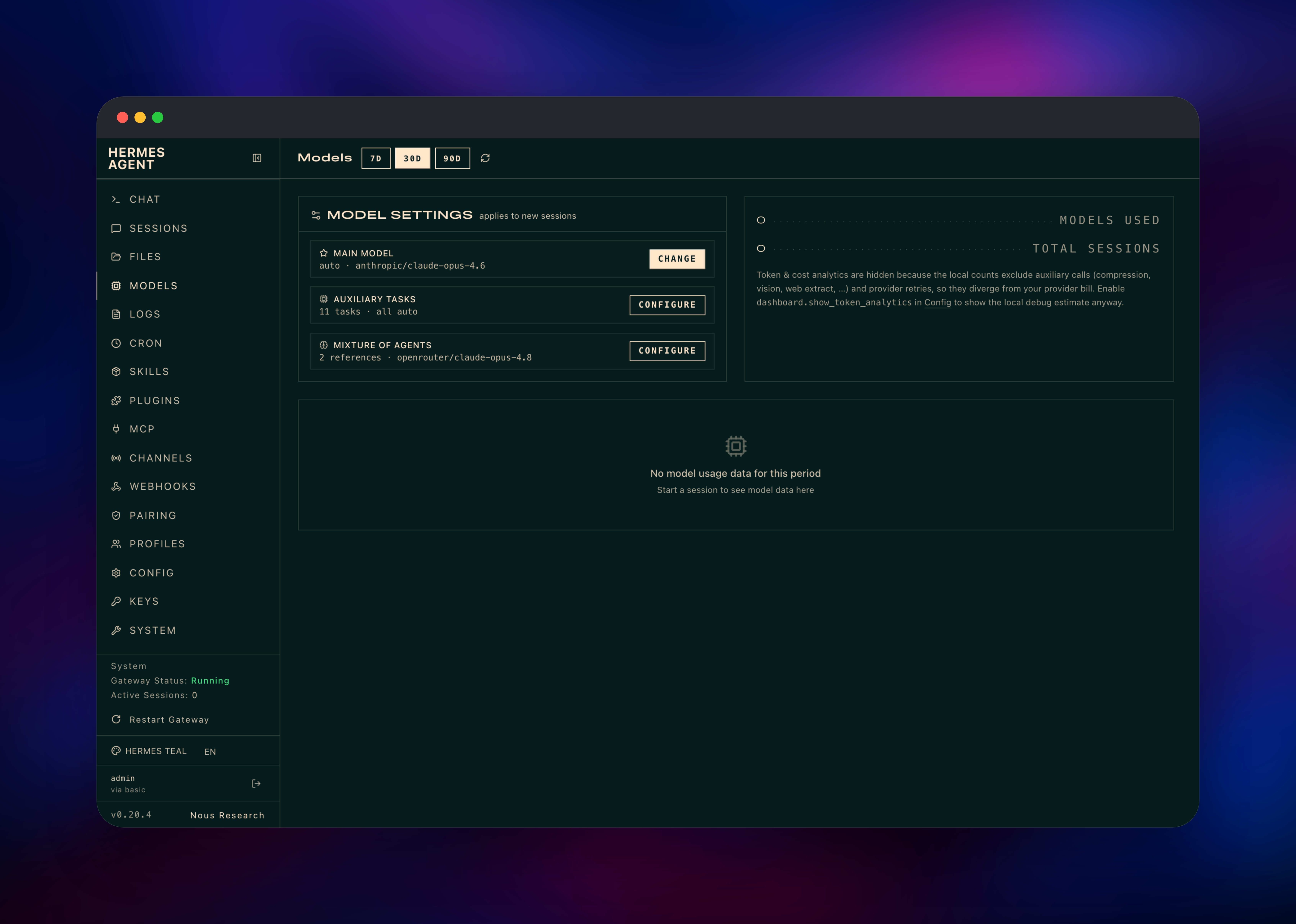
Add a model provider key first, because Hermes ships with no model access of its own: open Keys, paste a key from OpenRouter, Anthropic, OpenAI or another provider, then pick a default model under Models. Open Chat and send a message — a reply confirms the deployment works end to end. Skills lists the 77 capabilities bundled into the image, from pdf and xlsx to arxiv and architecture-diagram, and Cron schedules a recurring prompt such as a daily digest. Channels connects a Telegram, Discord or Slack bot; until you configure one the gateway runs idle and denies unknown senders.
About Hosting Hermes Agent
Hosted AI assistants keep your prompts and history on someone else's servers and lock you to one vendor's models. Hermes Agent inverts that: a single MIT-licensed application you run yourself, talking to whichever provider you choose. Teams self-host it when they want an assistant that can touch their own systems — run commands, read repositories, call internal APIs through MCP — without that traffic crossing a third-party product.
Key features:
- Learning loop — the agent writes and refines its own skills from experience
- 77 bundled skills across documents, research, diagrams, media and software development
- Cron automations — run any prompt on a schedule and deliver the result to a channel
- Messaging gateways for Telegram, Discord and Slack via each platform's official bot API
- MCP support for connecting external tool servers
- Multi-provider model routing, switchable per session
- Profiles — several independent agents from one install
This template is deliberately one service. Upstream's compose file splits the dashboard and gateway into containers sharing a host network and one data directory, which a container platform cannot reproduce — and the project's own documentation recommends a single container hosting everything, supervised internally so a crashed gateway restarts on its own.
Why Deploy Hermes Agent on Railway
Railway removes the server work that self-hosting an agent normally involves:
- One-click deploy with the volume, port and health check already configured
- Persistent storage at
/opt/dataso sessions, skills and memories survive restarts - Automatic HTTPS on a generated domain, with TLS terminated at the edge
- Vertical scaling without moving hosts as your usage grows
- Built-in logs and metrics for the agent and its scheduled jobs
- Environment variables managed in the dashboard, no SSH required
Common Use Cases
- A private ChatGPT replacement — full history on infrastructure you control, billed at provider API rates rather than per seat
- A research assistant in chat — a Slack or Discord bot the team can ask to look things up
- Scheduled reporting — cron jobs that summarise overnight logs or compile a weekly digest into a channel
- A coding and ops helper — repository inspection and internal tooling through MCP servers
Dependencies for Hermes Agent
- Hermes Agent —
nousresearch/hermes-agent:v2026.8.18, the only service here. It runs the dashboard, agent runtime, cron scheduler and messaging gateway together, and owns the volume at/opt/data.
No database, cache or object storage is required: Hermes keeps state in SQLite and plain configuration files on the volume, which is why one service is enough.
Environment Variables Reference
| Variable | Purpose |
|---|---|
HERMES_DASHBOARD | Set to 1 to run the web dashboard |
HERMES_DASHBOARD_PORT | Dashboard listening port, 9119 |
HERMES_DASHBOARD_BASIC_AUTH_USERNAME | Sign-in username |
HERMES_DASHBOARD_BASIC_AUTH_PASSWORD | Sign-in password; change it here to rotate |
HERMES_DASHBOARD_BASIC_AUTH_SECRET | Signs session tokens so logins survive restarts |
HERMES_DASHBOARD_PUBLIC_URL | Public URL used to build links and callbacks |
FORWARDED_ALLOW_IPS | Lets the app trust the proxy's HTTPS headers |
API_SERVER_ENABLED | OpenAI-compatible API server, off by default |
Deployment Dependencies
- Docker image: nousresearch/hermes-agent
- Source repository: github.com/NousResearch/hermes-agent
- Documentation: hermes-agent.nousresearch.com
- A model provider API key — OpenRouter, Anthropic, OpenAI, Google or another supported provider
Hardware Requirements for Self-Hosting Hermes Agent
| Resource | Minimum | Recommended |
|---|---|---|
| CPU | 1 vCPU | 2 vCPU |
| RAM | 1 GB | 2–4 GB |
| Storage | 5 GB volume | 10 GB+ volume |
| Runtime | Docker (Python 3.13 + Node 26 in-image) | Docker |
Model inference happens at your provider, so the container stays light. Give it more headroom for browser automation or several profiles — the image ships a headless Chromium.
Self-Hosting Hermes Agent with Docker
The published image runs the dashboard and gateway together. The following is a minimal Docker command:
docker run -d --name hermes \
  -v ~/.hermes:/opt/data \
  -p 9119:9119 \
  -e HERMES_DASHBOARD=1 \
  -e HERMES_DASHBOARD_BASIC_AUTH_USERNAME=admin \
  -e HERMES_DASHBOARD_BASIC_AUTH_PASSWORD=choose-something-strong \
  nousresearch/hermes-agent:v2026.8.18 gateway run
To run it from source instead, clone the repository and use the bundled installer:
git clone https://github.com/NousResearch/hermes-agent.git
cd hermes-agent
curl -fsSL https://hermes-agent.nousresearch.com/install.sh | bash
hermes setup
A dashboard bound to anything other than localhost refuses to start unless a sign-in method is configured — there is no unauthenticated public mode. On Railway the username and password variables handle that for you.
How Much Does Hermes Agent Cost to Self-Host?
Hermes Agent is free and open source under the MIT license, with no paid tier or seat limits. Your costs are the Railway resources the container and volume consume, plus what your model provider charges for tokens. Bringing your own key, light users pay very little.
FAQ
What is Hermes Agent? Hermes Agent is an open-source AI agent from Nous Research that combines a chat interface with real tools — shell, files, web search, browser automation and MCP servers — and a learning loop that turns past work into reusable skills.
What does this Railway template deploy?
One Hermes Agent service running the dashboard, agent runtime, cron scheduler and messaging gateway, with a volume at /opt/data, a health check, a public HTTPS domain and a mandatory sign-in gate.
Why is there no database service in this template? Hermes stores configuration, sessions, memories and skills as SQLite and plain files on its volume, so a separate database would add cost without adding anything. The volume is the only persistence the app needs.
Do I need an API key to use self-hosted Hermes Agent? Yes. The template deploys the agent but not model access. Add a key from OpenRouter, Anthropic, OpenAI or another supported provider on the dashboard's Keys page, then pick a default model under Models.
How do I connect Hermes Agent to Telegram, Discord or Slack? Create a bot on that platform and add its token on the Channels page. The gateway is already running and picks the platform up; until then it stays idle and denies unknown senders.
How do I change the dashboard password on Railway?
Edit HERMES_DASHBOARD_BASIC_AUTH_PASSWORD in the service's Variables tab. The service redeploys and the new password applies immediately. Leave HERMES_DASHBOARD_BASIC_AUTH_SECRET alone so existing sessions survive.
Template Content
Hermes Agent
nousresearch/hermes-agent:v2026.8.18HERMES_DASHBOARD_BASIC_AUTH_PASSWORD
Dashboard sign-in password
HERMES_DASHBOARD_BASIC_AUTH_USERNAME
Dashboard sign-in username


