
Deploy Hermes Agent - Custom Dashboard
Self-Hosted Hermes AI Agent with Telegram, Discord & Slack
hermes-agent
Just deployed
/data
Deploy and Host Hermes Agent on Railway
Hermes Agent is an autonomous AI agent by Nous Research that runs continuously on your server and communicates through messaging channels such as Telegram, Discord, Slack, Email, Mattermost, Matrix, and WhatsApp.
This Railway template includes a custom administration dashboard focused on a simple setup and operational workflow.

About Hosting Hermes Agent
The deployment runs two components in one Railway container:
- A Starlette-based Admin Dashboard exposed through Railway's public domain.
- The Hermes gateway, managed by the dashboard as a subprocess.
A persistent Railway Volume mounted at /data stores:
- Provider API keys and channel credentials.
- Hermes configuration.
- Sessions and memories.
- Skills and workspace data.
- Pairing requests and approved users.
The dashboard updates config.yaml non-destructively, preserving unrelated
Hermes settings that may have been added outside the dashboard.
Common Use Cases
- Autonomous Support Bot — provide continuous assistance through Telegram, Discord, Slack, and other supported channels.
- Persistent AI Coding Partner — connect Hermes with GitHub and development tools while controlling it from a messaging application.
- Private AI Gateway — provide approved-user-only access to selected LLMs for a family, team, or organization.
- Multi-Provider Agent — register multiple LLM providers and switch the active provider without rebuilding the service.
Requirements
- A Railway account.
- At least one supported LLM provider API key.
- At least one messaging channel credential or bot token.
- A Railway Volume mounted at
/data.
Recommended Services
- OpenRouter — unified access to many LLM models.
- Telegram BotFather — the quickest way to create a messaging bot.
- Hermes Agent — the upstream autonomous agent framework.
Deployment Guide
1. Get an LLM Provider API Key
OpenRouter is a convenient starting option:
- Register at OpenRouter.
- Create a key from OpenRouter Keys.
- Optionally browse available models.
The dashboard also supports direct keys for:
- OpenAI
- Claude / Anthropic
- Google Gemini
- xAI / Grok
- NVIDIA NIM
- DeepSeek
- DashScope
- GLM / Z.AI
- Kimi
- MiniMax
- Hugging Face
Each provider option includes a link to its official API key page.
2. Set Up a Telegram Bot
- Message @BotFather.
- Send
/newbotand follow the instructions. - Copy the generated Bot Token.
- Find your Telegram user ID through @userinfobot.
Telegram is recommended for the initial deployment because it is fast to configure and easy to test.
3. Deploy to Railway
-
Deploy the Hermes Agent template.
-
Add a Railway Volume and mount it at:
/data -
Configure at least:
ADMIN_USERNAME ADMIN_PASSWORD -
Generate a public Railway domain for the service.
-
Open the domain and login through the Hermes Admin Login page.
Do not use the default example password for a public deployment.
4. Complete the Initial Setup
The initial setup is intentionally strict to prevent invalid configurations.
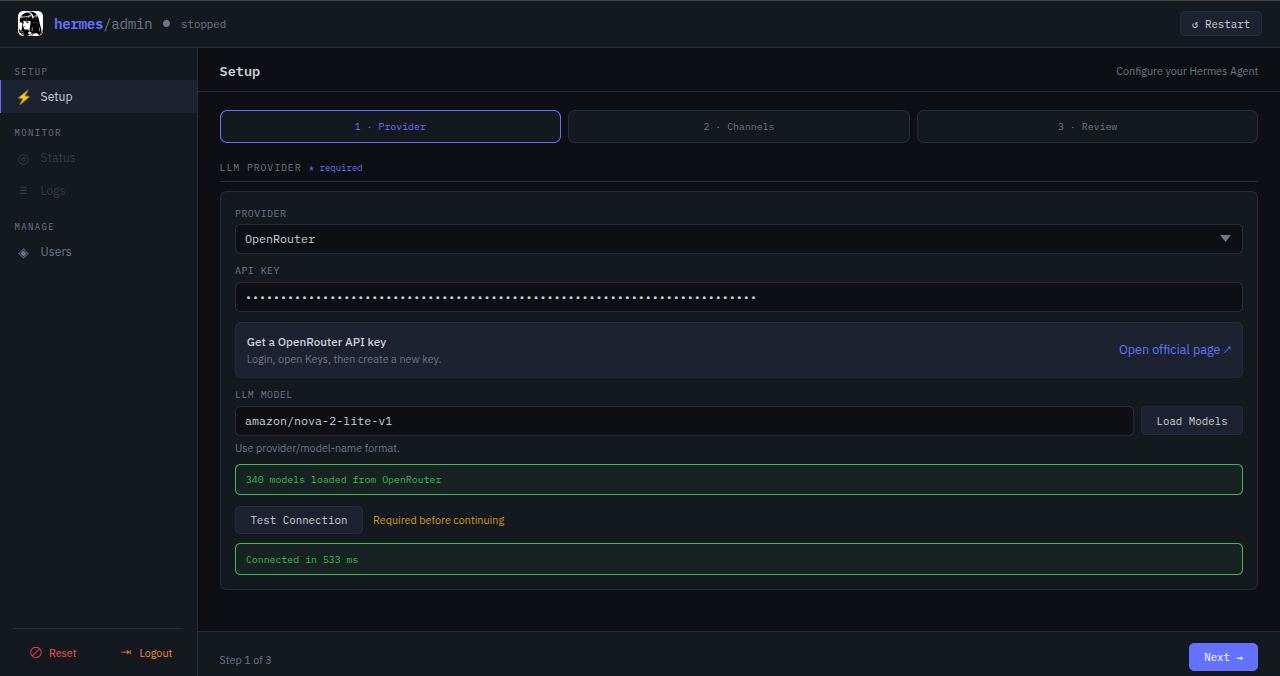
Provider
- Select an LLM provider.
- Follow the provided link to create an API key.
- Paste the API key.
- Click Load Models.
- Click the model field to open the searchable model dropdown, or type a model ID manually.
- Click Test Connection.
The wizard cannot continue until the provider connection succeeds.
Messaging Channel
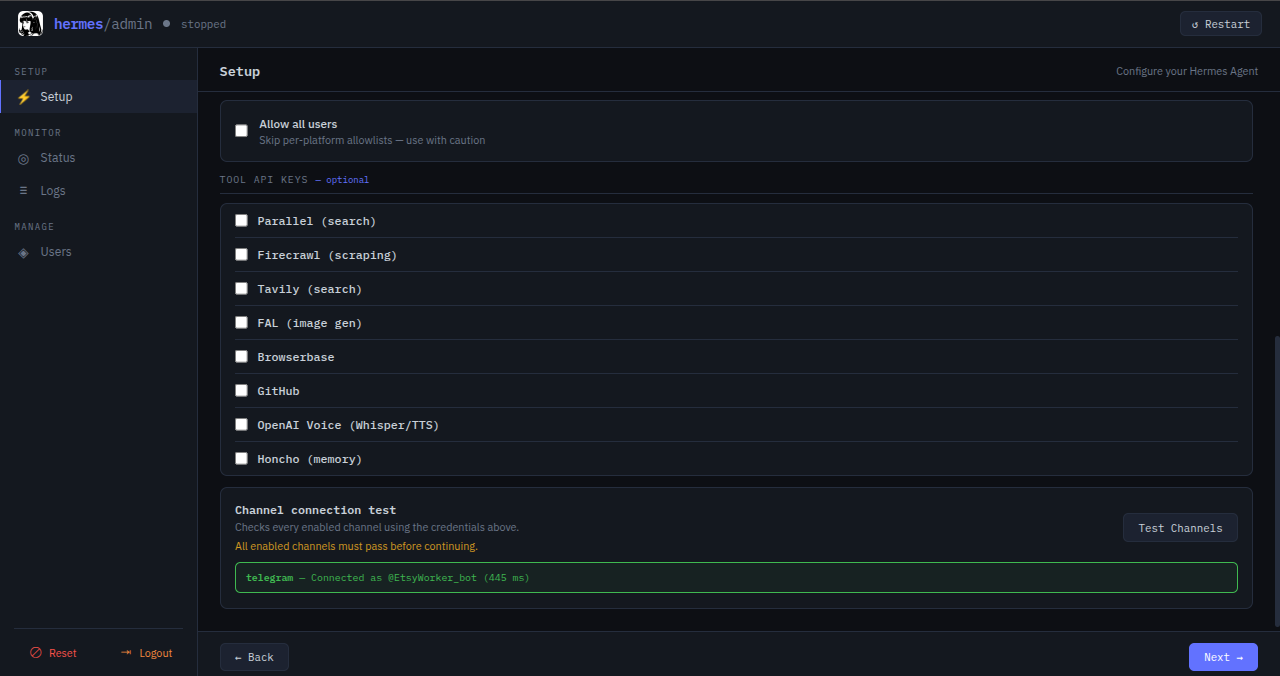
- Enable at least one channel.
- Enter all required credentials.
- Click Test Channels.
Every enabled channel must pass its connection test before the wizard can continue.
Review and Start
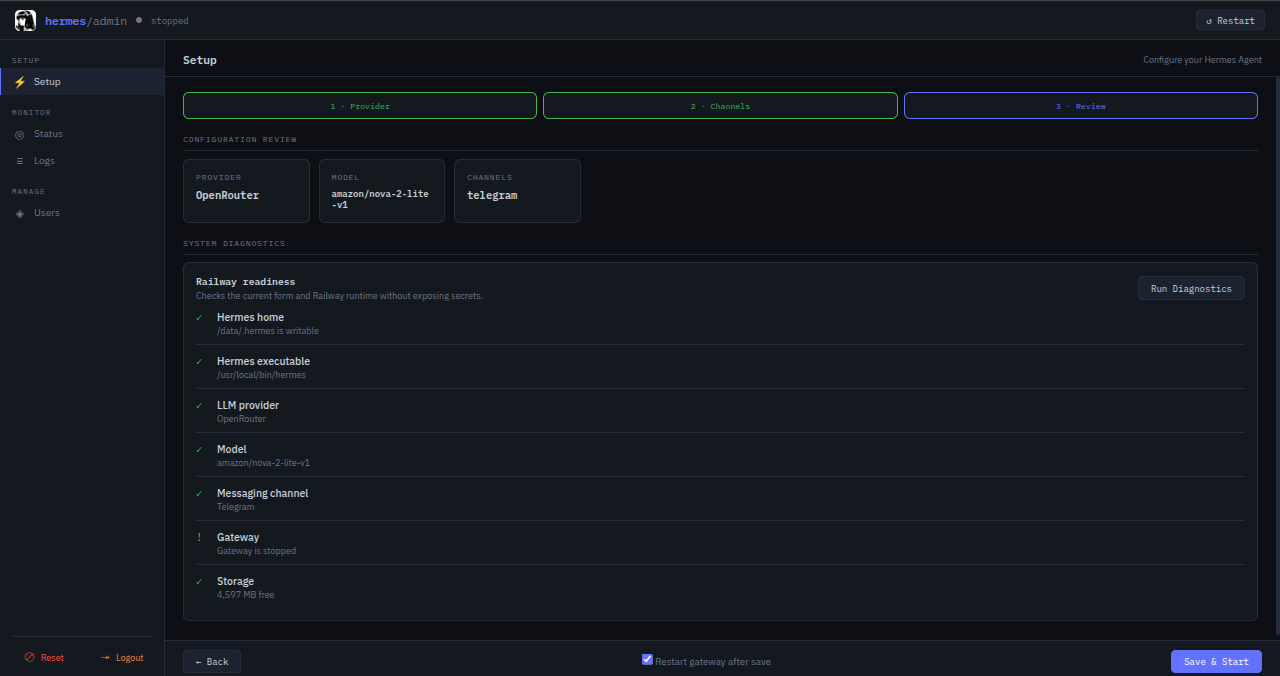
- Review the selected provider, model, and channels.
- Run System Diagnostics.
- Click Save & Start.
Managing an Existing Installation
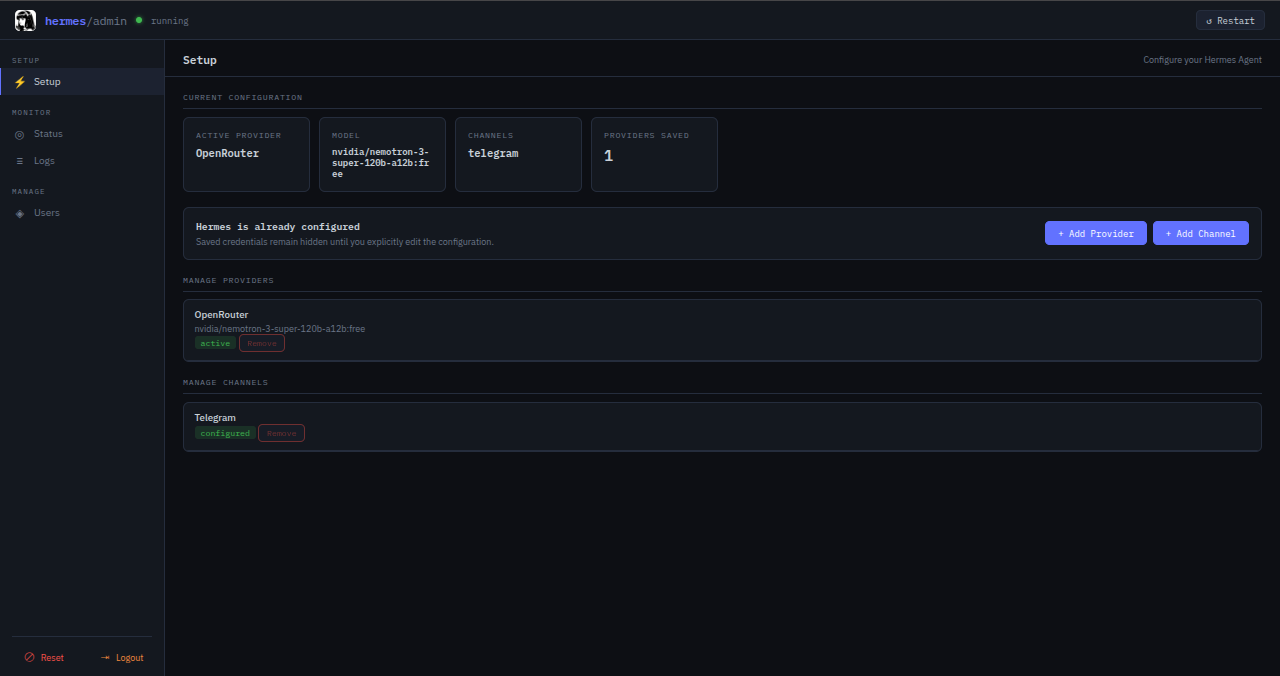
After initial setup, the Setup page displays a safe configuration summary instead of exposing the full form.
Use:
- Add Provider to register another provider without changing channels.
- Add Channel to add a channel without reconfiguring the active provider.
- Manage Providers to remove inactive or incomplete providers.
- Manage Channels to remove channels.
Only one provider can be active at a time. A provider can only be activated if both its API key and model are configured.
For safety:
- The active provider cannot be removed until another provider is activated.
- The final configured channel cannot be removed until another channel is added.
- Removing a channel restarts the gateway automatically when necessary.
Provider Switching
Open Status and use the provider switch.
Provider changes apply to new sessions. Existing sessions retain their current model unless the gateway is restarted. When appropriate, the dashboard offers the choice to restart immediately or later.
Status, Diagnostics, and Logs
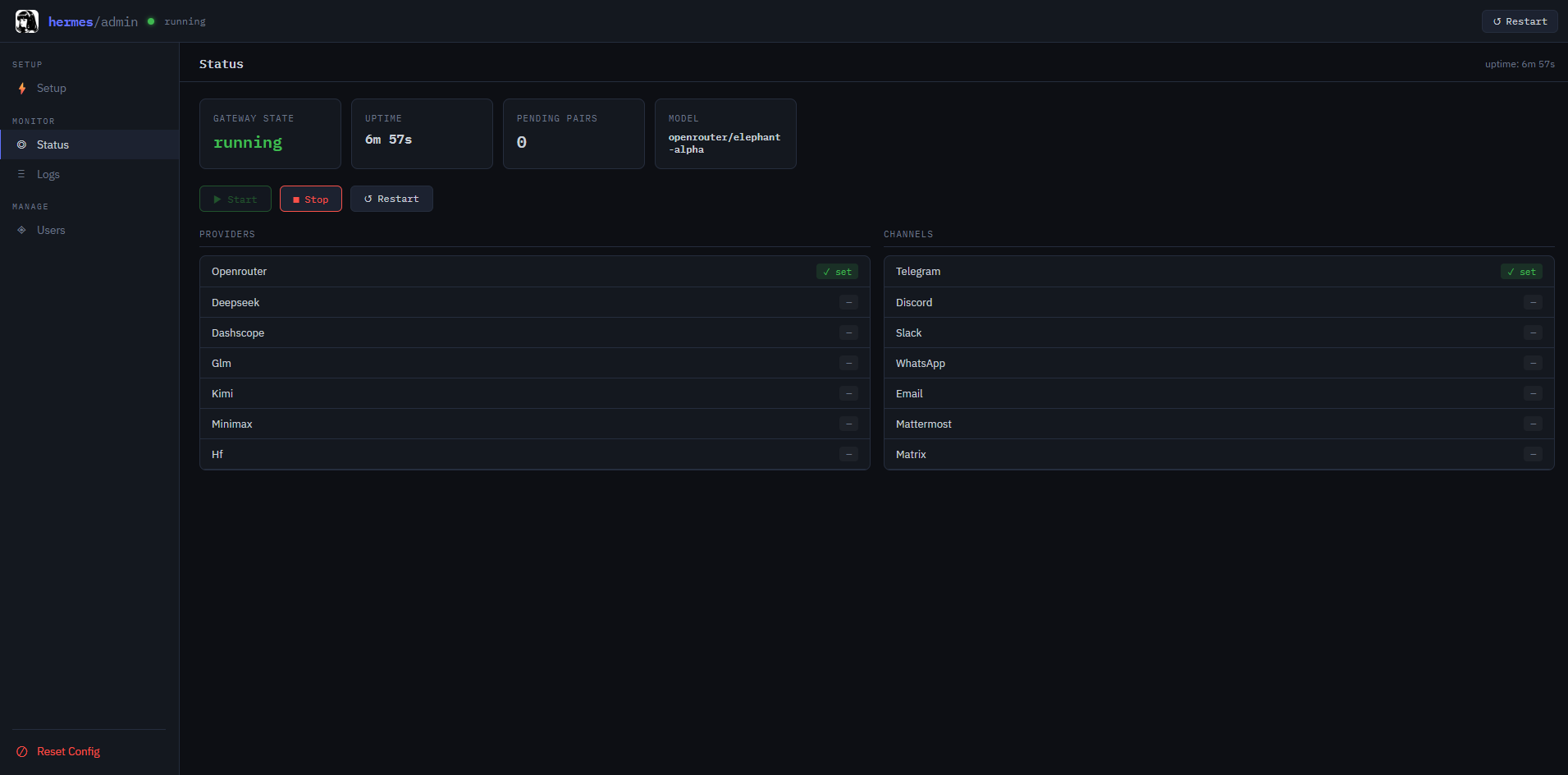
The Status page shows:
- Gateway state and uptime.
- Active model.
- Pending pairing requests.
- Registered providers.
- Configured channels.
The Diagnostics panel checks:
- Hermes executable and version.
- Writable persistent storage.
- Provider, model, and channel configuration.
- Gateway state.
- Available disk space.
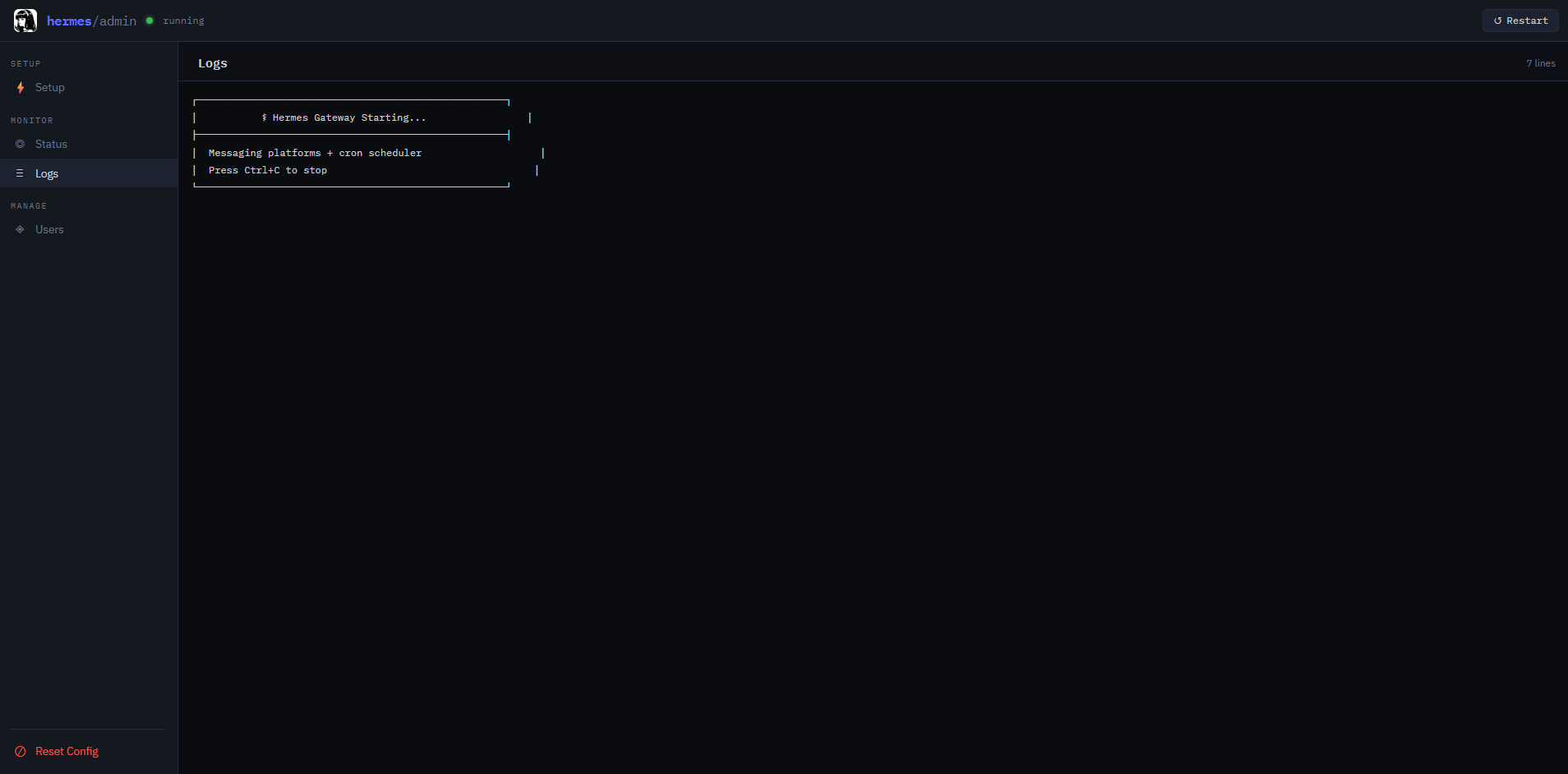
The Logs page displays gateway output for monitoring and troubleshooting.
User Pairing
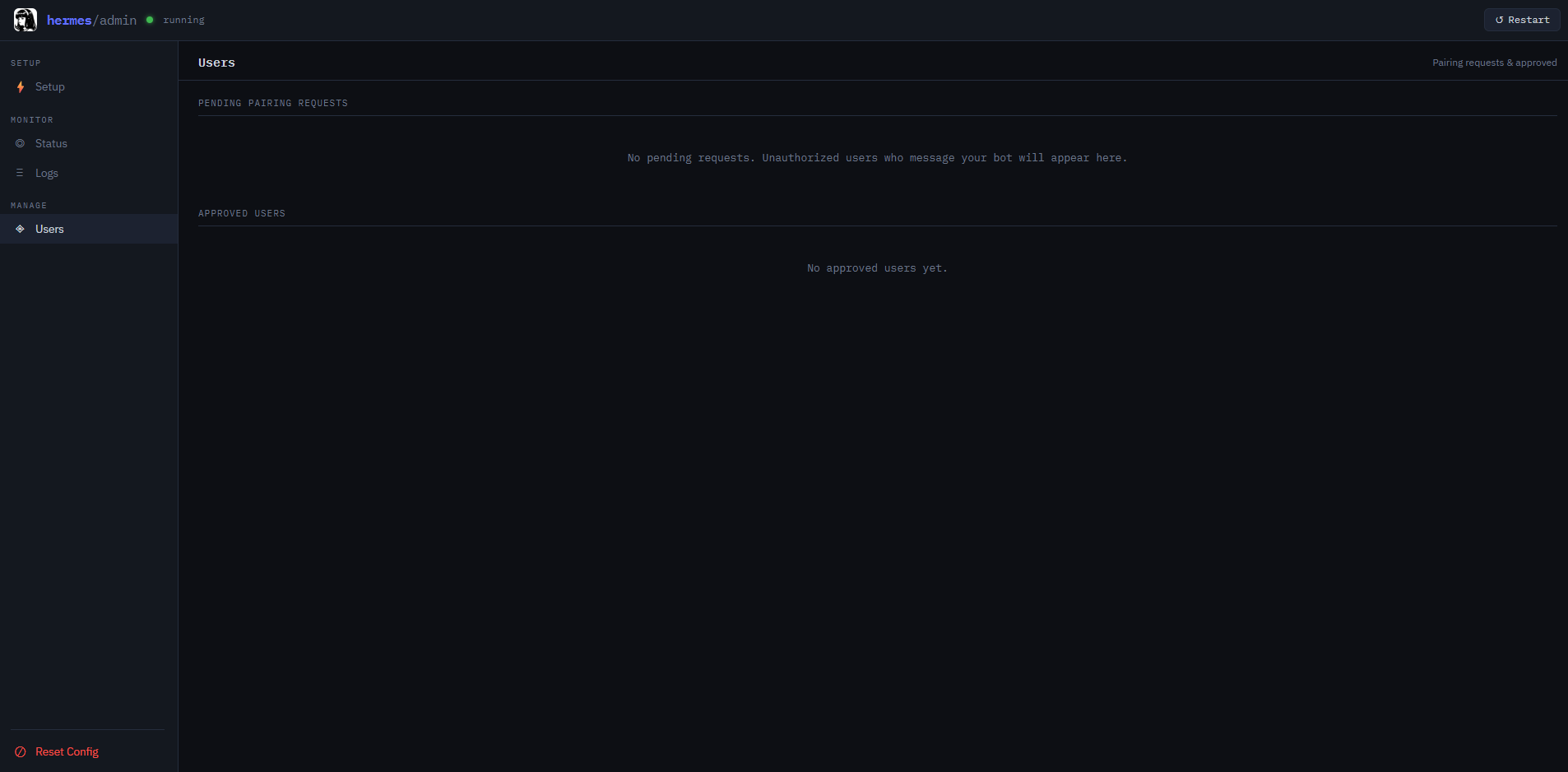
The Users page is always accessible, but it remains empty until a configured messaging channel receives a request.
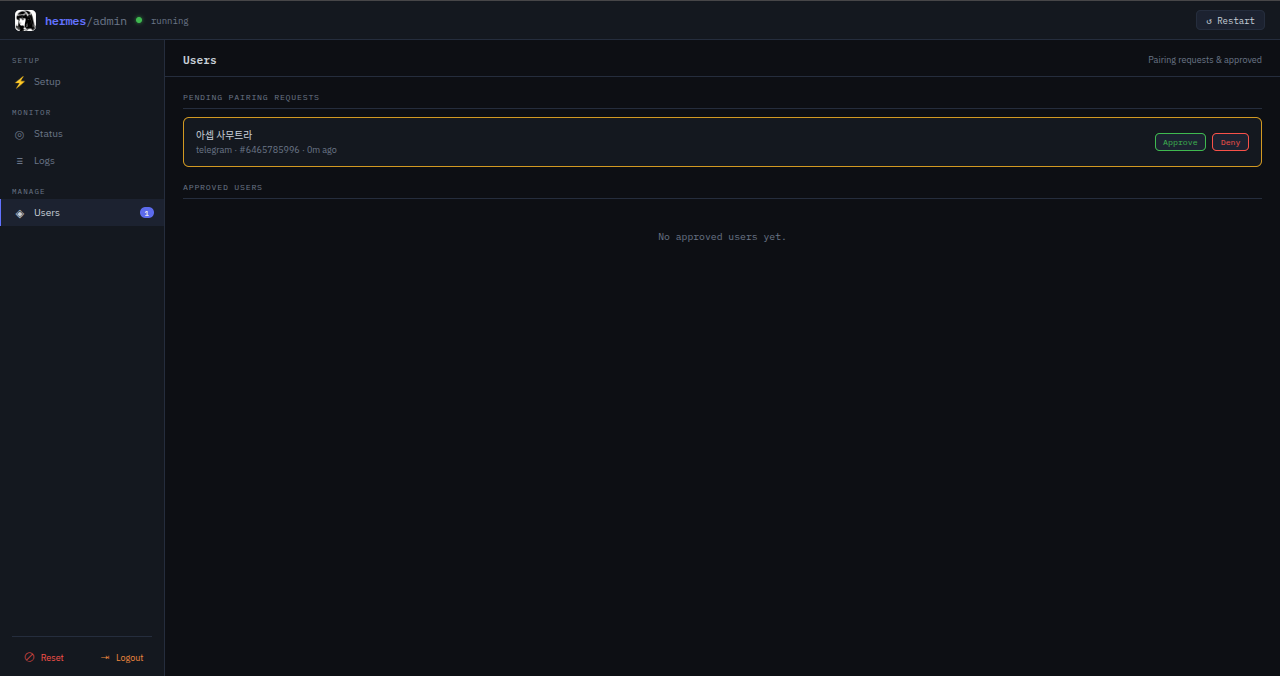
After Save & Start reports that the gateway is running, message the bot. When an unauthorized user sends a direct message, Hermes replies with a pairing code and creates a pending request in the dashboard.
- Open Users.
- Review the platform, username, and user ID.
- Click Approve or Deny.
The dashboard supports the current hashed pairing format used by Hermes, so the
owner does not need to open a Railway Console or run
hermes pairing approve manually.
Approved access can be revoked later from the same page. If Allow all users is enabled, pairing approval is skipped.
Environment Variables
| Variable | Default | Description |
|---|---|---|
PORT | 8080 | Dashboard port; Railway normally provides this automatically. |
ADMIN_USERNAME | admin | Admin Login username. |
ADMIN_PASSWORD | generated when empty | Admin Login password. Set this explicitly on Railway. |
ADMIN_SESSION_TTL | 43200 | Admin Login session lifetime in seconds. |
ADMIN_SESSION_SECRET | derived | Optional stable secret used to sign Login sessions. |
HERMES_HOME | /data/.hermes | Hermes persistent data directory. |
Provider keys, messaging credentials, models, and optional tool integrations are configured through the dashboard rather than Railway variables.
For stable sessions across password changes or multiple replicas, set
ADMIN_SESSION_SECRET to a long random value.
Persistent Storage
The /data volume is required for production use. Without it, redeploying or
restarting onto a new container may remove:
- API keys and bot tokens.
- Approved users and pairing data.
- Sessions, memories, and skills.
- Hermes configuration.
Back up the Railway Volume before performing a major migration.
Health Check
Railway uses:
/health
A healthy dashboard returns a response similar to:
{"status":"ok","gateway":"running"}
The gateway value may be stopped before initial configuration.
Why Deploy Hermes Agent on Railway?
Railway provides container builds, public HTTPS domains, environment variables, health checks, restart policies, logs, and persistent volumes in one platform.
This template packages those capabilities with a focused Hermes dashboard so the agent can be configured and operated without manually editing environment or YAML files.
Template Content
hermes-agent
codestorm-official/hermes-agentADMIN_PASSWORD
ADMIN_USERNAME

