
Deploy Hermes Agent (Full) — Self-Improving AI Agent with Official Dashboard
Self-hosted Hermes AI agent + official Nous dashboard, self-improving
Just deployed
/opt/data
Deploy and Host Hermes Agent (Full) on Railway
Hermes is a self-improving AI agent
by Nous Research that connects to your messaging channels, learns from every
interaction, creates its own skills, and gets more capable over time. This Full
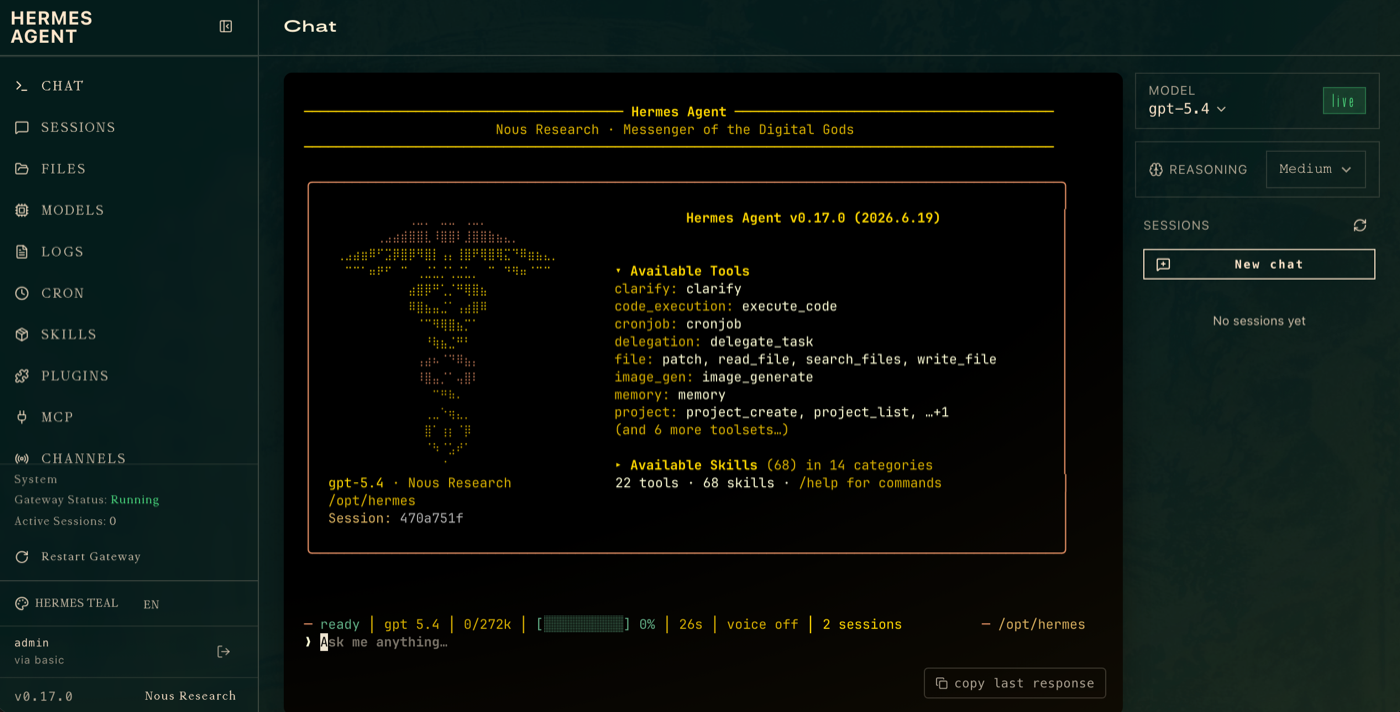
template runs the agent plus the first-party Nous hermes dashboard — built from
source — so you can configure and monitor everything from your browser.
About Hosting Hermes Agent (Full)
The Full variant serves the official Hermes web dashboard behind basic auth (not a
third-party UI): configure LLM providers, channels, and tools; watch live gateway
logs; and start/stop the agent — all point-and-click. Alongside it runs the same
always-on hermes gateway that answers Telegram, Discord, and Slack 24/7. Config,
skills, memories, and sessions persist on a Railway volume (/opt/data) so they
survive redeploys. Steady memory is ~300 MB (dashboard + gateway) with no
headless browser bundled — lean for what it offers.
Why Deploy Hermes Agent (Full) on Railway?
- Official dashboard, from source — the genuine Nous
hermes dashboard, not a community wrapper. - Point-and-click setup — pick providers/channels/tools and watch logs in the browser; no terminal required.
- Self-improving — agent-curated memory, autonomous skill creation, cron jobs.
- Lean for a UI build — ~300 MB steady, no Chromium/Playwright.
- Your keys, your data — nothing is bundled and no credentials ship with the template.
Want the lowest possible RAM and don't need a web UI? Deploy the Slim variant (~112 MB, CLI + gateway) — also on this marketplace.
Common Use Cases
- A browser-managed personal assistant you configure without touching a terminal.
- A team agent where non-CLI users tweak providers/channels via the dashboard.
- A self-improving bot with live observability of its gateway and logs.
Dependencies for Hermes Agent (Full) Hosting
On deploy you choose your dashboard login — just a
HERMES_DASHBOARD_BASIC_AUTH_USERNAME and HERMES_DASHBOARD_BASIC_AUTH_PASSWORD.
The session-signing secret is generated for you on first boot and persisted to
the volume, so there's no opaque value to fill in. Then give it an LLM: set an
API-key variable (OPENAI_API_KEY, OPENROUTER_API_KEY, …) or sign in with a
ChatGPT / Codex subscription — or just configure a provider from the dashboard
after it boots.
Deployment Dependencies
- Hermes Agent — open source by Nous Research; the dashboard is built from upstream source.
Template Content
HERMES_DASHBOARD_BASIC_AUTH_PASSWORD
HERMES_DASHBOARD_BASIC_AUTH_USERNAME


