
Deploy Hi.Events
Event ticketing platform for selling tickets and checking guests in

Redis
Just deployed
/data
hi-events
Just deployed
/app/backend/storage
hi-events-worker
Just deployed

mailpit
Just deployed
/data

Just deployed
/var/lib/postgresql/data
hi-events-storage
Bucket
Just deployed
Deploy and Host Hi.Events on Railway
Hi.Events is an open-source event ticketing platform — the self-hosted answer to Eventbrite, Tickettailor and Dice. Organizers build an event page, sell tickets in any currency, ask custom checkout questions, email PDF tickets and scan attendees in at the door. Promoters, conference hosts and venues run it when they want their own branding on the checkout, no per-ticket fee, and ownership of their attendee data. Self-host Hi.Events and every order lives in a database you control.
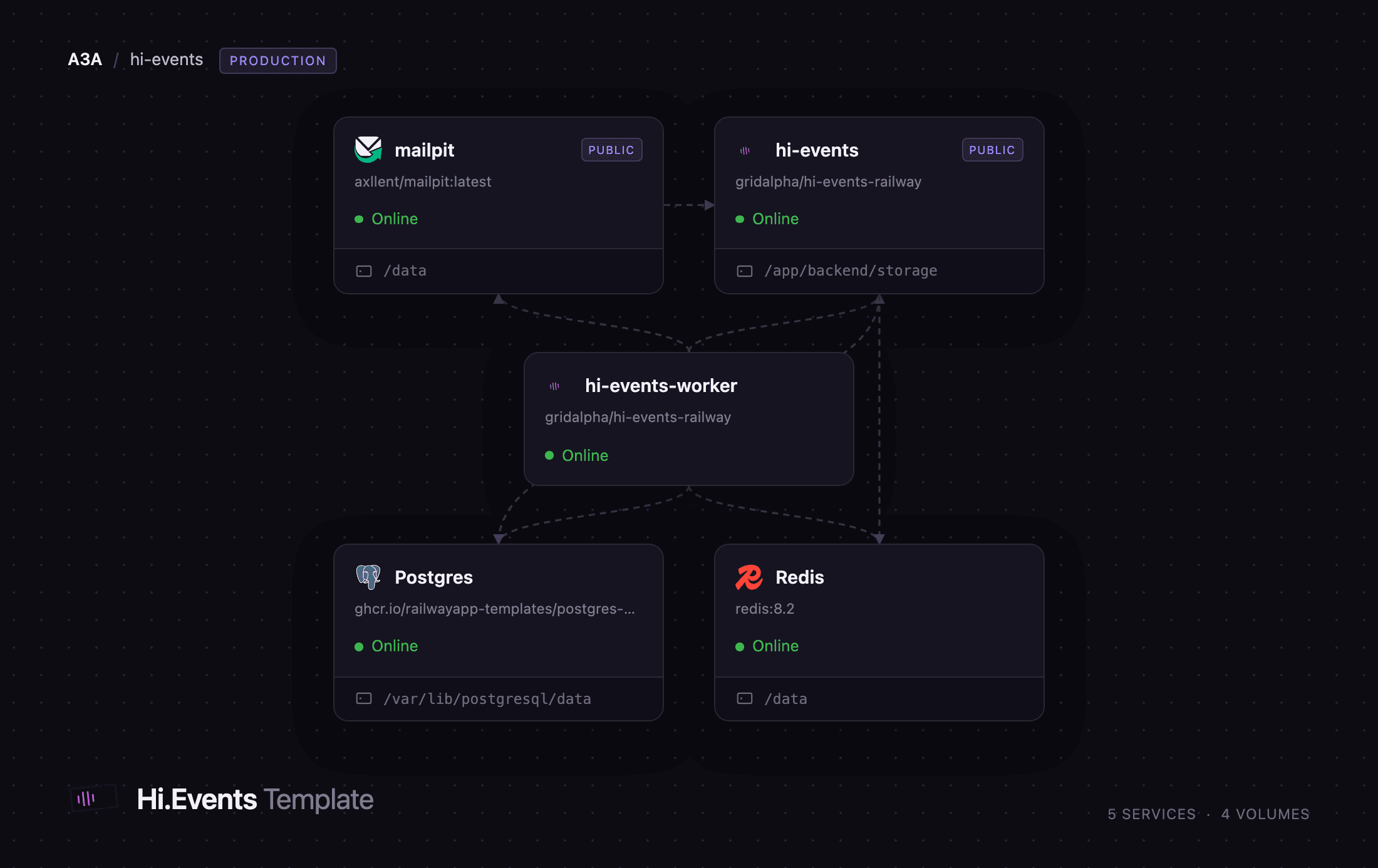
This template deploys the production shape, not a single container. hi-events serves the public event pages, the checkout and the organizer dashboard on one origin. hi-events-worker runs the Laravel queue worker and scheduler, so ticket emails, webhooks and exports stay off the request path. Postgres holds orders and attendees, Redis carries the job queue, mailpit captures outbound mail so ticket delivery works immediately, and a bucket holds generated exports.
Getting Started with Hi.Events on Railway
Set ADMIN_EMAIL and ADMIN_PASSWORD before you deploy — the owner account is created from them as the container boots, so there is no open registration page and no default password to change. Public sign-up ships disabled (APP_DISABLE_REGISTRATION=true); set it to false only if you want strangers creating their own organizer accounts.
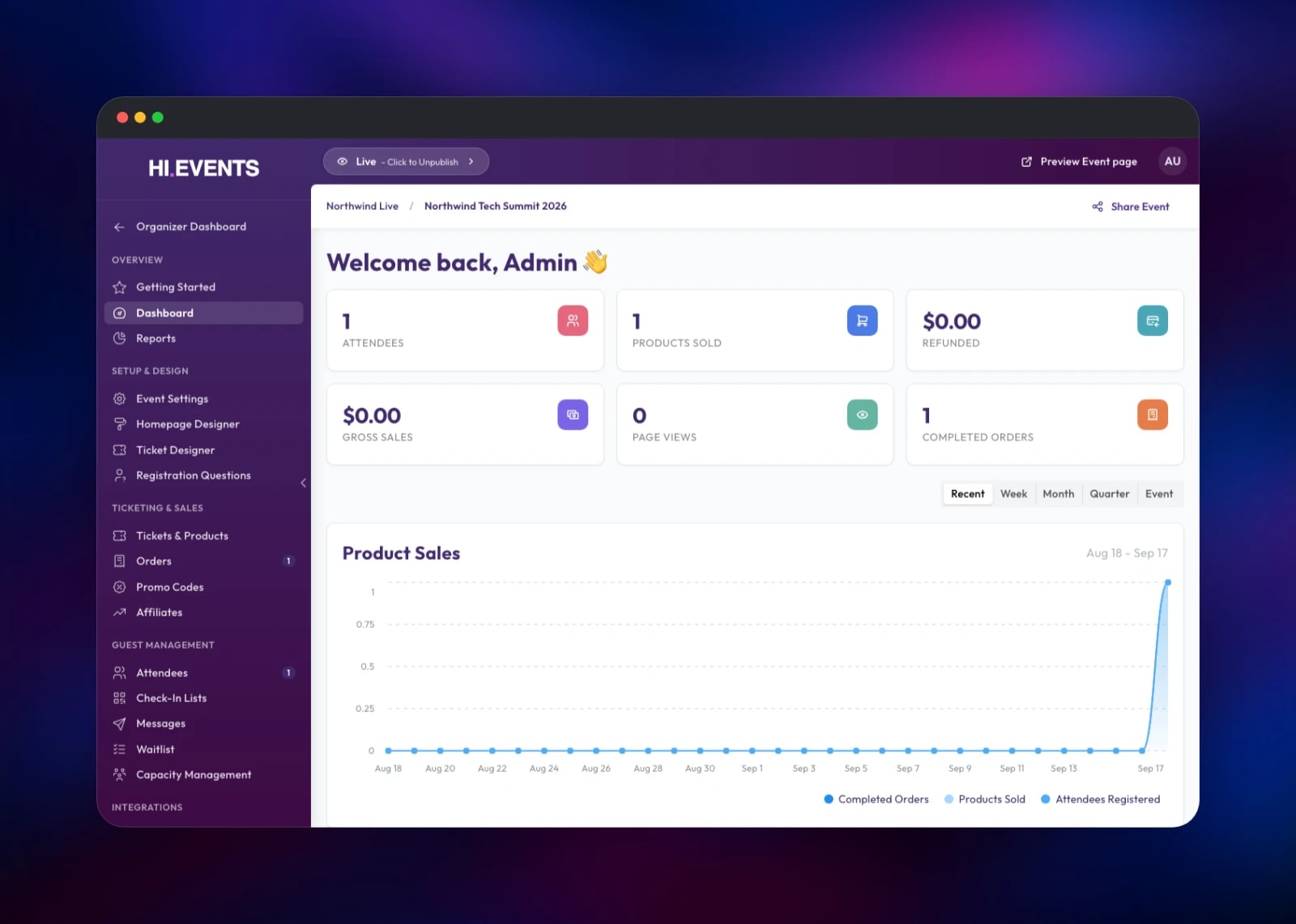
Open the hi-events URL and sign in. A short setup follows: name your organization, confirm currency and timezone, then create your first event. Add a ticket from Tickets & Products — Free, Paid or Donation — then click the Draft badge in the top bar to set the event live.
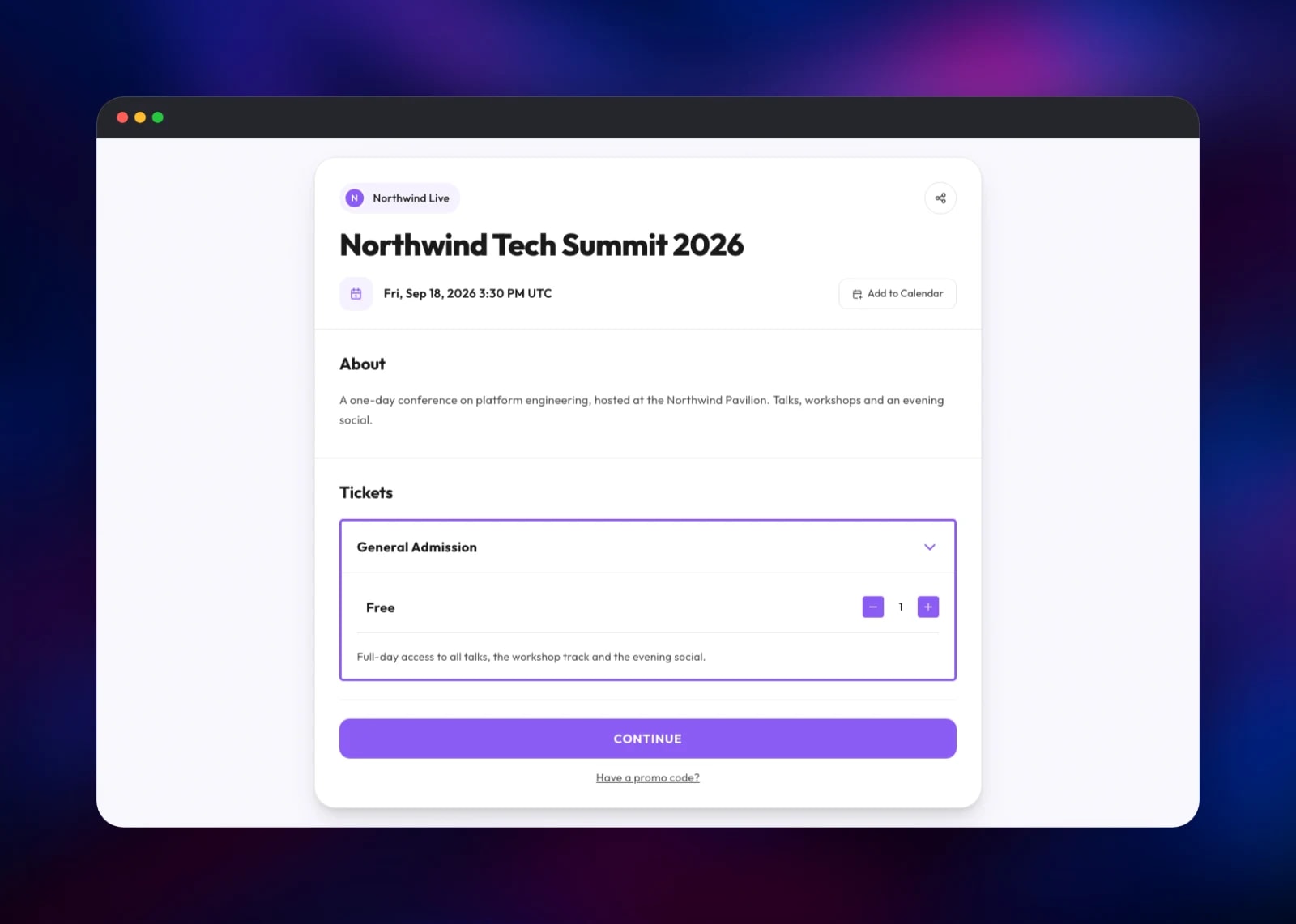
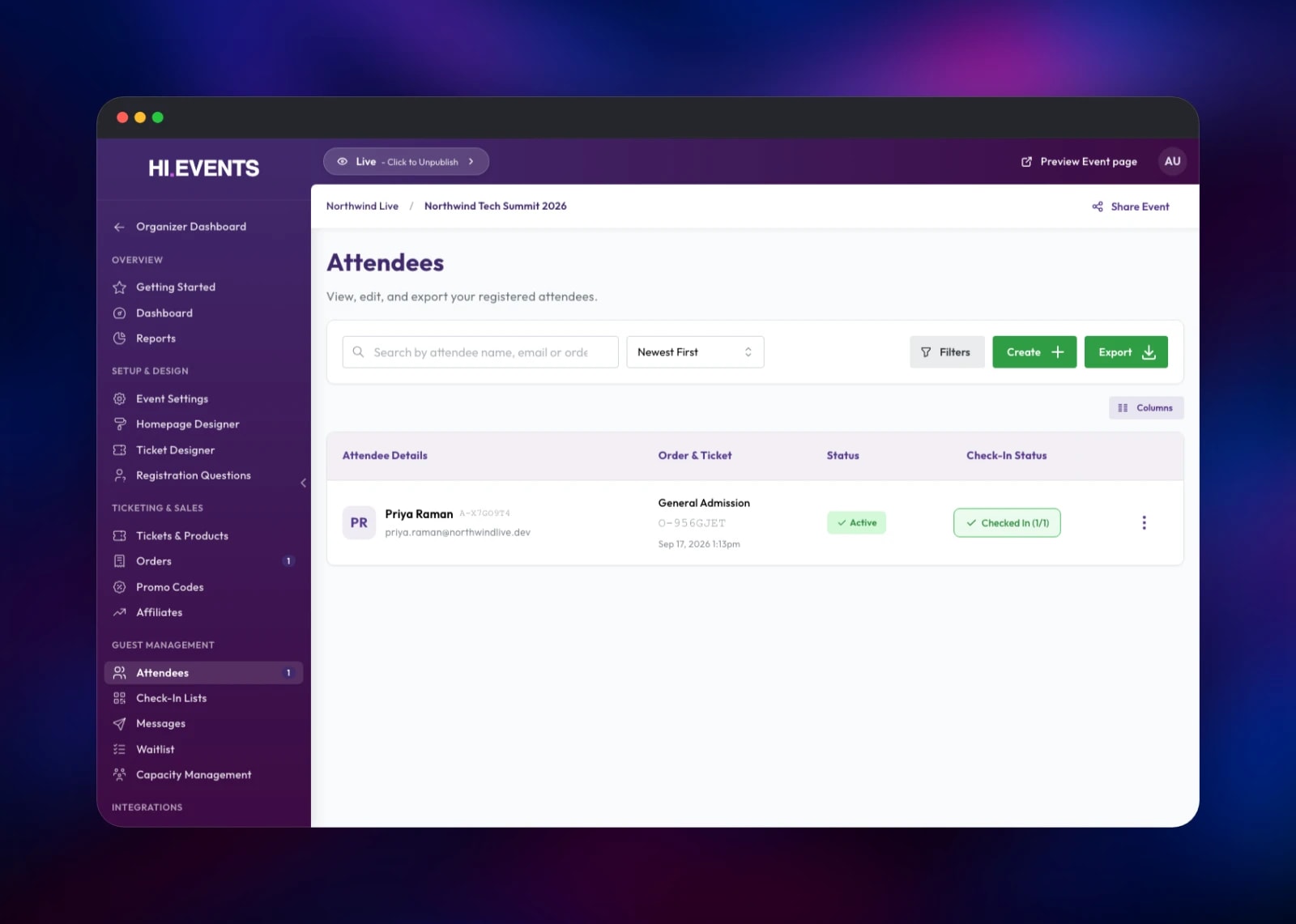
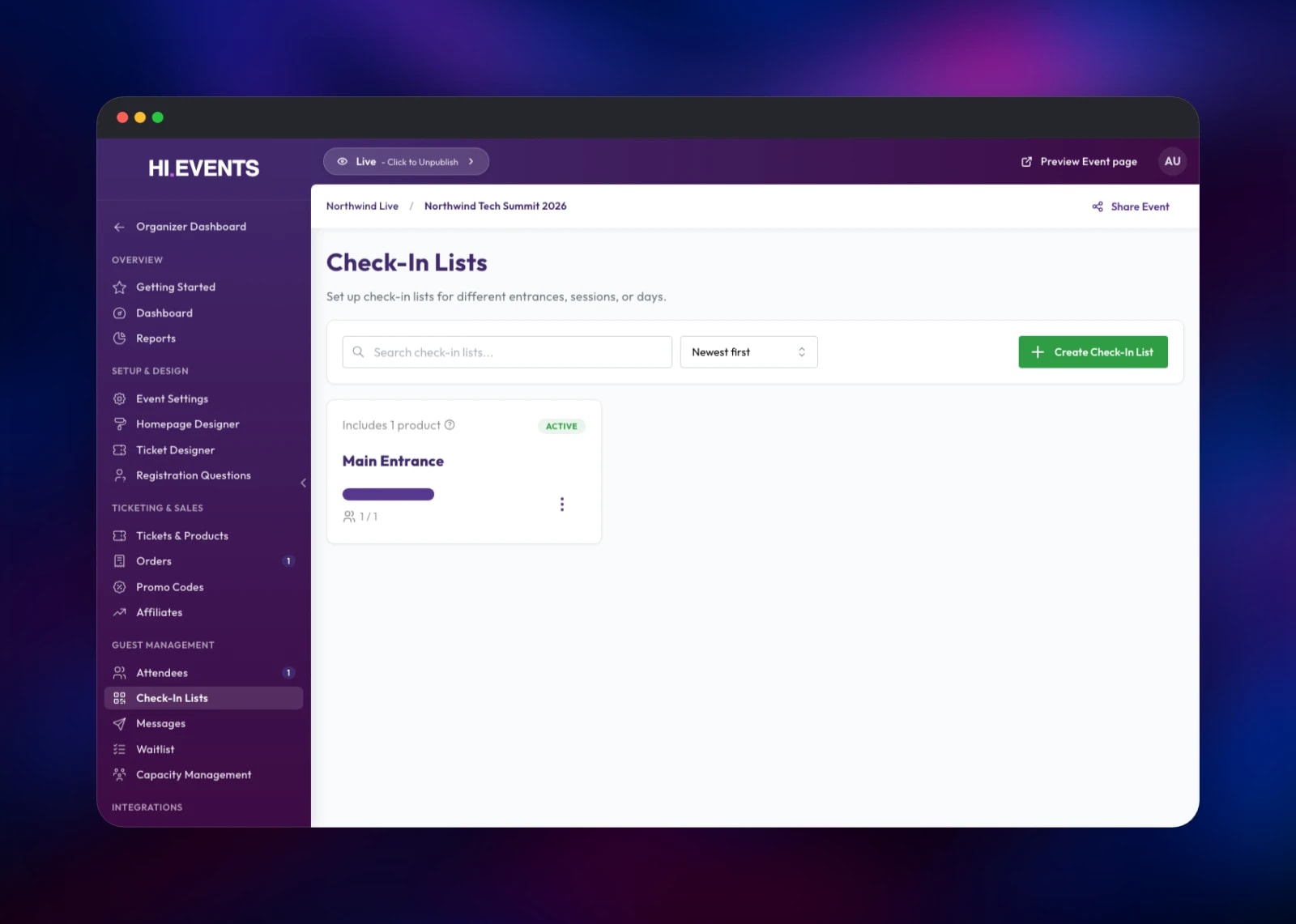
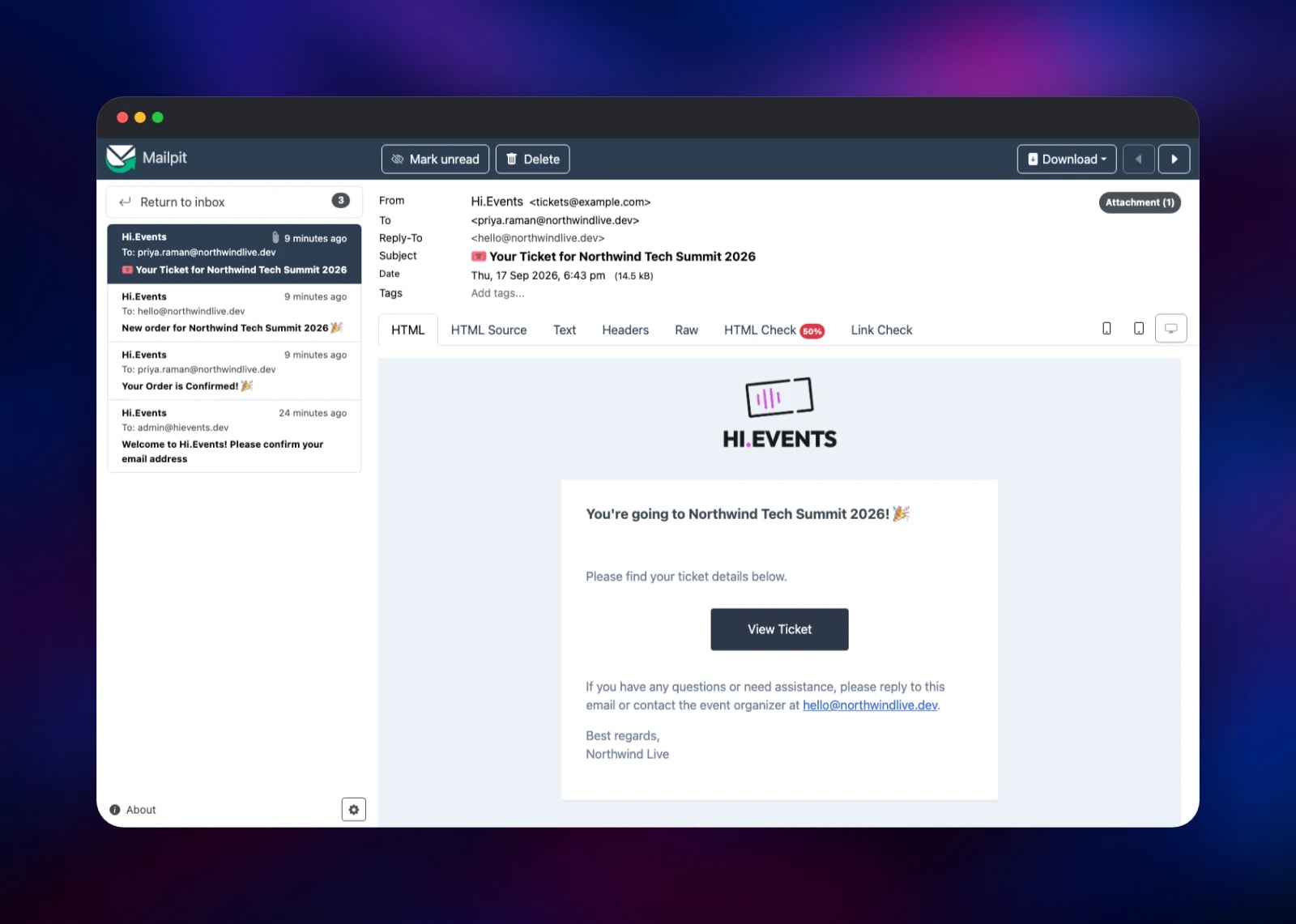
Your first useful check is a real order. Open Preview Event page, choose a quantity and complete the checkout as a buyer would. The order appears under Orders, the attendee under Attendees, and the confirmation and ticket emails in the Mailpit inbox — the project's second public URL, behind the MP_UI_AUTH credentials. Those emails confirm the worker, Redis and private networking all work. Then create a check-in list: door staff open its link on a phone, with no account.
About Hosting Hi.Events
Commercial ticketing platforms charge a fee on every ticket and keep the buyer list. Over a season that adds up, and the list stays in someone else's product. Hi.Events moves the whole flow onto infrastructure you own — page, checkout, emails and door scanner.
Key features:
- Free, paid, donation and tiered tickets, plus add-ons like merchandise
- Promo codes, pre-sale access, hidden tickets and shared capacity limits
- Drag-and-drop page builder, custom PDF ticket designs, embeddable widget
- Custom checkout questions with CSV and XLSX export
- QR check-in lists, shareable with staff who have no account
- Refunds, automatic invoicing, affiliate tracking and webhooks
The Railway architecture separates the roles the application actually has. hi-events runs nginx, PHP-FPM and the server-rendered React frontend behind one hostname, so the dashboard and the public checkout share an origin and a session. hi-events-worker runs queue:work plus the scheduler: email delivery, webhook dispatch, waitlist expiry and exports. Postgres is the system of record, Redis the queue transport between them, mailpit a working SMTP endpoint on the private network from first boot, and the bucket holds exports served as short-lived signed URLs.
Why Deploy Hi.Events on Railway
Railway supplies what this stack needs with no wiring:
- Managed Postgres and Redis, connected by reference, not copied credentials
- A persistent volume for uploaded event images and ticket assets
- Object storage provisioned with the template for attendee exports
- Private networking between the web, worker and mail services
- Health checks that test the real database and queue
- HTTPS and a public domain issued automatically
Common Use Cases
- A promoter selling weekly club tickets under their own brand, with door staff scanning QR codes on their phones
- A conference running paid tiers, a workshop add-on and custom registration questions, exported for badge printing
- A community group taking free RSVPs with a waitlist and a capacity cap
- A venue hosting several organizers, each with its own homepage and Stripe payouts
Dependencies for Hi.Events
- hi-events and hi-events-worker — gridalpha/hi-events-railway, a thin wrapper over
daveearley/hi.events-all-in-one:v1.11.1-beta - Postgres —
ghcr.io/railwayapp-templates/postgres-ssl:18, the order and attendee schema - Redis —
redis:8.2, the Laravel queue behind ticket emails and webhooks - mailpit —
axllent/mailpit:latest, SMTP endpoint and inbox - Object storage bucket — CSV and XLSX exports
Environment Variables Reference
| Variable | Purpose |
|---|---|
ADMIN_EMAIL / ADMIN_PASSWORD | Owner account created on first boot |
APP_KEY | Laravel encryption key; must stay stable |
JWT_SECRET | Signs dashboard session tokens |
APP_DISABLE_REGISTRATION | true closes public sign-up |
APP_URL / APP_FRONTEND_URL | Public base URL used in emailed links |
QUEUE_CONNECTION | redis, so the worker picks jobs up |
MAIL_HOST / MAIL_PORT | SMTP target; defaults to the bundled inbox |
STRIPE_SECRET_KEY | Optional — enables card checkout |
Deployment Dependencies
- Source:
- Image:
- Docs:
- Runtime: PHP 8.3 with Laravel, Node 22 for the server-rendered frontend
Hardware Requirements for Self-Hosting Hi.Events
| Resource | Minimum | Recommended |
|---|---|---|
| CPU | 1 vCPU across web and worker | 2 vCPU, worker on its own |
| RAM | 1 GB web + 512 MB worker | 2 GB web + 1 GB worker |
| Storage | 5 GB volume | 10 GB plus object storage |
| Runtime | PHP 8.3, Node 22, Postgres 16+, Redis 7+ | Postgres 18, Redis 8 |
An event with a few thousand attendees fits the minimum. Raise the worker's memory before the web tier if you send large message batches.
Self-Hosting Hi.Events with Docker
Upstream ships an all-in-one image. Clone it and generate the two secrets it will not start without:
git clone https://github.com/HiEventsDev/hi.events.git
cd hi.events/docker/all-in-one
cp .env.example .env
echo "APP_KEY=base64:$(openssl rand -base64 32)" >> .env
echo "JWT_SECRET=$(openssl rand -base64 32)" >> .env
docker compose up -d
That brings up the application, Postgres and Redis together on . To run the published image against databases you already have:
docker run -d -p 8123:80 \
  -e APP_KEY="base64:$(openssl rand -base64 32)" \
  -e JWT_SECRET="$(openssl rand -base64 32)" \
  -e DATABASE_URL="postgresql://user:pass@postgres:5432/hi-events" \
  -e REDIS_HOST=redis -e QUEUE_CONNECTION=redis \
  daveearley/hi.events-all-in-one:v1.11.1-beta
The Railway template does the same, plus the worker split, the storage bucket and a health check that opens the database and queue.
Is Hi.Events Free to Self-Host?
Hi.Events is open source under AGPL-3.0 with additional terms and there is no licence fee for running it yourself — a commercial licence exists if you need to drop the attribution footer or embed it in a closed product. Self-hosting costs only infrastructure. Card payments go through your own Stripe account, so Hi.Events takes no cut of ticket revenue.
FAQ
What is Hi.Events? An open-source event ticketing platform for selling tickets, running checkout, emailing PDF tickets and checking attendees in at the door — a self-hosted alternative to Eventbrite and Tickettailor.
Why does the template include Redis and a separate worker service? Ticket emails, webhook deliveries, scheduled messages and CSV exports run as background jobs. Redis is the queue they sit in and the worker consumes it, so a buyer's checkout never waits on an email.
How do I accept card payments in self-hosted Hi.Events?
Set STRIPE_SECRET_KEY, STRIPE_PUBLIC_KEY and VITE_STRIPE_PUBLISHABLE_KEY from your own Stripe account, then connect the organizer through Stripe Connect. Free, donation and offline-payment tickets need no Stripe configuration at all.
How do I send real emails instead of using the built-in inbox?
Point MAIL_HOST, MAIL_PORT, MAIL_USERNAME and MAIL_PASSWORD at your SMTP provider, or keep Mailpit and set its MP_SMTP_RELAY_* variables so it relays upstream.
Where do uploaded images and exports get stored? Event images and PDF ticket assets live on the attached volume, served from your public domain. Attendee and answer exports go to the object storage bucket and reach the browser as short-lived signed links.
Template Content
Redis
redis:8.2hi-events
gridalpha/hi-events-railwayhi-events-worker
gridalpha/hi-events-railwaymailpit
axllent/mailpit:latesthi-events-storage
Bucket


