
Deploy Home Assistant
Home Assistant — local-first smart home automation hub
home-assistant
Just deployed
/config

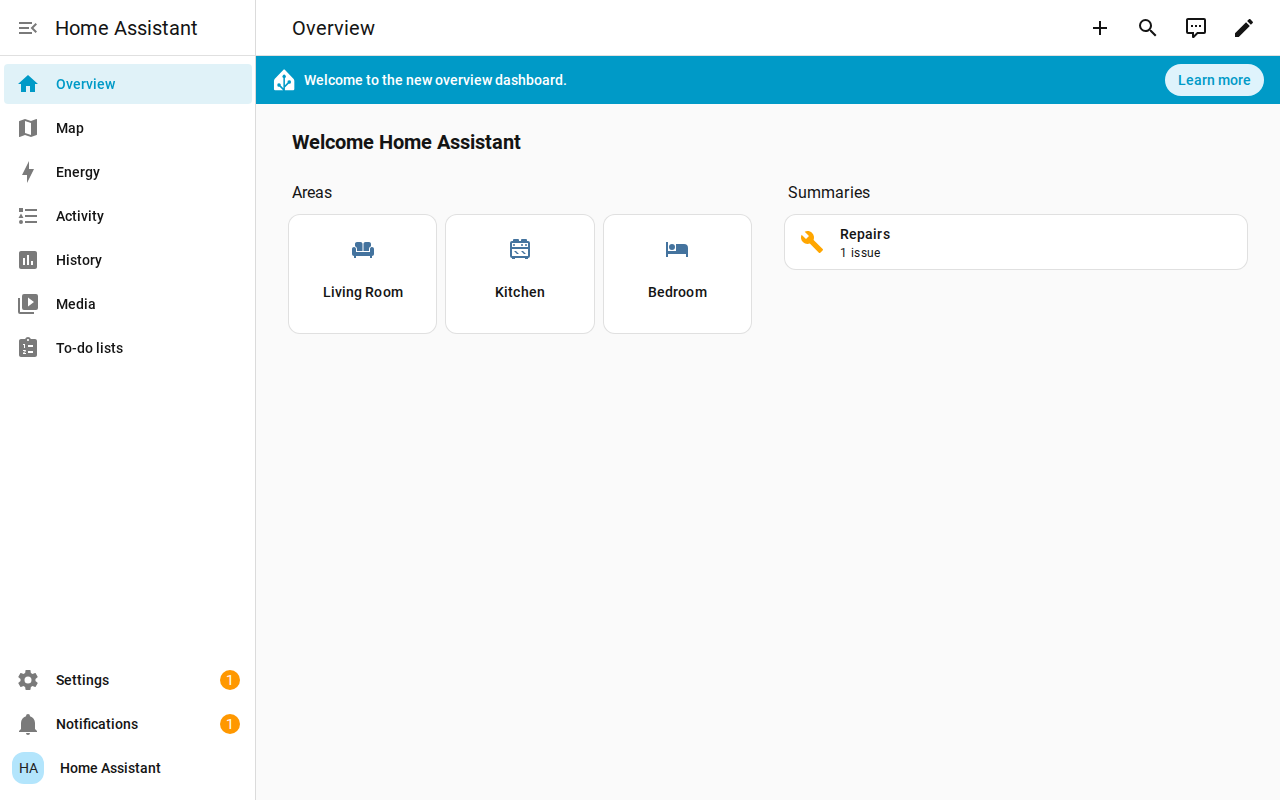
Screenshot: the live dashboard of this template's own Railway deployment after onboarding, showing the default areas and the test automation created during end-to-end verification.
Deploy and Host
Home Assistant is the open-source home automation platform that puts local control and privacy first — automations, dashboards, and hundreds of integrations for lights, sensors, media, and more, all running on your own server with no cloud account required. One click deploys the official image (homeassistant/home-assistant 2026.11.2, Apache-2.0) as a single service: the owner account is seeded on first boot, the port is mapped automatically, and your entire configuration survives redeploys on a Railway volume. The deploy form has one generated field — the owner account password — and nothing else to fill in. On first boot the owner account (admin + your generated password) is created automatically through the onboarding API, and the site is ready: log in, finish the two quick onboarding screens (location, units), and start building automations.
About Hosting
Home Assistant runs as one Python 3.13 service from the official image, pinned by digest (manifest list sha256:493a07e8…), under s6. Everything lives on a single Railway volume at /config (configuration, .storage, SQLite history database) and survives redeploys. Railway's injected PORT is passed to Home Assistant as the upstream SETUP_PORT env var by the wrapper entrypoint on every boot — the supported way to set the listen port (HA 2026.11 trials a YAML http: server_port: for 5 minutes, then reverts to 8123, so the port is deliberately kept out of the config file) — and the wrapper writes the reverse-proxy trust settings (use_x_forwarded_for + trusted_proxies) into HA's .storage/http store, since without them HA answers HTTP 400 to every request from the Railway edge. The healthcheck is /auth/authorize (authorize page, unauthenticated, 200). The marketplace incumbents ship the moving :latest tag with no port handling and no seeded account; this template fixes the usual failure modes (pinned digest, PORT remap, volume persistence, generated owner password).
Why Deploy
- Zero-fuss start: no setup wizard to click through for the account — the owner is seeded on first boot and you log straight in with the generated password.
- Local-first automation: automations, scripts, scenes, and dashboards run on your own instance; your device states and history stay in your own SQLite database on your own volume.
- Hundreds of integrations: lights, switches, sensors, media players, weather, calendars, and more — add them from Settings → Devices & Services.
- Built for Railway: the wrapper sets Home Assistant's listen port from Railway's injected
PORTvia the upstreamSETUP_PORTenv var, writes the reverse-proxy trust settings into HA's HTTP store so the Railway edge is accepted, and persists all of/configacross redeploys.
Common Use Cases
- Run a smart-home hub without dedicated hardware — automations and dashboards from anywhere, with no cloud subscription.
- Automate lights, climate, and notifications with Home Assistant's visual automation editor.
- Track devices and sensors in one dashboard, with history and energy monitoring built in.
- Prototype integrations and automations on a disposable cloud instance before committing them to a home server.
Dependencies for
Deployment Dependencies
- Runtime: Home Assistant 2026.11.2 (Python 3.13, s6-overlay); single service, SQLite recorder by default. Fits the Hobby plan (roughly 400–600 MB RAM at rest).
- Port: 8080 by default, set from Railway's injected
PORTvia the upstreamSETUP_PORTenv var on every boot. - Persistence: one Railway volume at
/config(configuration,.storage, SQLite history database). - Healthcheck:
/auth/authorize(authorize page, unauthenticated, 200). - Plan tier: Hobby plan; one service.
- Limits: no USB/Zigbee/Z-Wave hardware on Railway — local radio sticks can't attach, so use network/Wi-Fi integrations (or MQTT over the network). Add-ons (the Supervisor ecosystem) are not part of the Core container; core integrations and automations all work.
Environment variables (condensed reference): HA_ADMIN_PASSWORD (${{secret(16)}} — password for the auto-seeded owner account, username admin; log in with it after deploy, change it later from your profile), HA_ADMIN_USERNAME (admin — username of the seeded owner account), PORT (injected by Railway, passed to Home Assistant as SETUP_PORT by the wrapper entrypoint on every boot), TZ (UTC, baked — container timezone; the in-app time zone takes precedence for display), RAILWAY_PUBLIC_DOMAIN (set by Railway — used only by the owner seeder as the onboarding client_id; never baked into the config file). Home Assistant itself is configured through /config/configuration.yaml and the UI, not environment variables; the wrapper only ensures the automation:/script:/scene: includes from upstream's own DEFAULT_CONFIG are present in that file (created on first boot from that DEFAULT_CONFIG, plus a homeassistant: name) and keeps HA's .storage/http store serving Railway's PORT behind the edge proxy (use_x_forwarded_for + trusted_proxies). See the upstream documentation for the full configuration reference.
Template Content
home-assistant
INAPP-Mobile/home-assistant