
Deploy Homer
Static homepage dashboard built from a simple YAML file
Just deployed
Deploy and Host Homer on Railway
Homer is a dead-simple static homepage for your server. It turns a single YAML file into a fast, searchable grid of cards linking to everything you run — internal tools, admin panels, monitoring, bookmarks. There is no database and no server-side work: the browser loads a small Vue bundle, reads your configuration and renders the dashboard. Teams reach for it as the front door to a homelab or an internal network.
Deploy Homer on Railway and you get one service, homer, built from the gridalpha/homer-railway source repository on top of the official b4bz/homer image. lighttpd serves it on the port Railway assigns, behind HTTP basic auth so the list of your services is not public, and the dashboard is installed from the repository's config/config.yml on every boot. Nothing is written inside the container, so this deployment needs no volume and no database — to self-host Homer here you edit YAML, not infrastructure.
Getting Started with Homer on Railway
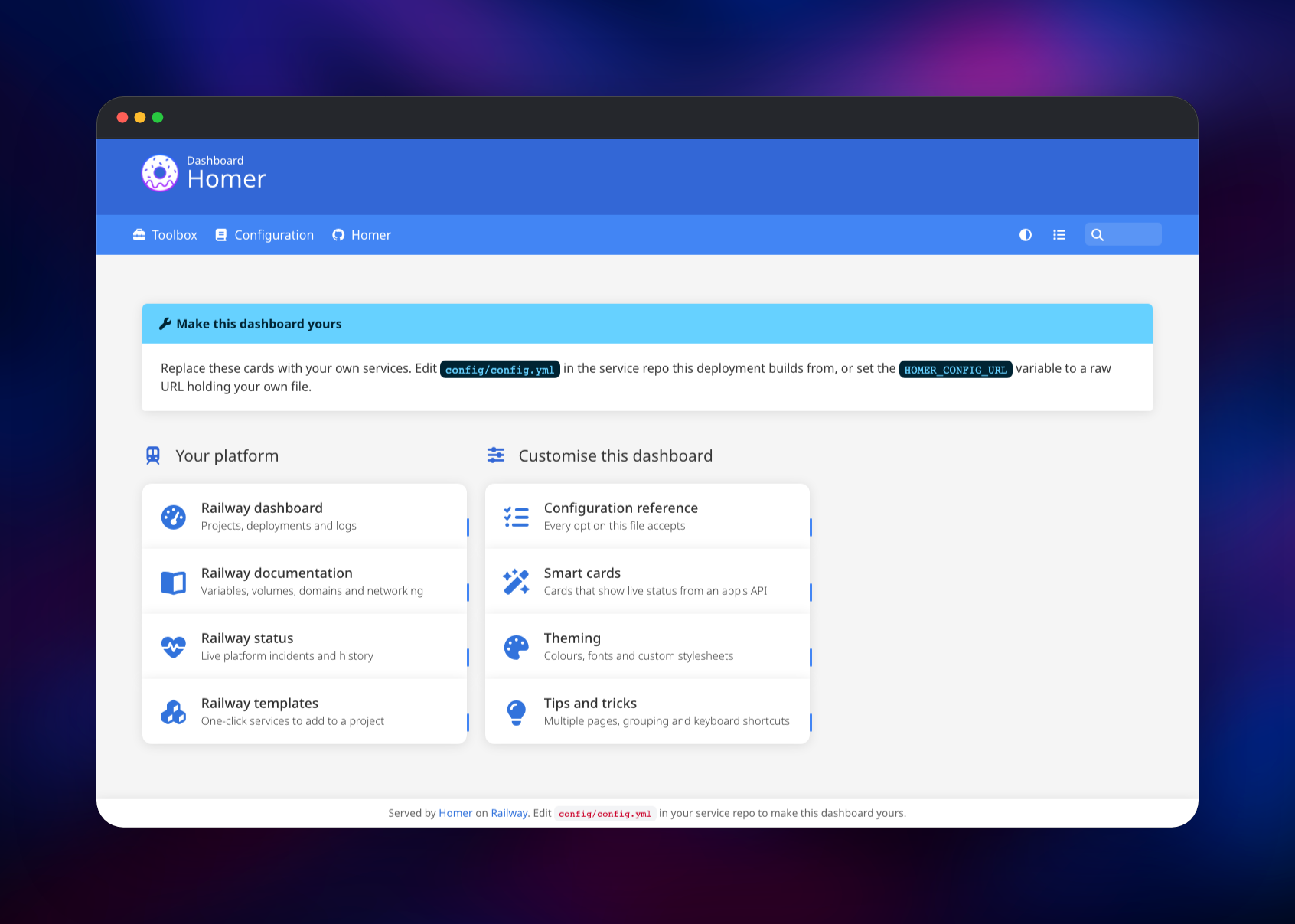
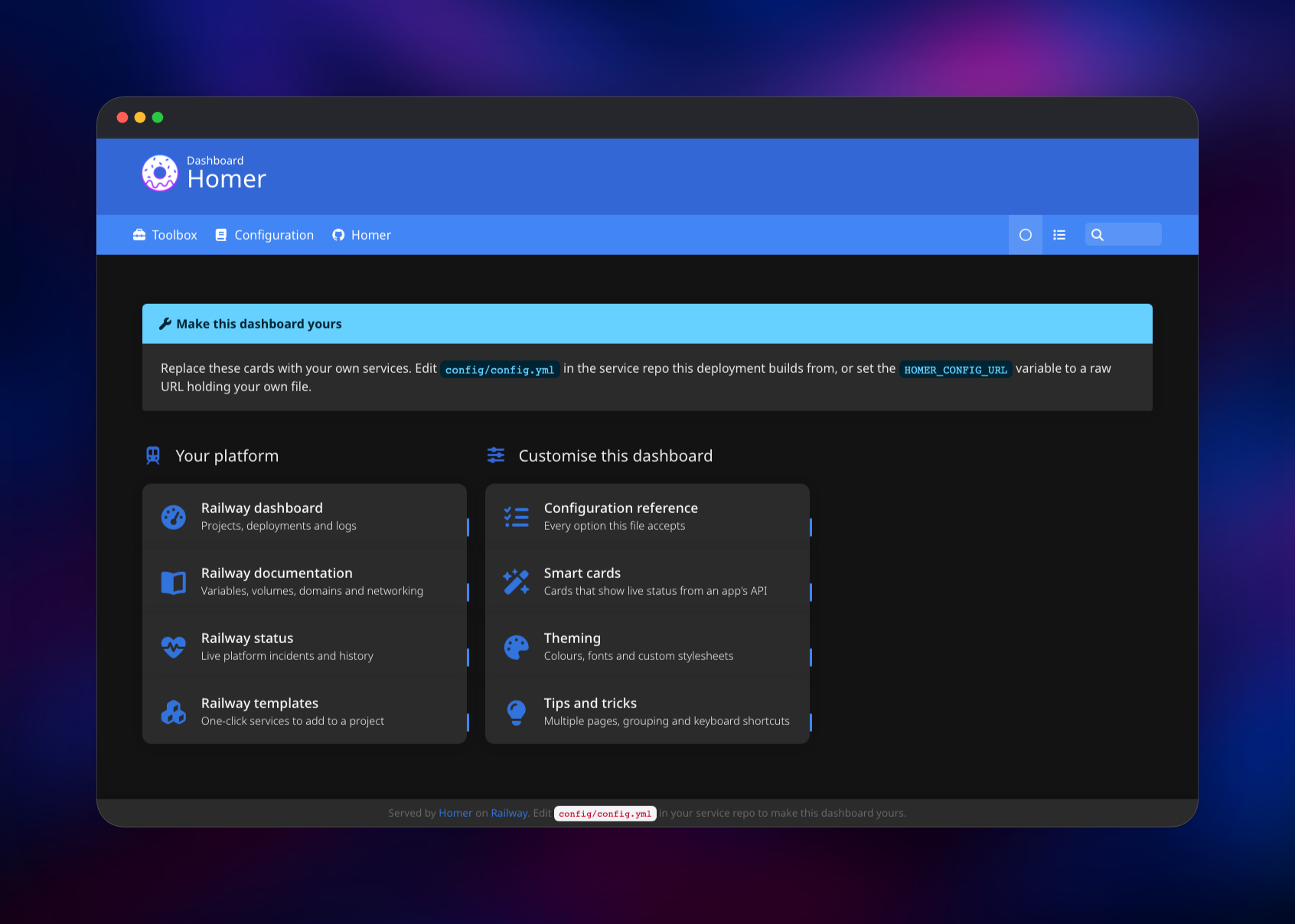
Set a password when you deploy — HOMER_PASSWORD is the only value the template asks for, and the container refuses to start without it. Open the generated Railway URL and your browser will prompt for credentials: the user is admin unless you changed HOMER_USERNAME. You land on a working dashboard with two card groups, a navbar and a search box, so you can confirm the deployment before changing anything.
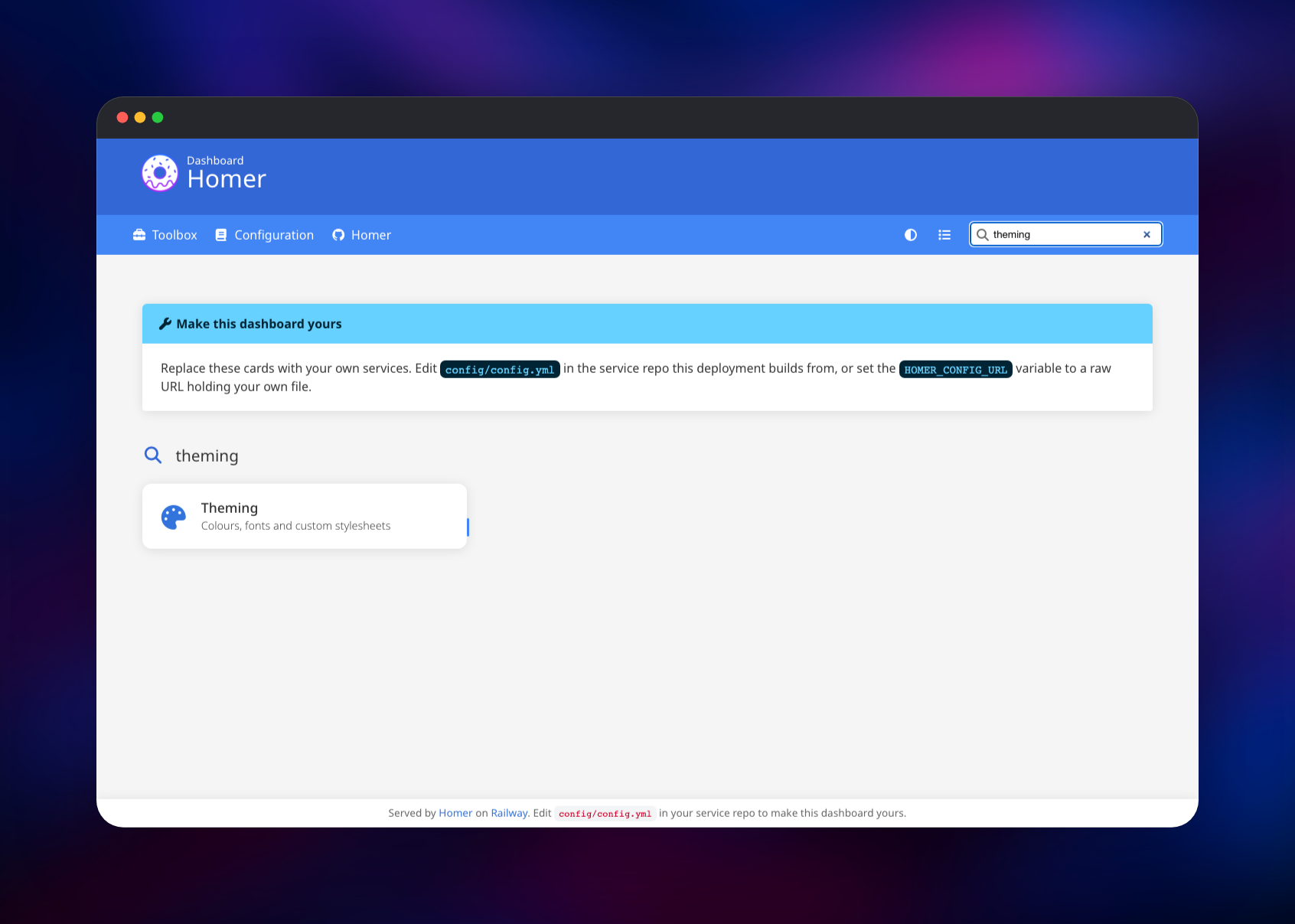
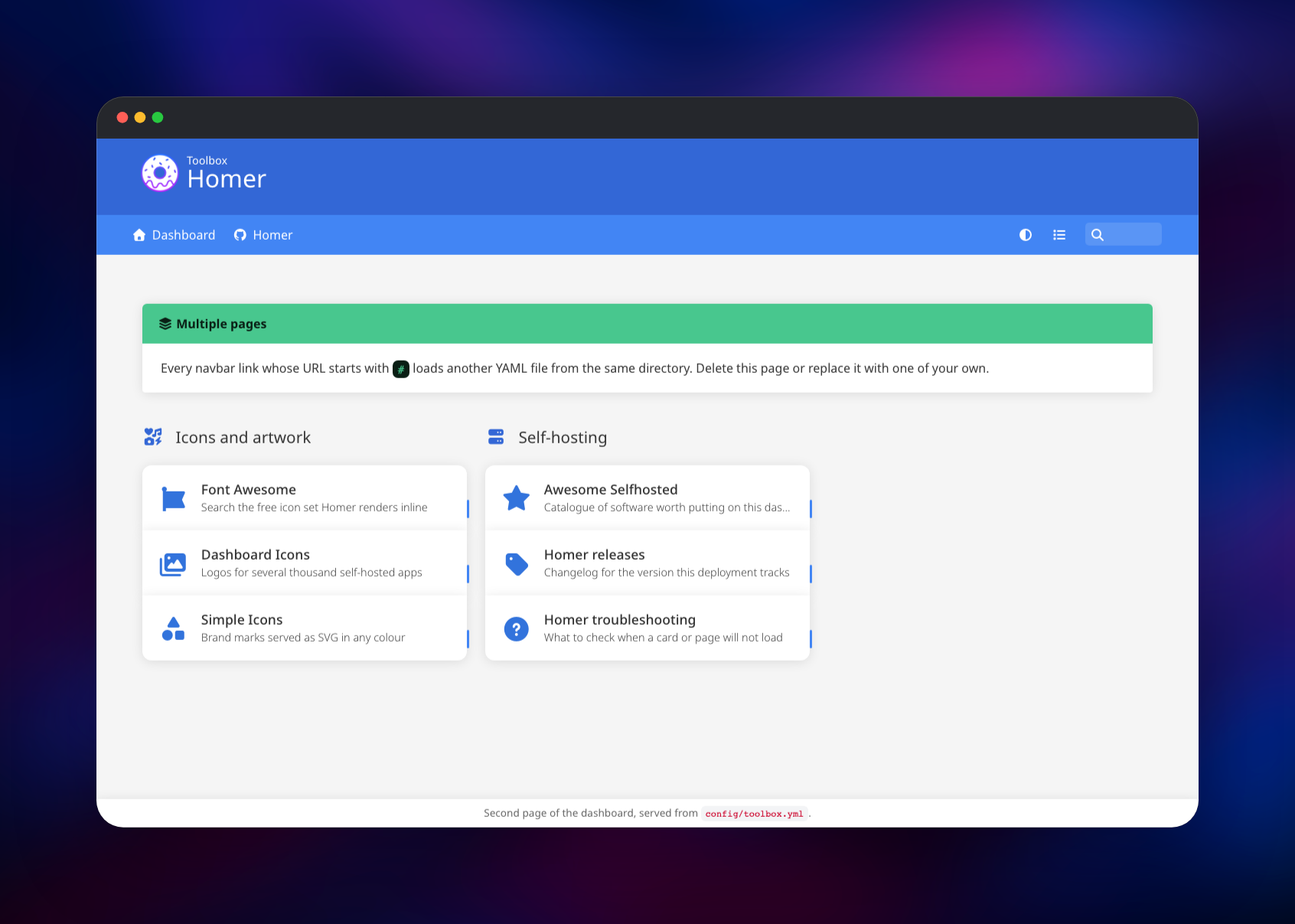
Try it straight away. Press / to focus the fuzzy search and type a few letters — the grid narrows as you type, and Enter opens the first result. Click Toolbox in the navbar to load a second page from its own YAML file. The half-circle icon cycles the theme between automatic, light and dark.
Then make it yours. Fork the source repository, edit config/config.yml and push: Railway rebuilds and your dashboard replaces the starter one. If you would rather not fork anything, point HOMER_CONFIG_URL at the raw URL of a config.yml in a gist or private repo — it is fetched on every boot, so redeploying publishes your edits. Custom logos arrive the same way through HOMER_ASSETS_ARCHIVE_URL, a .tar.gz or .zip unpacked at startup.
About Hosting Homer
Every self-hosted stack accumulates URLs nobody remembers. Homer solves that with the smallest possible piece of software: a compiled single-page app and a web server. Its configuration is declarative, so the dashboard lives in version control and a change is a diff.
Key features:
- YAML configuration with groups, tags, subtitles and per-card icons
- Fuzzy search and keyboard shortcuts over every card
- Multiple pages, each backed by its own YAML file
- Light, dark and automatic themes, with full colour overrides
- Smart cards that poll an app's API and show live status
- Installable as a progressive web app
- Font Awesome icons plus any image you supply
Architecture on Railway is deliberately flat. The homer service is the whole deployment: lighttpd serves the bundle and your configuration, answers the health check on /healthz, and requires credentials on every other path. Smart cards are fetched by the visitor's browser, not by the container, so there is no worker and no database.
Why Deploy Homer on Railway
Railway removes the parts of self-hosting that have nothing to do with your dashboard:
- HTTPS and a public domain provisioned for you
- Pushes to your fork rebuild and redeploy the dashboard
- No volume, no database and no backup schedule to maintain
- Basic auth in place before the service answers a request
- Logs, metrics and rollbacks in one place
- Scales down to a very small, very cheap container
Common Use Cases
- Homelab front page — one bookmark reaching every service on your network, on desktop and phone.
- Team start page — internal tools, runbooks and status pages grouped for new engineers on day one.
- Per-environment index — separate pages for staging and production and their tools.
- Client handover — a page listing the systems you built for someone.
Homer vs Other Self-Hosted Dashboards
| Homer | Dashy | Homepage | Heimdall | |
|---|---|---|---|---|
| Configuration | YAML file | YAML plus a web editor | YAML files | Web UI and database |
| Server-side work | none | none | proxies widget APIs | PHP application |
| State | stateless | config file | config files | SQLite database |
| Widgets | browser-side smart cards | extensive | server-fetched | limited |
| Footprint | very small | small | small | moderate |
Homer wins on simplicity and speed. Choose Homepage or Dashy for deep server-side integrations, and accept the larger configuration surface.
Dependencies for Homer
- homer —
b4bz/homer:latest, extended by gridalpha/homer-railway with lighttpd'smod_authand a startup script that installs the dashboard.
Nothing else is required: Homer has no database, cache, queue or object-storage dependency.
Environment Variables Reference
| Variable | Required | Description |
|---|---|---|
HOMER_PASSWORD | yes | Basic-auth password. The container exits at startup if it is unset |
HOMER_USERNAME | no | Basic-auth user, admin by default |
HOMER_CONFIG_URL | no | Raw URL of a config.yml used instead of the bundled one, re-fetched each boot |
HOMER_ASSETS_ARCHIVE_URL | no | Raw URL of a .tar.gz or .zip of extra logos, unpacked at startup |
PORT | no | Listening port, 8080 by default, also used by the health check |
Deployment Dependencies
- Source repository: github.com/gridalpha/homer-railway
- Upstream project: github.com/bastienwirtz/homer
- Base image: hub.docker.com/r/b4bz/homer
- Configuration reference: docs/configuration.md
Hardware Requirements for Self-Hosting Homer
| Resource | Minimum | Recommended |
|---|---|---|
| CPU | 0.1 vCPU | 0.5 vCPU |
| RAM | 64 MB | 256 MB |
| Storage | none | none |
| Runtime | lighttpd on Alpine Linux | lighttpd on Alpine Linux |
Homer serves static files, so load depends on page views alone.
Self-Hosting Homer with Docker
The published image expects an assets directory holding your config.yml. These commands create one from the shipped example and start the container:
mkdir -p homer-assets
docker run -d --name homer -p 8080:8080 \
  -v "$PWD/homer-assets:/www/assets" \
  -e INIT_ASSETS=1 \
  b4bz/homer:latest
The first boot copies a sample config.yml there. Edit it and reload the page — no restart is needed, since the browser fetches the file on each visit. A minimal configuration looks like this YAML:
title: "Dashboard"
subtitle: "Home"
services:
  - name: "Infrastructure"
    icon: "fas fa-server"
    items:
      - name: "Grafana"
        subtitle: "Metrics and alerts"
        icon: "fas fa-chart-line"
        url: "https://grafana.example.com"
To build from source, clone the upstream repository, run pnpm install and pnpm build, and serve the resulting dist/ directory with any web server.
How Much Does Homer Cost to Self-Host?
Homer is free and open source under the Apache 2.0 licence, with no paid tier, no accounts and no telemetry. Self-hosting costs only the compute it runs on. On Railway that is one of the smallest possible services — static files served by lighttpd, with no database and no volume — so it sits at the bottom of a usage-based bill.
FAQ
What is Homer?
Homer is an open-source static dashboard that renders a YAML file into a searchable page of links to the services you run, with no backend of its own.
What does this Railway template deploy?
One service, homer, built from a source repository on top of the official b4bz/homer image. It serves the dashboard over HTTPS behind HTTP basic auth and reads its configuration from that repository, or from a URL you supply.
Why is there no database or volume in this template?
Homer stores nothing. Its dashboard is a configuration file installed from the repository or from HOMER_CONFIG_URL at every startup, so there is no state to persist between deploys.
How do I edit my Homer dashboard after deploying?
Fork the source repository and edit config/config.yml, or point HOMER_CONFIG_URL at your own file and redeploy. Adding a page means adding a YAML file and a navbar link whose URL starts with #.
Does self-hosted Homer have user accounts or login?
Homer itself has none, which matters because a dashboard names every service you run and smart cards can carry an application's API key. This deployment puts the whole site behind HTTP basic auth for that reason, and refuses to start without a password.
How do I add live status to a card in Homer?
Set a card's type to one of Homer's smart-card integrations and give it the target's URL and API key. The visitor's browser calls that API directly, so the endpoint must be reachable from the browser and allow the request.
Template Content


