
Deploy Infisical
HashiCorp Vault alternative. Central secrets, rotation, dynamic credentials
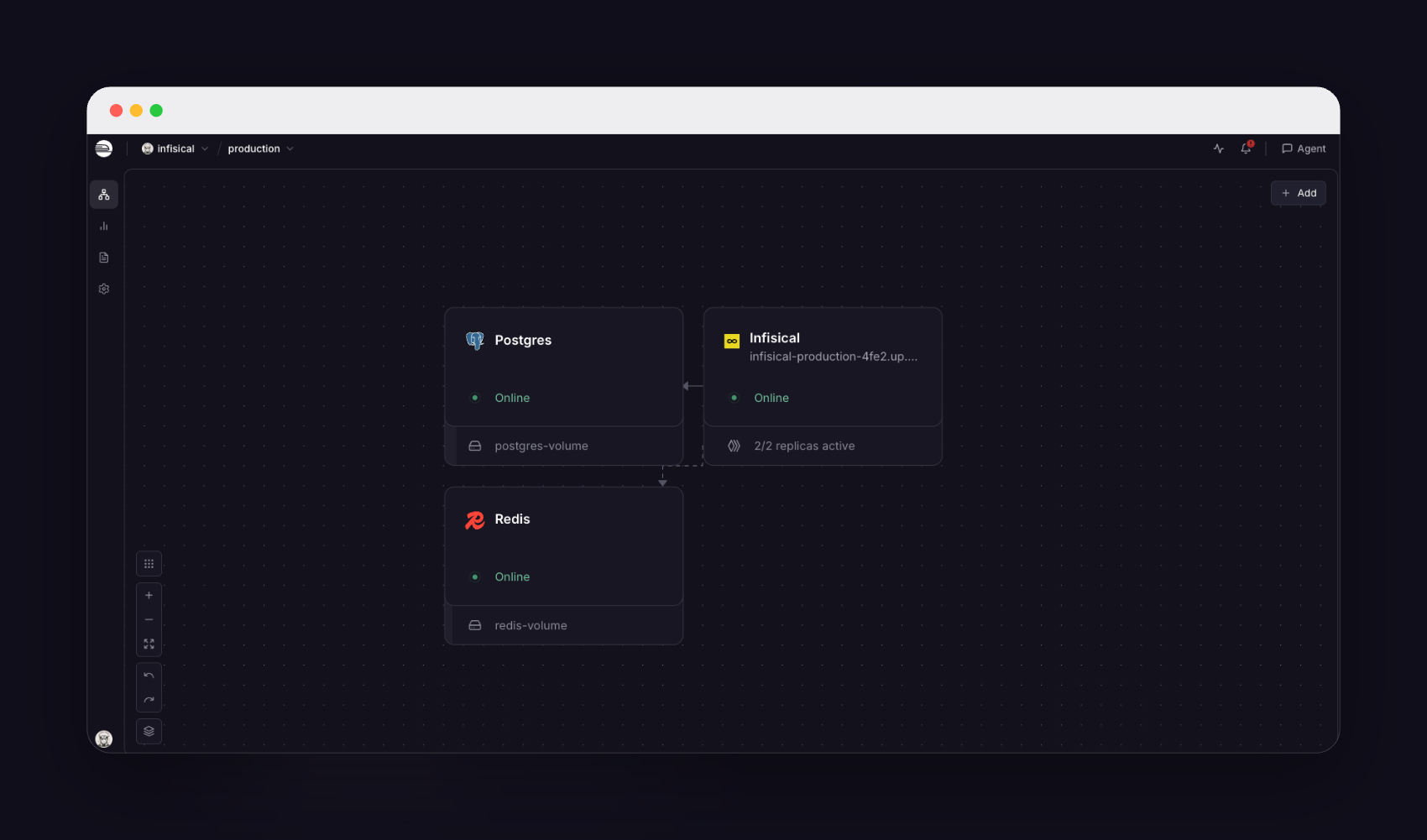
Infisical
Just deployed

Redis
Just deployed
/data

Just deployed
/var/lib/postgresql/data
Deploy and Host Infisical on Railway
Infisical is an open-source security platform that gives engineering teams one place to store, rotate and hand out every credential their applications use — API keys, database URLs, TLS certificates and privileged database logins. Teams reach for it when .env files start circulating in Slack, or when an auditor asks who read a production credential and when. It is the open-source alternative developers weigh against HashiCorp Vault, Doppler and AWS Secrets Manager, with a CLI, REST API, Kubernetes operator and SDKs for Node, Python, Go and Java.
Self-host Infisical on Railway and you get the full platform, not a trimmed build. This template runs three services: the application container from the official infisical/infisical image, a PostgreSQL database holding every encrypted secret, project and user, and a Redis instance backing the job queues, locks and rate limiting. The app runs two replicas, matching Infisical's own production guidance. Only the app gets a public domain; the database and cache stay private.
Getting Started with Infisical on Railway
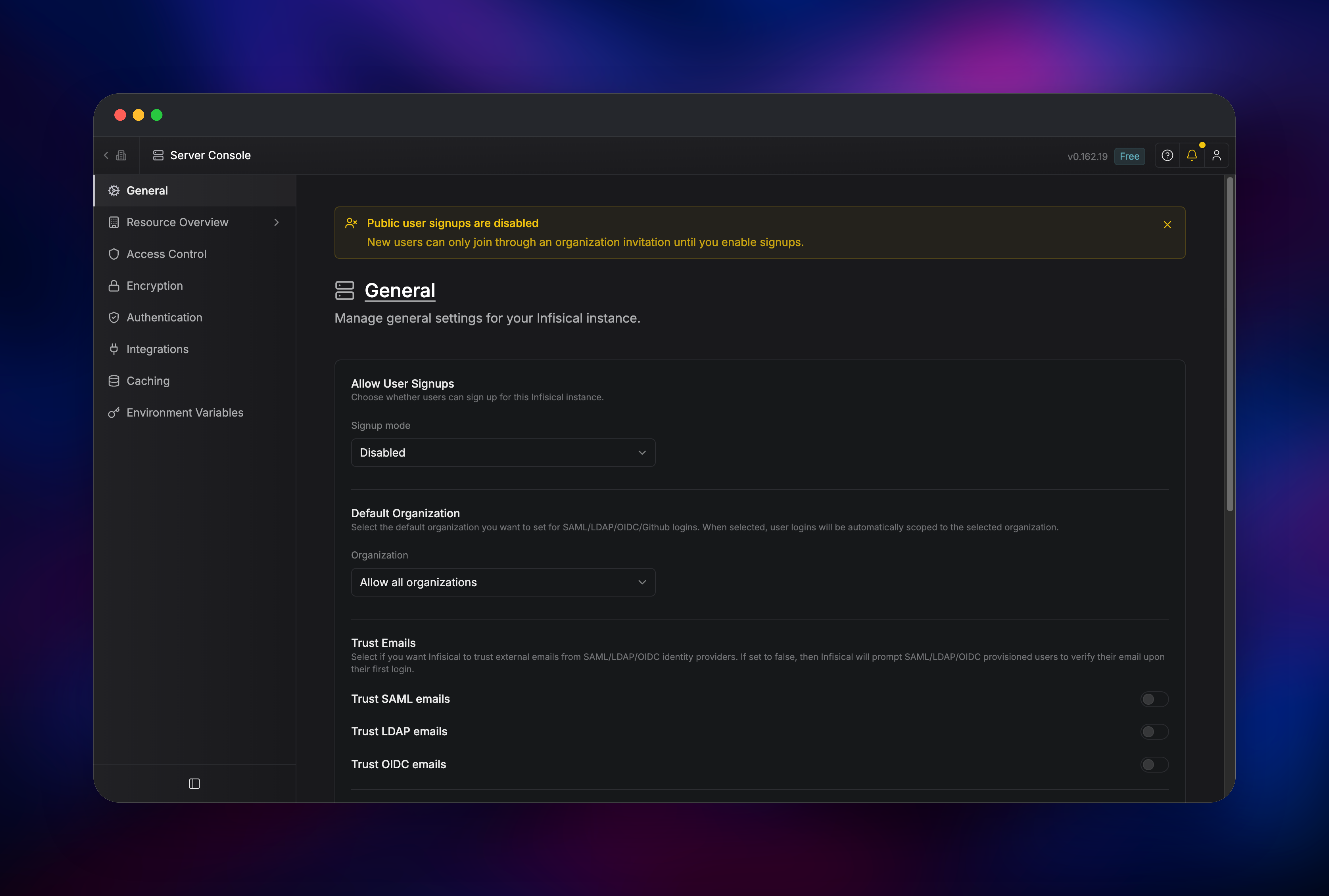
Open the public URL once the deploy is green. A fresh instance redirects to /admin/signup, a four-step wizard — there are no default credentials to look up. Step one creates the super admin, the instance owner; use a real email and a password of at least 14 characters. Step two creates your first organization. Step three asks who may create accounts: leave it on Invite-only, the recommended default, so nobody who finds your URL can register. Step four is a review — click Finish setup.
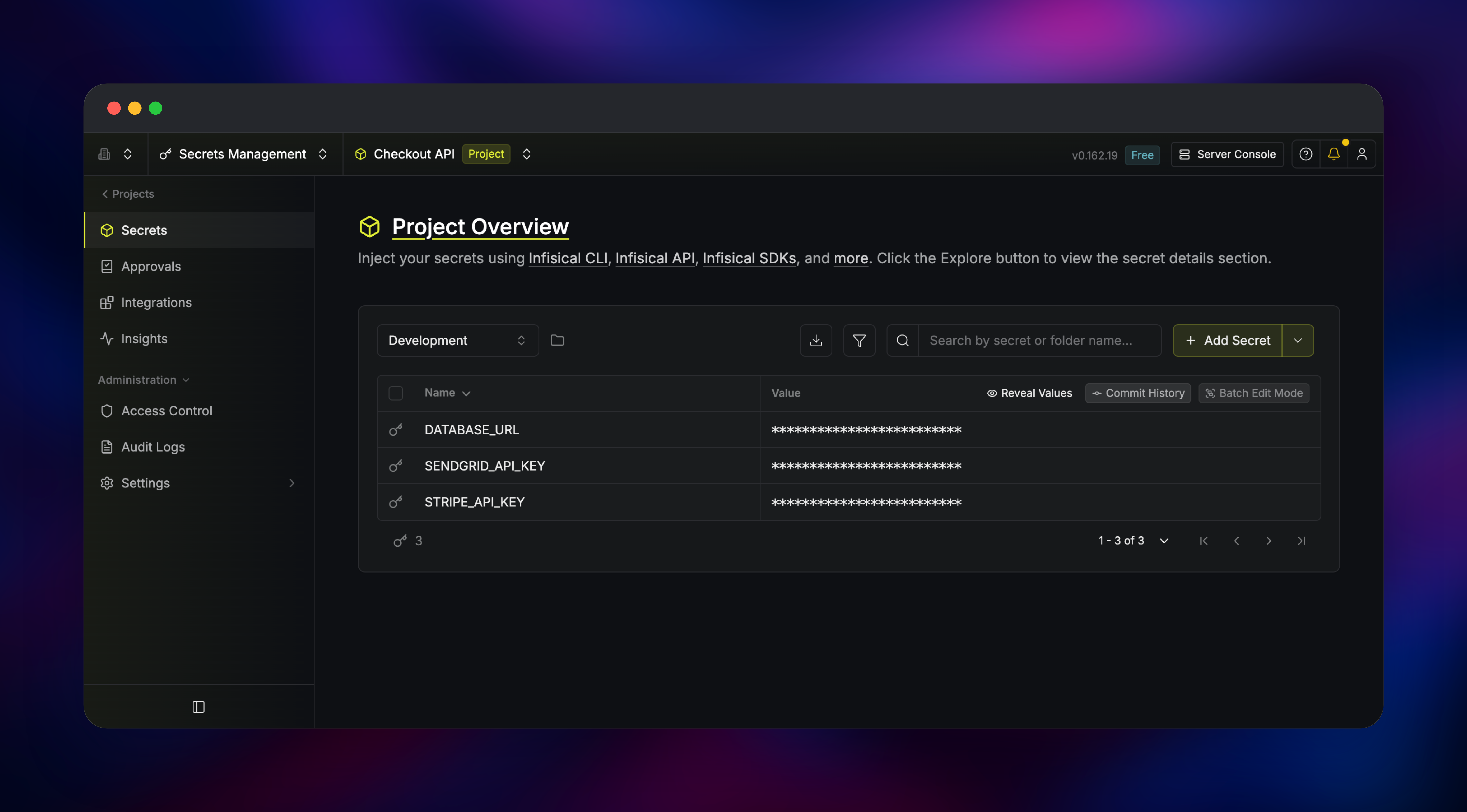
From the dashboard, choose Secrets Management → Add New Project and you land on a secrets table with Development, Staging and Production already created. Click Add Secret, enter a key and value, then hit Reveal Values to confirm it round-trips — the quickest proof the deployment works end to end. Next, create a machine identity under Access Control → Identities and pull those secrets into an app with infisical run or an SDK. Email is unconfigured by default, so invitations and password resets stay off until you add SMTP.
About Hosting Infisical
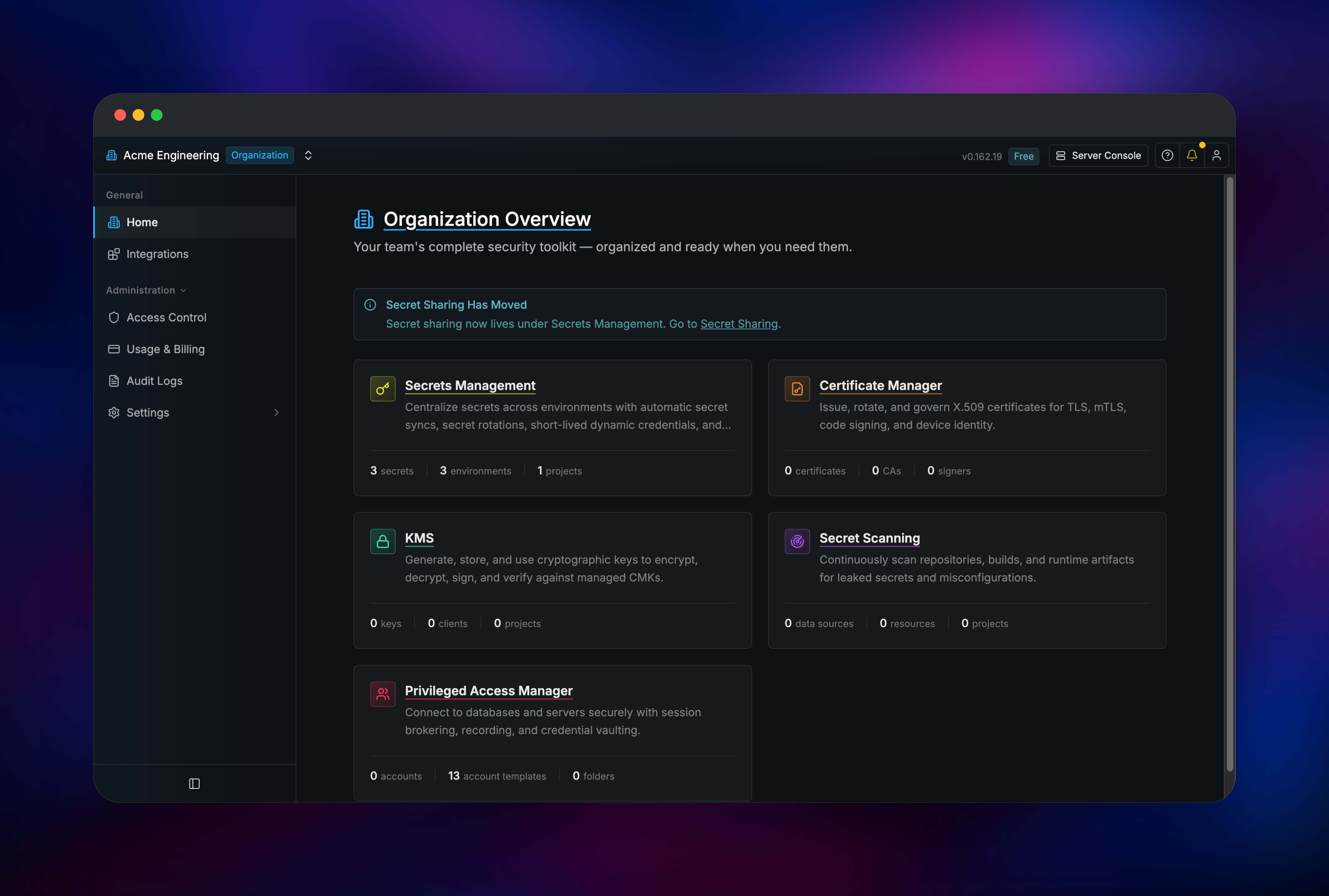
Infisical replaces the habit of passing credentials around as files. Secrets live in a central store, versioned and scoped per project and environment, fetched at runtime by an authenticated identity. Self-hosting matters more here than for most tools: one system holds everything sensitive, so teams with data-residency rules or a policy against third-party custody of production credentials want it on their own hardware.
- Secrets management — versioning, folders, referencing, rollback, approvals
- Secret syncing — push into GitHub Actions, GitLab CI, Vercel, AWS and Kubernetes
- Dynamic secrets and rotation — short-lived database credentials, scheduled key rotation
- PKI and KMS — issue X.509 certificates from your own CAs; manage keys for encrypt and sign
- Secret scanning — catch credentials committed to Git before they leak
- Privileged Access Manager — brokered, recorded sessions to databases and servers
The container serves the frontend and the API on one port, and PostgreSQL is the system of record, which is why the app service needs no volume.
Why Deploy Infisical on Railway
Railway removes the infrastructure work around a self-hosted secrets platform:
- Managed PostgreSQL and Redis provisioned and wired up automatically
- Private networking keeps the database and cache off the public internet
- HTTPS and a public domain out of the box, certificates renewed for you
- Two application replicas with a health check configured from the start
- Horizontal and vertical scaling without touching a server
Common Use Cases
- Replacing shared
.envfiles with a central store feeding local dev, CI and production through one CLI - Issuing short-lived database credentials so no long-lived password exists to leak
- Running an internal certificate authority for mTLS between services, with automatic renewal
- Giving contractors scoped, revocable access to one project's staging secrets
Dependencies for Infisical
- Infisical —
infisical/infisical:latest, the official all-in-one image with the API and prebuilt frontend - PostgreSQL 18 — every encrypted secret, project, identity and certificate. The only durable state, so it is what you back up
- Redis — job queues, locks, the replica event bus and rate limiting. Required
Environment Variables Reference
| Variable | Purpose |
|---|---|
ENCRYPTION_KEY | Root key encrypting secrets at rest — exactly 32 random characters. Changing it makes existing secrets unreadable |
AUTH_SECRET | Signs session and auth tokens. Changing it logs everyone out |
DB_CONNECTION_URI | PostgreSQL connection string, wired to the bundled database |
REDIS_URL | Redis connection string, wired to the bundled cache |
SITE_URL | Absolute public URL, used in links and CORS |
HTTPS_ENABLED | Marks session cookies Secure. Keep true on Railway |
SMTP_HOST, SMTP_PORT, SMTP_USERNAME, SMTP_PASSWORD, SMTP_FROM_ADDRESS | Optional. Email invites, MFA over email, password reset |
TELEMETRY_ENABLED | Set false to disable anonymous usage reporting |
Do not set TRUSTED_PROXY_CIDRS on Railway. Infisical's default already reads the correct client IP from Railway's forwarded headers; a trusted-proxy list makes it key every request on a rotating platform address, breaking per-IP rate limiting.
Deployment Dependencies
- Source: github.com/Infisical/infisical — MIT core, enterprise features separately licensed
- Image: hub.docker.com/r/infisical/infisical, Node.js 22
- Docs: infisical.com/docs/self-hosting/overview
Hardware Requirements for Self-Hosting Infisical
| Resource | Minimum | Recommended |
|---|---|---|
| CPU | 2 vCPU per container | 4 vCPU per container |
| RAM | 4 GB per container | 8 GB per container |
| Storage | 10 GB for PostgreSQL | 100 GB+ as history grows |
| Runtime | Node 22, PostgreSQL 14+, Redis 6.2+ | Node 22, PostgreSQL 16+, Redis 7 |
Self-Hosting Infisical with Docker
To run Infisical outside Railway, use Docker Compose with PostgreSQL and Redis. A minimal docker-compose.yml:
services:
  backend:
    image: infisical/infisical:latest
    ports: ["8080:8080"]
    environment:
      ENCRYPTION_KEY: ${ENCRYPTION_KEY}
      AUTH_SECRET: ${AUTH_SECRET}
      DB_CONNECTION_URI: postgres://infisical:infisical@db:5432/infisical
      REDIS_URL: redis://redis:6379
      SITE_URL: http://localhost:8080
  db:
    image: postgres:16-alpine
    environment:
      POSTGRES_USER: infisical
      POSTGRES_PASSWORD: infisical
      POSTGRES_DB: infisical
    volumes: ["pg_data:/var/lib/postgresql/data"]
  redis:
    image: redis:7-alpine
volumes:
  pg_data:
Generate the two secrets first and keep them safe — neither is recoverable:
openssl rand -hex 16     # ENCRYPTION_KEY
openssl rand -base64 32  # AUTH_SECRET
Then docker compose up -d and open http://localhost:8080. Migrations run at startup.
How Much Does Infisical Cost to Self-Host?
Infisical's core is MIT-licensed, so self-hosting costs nothing in software — you pay only for the infrastructure, which on Railway means the app containers plus managed PostgreSQL and Redis, billed by usage. A few capabilities need a paid licence key even when self-hosted, notably audit logs and enterprise SSO via SAML, LDAP and OIDC; Google and GitHub sign-in are free. Infisical Cloud bills per identity, and an identity is a human or a machine.
FAQ
What is Infisical?
An open-source secrets management platform. It stores API keys, database credentials and certificates centrally, versions them, controls who can read them, and injects them into applications at runtime through a CLI, SDKs or the REST API.
What does this Railway template deploy?
The Infisical app from the official infisical/infisical image running two replicas behind a public HTTPS domain, plus private managed PostgreSQL and Redis.
Why does self-hosted Infisical need both PostgreSQL and Redis?
PostgreSQL holds all durable state. Redis is not optional caching: it carries the job queues that drive secret syncs and rotations, the locks that stop two replicas repeating scheduled work, and rate-limit counters. Infisical will not start without it.
How do I create the first admin user in self-hosted Infisical?
Open the public URL on a fresh instance and it redirects to the setup wizard at /admin/signup. The first account created there becomes the super admin. There are no default credentials and no email delivery is needed.
Can I pull secrets into my app from a self-hosted Infisical instance?
Yes. Create a machine identity, then point the CLI at your instance — infisical run --domain https://your-app.up.railway.app -- npm start — and secrets arrive as environment variables at process start.
Template Content
Infisical
infisical/infisical:latestRedis
redis:8.2
