
Deploy Infisical — Open Source Doppler, HashiCorp Vault Alternative
Self Host Infisical, Manage API keys, certs, & other secrets on Railway
Infisical
Just deployed

Redis
Just deployed
/data

Just deployed
/var/lib/postgresql/data

Deploy and Host Infisical
Infisical is the open-source, all-in-one platform for secrets management, certificate management, and privileged access control. Teams use it to centralize API keys, database credentials, SSH keys, and environment variables across development, staging, and production — with end-to-end encryption, granular RBAC, and audit logging built in.
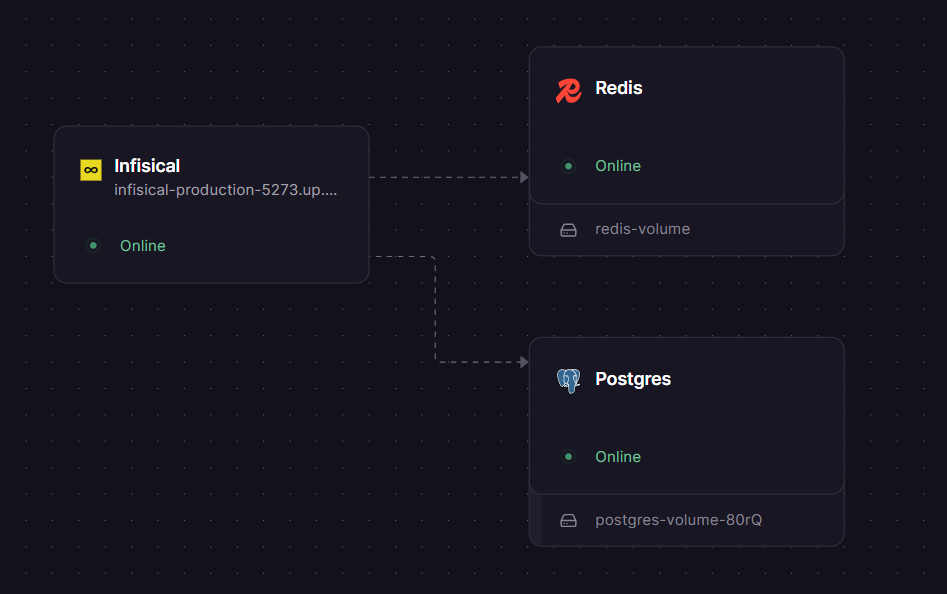
Self-host Infisical on Railway using this one-click template and get a fully wired three-service stack — Infisical (infisical/infisical), Postgres, and Redis — running on private networking with all required secrets auto-generated, no manual .env configuration required.
Getting Started with Infisical on Railway
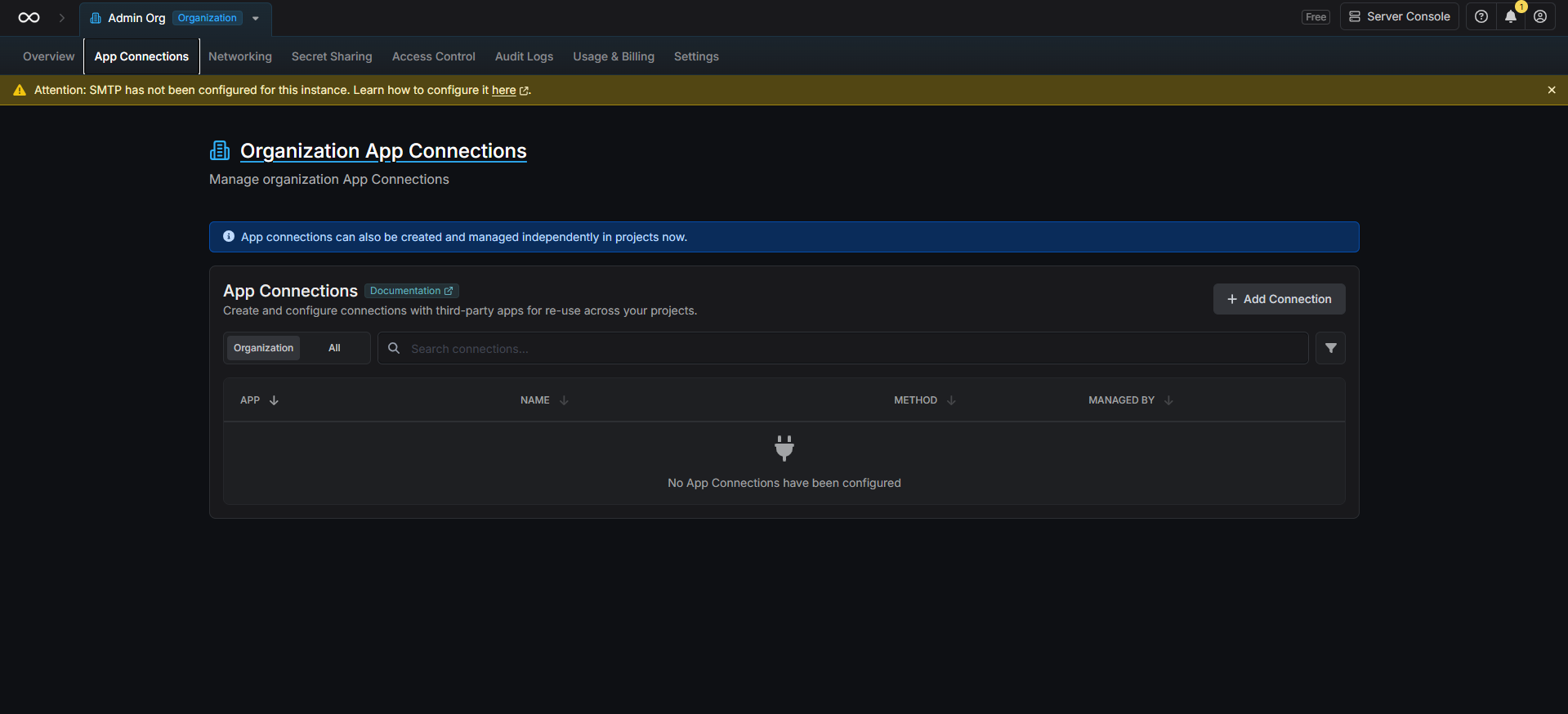
Once the deploy completes, open your Infisical service's public URL (set automatically via SITE_URL). You'll be prompted to create an admin account on first load — download the Emergency Kit PDF shown during setup and store it securely; it is the only recovery path if you're locked out. After signing in, create an organization and your first project, then add secrets via the dashboard or the infisical CLI. To disable public user signups on your self-hosted instance, navigate to Admin Console → General Settings → Allow User Registration and toggle it off.
About Hosting Infisical
Infisical is an MIT-licensed open-source secrets platform built for developers and security teams. It solves secret sprawl — the problem of API keys and credentials scattered across .env files, Slack messages, and CI configs — by providing a single encrypted source of truth.
Key features:
- Secret versioning and point-in-time recovery — roll back any project to a previous state
- Secret rotation — automated rotation for PostgreSQL, MySQL, AWS IAM, and more
- Dynamic secrets — generate ephemeral credentials on-demand
- Secret scanning — detect 140+ secret types in code, Git history, and CI pipelines
- Native integrations — sync to GitHub Actions, Vercel, AWS, Kubernetes, Terraform, Ansible, and 50+ more
- Internal PKI — issue and manage X.509 certificates with a built-in CA
- RBAC + audit logs — granular permissions for human and machine identities with full event history
- SDKs for Node.js, Python, Go, Ruby, Java, and .NET
This template deploys the standalone infisical/infisical Docker image. Infisical connects to Postgres (private networking on port 5432) for persistent storage and to Redis (private networking on port 6379) for caching and session handling.
Why Deploy Infisical on Railway
Railway removes the operational friction of self-hosting a secrets platform:
- No Docker Compose files, volume mounts, or reverse proxy config to manage
- Private networking between Infisical, Postgres, and Redis — no secrets travel over the public internet
AUTH_SECRET,ENCRYPTION_KEY, and all passwords are auto-generated 32-byte secrets at deploy timeSITE_URLis wired automatically to your Railway public domain- One-click redeploys and environment variable management from the Railway dashboard
- Postgres and Redis scale independently as your team grows
Common Use Cases
- Centralise CI/CD secrets — inject secrets into GitHub Actions, GitLab CI, or Jenkins pipelines via the Infisical CLI without hardcoding credentials
- Local development — run
infisical run -- npm startto pull environment variables at runtime instead of sharing.envfiles over email or Slack - Kubernetes workloads — use the Infisical Operator to sync secrets directly into Kubernetes pods and auto-reload deployments on rotation
- Compliance and auditability — track every secret access and modification with immutable audit logs for SOC 2, internal security reviews, or incident response
Dependencies for Infisical
- Infisical —
infisical/infisical(Docker Hub: https://hub.docker.com/r/infisical/infisical) - Postgres — official
postgresimage; used as the primary database for all secrets, project metadata, and audit logs - Redis — official
redisimage; used for caching, session management, and background job queuing
Deployment Dependencies
- Runtime: Node.js (bundled in the Docker image)
- Docker image:
infisical/infisical— https://hub.docker.com/r/infisical/infisical - GitHub: https://github.com/Infisical/infisical
- Official docs: https://infisical.com/docs/self-hosting/deployment-options/standalone-infisical
Minimum Hardware Requirements for Infisical
The Infisical standalone image bundles both the frontend and backend. Note that the frontend build requires up to 8 GB of memory (NODE_OPTIONS=--max-old-space-size=8192) — this applies at image build time, not at runtime.
| Resource | Minimum | Recommended |
|---|---|---|
| CPU | 1 vCPU | 2 vCPU |
| RAM (runtime) | 1 GB | 2–4 GB |
| RAM (build-time) | 4 GB | 8 GB |
| Storage (Postgres) | 5 GB | 20 GB+ |
| Node.js | Bundled in image | — |
Self-Hosting Infisical
Docker Compose (quickest path on any VPS):
git clone https://github.com/Infisical/infisical
cd infisical
cp .env.dev.example .env
# Edit .env: set ENCRYPTION_KEY, AUTH_SECRET, SITE_URL, DB_CONNECTION_URI, REDIS_URL
docker compose -f docker-compose.prod.yml up -d
Standalone Docker (bring your own Postgres and Redis):
docker run -d \
  -e AUTH_SECRET="$(openssl rand -base64 32)" \
  -e ENCRYPTION_KEY="$(openssl rand -hex 16)" \
  -e DB_CONNECTION_URI="postgresql://user:pass@your-postgres-host:5432/infisical" \
  -e REDIS_URL="redis://:yourpassword@your-redis-host:6379" \
  -e SITE_URL="https://infisical.yourdomain.com" \
  -e NODE_ENV=production \
  -p 8080:8080 \
  infisical/infisical
Infisical listens on port 8080 by default. Place a TLS-terminating reverse proxy (nginx, Caddy) in front of it for production.
Infisical vs HashiCorp Vault vs Doppler
| Feature | Infisical | HashiCorp Vault | Doppler |
|---|---|---|---|
| Open-source | ✅ MIT (core) | ✅ BSL (v1.4+) | ❌ |
| Self-hostable | ✅ | ✅ | ❌ |
| Developer-friendly UI | ✅ | ⚠️ Complex | ✅ |
| Dynamic secrets | ✅ | ✅ | ❌ |
| Secret scanning | ✅ | ❌ | ❌ |
| Internal PKI | ✅ | ✅ | ❌ |
| Pricing (cloud) | Free + $9/user/mo | Free + $0.03/hr (HCP) | Free + $6/user/mo |
| Kubernetes operator | ✅ | ✅ | ❌ |
| Operational complexity | Low | High | None (managed only) |
Infisical is the strongest choice for teams that want self-hosted control, a modern developer experience, and open-source licensing without the operational complexity of Vault.
Is Infisical Free?
The core Infisical platform is open-source under the MIT licence — self-hosting it costs nothing beyond your infrastructure. On Railway, typical cost is $5–$15/month depending on Postgres storage and traffic volume. Infisical Cloud (the managed SaaS offering) starts at a free tier, with the Pro plan at $9 per user per month, adding SSO, advanced RBAC, and priority support. An Enterprise plan with custom pricing is available for compliance-heavy deployments requiring SLAs and dedicated support.
FAQ
What is Infisical?
Infisical is an open-source, end-to-end encrypted platform for managing application secrets, certificates, SSH keys, and privileged access. It gives teams a single dashboard and API to store, sync, rotate, and audit all sensitive configuration — replacing scattered .env files and shared password vaults.
What does this Railway template deploy?
It deploys three services: the infisical/infisical standalone Docker container (frontend + backend), a Postgres instance for persistent storage, and a Redis instance for caching and session management. All three communicate over Railway's private network. Secrets are auto-generated at deploy time.
Why does this template include Postgres and Redis? Infisical requires both. Postgres stores all secrets, project metadata, users, and audit logs. Redis is used for caching, background jobs, and session handling. Without either service, Infisical will not start.
Can I use this in production?
Yes. The template uses NODE_ENV=production, auto-generates cryptographically strong secrets, and uses private networking between services. For production use, also configure an SMTP provider (for invite emails) and set up regular Postgres backups via Railway's volume snapshot feature.
Does Infisical support CI/CD integration?
Yes — Infisical has native integrations with GitHub Actions, GitLab CI, CircleCI, Jenkins, and Bitbucket Pipelines. The infisical run CLI command injects secrets as environment variables into any process. Machine identity authentication supports OIDC, AWS IAM, GCP, Azure, and Kubernetes service accounts.
How do I connect my apps to this self-hosted Infisical instance?
Set INFISICAL_API_URL=https://your-railway-domain in your app or Infisical CLI config, then authenticate using a service token or machine identity. SDKs are available for Node.js, Python, Go, Ruby, Java, and .NET.
Can I migrate from Infisical Cloud to this self-hosted template?
Yes. Export your secrets from Infisical Cloud via the dashboard (Projects → Export), then import them into your self-hosted instance. Machine identities and integrations need to be re-configured to point at your new SITE_URL.
Template Content
Infisical
infisical/infisical:latestRedis
redis:8.2.1
