
Deploy Instatic
Open-source Webflow alternative: canvas editor, CMS, collections, pages

Just deployed
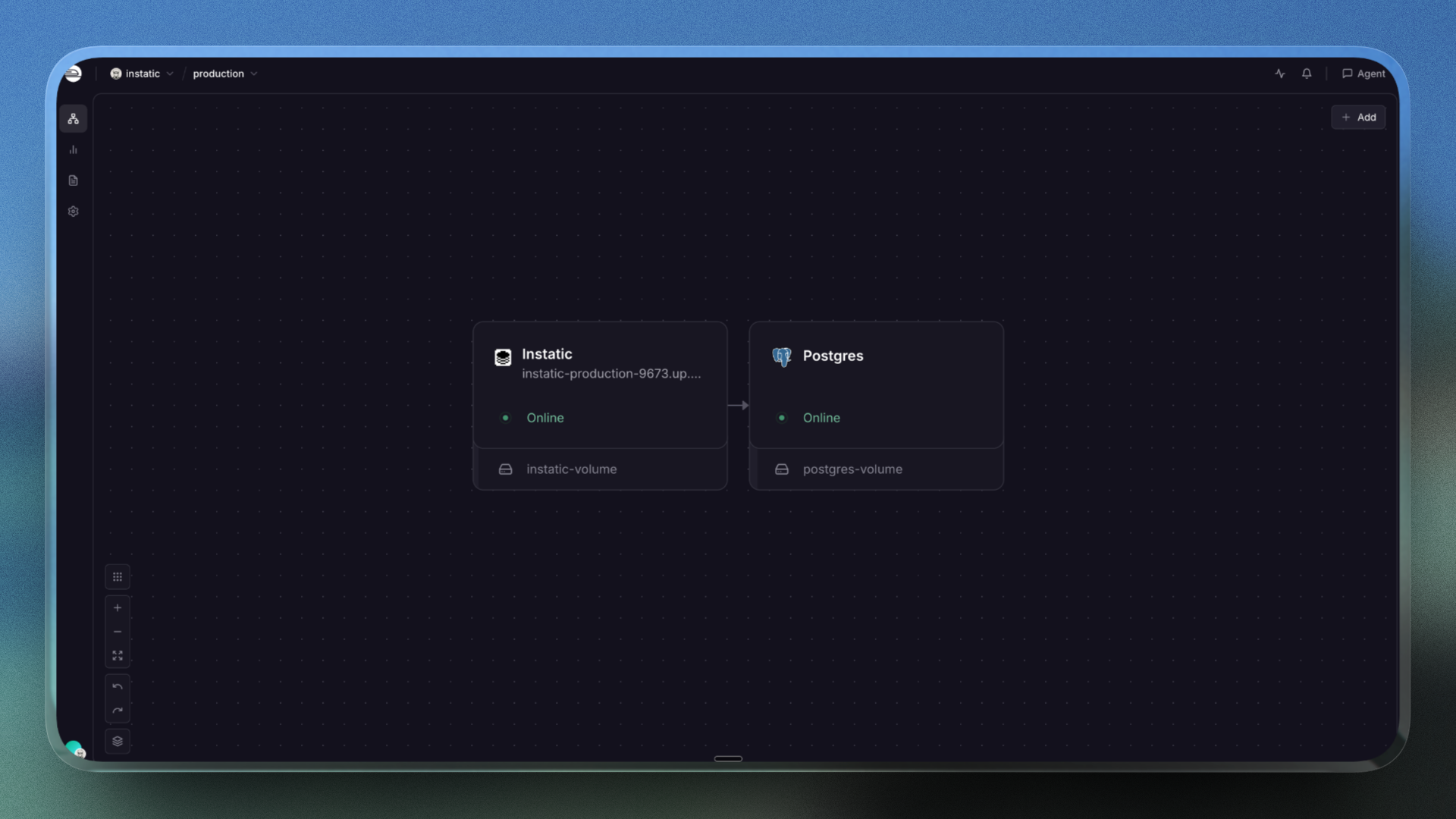
/var/lib/postgresql/data
Instatic
Just deployed
/app/storage
Deploy and Host Instatic on Railway
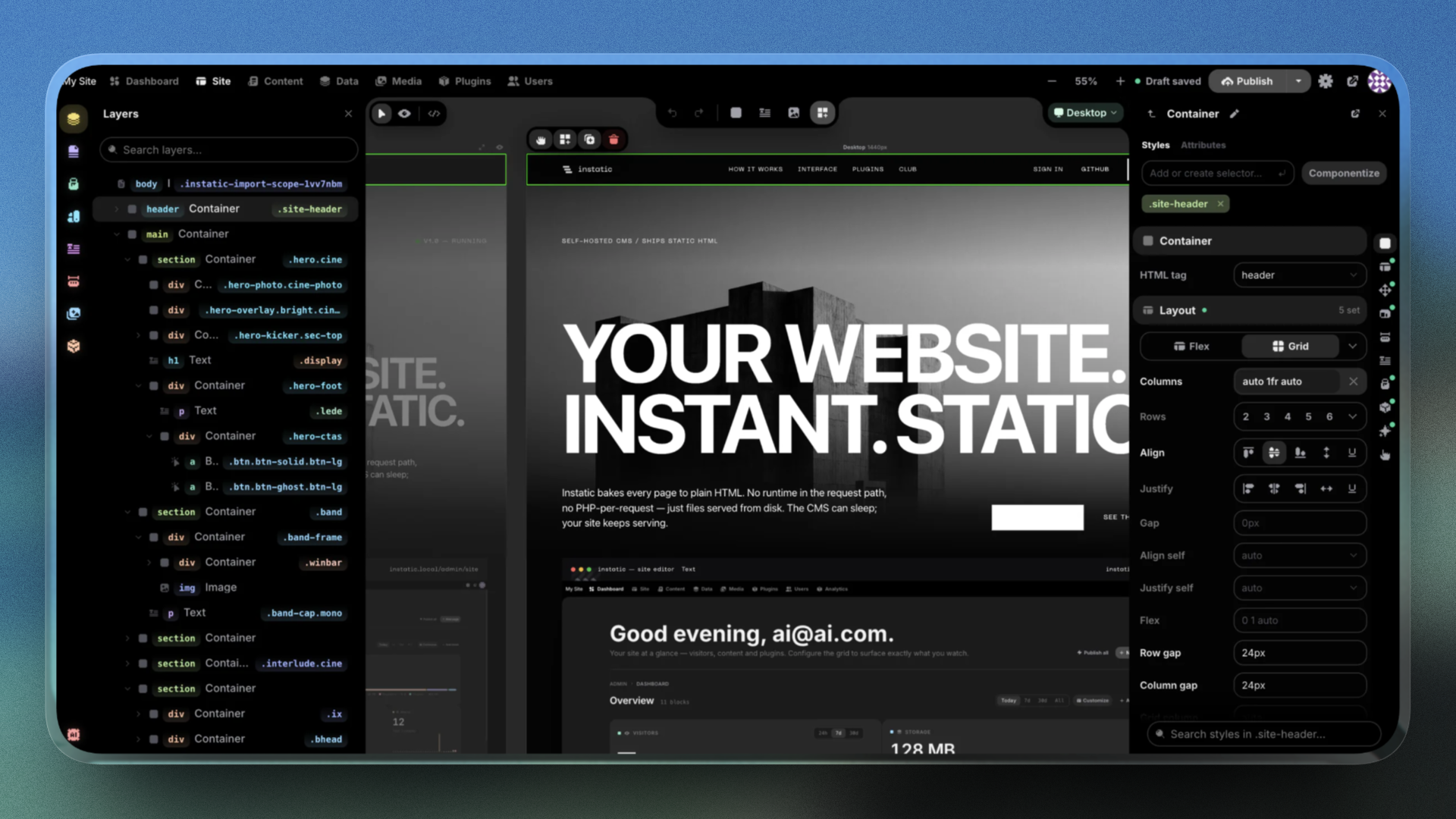
Instatic is an open-source, self-hosted visual CMS and website builder — the MIT-licensed alternative to Webflow, Framer and WordPress. One Bun server holds the canvas editor, content engine, media library, auth, forms, plugins and the publisher. Visitors get plain semantic HTML and compact CSS: a page published from this template's own deployment was a 487-byte document with a script-src 'none' CSP.
Self-host Instatic on Railway as two services. instatic runs ghcr.io/corebunch/instatic:0.0.14 on target port 8080 with the public domain, and mounts one volume at /app/storage for media, fonts, plugin packages and published artefacts. The private Postgres service holds pages, collections, users, form submissions and the audit log. Migrations run at container start, before the server binds — no migrate step, no pre-deploy command.
Getting Started with Instatic on Railway
Open the generated Railway domain once the deploy goes green. There are no default credentials: the first visit shows a one-time Set Up CMS screen asking for a site name, owner email and a 12-character minimum password, then creates the site, owner account and a starter homepage. That setup endpoint is one-shot — 409 afterwards — so it is never an open sign-up. Open the editor at /admin/site, drop a text module on the canvas and press Publish site; the first publish of a session re-asks for your password (step-up auth, 15-minute default). Until you publish, the root returns 404 {"error":"Not found"} — expected, not a failed deploy: /health is 200 from boot and /admin always reachable. A 200 with your own markup means app, volume and Postgres all work:
curl -i https://your-app.up.railway.app/
curl -s https://your-app.up.railway.app/health
About Hosting Instatic
Instatic is one container plus a database where a headless CMS would be four moving parts. Self-host it when SEO depends on clean markup, when client work must be handed over without lock-in, or when content cannot leave your servers.
- Visual canvas editor — mobile, tablet and desktop breakpoints edited side by side, a layers tree, reusable components and templates.
- Content, data and media — pages, posts and custom collections, a schema builder with repeaters, CMS-native forms writing to your own tables, Sharp-generated responsive images, whole-site import.
- Security and extensibility — optional TOTP MFA, 38 access-control capabilities, login lockout, CSRF checks, step-up auth before publishing, audit log; plugins run in a QuickJS-WASM sandbox with no filesystem, env vars or network unless granted; the AI assistant (Anthropic, OpenAI, OpenRouter, Ollama) stays off until you add a key.
Why Deploy Instatic on Railway
Railway runs the image and database as one project, with no infrastructure work:
- One-click deploy of
ghcr.io/corebunch/instatic:0.0.14, pinned rather thanlatest. - A managed Postgres service wired in over private networking.
- A persistent volume at
/app/storagethat survives every redeploy. - Automatic HTTPS on a generated domain, plus custom domains.
RAILWAY_RUN_UID=0and the/healthcheck preset, so media writes work first try.- Usage-based pricing, logs, metrics and one-click rollbacks.
Common Use Cases Instatic
- Marketing sites that must rank — static semantic HTML, no framework payload, real visual editing.
- Client sites an agency hands over — editor, content, media, forms and users in one container.
- Docs, changelogs and structured blogs — define collections once, render with repeaters.
- Lead capture without a form SaaS — build the form on the canvas, query submissions in Postgres.
Dependencies for Instatic
instatic—ghcr.io/corebunch/instatic:0.0.14. Prebuilt admin UI, Bun server, renderer, CMS API and migrations; port 8080, health check/health, volume at/app/storage.Postgres— Railway's PostgreSQL template: all CMS state that is not a file, private, reached via${{Postgres.DATABASE_URL}}.
Pin an explicit tag: Instatic is pre-1.0 and breaking changes can land in patch releases. Use 0.0.14 or later — it fixes a sanitizer bypass letting a javascript: URL behind a control character reach an href (GHSA-pqcp-872g-gmp8).
Instatic Environment Variables Reference
| Variable | Value | What it does |
|---|---|---|
PORT | 8080 | Public target port |
DATABASE_URL | ${{Postgres.DATABASE_URL}} | Internal Postgres URL |
UPLOADS_DIR | /app/storage/uploads | Media path under the volume |
STATIC_DIR | /app/dist | Compiled admin UI in image |
INSTATIC_SECRET_KEY | base64 32-byte key | Encrypts AI creds, TOTP seeds |
PUBLIC_ORIGIN | https://${{RAILWAY_PUBLIC_DOMAIN}} | CSRF origin check |
RAILWAY_RUN_UID | 0 | Required for volume writes |
STATIC_DIR stays in the image: build output, not user data. Keep INSTATIC_SECRET_KEY stable — rotating it invalidates stored AI credentials and TOTP seeds. Add a custom domain to PUBLIC_ORIGIN as a second comma-separated entry. Optional TRUSTED_PROXY_CIDRS only changes client-IP attribution in audit logs and rate-limit keys — not CSRF — and must never be 0.0.0.0/0.
Deployment Dependencies
github.com/corebunch/instatic (MIT) and its deployment docs; images on ghcr.io/corebunch/instatic.
Hardware Requirements for Self-Hosting Instatic
| Resource | Minimum | Recommended |
|---|---|---|
| CPU | 1 vCPU | 2 vCPU |
| RAM | 512 MB | 1–2 GB |
| Storage | 1 GB volume | 5–10 GB, plus the Postgres volume |
| Runtime | Bun, in the image | Bun, in the image |
Idle on a live deployment: ~175 MB memory, negligible CPU, 83 MB of volume used. Headroom covers Sharp image variants and larger publishes. Back up the volume and the database — neither alone is complete.
Keep the app at one replica. Its 10-second scheduler loops elect a leader with Postgres session-scoped advisory locks, but the Bun SQL client is a pool, so an unlock can land on a different backend than the lock — harmless on one replica (a recurring log warning, a skipped tick that retries), unreliable across several.
Self-Hosting Instatic with Docker
Instatic runs anywhere Docker does and needs a persistent mount at /app/storage. With external Postgres:
docker run -d --name instatic --restart unless-stopped \
  -p 3001:3001 \
  -e PORT=3001 \
  -e DATABASE_URL="postgres://user:password@host:5432/instatic" \
  -e UPLOADS_DIR=/app/storage/uploads \
  -e STATIC_DIR=/app/dist \
  -e INSTATIC_SECRET_KEY="" \
  -v instatic-storage:/app/storage \
  ghcr.io/corebunch/instatic:0.0.14
The database is chosen purely by DATABASE_URL — same image, same migrations — so a single-service SQLite install swaps that value for sqlite:/app/storage/data/cms.db. The repository also ships Compose files:
INSTATIC_IMAGE=ghcr.io/corebunch/instatic:0.0.14 \
  docker compose -f compose.prod.yml -f compose.sqlite.yml up -d
Is Instatic Free? How Much Does It Cost to Self-Host?
Instatic is free and MIT-licensed — no paid tier, no open-core holdbacks, no per-seat or per-site fee. On Railway you pay for infrastructure only: CPU and memory for the Bun process, the Postgres service and the two volumes — a small footprint at the idle profile above. The one optional extra is your own AI key.
FAQ
What is Instatic?
An MIT-licensed, self-hosted visual CMS and website builder positioned against Webflow, Framer and WordPress. One Bun server runs the editor, content engine, media, auth, forms, plugins and publisher, emitting plain semantic HTML.
What does this Railway template deploy?
Two services: instatic on ghcr.io/corebunch/instatic:0.0.14 with a public domain on port 8080, a /health check and a volume at /app/storage, plus a private Postgres for CMS data.
Why does this Instatic template need both Postgres and a volume?
Postgres stores pages, collections, users, form submissions and the audit log; the volume stores media, fonts, plugins and published artefacts.
What are the default login credentials for self-hosted Instatic?
None exist. The first visit shows a one-time setup screen where you create the site and owner account; it returns 409 once used, so it cannot be replayed.
Why does my self-hosted Instatic site return 404 at the root?
Nothing has been published yet — Instatic serves published output only, so GET / responds 404 {"error":"Not found"} until you publish. /admin and /health work from boot.
Template Content
