
Deploy Jenkins
Automation server that builds, tests and deploys your code
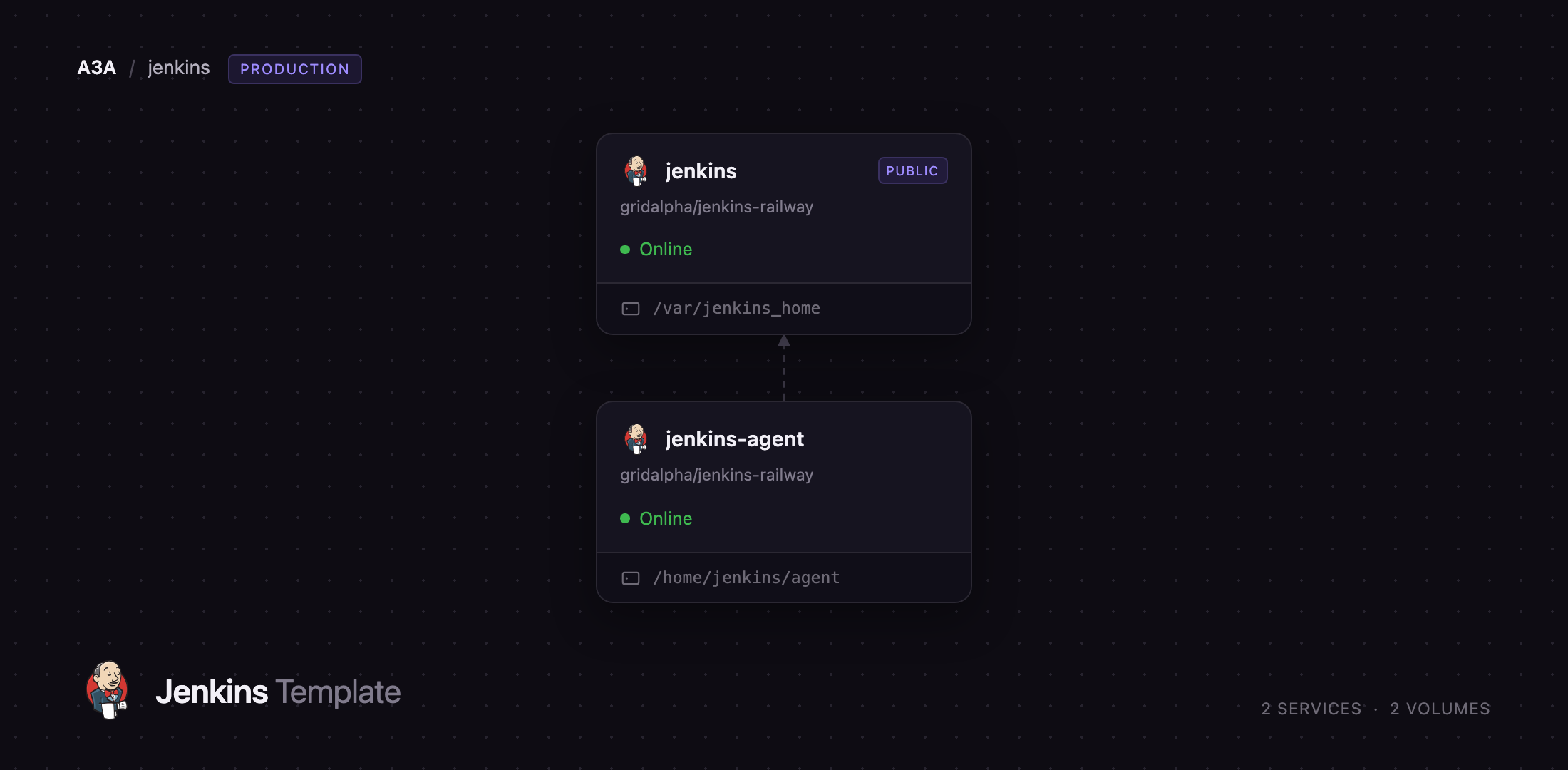
jenkins
Just deployed
/var/jenkins_home
jenkins-agent
Just deployed
/home/jenkins/agent
Deploy and Host Jenkins on Railway
Jenkins is the open-source automation server much of the world's software still builds on. Governed by the Continuous Delivery Foundation, its roughly 2,000 plugins reach almost every source-control system, artifact registry, cloud provider and deployment target. Teams choose it when the build process is genuinely theirs — matrix builds, air-gapped artifact stores, releases with manual sign-off — all expressed in a Jenkinsfile in the repository.
Deploy Jenkins on Railway and you get what the Jenkins documentation calls a distributed build: a jenkins controller that runs the web UI and schedules work, and a jenkins-agent service that runs it. The controller keeps /var/jenkins_home on a persistent volume and is the only service with a public URL. The agent stays private, dials the controller over a WebSocket, and offers two executors on its own workspace volume. The controller has zero executors, so nothing you build can touch the machine holding your credentials. Plugins, security realm, agent node and authorization matrix are all defined as code in github.com/gridalpha/jenkins-railway, so a fresh deploy is set up the moment it answers.
Getting Started with Jenkins on Railway
There is no setup wizard and no unlock key to hunt for in the logs. Open the public URL and Jenkins shows its sign-in page. Log in with JENKINS_ADMIN_ID (admin by default) and the password you set in JENKINS_ADMIN_PASSWORD; that account is created on first boot as a full administrator. Anonymous visitors get nothing — every page but the login form answers 403. Change the password later in Manage Jenkins → Users rather than in the variable.
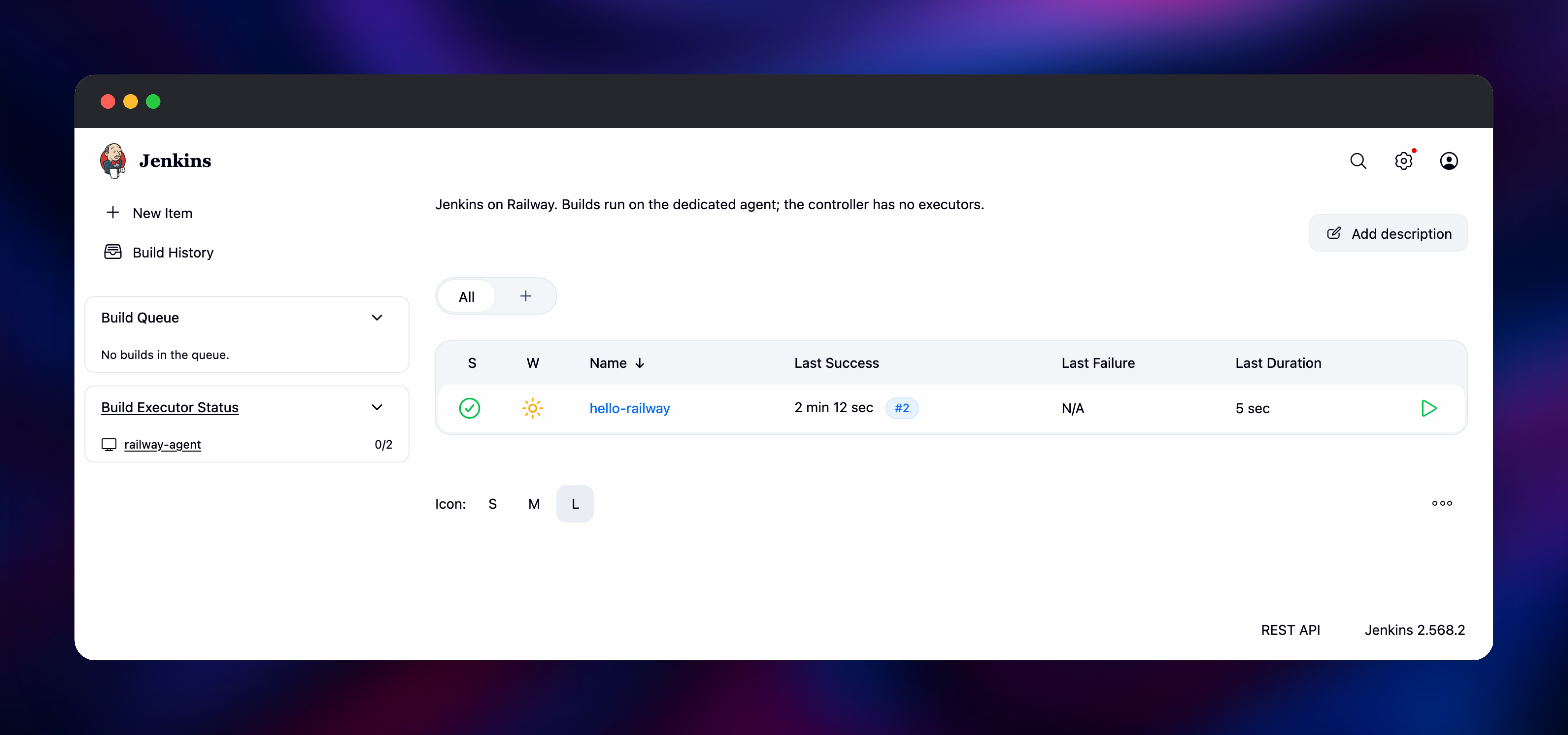
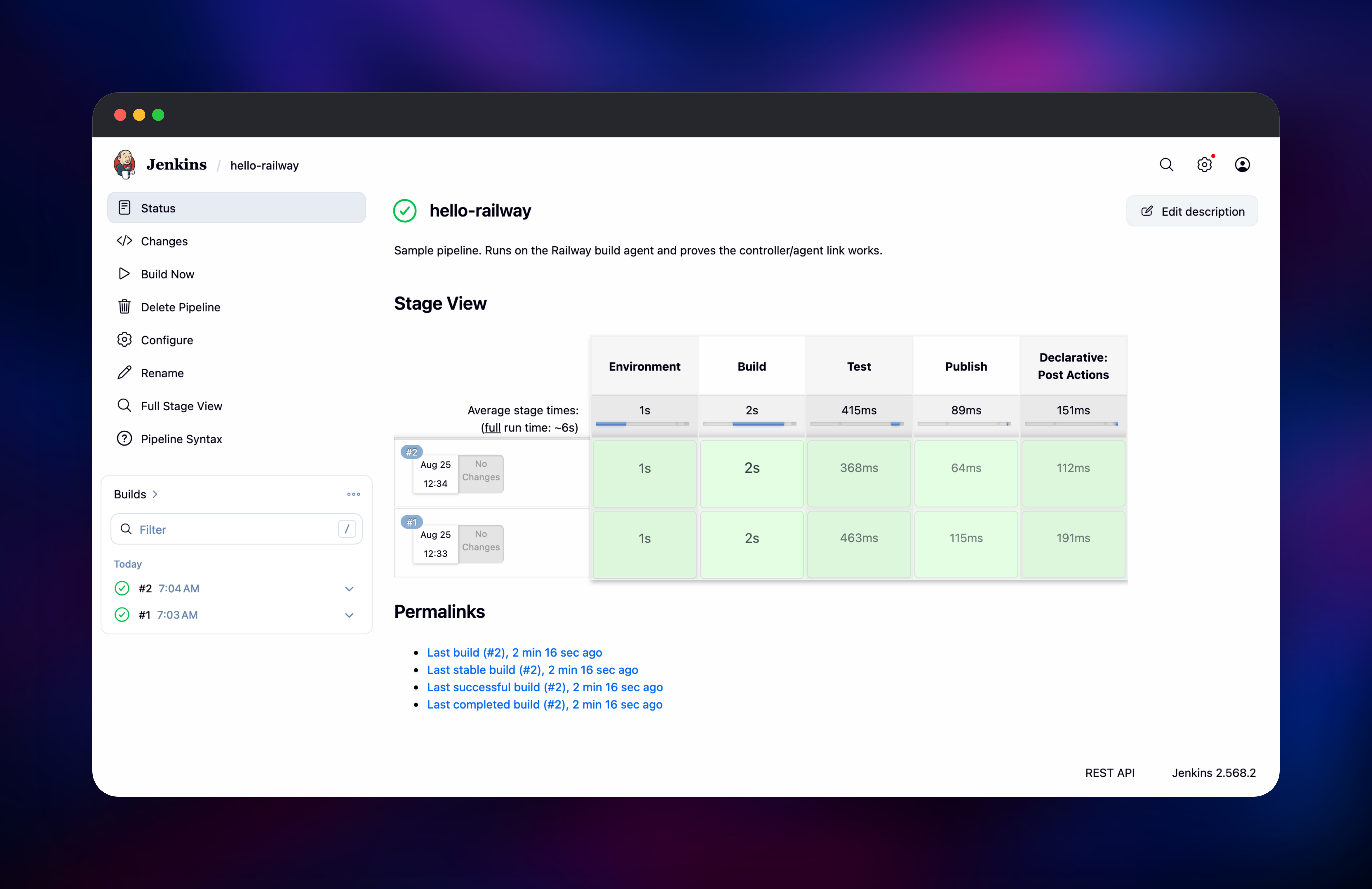
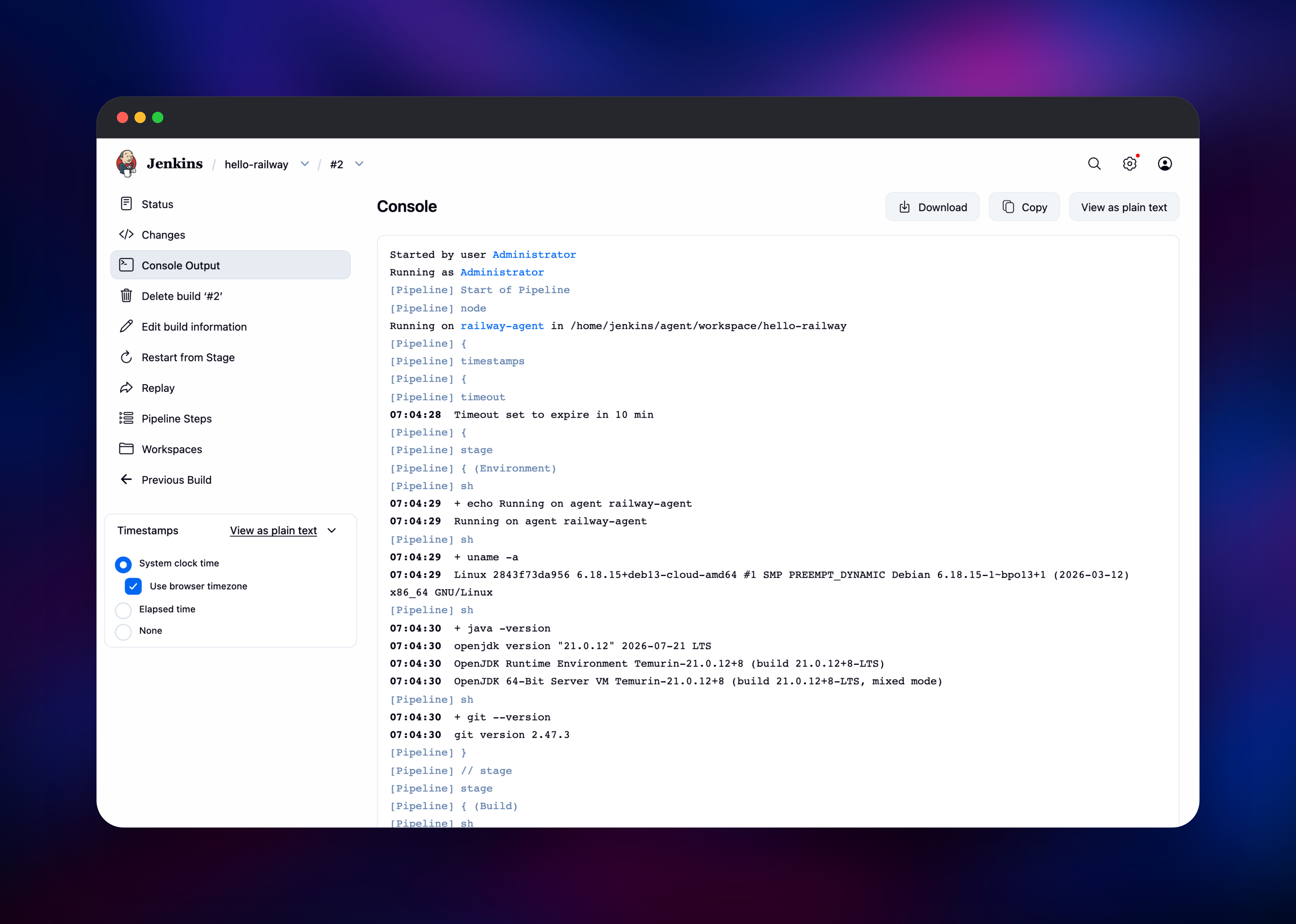
Go first to Manage Jenkins → Nodes, where railway-agent should be connected with two executors and Built-In Node should show zero. That pairing is the deployment working. Then open the hello-railway job and press Build Now: a five-stage pipeline that prints the agent name, kernel, Java and Git versions, then simulates a build, test and publish. When it goes green and the console says Running on railway-agent, controller and agent are talking.
Next, create a real job with New Item → Pipeline, point it at a repository holding a Jenkinsfile, and add its credentials under Manage Jenkins → Credentials.
About Hosting Jenkins
Jenkins watches source repositories, runs whatever you tell it to run, and reports the result. Self-hosting is the point rather than a compromise: build logs, artifacts, signing keys and deployment credentials never leave infrastructure you control, and there are no build-minute charges.
- Pipeline as code — declarative or scripted pipelines committed as a
Jenkinsfile. - Distributed builds — the controller schedules, agents execute, capacity grows by adding agents.
- A plugin for nearly everything — Git, GitHub, GitLab, Docker, Kubernetes, Maven, Gradle, npm, Terraform, Slack, SonarQube.
- Fine-grained authorization — a permission matrix over users and groups.
- Credentials management — secrets stored encrypted and bound into builds.
jenkins is the controller: web UI, jobs, credential store and build history under /var/jenkins_home. jenkins-agent runs the official inbound agent image with Git and Git LFS preinstalled, dialling the controller privately so no second public port opens. Its volume keeps workspaces between deploys.
Why Deploy Jenkins on Railway
Railway removes the server administration that makes Jenkins expensive to own.
- One click deploys the controller and build agent already wired together.
- Persistent volumes keep jobs, history and credentials across redeploys.
- Private networking connects the agent without exposing an inbound port.
- HTTPS and a public domain are issued automatically.
- Scale CPU and memory from the dashboard as builds get heavier.
Common Use Cases
- Build, test and release pipelines for polyglot repositories no hosted runner image covers.
- Scheduled and long-running jobs — nightly suites, migrations, reports — costly on per-minute CI billing.
- Deployment orchestration with manual sign-off, staged rollouts and rollback jobs.
- Compliance-bound CI where logs and artifacts must stay on infrastructure you control.
Dependencies for Jenkins
jenkins/jenkins:lts— official controller image, currently Jenkins 2.568.2.ltsis the stable line;latestfollows the weekly train.jenkins/inbound-agent:latest— official agent image, with the Remoting client, a JDK and Git.- Two persistent volumes —
/var/jenkins_homeand/home/jenkins/agent. - A source repository — github.com/gridalpha/jenkins-railway adds the plugins, Configuration as Code files and entrypoints.
No database is required: Jenkins keeps its configuration, jobs and build history as files under JENKINS_HOME.
Environment Variables Reference
| Variable | Service | Purpose |
|---|---|---|
JENKINS_ADMIN_ID | controller | Administrator username, created on first boot |
JENKINS_ADMIN_PASSWORD | controller | Password for that administrator |
JENKINS_AGENT_CONNECT_PASSWORD | both | Low-privilege account the agent connects with |
JENKINS_AGENT_NAME | both | Node name; must match on both services |
JENKINS_LOCATION_URL | controller | Public URL used in links and notifications |
JENKINS_AGENT_EXECUTORS | controller | Concurrent builds the agent accepts, default 2 |
Deployment Dependencies
- Source: github.com/jenkinsci/jenkins
- Docker images: github.com/jenkinsci/docker
- Docs and plugins: jenkins.io/doc, plugins.jenkins.io
- Runtime: Java 17 or 21, supplied by the image.
Hardware Requirements for Self-Hosting Jenkins
| Resource | Minimum | Recommended |
|---|---|---|
| CPU | 1 vCPU per service | 2 vCPU controller, 2+ vCPU agent |
| RAM | 1 GB controller, 512 MB agent | 2–4 GB controller, 2 GB+ agent |
| Storage | 5 GB volume per service | 20 GB+ controller as history grows |
| Runtime | Java 17 | Java 21, included in the images |
Size the agent for the builds you run: a Node or Go project fits in 2 GB, a Gradle or C++ build wants more.
Self-Hosting Jenkins with Docker
The single-container form is one command, with a named volume so nothing is lost when the container is replaced:
docker run -d --name jenkins \
  -p 8080:8080 -p 50000:50000 \
  -v jenkins_home:/var/jenkins_home \
  jenkins/jenkins:lts
Adding a build agent is the step most guides skip and the one that matters in production. Create the node under Manage Jenkins → Nodes, pick the inbound launch method, copy the secret, and run the agent image against it:
docker run -d --name jenkins-agent \
  -e JENKINS_URL=http://jenkins:8080 \
  -e JENKINS_AGENT_NAME=agent-1 \
  -e JENKINS_SECRET= \
  -e JENKINS_WEB_SOCKET=true \
  -v jenkins_agent:/home/jenkins/agent \
  jenkins/inbound-agent:latest
Self-hosting also means owning plugin upgrades, JVM tuning, JENKINS_HOME backups and the reverse proxy in front — the work this template already does.
Is Jenkins Free?
Jenkins is free and open source under the MIT licence: no paid tier, no seat limits, no build-minute quotas, no feature gating, and every plugin in the public index is free too. Self-hosting costs only the infrastructure it runs on, so on Railway you pay for the CPU, memory and volume storage the controller and agent actually use — and an idle controller uses very little.
FAQ
What is Jenkins? An open-source automation server for continuous integration and delivery. It watches your repositories, runs your build, test and deployment steps, and reports results, with pipelines defined in code beside the project.
What does this Railway template deploy?
A Jenkins controller on jenkins/jenkins:lts with a public URL and a persistent /var/jenkins_home volume, plus a private build agent on jenkins/inbound-agent with its own workspace volume. Both arrive with a plugin set, an administrator account, an authorization matrix and a working example pipeline.
Why does the template include a separate build agent? Jenkins' own guidance is never to build on the controller, since a build step there can read every stored credential. This controller has zero executors, so all work lands on the agent instead.
How do I add more build capacity to self-hosted Jenkins?
Add another service from the repository's agent/Dockerfile with a different JENKINS_AGENT_NAME, plus a matching node in the Configuration as Code file. Do not raise replicas on the existing agent: every replica claims the same node name and only one connects.
Are my jobs and build history kept when the service redeploys?
Yes. Everything Jenkins owns lives in /var/jenkins_home, and workspaces on the agent's own volume, so both survive redeploys and restarts.
Template Content
jenkins
gridalpha/jenkins-railwayjenkins-agent
gridalpha/jenkins-railway