
Deploy Jenkins
Jenkins CI/CD automation server - Git, Pipeline, seeded admin
jenkins
Just deployed
/var/jenkins_home

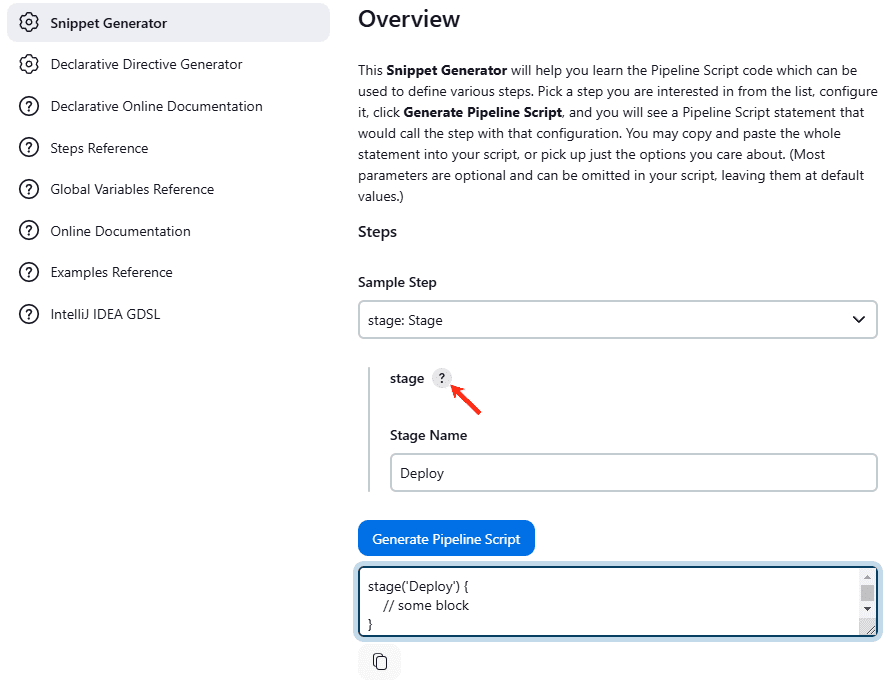
Screenshot: Jenkins' Pipeline Snippet Generator — upstream docs screenshot (jenkins.io, MIT-licensed Jenkins docs), showing the built-in Pipeline syntax helper that ships with this template.
Deploy and Host
Jenkins is the leading open-source automation server — build, test, and deploy your code with freestyle jobs and declarative Pipelines, with Git support built in. This template ships Jenkins 2.580.3 LTS (MIT) pinned by digest, with the setup wizard disabled, an admin account auto-created from a generated password, and Git + Pipeline plugins preinstalled, so the first login lands straight on a working controller.
What gets deployed:
- jenkins — Jenkins 2.580.3 LTS controller (Java 21), Git + Pipeline plugins preinstalled, volume
/var/jenkins_home - Admin account — username
admin, password generated on the deploy form, created on first boot
The deploy form has one generated field — the admin password — and nothing else to fill in. Log in as admin, create a freestyle job or a Pipeline, and run your first build. No setup wizard, no one-time password to dig out of logs.
About Hosting
One service from the official image (jenkins/jenkins 2.580.3 LTS, pinned by digest, MIT). Railway's injected PORT is honored on every boot, and the Jenkins URL is derived from the live public domain, so links and redirects work without configuration. The healthcheck is /login (unauthenticated, 200 when the controller is ready). All persistent state — jobs, build history, plugins, configuration — lives on the volume at /var/jenkins_home and survives redeploys.
Why Deploy
- Zero-fuss start: no wizard, no plugin install marathon — Git and Pipeline are already there, and the admin account exists on first boot.
- Real CI/CD: freestyle jobs with shell steps on the built-in node, or declarative Pipelines with the bundled Git plugin; build history and artifacts persist on the volume.
- Always-on by design: the controller runs continuously, so scheduled builds and polling triggers fire without a second deploy.
- Private by default: jobs, credentials, and build logs stay in infrastructure you control.
Common Use Cases
- Run CI for a GitHub repo: create a Pipeline job, point it at the repo, build and test on every push.
- Replace a hosted CI runner with a private controller for small teams and side projects.
- Schedule nightly jobs (tests, backups, reports) with Jenkins' built-in cron triggers.
- Use as a general automation server — shell-script jobs for anything that needs a schedule and a log.
Dependencies for
Everything this template provisions, and how each piece is configured:
Deployment Dependencies
| Setting | Value |
|---|---|
| Runtime | Jenkins 2.580.3 LTS (Java 21) + Git + Pipeline plugins |
| Plan | Hobby; one service |
| Port | Railway's injected PORT, honored on every boot (default 8080) |
| Persistence | One Railway volume at /var/jenkins_home (jobs, build history, plugins, config) |
| Healthcheck | /login (unauthenticated, 200); first boot takes a few minutes while plugins copy into the volume |
| Variable | Value | Notes |
|---|---|---|
JENKINS_ADMIN_PASSWORD | ${{secret(16)}} | Generated on the deploy form; password for the auto-created admin account. Applied on first boot only. |
JENKINS_JAVA_OPTS | -Xmx1024m -Djenkins.install.runSetupWizard=false | Baked: 1 GB heap cap, setup wizard disabled. Add -D properties here. |
Baked or derived internals: JENKINS_HOME=/var/jenkins_home; JENKINS_OPTS is set at boot to --httpPort=$PORT; the Jenkins URL is derived from the live public domain on every boot; Git and Pipeline plugins are preinstalled at build time.
Template Content
jenkins
INAPP-Mobile/jenkins