
Deploy Joomla
Open-source CMS for websites, portals and intranets
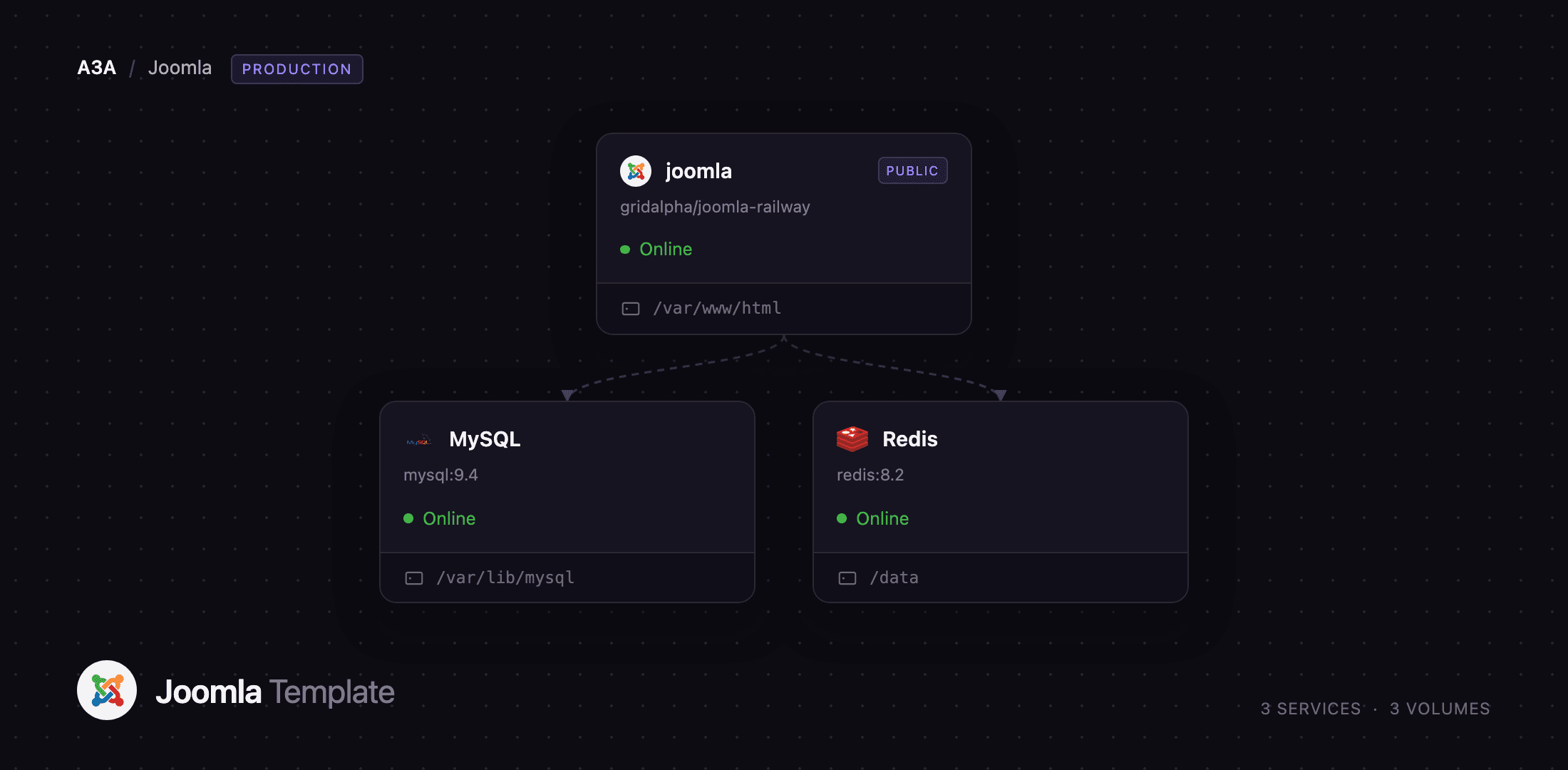
joomla
Just deployed
/var/www/html

MySQL
Just deployed
/var/lib/mysql

Redis
Just deployed
/data
Deploy and Host Joomla on Railway
Joomla is an open-source content management system that has run production websites since 2005, and it is still the CMS people reach for when a site needs more structure than a blog engine: fine-grained access levels, multilingual content and a real extension framework are in core rather than bolted on. Editors get a WYSIWYG interface, developers get a documented MVC framework and a CLI, and the GPL licence has no seat counts. Self-host Joomla to keep your content, database and domain, without a SaaS bill.
Deploy Joomla on Railway and the stack comes up configured: the joomla service runs Apache with PHP 8.4 and serves both the site and the administrator on one public domain, MySQL holds content, users and configuration, and Redis holds PHP sessions and the cache. The site's files — configuration.php, uploaded media, installed extensions, cache and logs — live on a persistent volume at /var/www/html and survive every redeploy. Joomla installs itself on the first boot from the values you supply, creates the administrator, deletes its own installer, and starts a scheduler worker that runs due tasks on an interval rather than waiting for a visitor.
Getting Started with Joomla on Railway
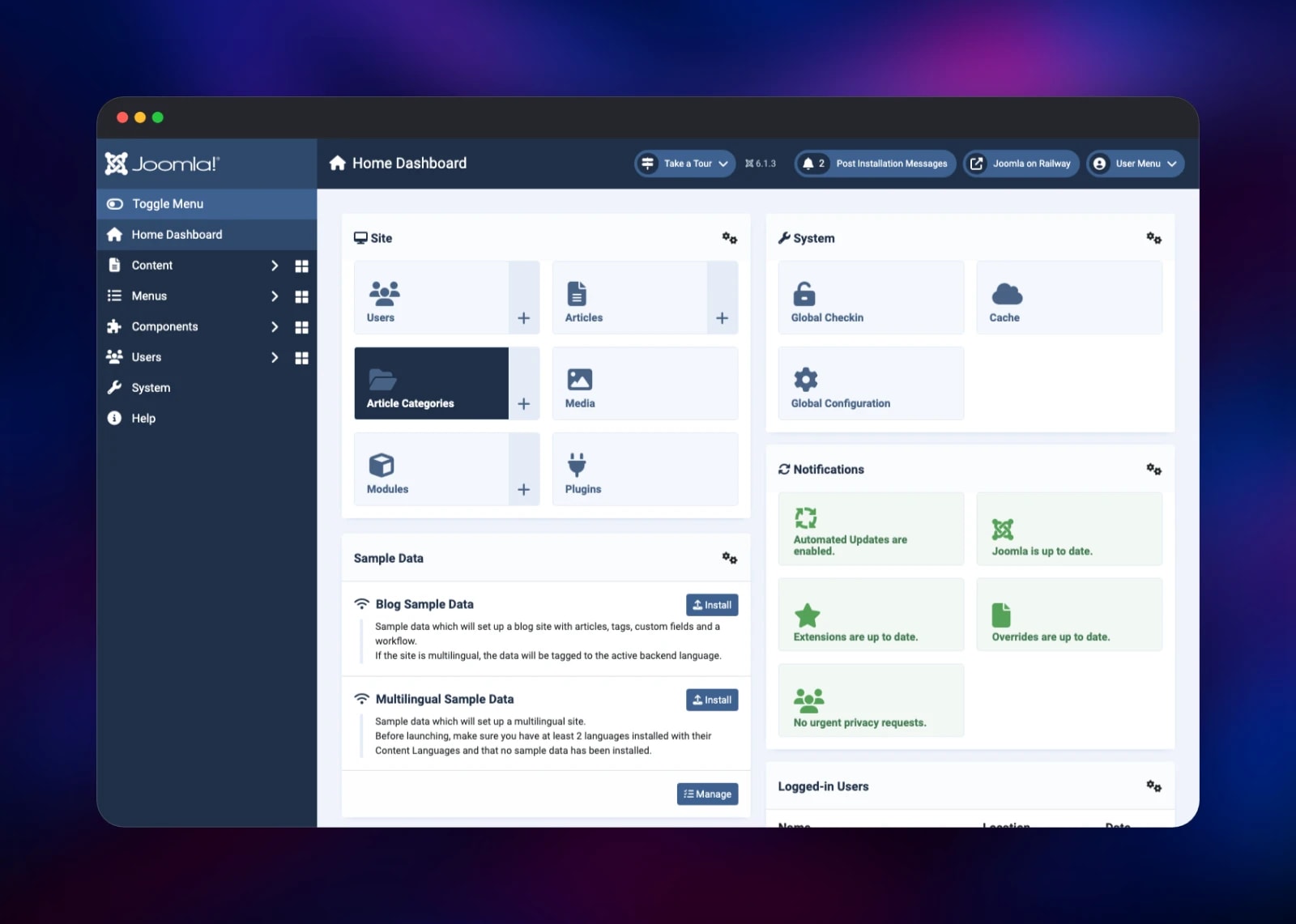
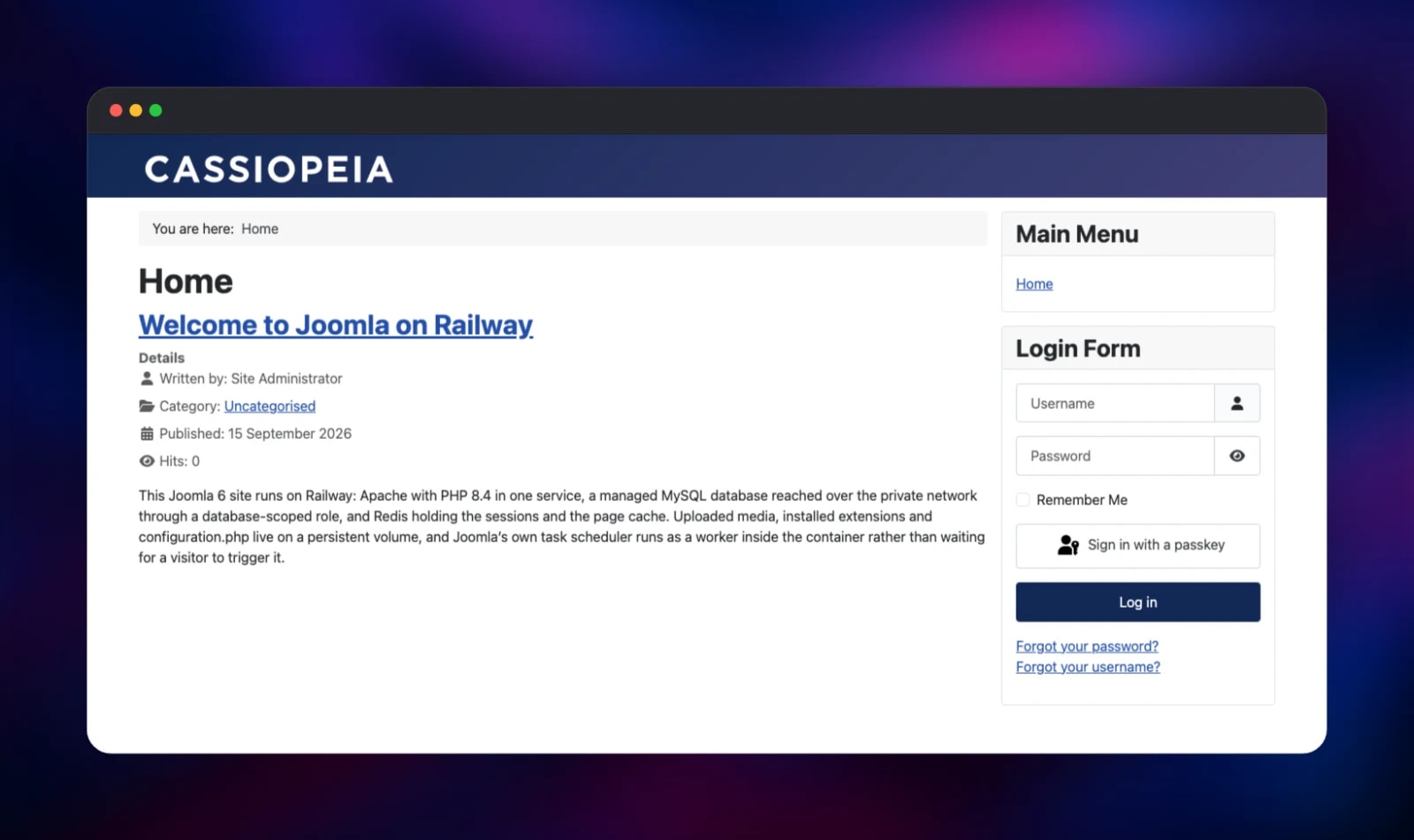
Fill in a site name, an administrator display name, a username, a password longer than 12 characters and an email address, then deploy. The first boot copies Joomla onto the volume, creates its database and a scoped MySQL role, runs the unattended installer and removes the installation directory; the public URL answers a minute or two later. Open it to see the front page, then go to /administrator and sign in with the username and password you supplied — there are no default credentials and no setup wizard is ever exposed. Dismiss the welcome tour and the Home Dashboard reports whether Joomla and its extensions are up to date, which also confirms the container reaches Joomla's update servers. Extensions install from System → Install Extensions, by ZIP or URL, up to 64 MB.
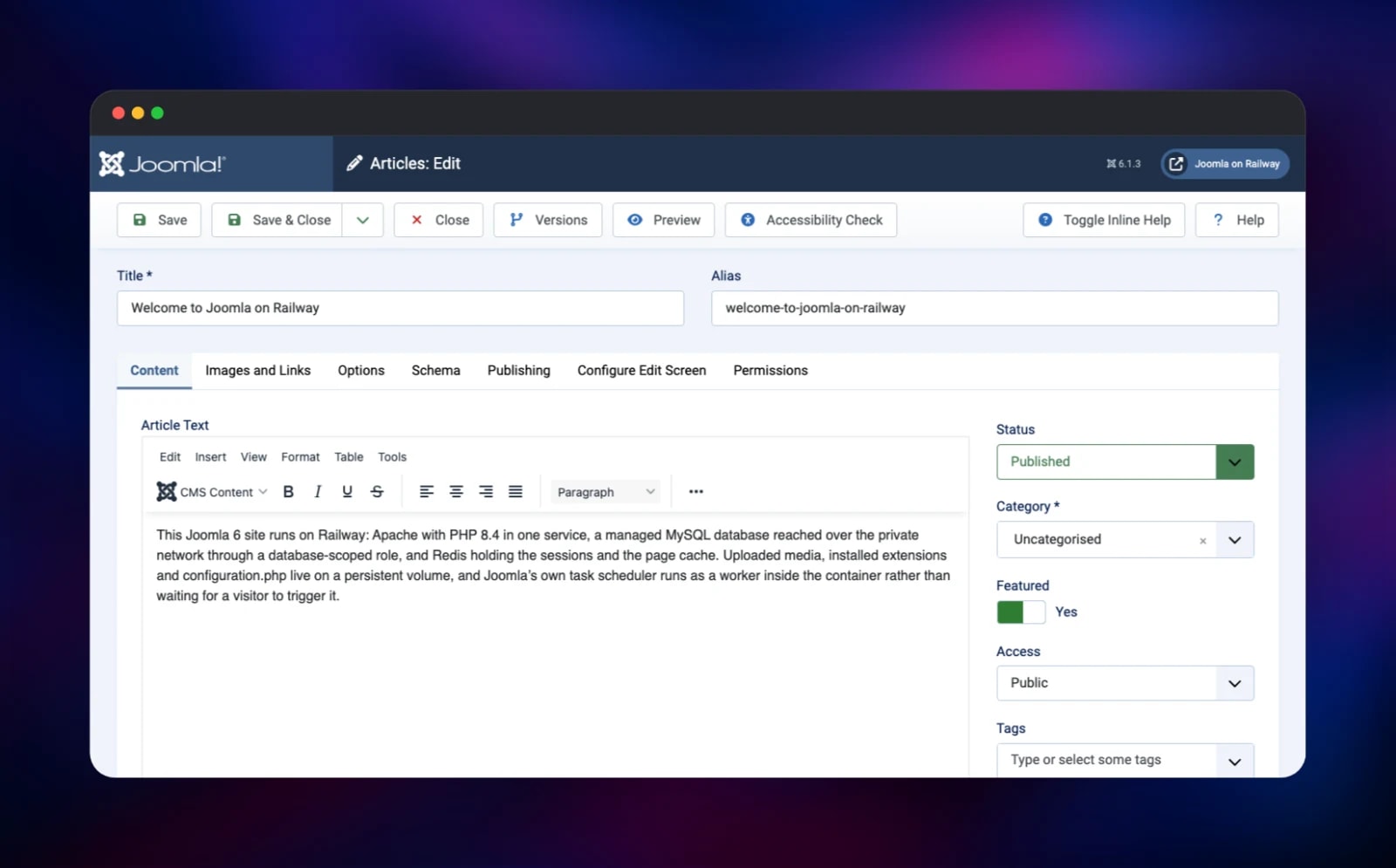
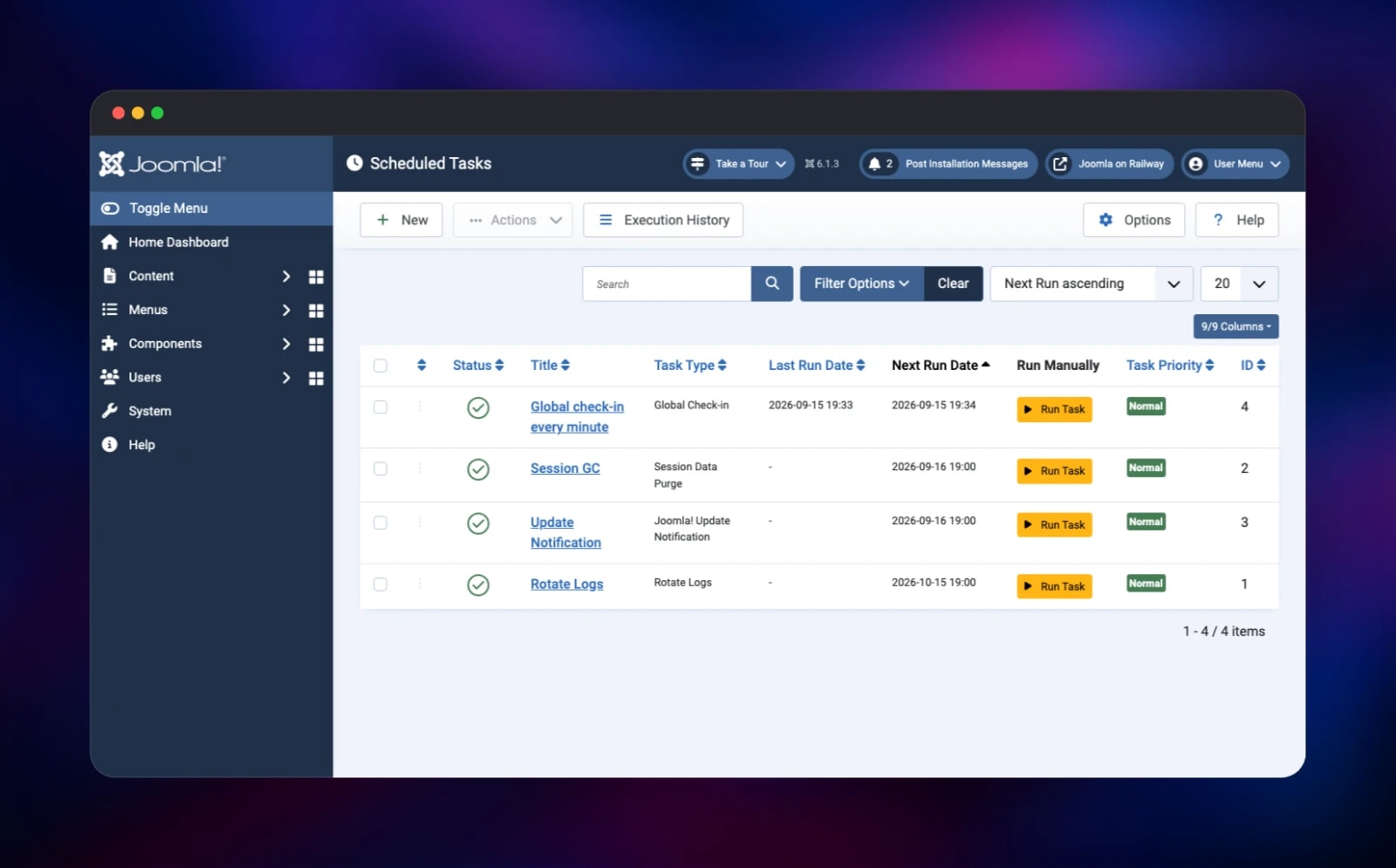
The quickest way to prove the install works is to write something: Content → Articles → New, add a title and a paragraph, set Featured to Yes and save. The home page is Joomla's featured-articles view, so it appears at once. Global Configuration holds metadata, caching and SEO; Scheduled Tasks lists what the scheduler runs, and a task you add fills in its Last Run on the next cycle. Turn caching on when the site goes live — it already points at Redis.
About Hosting Joomla
Hosting Joomla well is mostly about what surrounds the PHP: a file tree that persists, a database it owns, somewhere fast for sessions, and a trigger for scheduled work.
- Content: articles, categories, tags, custom fields, workflows, versioning
- Access control: user groups, view levels, per-component permissions in core
- Multilingual: language associations and per-language menus, no paid extension
- Extensible: components, modules, plugins and templates from a ZIP or URL
- Scheduled tasks: log rotation, session purging, update checks, HTTP requests
The joomla service is the only public one. It reaches MySQL over the private network as a role with privileges on its own database only, not the superuser, and Redis on two databases — sessions in one, cache in the other — so clearing the cache signs nobody out.
Why Deploy Joomla on Railway
One deploy, not a hand-built stack:
- MySQL and Redis provisioned, networked and credentialed for you
- A persistent volume keeps media, extensions and configuration across redeploys
- HTTPS on a generated domain, or attach your own
- Metrics, logs and vertical scaling per service, with no server to patch
Common Use Cases
- Corporate and public-sector sites where editors, reviewers and publishers need different permissions on the same content
- Multilingual sites serving one structure in several languages from one install
- Membership and intranet portals built on user groups and view levels
Dependencies for Joomla
- Joomla —
joomla:latest(6.1.3 on PHP 8.4, Apache), built fromgridalpha/joomla-railway - MySQL —
mysql:9.4, the content, user and configuration store - Redis —
redis:8.2, PHP sessions and Joomla's cache backend
Environment Variables Reference
| Variable | Default | Purpose |
|---|---|---|
JOOMLA_SITE_NAME | — | Site name in the browser title and templates |
JOOMLA_ADMIN_USER | — | Administrator display name |
JOOMLA_ADMIN_USERNAME | — | Administrator login, letters only |
JOOMLA_ADMIN_PASSWORD | — | Administrator password, over 12 characters |
JOOMLA_ADMIN_EMAIL | — | Administrator email address |
JOOMLA_DB_NAME, JOOMLA_DB_USER | joomla | Database and scoped role created at boot |
JOOMLA_SCHEDULER_INTERVAL | 300 | Seconds between scheduler runs; 0 disables it |
JOOMLA_FORCE_SSL | 1 | 1 forces HTTPS for the administrator, 2 for the site too |
JOOMLA_SMTP_HOST | — | host:port of an SMTP relay for outgoing mail |
Deployment Dependencies
- Source: github.com/joomla/joomla-cms; image: joomla-docker/docker-joomla
- Docs: manual.joomla.org, extensions.joomla.org
Hardware Requirements for Self-Hosting Joomla
| Resource | Minimum | Recommended |
|---|---|---|
| CPU | 1 vCPU | 2 vCPU |
| RAM | 512 MB PHP, 512 MB MySQL | 1–2 GB each |
| Storage | 1 GB volume | 5 GB+, sized to media |
| Runtime | PHP 8.3, MySQL 8.0.13 / MariaDB 10.4 / PostgreSQL 12 | PHP 8.4, MySQL 9, Redis 8 |
Joomla asks for a PHP memory_limit of at least 256 MB, which is set here, with 64 MB upload limits so extension packages install without editing an INI file.
Self-Hosting Joomla with Docker
The official image needs a database and the five setup values. The smallest working Compose file:
services:
  joomla:
    image: joomla:latest
    ports: ["8080:80"]
    volumes: ["joomla:/var/www/html"]
    environment:
      JOOMLA_DB_HOST: db
      JOOMLA_DB_USER: joomla
      JOOMLA_DB_PASSWORD: change-me
      JOOMLA_DB_NAME: joomla
      JOOMLA_SITE_NAME: My Site
      JOOMLA_ADMIN_USER: Site Administrator
      JOOMLA_ADMIN_USERNAME: admin
      JOOMLA_ADMIN_PASSWORD: change-me-too-please
      JOOMLA_ADMIN_EMAIL: admin@example.com
  db:
    image: mysql:9.4
    environment:
      MYSQL_ROOT_PASSWORD: change-me
      MYSQL_DATABASE: joomla
    volumes: ["db:/var/lib/mysql"]
volumes: { joomla: {}, db: {} }
Without those JOOMLA_ADMIN_* values and JOOMLA_SITE_NAME the image skips the unattended install and serves the web installer instead, so never expose a half-configured container. Joomla's CLI covers the rest:
docker compose exec joomla php cli/joomla.php extension:install --url
docker compose exec joomla php cli/joomla.php scheduler:run --all
Is Joomla Free?
Joomla is free software under the GPL: no licence fee, no edition split, no per-seat pricing. Many listings in the Joomla Extensions Directory are free, with some commercial components sold by their authors. Self-hosting costs only the infrastructure — on Railway, usage-based pricing for three services and a volume, which a small site sits comfortably inside.
FAQ
What is Joomla?
Joomla is an open-source CMS, first released in 2005, for websites, portals and intranets. It pairs an editor-facing admin with a PHP MVC framework, and keeps multilingual support and access control in core where other systems leave them to plugins.
What does this Railway template deploy?
Joomla on Apache with PHP 8.4, MySQL, and Redis for sessions and caching. Joomla installs itself on the first boot, creates your administrator and removes its own installer, so there is no web setup wizard to secure.
Why does the template include MySQL and Redis?
Joomla keeps content, users and settings in a relational database, so MySQL is not optional. Redis is: it keeps PHP sessions across redeploys and gives the cache somewhere faster than the filesystem once a site gets traffic.
Does Joomla need a cron job, and how does it work here?
Joomla's tasks otherwise need an external cron, or run only when someone visits. Here scheduler:run --all runs on a loop in the container every JOOMLA_SCHEDULER_INTERVAL seconds, so log rotation, session purging and update checks keep a fixed cadence.
Can I use my own domain and does HTTPS work?
Yes. Attach a custom domain to the joomla service and Joomla picks up the new host on its own, because the site URL is auto-detected rather than pinned. HTTPS is terminated at the edge and the administrator is forced onto it.
How do I update Joomla?
Use Joomla's own updater under System → Joomla! Update, the supported path, which also reports available updates on the dashboard. Site files live on the volume, so redeploying never overwrites an updated install.
Template Content

