
Deploy Joplin Server
Joplin Server — self-hosted sync backend for the Joplin note-taking apps

Just deployed
/var/lib/postgresql/data
joplin-server
Just deployed
joplin-storage
Bucket
Just deployed
Deploy and Host Joplin Server on Railway
Joplin Server is the official sync backend for Joplin, the open-source note-taking app used to keep thousands of Markdown notes, web clippings and attachments in step across desktop, mobile and terminal. Joplin can sync through Dropbox, OneDrive or any WebDAV share, but only Joplin Server adds multi-user accounts, notebook sharing, published note links and an admin panel. Self-host Joplin Server and your notes stop passing through a third-party drive — they live in infrastructure you control, still end-to-end encrypted before they leave your device.
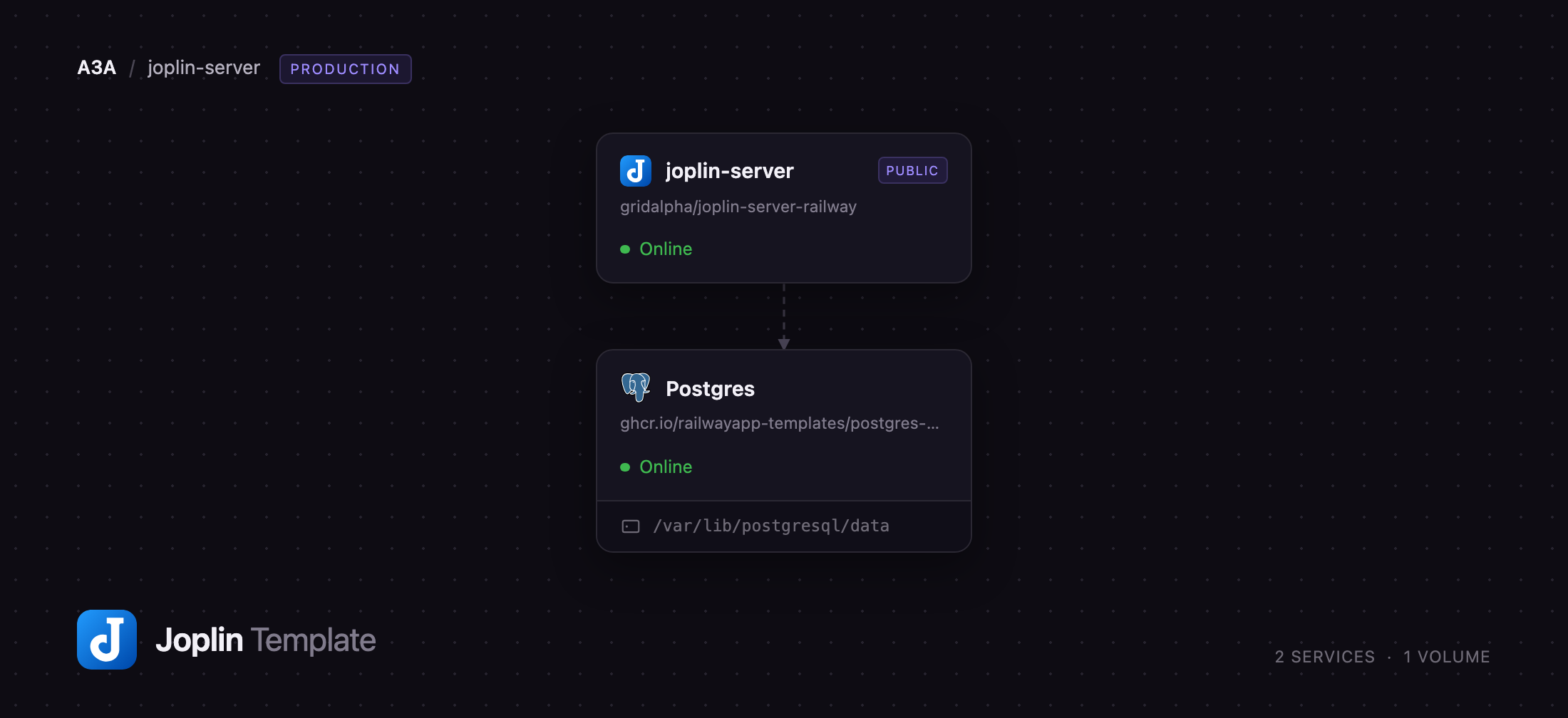
Deploy Joplin Server on Railway and you get the production shape rather than one container with a file on disk. Three pieces are wired together: the application, serving the sync API, sharing links and admin UI on a public HTTPS domain; a PostgreSQL database on the private network holding accounts, sessions and the change log clients read to work out what altered since they last connected; and an object storage bucket holding every note and attachment body. Keeping content out of the database lets a vault of images and PDFs grow without the database becoming the limit.
Getting Started with Joplin Server on Railway
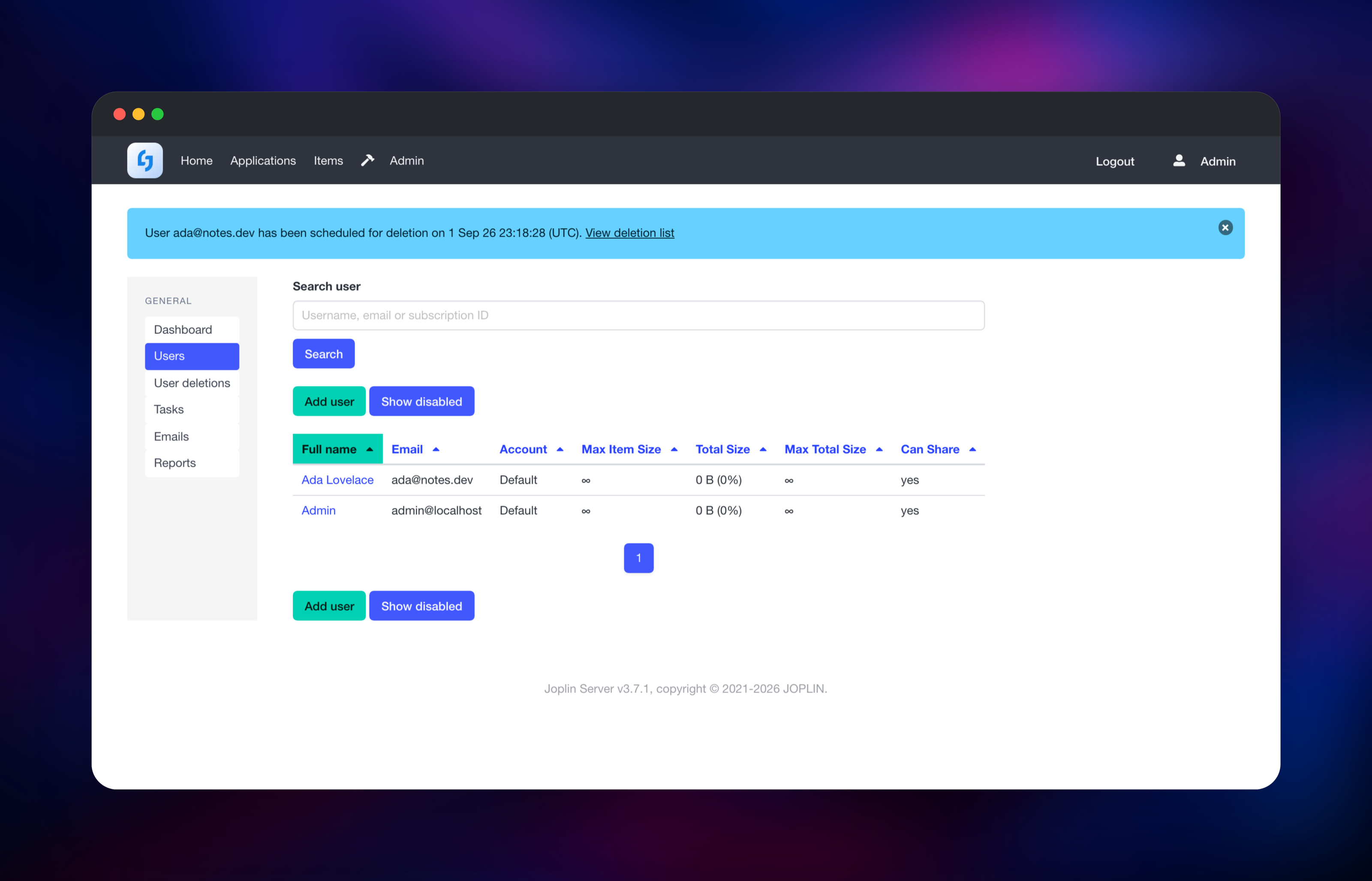
Set DEFAULT_ADMIN_PASSWORD before you deploy — it becomes the password for the built-in admin@localhost account, created the first time the database is migrated. When the deploy finishes, open the public URL and sign in with those credentials to reach the admin dashboard. Your first job is the account you will sync with: Admin → Users → Add user, then give it a name, email and password. Public sign-up is off here, so accounts exist only because an administrator made one.
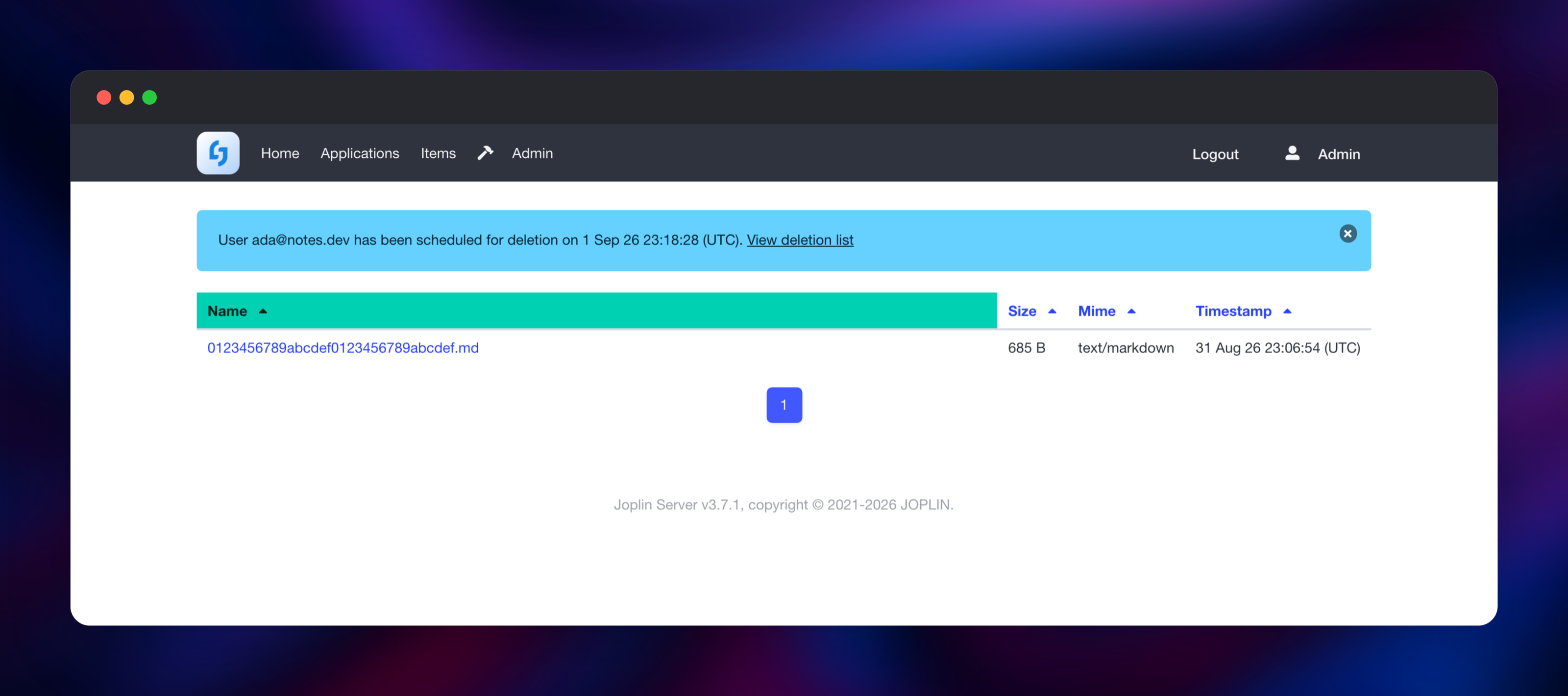
Now connect a client. In Joplin desktop or mobile open Settings → Synchronisation, set the sync target to Joplin Server, paste your Railway URL, enter the email and password of that new user, and press Synchronise. Back in the admin UI, the Items screen lists every note and resource the server has received with its size and content type — the quickest way to confirm the deployment works end to end rather than merely responding. Turn on end-to-end encryption in the Joplin app under Settings → Encryption.
About Hosting Joplin Server
Joplin Server is a Node.js application speaking Joplin's sync protocol over HTTP. It is not a note editor: you keep the Joplin apps, and the server is where they meet. Teams reach for it when a shared drive stops being enough — several people need their own accounts, a notebook has to be shared rather than copied, or a note needs a revocable public link.
- Multi-user accounts with per-account storage and item-size limits
- Notebook sharing between users, and revocable published note links
- End-to-end encryption performed by the client, so the server stores ciphertext
- TOTP multi-factor authentication, with secrets encrypted at rest
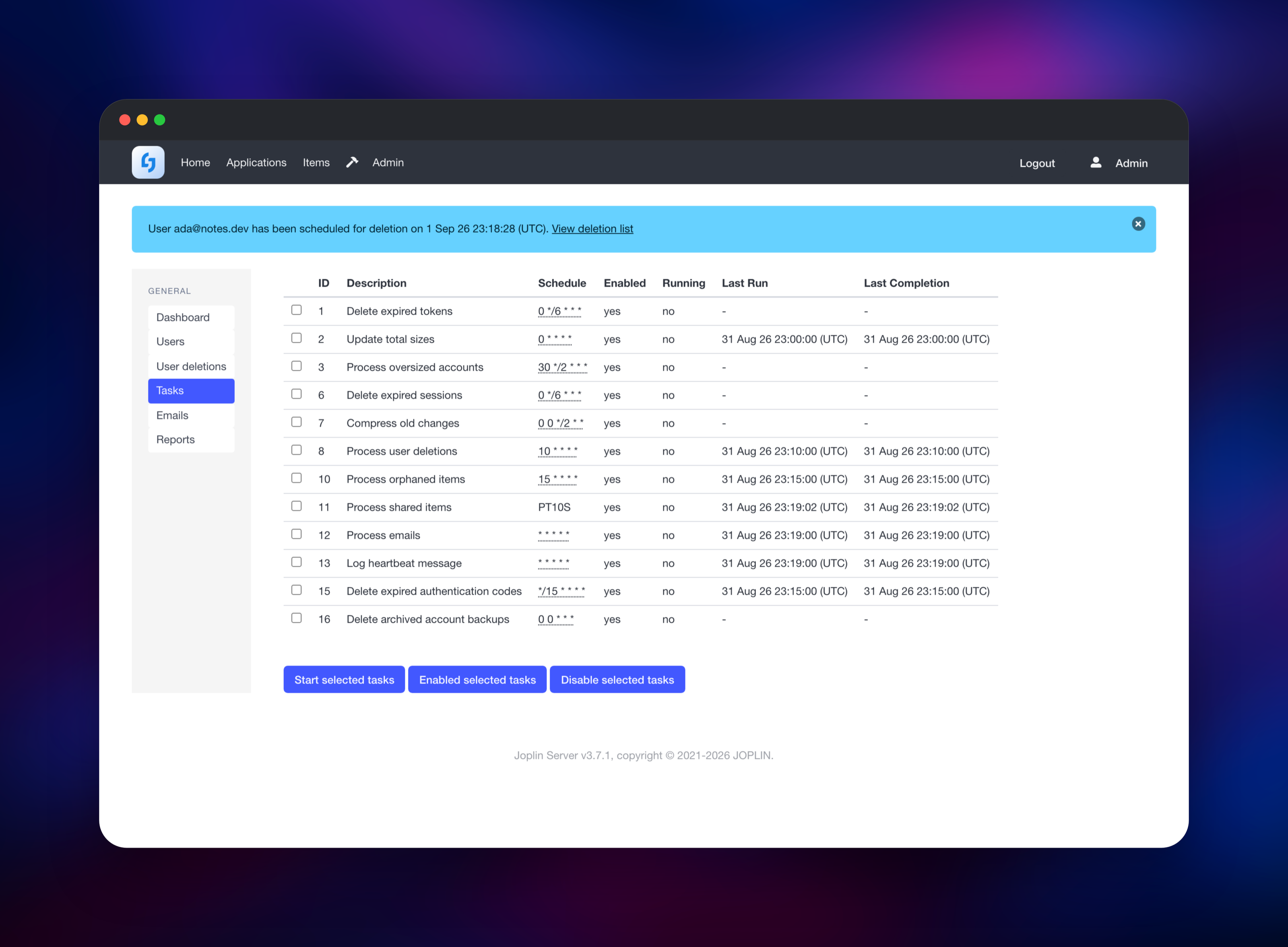
- LDAP and SAML sign-in, plus an admin panel for users, items and scheduled tasks
The database and the bucket do different jobs and neither is optional. PostgreSQL stores users, sessions, share records and the ordered change log that makes incremental sync possible — a client asks "what changed after this cursor?" and the answer comes from there. The bucket stores note and attachment bodies keyed by item id, so storage grows independently of the database.
Why Deploy Joplin Server on Railway
Railway removes the parts of self-hosting that have nothing to do with notes.
- PostgreSQL and object storage provisioned and wired up, no connection strings to write
- HTTPS and a public domain from the first deploy, certificates renewed for you
- A health check watching the app itself, so a bad rollout never replaces a working one
- Private networking between app and database — the database is never exposed
Common Use Cases for Self-Hosted Joplin Server
- A household or small team syncing notes without handing them to a commercial cloud provider
- A research or engineering group sharing notebooks of experiment logs and articles
- Consultants who need per-client notebooks and revocable links for customers
Dependencies for Joplin Server
- Joplin Server — built from
joplin/server3.7.1, published from laurent22/joplin. Serves the sync API, sharing links and admin UI on port 22300. - PostgreSQL — accounts, sessions, sync metadata and the change log. Joplin migrates its own schema at start-up, so nothing is imported by hand.
- Object storage bucket — note and attachment bodies over the S3 API.
Environment Variables Reference
| Variable | Purpose |
|---|---|
APP_BASE_URL | Public URL; clients and share links are built from it |
APP_PORT | Port the application listens on (22300) |
DEFAULT_ADMIN_PASSWORD | Password for the built-in admin@localhost account |
STORAGE_DRIVER | Connection string selecting object storage for content |
SIGNUP_ENABLED | Public sign-up; off, so administrators create accounts |
MFA_ENABLED / MFA_ENCRYPTION_KEY | TOTP, and the key encrypting its secrets |
MAX_TIME_DRIFT | Clock drift tolerated in ms; 0 disables the NTP check |
Deployment Dependencies
- Runtime: Node.js 24, supervised by PM2
- Source: laurent22/joplin (
packages/server) - Docs: joplinapp.org/help
Hardware Requirements for Self-Hosting Joplin Server
| Resource | Minimum | Recommended |
|---|---|---|
| CPU | 1 vCPU | 2 vCPU |
| RAM | 512 MB | 1–2 GB |
| Storage | Database only; content lives in the bucket | Bucket sized to your vault |
| Runtime | Node.js 24, PostgreSQL 12+ | Node.js 24, PostgreSQL 16+ |
The load that matters is concurrent sync sessions and attachment size, not note count, so a handful of users sits comfortably in the minimum column.
Self-Hosting Joplin Server
Joplin publishes a multi-architecture image; the smallest useful setup is the server plus PostgreSQL. This Compose file is the shape upstream documents:
services:
  db:
    image: postgres:16
    volumes: [./data/postgres:/var/lib/postgresql/data]
    environment:
      - POSTGRES_PASSWORD=joplin
      - POSTGRES_USER=joplin
      - POSTGRES_DB=joplin
  app:
    image: joplin/server:latest
    depends_on: [db]
    ports: ["22300:22300"]
    environment:
      - APP_PORT=22300
      - APP_BASE_URL=https://notes.example.com
      - DB_CLIENT=pg
      - POSTGRES_HOST=db
      - POSTGRES_PASSWORD=joplin
      - POSTGRES_USER=joplin
      - POSTGRES_DATABASE=joplin
To keep note bodies in an S3-compatible bucket instead of the database, add one more variable, whose fields are separated by semicolons:
STORAGE_DRIVER=Type=S3; Region=us-east-1; AccessKeyId=AKIAEXAMPLE; SecretAccessKeyId=REPLACE_ME; Bucket=joplin-content; Endpoint=https://s3.example.com
Behind a reverse proxy, terminate TLS in front of the container and keep APP_BASE_URL equal to the hostname users type — Joplin rejects requests whose Host header does not match.
How Much Does Joplin Server Cost to Self-Host?
Joplin Server is free to download and run, but it is not licensed like the Joplin apps: it ships under the Joplin Server Personal Use License, which permits non-commercial use only, and businesses need a commercial licence from the Joplin project. Nothing is enforced in software — the open build carries no licence key or user cap — so the obligation is yours. Self-hosting on Railway costs infrastructure only: the container, a small PostgreSQL instance, and the storage your notes occupy.
FAQ
What is Joplin Server? The official sync backend for the Joplin note-taking apps. It stores notes and attachments centrally, supports multiple accounts, and adds sharing and published links that file-based sync targets such as WebDAV cannot offer. The apps stay the editor.
What does this Railway template deploy? The Joplin Server application on a public HTTPS domain, a PostgreSQL database on the private network, and an object storage bucket for note content.
Why does Joplin Server need PostgreSQL and a storage bucket? PostgreSQL holds accounts, sessions and the change log that lets clients sync incrementally. The bucket holds note and attachment bodies, so a vault full of images and PDFs is limited by storage you can grow, not by a database disk.
How do I connect the Joplin desktop or mobile app to my server? Open Settings → Synchronisation, choose Joplin Server as the sync target, enter the public URL, then the email and password of an account made in the admin panel, and press Synchronise.
Does the server read my notes, and why is sync failing with a time drift error?
Only if you leave encryption off: turn on end-to-end encryption in the Joplin app and the server holds ciphertext it cannot decrypt.
Separately, Joplin checks its clock against an NTP server at start-up and refuses to run when the offset is large, because a wrong clock causes sync conflicts — raise MAX_TIME_DRIFT, or set it to 0 to skip the check.
Template Content
joplin-server
gridalpha/joplin-server-railwayjoplin-storage
Bucket


