
Deploy Kan
Trello Alternative. Open-source kanban project management you host yourself

Just deployed
/var/lib/postgresql/data
Just deployed

Redis
Just deployed
/data

mailpit
Just deployed
/data
kan-storage
Bucket
Just deployed
Deploy and Host Kan on Railway
Kan is an open-source project management tool built around kanban boards — lists, drag-and-drop cards, labels, comments, checklists, attachments and shared workspaces. It is the self-hosted answer to Trello for teams who want their roadmap, client work or sprint board on infrastructure they control, and it imports existing Trello boards so migrating is not a rewrite. Kan is a Next.js app released under AGPLv3 at github.com/kanbn/kan.
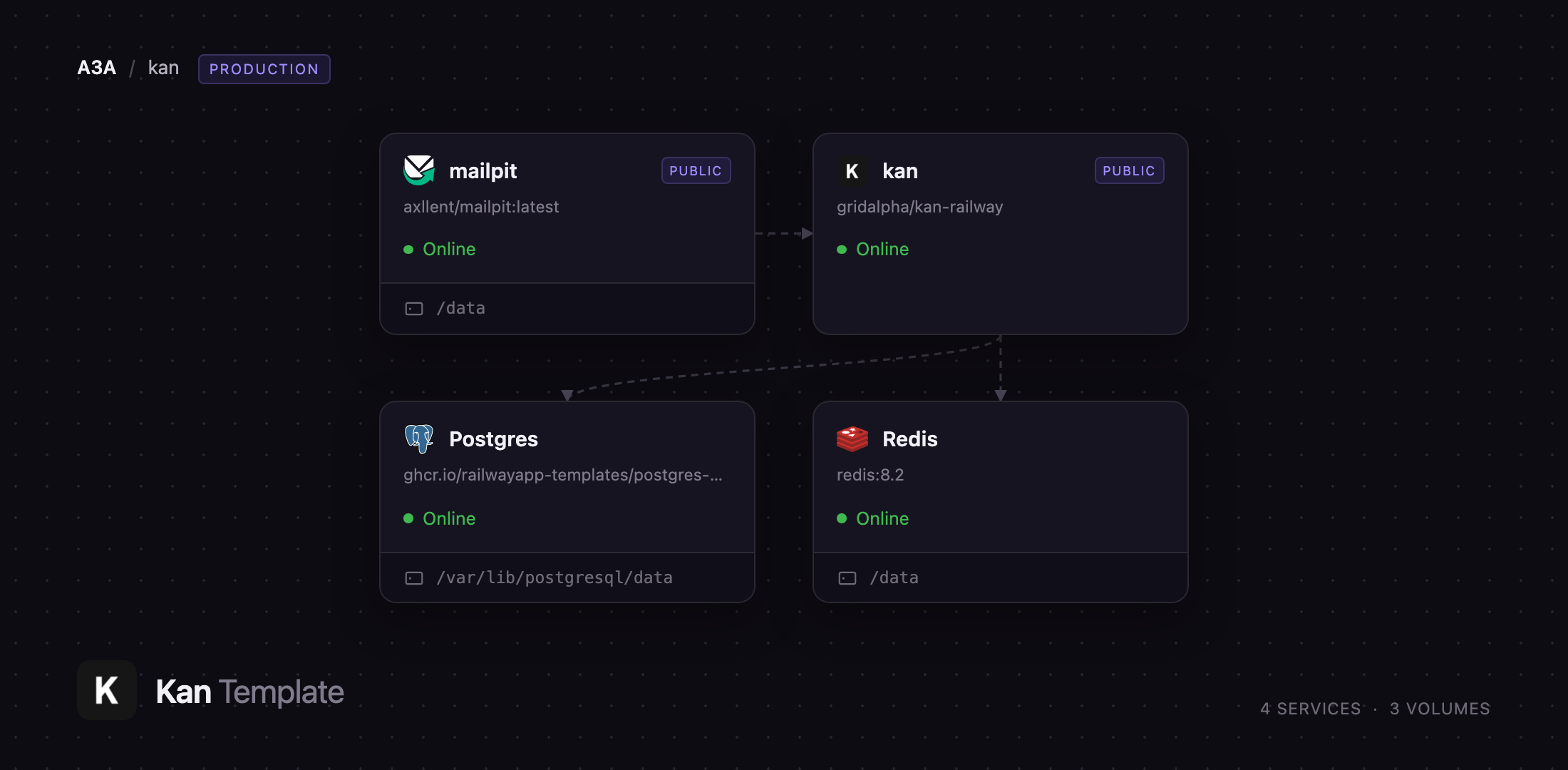
Deploy Kan on Railway and you get the full production shape rather than one container: the web app on a public HTTPS domain, PostgreSQL holding boards and sessions, Redis backing rate limiting, an object storage bucket for avatars and attachments, and Mailpit as an SMTP server so invitations and password-reset mail work immediately. Only the app and mail inbox are internet-facing; database, cache and SMTP stay private. Schema migrations run at boot, so upgrading a self-hosted Kan is a redeploy, not a manual step.
Getting Started with Kan on Railway
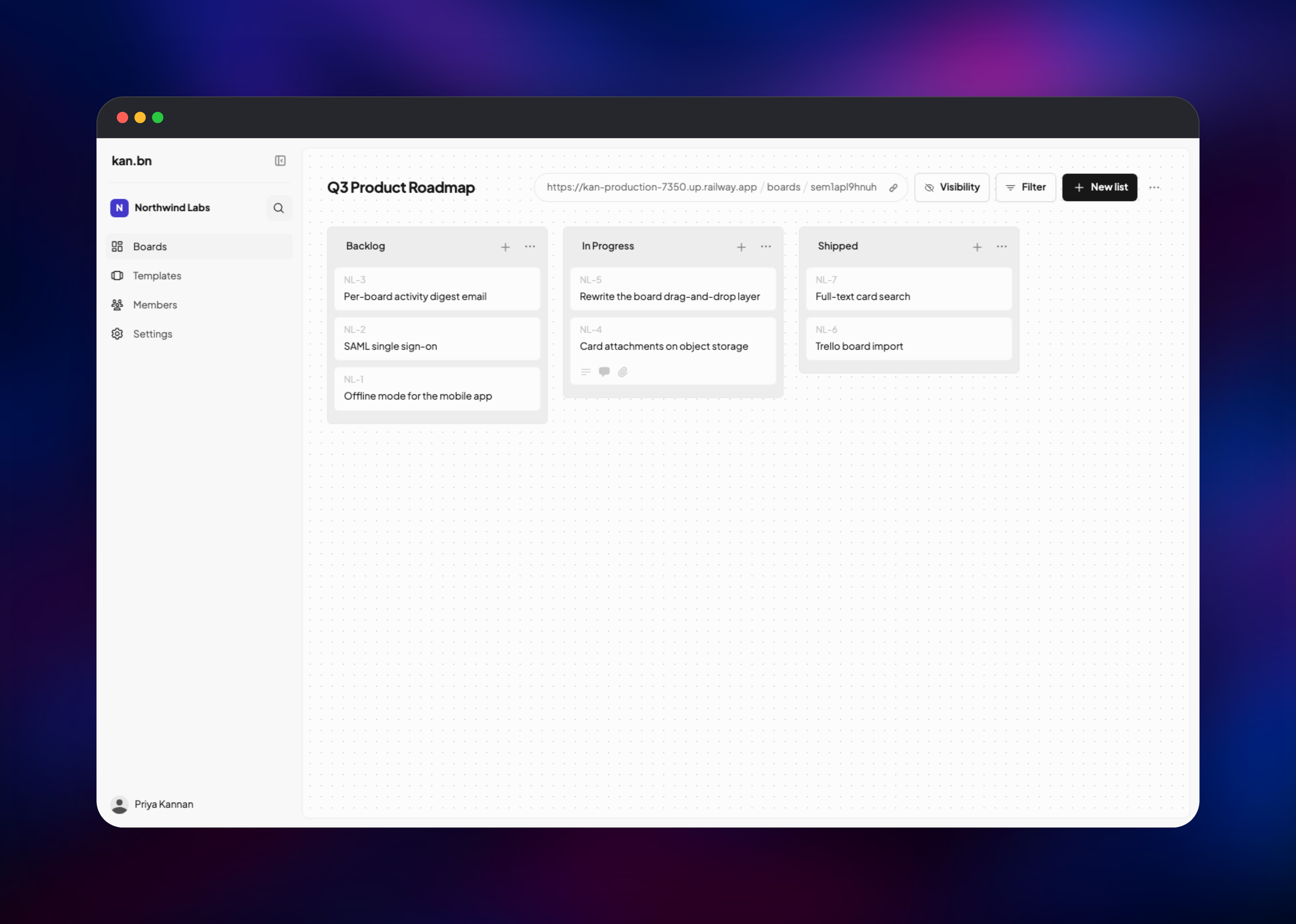
There are no default credentials — the first person to register owns the instance. Open the app URL and use "Sign up with email" to create your account. Kan then asks for a workspace name and URL slug (both required; the slug becomes part of your board links). From the Boards screen choose Create new board, then add lists such as Backlog, In Progress and Shipped and add cards with the + on each list header.
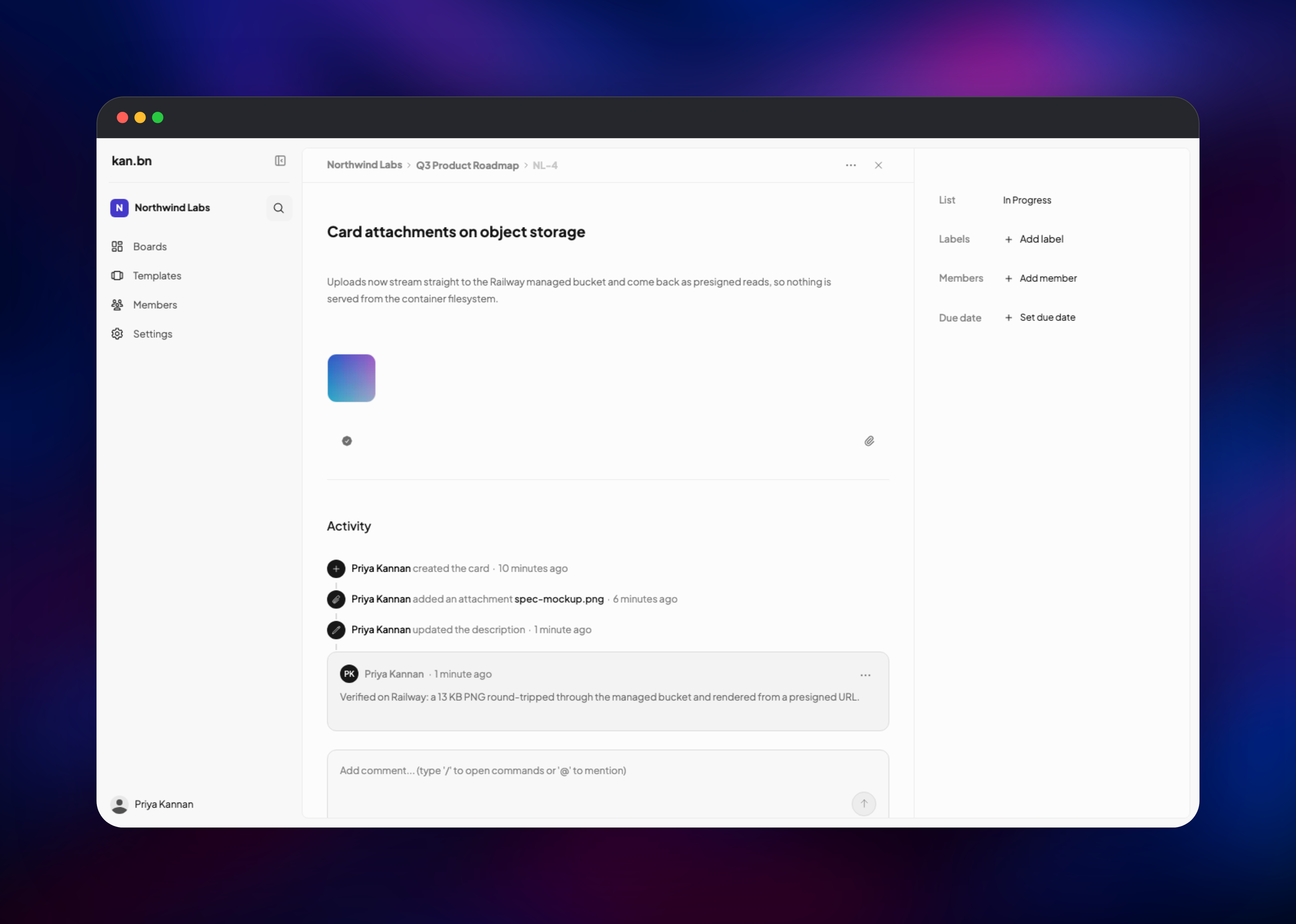
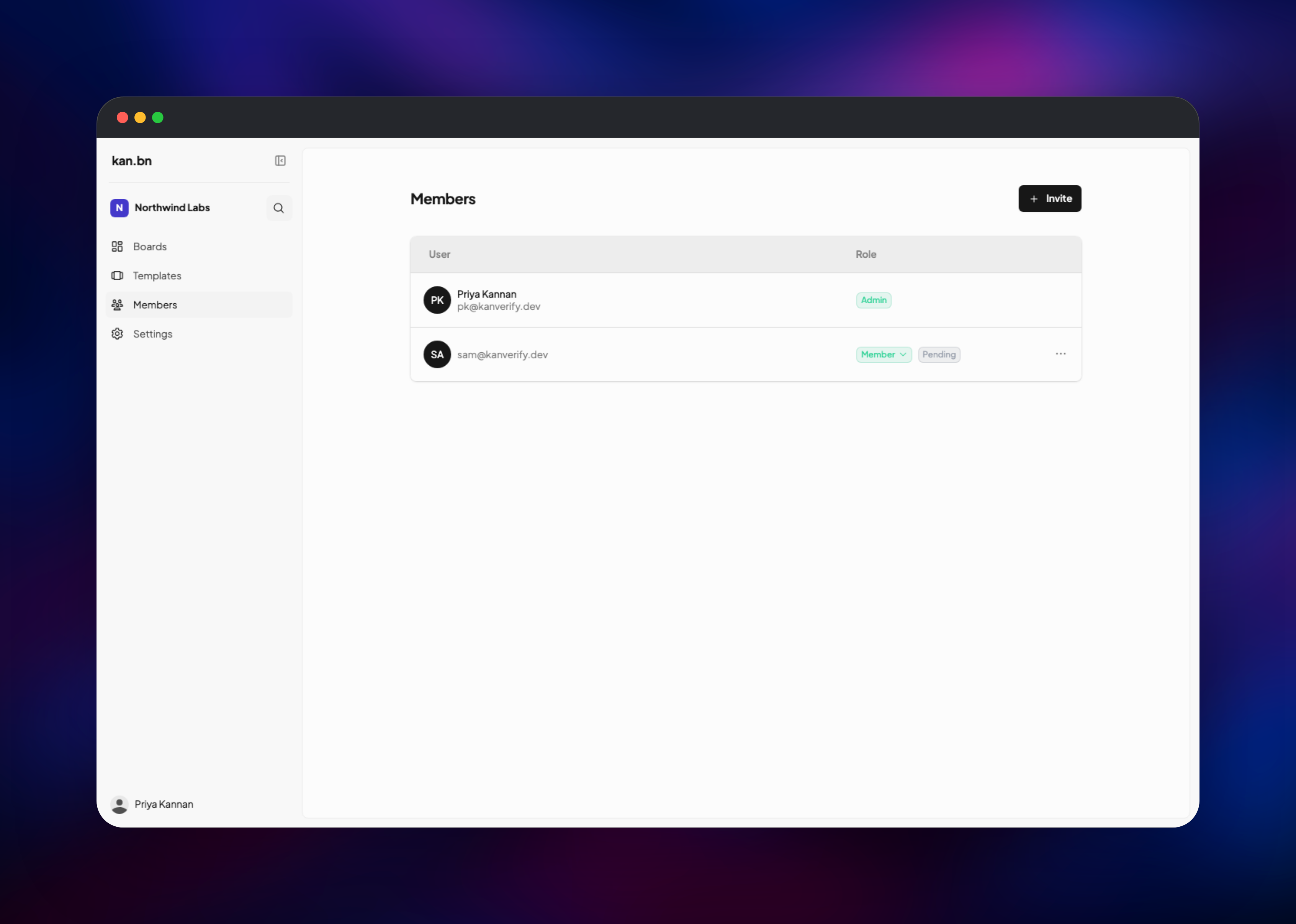
To confirm everything works, open a card and add a description, a comment and a file attachment — the attachment proves object storage is wired correctly, since Kan writes it to the bucket and serves it back through a signed URL. Then use Members → Invite; the message lands in the Mailpit inbox deployed alongside the app, where you can follow the join link.
Once your account exists, close registration by setting NEXT_PUBLIC_DISABLE_SIGN_UP to true on the Kan service. Invited people can still join; strangers who find the URL cannot.
About Hosting Kan
Kan organises work as boards of ordered lists of cards. A card carries a title, rich-text description, labels, members, due date, checklist, threaded comments and attachments, with every change recorded in an activity feed. Boards belong to a workspace, and workspaces carry Admin, Member and Guest roles, so one instance serves several teams. A board can also be made publicly viewable.
Self-hosting makes sense when board contents are commercially sensitive, when per-seat pricing has become the dominant cost of a growing team, or when data must sit in a specific jurisdiction.
Key features:
- Kanban boards with drag-and-drop lists and cards
- Labels, members, due dates and checklists on every card
- Threaded comments with
@mentions - Attachments backed by S3-compatible object storage
- Trello board import and reusable board templates
- Workspace roles, email invitations and shareable invite links
- Email/password sign-in plus Google, GitHub, Discord, Microsoft and OIDC
The template splits work across four services. Kan is the Next.js app and the only one serving users. PostgreSQL stores boards, cards, comments, users and login sessions — because sessions live there rather than in memory, a redeploy does not sign anyone out. Redis backs the rate limiter on the API and upload routes; without it Kan falls back to per-process counters that reset on every deploy. Mailpit is a real SMTP server with a web inbox; point MP_SMTP_RELAY_HOST at Postmark or SES when the mail should reach real addresses. The bucket holds avatars and attachments, so nothing durable is written to the container filesystem.
Why Deploy Kan on Railway
Railway removes the setup work a multi-service self-hosted app normally involves:
- Postgres, Redis, object storage and SMTP provisioned and wired together on deploy
- HTTPS domain and TLS certificate issued automatically
- Private networking, so only the web app is internet-facing
- Schema migrations run on every deploy, making upgrades a one-click redeploy
- Usage-based pricing, not a per-seat licence
Common Use Cases
- A product team running sprints and a public roadmap on infrastructure they own
- An agency giving each client a workspace with Guest access to just their board
- A company leaving Trello's per-seat pricing but keeping its boards via Trello import
- Teams under data-residency rules that rule out a hosted SaaS kanban tool
Dependencies for Kan
- Kan —
github.com/gridalpha/kan-railway, layering automatic schema migrations onto the officialghcr.io/kanbn/kanimage - PostgreSQL — managed Postgres 18; boards, cards, comments, users and sessions
- Redis — managed Redis 8; API and upload rate limiting
- Mailpit —
axllent/mailpit:latest; SMTP on port 1025 plus a password-protected web inbox - Object storage — a Railway bucket for avatars and attachments, read back through signed URLs
Environment Variables Reference
| Variable | Purpose |
|---|---|
POSTGRES_URL | Postgres connection string. Kan falls back to a throwaway in-process database if it is ever empty, so leave the reference intact |
NEXT_PUBLIC_BASE_URL | Public app URL; used for links in outgoing email |
NEXT_PUBLIC_ALLOW_CREDENTIALS | Must be true for email/password sign-in; otherwise only OAuth works |
NEXT_PUBLIC_DISABLE_SIGN_UP | Set true after creating your account to close registration |
SMTP_HOST / SMTP_PORT / SMTP_SECURE | Mail transport; SMTP_SECURE must be false for Mailpit's port 1025 |
KAN_ADMIN_API_KEY | Sent as the x-admin-api-key header on admin API calls |
Deployment Dependencies
- Source and self-hosting docs: github.com/kanbn/kan
- Application image: ghcr.io/kanbn/kan
- Runtime: Node.js 20, Next.js 15, PostgreSQL 15 or newer
Hardware Requirements for Self-Hosting Kan
| Resource | Minimum | Recommended |
|---|---|---|
| CPU | 1 vCPU | 2 vCPU |
| RAM | 1 GB | 2 GB |
| Storage | 1 GB (Postgres) | 10 GB plus object storage for attachments |
| Runtime | Node.js 20 | Node.js 20 |
Self-Hosting Kan with Docker
Kan publishes an app image and a migration image. This runs the app against an existing PostgreSQL database, migrating first:
docker run --rm \
  -e POSTGRES_URL="postgresql://kan:password@db:5432/kan" \
  ghcr.io/kanbn/kan-migrate:latest

docker run -d --name kan -p 3000:3000 \
  -e POSTGRES_URL="postgresql://kan:password@db:5432/kan" \
  -e BETTER_AUTH_SECRET="$(openssl rand -hex 32)" \
  -e NEXT_PUBLIC_BASE_URL="https://kan.example.com" \
  -e NEXT_PUBLIC_ALLOW_CREDENTIALS="true" \
  ghcr.io/kanbn/kan:latest
To run the whole stack from source, clone the repository and use the bundled Compose file, which starts Postgres, the migration container and the app together:
git clone https://github.com/kanbn/kan.git
cd kan
cp .env.example .env
docker compose up -d
Is Kan Free to Self-Host?
Kan is open source under AGPLv3, so self-hosting is free and unlimited — no seat count, no licence key, no features behind a paid tier. The maintainers also run a hosted version at kan.bn with paid plans, which funds development. On Railway you pay only for the compute, database, storage and bandwidth the four services consume.
FAQ
What is Kan? Kan is an open-source kanban project management tool — a Trello alternative with boards, lists, cards, labels, comments, checklists and attachments, built with Next.js and released under AGPLv3.
What does this Railway template deploy? Four services — the Kan web app, PostgreSQL, Redis and Mailpit as an SMTP server with a web inbox — plus an object storage bucket for avatars and attachments.
How do I create the first admin account in self-hosted Kan?
There are no default credentials. The first person to sign up owns the instance, so register immediately after deploying, then set NEXT_PUBLIC_DISABLE_SIGN_UP to true. That setting is enforced on the API itself, not just the sign-up page, and invited users can still register while it is on.
Why does the template include Redis and object storage? Redis gives the rate limiter a shared store, so limits survive redeploys and hold if you scale up. Object storage keeps avatars and attachments off the container filesystem, where they would be lost whenever the container is replaced.
Can I import my existing Trello boards into self-hosted Kan?
Yes — Kan has a built-in Trello import on the Boards screen. Supply TRELLO_APP_API_KEY and TRELLO_APP_SECRET to connect your account.
How do I send real email from self-hosted Kan instead of the Mailpit inbox?
Either point SMTP_HOST, SMTP_PORT, SMTP_USER and SMTP_PASSWORD at your provider, or keep Mailpit and set the MP_SMTP_RELAY_* variables plus MP_SMTP_RELAY_ALL=true so it forwards upstream. Google, GitHub, Discord, GitLab, Microsoft, Apple and generic OIDC sign-in work the same way — set the client ID and secret pair and the buttons appear automatically.
Template Content


