Deploy Kanboard
Kanboard — minimalist Kanban project management, Trello alternative
kanboard
Just deployed
/var/www/app/data
Deploy and Host

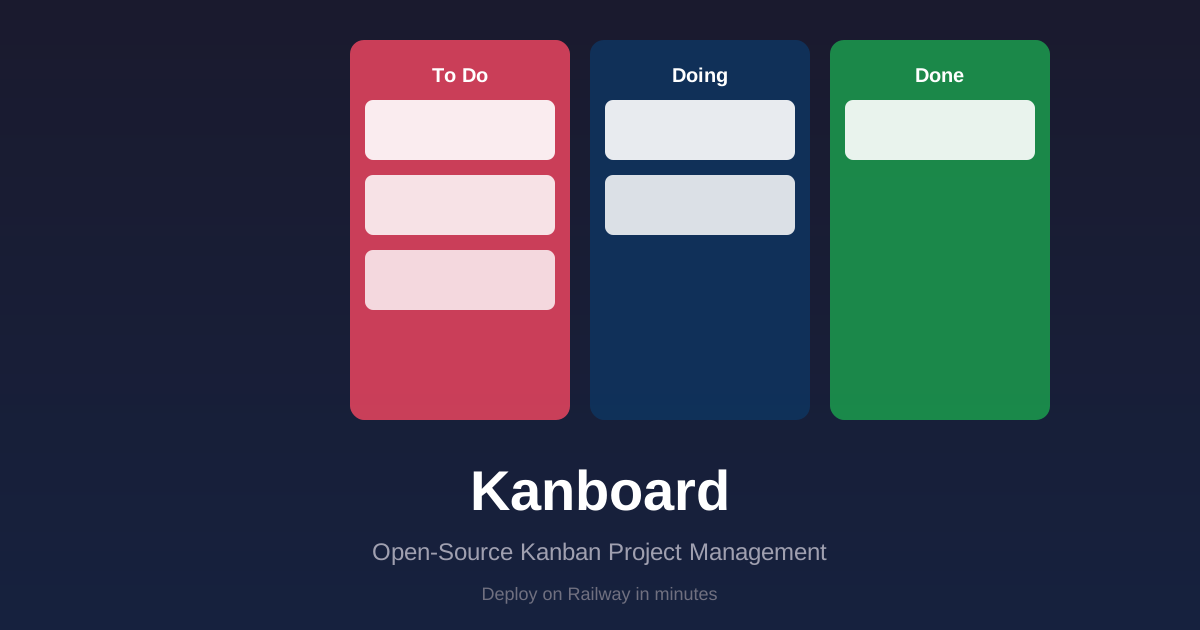
Kanboard is a free and open-source Kanban project management software. It focuses on simplicity, speed, and a minimalistic approach — no complexity, no external dependencies. Manage your projects, tasks, and team workflow visually with an intuitive Kanban board deployed on Railway in minutes.
About Hosting
Kanboard runs as a single container with SQLite for persistence. Railway provides the compute, TLS at the edge, and a public URL. The service includes an Nginx reverse proxy with automatic PORT substitution, a persistent volume for the SQLite database and file uploads, and a built-in health check that Railway monitors for automatic restarts.
Why Deploy
- Zero external dependencies — SQLite-based, no PostgreSQL or Redis required. Single container with a persistent volume.
- Visual Kanban boards — Drag-and-drop task management with swimlanes, categories, and custom columns.
- Enterprise-ready auth — LDAP, OAuth, and local account authentication out of the box.
- 50+ languages — Fully internationalized with community-maintained translations.
- Built-in analytics — Burndown charts, time tracking, and task statistics.
- Plugin system — Extend functionality via the plugin directory (enable with
PLUGIN_INSTALLER=true). - Full REST API — Automate workflows, integrate with CI/CD, or build custom tooling.
Common Use Cases
- Project management — Track tasks across multiple projects with Kanban, Gantt, and list views
- Team collaboration — Assign tasks, set due dates, and manage user roles
- Bug tracking — Lightweight issue tracker with categories, priorities, and swimlanes
- Personal task board — Self-hosted todo list with time tracking and analytics
- Client project portals — Share project dashboards with external stakeholders
Dependencies for Kanboard
Deployment Dependencies
Kanboard requires no external dependencies on Railway. It uses embedded SQLite for storage and runs entirely within its container. Optional: MySQL or PostgreSQL can be configured via environment variables for production deployments with multiple replicas.
- Railway Account — hosting platform
- No external database, cache, or message queue required
Features
- Visual Kanban Boards — Drag-and-drop task management
- Project Management — Multiple projects with swimlanes and categories
- Task Analytics — Burndown charts, time tracking, and statistics
- Authentication — LDAP, OAuth, and local accounts
- Notifications — Email, webhooks, and Slack integration
- Multi-language — 50+ supported languages
- REST API — Full API for integrations and automation
- Plugins — Extend functionality via the plugin system
- No External Database Required — Uses SQLite by default (zero config)
Quick Start
- Click Deploy on Railway above
- Open your Railway URL — Kanboard starts in ~30s
- Log in with
admin/admin(change immediately!)
Environment Variables
Kanboard is pre-configured for SQLite — deploy and start using it immediately. For production setups with MySQL or PostgreSQL, use the variables below.
| Variable | Default | Description |
|---|---|---|
PLUGIN_INSTALLER | false | Enable the plugin installer from the UI (true/false) |
MAIL_FROM | notifications@localhost | From address for email notifications |
Database (optional — SQLite works out of the box)
| Variable | Default | Description |
|---|---|---|
DB_DRIVER | sqlite | Database driver: sqlite, mysql, or postgres |
DB_HOSTNAME | — | Database hostname (required for MySQL/Postgres) |
DB_NAME | kanboard | Database name (required for MySQL/Postgres) |
DB_USERNAME | — | Database username (required for MySQL/Postgres) |
DB_PASSWORD | — | Database password (required for MySQL/Postgres) |
DB_PORT | — | Database port (optional, defaults to driver default) |
Email notifications (optional)
| Variable | Default | Description |
|---|---|---|
MAIL_TRANSPORT | smtp | Mail transport: smtp, sendmail, or mail |
MAIL_SMTP_HOSTNAME | — | SMTP server hostname |
MAIL_SMTP_PORT | 25 | SMTP server port |
MAIL_SMTP_USERNAME | — | SMTP username |
MAIL_SMTP_PASSWORD | — | SMTP password |
MAIL_SMTP_ENCRYPTION | — | SMTP encryption: tls or ssl |
DEBUG | false | Enable debug mode (true/false) |
Linking a Database
To use MySQL or PostgreSQL instead of SQLite:
- Create a Railway MySQL or PostgreSQL database service
- Link it to your Kanboard service
- Set these variables on the Kanboard service:
DB_DRIVER=mysql
DB_HOSTNAME=${{YourDatabaseService.MYSQLHOST}}
DB_NAME=${{YourDatabaseService.MYSQLDATABASE}}
DB_USERNAME=${{YourDatabaseService.MYSQLUSER}}
DB_PASSWORD=${{YourDatabaseService.MYSQLPASSWORD}}
DB_PORT=${{YourDatabaseService.MYSQLPORT}}
For PostgreSQL, use DB_DRIVER=postgres with the corresponding PG* variables.
Architecture
┌─────────────────────────────────────┐
│          Railway Edge               │
│     (TLS termination, routing)      │
└────────────┬────────────────────────┘
             │
┌────────────▼────────────────────────┐
│          Nginx (port $PORT)          │
│    Reverse proxy + static assets     │
└────────────┬────────────────────────┘
             │
┌────────────▼────────────────────────┐
│     PHP-FPM (Kanboard Application)  │
│   Kanban logic, REST API, Auth      │
└────────────┬────────────────────────┘
             │
┌────────────▼────────────────────────┐
│  Persistent Volume (kanboard-data)  │
│  /var/www/app/data                   │
│  └─── SQLite database               │
│  └─── File uploads                  │
│  └─── Cache                         │
└─────────────────────────────────────┘
Persistence
Kanboard stores all data in /var/www/app/data:
- SQLite database (
sqlitedirectory) — tasks, projects, users - File uploads (
filesdirectory) — attached files and images - Cache (
cachedirectory) — application cache - Logs (
debug.log) — debug logging when enabled
This directory is mounted as a Railway persistent volume, so your data survives redeploys.
Default Credentials
| Role | Username | Password |
|---|---|---|
| Administrator | admin | admin |
Important: Change the default password immediately after first login.
Troubleshooting
| Issue | Solution |
|---|---|
| 502 Bad Gateway | Verify PORT is set (Railway does this automatically) |
| Health check failing | Wait 15s — migrations run on first startup |
| Plugin installer not showing | Set PLUGIN_INSTALLER=true in Variables |
| Database connection errors | Verify DB credentials and that the database service is linked |
Local Development
git clone https://github.com/INAPP-Mobile/railway-kanboard && cd railway-kanboard
docker build -t kanboard .
docker run -d -p 8080:80 -v kanboard-data:/var/www/app/data kanboard
Resources
- Kanboard Official Website
- Kanboard Documentation
- Kanboard GitHub Repository
- Kanboard Docker Image
- Railway Documentation
License
This template is provided under the MIT License. Kanboard itself is licensed under the MIT License. Template by INAPP-Mobile.
Template Content
kanboard
INAPP-Mobile/railway-kanboard