
Deploy Kavita
Self-hosted digital library and reading server for ebooks, comics and manga
kavita
Just deployed
/data
Deploy and Host Kavita on Railway
Kavita is a fast, self-hosted reading server for ebooks, comics, manga and light novels. Point it at a folder of EPUB, PDF, CBZ or CBR files and it scans them into series, pulls covers and metadata out of the files themselves, tracks reading progress per user, and serves it all through a browser reader that works as well on a phone as a desktop. People reach for it when a Calibre library is stuck on one machine, or when a comics collection needs real reading modes rather than a file browser. It also publishes an OPDS feed, so the same library opens in KOReader, Panels, Chunky and other e-reader apps.
Deploy Kavita on Railway and this template gives you one service backed by a persistent volume holding both the SQLite database and your library files. An administrator account is created from the username and password you supply at deploy time, so nobody can claim the server before you reach it, and Books, Comics and Manga libraries are ready to fill. The public URL is wired into Kavita's own host setting, so reset links, invitations and OPDS URLs point at the right place from first boot. To self-host Kavita without wrestling with volumes, proxies or TLS certificates, this is the shortest path.
Getting Started with Kavita on Railway
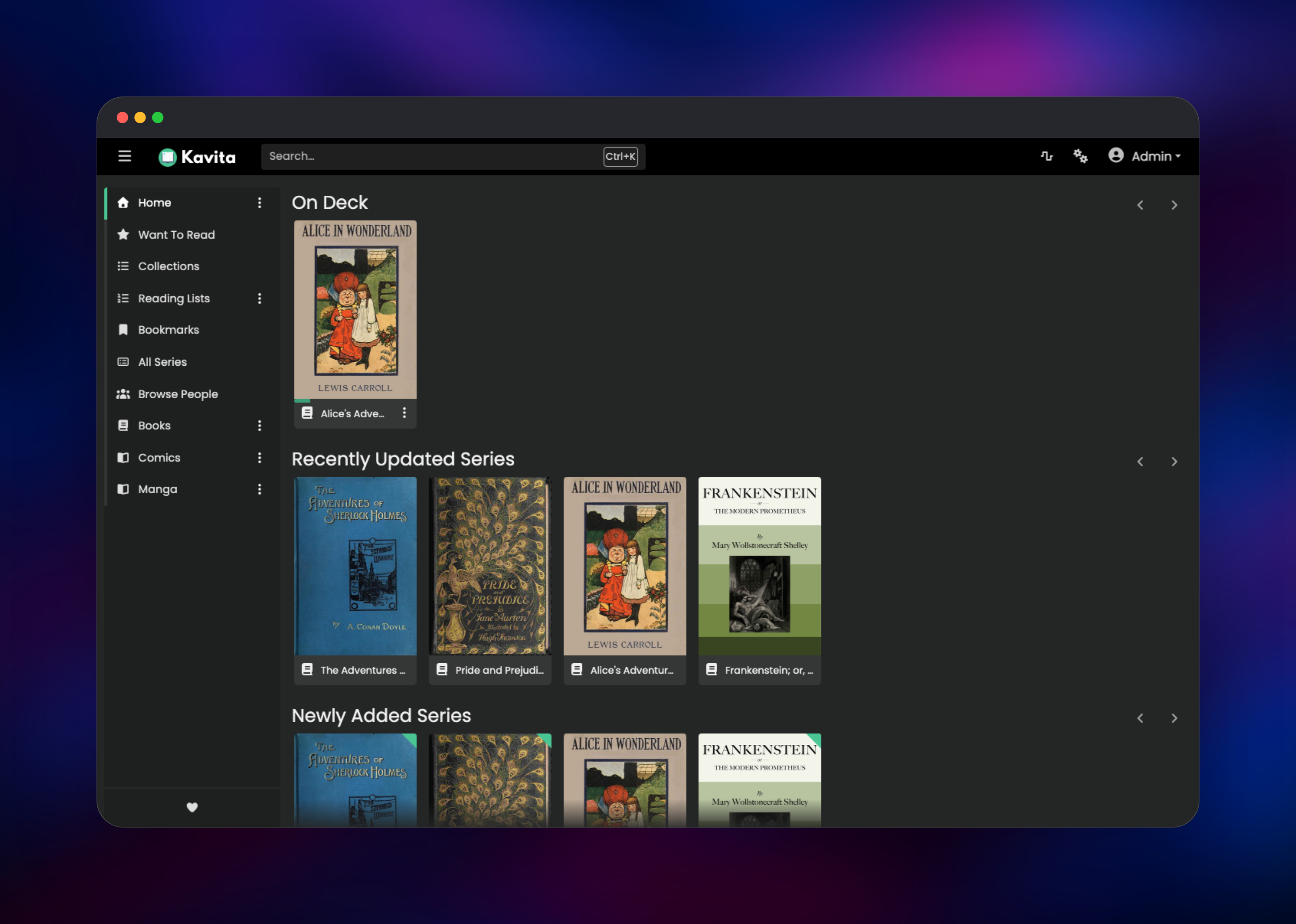
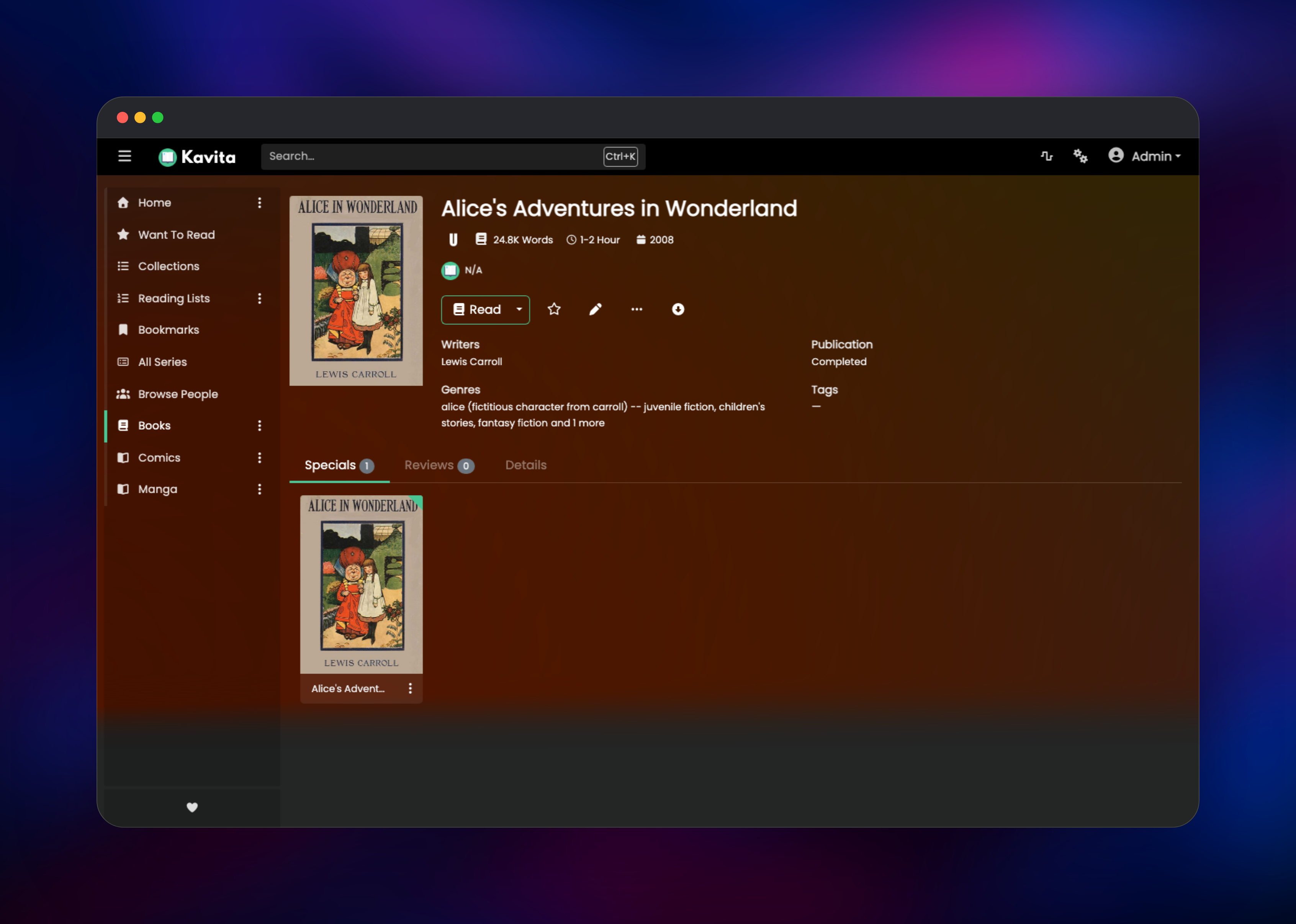
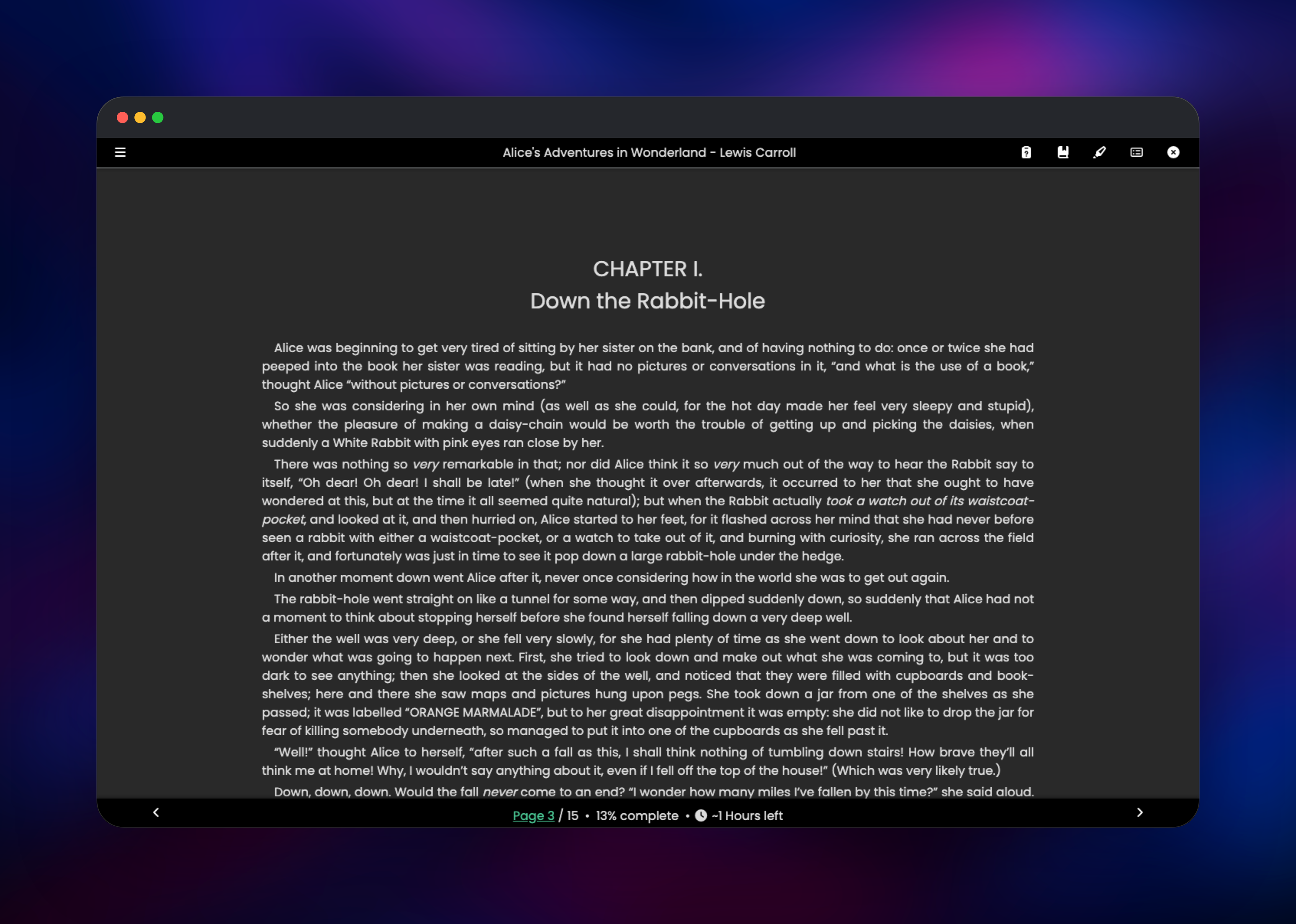
Open the deployed URL and you land on a sign-in page — no setup wizard, no public registration, because the administrator account already exists. Sign in with the username and password you entered when deploying. The home screen opens on your three libraries, and if you left the samples enabled, four public-domain classics are already scanned in with their cover art. Click a cover to reach the series page, then Read; arrow keys turn pages and your position saves automatically, showing under On Deck next visit. To add your own material, upload files into /data/media/books, /data/media/comics or /data/media/manga, then pick Scan library from the ⋮ menu beside a library. Give each book its own folder — Kavita organises by series folder, and files left loose at a library's top level are skipped by the scanner. Invite readers from Settings → Users, and copy your OPDS URL from Settings → Account.
About Hosting Kavita
Kavita is a single ASP.NET Core application that keeps its state in SQLite alongside your files, making it unusually simple to host: no external database, cache, queue or worker tier. Self-hosting makes sense when a collection has outgrown one laptop, when several people want their own progress and permissions, or when you want the library on any device without handing the files to a third party.
Key features:
- Readers built for the format: left-to-right, right-to-left and vertical modes for comics, plus a paged EPUB and PDF reader with fonts and themes
- Per-user reading progress, want-to-read lists, bookmarks, collections and reading lists
- Metadata and covers parsed from EPUB and ComicInfo data — writers, genres, tags and word counts
- Multiple users with per-library permissions and age-rating restrictions
- An OPDS feed and Koreader sync so external reading apps stay in step
- Full-text search across series, people, tags and genres
The Railway architecture is deliberately flat. One kavita service runs the app on port 5000 behind Railway's TLS edge, and one volume at /data holds everything that must survive a redeploy: the SQLite database, cover thumbnails, bookmarks, backups and the library folders. Configuration sits under /data/config and media under /data/media, so one mount covers both.
Why Deploy Kavita on Railway
Railway removes the infrastructure work that usually sits between you and a reading server:
- One-click deploy with the admin account created for you
- Persistent volume mounted, so the database and library survive redeploys
- HTTPS and a public domain issued automatically, with no reverse proxy to configure
- Health checks and automatic restarts keep the reader available
- Vertical scaling as the library grows, with no host migration
Common Use Cases
- A personal ebook and comics library reachable from any phone, tablet or laptop
- A family server where each reader has their own account and age-appropriate access
- A manga and webtoon library read through Mihon, Tachiyomi or Panels over OPDS
- A team archive of PDFs and technical books with search and saved reading positions
Dependencies for Kavita
- Kavita —
ghcr.io/kareadita/kavita:latest: scanner, metadata parser, web reader and OPDS feed - Volume — a persistent disk at
/dataholding the SQLite database, covers, bookmarks, backups and your library
There is no separate database to run: SQLite is Kavita's only provider and background jobs run in-process, which is why the template is one container plus one disk.
Environment Variables Reference
| Variable | Purpose |
|---|---|
KAVITA_ADMIN_USERNAME | Administrator username, created on first boot |
KAVITA_ADMIN_PASSWORD | Its password, minimum six characters |
KAVITA_HOST_NAME | Public URL used in reset links, invitations and OPDS feeds |
KAVITA_DEMO_MEDIA | Seeds four sample books once; false starts empty |
KAVITA_MEDIA_DIR | Parent folder of the three libraries |
KAVITA_ALLOW_STAT_COLLECTION | Anonymous usage statistics opt-in |
PORT | Port the container serves on |
Deployment Dependencies
- Source repository: github.com/Kareadita/Kavita
- Container image: ghcr.io/kareadita/kavita, also
jvmilazz0/kavitaon Docker Hub - Documentation: wiki.kavitareader.com
Hardware Requirements for Self-Hosting Kavita
| Resource | Minimum | Recommended |
|---|---|---|
| CPU | 1 vCPU | 2 vCPU |
| RAM | 512 MB | 1–2 GB |
| Storage | 1 GB plus your library | Library size plus ~10% for covers |
| Runtime | .NET 9, bundled | .NET 9, bundled |
Kavita itself is light; nearly all the disk you need is the books. Scanning and cover generation are the CPU-hungry moments, so a second core mainly shortens the first scan.
Self-Hosting Kavita with Docker
The published image needs a config directory and one library folder. To run it locally:
docker run -d --name kavita \
  -p 5000:5000 \
  -v /srv/kavita/config:/kavita/config \
  -v /srv/books:/books \
  -e TZ=Europe/London \
  --restart unless-stopped \
  ghcr.io/kareadita/kavita:latest
The same setup as Compose:
services:
  kavita:
    image: ghcr.io/kareadita/kavita:latest
    container_name: kavita
    ports:
      - "5000:5000"
    volumes:
      - ./config:/kavita/config
      - /srv/books:/books
    environment:
      - TZ=Europe/London
    restart: unless-stopped
Open http://localhost:5000, register the first account — which becomes the administrator — and add a library pointing at /books. Run it this way and you also take on TLS, the reverse proxy, config backups and host patching — the work the Railway template does for you.
How Much Does Kavita Cost to Self-Host?
Kavita is free and open source under GPL-3.0, with no paid tier, seat limits or paywalled features in the server. Self-hosting on Railway costs only the infrastructure the container and its volume consume. An optional Kavita+ subscription (about $4/month, paid to the Kavita project) adds AniList and MyAnimeList sync, external ratings and metadata matching — none of it required for reading, scanning, users or OPDS.
FAQ
What is Kavita? Kavita is an open-source, self-hosted reading server for ebooks, comics, manga and light novels. It scans folders of EPUB, PDF, CBZ and CBR files, organises them into series with covers and metadata, and serves them through a web reader and OPDS feed.
What does this Railway template deploy?
A single Kavita service with a persistent volume at /data. The administrator account is created from the username and password you provide, the public URL is set as Kavita's host name, and Books, Comics and Manga libraries are created ready to fill.
Why does the template include a volume instead of a database service? Kavita stores everything in SQLite next to your files, so there is no separate database. The volume keeps the database, covers, bookmarks and library from being lost when the container is replaced.
How do I upload my own books to self-hosted Kavita on Railway?
Kavita has no web upload for library files — books arrive over the filesystem. Upload them into the volume under /data/media/books with the Railway CLI, giving each book its own folder, then choose Scan library from the ⋮ menu.
How do I connect an e-reader app to Kavita? OPDS is enabled by default. Open Settings → Account, copy the OPDS URL containing your personal API key, and paste it into KOReader, Panels, Chunky or any other OPDS client.
Can several people use the same Kavita server? Yes. Invite users from Settings → Users and grant each access to specific libraries. Progress, bookmarks and want-to-read lists are per user, and age ratings restrict what younger readers see.
Template Content
kavita
gridalpha/kavita-railway

