Deploy Keycloak Identity Management | Open-Source Alternative to Auth0
Self Host Keycloak: SSO, MFA, LDAP federation, OIDC on Railway
Keycloak
Just deployed

Just deployed
/var/lib/postgresql/data
Deploy and Host Keycloak on Railway
Deploy Keycloak on Railway to get a production-ready identity and access management server in minutes. Self-host Keycloak with a pre-configured PostgreSQL database, reverse proxy support, and health monitoring — no Dockerfile or manual infrastructure setup required.
Self Host Keycloak and get two services: Keycloak (via quay.io/keycloak/keycloak:latest) running in production mode, and a PostgreSQL database for persistent storage of realms, users, sessions, and credentials.
Getting Started with Keycloak on Railway
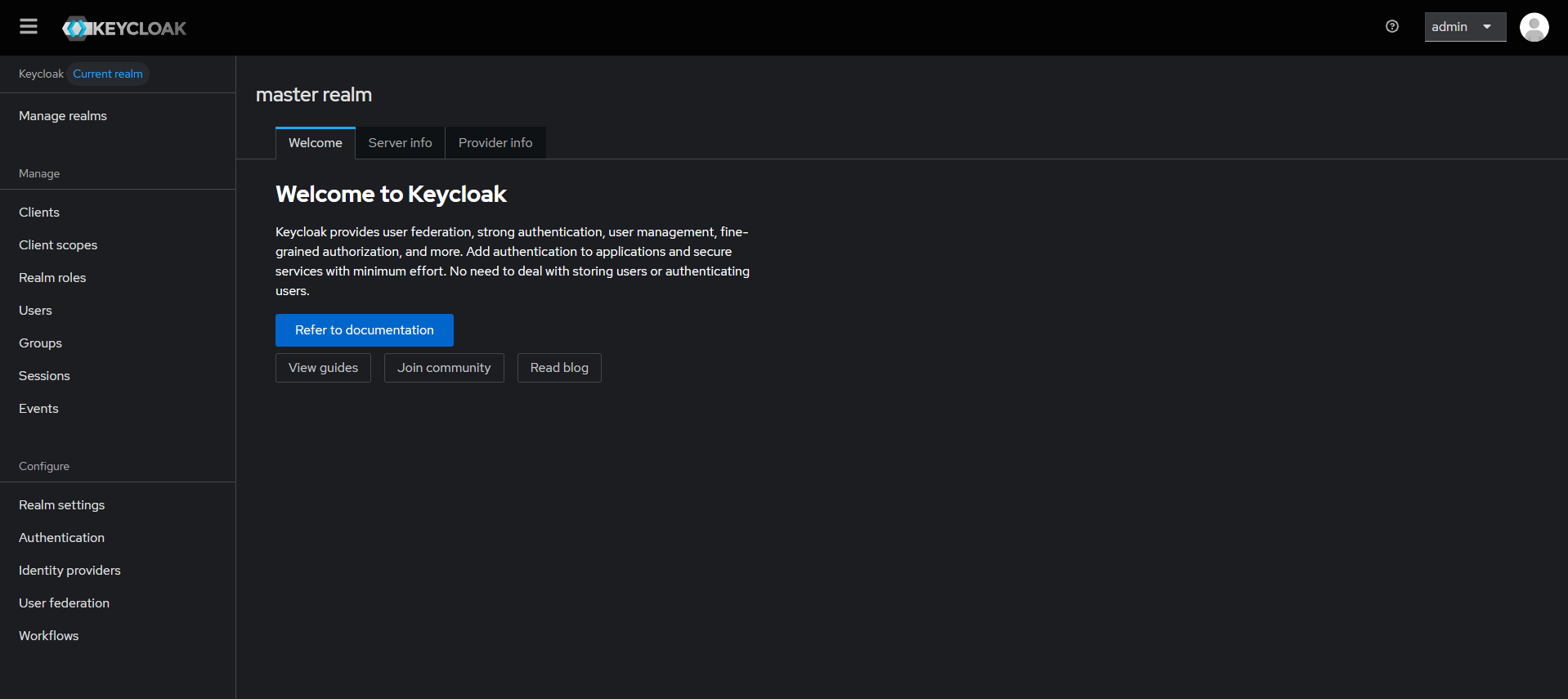
After deployment completes, open your Railway-generated URL. Keycloak redirects you to the welcome page. Click Administration Console to access the admin login. Sign in with the bootstrap credentials (admin / the password set in KC_BOOTSTRAP_ADMIN_PASSWORD). Your first action should be creating a new realm for your application — the master realm is reserved for Keycloak administration. Inside your realm, create a client (OIDC or SAML) that represents the application you want to protect, then add users or configure identity providers (Google, GitHub, LDAP) for federated login.
About Hosting Keycloak
Keycloak is an open-source identity and access management (IAM) solution originally developed by Red Hat and now a CNCF incubating project. It solves the problem of implementing authentication and authorization across multiple applications — instead of building login flows, session management, and user directories from scratch for every app, Keycloak provides a centralized identity layer.
Key features:
- Single Sign-On (SSO) — users authenticate once and access all connected applications
- Identity brokering — delegate login to external providers (Google, GitHub, SAML IdPs, LDAP/Active Directory)
- Fine-grained authorization — role-based (RBAC) and attribute-based access control policies
- Multi-factor authentication — TOTP, WebAuthn/FIDO2 built in
- Standards-based — OpenID Connect, OAuth 2.0, SAML 2.0
- Admin console — web UI for managing realms, users, clients, and policies
- Account console — self-service portal for users to manage their profile, sessions, and credentials
Why Deploy Keycloak on Railway
- One-click deploy with PostgreSQL — no Docker Compose orchestration needed
- Railway handles TLS termination, domain provisioning, and automatic restarts
- Production mode with proxy header forwarding pre-configured
- Scale horizontally by adding replicas — Keycloak uses JGroups clustering with JDBC_PING
- Health endpoints enabled at
/health/readyand/health/livefor monitoring
Common Use Cases for Self-Hosted Keycloak
- Enterprise SSO gateway — centralize authentication for all internal tools (GitLab, Grafana, Jenkins, custom apps) behind one login
- Multi-tenant SaaS authentication — use Keycloak realms to isolate tenant identity, each with its own users, roles, and branding
- API security — issue and validate JWT tokens for microservice-to-microservice communication using OAuth 2.0 client credentials
- LDAP/Active Directory bridge — federate existing corporate directories into modern OIDC-based applications without migrating users
Dependencies for Self-Hosted Keycloak on Railway
- Keycloak —
quay.io/keycloak/keycloak:latest(v26.6.1, Quarkus-based) - PostgreSQL —
ghcr.io/railwayapp-templates/postgres-ssl:18(Railway managed, with volume persistence)
Environment Variables Reference for Keycloak
| Variable | Value | Description |
|---|---|---|
KC_DB | postgres | Database vendor |
KC_DB_URL | jdbc:postgresql://${{Postgres.PGHOST}}:${{Postgres.PGPORT}}/${{Postgres.PGDATABASE}} | JDBC connection string |
KC_DB_USERNAME | ${{Postgres.PGUSER}} | Database user |
KC_DB_PASSWORD | ${{Postgres.PGPASSWORD}} | Database password |
KC_PROXY_HEADERS | xforwarded | Trust X-Forwarded-* from Railway proxy |
KC_HTTP_ENABLED | true | Allow HTTP (Railway terminates TLS) |
KC_HOSTNAME_STRICT | false | Dynamic hostname resolution |
KC_HEALTH_ENABLED | true | Expose /health endpoints |
KC_BOOTSTRAP_ADMIN_USERNAME | admin | Initial admin username |
KC_BOOTSTRAP_ADMIN_PASSWORD | (generated) | Initial admin password |
Deployment Dependencies
- Runtime: Java 21 (bundled in container image)
- Docker image: quay.io/keycloak/keycloak
- GitHub: github.com/keycloak/keycloak
- Docs: keycloak.org/guides
Hardware Requirements for Self-Hosting Keycloak
| Resource | Minimum | Recommended |
|---|---|---|
| CPU | 1 vCPU | 2 vCPU |
| RAM | 1 GB | 2 GB |
| Storage | 500 MB (app) + 1 GB (database) | 5 GB (database) |
| Runtime | Java 21 (bundled) | Java 21 (bundled) |
Memory scales with active sessions: add ~500 MB per 100,000 concurrent sessions. CPU scales with login throughput: ~1 vCPU per 15 password logins/second.
Self-Hosting Keycloak with Docker
Run Keycloak with PostgreSQL using Docker Compose:
services:
  keycloak:
    image: quay.io/keycloak/keycloak:latest
    command: start
    environment:
      KC_DB: postgres
      KC_DB_URL: jdbc:postgresql://postgres:5432/keycloak
      KC_DB_USERNAME: keycloak
      KC_DB_PASSWORD: changeme
      KC_BOOTSTRAP_ADMIN_USERNAME: admin
      KC_BOOTSTRAP_ADMIN_PASSWORD: changeme
      KC_PROXY_HEADERS: xforwarded
      KC_HTTP_ENABLED: "true"
      KC_HOSTNAME_STRICT: "false"
      KC_HEALTH_ENABLED: "true"
    ports:
      - "8080:8080"
    depends_on:
      - postgres

  postgres:
    image: postgres:17
    environment:
      POSTGRES_DB: keycloak
      POSTGRES_USER: keycloak
      POSTGRES_PASSWORD: changeme
    volumes:
      - pgdata:/var/lib/postgresql/data

volumes:
  pgdata:
Start with:
docker compose up -d
Then open http://localhost:8080 and log in to the admin console.
How Much Does Keycloak Cost to Self-Host?
Keycloak is fully open-source under the Apache 2.0 license — there are no paid tiers, feature gates, or per-user pricing. The only cost is infrastructure. On Railway, a Keycloak + PostgreSQL deployment runs comfortably on the Hobby plan. Red Hat offers a commercial build (Red Hat build of Keycloak) with enterprise support for organizations that need vendor-backed SLAs.
Keycloak vs Auth0
| Feature | Keycloak | Auth0 |
|---|---|---|
| License | Apache 2.0 (free) | Proprietary (free tier + paid) |
| Deployment | Self-hosted / cloud | Cloud-only (SaaS) |
| SSO Protocols | OIDC, OAuth 2.0, SAML 2.0 | OIDC, OAuth 2.0, SAML 2.0 |
| User Federation | LDAP, Active Directory, custom | Limited LDAP (enterprise only) |
| MFA | TOTP, WebAuthn, built-in | TOTP, push, SMS, email |
| Pricing | Free (infra cost only) | Free up to 7,500 MAU, then $23+/mo |
| Customization | Full control (themes, SPIs) | Actions + limited branding |
Keycloak gives you full control over your identity infrastructure with zero per-user costs. Auth0 is easier to start with but costs scale linearly with users.
FAQ
What is Keycloak and why should you self-host it? Keycloak is an open-source identity and access management server that provides SSO, social login, user federation, and fine-grained authorization. Self-hosting gives you full control over user data, eliminates per-user pricing, and lets you customize authentication flows without vendor lock-in.
What does this Railway template deploy for Keycloak?
This template deploys two services: the Keycloak server running in production mode (quay.io/keycloak/keycloak:latest) and a PostgreSQL 18 database for persistent storage. Railway handles TLS, domain provisioning, and automatic restarts.
Why does the Keycloak Railway template include PostgreSQL? Keycloak requires a relational database to store realms, users, clients, sessions, and authorization policies. Without PostgreSQL, Keycloak falls back to an embedded H2 database that is not suitable for production — data would be lost on container restart.
How do I connect my application to self-hosted Keycloak on Railway?
Create a realm and client in the Keycloak admin console. Use the client's OIDC discovery URL (https:///realms//.well-known/openid-configuration) in your application's OAuth/OIDC library. Keycloak supports all major protocols — OIDC, OAuth 2.0, and SAML 2.0.
How do I enable social login (Google, GitHub) in Keycloak on Railway? In your realm, go to Identity Providers and add Google, GitHub, or any other provider. Enter the OAuth client ID and secret from the provider's developer console. Users will see the social login option on the Keycloak login page.
Can Keycloak on Railway connect to an existing LDAP or Active Directory? Yes. Under User Federation in your realm, add an LDAP provider. Configure the connection URL, bind DN, and base DN. Keycloak will sync users from your directory and authenticate against it.
Template Content
Keycloak
quay.io/keycloak/keycloak:latestKC_BOOTSTRAP_ADMIN_PASSWORD
Initial admin password (bootstrap only)
KC_BOOTSTRAP_ADMIN_USERNAME
Initial admin username

