Deploy KEYCLOAK
Auth0 Alternative. Open-source SSO, OIDC and SAML identity server

Just deployed
/var/lib/postgresql/data
keycloak
Just deployed

Deploy and Host Keycloak on Railway
Keycloak is the open-source identity and access management server built at Red Hat, now a CNCF project. Self-host Keycloak and your applications get single sign-on, OAuth 2.0, OpenID Connect and SAML 2.0 from one place instead of hand-rolled password resets and token endpoints. One server hosts many isolated realms with their own users, roles, themes and clients, federates against LDAP and Active Directory, and brokers social logins.
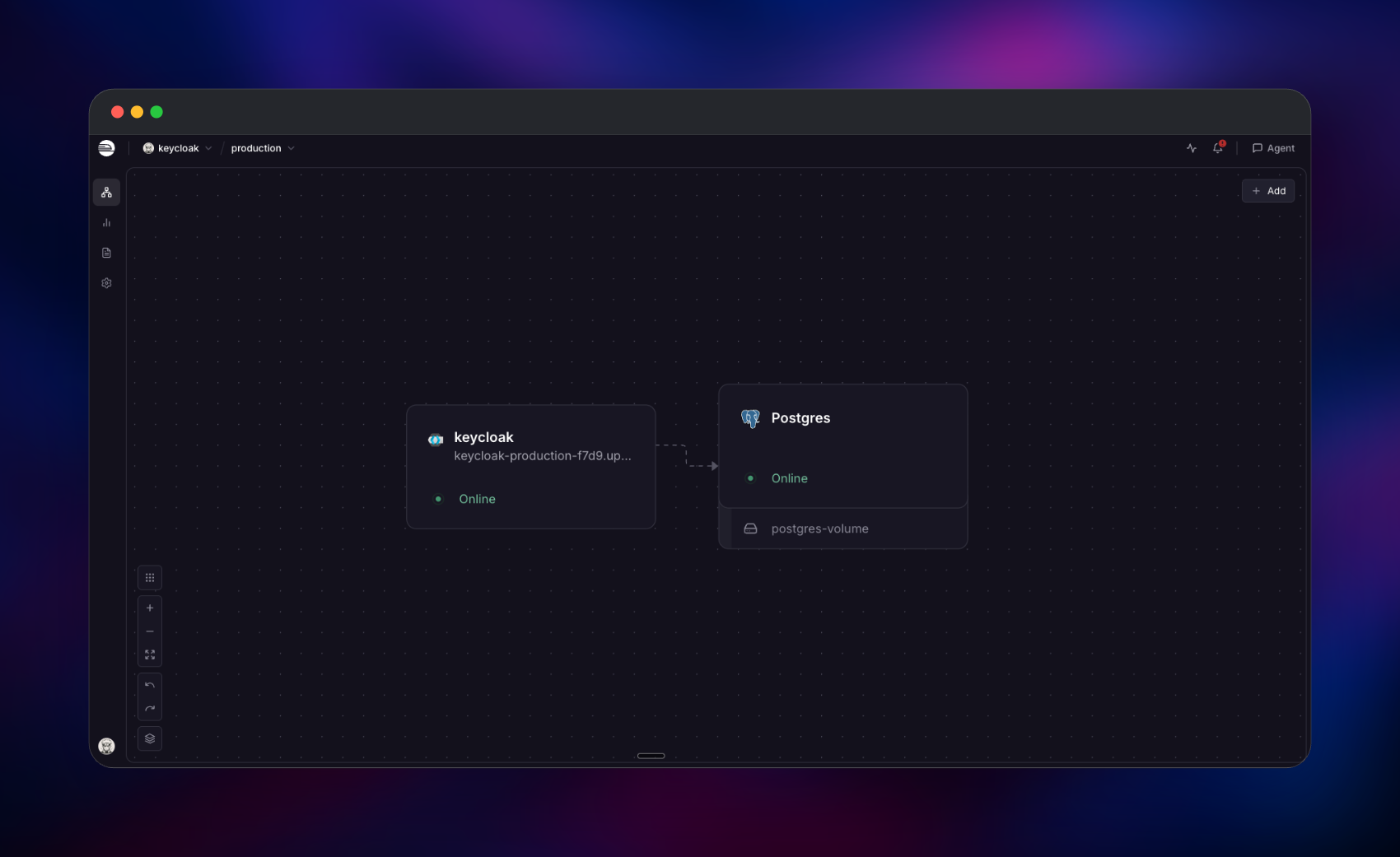
Deploy Keycloak on Railway and two services come up: the official quay.io/keycloak/keycloak:26.7.1 image and managed PostgreSQL on the private network. Railway terminates TLS at the edge, so KC_HTTP_ENABLED=true, KC_PROXY_HEADERS=xforwarded and KC_PROXY_TRUSTED_ADDRESSES=100.64.0.0/10,fd00::/8 are what make tokens carry https:// URLs and login events record real client IPs. Keycloak 25+ serves health on management port 9000, so PORT=9000 aims the health check at /health/ready while the domain targets 8080 — keeping /health off your public URL. All data lives in Postgres, so Keycloak needs no volume.
Getting Started with Keycloak on Railway
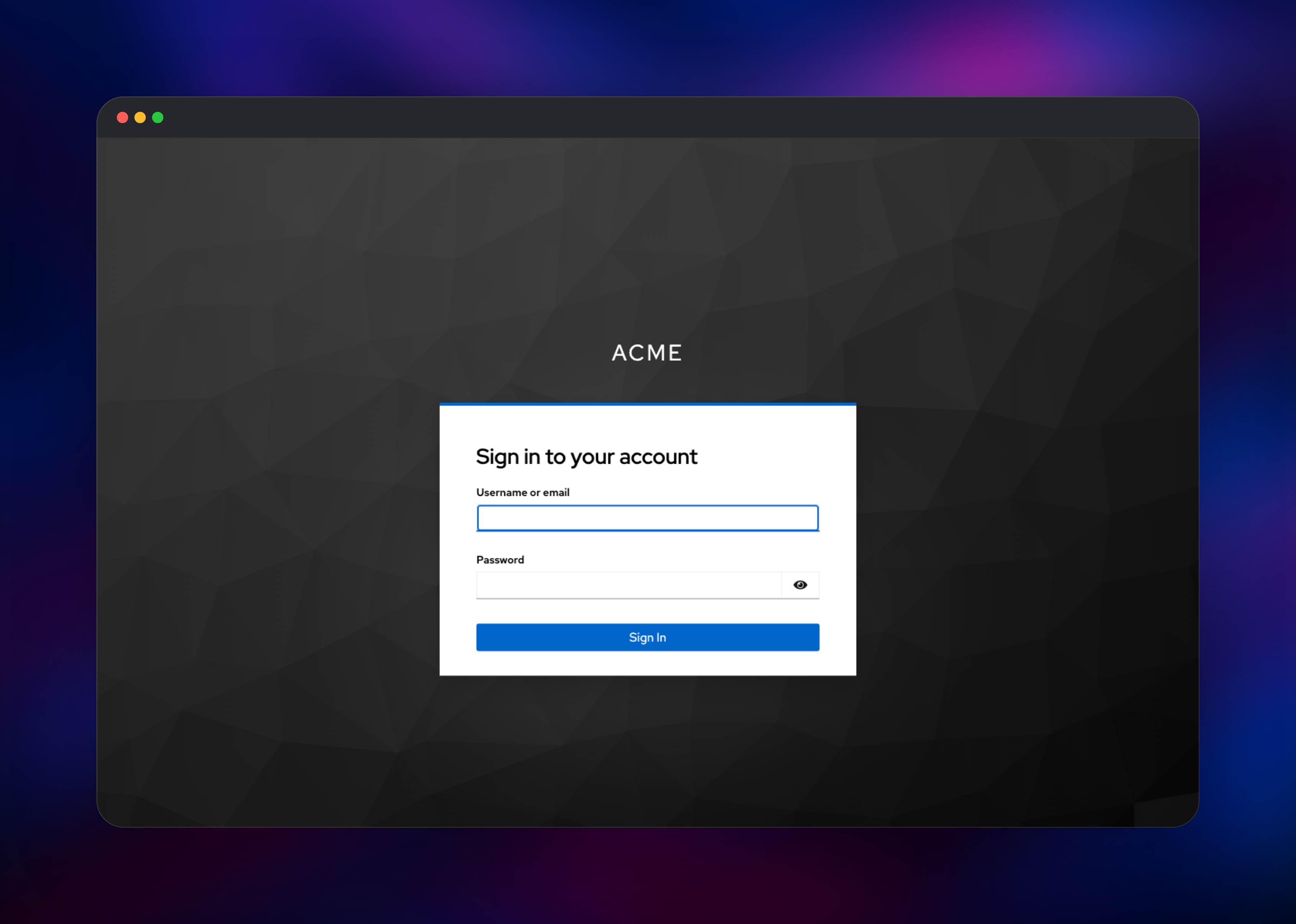
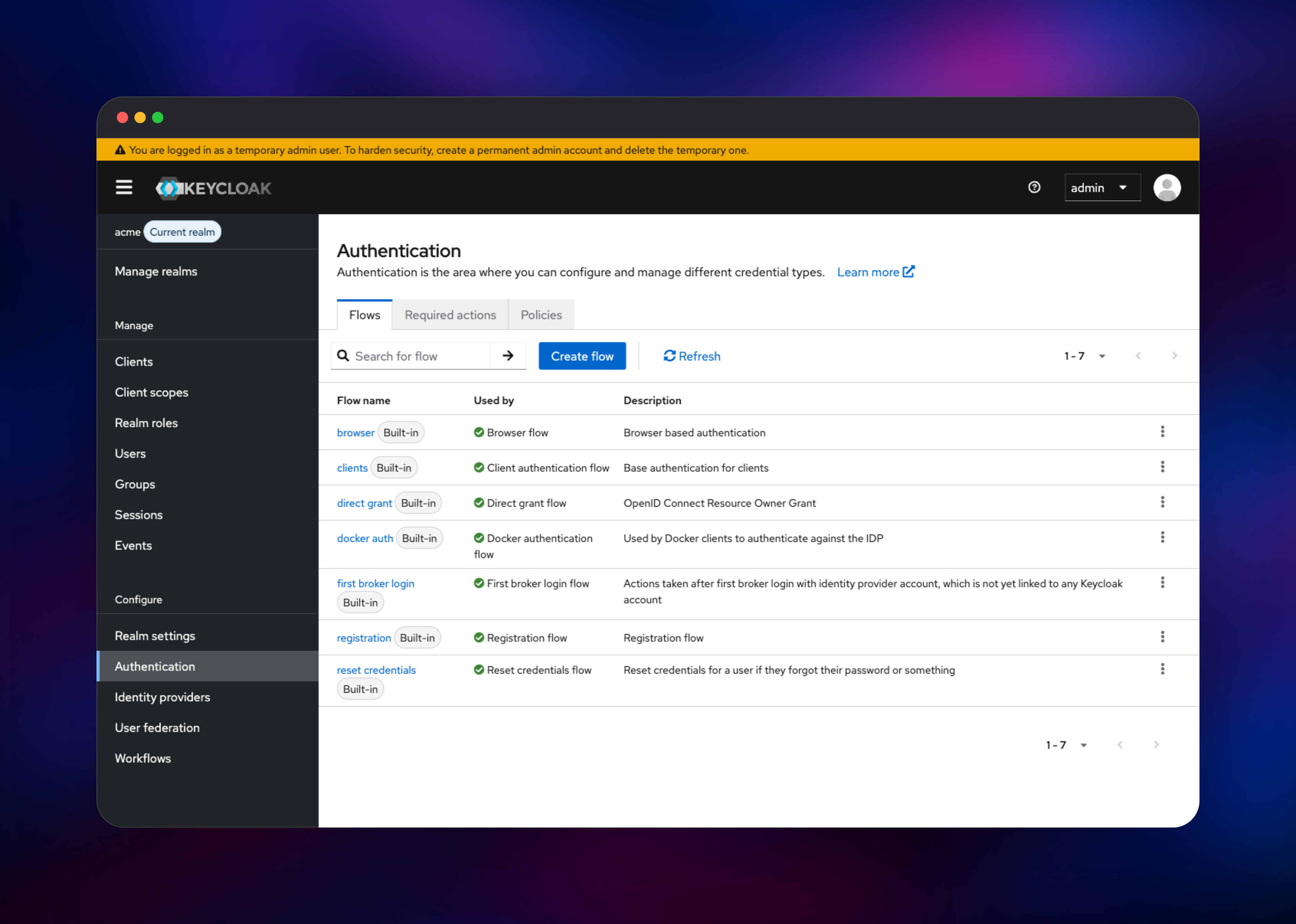
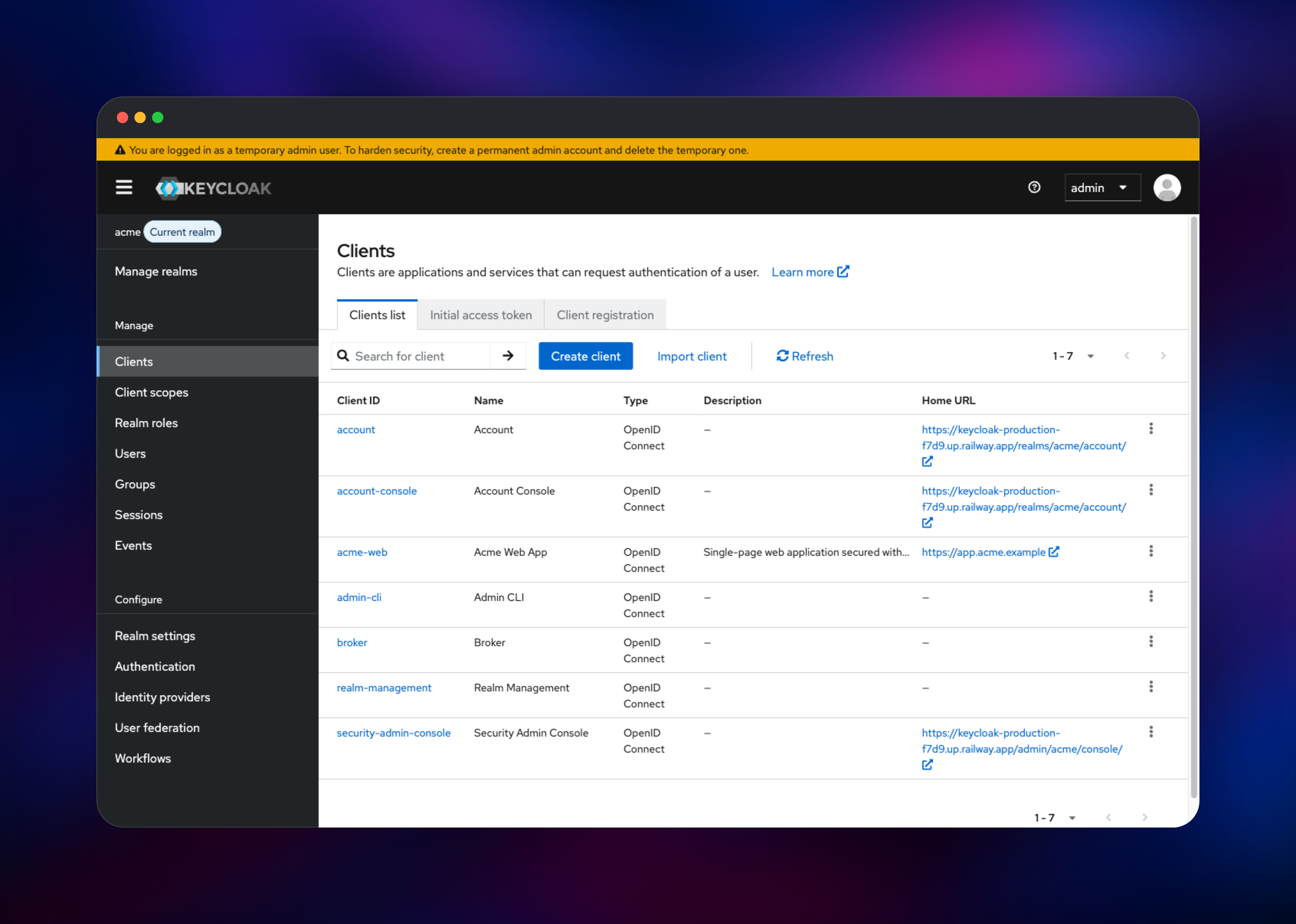
Open your Railway domain, click Administration Console and sign in with KC_BOOTSTRAP_ADMIN_USERNAME / KC_BOOTSTRAP_ADMIN_PASSWORD — there are no default credentials, and those are read only on the first boot, while master is created. Keycloak calls that a temporary admin: create a permanent administrator under master → Users, give it the admin role, then delete the temporary one.
Create your own realm from the selector top-left; never put applications in master. Add a user under Users, set a non-temporary password on Credentials, then register your app under Clients as an OpenID Connect client with its callback URL as a valid redirect URI — public with PKCE for browser apps, confidential for server-side. Verify by fetching /realms//.well-known/openid-configuration and confirming issuer uses your domain.
About Hosting Keycloak
Teams self-host Keycloak when authentication is not something they want to rent: credentials, sessions and audit trails stay in a database you control, per-active-user pricing disappears, and nothing caps realms or clients. Where lighter tools cover OIDC alone, Keycloak adds SAML 2.0 and LDAP/AD federation.
Key features:
- Single sign-on and single logout across every connected app
- OIDC, OAuth 2.0 and SAML 2.0 from one standards-compliant token service
- Multi-realm tenancy: isolated users, roles, themes and policies
- Identity brokering, social login, LDAP/AD federation
- MFA with OTP and WebAuthn passkeys, plus conditional auth flows
PostgreSQL is the system of record for realms, users, clients, keys and sessions, so back up the database, not a volume. Clustering defaults to Infinispan with the jdbc-ping stack, so extra replicas find each other through that same database — no multicast, no extra ports.
Why Deploy Keycloak on Railway
Railway removes the operations work that makes Keycloak expensive to run.
- Managed PostgreSQL provisioned and privately networked
- Automatic HTTPS and a public domain before first boot
- Health checks on the private management port, so
/healthstays off your public URL - Vertical scaling and extra replicas without re-architecting
- One-click rollbacks when you bump the pinned image tag
Common Use Cases
- SSO across internal tools — Grafana, Nextcloud, Argo CD and your dashboards behind one login, group-based access.
- SaaS product authentication — a realm per environment, passkeys and social login, one client per service.
- B2B and enterprise SSO — onboard customers who bring their own Okta, Entra ID or ADFS as brokered providers.
- Machine-to-machine auth — service-account tokens via client credentials, validated against the realm's JWKS.
Dependencies for Keycloak
- Keycloak —
quay.io/keycloak/keycloak:26.7.1from github.com/keycloak/keycloak. Serves login pages, both consoles, OIDC/SAML endpoints and the admin API on 8080;/health/*and/metricson 9000. - PostgreSQL — the system of record; Keycloak migrates it with Liquibase on first boot.
The ENTRYPOINT is /opt/keycloak/bin/kc.sh with no CMD, so a start command is mandatory and replaces the entrypoint — give the full path:
/opt/keycloak/bin/kc.sh start
Environment Variables Reference
| Variable | Purpose |
|---|---|
KC_DB / KC_HEALTH_ENABLED / KC_METRICS_ENABLED | Vendor, plus /health/* and /metrics on 9000. Build-time. |
KC_DB_POOL_MAX_SIZE | Cap at 20; the default 100 can claim a small Postgres instance's whole max_connections. |
KC_HOSTNAME | Full https:// URL, baked into issuer and redirect URLs. |
KC_HTTP_ENABLED / KC_PROXY_HEADERS / KC_PROXY_TRUSTED_ADDRESSES | Trust Railway's edge. |
PORT | Inert for Keycloak, so purely the health-check target. |
Deployment Dependencies
- Source: · Config:
Hardware Requirements for Self-Hosting Keycloak
Upstream sizing puts base usage near 1250 MB of RAM per instance and about 1 vCPU per 15 logins per second.
| Resource | Minimum | Recommended |
|---|---|---|
| CPU | 1 vCPU | 2–4 vCPU |
| RAM | 1.5 GB | 4 GB or more |
| Storage | None on Keycloak; 1 GB Postgres | 5 GB+ Postgres volume, backed up |
| Runtime | JDK 21, PostgreSQL 13+ | Bundled in the image and managed database |
The image is not pre-built for PostgreSQL, so kc.sh start re-augments on boot in about 6 seconds — roughly 11 seconds to listening. Keycloak takes ~70% of the memory limit as heap plus ~300 MB off-heap and reads cgroup limits correctly, so JAVA_OPTS_APPEND=-XX:MaxRAMPercentage=70 is all the tuning needed.
Self-Hosting Keycloak with Docker
A quick local trial, in development mode with an in-memory database:
docker run -p 8080:8080 \
  -e KC_BOOTSTRAP_ADMIN_USERNAME=admin \
  -e KC_BOOTSTRAP_ADMIN_PASSWORD=change-me \
  quay.io/keycloak/keycloak:26.7.1 start-dev
Never run start-dev in production — it relaxes HTTPS and keeps data in memory. A real deployment points at PostgreSQL with the same proxy settings:
docker run -p 8080:8080 \
  -e KC_DB=postgres -e KC_DB_POOL_MAX_SIZE=20 \
  -e KC_DB_URL=jdbc:postgresql://postgres:5432/keycloak \
  -e KC_DB_USERNAME=keycloak -e KC_DB_PASSWORD=change-me \
  -e KC_HOSTNAME=https://auth.example.com \
  -e KC_HTTP_ENABLED=true -e KC_PROXY_HEADERS=xforwarded \
  quay.io/keycloak/keycloak:26.7.1 start
How Much Does Keycloak Cost to Self-Host?
Keycloak is free and Apache-2.0 licensed, with no paid tier, no monthly-active-user metering and no feature gating — SAML, LDAP federation, MFA, passkeys and unlimited realms are all in the community build. Red Hat sells an optional supported build with an SLA. Self-hosting costs are infrastructure only: the container, Postgres and its volume.
Troubleshooting Self-Hosted Keycloak
Container prints help and exits → the image has no CMD; set the start command to /opt/keycloak/bin/kc.sh start.
Health checks fail while the app responds → probe port 9000 at /health/ready, not 8080.
Tokens carry http:// URLs, or logins redirect-loop → set KC_HOSTNAME to the full https:// URL before first boot, with KC_HTTP_ENABLED=true and KC_PROXY_HEADERS=xforwarded. Changing it later also means updating registered clients.
Login events show 100.64.x.x, not real IPs → add KC_PROXY_TRUSTED_ADDRESSES=100.64.0.0/10,fd00::/8.
FAQ
What is Keycloak?
An open-source identity and access management server: single sign-on and standards-based auth over OpenID Connect, OAuth 2.0 and SAML 2.0.
What does this template deploy?
Keycloak on the official quay.io/keycloak/keycloak:26.7.1 image with start command, health check and proxy settings preconfigured, plus managed PostgreSQL.
Why does this Keycloak template include a PostgreSQL database?
All persistent state lives there — realms, users, clients, keys, sessions — and Keycloak will not start without it. It is also how jdbc-ping clustering finds nodes, and why Keycloak needs no volume.
How do I connect my application to self-hosted Keycloak?
Register it as an OpenID Connect client with its callback URL as a valid redirect URI, then point your OIDC library at /realms//.well-known/openid-configuration — Spring Security, Auth.js and Grafana need only that issuer URL and a client ID.
How often should I upgrade self-hosted Keycloak?
Regularly. There is no long-term-support stream — only the newest release gets security fixes, and 26.7.1 was a security patch over 26.7.0. Pin an exact tag, not latest.
Template Content

