
Deploy Kimai
Toggl Alternative. Open source time tracking, timesheets and invoicing

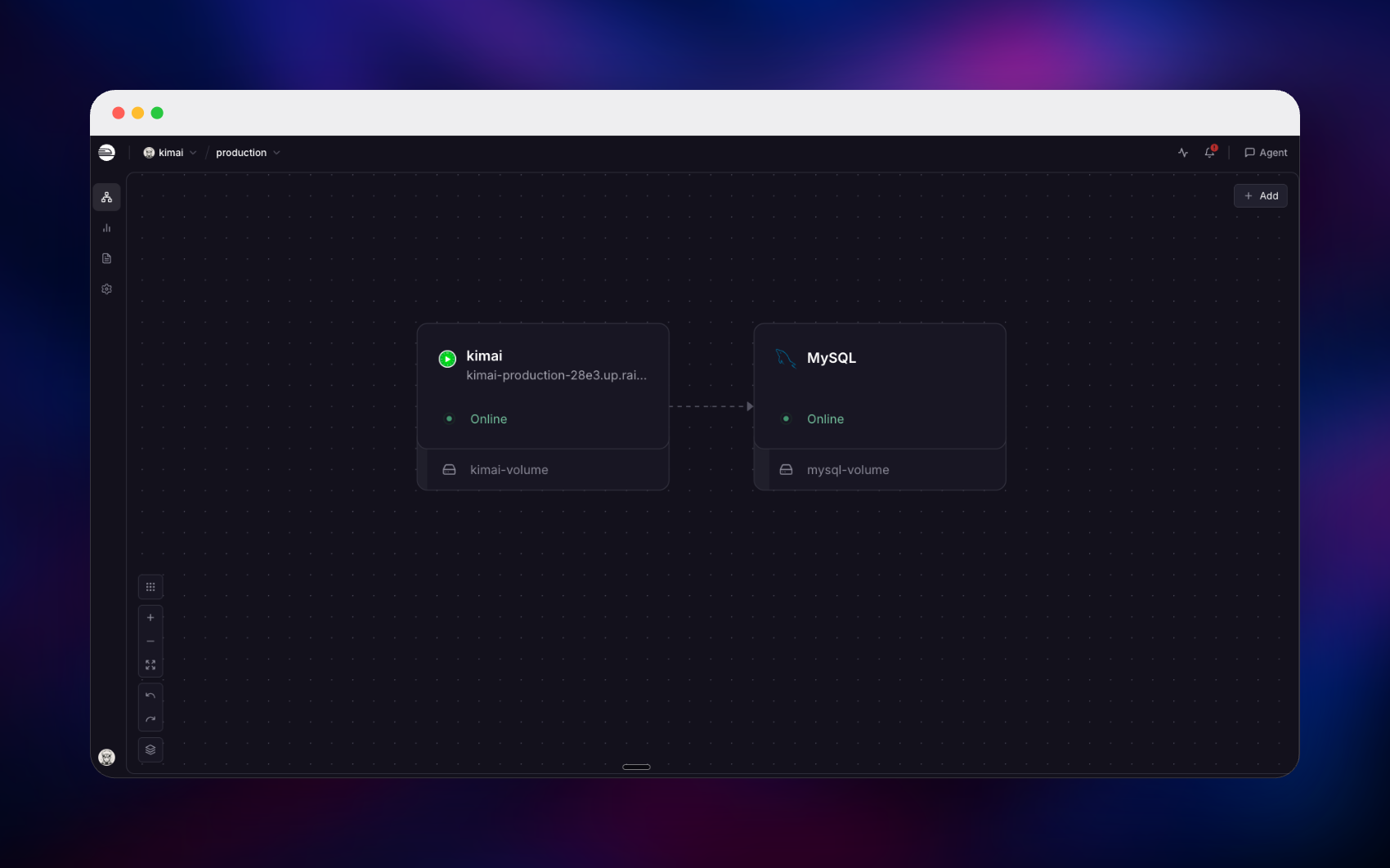
MySQL
Just deployed
/var/lib/mysql
kimai
Just deployed
/opt/kimai/var

Deploy and Host Kimai on Railway
Kimai is an open source time-tracking application for freelancers, agencies and in-house teams who need to know where their hours actually went. You record time against a customer, a project and an activity — punching a timer in and out, or entering hours after the fact — and Kimai turns those records into timesheets, reports, exports and invoices. In development since 2006 and licensed AGPL-3.0, it includes roles and teams, per-user rates, budgets, a REST API and two-factor authentication.
Deploy Kimai on Railway and that stack runs without you touching a Dockerfile. The template pairs the official kimai/kimai2:apache image — Apache with mod_php on port 8001 — with a managed MySQL database on private networking, plus a volume at /opt/kimai/var for plugins, invoices and exports. Your first super-admin is created on the first boot from two variables you set before deploying.
Getting Started with Kimai on Railway
Set ADMINMAIL and ADMINPASS before deploying — those become your first super-admin, created while the container starts. When the deployment is green, open the generated Railway URL and sign in with the username admin and your ADMINPASS. Kimai then walks you through a three-step wizard for language, date format, timezone and theme; the English and UTC defaults are fine.
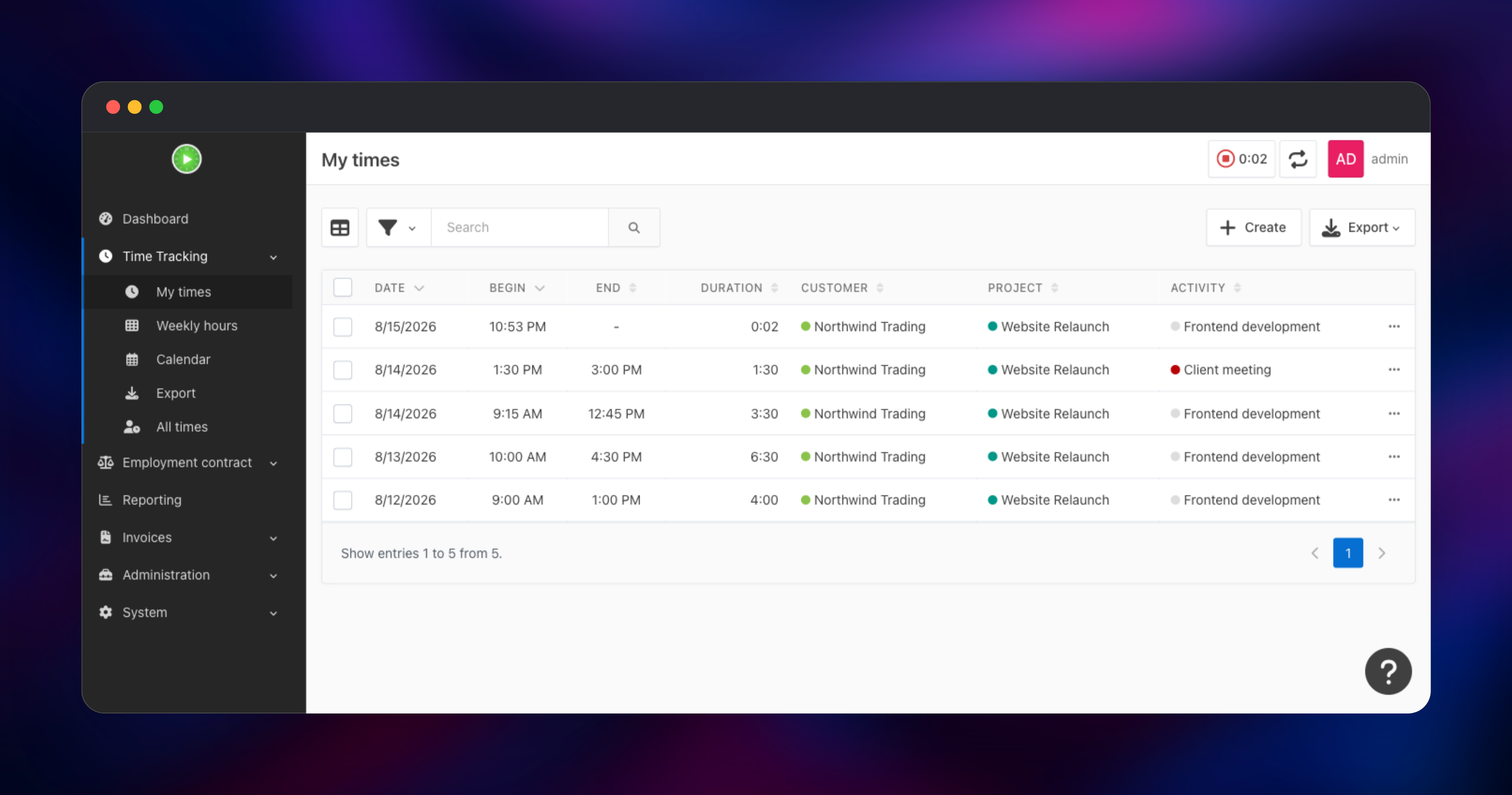
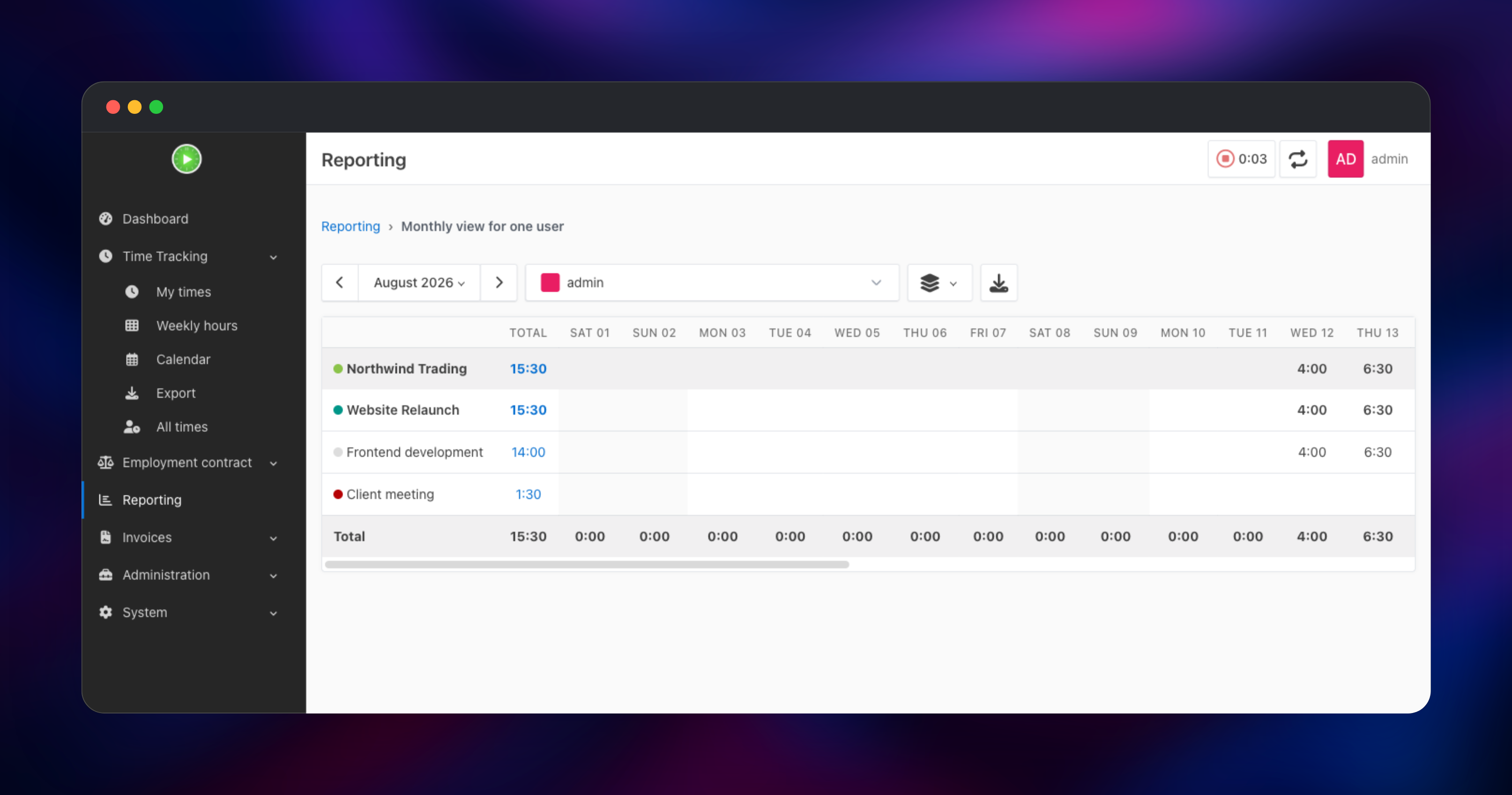
Next, give yourself something to track against: open Administration → Customers and add a customer, then Projects, then Activities. Press the play button in the top bar to start a live timer, or use My times → Create to enter hours manually. If a saved entry shows the right duration and appears under Reporting → Monthly view for one user, the deployment works end to end. Add colleagues under Administration → Users — Kimai has no public sign-up page by design.
About Hosting Kimai
Kimai solves an unglamorous problem: proving how long work took, to a client or to yourself. Self-hosting makes sense when headcount makes per-seat billing painful, or when confidentiality rules out a third-party server.
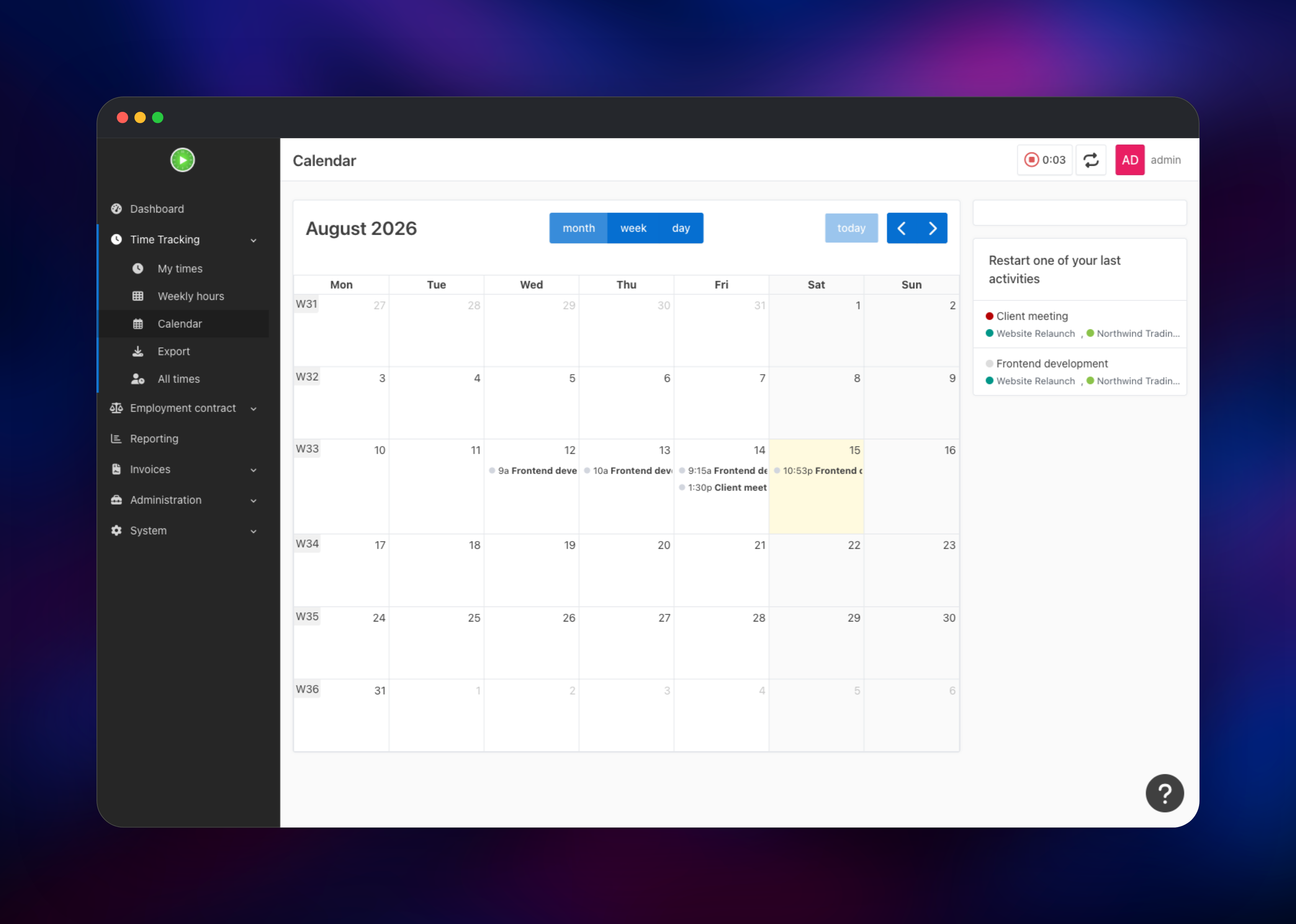
- Timer-based and manual entry, with a calendar and weekly-hours grid
- Customers, projects and activities, each with money and time budgets
- Roles, teams, and per-user hourly and internal rates
- Reporting by user, project, customer, week, month or year
- Invoicing from tracked time, plus CSV, XLSX, PDF and HTML exports
- REST API with token auth, a plugin marketplace, 2FA, LDAP and SAML
Kimai is one container running Apache and PHP 8.3, holding no state beyond its volume. MySQL holds everything durable, including login sessions in a kimai2_sessions table rather than in container memory — which is why a redeploy does not sign your team out. There is no worker or queue tier, so two services is the complete production shape.
Why Deploy Kimai on Railway
One click gets you a working install instead of a server to look after.
- No Dockerfile, Apache config or volume plumbing to write
- MySQL provisioned and privately networked, never publicly reachable
- HTTPS, generated domains and custom domains handled for you
- Persistent storage for plugins, invoices and exports
- First admin created at boot — no default password to change
- Scaling and backups with no server to patch
Common Use Cases
- Agencies billing by the hour — track work per client and project, then invoice from the timesheet instead of rekeying hours.
- Freelancers and contractors — a private timer plus PDF exports a client will accept as invoice backup.
- In-house engineering teams — split time across internal projects to see what a roadmap really costs.
- Confidential or regulated work — legal, medical and public-sector teams whose records must stay on their own servers.
Dependencies for Kimai
- Kimai —
kimai/kimai2:apacheon Docker Hub, source athttps://github.com/kimai/kimai. The self-contained Apache + mod_php build; the image'slatesttag is the php-fpm variant, with no web server. - MySQL — a managed Railway database holding every timesheet, user, customer and session. Kimai requires MySQL 8.0+ or MariaDB 10.5+ and supports neither PostgreSQL nor SQLite.
Environment Variables Reference
| Variable | Description | Required |
|---|---|---|
DATABASE_URL | MySQL DSN. serverVersion must match the server, and the password must avoid /, :, @ and ? | Yes |
APP_SECRET | Random string signing sessions, CSRF tokens and remember-me cookies | Yes |
ADMINMAIL | Email of the super-admin created on first boot | Yes |
ADMINPASS | Password for that account; the username is always admin | Yes |
DEFAULT_URI | Public base URL used in emails and generated links | Yes |
TRUSTED_PROXIES | Proxy trust list; 0.0.0.0/0,::/0 is right behind Railway's edge | Yes |
MAILER_URL | SMTP DSN. At null://null, Kimai sends no mail | No |
Deployment Dependencies
- PHP 8.3 with
gd,intl,pdo_mysql,zip,xsl,ldap,opcache, and Apache 2.4 withmod_php— all baked into the image - Docker Hub:
https://hub.docker.com/r/kimai/kimai2· Docs:https://www.kimai.org/documentation/
Hardware Requirements for Self-Hosting Kimai
Kimai is light: an idle install sits near 220 MB of memory and almost no CPU, with load arriving in bursts when someone runs a report or renders a PDF.
| Resource | Minimum | Recommended |
|---|---|---|
| CPU | 1 vCPU | 2 vCPU |
| RAM (Kimai / MySQL) | 512 MB each | 1–2 GB / 1 GB |
| Volume storage | 1 GB | 5 GB+ with plugins/exports |
| Runtime | PHP 8.2 | PHP 8.3, which the image ships |
| Database | MySQL 8.0 / MariaDB 10.5 | MySQL 8.4+ |
Raise memory_limit before exporting years of records in one pass.
Kimai vs Toggl Track vs Clockify
| Kimai | Toggl Track | Clockify | |
|---|---|---|---|
| Open source | Yes (AGPL-3.0) | No | No |
| Self-hostable | Yes | No | Enterprise only |
| Pricing | Free; pay for the server | Per user | Free tier, then per user |
| Invoicing | Built in | Via integrations | Paid tiers |
| Data location | Yours | Toggl's | Clockify's |
Toggl Track has the slicker interface and Clockify the more generous free tier, but both charge per seat and hold your records.
How to Self-Host Kimai Outside Railway
Kimai needs a MySQL database and a volume, nothing else. A minimal Docker Compose file that brings up both:
services:
  db:
    image: mysql:8.4
    environment:
      MYSQL_DATABASE: kimai
      MYSQL_USER: kimai
      MYSQL_PASSWORD: changeme
      MYSQL_ROOT_PASSWORD: changeme-too
    volumes: [kimai_db:/var/lib/mysql]
  kimai:
    image: kimai/kimai2:apache
    ports: ["8001:8001"]
    environment:
      DATABASE_URL: "mysql://kimai:changeme@db:3306/kimai?charset=utf8mb4&serverVersion=8.4.0"
      APP_SECRET: "replace-with-a-long-random-string"
      DEFAULT_URI: "https://time.example.com"
      ADMINMAIL: "admin@example.com"
      ADMINPASS: "pick-a-strong-password"
    volumes: [kimai_var:/opt/kimai/var]
    depends_on: [db]
volumes: {kimai_db: {}, kimai_var: {}}
Put a TLS-terminating reverse proxy in front of port 8001 and set TRUSTED_PROXIES to match, or Kimai records the proxy as the client. More users are created from the console:
docker compose exec kimai \
  /opt/kimai/bin/console kimai:user:create sam sam@example.com ROLE_USER
How Much Does Kimai Cost to Self-Host?
Kimai is free and open source under AGPL-3.0 — no user limit, no feature gating, no licence key. On Railway you pay only for the compute, memory and storage the two services use, and because that bill tracks server size rather than headcount, your tenth or fiftieth user costs nothing extra. The maintainers also sell Kimai Cloud and a few paid plugins; neither is needed.
FAQ
What is Kimai? An open source, self-hosted time tracker. You log hours against customers, projects and activities with a live timer or manual entry, and it produces timesheets, reports, exports and invoices.
What does this Railway template deploy?
The official kimai/kimai2:apache image on port 8001 with a volume at /opt/kimai/var, plus a managed MySQL database reachable only over private networking. Your first super-admin is created during the first boot.
Why does the template include a MySQL database? Kimai keeps all durable state there — timesheets, users, customers, settings and login sessions. It supports MySQL and MariaDB only. Because sessions live there, a redeploy will not log anybody out.
How do I log in to Kimai for the first time?
Username admin, with the password you set in ADMINPASS. There is no default password and no public registration page — you create every other account under Administration → Users.
Can I use the Kimai REST API from my own application?
Yes. Interactive docs live at /api/doc once signed in. Create an API token in your profile and send it as a bearer token; unauthenticated calls get a 401.
Can I install Kimai plugins on Railway?
Yes. Plugins unpack into var/plugins on the volume, so they survive redeploys. Restart the service so Kimai rebuilds its cache.
Template Content
MySQL
mysql:9.4kimai
kimai/kimai2:apache

