
Deploy Kokoro-TTS
Turns written text into natural-sounding speech, in 60+ voices

gateway
Just deployed
Just deployed
Deploy and Host Kokoro TTS on Railway
Kokoro TTS turns written text into natural-sounding speech from an API that speaks the same dialect as OpenAI's /v1/audio/speech. It wraps Kokoro-82M, an Apache-2.0 model small enough — 82 million parameters, about 330 MB of weights — to run faster than real time on ordinary CPUs, no GPU involved. Teams self-host Kokoro TTS for audiobook narration, screen readers, voice assistants and video voiceover: it stops the per-character bill, keeps the text on infrastructure they control, and drops into existing code by changing one base URL. The server is remsky/Kokoro-FastAPI, which adds streaming, voice blending, caption timestamps, SSML and a browser player.
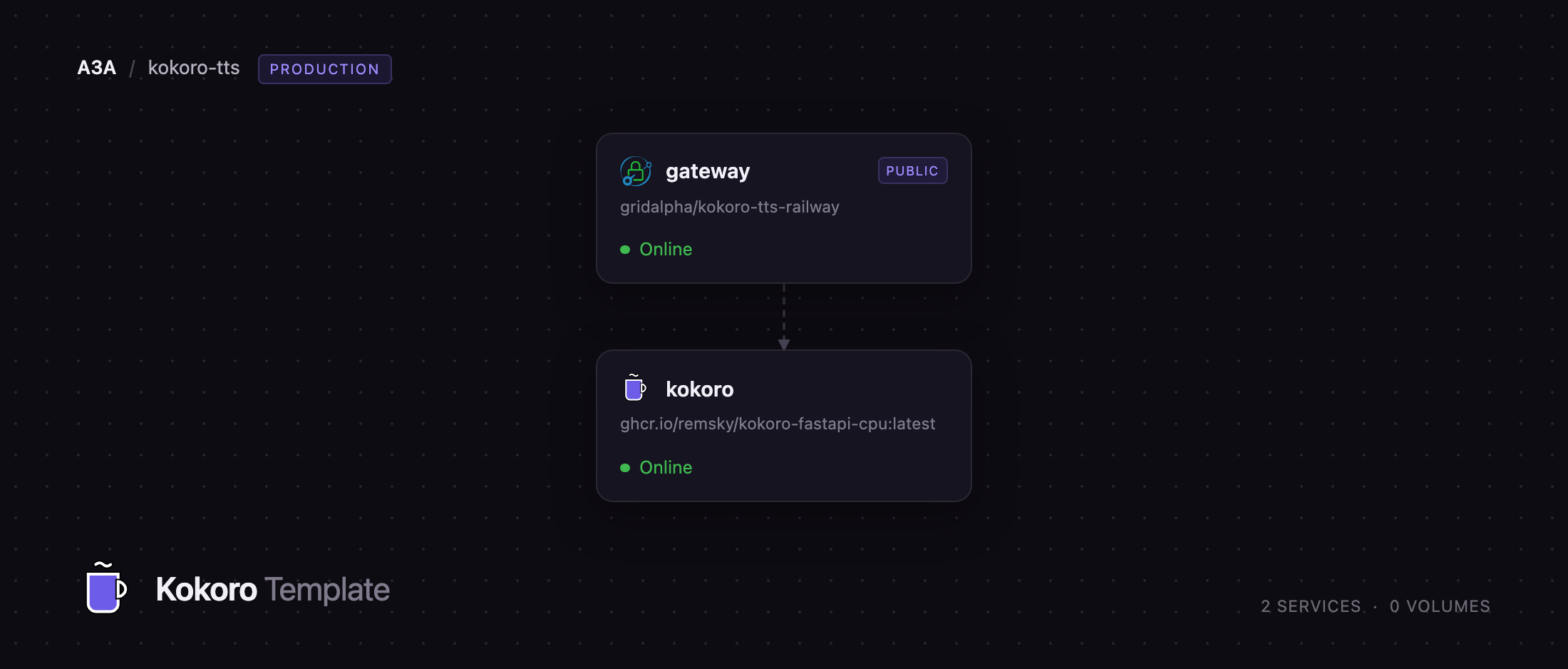
This template runs it as two Railway services. kokoro holds the model and does the synthesis; it gets no public domain, because Kokoro-FastAPI ships with no authentication of its own and its docs tell clients to send api_key="not-needed". A small Caddy gateway owns the only public URL: API clients send Authorization: Bearer with the generated key exactly as an OpenAI SDK would, while browsers get a basic-auth prompt whose credentials the browser then replays on the player's own requests. The model and all 68 voice packs are baked into the image, so there is no first-boot download, no volume, no database.
Getting Started with Kokoro TTS on Railway
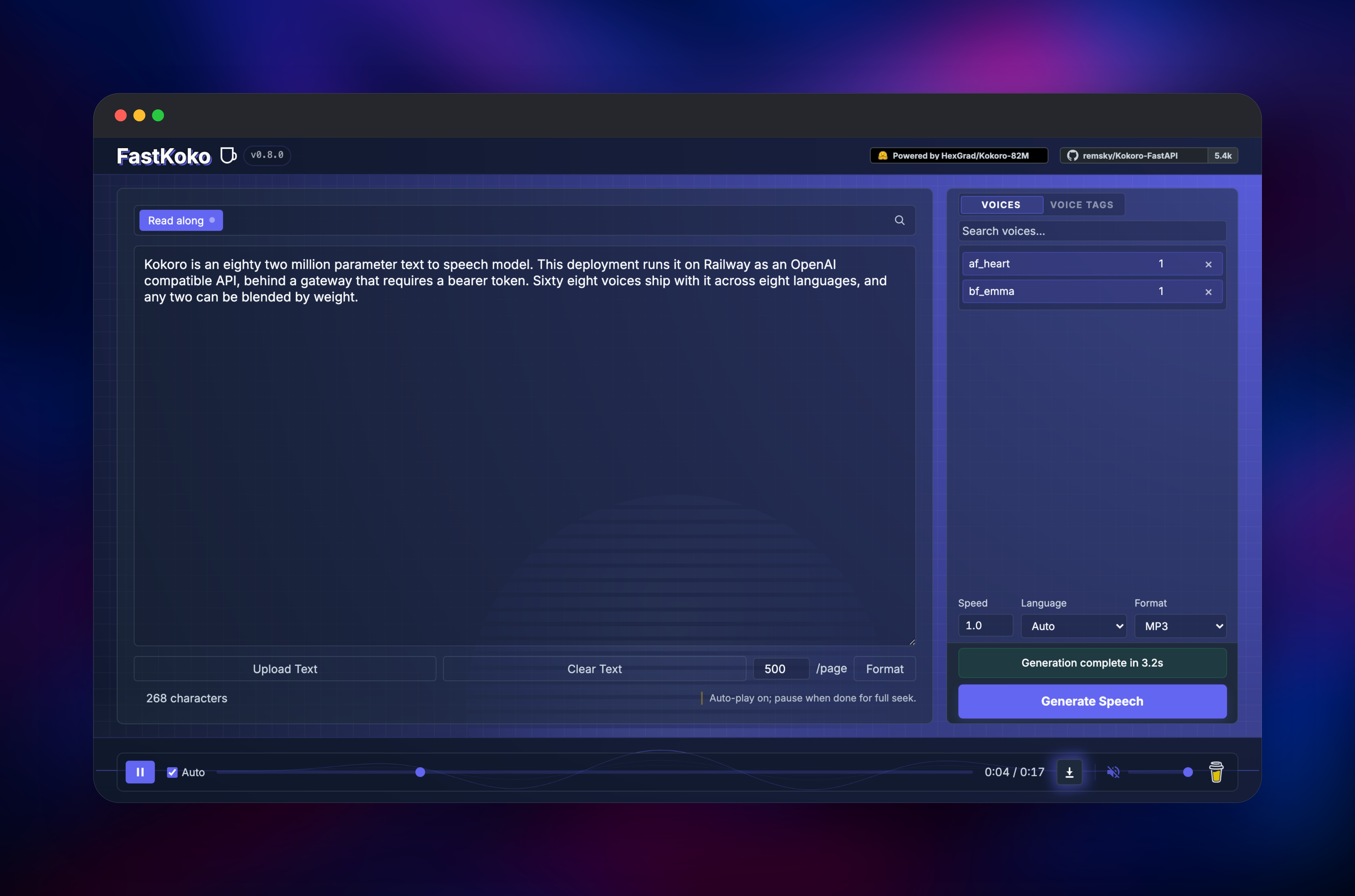
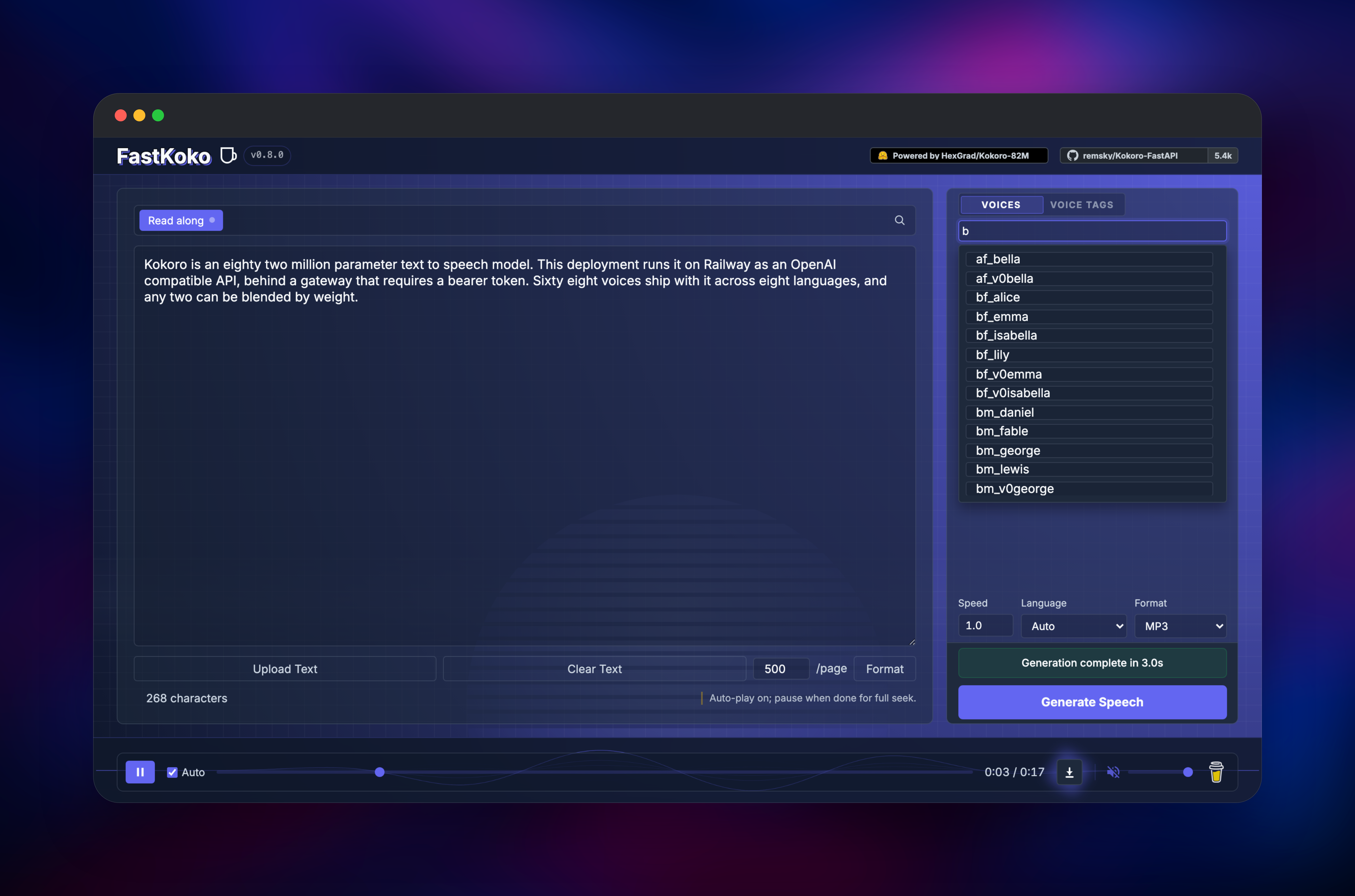
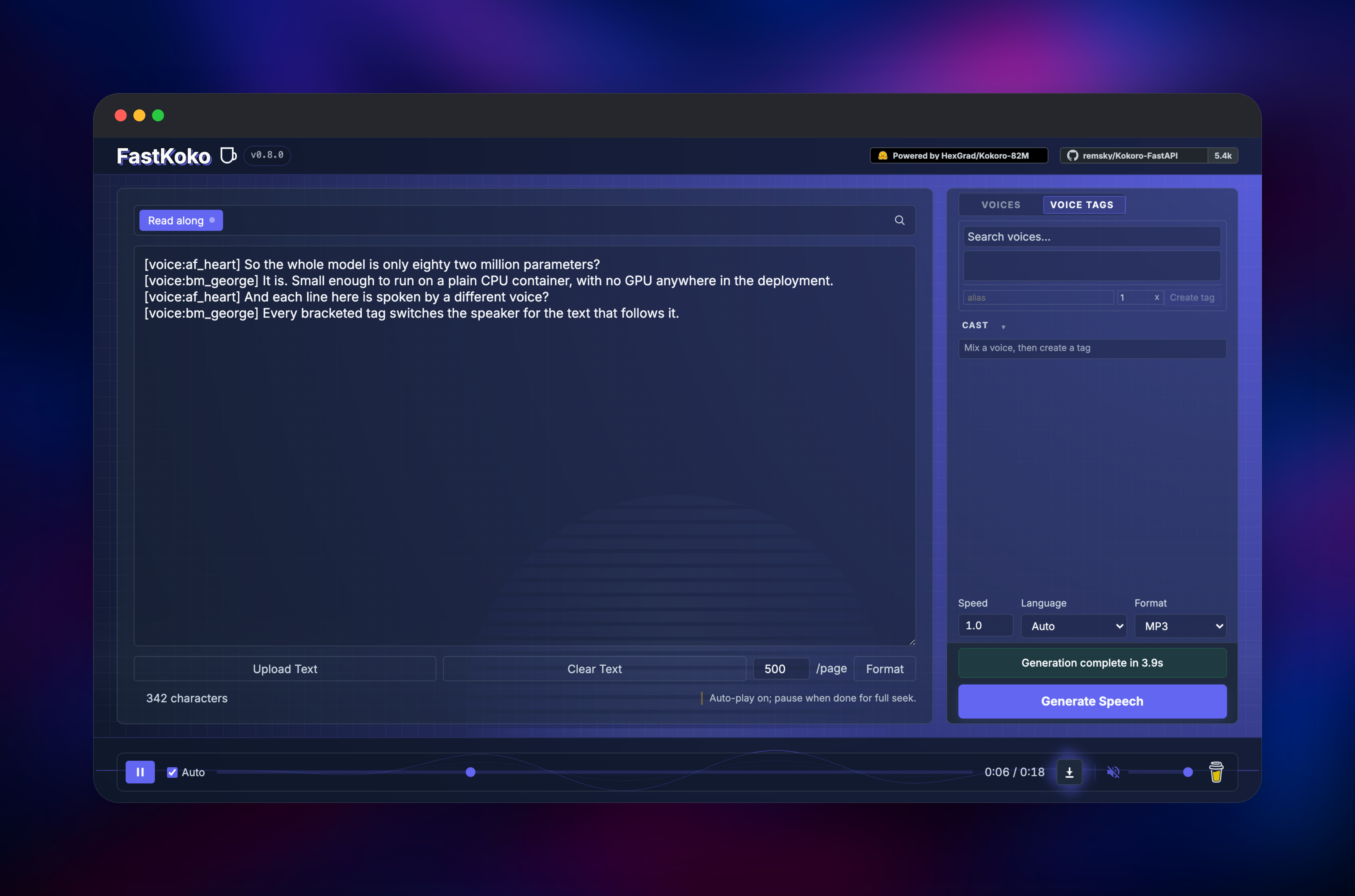
Deploy the template and open the gateway service's public URL. The browser asks for a username and password: use KOKORO_USERNAME (admin by default) and the generated KOKORO_PASSWORD, both on that service's Variables tab. You land on the FastKoko player, whose right-hand panel lists all 68 voices. Type a sentence, pick a voice such as af_heart or bm_george, and press Generate Speech — the dock at the bottom plays the result within seconds and reports how long it took. Select a second voice to blend the two, or write a multi-speaker script by putting [voice:af_heart] and [voice:bm_george] tags at the start of each line. To check the API, copy KOKORO_API_KEY from the same tab and point any OpenAI client at https:///v1; a GET /v1/audio/voices returning the voice list confirms the path.
About Hosting Kokoro TTS
Commercial speech APIs bill per character, and that bill scales with exactly the workloads that make text-to-speech worth having: long documents, whole audiobooks, every message in a chat assistant. Kokoro TTS removes the meter, and being small and CPU-friendly, one container serves a steady stream of requests on ordinary hardware.
- OpenAI-compatible endpoints —
/v1/audio/speech,/v1/audio/voices,/v1/models; existing code needs only a new base URL and key - 68 voices across eight languages — English (US and UK), Spanish, French, Hindi, Italian, Japanese, Brazilian Portuguese, Mandarin
- Weighted voice blending — combine voices by weight, as in
af_bella(2)+af_sky(1) - Inline multi-speaker dialogue —
[voice:name]tags switch speaker mid-document - Streaming output — audio arrives while the rest renders, as MP3, WAV, PCM, Opus, FLAC or AAC
- Caption timestamps and SSML — word-level timings for read-along interfaces
kokoro loads the model at startup, keeps it warm and answers every synthesis request. gateway terminates the public URL, checks credentials, forwards over the private network, and streams responses unbuffered so long passages still start playing quickly.
Why Deploy Kokoro TTS on Railway
Railway removes the setup work self-hosting usually costs:
- Both services deploy together, already wired over private networking
- Credentials are generated per deployment — no default password ships publicly
- No GPU, no volume and no database to configure
- Health checks and automatic restarts come preconfigured
- Scale CPU and memory from the dashboard as volume grows
- A public HTTPS URL immediately, custom domains available
Common Use Cases for Self-Hosted Kokoro TTS
- Audiobook and article narration — long documents to speech in bulk, with no per-character bill
- Voice for AI assistants — feed Open WebUI, SillyTavern or LibreChat through their OpenAI TTS setting
- Accessibility — add read-aloud, using caption timestamps to highlight words as spoken
- Internal tooling — notification voices, IVR prompts, demo voiceovers
Dependencies for Kokoro TTS
ghcr.io/remsky/kokoro-fastapi-cpu:latest— the Kokoro-FastAPI server, Kokoro-82M and every voice pack baked in. Port 8880, private.caddy:2-alpine, built from the template's own source repository — the authenticating reverse proxy holding the public domain.
Nothing else is needed: generated audio goes to a one-hour local cache the server rebuilds on demand.
Environment Variables Reference
| Variable | Service | Purpose |
|---|---|---|
KOKORO_API_KEY | gateway | Bearer token for the API; generated at deploy |
KOKORO_USERNAME | gateway | Basic-auth user for the player, default admin |
KOKORO_PASSWORD | gateway | Basic-auth password; falls back to the API key |
DEFAULT_VOICE | kokoro | Voice used when a request names none |
ENABLE_VOICE_TAGS | kokoro | Inline [voice:name] parsing; off for untrusted text |
ENABLE_SSML | kokoro | SSML translation and the SSML routes |
Deployment Dependencies
- Source: github.com/remsky/Kokoro-FastAPI (Apache-2.0)
- Model: hexgrad/Kokoro-82M (Apache-2.0)
- Proxy image: caddy:2-alpine
Hardware Requirements for Self-Hosting Kokoro TTS
| Resource | Minimum | Recommended |
|---|---|---|
| CPU | 2 vCPU | 8 vCPU |
| RAM | 2 GB | 4 GB |
| Storage | None (stateless) | None (stateless) |
| Runtime | Python 3.12, PyTorch CPU | Python 3.12, PyTorch CPU |
Synthesis scales almost linearly with cores, so CPU is the dial that matters. On 8 vCPU a 270-character passage renders in about three seconds, and streamed responses start within half a second.
Self-Hosting Kokoro TTS
Running the same image locally takes one command:
docker run -p 8880:8880 ghcr.io/remsky/kokoro-fastapi-cpu:latest
The player is then at http://localhost:8880/web/. Against the deployed template, any OpenAI client works by swapping base URL and key. In Python:
from openai import OpenAI

client = OpenAI(base_url="https://your-app.up.railway.app/v1",
                api_key="YOUR_KOKORO_API_KEY")

client.audio.speech.create(
    model="kokoro",
    voice="af_heart",
    input="Deployed on Railway and speaking for itself.",
).stream_to_file("hello.mp3")
Pass af_bella(2)+af_sky(1) as voice to blend, and set response_format to wav, opus, flac, pcm or aac instead of MP3.
How Much Does Kokoro TTS Cost to Self-Host?
Kokoro-FastAPI and the Kokoro-82M weights are both Apache-2.0 and free for commercial use, with no seats, quotas or usage reporting. The only cost is the Railway compute the two services consume — a flat monthly figure rather than a per-character charge, which is what inverts the economics against hosted speech APIs at volume.
Kokoro TTS vs Other Text-to-Speech Options
| Kokoro TTS | ElevenLabs | XTTS v2 | Piper | |
|---|---|---|---|---|
| Licence | Apache-2.0 | Proprietary | Non-commercial | MIT |
| Runs on CPU | Yes | Hosted only | GPU preferred | Yes |
| Voice cloning | No | Yes | Yes | No |
| Per-character cost | None | Yes | None | None |
Kokoro TTS sits in a specific spot: more natural than Piper, commercially usable unlike XTTS v2, CPU-friendly unlike both. What it will not do is clone a voice from a sample.
FAQ
What is Kokoro TTS?
An open-source text-to-speech system built on Kokoro-82M, an Apache-2.0 model of 82 million parameters, served through Kokoro-FastAPI as an OpenAI-compatible HTTP API plus a browser player.
What does this Railway template deploy?
Two services: the Kokoro-FastAPI inference server, kept private, and a Caddy gateway that holds the public URL and authenticates every request reaching it.
Why is there a separate gateway service instead of one container?
Kokoro-FastAPI has no authentication built in, so exposing it directly would leave an open synthesis endpoint on the internet. The gateway adds bearer auth for API clients and basic auth for browsers, keeping inference off the public network.
How do I use self-hosted Kokoro TTS with an OpenAI SDK?
Set the client's base_url to https:///v1 and its api_key to the gateway's KOKORO_API_KEY, then call audio.speech.create with model="kokoro" and any voice id.
Does Kokoro TTS need a GPU or a volume on Railway?
Neither. The CPU image runs faster than real time on ordinary vCPUs, and the model and voice packs are baked in, so nothing downloads or persists between deploys.
Can I run more than one replica?
Keep it at one. The player's download links are served from the replica that generated them, so a second replica answers about half of those with a 404. Deployments that only stream from /v1/audio/speech scale out safely.
Template Content


