
Deploy Komga
Media server for comics, manga, magazines and ebooks
Just deployed
/data
Deploy and Host Komga on Railway
Komga is an open-source media server for comics, manga, BDs, magazines and ebooks. Point it at a folder of CBZ, CBR, PDF or EPUB files and it builds a browsable library: covers extracted, page counts measured, embedded ComicInfo metadata read, and a search index over the lot. Readers get a responsive web reader that works on a phone; e-reader owners get OPDS, Kobo Sync and KOReader Sync, so a Kobo syncs progress with the same server.
Deploy Komga on Railway and you get one service backed by one persistent volume. Self-host Komga this way and there is nothing else to wire up: the server keeps its SQLite databases and Lucene index in a config directory on that volume, and your books sit beside them under media. The template claims the administrator account before the public URL exists, creates Comics and Books libraries, and seeds them with public-domain Project Gutenberg titles.
Getting Started with Komga on Railway
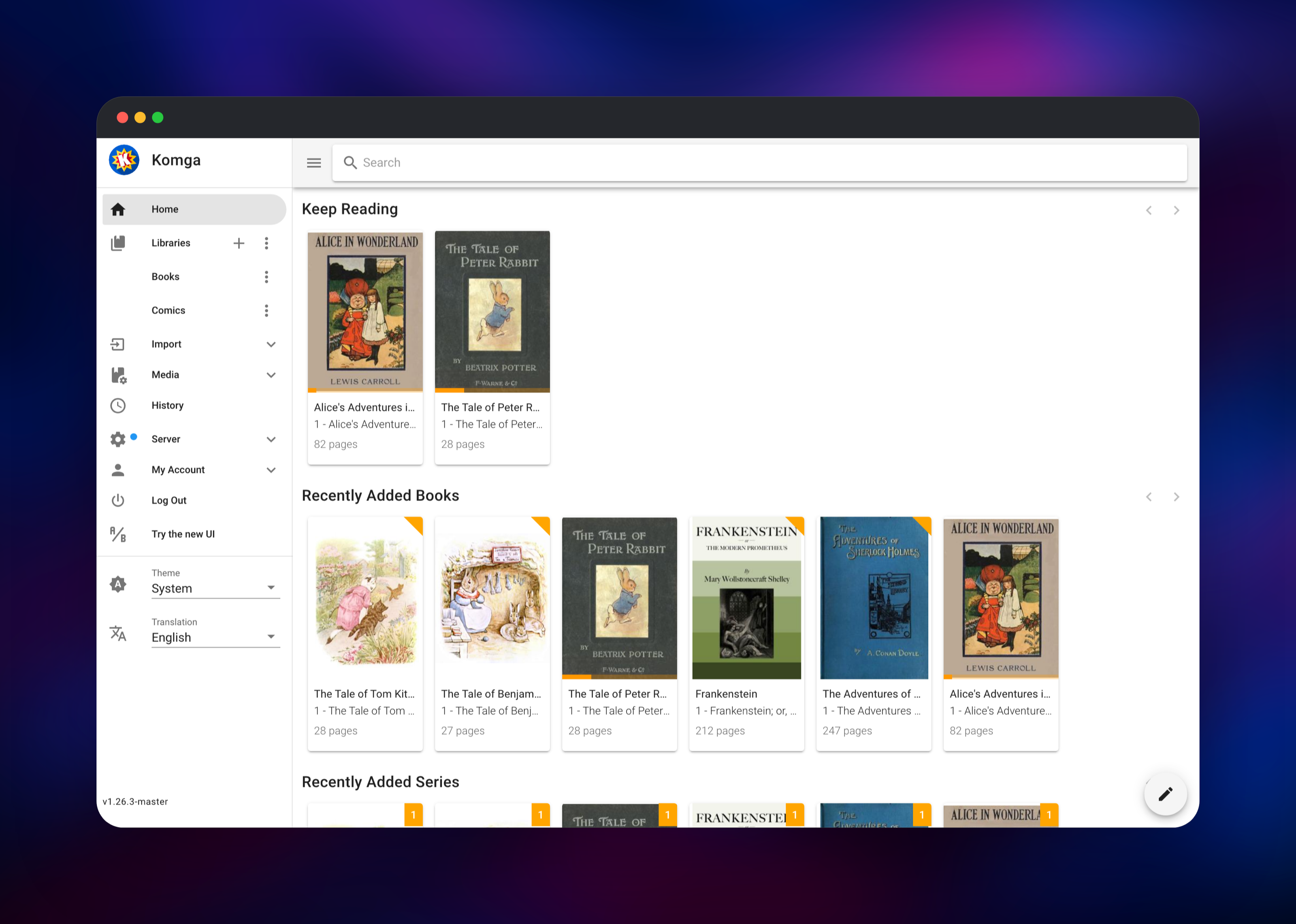
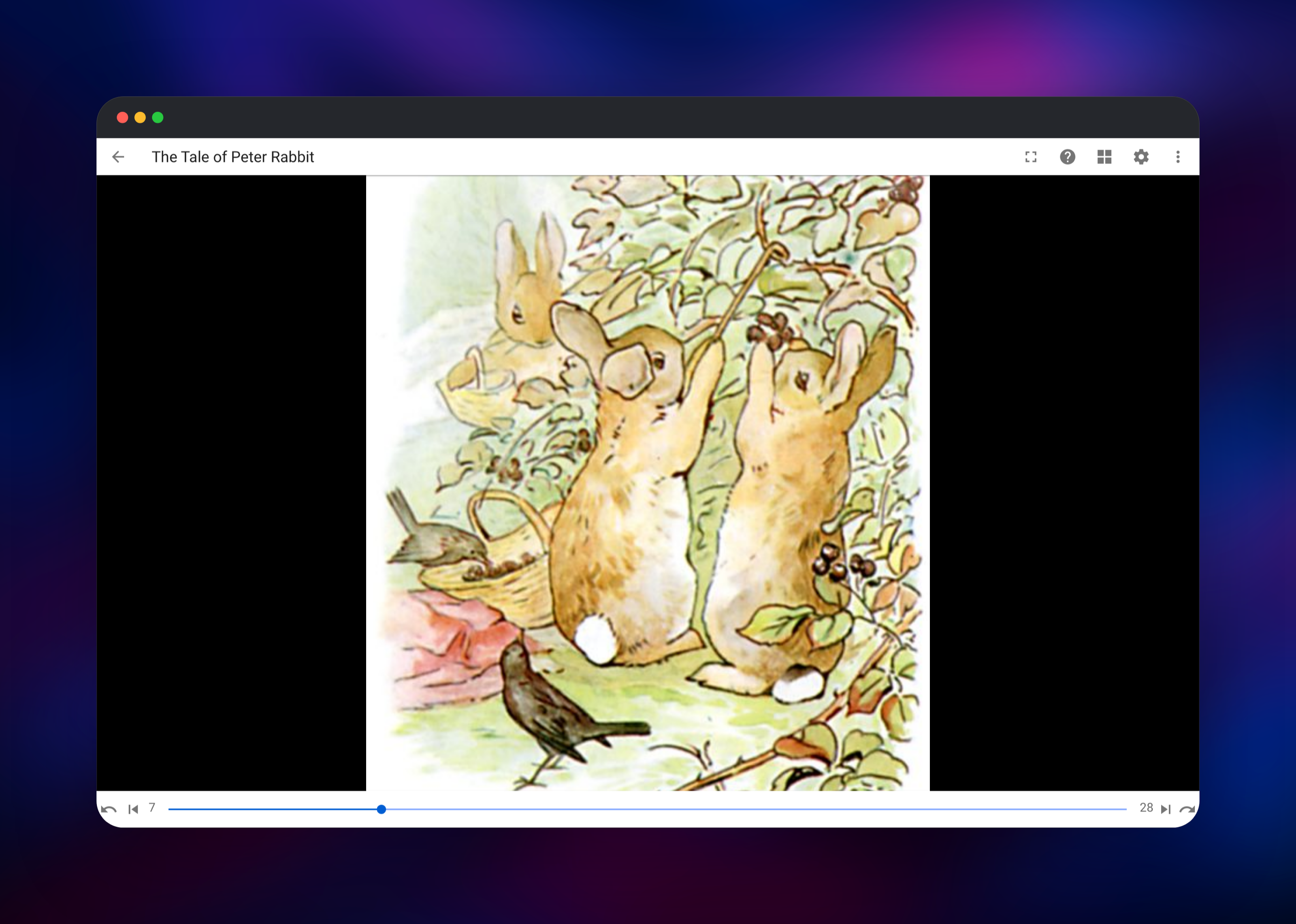
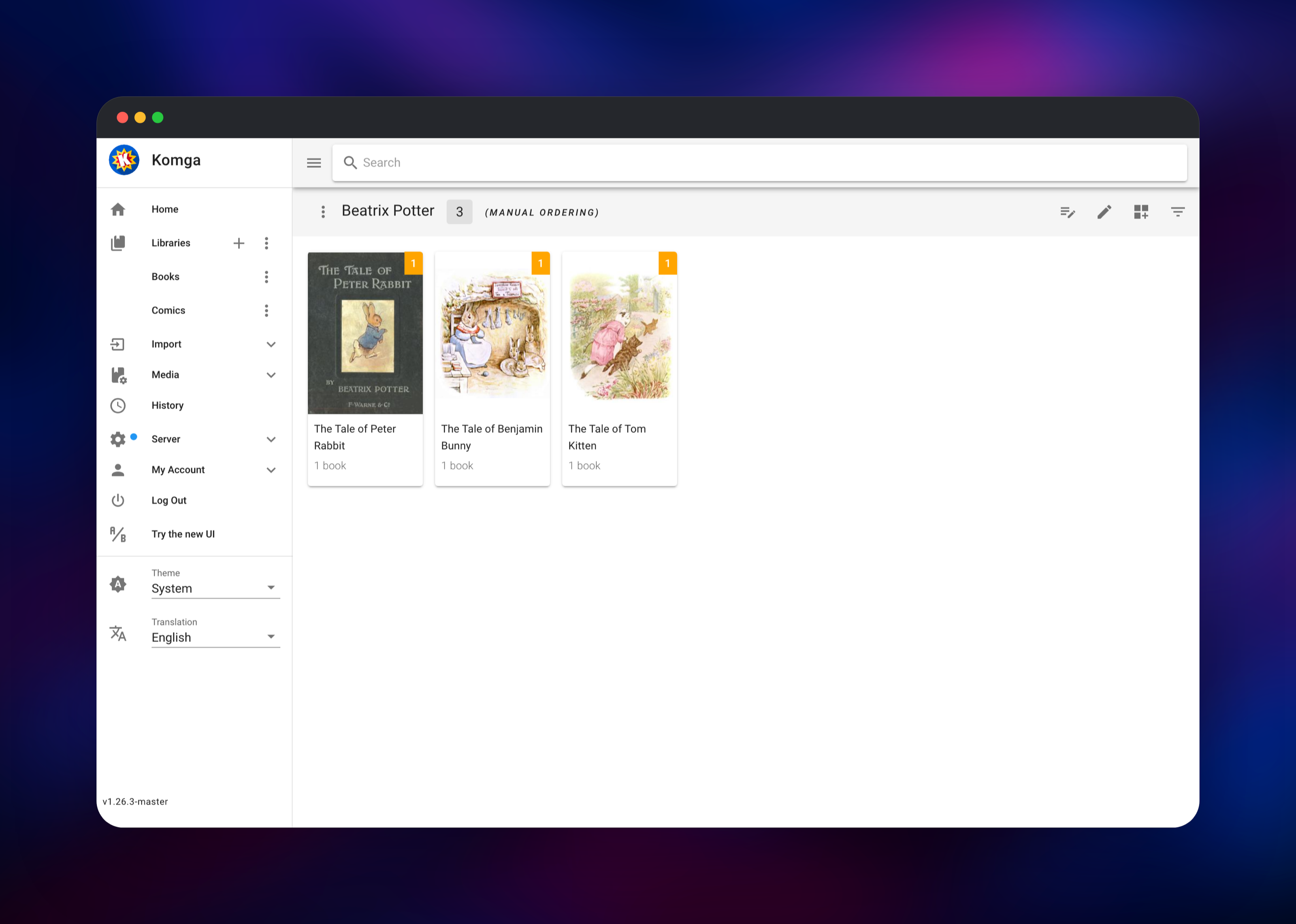
Set KOMGA_ADMIN_EMAIL and KOMGA_ADMIN_PASSWORD when you deploy, then open the generated URL and sign in with exactly those. There is no registration screen and no default password to change: the account is created during first boot, so the usual race where a stranger claims an unclaimed media server never opens. The sidebar shows Comics and Books. Open a series, click a book, and the reader opens — arrow keys or swipes turn pages, and the settings icon switches reading mode.
Your own files arrive over the filesystem, because Komga has no web upload. Use the Railway CLI to push them onto the volume, each book in its own series folder:
railway volume files --volume  upload ./my-comic.cbz \
  /data/media/comics/My Series/my-comic.cbz
Then choose Scan library from the Libraries menu, or redeploy — both libraries scan on startup and every six hours. To confirm the deployment works, check that a book you opened appears under Keep Reading on the home screen; that proves reading progress reached the database on the volume. Add readers under Server → Users, granting per-library access, age restrictions and sync roles individually.
About Hosting Komga
Komga is a single Kotlin/Spring Boot application. It watches library folders, parses each archive, extracts covers and page dimensions, reads embedded ComicInfo.xml or EPUB metadata, and stores what it finds in SQLite. A Lucene index beside the database powers search across series, books, authors and tags. Everything is local: no external database, no queue, no cache tier, no object storage.
People self-host it when a collection has to be readable from several devices, by several people, without uploading anything to a third party. Key features:
- Libraries, series and books, plus collections and read lists for cross-series ordering
- Web reader with paged, double-page, continuous and webtoon modes, and a separate EPUB reader
- Metadata editing, with automatic import from ComicInfo, EPUB and Mylar files
- Multiple users with per-library permissions, age ratings and label restrictions
- OPDS v1.2 and v2, Kobo Sync, KOReader Sync, and a documented REST API
- Duplicate file and page detection, and importing loose books into an existing series
Why Deploy Komga on Railway
Railway removes the parts of self-hosting a media server that are not about books.
- One service and one volume — no database, queue or storage to provision
- The volume keeps your library, search index and reading progress across deploys
- HTTPS and a public hostname issued automatically, which OPDS clients need
- The administrator account is created at first boot, so nothing is claimable
- Vertical scaling from the dashboard when a large scan needs more memory
Common Use Cases
- A household comics and manga server, read on phones, tablets and a Kobo over Kobo Sync
- A personal ebook library with reading progress synced across devices
- An archive group sharing read lists under per-user library permissions
- A backend for reader apps — Mihon, Panels, Chunky and Paperback speak OPDS or Komga's API
Dependencies for Komga
- komga — the application, built from
gotson/komga:lateston Docker Hub. Serves the web UI, REST API, OPDS and sync endpoints on port 25600. - Volume at
/data— the only stateful component. Holdsconfig/(SQLite databases, the Lucene index, fonts and rolling logs) andmedia/(yourcomics/andbooks/folders).
Environment Variables Reference
| Variable | Purpose |
|---|---|
KOMGA_ADMIN_EMAIL | Administrator created on first boot; must look like an email address |
KOMGA_ADMIN_PASSWORD | Password for that account — what you sign in with |
KOMGA_DATA_DIR | Volume mount point, /data |
KOMGA_MEDIA_DIR | Parent of the library folders, /data/media |
KOMGA_CONFIGDIR | Databases, search index and logs, /data/config |
KOMGA_DEMO_MEDIA | Set false to start with empty libraries |
KOMGA_BOOTSTRAP | Set false to skip first-run account and library creation |
PORT | Port Railway probes, 25600 |
JAVA_TOOL_OPTIONS | JVM heap ceiling as a share of the container, -XX:MaxRAMPercentage=60 |
Komga is a Spring Boot application, so any documented setting works as an environment variable under its relaxed-binding name — KOMGA_DATABASE_POOL_SIZE, KOMGA_LUCENE_COMMIT_DELAY, SERVER_SERVLET_SESSION_TIMEOUT — with no change to the image.
Deployment Dependencies
- Source repository: github.com/gotson/komga
- Docker image: hub.docker.com/r/gotson/komga
- Documentation: komga.org
- Runtime: Java 23 (bundled in the image), SQLite, Apache Lucene
Hardware Requirements for Self-Hosting Komga
| Resource | Minimum | Recommended |
|---|---|---|
| CPU | 1 vCPU | 2 vCPU |
| RAM | 1 GB | 2 GB |
| Storage | 5 GB volume | Your library size, plus ~5% for covers and the index |
| Runtime | Java 23, supplied by the image | — |
Idle memory sits well under 1 GB. Scans are the expensive part — cover extraction and page analysis open every archive — so a first scan costs more CPU and RAM than browsing does. Storage is the number to plan around: a comics library is mostly image data.
Self-Hosting Komga
Outside Railway, the quickest path is Docker. This runs Komga with a local config directory and your books mounted at /data:
docker run -d --name komga \
  -p 25600:25600 \
  -v /path/to/komga/config:/config \
  -v /path/to/comics:/data \
  gotson/komga:latest
The equivalent Compose service:
services:
  komga:
    image: gotson/komga:latest
    container_name: komga
    volumes:
      - ./config:/config
      - ./comics:/data
    ports:
      - "25600:25600"
    restart: unless-stopped
Open http://localhost:25600, create the first account on the claim screen, then add a library pointing at /data. Komga also ships desktop packages for Windows, macOS and Linux, and a .jar you can run with java -jar komga.jar.
Is Komga Free?
Komga is free and open source under the MIT licence. There is no paid tier, no feature gating and no account to register — the project is funded through GitHub Sponsors and Open Collective. Self-hosting on Railway costs infrastructure only: one small service plus the volume your library needs, which dominates the bill.
FAQ
What is Komga? Komga is a self-hosted media server for comics, manga, BDs, magazines and ebooks. It indexes CBZ, CBR, PDF and EPUB files from a folder, extracts covers and metadata, and serves them through a web reader, a REST API and OPDS.
What does this Railway template deploy?
A single Komga service on gotson/komga:latest with a persistent volume at /data. It creates your administrator account at first boot, sets up Comics and Books libraries, and seeds them with public-domain Project Gutenberg titles so the deployment is browsable immediately.
Why does Komga need a volume instead of a database service? Komga stores everything in SQLite files and a Lucene index on disk — there is no PostgreSQL or MySQL option. The volume holds those files alongside your library, so a redeploy keeps books, metadata, users and reading progress.
How do I upload my own comics to self-hosted Komga?
Komga has no web upload. Push files onto the volume with railway volume files --volume upload, each book in its own series folder under /data/media/comics, then run Scan library. Libraries also rescan on startup and every six hours.
Can I connect a Kobo or an OPDS reader app to Komga on Railway?
Yes. The generated Railway domain is HTTPS, which those clients require. OPDS lives at /opds/v1.2/catalog and /opds/v2/catalog; Kobo Sync and KOReader Sync are enabled per user under Server → Users.
Is Komga or Kavita the better self-hosted comic server? Both are strong. Komga leans towards comics and manga, with richer metadata editing, collections, read lists and ComicRack import; Kavita emphasises mixed ebook libraries. Komga's OPDS v2 and KOReader support make it the easier fit for e-ink reading.
Template Content


