Deploy Langflow
Visual canvas for building AI agents and LLM workflows
Langflow
Just deployed
/app/langflow

Just deployed
/var/lib/postgresql/data

Redis
Just deployed
/data

Deploy and Host Langflow on Railway
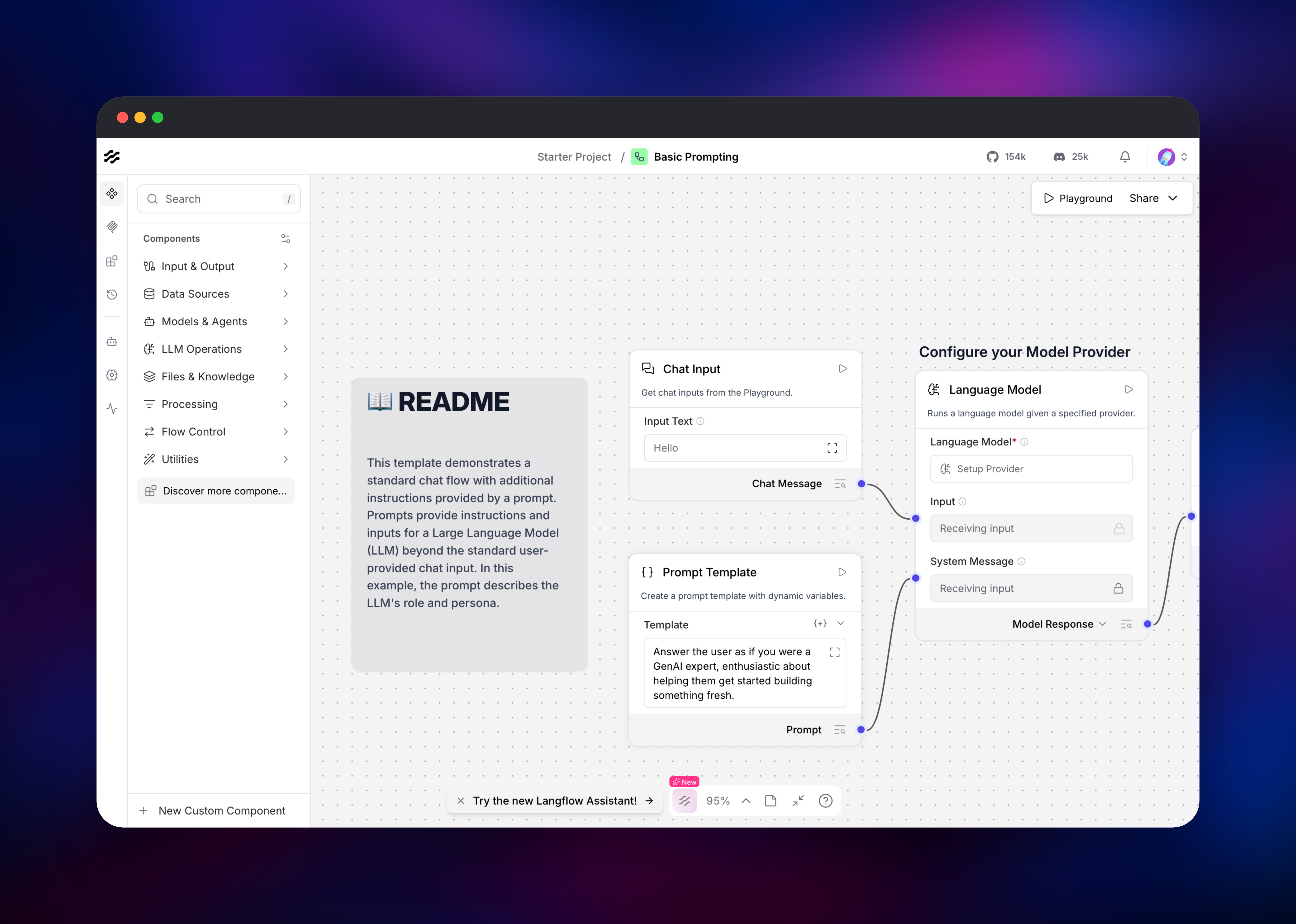
Langflow is an open-source visual builder for AI agents and LLM workflows. You drag components onto a canvas — chat inputs, prompt templates, language models, vector stores, web search, custom Python — wire them together, and test the result in a built-in playground. Every flow is also an API: Langflow serves it over HTTP and as an MCP server, so what you prototyped visually is what your application calls. It is Python, MIT-licensed, and used by teams building RAG pipelines, document Q&A bots and research agents.
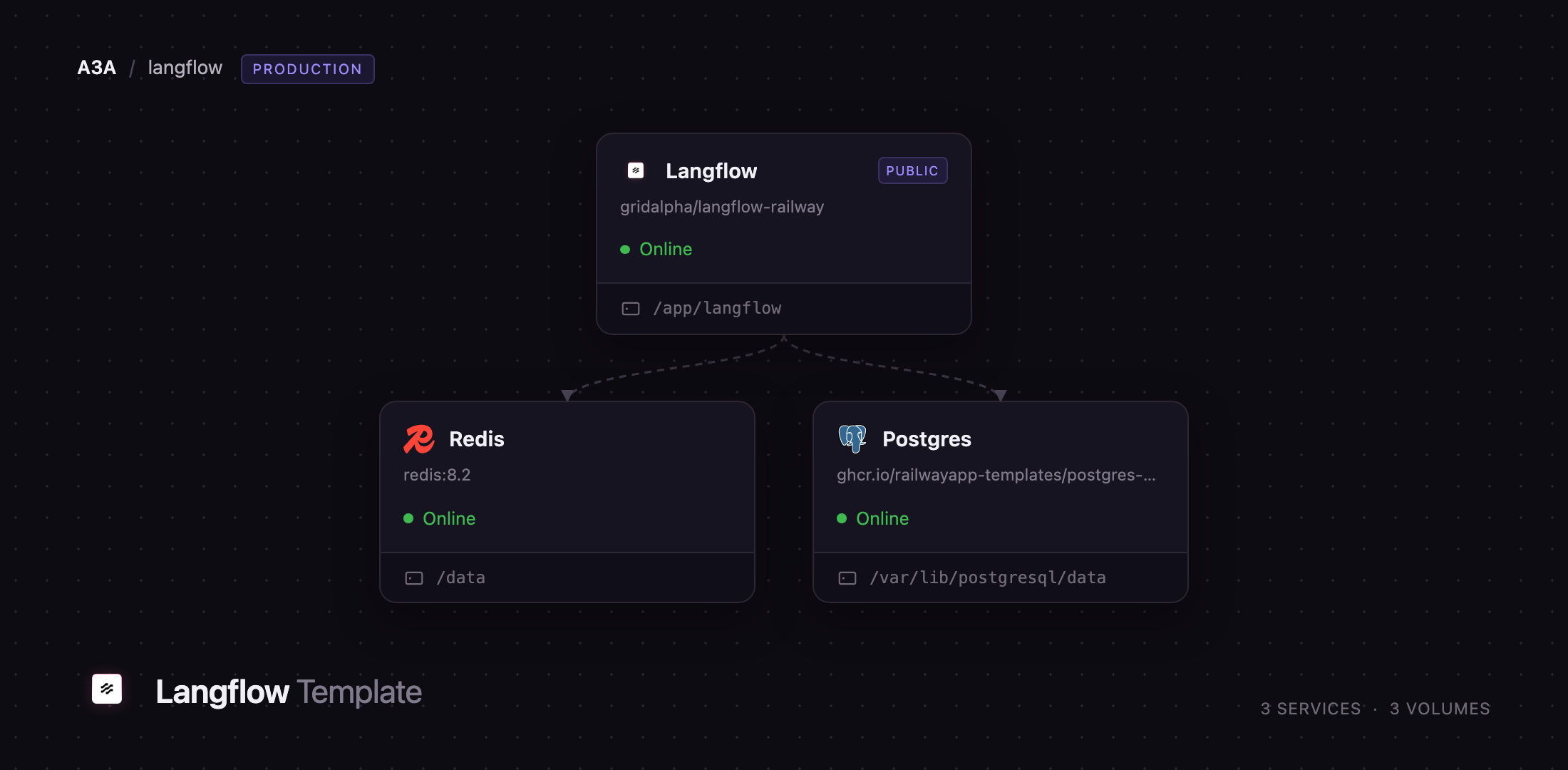
Deploy Langflow on Railway and you get the production shape, not the laptop one. Three services: Langflow on a public HTTPS domain, a PostgreSQL database for flows, users, chat history and API keys, and Redis backing the component cache and the cross-worker build-event queue. Langflow runs two worker processes in one container, which is why Redis is here — on the default in-memory queue it refuses to start with more than one worker. A volume holds uploads, knowledge bases and the encryption key. Authentication is on, sign-up is off, CORS is pinned to your domain.
Getting Started with Langflow on Railway
Open the Langflow service in Railway and check its Variables tab: LANGFLOW_SUPERUSER is admin, and LANGFLOW_SUPERUSER_PASSWORD was generated at deploy time. Copy it, open the public URL and sign in. The admin account is created once on first boot, so a password you change inside Langflow later survives redeploys.
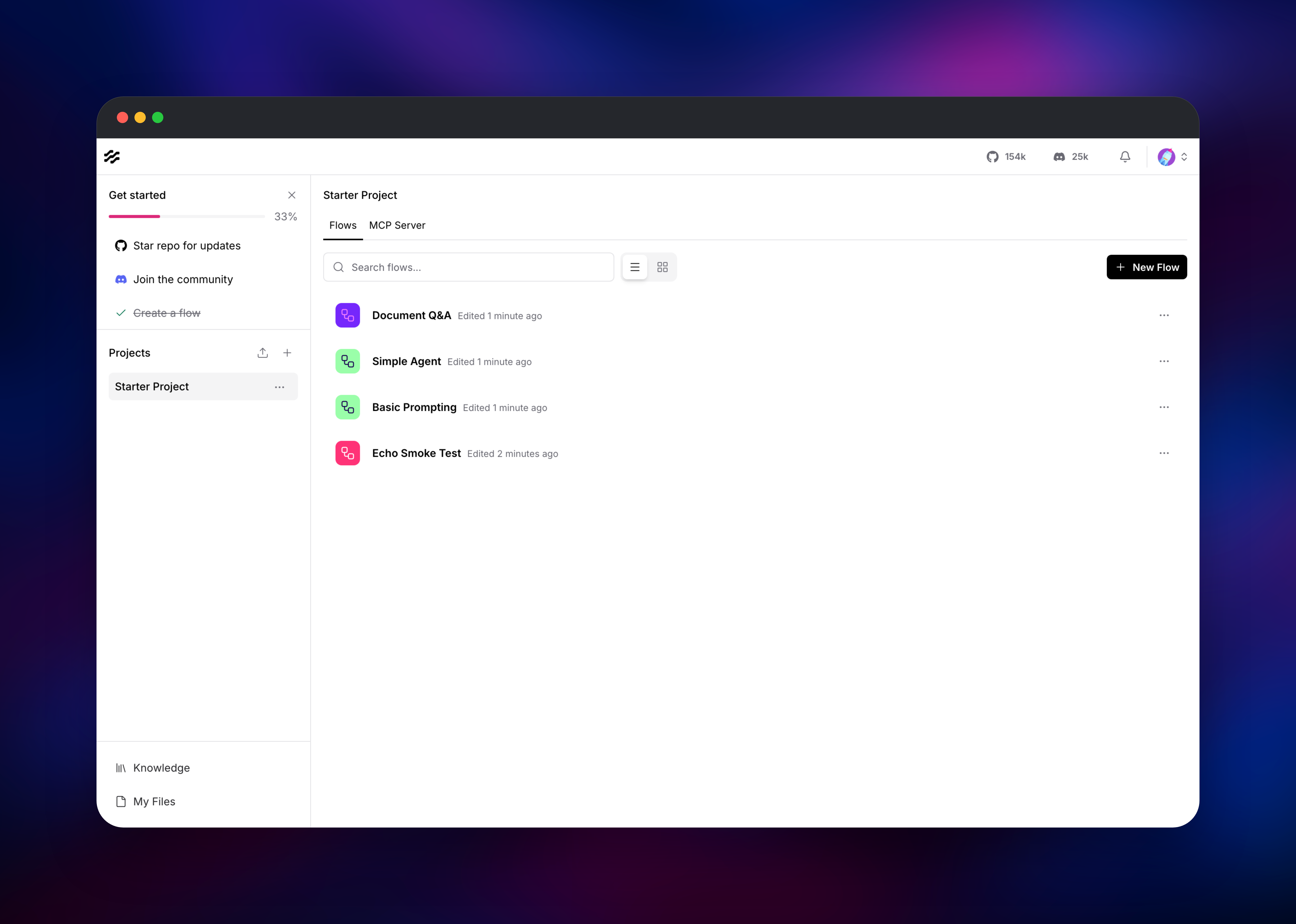
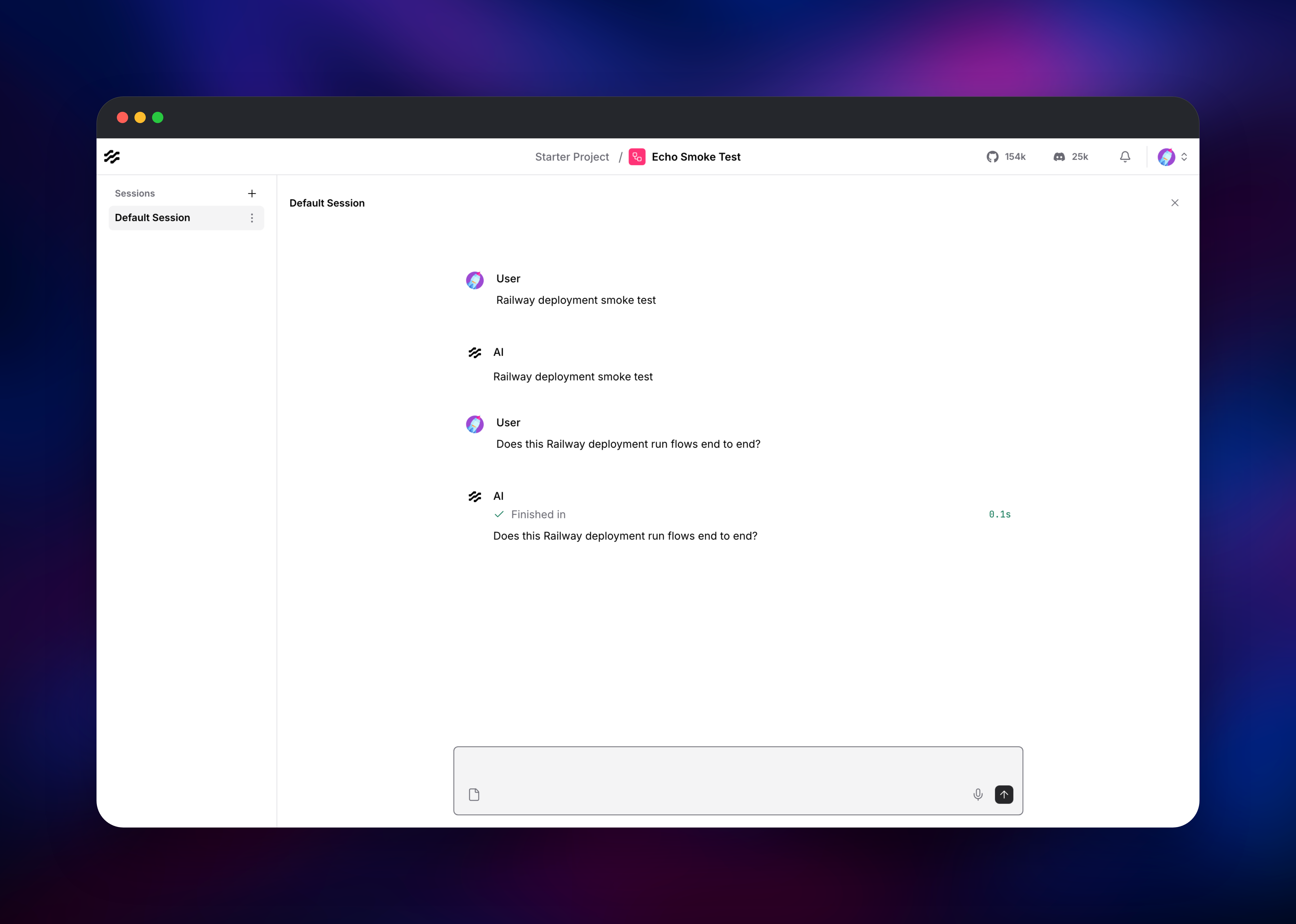
Click New Flow and pick a starter such as Basic Prompting or Simple Agent. The canvas opens with components already wired; click any one to edit it inline, or use the left palette to add vector stores, web search, file loaders or custom Python. Most starters need a model provider, so add your OpenAI or Anthropic key under Settings → Global Variables as a Credential — it is encrypted at rest. Then hit Playground and send a message: a green "Finished in" line under the reply means the graph ran end to end and the database, cache and queue are healthy. To call the flow from code, create a key under Share → API access.
About Hosting Langflow
Langflow sits between a notebook and a framework. Hand-written agent code means a redeploy for every prompt tweak; a closed SaaS builder puts your prompts, keys and customer documents on someone else's infrastructure. Self-hosting keeps both the iteration loop and the data.
- Visual canvas with 100+ components: models, embeddings, vector stores, web search, file loaders, memory, routing and loops
- Every flow is instantly an HTTP API and an MCP server, so the agents you build are callable by other agents
- Custom Python components, editable in the browser, for anything the built-ins miss
- Encrypted global variables for provider keys, and knowledge bases for retrieval over your documents
Langflow is the only service with a public domain, serving the React front end and the FastAPI backend on one port. PostgreSQL is the system of record for flows, users, message history, API keys and job state; version 15 or newer is required. Redis does two jobs: database 0 caches component and graph state so both workers share it, database 1 carries build events between them. The volume at /app/langflow holds uploads, knowledge base indexes, and the key encrypting your credentials.
Why Deploy Langflow on Railway
Railway removes the setup work self-hosting an agent platform usually involves.
- PostgreSQL and Redis provisioned and wired over private networking, no connection strings to write
- HTTPS domain, TLS certificate and health checks configured out of the box
- A persistent volume that survives every redeploy
- Authentication enforced, sign-up closed and CORS locked to your domain from first boot
Common Use Cases
- Document Q&A and RAG over private data — load PDFs, tune chunking and retrieval, expose the flow as an API
- Customer support agents — combine chat memory, retrieval and tool calls, tested end to end before shipping
- Research and reporting agents — chain web search, parsing and structured output behind one HTTP endpoint
Dependencies for Langflow
- Langflow — the
gridalpha/langflow-railwaysource repository on top of the officiallangflowai/langflow:latestimage, adding an init process and a startup script that prepares the volume and the encryption key. - PostgreSQL — managed by Railway. Flows, users, chat sessions, API keys, job state. Version 15+ required.
- Redis — managed by Railway. Component cache and multi-worker build-event queue.
Environment Variables Reference
| Variable | Purpose |
|---|---|
LANGFLOW_SUPERUSER / _PASSWORD | Admin account, created on first boot |
LANGFLOW_SECRET_KEY | Signs sessions, encrypts credentials. Rotating it orphans them |
LANGFLOW_REDIS_URL / LANGFLOW_REDIS_QUEUE_URL | Cache on database 0, build-event queue on database 1 |
LANGFLOW_WORKERS | Worker processes; raising it needs the Redis queue set here |
LANGFLOW_CORS_ORIGINS | Allowed browser origins; add one only when embedding |
LANGFLOW_ENABLE_SIGNUP | false here. Set true for open registration |
DO_NOT_TRACK | Set true to opt out of usage telemetry |
Deployment Dependencies
- Source repository: https://github.com/gridalpha/langflow-railway
- Upstream: https://github.com/langflow-ai/langflow · image
langflowai/langflow· docs https://docs.langflow.org
Hardware Requirements for Self-Hosting Langflow
| Resource | Minimum | Recommended |
|---|---|---|
| CPU | 2 cores | 4 cores |
| RAM | 2 GB | 4–8 GB |
| Storage | 5 GB volume | 10 GB+ with knowledge bases |
| Runtime | Python 3.10–3.14 | Python 3.14 (in the image) |
Each worker loads the full component library, so memory scales with LANGFLOW_WORKERS; two idle at roughly 2 GB combined. Knowledge bases and uploads grow the volume, not the database.
Self-Hosting Langflow
The quickest local run uses the official image with authentication enabled and SQLite storage:
docker run -p 7860:7860 \
  -e LANGFLOW_AUTO_LOGIN=false \
  -e LANGFLOW_SUPERUSER=admin \
  -e LANGFLOW_SUPERUSER_PASSWORD=change-me \
  langflowai/langflow:latest
Beyond a trial, move off SQLite and give the config directory a volume. The Compose fragment below is what this template deploys; add postgres:16-trixie and redis:8-alpine alongside it.
langflow:
  image: langflowai/langflow:latest
  environment:
    LANGFLOW_DATABASE_URL: postgresql://langflow:langflow@postgres:5432/langflow
    LANGFLOW_CONFIG_DIR: /app/langflow
    LANGFLOW_CACHE_TYPE: redis
    LANGFLOW_REDIS_URL: redis://redis:6379
    LANGFLOW_JOB_QUEUE_TYPE: redis
    LANGFLOW_REDIS_QUEUE_URL: redis://redis:6379/1
    LANGFLOW_WORKERS: "2"
  volumes: ["langflow-data:/app/langflow"]
One detail catches people out: LANGFLOW_SECRET_KEY goes straight to Fernet once it is 32 characters or longer, so it must decode to exactly 32 bytes of URL-safe base64. A 64-character hex string is accepted at boot, then fails the first time a credential is saved. This template generates the right shape and repairs overrides.
How Much Does Langflow Cost to Self-Host?
Langflow is free and open source under the MIT license — no paid tier, seat limit or feature gate in the self-hosted build. A managed Langflow Cloud exists if you would rather not run it yourself. On Railway you pay for infrastructure only: the container, managed PostgreSQL, managed Redis and the volume. Model tokens are billed by your provider directly.
FAQ
What is Langflow? An open-source, MIT-licensed visual builder for AI agents and LLM workflows. You compose flows from components on a canvas, test them in a playground, and call them over HTTP or MCP.
What does this Railway template deploy? Langflow on a public HTTPS domain with a persistent volume, plus managed PostgreSQL and Redis. Authentication is on, sign-up is off, CORS is restricted to your domain.
Why does the template include PostgreSQL and Redis instead of just SQLite? SQLite cannot safely serve multiple worker processes and would share a disk with your uploads. Redis is required rather than optional: Langflow refuses to start with more than one worker unless the build-event queue is shared, because the request streaming results may land on a different worker than the one that ran the build.
How do I add my OpenAI or Anthropic API key to self-hosted Langflow?
Open Settings → Global Variables and add it as a Credential. It is encrypted at rest with LANGFLOW_SECRET_KEY and reusable across flows; components can also take a key directly.
How do I call a Langflow flow from my own application?
Create an API key under Share → API access, then POST to /api/v1/run/{flow_id} with an x-api-key header and a JSON body containing input_value. The login token is rejected there.
Will my flows survive a redeploy or an upgrade?
Yes — flows, users and chat history live in PostgreSQL, uploads and the encryption key on the volume. Keep LANGFLOW_SECRET_KEY unchanged, or encrypted credentials become unreadable.
Template Content
Langflow
gridalpha/langflow-railwayRedis
redis:8.2

