
Deploy Letta
AI agents that remember you and get better over time
Just deployed
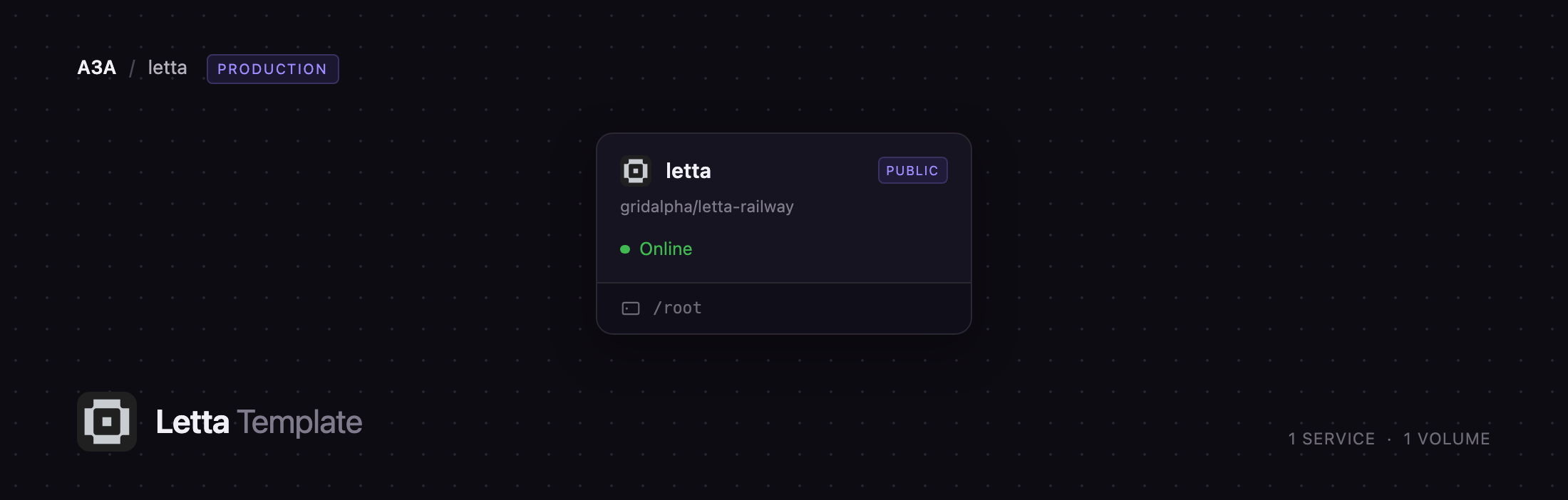
/root
Deploy and Host Letta on Railway
Letta is an open-source platform for stateful agents — agents that keep memory and identity instead of starting from an empty context every session. Built by the researchers behind MemGPT, it gives an agent a tiered memory hierarchy it manages itself: it decides what belongs in working context, writes lasting facts into memory blocks and revises them as it learns. Teams use it for support agents that remember a customer across months and copilots whose instructions improve with use.
Self-host Letta on Railway and you get the App Server with its local backend, so agent state, memory and tool execution stay on infrastructure you control, with no Letta Cloud account. One service exposes an OpenAI-compatible HTTP API and Letta's native WebSocket protocol behind a bearer token, and a volume holds every agent, conversation and memory file across redeploys.
Getting Started with Letta on Railway
Copy the generated LETTA_APP_SERVER_TOKEN from the service variables. It is the only credential, and every route except /healthz and /readyz needs it as an Authorization: Bearer header. There are no accounts and no dashboard, so start by opening https://your-app.up.railway.app/healthz, which returns ok. Then list the agents — the template creates one on first boot, so the API is never empty:
curl -H "Authorization: Bearer $LETTA_APP_SERVER_TOKEN" \
  https://your-app.up.railway.app/v1/models
Letta Agent comes back as a model. Before it can reply, set OPENAI_API_KEY or ANTHROPIC_API_KEY and redeploy — without one, a turn returns Provider is not configured, expected on a fresh deploy rather than a fault. With a key set, send a message:
curl -X POST https://your-app.up.railway.app/v1/chat/completions \
  -H "Authorization: Bearer $LETTA_APP_SERVER_TOKEN" \
  -H "Content-Type: application/json" \
  -d '{"model":"Letta Agent","messages":[{"role":"user","content":"Our staging database is named orion."}]}'
Ask the same agent about Orion later and it recalls it — the quickest proof the deployment works end to end. For fuller control, connect to wss://your-app.up.railway.app/ws with the same token: the native protocol adds creating agents, forking conversations, reading and writing memory files, and scheduling recurring work.
About Hosting Letta
Letta, formerly MemGPT, treats context the way an operating system treats RAM: an agent has a small working context and a much larger persistent store, and moves information between them itself rather than relying on retrieval bolted on at query time. That is what keeps an agent coherent over weeks of use.
Key capabilities:
- Memory blocks the agent rewrites itself, so its system prompt improves over time
- MemFS — agent context tracked in git, so every memory change has a commit and history
- Skills an agent learns and reuses, loadable globally, per project or per agent
- Subagents, plus dreaming (sleep-time compute) to consolidate memory between sessions
- Crons and schedules for proactive, always-on agents
- Messaging channels for Slack, Discord and other chat platforms, plus MCP tools
Self-host when agent memory holds customer records or internal documents that should not leave your infrastructure, and when tool execution belongs inside your own network.
The deployment is deliberately one service: the local backend stores agent state as a git-backed filesystem rather than a database, so there is no Postgres, queue or worker tier. The volume at /root is the whole persistence layer — agent definitions, conversations, memory repositories and the working directory.
Why Deploy Letta on Railway
Railway removes the setup work around a self-hosted agent server:
- One-click deploy from a public repository, with the image built for you
- A volume mounted before first boot, so no agent state is lost
- HTTPS and a public domain issued automatically, no reverse proxy
- A generated bearer token, so the API is never unauthenticated
- Logs, metrics and rollbacks in one dashboard
Common Use Cases
- Support agents that remember accounts — recall a customer's plan, tickets and preferences across months with no retrieval pipeline
- Internal copilots that improve on the job — the agent rewrites its own instructions as your team corrects it, so knowledge accumulates
- Always-on research assistants — schedule recurring work with crons and let the agent build notes it can search later
- A private, OpenAI-compatible endpoint — swap the base URL in an existing SDK integration for stateful agents instead of stateless completions
Dependencies for Letta
- Letta App Server —
ghcr.io/letta-ai/letta-code:latest, built from github.com/gridalpha/letta-railway, on port 4500 - Persistent volume at
/root— agent state in.letta, working directory inworkspace - A model provider key — OpenAI or Anthropic, supplied by you; nothing is bundled
No database, cache or object storage is needed. Upstream: github.com/letta-ai/letta-code.
Environment Variables Reference
| Variable | Required | Description |
|---|---|---|
LETTA_APP_SERVER_TOKEN | Yes | Bearer token for authenticated routes; generated at deploy |
OPENAI_API_KEY | No | Enables OpenAI models for agent turns |
ANTHROPIC_API_KEY | No | Enables Anthropic models for agent turns |
LETTA_AGENT_NAME | No | Names the agent created on first boot |
LETTA_AGENT_PERSONALITY | No | Preset for that agent: letta-code, tutorial, blank |
LETTA_AGENT_MODEL | No | Model handle, e.g. anthropic/claude-sonnet-5 |
Deployment Dependencies
- Node.js 22 runtime, provided by the image
- Container image: ghcr.io/letta-ai/letta-code
- Documentation: docs.letta.com
Hardware Requirements for Self-Hosting Letta
| Resource | Minimum | Recommended |
|---|---|---|
| CPU | 1 vCPU | 2 vCPU |
| RAM | 1 GB | 2 GB |
| Storage | 5 GB volume | 10 GB volume |
| Runtime | Node.js 22 | Node.js 22 |
Inference happens at your provider, so the server stays light. Raise storage if agents accumulate large memory repositories or write big files into the workspace.
Self-Hosting Letta
The App Server ships in the @letta-ai/letta-code npm package. To run it on a machine you control, install it and start the server with a token file:
npm install -g @letta-ai/letta-code
openssl rand -hex 32 > /root/.letta/app-server-token
letta server --backend local --listen ws://0.0.0.0:4500 --openai-api \
  --ws-auth capability-token --ws-token-file /root/.letta/app-server-token
--backend local keeps agent state on disk rather than in Letta Cloud, and --ws-auth is mandatory for any non-loopback listener — the server refuses to start without it. In Docker, mount a volume so state persists:
docker run -d -p 4500:4500 -v letta-state:/root \
  -e LETTA_SKIP_KEYCHAIN_CHECK=1 -e OPENAI_API_KEY=sk-... \
  ghcr.io/letta-ai/letta-code:latest \
  letta server --backend local --listen ws://0.0.0.0:4500 --openai-api \
    --ws-auth capability-token --ws-token-file /root/.letta/app-server-token
How Much Does Letta Cost to Self-Host?
Letta is open source under Apache-2.0, so the software is free with no seat or agent limit when you run it yourself. Letta Cloud is the hosted alternative, from $20/month for up to 20 stateful agents. Self-hosting on Railway costs only infrastructure — one small service and a volume — and you pay your model provider directly for tokens, usually the larger line item.
FAQ
What is Letta?
Letta is an open-source platform for stateful AI agents. Formerly MemGPT, it gives agents a self-managed memory hierarchy so they stay coherent over long horizons instead of resetting each session.
What does this Railway template deploy?
One Letta App Server on the local backend, a volume at /root for all agent state, a generated bearer token, and a public HTTPS domain serving the OpenAI-compatible API and the native WebSocket protocol.
Why does this template need a volume instead of a database?
The local backend stores agents, conversations and memory as files, each agent's memory in its own git repository. That store lives on the volume, so removing it loses every agent on the next redeploy.
Do I need a Letta Cloud account to self-host Letta?
No. The --backend local mode this template runs keeps agent state entirely on your deployment. An account is only needed for cloud-hosted agents or to attach a machine as a remote environment.
How do I connect an OpenAI SDK to self-hosted Letta?
Set the SDK's base URL to https://your-app.up.railway.app/v1 and its API key to your LETTA_APP_SERVER_TOKEN. Each agent is a model name, so pass the agent's name as model.
Can I call the Letta API from a browser?
No. The App Server rejects any request carrying an Origin header, so it is built for server-side and native clients. Call it from your backend.
Template Content


