
Deploy LibreSpeed
Browser-based network speed test you run on your own server
librespeed
Just deployed

Just deployed
/var/lib/postgresql/data
Deploy and Host LibreSpeed on Railway
LibreSpeed is an open-source HTML5 speed test measuring download, upload, ping and jitter straight from the browser — no Flash, no Java, no WebSockets, just XMLHttpRequest and Web Workers. Network engineers, ISPs, hosting providers and homelab owners reach for it when they want a speed test running on their server, so the number on screen reflects the path a customer actually takes to their infrastructure.
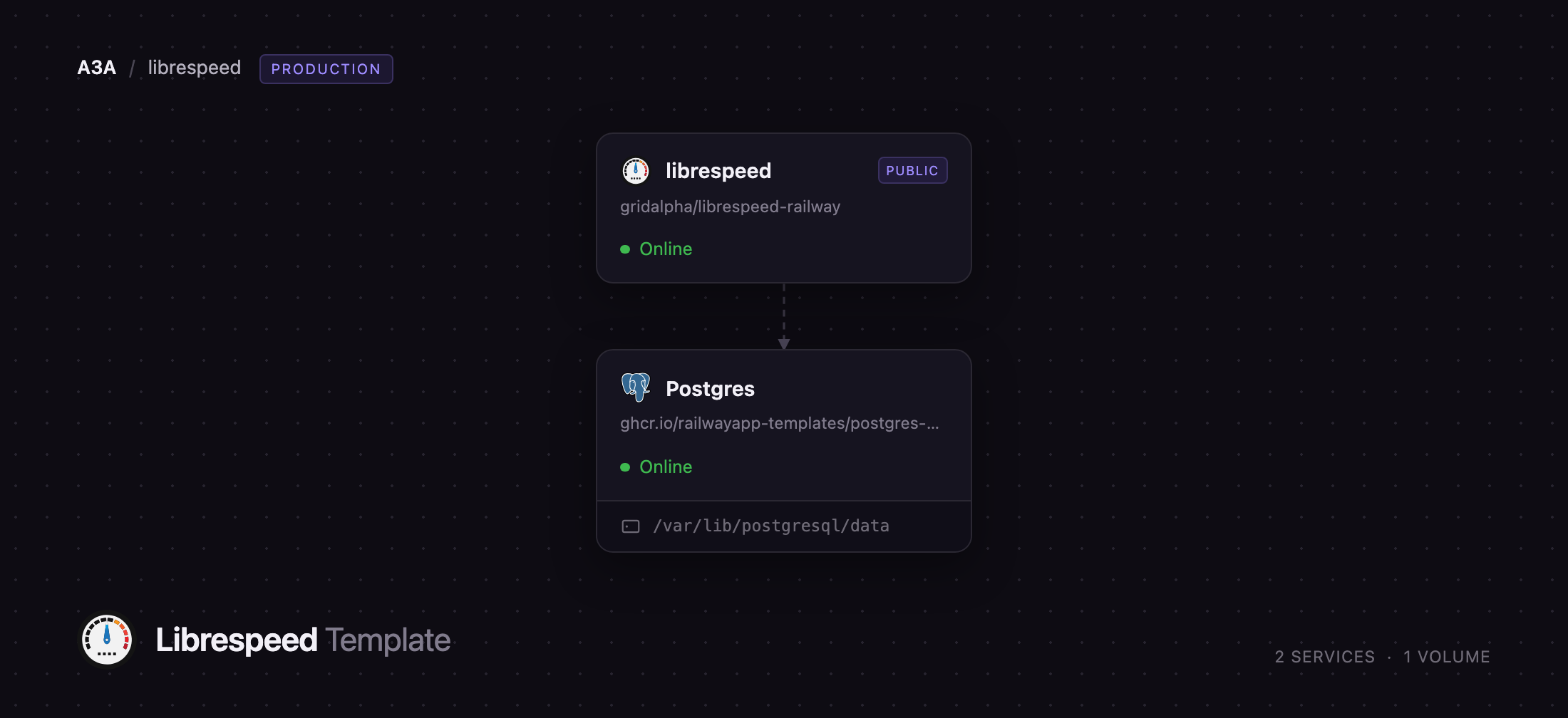
Deploy LibreSpeed on Railway and you get the whole test point, not just the front end. Two services come up together: librespeed, an Apache and PHP container serving the interface and the garbage.php, empty.php and getIP.php endpoints the test drives, and Postgres, a private database holding the telemetry table so each test can be stored, shared as an image and browsed later. The browser generates real load against librespeed through Railway's edge; only the result summary reaches Postgres, over the private network.
Getting Started with LibreSpeed on Railway
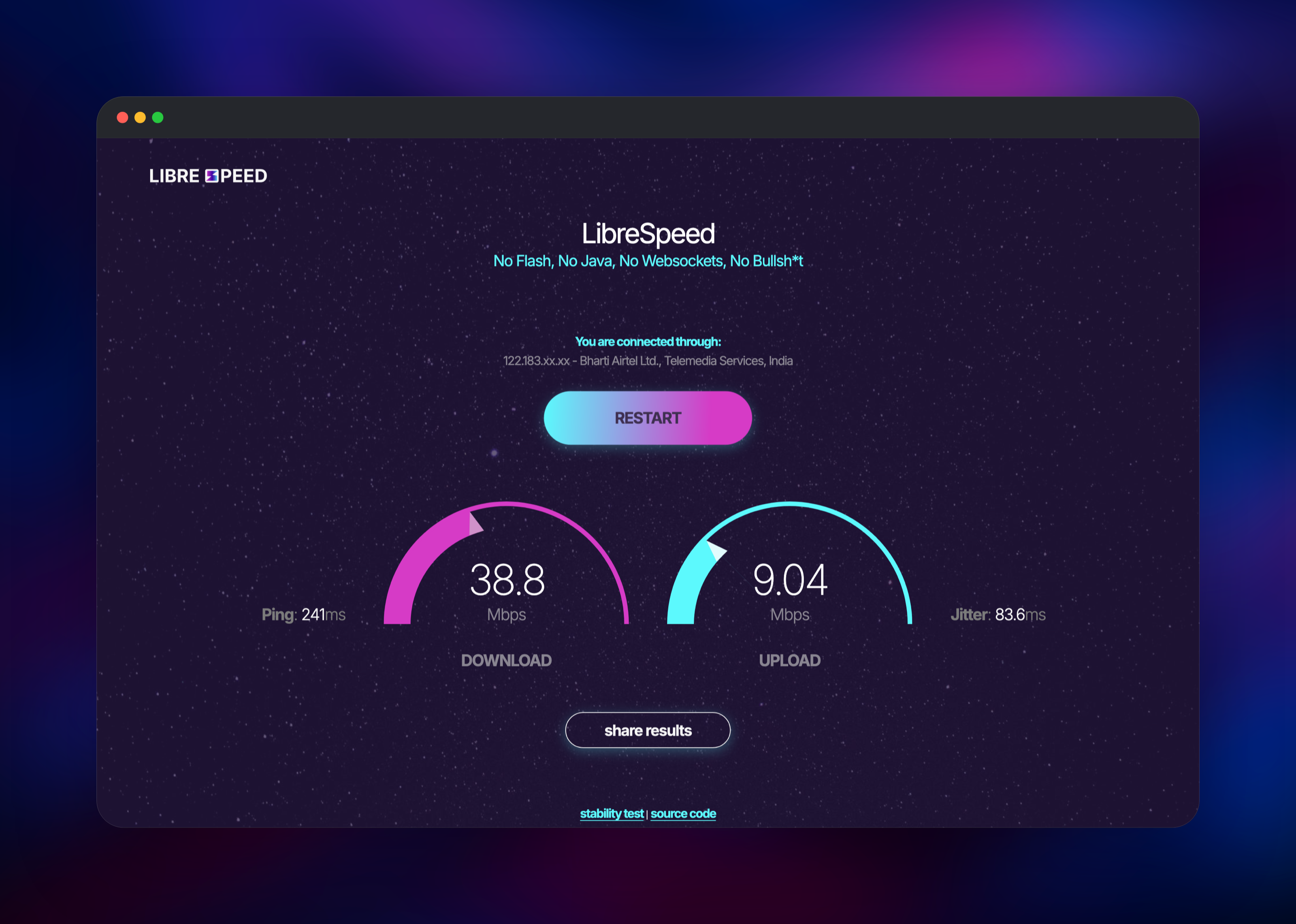
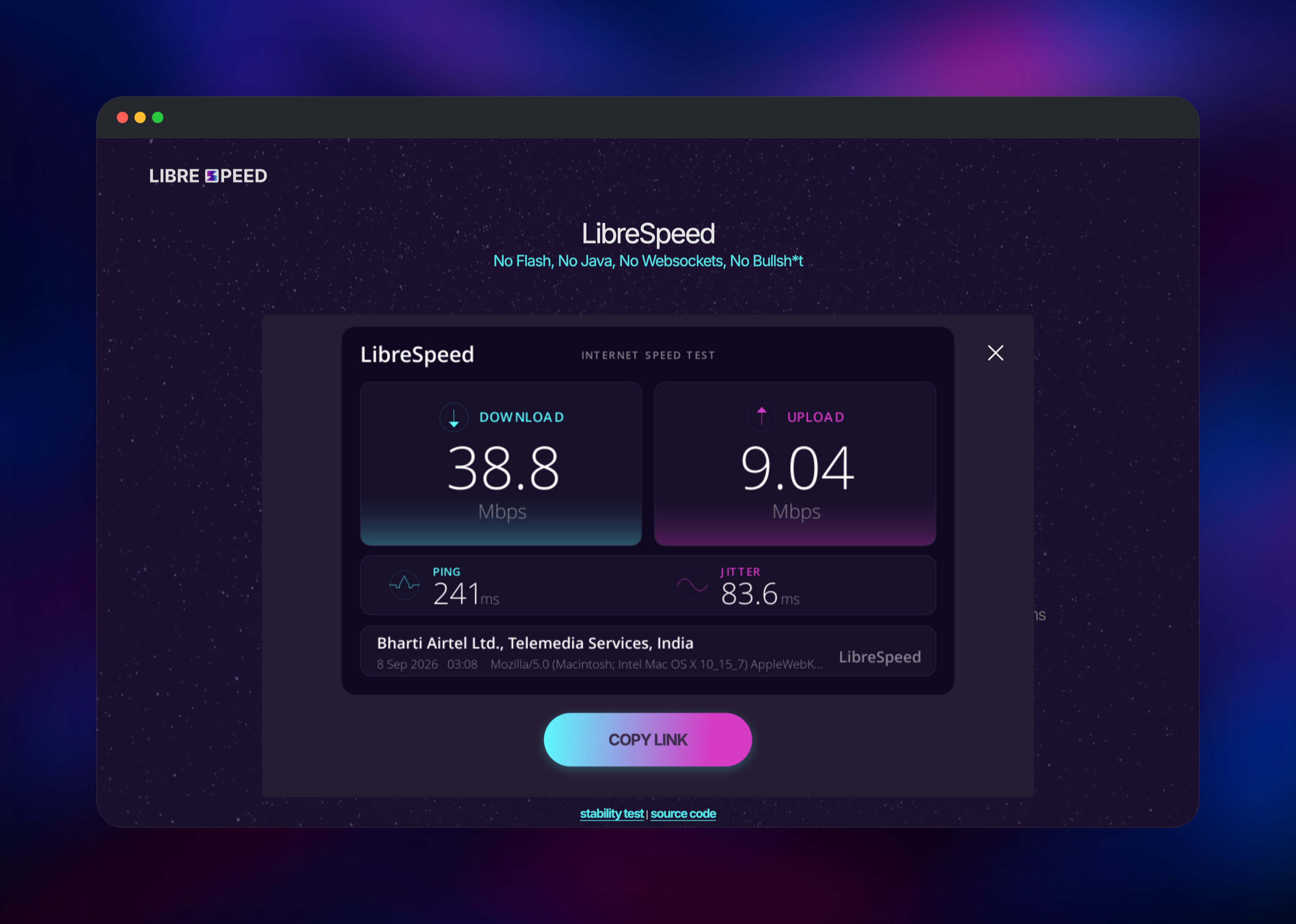
Open the generated Railway URL and the speed test is already there — no installer, no account, no wizard. Press Let's start and it runs four phases — ping, jitter, download, upload — in roughly 40 seconds. Above the button LibreSpeed shows the IP and ISP it detected for you, from an offline ASN database inside the image, so that line needs no API key. When the test finishes, share results renders a result card with a permanent link for a forum post or support ticket; the test IDs behind those links are obfuscated, so nobody can read other people's results by incrementing a number.
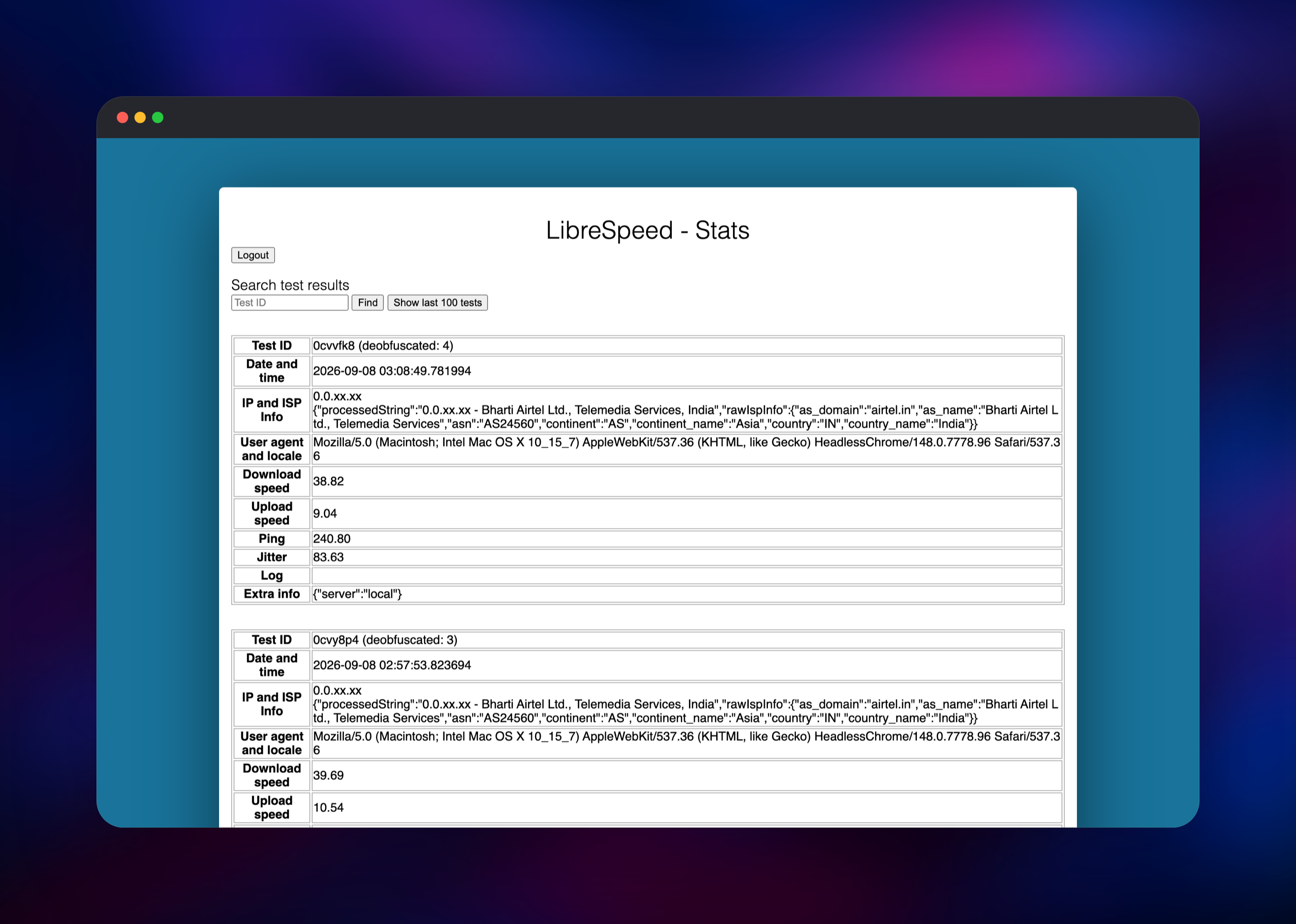
To see what the instance has recorded, visit /results/stats.php and log in with the PASSWORD variable from the librespeed service — the quickest way to confirm the database wiring end to end. There is also a stability test at /stability.html charting latency over a chosen period, tracking failed requests and exporting samples to CSV: what you want when the complaint is "the connection drops" rather than "it is slow".
About Hosting LibreSpeed
A speed test is only as honest as the server it runs against. Public tests measure the route to whichever nearby node the provider picked — the wrong measurement when you are debugging the link between a user and your application. Self-hosting LibreSpeed puts the test point where your service lives, and the data stays in a database you own.
Key features:
- Download, upload, ping and jitter in one browser test, no plugins
- IP, ISP and country detection from a bundled offline database
- Telemetry with a password-protected stats page and shareable cards
- Stability testing with latency charts, loss tracking and CSV export
- Multiple points of test: one front end can offer a list of servers
- Classic and modern interfaces, switchable with
?design=oldor?design=new - Companion Android app, CLI client, Go and Rust backends
The architecture is deliberately small. librespeed is the whole application: Apache with mod_php serving static assets plus four short PHP endpoints — one streams random data for the download measurement, another accepts and discards the upload. Postgres holds only telemetry, one row per test, so the app needs no volume and redeploys without losing history.
Why Deploy LibreSpeed on Railway
Running a test point usually means a server, PHP and a database to configure. Railway removes that work:
- The test point and its database deploy together, already wired
- Private networking keeps Postgres off the public internet
- HTTPS and a public domain are issued automatically
- Usage-based billing, which matters because speed tests move real data
- Redeploys are a git push
Common Use Cases for Self-Hosted LibreSpeed
- ISPs and hosting providers offering a branded speed test against their own network
- Support and NOC teams collecting shareable result links instead of screenshots
- Homelabs and internal networks, measuring the actual link rather than an internet route
- Datacentre and edge validation, confirming throughput beside a deployment
Dependencies for LibreSpeed
ghcr.io/librespeed/speedtest:latest— upstream's Apache and PHP image, rebuilt weekly so PHP patches and the offline ISP database stay currentghcr.io/railwayapp-templates/postgres-ssl:18— Railway's managed PostgreSQL, holding the telemetry table- Source repository: gridalpha/librespeed-railway, a thin layer creating the telemetry schema at boot and hardening the Apache configuration
Environment Variables Reference
| Variable | Default | Purpose |
|---|---|---|
PASSWORD | generated | Password for /results/stats.php |
TELEMETRY | true | Store completed tests in Postgres |
DB_TYPE | postgresql | Telemetry backend; sqlite and mysql also work |
ENABLE_ID_OBFUSCATION | true | Hide sequential test IDs in links |
OBFUSCATION_SALT | generated | Keeps shared links valid across redeploys |
REDACT_IP_ADDRESSES | true | Store 0.0.0.0 instead of the visitor address |
GDPR_EMAIL | placeholder | Contact address in the privacy policy |
USE_NEW_DESIGN | true | Modern interface; set false for the classic one |
Deployment Dependencies
- Runtime: PHP 8 on Apache 2.4 (mod_php) and PostgreSQL 18
- GitHub: librespeed/speedtest (LGPL-3.0-or-later)
- Image and docs: ghcr.io/librespeed/speedtest, Docker guide
Hardware Requirements for Self-Hosting LibreSpeed
LibreSpeed is not CPU-hungry; the limit is network throughput and concurrency, since each test holds a worker for the length of its transfer.
| Resource | Minimum | Recommended |
|---|---|---|
| CPU | 0.5 vCPU | 2 vCPU |
| RAM | 512 MB | 2 GB |
| Storage | none for the app | 1 GB for telemetry |
| Runtime | PHP 8, Apache 2.4, PostgreSQL 18 | same |
Bandwidth is the real cost driver: every test moves data both ways, so watch egress before publicising the URL.
Self-Hosting LibreSpeed
The published image defaults to standalone mode, so trying it locally is one command:
docker run -p 80:8080 -d --name speedtest ghcr.io/librespeed/speedtest
For a persistent instance with telemetry, point it at a database and set a stats password. This Docker Compose file is equivalent to what the template deploys:
services:
  speedtest:
    image: ghcr.io/librespeed/speedtest:latest
    environment:
      MODE: standalone
      TELEMETRY: "true"
      DB_TYPE: postgresql
      DB_HOSTNAME: db
      DB_NAME: speedtest
      DB_USERNAME: speedtest
      DB_PASSWORD: changeme
      PASSWORD: your-stats-password
    ports:
      - "80:8080"
  db:
    image: postgres:18
    environment:
      POSTGRES_DB: speedtest
      POSTGRES_USER: speedtest
      POSTGRES_PASSWORD: changeme
With MySQL or PostgreSQL you must also load results/telemetry_.sql once; LibreSpeed creates that table by itself only on SQLite. On Railway that step runs at boot, so the stats page works the moment the deploy finishes.
How Much Does LibreSpeed Cost to Self-Host?
LibreSpeed is free and open source under the LGPL-3.0 licence — no paid tier, no seat limits, nothing reported back to its authors. On Railway you pay for infrastructure only: two containers, a small database volume, and egress, the number to watch for a speed test.
LibreSpeed on Railway FAQ
What is LibreSpeed?
An open-source HTML5 network speed test you host yourself, measuring download, upload, ping and jitter in the browser — no plugins, no third-party service.
What does this Railway template deploy?
Two services: librespeed, the Apache and PHP application serving the interface and test endpoints on a public URL, and Postgres, a private managed database storing completed results.
Why does the template include a database?
Without one, a result disappears when the page closes. Postgres is what makes shareable result cards, permanent links and the stats page work; set TELEMETRY to false to store nothing.
How do I see past speed test results on my self-hosted LibreSpeed?
Go to /results/stats.php and log in with the PASSWORD variable on the librespeed service. Search by test ID, or list recent tests with speeds, ISP information and user agent.
Does self-hosted LibreSpeed show the visitor's real IP and ISP?
Yes — the image bundles an offline ASN database, so ISP and country resolve with no API key and no outbound request. Only distance-from-server needs an ipinfo.io key.
Can I add more test servers to a self-hosted LibreSpeed instance?
Yes. Run further instances elsewhere in backend mode and point the front end at a server list with SERVER_LIST_URL; visitors then pick a point to measure against.
Is the speed test page itself password protected?
No — it is public by design; only the stats page requires the password. To keep the whole instance private, put it behind your own authentication layer.
Template Content
librespeed
gridalpha/librespeed-railway
