
Deploy Linkding
Bookmark manager that tags, searches and archives web pages

Just deployed
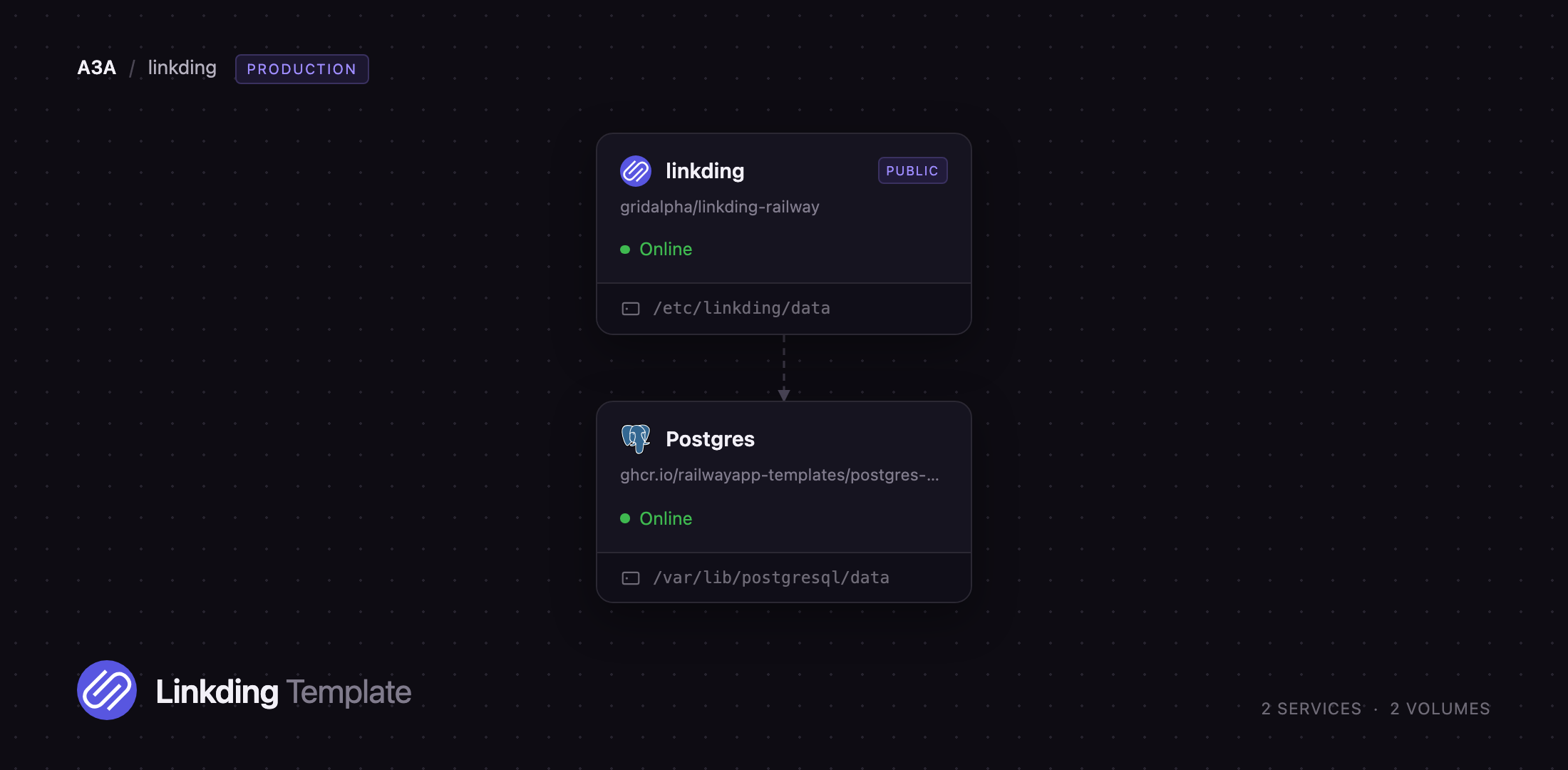
/var/lib/postgresql/data
linkding
Just deployed
/etc/linkding/data
Deploy and Host Linkding on Railway
Linkding is a self-hosted bookmark manager for people who collect a lot of links and want them to stay searchable and permanent. It organises bookmarks by tag rather than folder, fetches each site's title, description, icon and preview image, and can archive the page as a single HTML file so the content survives when the URL rots. Developers, researchers and archivists run it as a private replacement for Raindrop.io, Pinboard or Pocket, with browser extensions, RSS feeds and a REST API on top.
Self-host Linkding on Railway with two services and no manual setup. The linkding service runs the Django app behind uWSGI alongside its background task processor, with a volume at /etc/linkding/data for the secret key, favicons, preview images and snapshots. The Postgres service is Railway's managed PostgreSQL 18 and holds bookmarks, tags, users and sessions. Browsers reach linkding over its public Railway domain; the database stays private. Deploy Linkding by picking a username and password, and the first administrator is created on first boot.
Getting Started with Linkding on Railway
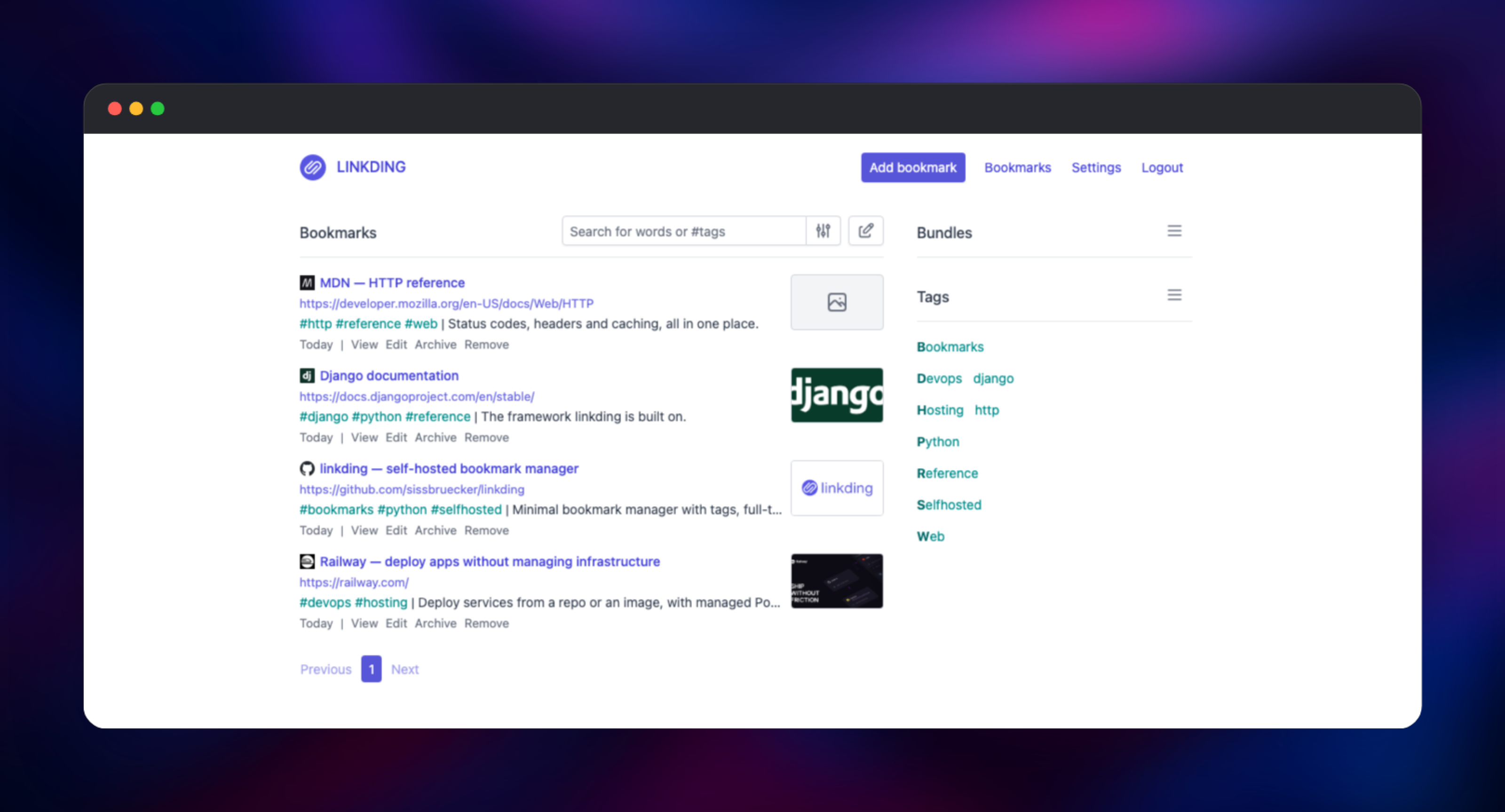
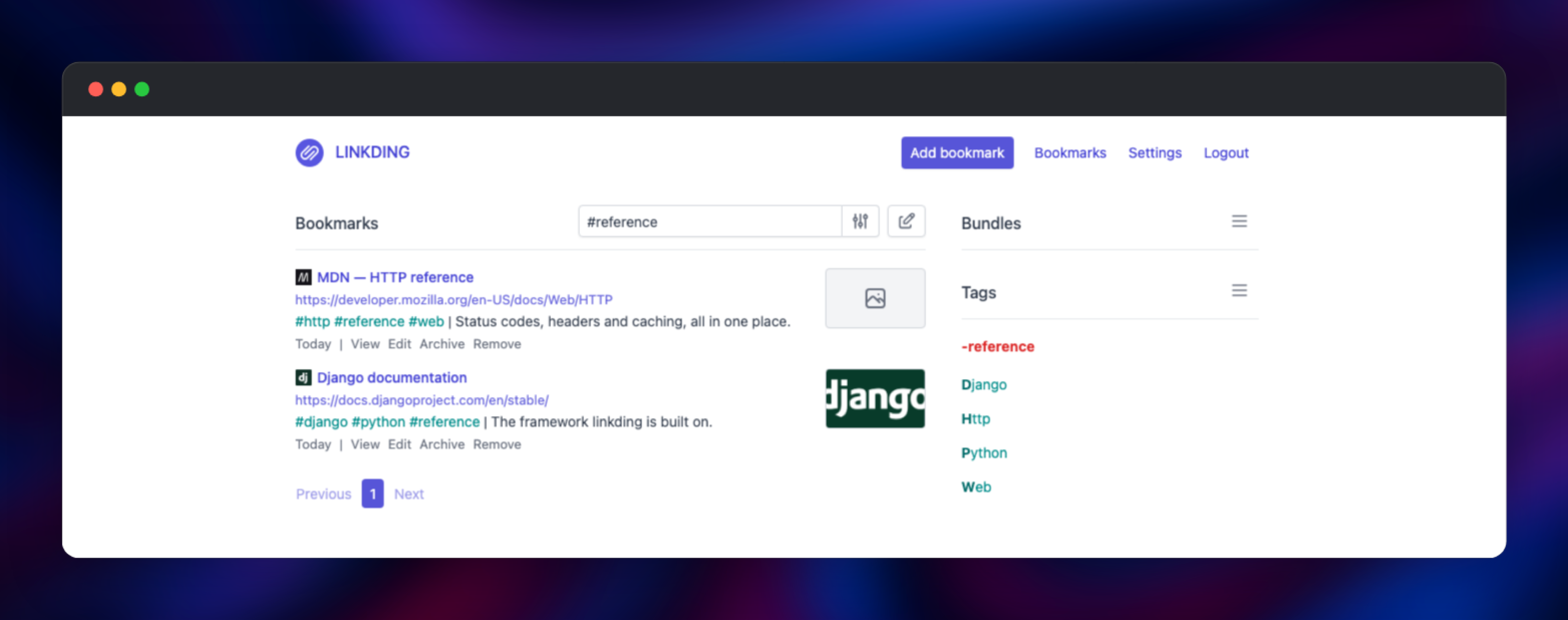
Open the public URL and you land on a login page. Sign in with the username and password you supplied at deploy time — that account is a full superuser, and there is no public sign-up route, so nobody else can register. The first screen is an empty bookmark list: click Add bookmark, paste a URL, and linkding fetches the title and description. Add space-separated tags, which are created on the fly and appear in the side panel for filtering.
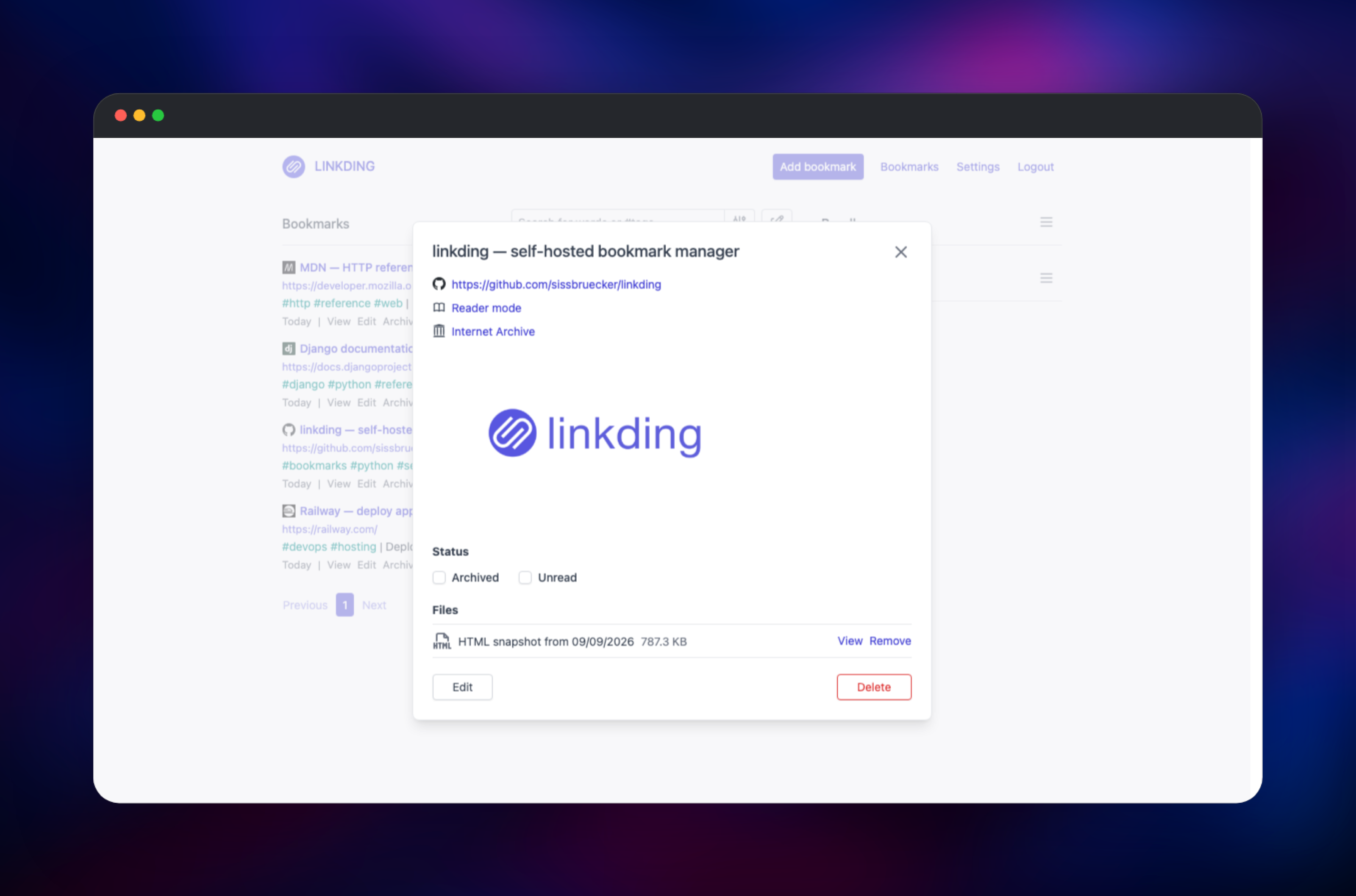
Then, under Settings → General, enable Show favicons and Show preview images — both ship off, and turning them on makes the task processor fetch an icon and a hero image per bookmark. Automatic HTML snapshots are already on, so within a minute each bookmark gains a snapshot file you can open from its detail view or read in reader mode. That one check proves the whole stack: the web tier serves, Postgres stores the record, the processor drives Chromium, and the volume keeps the file. Add more people at /admin, and generate an API token under Settings → Integrations.
About Hosting Linkding
Linkding is a small Django application with a narrow scope: keep bookmarks, make them findable, and keep a copy of what they pointed at. Self-host it when a link collection is shared knowledge — engineering references, research sources, competitor tracking — and a commercial service holding that list is a privacy problem or a bill.
Key features:
- Tag-based organisation with full-text search across titles, descriptions, notes and URLs
- Automatic metadata: titles, descriptions, favicons and preview images
- Archiving as local HTML snapshots and on the Internet Archive, with a reader mode
- Bulk editing, unread and archived states, and bundles for saved filters
- Multi-user support with per-user bookmarks and public sharing
- REST API, RSS feeds, Firefox and Chrome extensions, and Netscape HTML import/export
The linkding service supervises two processes in one container — uWSGI serving HTTP and a huey worker running background jobs — because the job store is a file inside the data volume. Postgres replaces the default SQLite database, keeping records separate from files and giving you Railway's Data panel and backups.
Why Deploy Linkding on Railway
Railway handles the parts that have nothing to do with bookmarks.
- Managed PostgreSQL 18, wired to the app with reference variables
- A persistent volume for snapshots, icons and the secret key
- HTTPS on a generated domain, with HSTS and secure cookies
- A health check on
/healththat tests the database, not just the process - Redeploys pull the current release without touching your data
Common Use Cases
- A private read-later library that keeps working when sites disappear
- A shared team link collection, with tags per project and RSS feeds into chat
- Research where the archived copy of a page matters more than the URL
- A scriptable bookmark store fed from CI, notes apps or shell scripts over the REST API
Dependencies for Linkding
sissbruecker/linkding:latest-plus— the application image, extended by the source repository gridalpha/linkding-railwayghcr.io/railwayapp-templates/postgres-ssl:18— Railway's managed PostgreSQL- A 5 GB volume mounted at
/etc/linkding/data
The -plus variant is what makes server-side archiving possible: it bundles Chromium, single-file-cli and uBlock Origin Lite, so snapshots are rendered by a real browser with ads stripped. The source repository adds one settings file telling Django it sits behind a TLS-terminating proxy, which keeps login working and cookies Secure.
Environment Variables Reference
| Variable | Purpose |
|---|---|
LD_SUPERUSER_NAME | Username of the first administrator, created on first boot |
LD_SUPERUSER_PASSWORD | Password for that account |
LD_DB_ENGINE | postgres instead of the default SQLite |
LD_DB_HOST / LD_DB_PORT / LD_DB_USER / LD_DB_PASSWORD / LD_DB_DATABASE | Connection details, referenced from the Postgres service |
LD_CSRF_TRUSTED_ORIGINS | Public origin Django accepts POST requests from |
LD_SUPERVISOR_MANAGED | Keeps background task logs in the container output |
LD_SINGLEFILE_OPTIONS | Extra Chromium arguments for snapshots |
LD_HSTS_SECONDS | HSTS max-age; 0 drops the header |
Deployment Dependencies
- Runtime: Python 3.13, Django, uWSGI, huey, Node 22 and Chromium
- Source: github.com/sissbruecker/linkding (MIT)
- Image: hub.docker.com/r/sissbruecker/linkding
- Docs: linkding.link/options for every option
Hardware Requirements for Self-Hosting Linkding
| Resource | Minimum | Recommended |
|---|---|---|
| CPU | 1 vCPU | 2 vCPU |
| RAM | 1 GB | 2 GB |
| Storage | 2 GB volume | 5 GB or more |
| Runtime | Docker container | Docker plus PostgreSQL |
The app itself is light; the memory floor comes from Chromium, which needs roughly 1 GB while a snapshot is created. Storage grows with archiving — a content-heavy page snapshots to between a few hundred kilobytes and a few megabytes.
Self-Hosting Linkding
The smallest install is one container on SQLite. These shell commands start it and create the first user:
docker run -d --name linkding \
  -p 9090:9090 \
  -v ./linkding-data:/etc/linkding/data \
  sissbruecker/linkding:latest-plus

docker exec -it linkding python manage.py createsuperuser --username=you --email=you@example.com
Closer to this template, point it at PostgreSQL and let the container create the administrator. Pass these environment variables:
LD_DB_ENGINE=postgres
LD_DB_HOST=postgres
LD_DB_PORT=5432
LD_DB_USER=linkding
LD_DB_PASSWORD=change-me
LD_DB_DATABASE=linkding
LD_SUPERUSER_NAME=you
LD_SUPERUSER_PASSWORD=change-me-too
LD_CSRF_TRUSTED_ORIGINS=https://bookmarks.example.com
LD_SUPERVISOR_MANAGED=True
Behind your own reverse proxy, forward the original Host header and set X-Forwarded-Proto, or logins fail CSRF validation with a 403.
How Much Does Linkding Cost to Self-Host?
Linkding is open source under the MIT licence: no paid tier, no seat limits, no feature gating. On Railway you pay only for the infrastructure the two services use — for a personal collection, a small container plus a database and volume. Hosted alternatives charge per user per month, so a shared instance often costs less than one subscription.
FAQ
What is Linkding?
Linkding is an open-source, self-hosted bookmark manager. It saves links with tags, notes and metadata, searches them full-text, and can keep an archived HTML copy of each page.
What does this Railway template deploy?
Two services: the linkding application with a persistent volume for snapshots and icons, and a managed PostgreSQL 18 database. Only the application gets a public URL.
Why does the template include PostgreSQL instead of SQLite?
SQLite would sit on the same volume as the snapshots, which makes backups awkward. Railway's managed Postgres separates records from files, gives you the Data panel and backups, and is a configuration linkding supports officially.
How do I enable HTML snapshot archiving in self-hosted Linkding?
It is already on: the latest-plus image bundles Chromium and single-file-cli, and new bookmarks are archived within about a minute. Catch up older ones with Create missing HTML snapshots in settings.
Can I add more users to my Linkding instance?
Yes. Sign in as the administrator and create accounts in the Django admin at /admin. Each user has their own bookmarks, and single bookmarks can be shared with other users or published publicly.
Does Linkding have an API and a browser extension?
Both. Create a token under Settings → Integrations and use it with the official Firefox and Chrome extensions, third-party mobile apps, or your own scripts.
Template Content


