
Deploy Linkwarden
Self-hosted collaborative bookmark manager with full page preservation

meilisearch
Just deployed
/meili_data
linkwarden
Just deployed

Just deployed
/var/lib/postgresql/data

mailpit
Just deployed
/data
linkwarden-worker
Just deployed
linkwarden-storage
Bucket
Just deployed
Deploy and Host Linkwarden on Railway
Linkwarden is an open-source bookmark manager that refuses to let your links rot. Where most read-it-later tools store a URL and a title, Linkwarden captures the page itself as you save it — a screenshot, a PDF, a reader-mode extraction and a single-file HTML archive — so the bookmark still opens after the original goes dark.
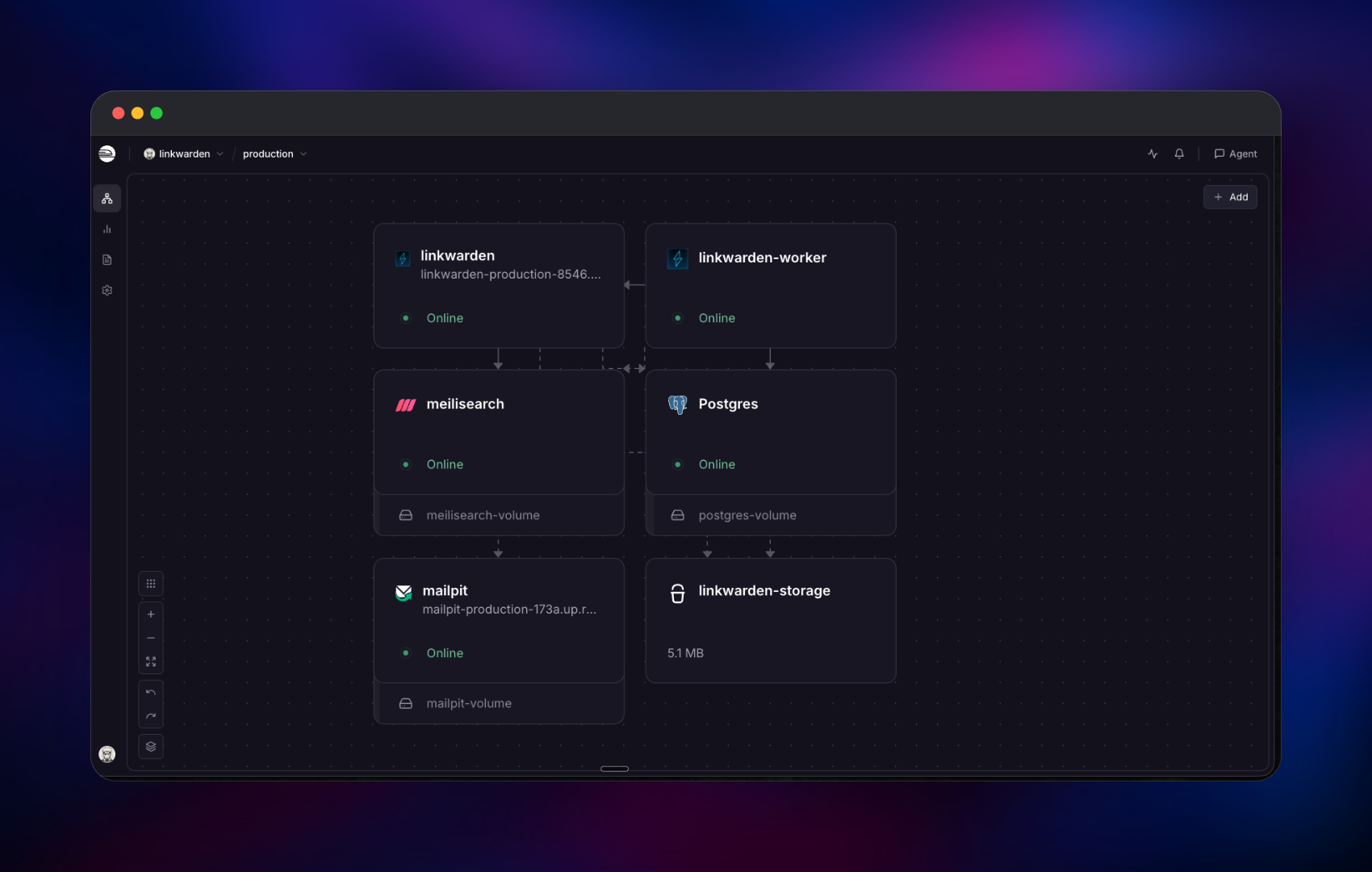
Self-host Linkwarden on Railway and you get the production shape rather than the demo one. This template runs the Next.js web app and the archival worker as separate services, so a slow capture never blocks someone browsing their library. Managed PostgreSQL holds links, collections and users; Meilisearch indexes the text of preserved pages, so search finds a phrase buried in an article you saved months ago; archives go to a Railway object storage bucket shared by both app services; and Mailpit supplies SMTP for verification and password-reset mail.
Getting Started with Linkwarden on Railway
Deploy the template, then open the linkwarden service's public URL. There is no sign-up screen — registration ships disabled so a public instance cannot be claimed by whoever finds it first. An administrator is created on first boot instead: log in with ADMIN_USERNAME (default admin) and ADMIN_PASSWORD, both readable in the linkwarden service's Variables tab. Change that password under Settings → Account straight away.
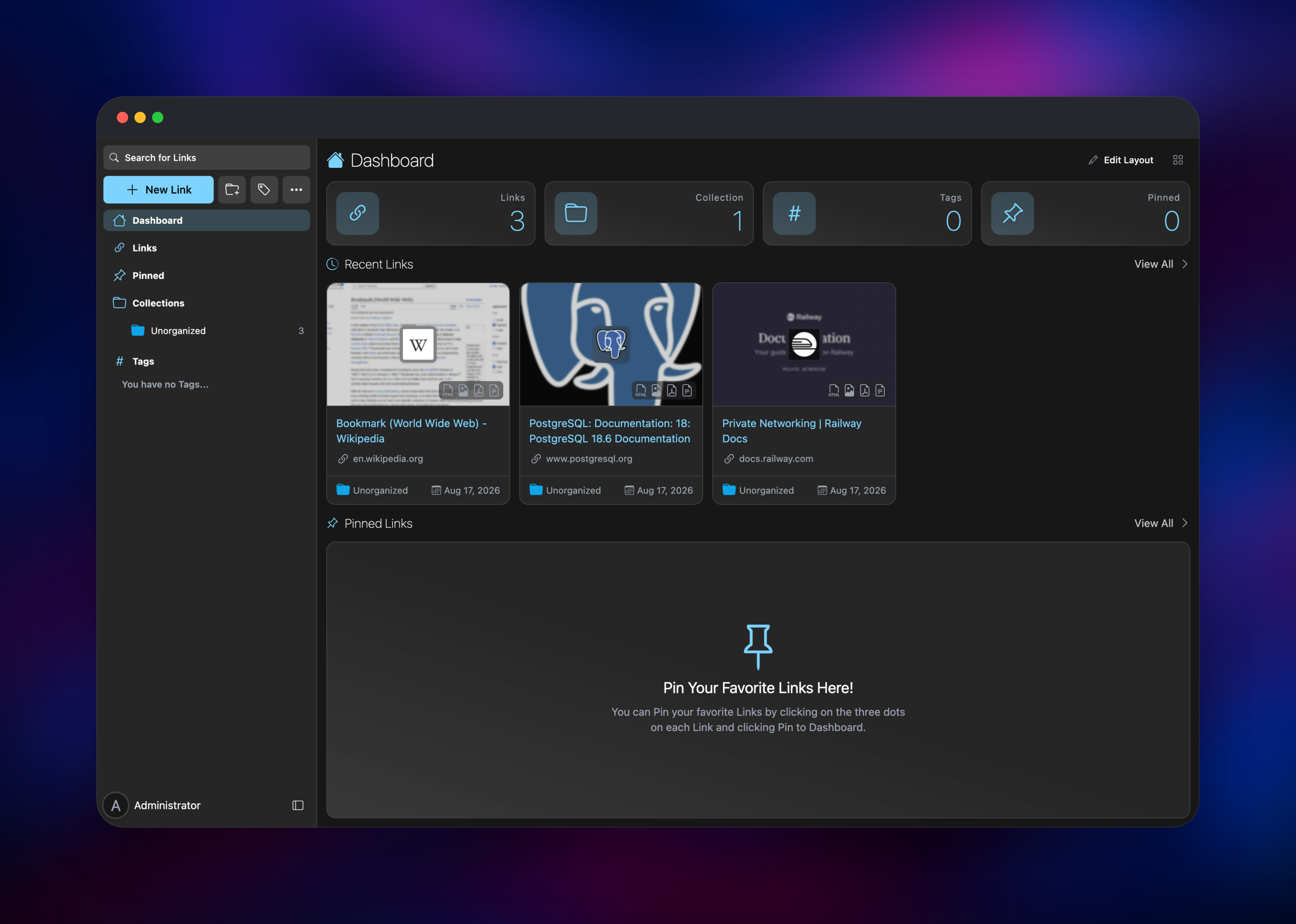
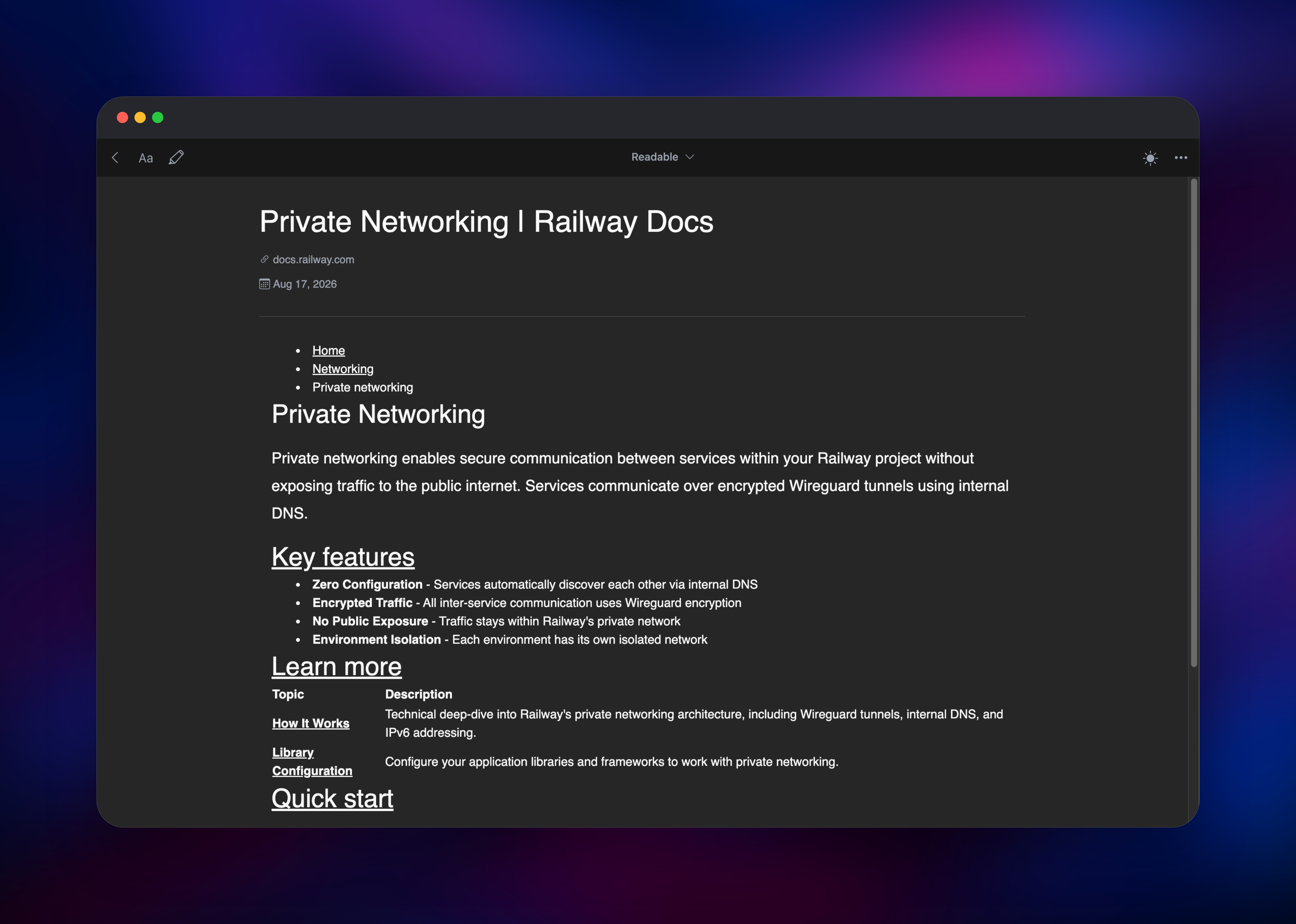
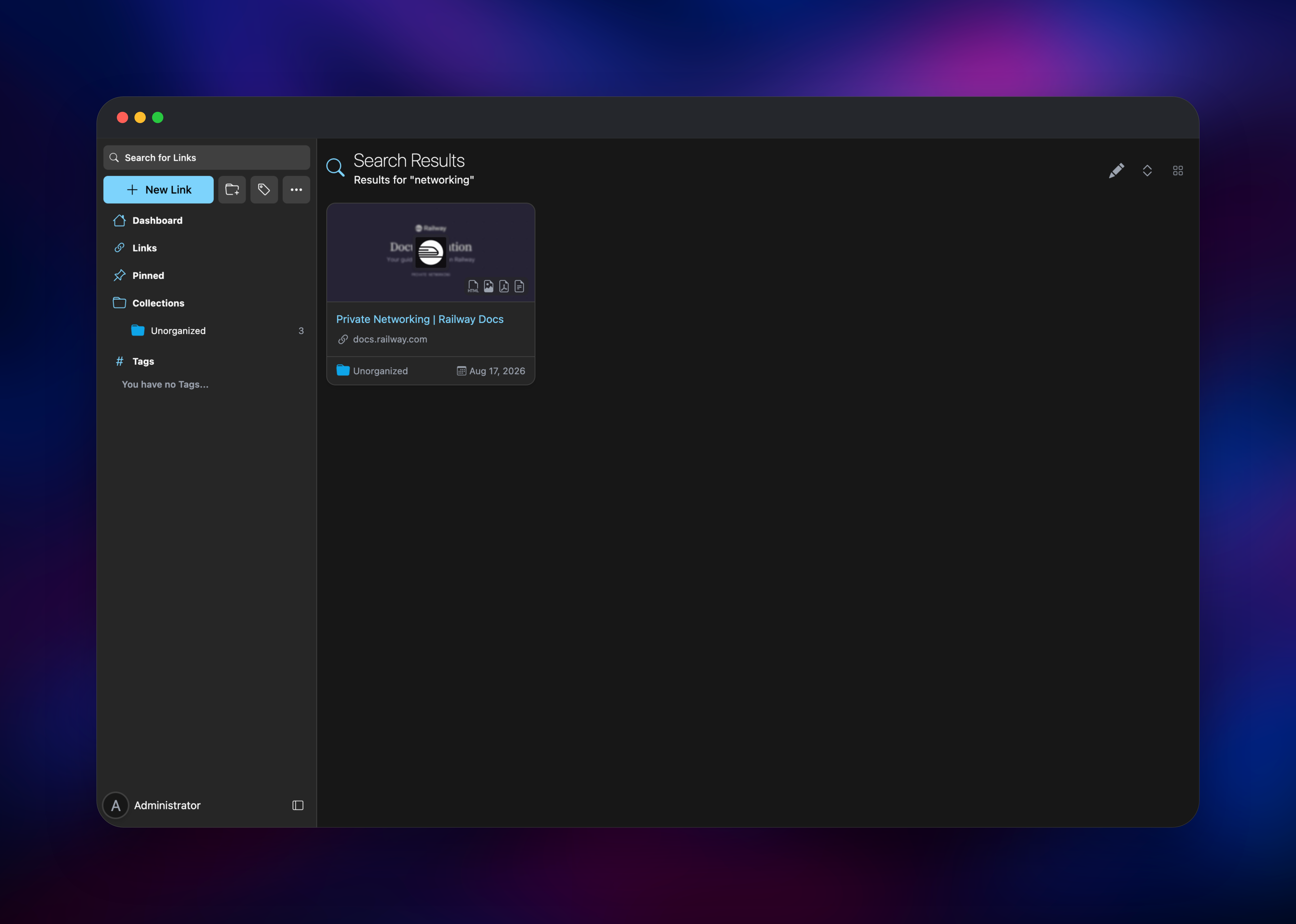
Once inside, click New Link, paste any URL and press Create. The link appears immediately with its title and favicon, and within seconds the worker adds four icons to the card — HTML archive, screenshot, PDF and reader view. Opening the reader view is the fastest health check for the whole stack: it proves the worker captured the page, wrote it to object storage, and the web service read it back. Then search for a word from inside that article; a hit confirms Meilisearch is indexing. Add colleagues from the admin user menu rather than a sign-up link.
About Hosting Linkwarden
Linkwarden is a Next.js application backed by PostgreSQL, paired with a worker that drives headless Chromium and the Rust monolith tool. Self-hosting matters more here than for most apps: the product's whole value is a private, permanent copy of what you read.
Key features:
- Four preservation formats per link — screenshot, PDF, reader view and self-contained HTML
- Full-text search across the content of archived pages, not just titles and URLs
- Collections with per-member permissions, tags, highlights and public sharing
- RSS subscriptions, Chrome and Firefox extensions, a REST API and mobile apps
- Optional AI tagging via OpenAI, Anthropic, Azure, OpenRouter, Perplexity or local Ollama
The web service serves the UI and API and streams archived files to the browser. The worker captures the four formats and pushes text into Meilisearch. Splitting them keeps the interface responsive during a capture and lets you scale the archiver independently.
Why Deploy Linkwarden on Railway
Railway removes the infrastructure work this stack would otherwise need:
- Managed PostgreSQL with backups, no tuning required
- Object storage for archives without running MinIO yourself
- Private networking between app, worker, search and mail
- HTTPS and a public domain issued automatically
- Independent scaling and logs per service
Common Use Cases
- Research and OSINT archives — capture sources with a screenshot and PDF that survive takedowns or silent edits
- Team knowledge bases — shared collections of vetted docs that stay readable after a vendor reorganises their site
- Personal read-later replacement — a self-hosted Pocket or Raindrop.io, immune to a shutdown notice
- Citation trails — timestamped copies of pages cited in reports or audits
Dependencies for Linkwarden
- Linkwarden web —
ghcr.io/linkwarden/linkwarden(GitHub), UI and API - Linkwarden worker — the same image running the archiver; bundles Chromium and
monolith - PostgreSQL 18 — Railway managed; links, collections, users and sessions
- Meilisearch —
getmeili/meilisearch:v1.12.8; search index over preserved page text - Mailpit —
axllent/mailpit; SMTP for verification and password-reset mail - Object storage bucket — every screenshot, PDF, reader extraction and archive
Environment Variables Reference
| Variable | Purpose |
|---|---|
NEXTAUTH_URL | Auth base URL — must end in /api/v1/auth |
NEXTAUTH_SECRET | Signs sessions and preserved-file links |
ROLE | web or worker — selects what the container runs |
ADMIN_USERNAME / ADMIN_PASSWORD | Administrator created on first boot |
NEXT_PUBLIC_DISABLE_REGISTRATION | Set false to reopen public sign-up |
SPACES_* | Object storage endpoint, bucket and credentials |
MEILI_HOST / MEILI_MASTER_KEY | Search service address and API key |
MEILI_MAX_INDEXING_MEMORY | Caps Meilisearch memory — see Troubleshooting |
Deployment Dependencies
Hardware Requirements for Self-Hosting Linkwarden
Archiving is the expensive part: each capture launches Chromium and can briefly use a gigabyte of RAM.
| Resource | Minimum | Recommended |
|---|---|---|
| CPU | 2 vCPU | 4 vCPU |
| RAM | 2 GB total | 4 GB+ (web 1 GB, worker 1.5 GB, Meilisearch 1 GB) |
| Storage | 1 GB + archives | ~1–5 MB per link |
| Runtime | Node.js 22, PostgreSQL 16+ | PostgreSQL 18 |
Storage is the number that grows: 10,000 links with all four formats comfortably passes 30 GB. Disable PDF or screenshot capture per user in Settings to slow that down.
Self-Hosting Linkwarden
Linkwarden publishes an official image, so a local stack is a short docker-compose.yml:
services:
  postgres:
    image: postgres:18-alpine
    environment:
      POSTGRES_PASSWORD: change-me
    volumes: [./pgdata:/var/lib/postgresql/data]
  linkwarden:
    image: ghcr.io/linkwarden/linkwarden:latest
    ports: ["3000:3000"]
    environment:
      DATABASE_URL: postgresql://postgres:change-me@postgres:5432/postgres
      NEXTAUTH_SECRET: replace-with-a-long-random-string
      NEXTAUTH_URL: http://localhost:3000/api/v1/auth
    volumes: [./data:/data/data]
To build from source instead:
git clone https://github.com/linkwarden/linkwarden.git
cd linkwarden && cp .env.sample .env
yarn install && yarn prisma:deploy && yarn web:build
yarn concurrently:start
The Railway template differs in one way: web and worker run as separate services, and archives live in object storage rather than a local folder, because both need the same files.
Is Linkwarden Free to Self-Host?
Linkwarden is open source under AGPL-3.0 and free to run yourself, with no seat limits, feature gating or archive quota. The project also sells a hosted Cloud plan from around $4/month, which funds development. On Railway you pay only for compute, the database and stored archives, so a small personal instance costs a few dollars a month.
FAQ
What is Linkwarden? An open-source, self-hostable bookmark manager that preserves a full copy of every page you save — screenshot, PDF, reader view and single-file HTML — so links stay readable after the original disappears.
What does this Railway template deploy? The Linkwarden web app, a separate archival worker, managed PostgreSQL, Meilisearch, Mailpit, and an object storage bucket. Only the web app and Mailpit inbox are public.
Why does the template include Meilisearch and object storage? Meilisearch indexes text extracted from archived pages, so you can search a phrase inside an article rather than only its title. Object storage exists because web and worker both need the archive files, and a disk volume attaches to one service only.
How do I create the first user if registration is disabled?
It is created on first boot from ADMIN_USERNAME and ADMIN_PASSWORD. Read the password from the linkwarden Variables tab and change it after logging in. Set NEXT_PUBLIC_DISABLE_REGISTRATION to false to reopen sign-up.
How do I enable AI tagging in self-hosted Linkwarden?
Set one provider's key on both web and worker — OPENAI_API_KEY, ANTHROPIC_API_KEY, OPENROUTER_API_KEY, PERPLEXITY_API_KEY or NEXT_PUBLIC_OLLAMA_ENDPOINT_URL — plus its model variable. Tagging is off by default so it never spends credits unexpectedly.
Troubleshooting
Search returns nothing and the worker keeps restarting → Meilisearch sizes indexing memory from the host's total RAM rather than the container limit, so it can be terminated mid-task and take the worker's connection with it. MEILI_MAX_INDEXING_MEMORY is capped for that reason; raise it only alongside more memory.
A link shows no preserved formats → the worker archives in batches; give it a few seconds, then check its logs for a page-load timeout and raise BROWSER_TIMEOUT.
Template Content
meilisearch
getmeili/meilisearch:v1.12.8linkwarden
gridalpha/linkwarden-railwaymailpit
axllent/mailpit:latestlinkwarden-worker
gridalpha/linkwarden-railwaylinkwarden-storage
Bucket


