
Deploy Livebook
Interactive notebooks for Elixir code, data and charts

iframe
Just deployed
livebook
Just deployed
/data
livebook-storage
Bucket
Just deployed
Deploy and Host Livebook on Railway
Livebook is an interactive notebook for Elixir, built by Dashbit. It mixes prose, runnable code and rich output — charts, maps, tables, forms — into a single .livemd file that is plain Markdown, so notebooks read well on GitHub and diff cleanly in review. Teams reach for it to replace one-off scripts and stale runbooks: data exploration with Explorer, machine-learning inference with Bumblebee and Nx, live debugging against a production node, and small internal tools deployed straight from a notebook as an app. Dependencies are declared per notebook with Mix.install/1, so anyone who opens the file gets the versions you had.
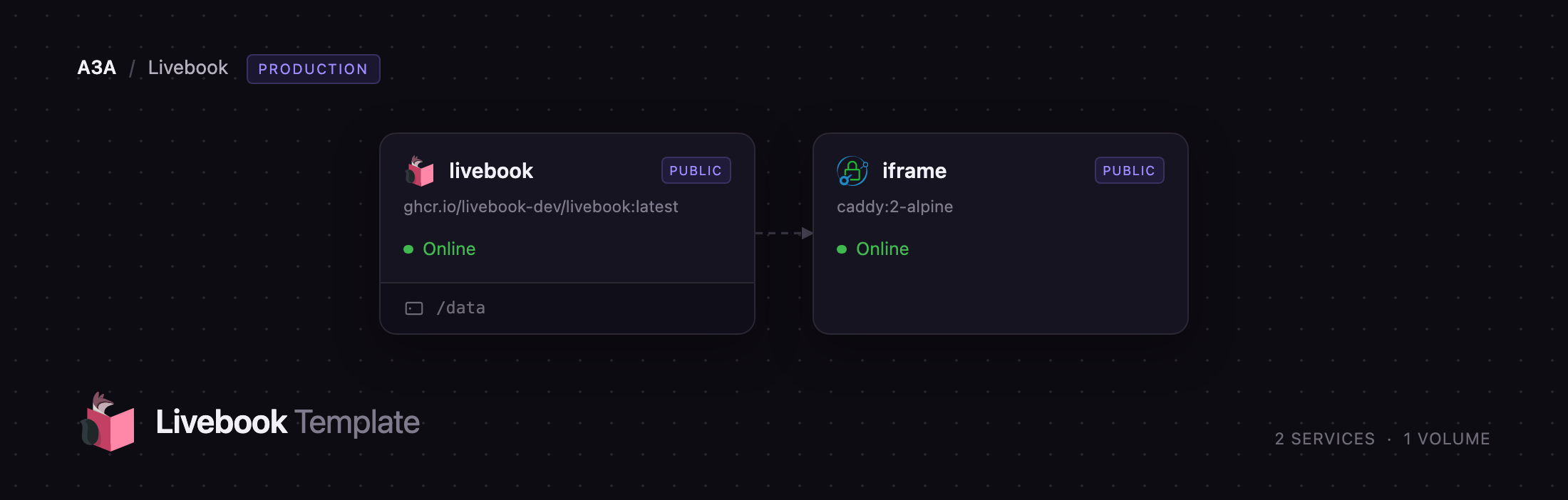
Deploy Livebook on Railway and you get a working authoring instance, not a bare container. The livebook service runs the official ghcr.io/livebook-dev/livebook image behind a password, with a 5 GB volume holding your notebooks, Livebook's settings and the compiled dependency cache, so a redeploy does not re-download every package. A second small service, iframe, serves the sandboxed frame Livebook's interactive outputs render inside — that content must come from a different origin, so it needs its own hostname. A managed bucket, livebook-storage, is created and pre-wired so notebooks can also live in S3-compatible storage.
Getting Started with Livebook on Railway
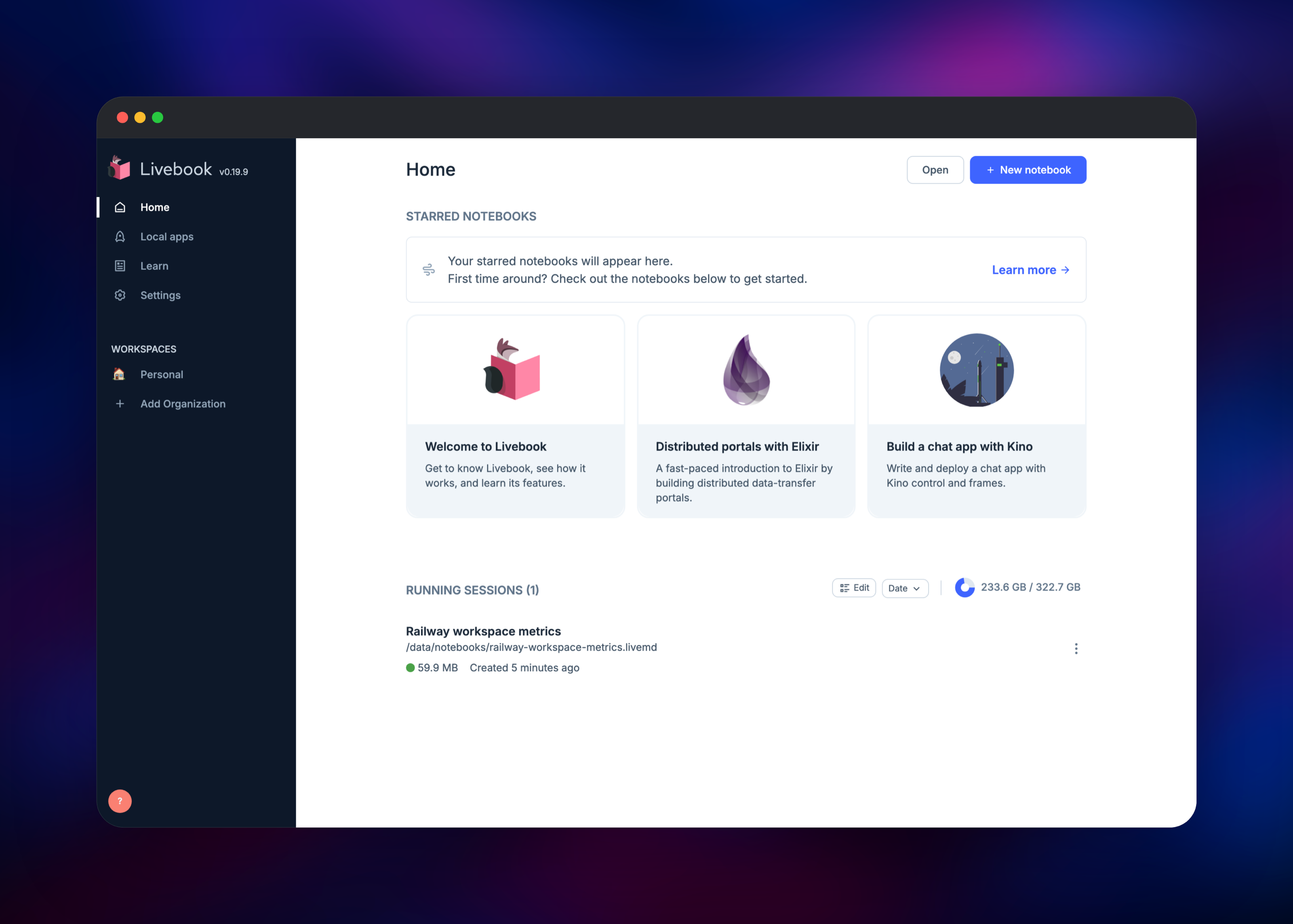
Open the livebook service's public URL and you land on /authenticate, which asks for one password: the LIVEBOOK_PASSWORD variable. A strong random value is generated at deploy, so copy it from the Variables tab or replace it with your own — minimum 12 characters. There is no sign-up flow and no user list; whoever knows the password operates the instance.
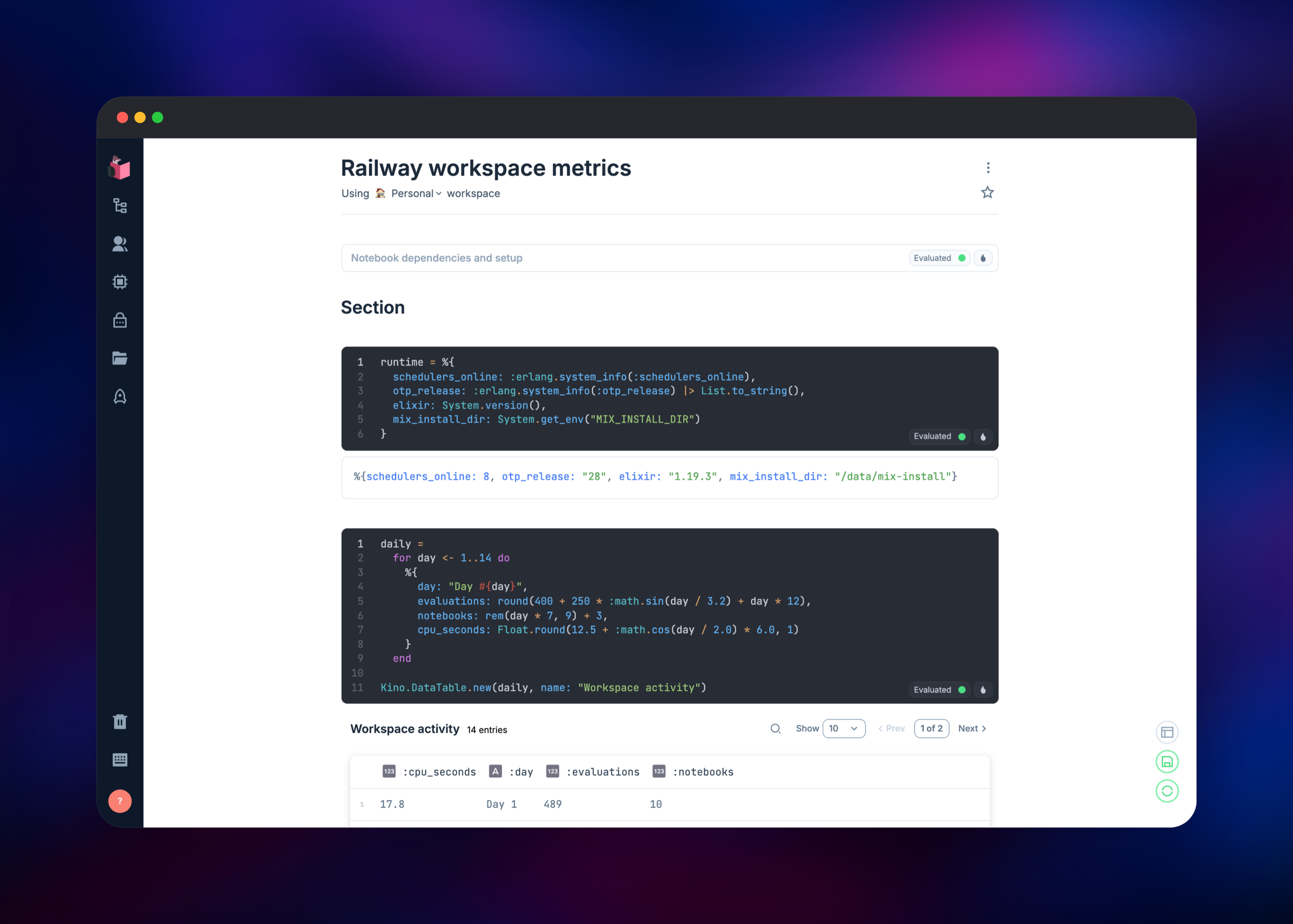
Click New notebook, open the Notebook dependencies and setup cell and add the packages you need, for example Mix.install([{:kino_vega_lite, "~> 0.1"}]). Press Setup and wait for them to compile; the first run takes a couple of minutes, later ones seconds, because the cache sits on the volume. Add an Elixir cell, type an expression and press Ctrl/Cmd + Enter — a result underneath means the runtime is healthy. To keep the notebook, open the file settings from the disk icon at the bottom right and save it under /data/notebooks, the volume-backed directory the file browser starts in. Unsaved work is autosaved beneath /data/livebook/autosaved. Learn in the sidebar holds the bundled tour if Elixir is new to you.
About Hosting Livebook
Self-hosting Livebook puts it next to the systems it needs to reach — a private database, an internal API, a cluster you attach a remote runtime to — without exposing any of them to a hosted notebook service.
- Notebooks stored as
.livemd, a Markdown subset that versions like code - Smart cells for database queries, charts and data transforms, no boilerplate
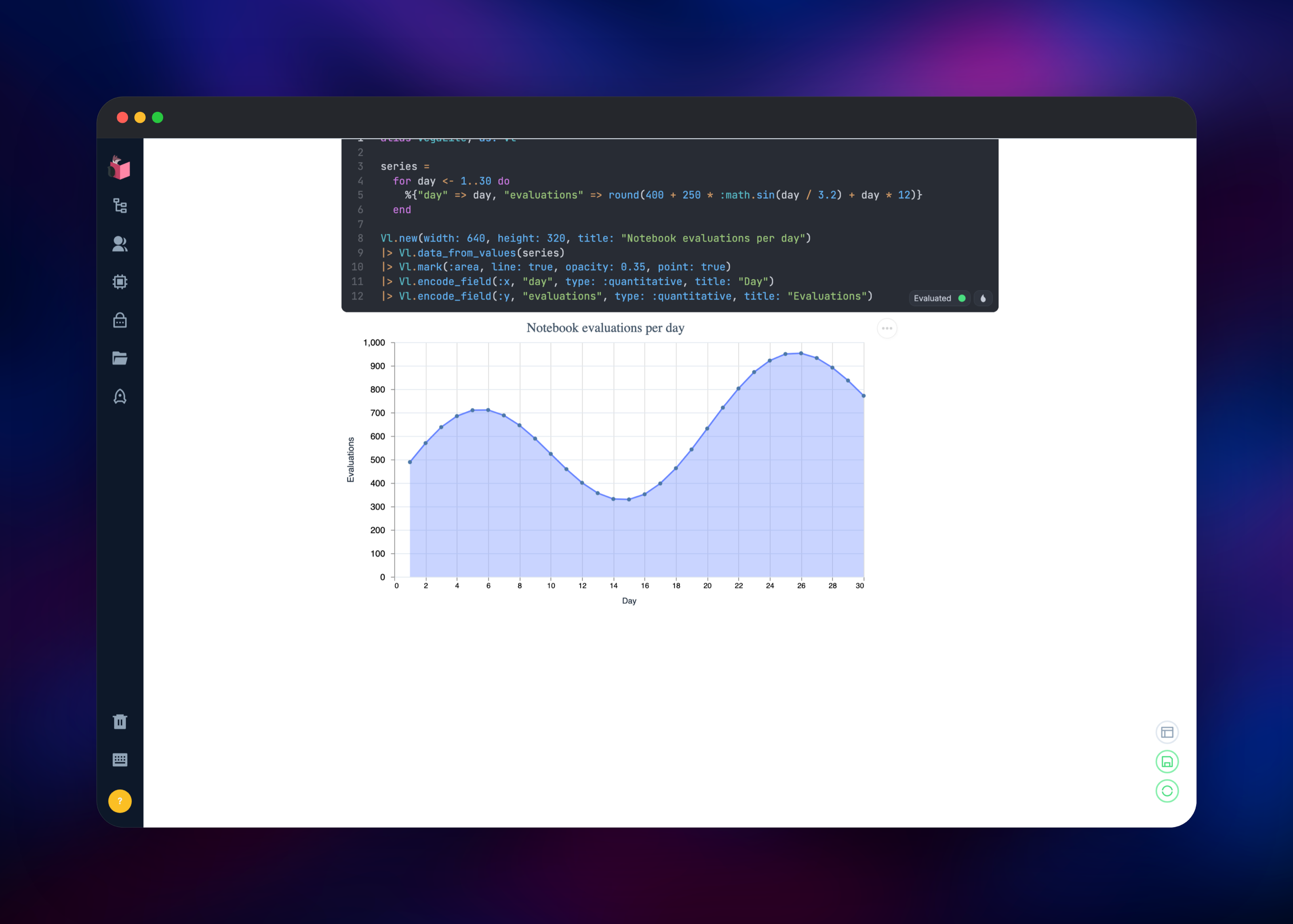
- Kino for interactive output: inputs, forms, tables, maps and VegaLite charts
- Real-time collaborative editing, with connected users shown in the sidebar
- Deploy any notebook as a web app from the Application pane
- Attach a runtime to an existing Elixir node to inspect it live
- Python cells alongside Elixir ones
The deployment has two services. livebook serves the UI on port 8080, keeps all mutable state on the volume at /data, and starts a separate Elixir runtime for each notebook you open. iframe is a small Caddy reverse proxy in front of the app's second internal port, which serves only the static sandbox document interactive outputs load — nothing else.
Why Deploy Livebook on Railway
Livebook is a stateful, single-instance app, which is what Railway handles well.
- Volume attached and pointed at Livebook's data directories
- Both public hostnames and TLS provisioned automatically
- Password, session key and cookie generated per deployment
- Private networking between the app and its frame origin
- Object storage created alongside it, credentials already wired
Common Use Cases
- Operational runbooks that run — replace a wiki page of copy-paste commands with a notebook that queries the database and renders the result, re-runnable by whoever is on call.
- Exploring private data — reach an internal Postgres or MySQL instance over the private network, build the query with a Smart cell, chart it with VegaLite.
- Machine-learning inference — load a Hugging Face model with Bumblebee and Nx, wrap it in Kino inputs, share a working demo as a URL.
- Internal tools — build a form-driven app in a notebook and deploy it from the Application pane.
Dependencies for Livebook
livebook—ghcr.io/livebook-dev/livebook:latest, the official image from livebook-dev/livebook. Serves the UI and runs the Elixir runtimes.iframe—caddy:2-alpine, proxying the app's frame endpoint so interactive outputs have a second origin.livebook-storage— a managed S3-compatible bucket. Optional: attach it under Workspace → File Storages.
Livebook needs no external database; notebooks, settings and secrets live on the volume.
Environment Variables Reference
| Variable | Purpose |
|---|---|
LIVEBOOK_PASSWORD | Password for the instance; minimum 12 characters |
LIVEBOOK_SECRET_KEY_BASE | Signs session cookies; keep it stable or redeploys log everyone out |
LIVEBOOK_HOME | Directory the notebook file browser opens in |
LIVEBOOK_DATA_PATH | Where settings, secrets and autosaves are written |
MIX_INSTALL_DIR | Compiled dependency cache, on the volume |
S3_BUCKET_URL | The bucket URL to paste when adding a file storage |
A variable named LB_SOMETHING becomes a Livebook startup secret, offered to notebooks by that name — the way to hand a notebook an API key.
Deployment Dependencies
- Runtime: Elixir 1.19 on Erlang/OTP 28, bundled in the image
- Source: github.com/livebook-dev/livebook
- Docs: hexdocs.pm/livebook
Hardware Requirements for Self-Hosting Livebook
| Resource | Minimum | Recommended |
|---|---|---|
| CPU | 1 vCPU | 2–4 vCPU |
| RAM | 1 GB | 4 GB or more |
| Storage | 2 GB volume | 5 GB or more |
| Runtime | Elixir 1.15+, OTP 26+ | Elixir 1.19, OTP 28 |
Livebook itself is light; the notebooks consume the memory. Every open notebook starts its own runtime, and loading a model or a large dataset can take gigabytes — size the service for the heaviest notebook you expect, not for the editor.
Self-Hosting Livebook with Docker
The quickest local run prints an access token in the log:
docker run -p 8080:8080 -p 8081:8081 --pull always ghcr.io/livebook-dev/livebook
With a password and persistent storage, closer to what this template configures — port 8081 is the frame endpoint, used only over plain http://:
docker run -d --name livebook \
  -p 8080:8080 -p 8081:8081 \
  -e LIVEBOOK_PASSWORD="change-me-at-least-12-chars" \
  -e LIVEBOOK_DATA_PATH=/data/livebook \
  -e LIVEBOOK_HOME=/data/notebooks \
  -v livebook-data:/data \
  ghcr.io/livebook-dev/livebook
Is Livebook Free to Self-Host?
Livebook is open source under the Apache 2.0 licence and free to run, with no seat limits or licence keys in the self-hosted build — everything on this page comes from it. Dashbit sells Livebook Teams as an optional paid layer for organisations wanting shared secrets and zero-trust authentication; this deployment does not need it. On Railway you pay only for the compute, volume and bandwidth used.
FAQ
What is Livebook?
An open-source interactive notebook for Elixir. It combines Markdown prose with runnable code cells and rich, interactive output, storing each notebook as a readable .livemd file.
What does this Railway template deploy?
Two services and a bucket: livebook, the app with a persistent volume; iframe, a small proxy serving the sandbox document interactive outputs render inside; and livebook-storage, a managed S3-compatible bucket you can optionally attach as a file storage.
Why is there a second service just for an iframe? Livebook renders charts, tables and inputs inside a frame granted both script execution and same-origin access, which browsers require to load from a different origin than the embedding page. One Railway service gets one public hostname, so a second tiny service supplies that origin.
Do I need a database or object storage to run Livebook? No. Livebook keeps everything on disk, which is why the volume matters. The bucket is a handy place for notebooks shared between instances, but you can ignore it.
How do I log in to self-hosted Livebook?
With the value of LIVEBOOK_PASSWORD, read from the livebook service's Variables tab. Clear that variable and Livebook falls back to printing a one-time access token in the deploy logs.
How do I give a notebook an API key without hard-coding it?
Set a variable named LB_YOUR_KEY_NAME on the livebook service. Livebook reads every LB_-prefixed variable at startup, registers it as a secret and removes it from the environment; notebooks then request access by name.
Template Content