
Deploy LiveKit
Realtime audio and video server for apps, calls and voice agents

Redis
Just deployed
/data
Just deployed
LiveKit
Just deployed
livekit-egress
Bucket
Just deployed
Deploy and Host LiveKit on Railway
LiveKit is an open-source WebRTC server that moves live audio, video and data between people, browsers and programs in real time. It is a Selective Forwarding Unit: each participant sends one stream up and LiveKit fans it out to the rest, so a room stays cheap on the client as it grows. Written in Go on the Pion WebRTC stack and released under Apache 2.0, it powers video conferencing, live streaming, remote collaboration, robotics teleoperation, and realtime AI voice agents needing sub-second round trips between a microphone and a model. Teams self-host it to keep media on infrastructure they control and escape per-minute hosted pricing.
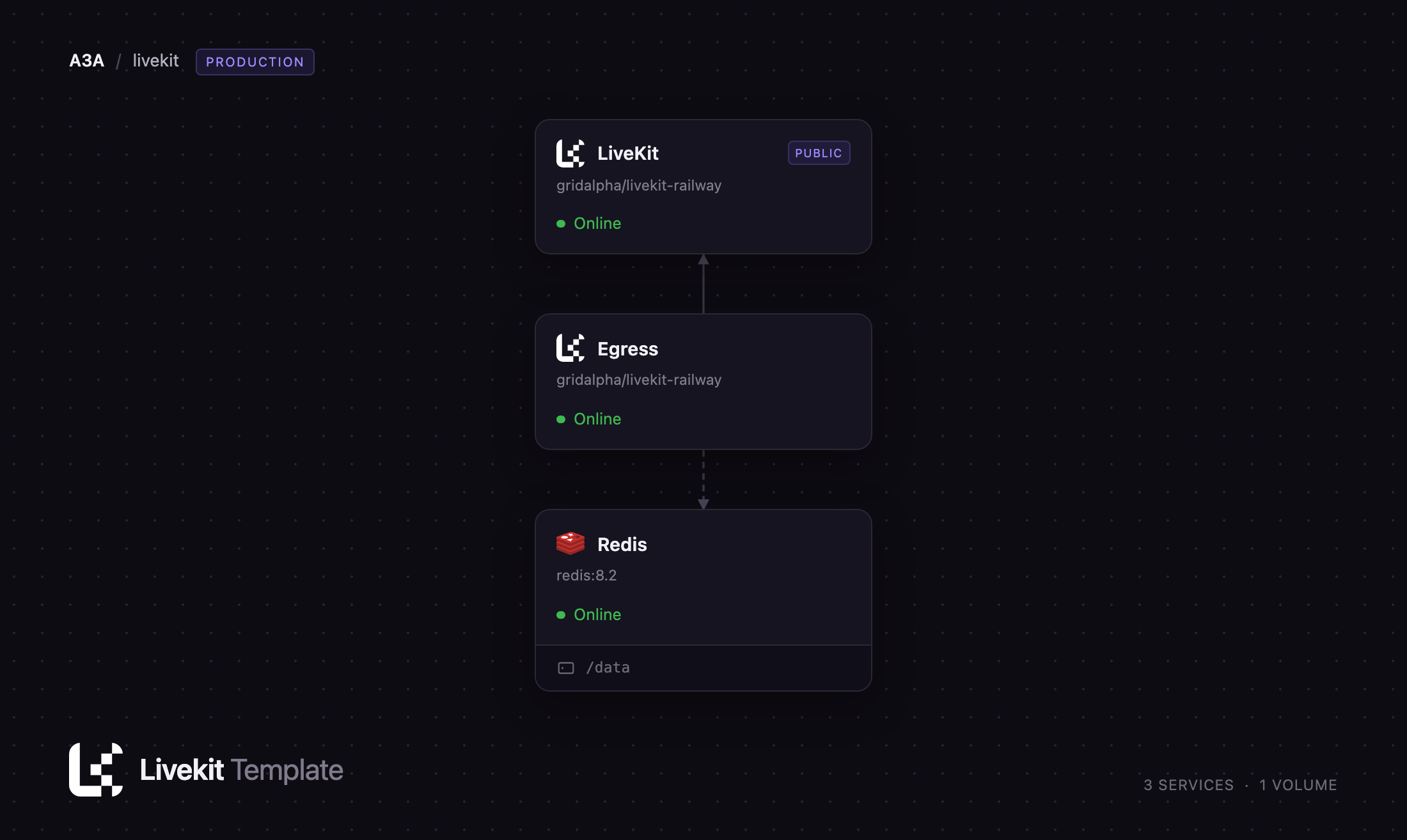
Self-host LiveKit on Railway and this template deploys the full production shape rather than one container: the media server, a Redis instance so rooms route through a shared store instead of one process's memory, a LiveKit Egress worker that records and streams rooms out, and a managed object storage bucket for recordings. Browsers reach the server over a public HTTPS domain for signalling and a Railway TCP proxy for media. Both images come from the gridalpha/livekit-railway repository, thin wrappers over the official builds that configure themselves at boot.
Getting Started with LiveKit on Railway
LiveKit has no web dashboard — it is a server your application talks to — so start by confirming the two network paths it needs. Open the service's public URL: a bare OK means the node is healthy. Then open Settings → Networking and confirm a TCP proxy over container port 7881 exists; if not, add one and redeploy. That proxy is the only route media can take, because Railway routes no inbound UDP — without it the deployment looks healthy, signalling works, and every room stays silent.
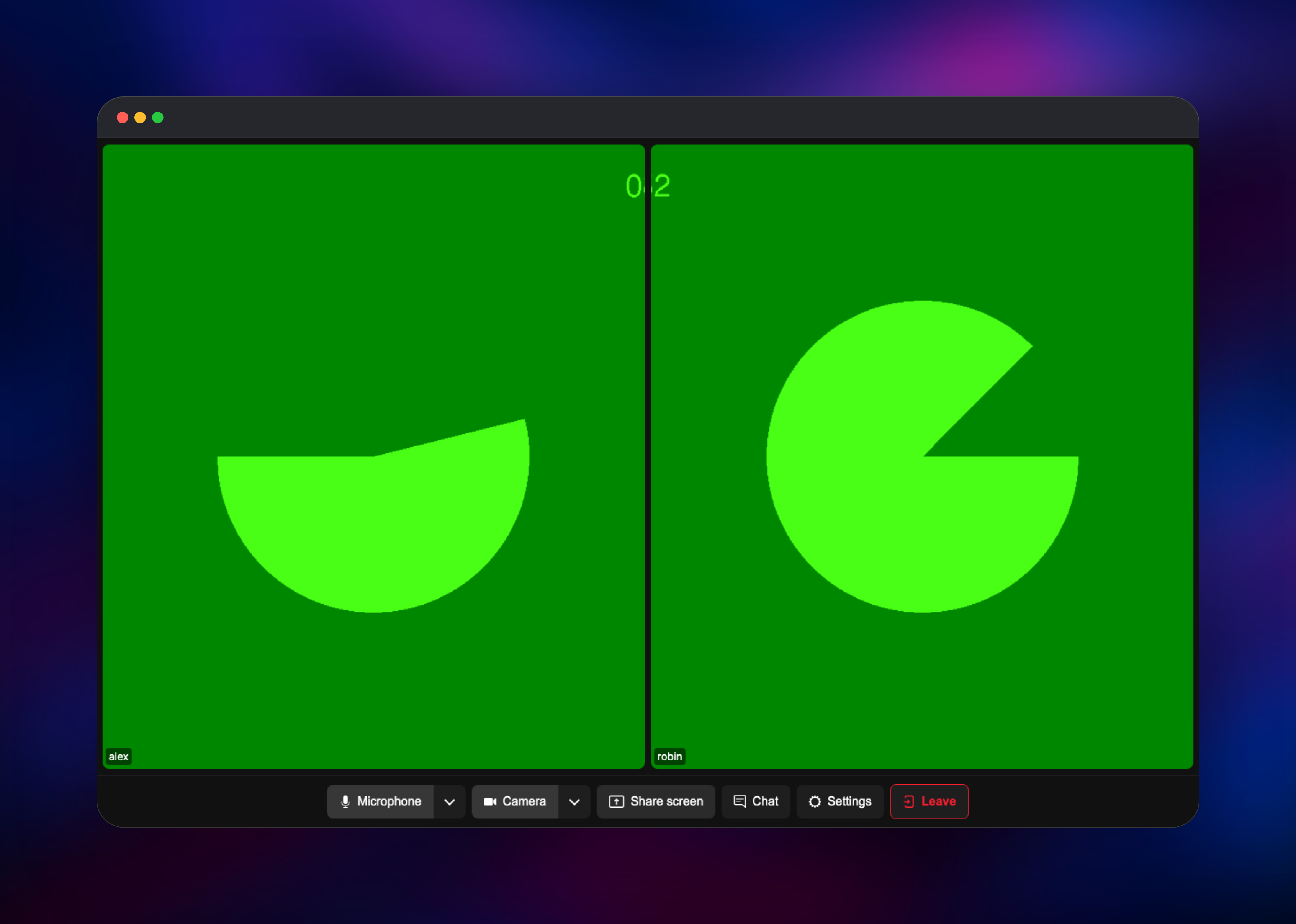
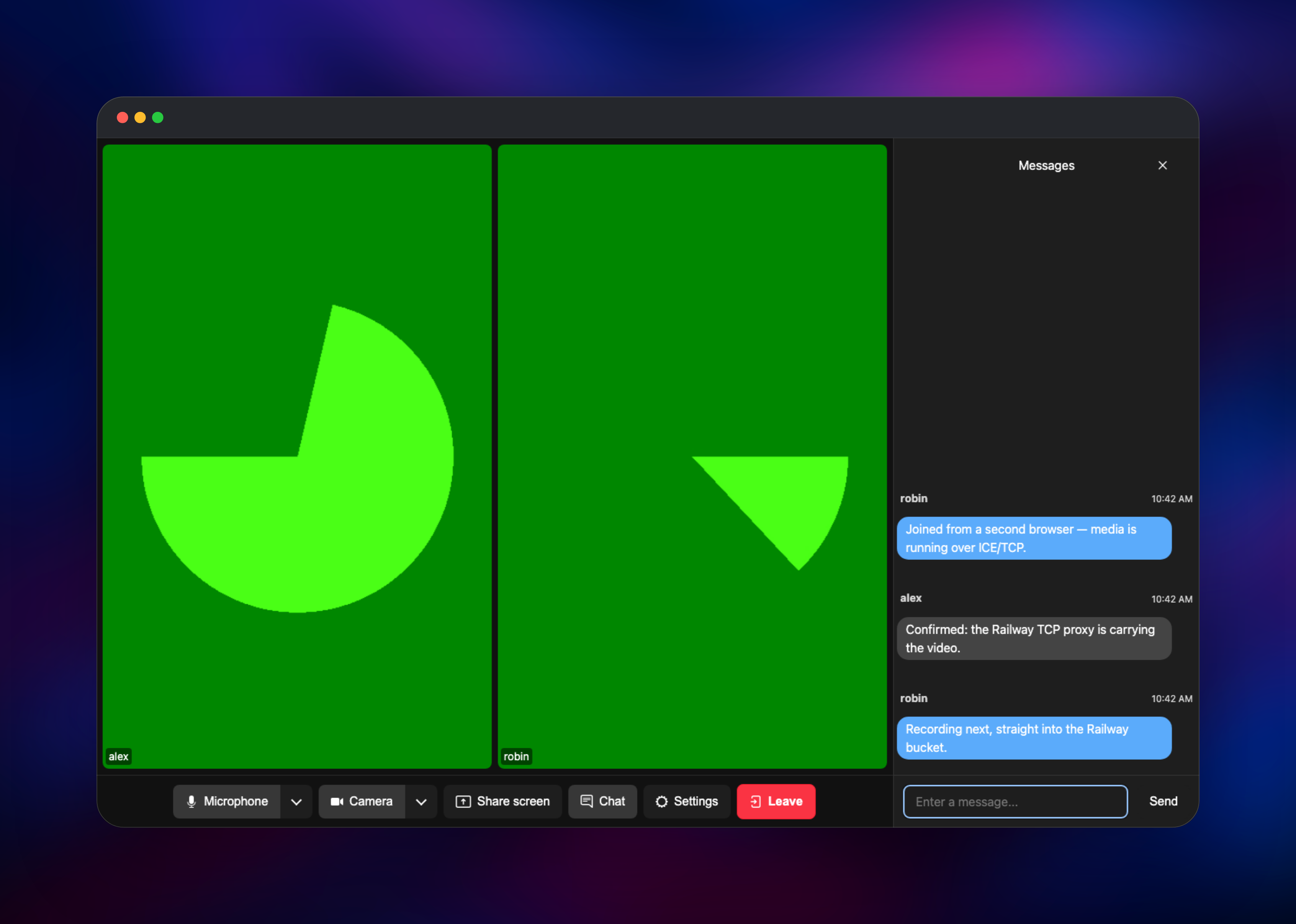
Next, copy LIVEKIT_API_KEY and LIVEKIT_API_SECRET from the service variables — your application signs access tokens with these, and there is no default login. To see the server working, mint a join token and open it in LiveKit's hosted test client at meet.livekit.io/custom, or run lk room join from the LiveKit CLI. Join from two browser windows under different identities; each should see the other's camera tile within seconds. Once video flows, media is traversing the TCP proxy and the deployment is ready for your own SDK.
About Hosting LiveKit
LiveKit sits between your application and your users' browsers. Your backend issues a signed JSON Web Token saying who a participant is and what they may do; the client SDK connects with it, publishes tracks and subscribes to the others. The server forwards media rather than storing it, so its state is small and lives in Redis, not on disk.
Key capabilities:
- Simulcast, selective subscription and adaptive bandwidth management
- Client SDKs for JavaScript, React, Swift, Kotlin, Flutter, Unity, Go, Rust and Python
- Server APIs for creating rooms, moderating participants and issuing tokens
- Realtime data channels for chat, cursors and state sync
- End-to-end encryption, speaker detection and SVC codecs including VP9 and AV1
- Recording and live streaming through Egress, plus lifecycle webhooks
The architecture has three moving parts. LiveKit is the media server and the only service with a public address. Redis lets multiple LiveKit nodes share room state so the media tier can scale out, and is the message bus the server and Egress talk over. Egress is a headless worker running Chrome and GStreamer; it joins a room like any participant, composites what it sees and writes MP4, HLS or RTMP, uploading finished files to object storage and returning a signed URL.
Why Deploy LiveKit on Railway
Railway removes the infrastructure work self-hosting a media server usually implies.
- Media server, Redis and recording worker deploy together, already wired
- TLS, the public domain and the media TCP proxy are handled for you
- Redis and object storage are managed — no broker or S3 account to run
- Private networking keeps Redis and the worker off the internet
- Scaling out is a replica-count change, not a cluster rebuild
Common Use Cases for Self-Hosted LiveKit
- Realtime AI voice agents — with the LiveKit Agents framework a speech model joins a room as a participant and answers callers at sub-second latency
- In-app video calling — group calls, screen sharing and chat inside a SaaS product, with no customer media crossing a third party
- Live streaming and virtual events — broadcast a stage to an audience, then record the room with Egress
- Remote operation — camera feeds from robots or industrial equipment, with a data channel carrying control input
Dependencies for LiveKit
livekit/livekit-server:latest— WebRTC media server and room APIlivekit/egress:latest— recording and streaming worker- Redis 8 — distributed room routing and the RPC bus shared by server and Egress
- Managed object storage bucket — destination for recordings
Environment Variables Reference
| Variable | Service | Purpose |
|---|---|---|
LIVEKIT_API_KEY | LiveKit | Key your application signs access tokens with |
LIVEKIT_API_SECRET | LiveKit | Signing secret; must be 32+ characters |
LIVEKIT_REDIS_HOST | LiveKit | Enables distributed mode across replicas |
LIVEKIT_WEBHOOK_URLS | LiveKit | Comma-separated URLs for room lifecycle events |
LIVEKIT_WS_URL | Egress | WebSocket URL of the media server to record |
EGRESS_S3_BUCKET | Egress | Bucket recordings are uploaded to |
Deployment Dependencies
- Source repository: github.com/gridalpha/livekit-railway
- Upstream: livekit/livekit, livekit/egress, docs.livekit.io
Hardware Requirements for Self-Hosting LiveKit
| Resource | Minimum | Recommended |
|---|---|---|
| CPU | 1 vCPU | 4+ vCPU server; 2–4 vCPU per concurrent recording |
| RAM | 512 MB server | 2 GB server, 4 GB Egress |
| Storage | None | Recordings go to object storage, not a volume |
| Runtime | Go (server), Chrome + GStreamer (Egress) | Provided by the images |
The media server is bandwidth-bound long before it is CPU-bound; Egress transcoding is expensive and should be scaled separately.
Self-Hosting LiveKit
Locally, the official image in development mode runs a single node:
docker run --rm -p 7880:7880 -p 7881:7881 \
  -e LIVEKIT_KEYS="devkey: secretsecretsecretsecretsecret32" \
  livekit/livekit-server --dev --bind 0.0.0.0
For production, LiveKit reads a YAML file. A minimal livekit.yaml with Redis and ICE over TCP:
port: 7880
redis:
  address: redis:6379
rtc:
  tcp_port: 7881
  port_range_start: 50000
  port_range_end: 60000
  use_external_ip: true
keys:
  APIkey: your-32-character-or-longer-secret
Generate a key pair with docker run --rm livekit/livekit-server generate-keys. Any environment blocking inbound UDP also needs rtc.force_tcp and a reachable TCP port — exactly what this template configures for you.
How Much Does LiveKit Cost to Self-Host?
LiveKit's server, Egress and every client SDK are Apache 2.0 licensed and free to run, with no seat limits, participant caps or feature gating. LiveKit Cloud is the hosted alternative, with a free Build tier and paid plans starting around $50/month plus usage. Self-hosting on Railway costs only the infrastructure the services consume, so spend scales with concurrent participants and recording hours.
FAQ
What is LiveKit?
LiveKit is an open-source WebRTC Selective Forwarding Unit carrying realtime audio, video and data between participants. Applications connect with a client SDK and a signed token, and LiveKit routes media between them.
What does this Railway template deploy?
The LiveKit media server on a public domain, Redis for distributed room state, a LiveKit Egress worker for recording and streaming, and a managed object storage bucket for the recordings.
Why does this template include Redis?
Redis turns a single LiveKit process into a cluster — room and participant state live there rather than in one node's memory, so replicas can be added later. It is also the bus Egress receives jobs on.
Do I need a TCP proxy, and why?
Yes. Railway routes no inbound UDP, so WebRTC media falls back to ICE over TCP. The server advertises the proxy's public port automatically, but the proxy must exist on container port 7881 or rooms connect and stay silent.
How do I generate an access token for a LiveKit room?
Your backend signs a JSON Web Token with LIVEKIT_API_SECRET, sets the issuer to LIVEKIT_API_KEY, and adds a video grant naming the room and permissions. Every official server SDK ships a helper, and the CLI mints one for testing.
Can I run LiveKit SIP or Ingress on this deployment?
No. SIP telephony and WHIP ingest both need inbound UDP, which Railway does not provide. Recording and streaming through Egress work normally, since Egress dials outward.
Template Content


